Skip to content





Gmelius has long been a go-to for teams that rely on Gmail for collaboration. It turns your inbox into a shared workspace, complete with email assignment, internal notes, and automation tools.
But as teams grow and workflows become more complex, Gmelius can start to feel restrictive. Users often report slower performance, issues with email management, and missing features.
If your team is ready for a change, this guide covers 13 top Gmelius alternatives, detailing their features, pricing, and standout benefits.
Quick Summary
Gmelius made Gmail collaborative, but scaling teams need more speed, more channels, and more automation than Gmelius can comfortably handle. After reviewing performance, pricing, and user experience, we picked the 13 best Gmelius alternatives worth considering. DragApp is the closest like-for-like upgrade. Hiver adds full help desk power with AI. Front leads for teams communicating across multiple channels.
Table of Contents
- Quick Summary
- How We Evaluated These Gmelius Alternatives
- What is Gmelius
- Why Teams Look for Gmelius Alternatives
- 13 Gmelius Alternatives You Should Consider in 2025
- How to Choose the Right Alternative
- Upgrade Your Support Stack with the Right Gmelius Alternative
- FAQs
How We Evaluated These Gmelius Alternatives
User reviews reveal recurring pain points with Gmelius. These include being restricted to Gmail, slow load times, limited automations and AI features, and a steep learning curve.
We looked for tools that address those gaps and evaluated each based on:
- Email compatibility beyond Gmail (Outlook, IMAP)
- Multichannel coverage (email, chat, SMS, social)
- AI and automation for triage, summaries, and workflows
- Ease of onboarding and user ratings
- Transparent pricing and scalability
Some of the tools below stay close to what you already know (shared inboxes and email collaboration). Others offer full-blown help desk features like multichannel support, AI-powered live chat, knowledge bases, customer portals, and powerful automations.
What is Gmelius
Gmelius is a Gmail-based collaboration tool that helps teams manage shared inboxes, delegate emails, and stay aligned without leaving their inbox. The goal is simple: keep communication organized and reduce the back-and-forth that slows teams down.
Imagine it as a layer on top of Gmail that turns emails into shared tasks. You can assign messages to teammates, leave internal notes, build simple workflows, and track conversations without switching tools.
While this works well for small or Gmail-only teams, many users eventually run into limits as volume increases. Performance can slow down, automation options are limited, and being tied strictly to Gmail makes it harder to expand into multi-channel support (like chat, WhatsApp, SMS, or social).
And that’s when teams start looking at Gmelius alternatives that offer more speed, flexibility, and scalability.
Why Teams Look for Gmelius Alternatives
Gmelius works well for small, Gmail-only teams that need shared inboxes and basic workflow automation. However, as teams grow or support operations become more complex, several limitations start to appear consistently across user experiences.
Performance Slowdowns at Higher Volume
Many teams mention that Gmelius becomes slower to load and process messages as inbox volume increases, especially during peak periods. This affects response speed and overall productivity.
Mobile App Limitations
The desktop experience is strong, but the mobile app lacks several core features, making it harder for managers or agents to work effectively while away from their desks.
Learning Curve with Automation
Automation is one of Gmelius’ strengths, but it can require more setup and training than expected, especially for teams new to workflow sequencing.
Conversation Organization Issues
Gmelius may combine emails with the same subject line, which can lead to context being merged incorrectly and notes not applying to the correct message. Here’s how a reviewer on G2 puts it— “Conversations can bundle together when subject lines repeat, which causes confusion in follow-ups.”
Gmail-Only Limits Scalability
Teams that expand beyond email (e.g., adding chat, SMS, WhatsApp, or help desk workflows) often find Gmelius too tied to Gmail to scale effectively.
13 Gmelius Alternatives You Should Consider in 2025
Let’s explore the top 13 alternatives worth considering.
| Tool | Key Features | Pricing | G2 Rating |
|---|---|---|---|
| DragApp | Kanban boards in Gmail, shared inbox, workflow automation | $12/user/mo | 4.5 |
| Hiver | Multichannel inbox, AI Copilot, analytics & SLAs | Free, then $25/user/mo | 4.6 |
| Missive | Cross-channel inbox, real-time team chat, rules engine | $14/user/mo | 4.7 |
| Front | Omnichannel support, AI insights, shared drafts | $25/user/mo | 4.7 |
| Helpwise | Shared inbox, SMS, WhatsApp, and chat support, plus automation rules | $12/user/mo | 4.6 |
| Zendesk | Powerful ticketing, AI agents, advanced SLAs | $55/agent/mo | 4.3 |
| Freshdesk | Freddy AI, ticketing & SLAs, knowledge base | Free, then $15/agent/mo | 4.4 |
| Gorgias | Shopify integration, intent detection, macros | $50/mo | 4.6 |
| Help Scout | Beacon widget, AI Answers/Summarize, saved replies | $25/user/mo | 4.4 |
| Enchant | Shared inbox, AI replies, knowledge base | $20/user/mo | 4.8 |
| Gladly | Customer timeline, omnichannel messaging, proactive messaging | $180/user/mo | 4.7 |
| Decagon | AI agents, workflow creation, built-in QA | Custom pricing | 4.9 |
| HelpDeskZ | Open-source, knowledge base, unlimited agents | Free | 4.1 |
1. DragApp

DragApp is one of the closest matches for Gmelius, but with a sharper focus on keeping Gmail simple and visual. Instead of stacking dozens of features onto your inbox, Drag turns Gmail into a Kanban-style workspace. Emails move like tasks across customizable boards, making workflows easy to follow.
For teams that want to stay in Gmail but find Gmelius heavy or inconsistent as they grow, Drag offers clarity without the clutter. Its minimal, board-based approach is especially useful for support or sales teams that already think in workflows: new, in progress, done. With Drag, your inbox becomes the project tracker.
Key Features
- Shared inboxes – Manage group addresses like support@ or sales@ directly in Gmail
- Board view – Organize emails as draggable cards on boards (like “New,” “In Progress,” “Done”)
- Email assignment & internal notes – Assign emails to teammates and add context with private notes
- Workflow automation – Set rules to auto-assign, move, or tag emails as they arrive
- Analytics & reporting – Track team response times and email volumes
- Task management features — Add due dates, priorities, and checklists to emails
- Mobile access – Access shared boards and workflows on the Gmail mobile app via the Drag add-on
Pros:
- Turns Gmail into an organized, visual workspace.
- Simple to use and easy to set up for teams.
- Built-in chat improves collaboration.
Cons:
- Can slow down when the volume of emails is high.
- Limited customization options.
- Missing advanced features like thread splitting.
Pros and cons summarized from Drag’s G2 reviews.*
Pricing:
- Starter: $12 user/month, billed yearly
- Plus: $18 user/month, billed yearly
- Pro: $24 user/month, billed yearly
2. Hiver

Where Gmelius mainly adds collaboration on top of Gmail, Hiver centralizes every support channel into one interface that is known for being intuitive and user-friendly (the GIF below captures this perfectly). Teams can onboard in 15 minutes and avoid the steep learning curve that often frustrates Gmelius users.
We give you built-in SLAs, automation, AI-powered workflows, and deep analytics to speed up resolutions, prevent missed responses, and keep your team aligned.
And since you can manage both personal and team emails in the same interface, it’s easy to stay organized and ensure every customer gets a timely response.
Key Features
- Ticketing – Assign every incoming message in a few clicks. Track ownership, status, and progress to ensure timely responses
- Automations – Auto-tag, route, or evenly distribute tickets to eliminate repetitive manual work
- Seamless collaboration – Add internal notes, share drafts, and co-edit responses in real time
- Knowledge base and customer portal – Provide 24/7 self-service answers and let customers log and track their own tickets
- Actionable analytics – Track SLA compliance, CSAT, resolution times, and agent performance to spot bottlenecks
- AI in every workflow – Use AI Copilot to draft replies, summarize threads, and surface past cases; AI Agents to triage, route, and detect sentiment; and AI Insights to flag churn risks, knowledge gaps, and coaching needs
Pros:
- Easy-to-use interface that teams can get started with in minutes.
- Strong automation and AI features for faster responses.
- Seamless collaboration through notes, drafts, and clear ownership.
- Excellent customer support from the vendor compared to most alternatives.
Cons:
- Some features are locked behind paid plans.
- Minor sync issues are reported on rare occasions.
Pros and cons summarized from Hiver’s G2 reviews.*
Pricing
Hiver offers four pricing options:
- Forever free plan
- Growth: $25 per user per month
- Pro: $45 per user per month
- Elite: $75 per user per month
3. Missive
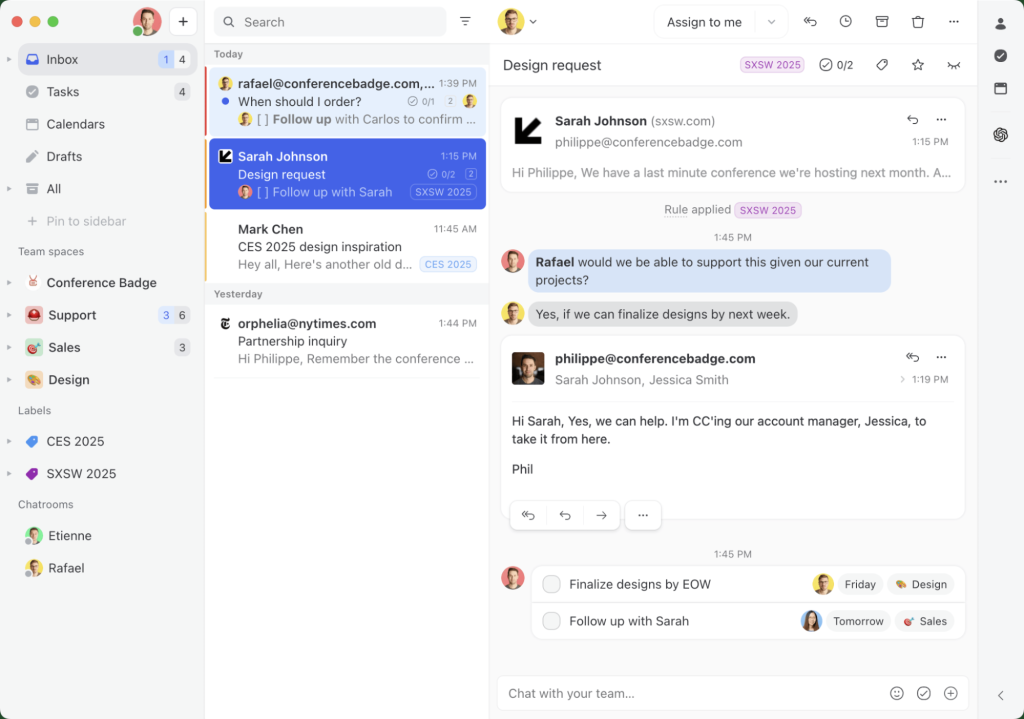
Missive stands out as a Gmelius alternative because it isn’t tied to Gmail alone. It supports multiple email providers (Gmail, Outlook, IMAP) and brings together email, SMS, social media, and live chat in one workspace. This helps teams assign requests and collaborate on responses across channels.
Its built-in chat alongside emails lets teams align without switching tabs, which reduces back-and-forth and speeds up response times. This makes it especially useful for teams that have outgrown Gmelius’ Gmail-only model or want more real-time collaboration.
Key Features
- Unified inbox — Manage all email, SMS, social, and live chat conversations from one place.
- Team chat — Collaborate on emails by tagging teammates and discussing replies in real time.
- Rules engine — Automate email routing, tagging, and assignment based on keywords or senders.
- Shared labels — Organize conversations with common labels that sync across the whole team.
- Email tasks — Turn emails into actionable tasks and assign them with due dates.
- Smart snooze — Pause conversations and bring them back when you’re ready to follow up.
Pros:
- Combines email, chat, and social channels in one inbox.
- Strong collaboration with tagging, comments, and shared drafts.
- Helps teams track ownership and maintain context easily.
Cons:
- Search results can be inconsistent.
- Slight learning curve for users new to shared inboxes.
- Limited tutorials and other training material.
Pros and cons summarized from Missive’s G2 reviews.
Pricing
- Starter: $14 per user per month
- Productive: $24 per user per month
- Business: $36 per user per month
4. Front
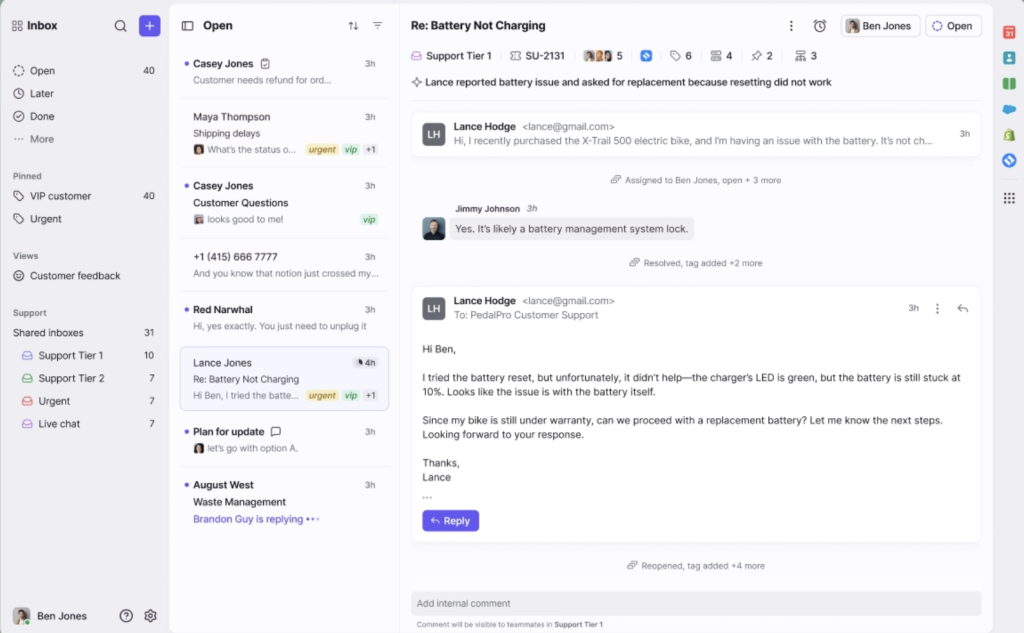
Gmelius is strong for Gmail-based collaboration, but it’s still email-first. Front reimagines your shared inbox as a holistic customer communication platform. It acts like an all-in-one hub for email, chat, SMS, and social conversations.
It keeps the inbox-look agents are already familiar with, and adds collaboration capabilities like comments, assignments, and shared drafts.
Front’s AI goes beyond canned suggestions by analyzing trends, highlighting workload bottlenecks, and helping managers optimize response quality and team performance.
Key Features
- Shared inbox & ticketing — Assign, route, and track ownership of messages across teams.
- Advanced automation — Streamline workflows with macros, templated rules, and AI add-ons like Copilot or Smart QA.
- Custom workspaces — Organize workflows, tags, and analytics by team or function.
- Front AI — Categorize conversations into topics, draft replies, summarize threads, and surface insights into why customers are reaching out.
- AI Insights & CSAT — Monitor satisfaction trends and agent performance with real-time reports.
Pros
- Familiar, email-style interface that’s easy to navigate.
- Internal comments and shared drafts prevent duplicate replies.
- AI Insights help managers track quality and performance.
Cons:
- Rule creation can be confusing.
- No built-in chatbot.
- Limited customization for advanced integrations.
Pros and cons summarized from Front’s G2 reviews.
Pricing:
- Starter: $25/seat/month
- Professional: $65/seat/month
- Enterprise: $105/seat/month
5. Helpwise

Helpwise is often mentioned alongside Gmelius because it offers the same core shared inbox functionality, but at a lower price point.
Gmelius can feel complex as teams grow, but Helpwise keeps things straightforward with fast setup, clear UI, and all the essentials for team email collaboration.
It supports multiple email providers (not just Gmail), and also adds basic chat, WhatsApp, and SMS support, which Gmelius lacks.
This makes it a strong option for small to mid-sized teams that want shared inboxes without the learning curve or cost of heavier help desk platforms.
Key Features
- Shared inboxes — Manage group addresses like support@ and sales@ from one dashboard.
- Internal notes — Collaborate with teammates privately on a thread to decide the best response or share additional context before replying.
- Automation rules — Auto-assign, tag, and route incoming emails based on sender or keywords.
- Real-time collision alerts — Prevent multiple agents from replying to the same message.
- Analytics & reporting — Track response times, resolution times, and agent performance.
Pros:
- Simple setup and clean design for quick adoption.
- Reliable customer support from the vendor
- Integrates smoothly with CRMs and project tools.
- Useful automation rules for routing and tagging.
Cons:
- Sorting and search features could be improved
- Occasional bugs, especially when searching under specific tags
- Few learning resources for advanced use.
- No AI assistance for replies or suggestions.
Pros and cons summarized from Helpwise’s G2 reviews.
Pricing:
- Standard: $12/user/month
- Premium: $23/user/month
- Advance: $49/user/month
6. Zendesk
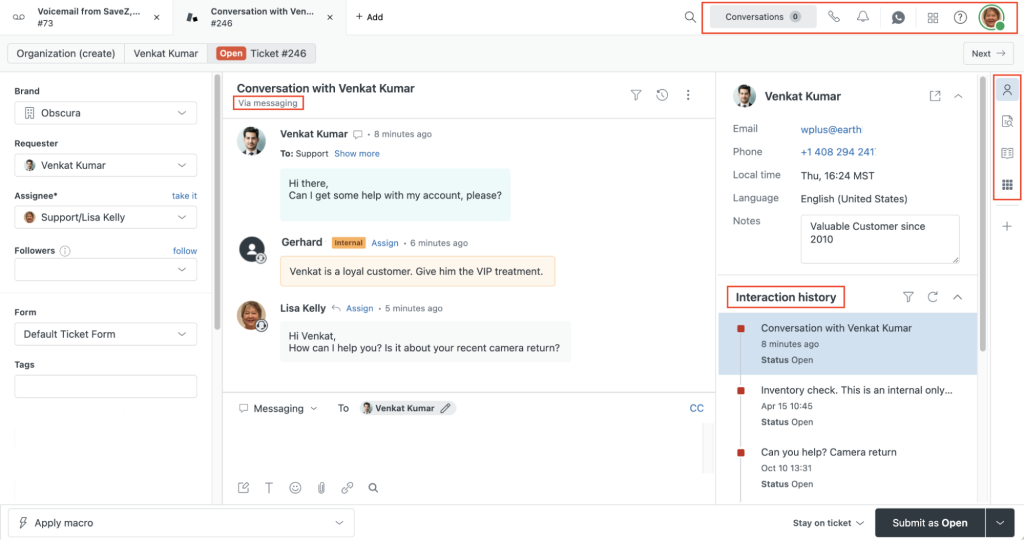
While Gmelius is built for Google Workspace based collaboration, Zendesk is a full-fledged customer service platform designed for larger teams managing high volumes of tickets across channels.
It not only brings structure with ticketing and automation, but also adds advanced AI tools, self-service portals, and detailed analytics.
This makes it a natural upgrade path for organizations that have outgrown shared inboxes and need enterprise-level scalability.
Key Features
- Workflow automation — Use triggers, macros, and custom rules to route and resolve tickets faster.
- SLAs & reporting — Track response/resolution SLAs, agent activity, and customer satisfaction.
- Knowledge base — Build self-service help centers and community forums to deflect tickets.
- Reporting & analytics — Use Zendesk Explore to measure performance, spot trends, and share insights that drive better support decisions.
- AI-powered tools — Use AI agents to resolve routine issues instantly, while Zendesk Copilot assists agents with suggested replies, ticket summaries, and next steps.
- Cross-team use cases — Beyond customer support, many internal IT and HR teams rely on Zendesk for ticketing and workflow management.
- Voice intelligence — Intelligent IVR, call routing, and real-time transcription streamline phone support.
Pros:
- Robust ticketing with automation, SLAs, and analytics.
- Offers deep customization for enterprise workflows.
- Works seamlessly with CRMs and collaboration tools.
- Reliable analytics to track team and customer performance.
Cons:
- Setup and customization can be complex and time-consuming
- Advanced AI and premium features require paid add-ons
- Support response times can vary based on what pricing plan you’re on
- Call quality and audio recordings could be improved
Pros and cons summarized from Zendesk’s G2 reviews.
Pricing:
- Suite Team: $55/agent/month
- Suite Growth: $89/agent/month
- Suite Professional: $115/agent/month
- Suite Enterprise & Enterprise Plus: Custom pricing
7. Freshdesk
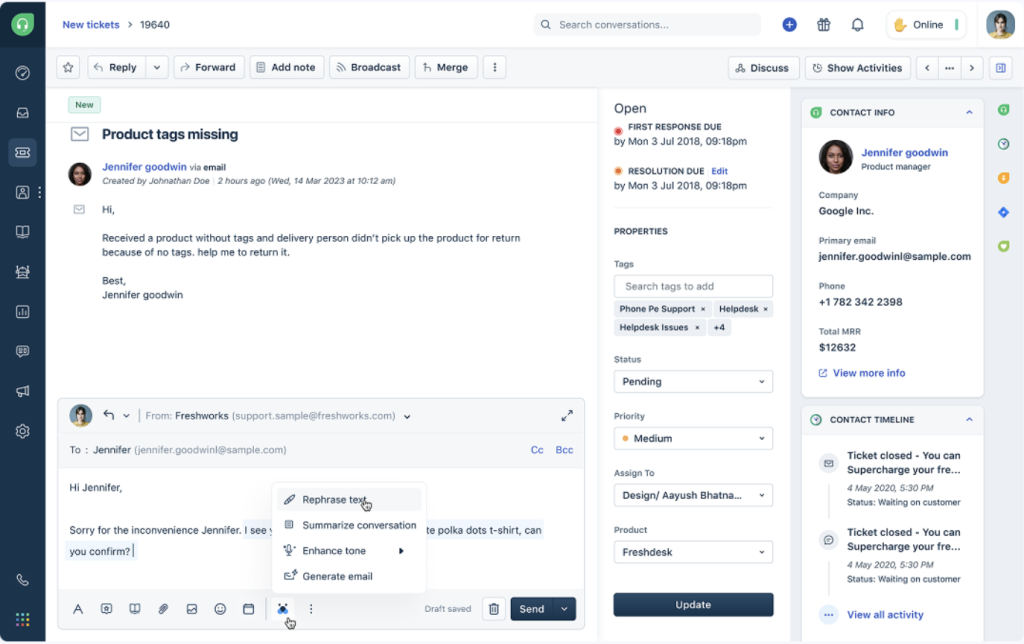
Freshdesk (part of the Freshworks suite) offers a strong alternative to Gmelius for teams that need structured ticketing, SLAs, and analytics without the complexity or cost of enterprise platforms.
Freddy AI is built into the platform, automating replies, summarizing conversations, and routing tickets to the right agents. Its Parent-Child Ticketing feature helps teams resolve complex issues faster by breaking one ticket into smaller, parallel tasks.
The result is a system that’s simple to use but powerful enough to handle scale.
Key Features
- AI assistance — Freddy AI drafts replies, summarizes threads, and manages tasks such as rescheduling or updating bookings directly in chat.
- SLA management — Set rules and timers to track first response and resolution deadlines.
- Ticket workflows — Automate assignment, escalation, and status updates with rule-based triggers.
- Knowledge base — Publish help articles to deflect common queries and reduce support load.
- App marketplace — Connect CRMs, ecommerce platforms, and project tools in a few clicks.
Pros:
- Freddy AI speeds up responses and reduces manual work.
- Simple yet powerful automation tools.
- Great for teams that want help desk structure without too much complexity.
- Integrates easily with third-party apps.
Cons:
- Too many alerts or missed notifications due to limited customization.
- Handling email threads and recipients can be clunky.
- Reporting and interface can slow with high ticket volumes.
- Certain ticket actions (like reopening) need manual steps.
Pros and cons summarized from Freshdesk’s G2 reviews.
Pricing:
- Free: Up to 2 agents
- Growth: $15/agent/month
- Pro: $49/agent/month
- Enterprise: $79/agent/month
8. Gorgias
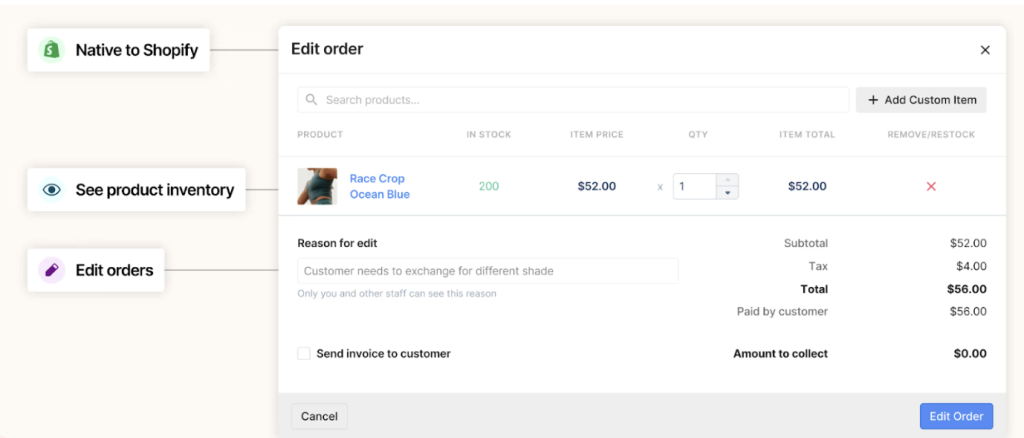
Gorgias is built specifically for online retail, making it a natural fit for Shopify, BigCommerce, and Magento stores. It combines help desk features with Conversational AI, enabling agents to deliver faster, more personal support at scale.
Agents can view product details, edit orders, and issue refunds without leaving Gorgias, keeping responses fast and personalized.
Where Gmelius focuses on email collaboration, Gorgias is designed to automate repetitive order-related questions and connect directly with storefront data.
Key Features
- Order integration — View order history, update shipping status, and issue refunds from your inbox.
- Intent detection — Automatically answer common questions like “Where’s my order?” or “How do I return this?”
- Multichannel inbox — Manage email, live chat, SMS, Facebook, and Instagram messages together.
- Macros & rules — Build reusable responses and route tickets based on customer or order attributes.
- Revenue analytics — Track sales influenced by support interactions and agent performance.
Pros:
- Seamlessly integrates with Shopify, Magento, and BigCommerce.
- Strong automation that saves time on repetitive questions.
- Helps personalize replies using live order and customer data.
- Streamlined ticket system keeps conversations easy to follow.
Cons:
- Analytics dashboard can be complex for non-technical users.
- Add-on costs rise quickly with ticket volume.
- Minor performance lags with heavy workloads.
- Some automation rules lack flexibility.
Pros and cons summarized from Gorgias’s G2 reviews.
Pricing:
- Basic: $50/month
- Pro: $104/month
- Advanced: $140/month
- Enterprise: $185/month
9. Help Scout
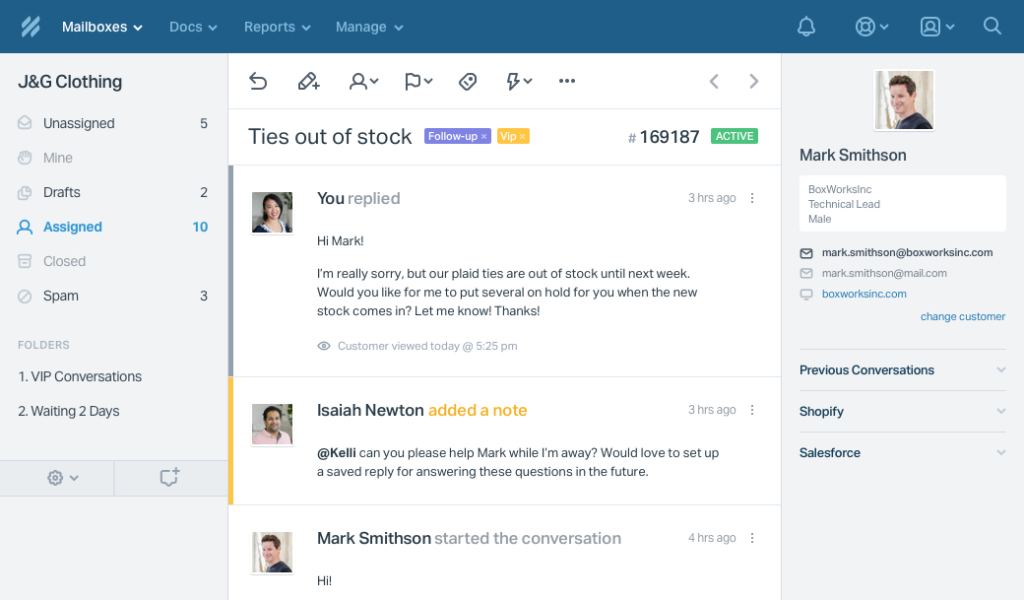
Help Scout is built to make support feel personal, even as teams grow.
Its shared inbox looks like a regular email client but includes collision detection, saved replies, and internal notes.
The platform adopts a contact-based pricing model, not a per-user one. This means pricing is tied to the number of unique customers assisted each month—whether by your team or by Help Scout’s AI. So, costs scale with usage, not headcount.
Another feature called Messages help teams onboard customers, gather feedback, and share updates with ease. For teams moving past Gmail-based tools like Gmelius, Help Scout offers a simple upgrade without the weight of enterprise platforms.
Key Features
- Beacon widget — Add a customizable support tool into your website or app to give customers help right where they need it. They can search your help articles, start a live chat, or submit a request without leaving the page. The widget also supports proactive messages, so you can guide users, share updates, or collect feedback in real time.
- AI tools —
- AI Answers: Auto-reply to common queries using your knowledge base.
- AI Summarize: Condense long conversations into quick, readable summaries.
- AI Translate: Reply in multiple languages instantly (available on higher tiers).
- Shared drafts & collision detection — Collaborate on replies and avoid duplicate responses.
- Saved replies — Speed up responses to FAQs with pre-written templates.
- Workflow automation — Auto-assign, tag, or prioritize tickets based on triggers like keywords or sender.
- Reporting & analytics — Monitor response times, agent performance, SLAs, and customer satisfaction trends.
Pros:
- Shared drafts and collision detection prevent duplicates.
- AI tools summarize, translate, and auto-answer common queries.
- Beacon widget offers proactive, in-app customer help.
- Simple setup and intuitive design for small teams.
Cons:
- Automated emails can sometimes duplicate threads.
- CSV exports aren’t available after tag-based filtering.
- Reports lack advanced filtering and customization.
- HelpDocs section could allow better editing and search tools.
Pros and cons summarized from Help Scout’s G2 reviews.
Pricing:
- Standard: $25/month
- Plus: $75/month
10. Enchant
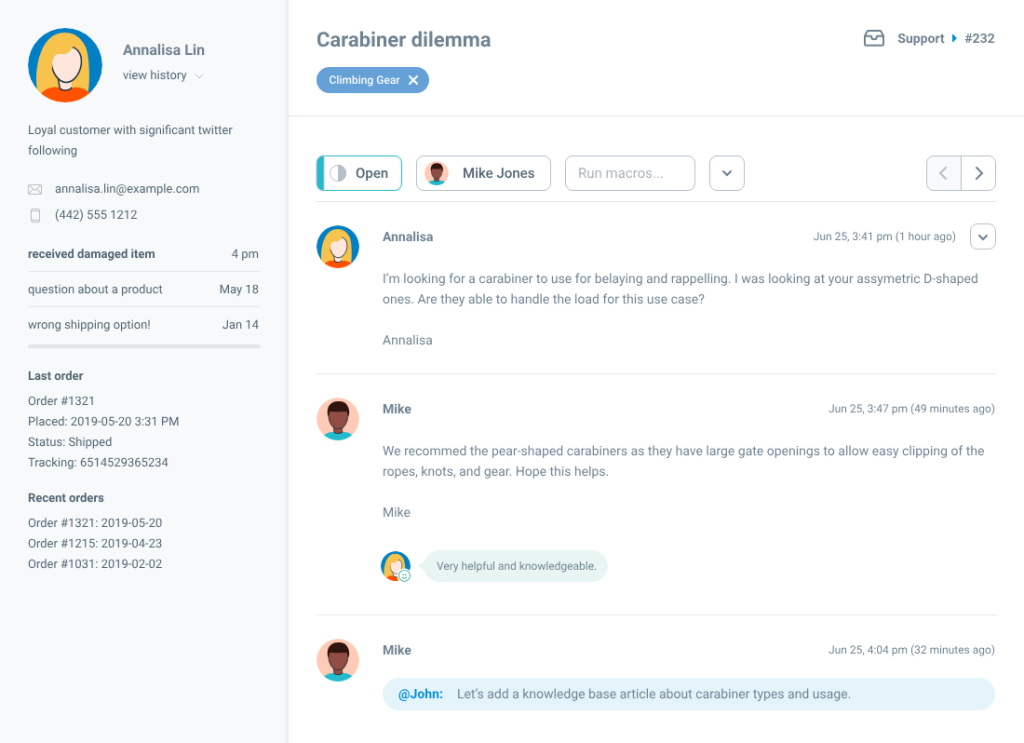
Enchant keeps things light and affordable with a single flat-rate plan that’s cheaper than Gmelius’s mid and high-tier offerings. It covers all the essentials—shared inboxes, ticketing, live chat, and a knowledge base—in a clean, intuitive interface that takes minutes to set up.
For smaller teams, Enchant’s clean workflows and lightweight automation make it easy to track every customer query, assign tasks clearly, and maintain visibility across channels without extra effort.
Key Features
- All-in-one plan — Every channel and feature is included, and there are no complex tiers.
- AI tool — Use Enchant AI to draft replies, summarize threads, and speed up response times.
- Shared inbox — Handle email, chat, and social messages in one place.
- Workflow rules — Auto-route tickets, apply tags, or assign owners.
- Self-service hub — Publish help docs to deflect FAQs.
- Website chat — Add a widget to your website to have live interactions with visitors.
- SLA timers — Automatically track response and resolution times to prevent breaches and maintain service quality.
- Analytics — View trends on ticket volume and agent performance.
Pros:
- Clean, minimal design that’s easy to learn.
- Strong ticket management with rules, macros, and canned replies.
- SLA timers and analytics keep teams on track.
Cons:
- Reporting doesn’t account for weekends or off-hours, lead
- Limited features for phone and SMS support.
- Some report metrics lack clear explanations, making data interpretation harder.
Pros and cons summarized from Enchant’s G2 reviews.
Pricing
- $20 USD per user, per month
11. Gladly
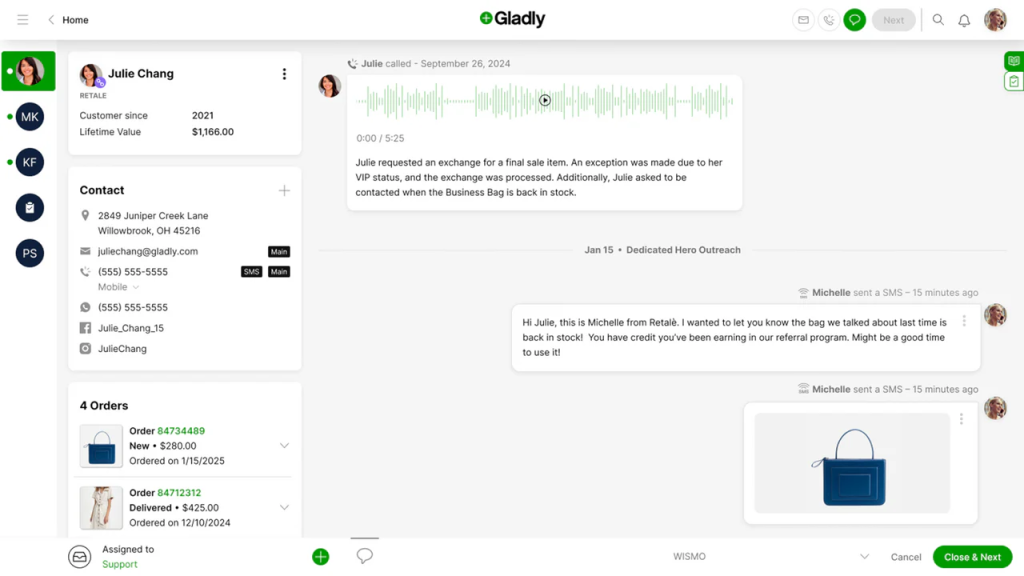
Gladly is a customer service platform designed around people, not tickets. Instead of breaking conversations into separate tickets, it gives agents one continuous timeline for each customer. This timeline shows every past chat, email, call, or text in one place, so agents always see the full story before responding.
Gladly is best suited for B2C and retail brands that prioritize long-term relationships and want every conversation to feel like part of one ongoing story rather than a disconnected thread.
Key Features
- Conversation timeline — View every past interaction in a single customer profile.
- Omnichannel support — Handle voice, email, chat, SMS, and social from one interface.
- Workflow tools — Assign tasks, set priorities, and manage escalations with ease.
- Real-time analytics — Track service KPIs and monitor performance trends.
- Proactive messaging — Send updates or offers to engage customers beyond support.
- Customer AI — Recognize returning customers, personalize interactions, and strengthen connections that drive repeat business.
Pros:
- AI-driven insights help you improve efficiency and identify bottlenecks proactively
- Creates a seamless, personalized customer experience.
- Quick access to product info ensures you don’t have to switch between tabs/apps.
Cons:
- Takes time to learn for new users.
- Internal notes can clutter timelines.
- Limited flexibility in chat automation and templates.
- Reporting and automation could be smoother.
Pros and cons summarized from Gladly’s G2 reviews.
Pricing:
- Hero: $180/user/month
- Superhero: $210/user/month
12. Decagon
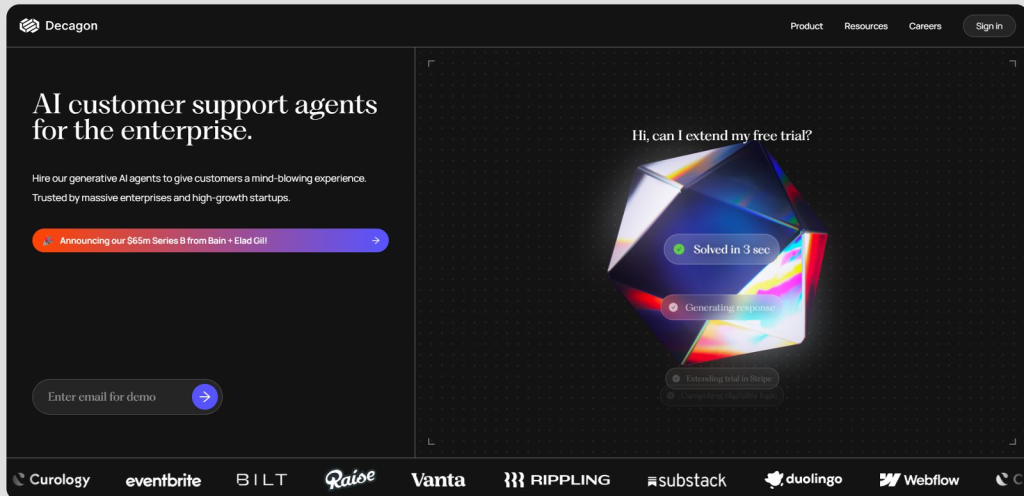
Decagon is an AI-first customer service platform built to handle entire conversations autonomously.
Its generative AI agents don’t rely on scripts or static flows — they read customer messages, understand context, and craft replies in real time. Over time, the AI learns from past interactions, so responses become more natural and accurate with scale.
Compared with Gmelius, which still requires agents to manage shared inbox workflows, Decagon aims to remove humans from routine queries entirely. It’s suited for companies that want to scale customer support without increasing cost.
Key Features
- Autonomous agents — Auto-resolve common requests like order status, cancellations, and account updates with real-time AI responses.
- Watchtower QA — Audit both AI and human-handled conversations with built-in quality feedback.
- Built-in analytics — Track deflection rates, resolution quality, and average handling time.
- Continuous learning — Improve performance by training on past tickets and feedback loops.
Pros:
- Conversational AI delivers natural, human-like responses.
- Easy to set up and use despite the wide range of features.
Cons:
- Some product areas, like user roles and audit logs, are still in early development.
- Lacks some self-serve customizability (ex. Deflection flows, APIs)
Pros and cons summarized from Decagon’s G2 reviews.
Pricing:
- Decagon AI pricing is not publicly listed but involves a custom quote.
13. HelpDeskZ
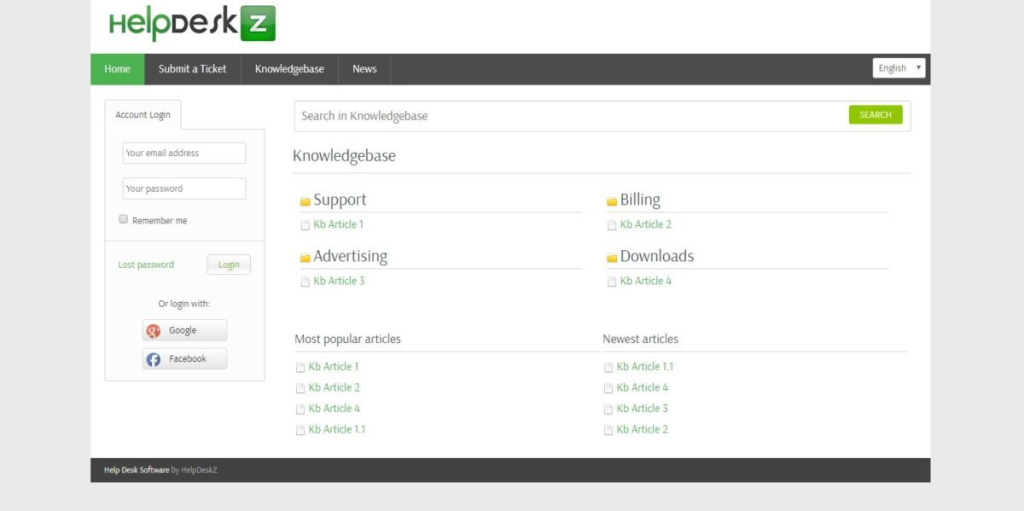
HelpDeskZ is a free, PHP-based ticketing system that integrates with your website. Because it’s open source, you can customize it to match your workflows and branding.
For teams moving beyond Gmail-based tools like Gmelius, it offers a no-cost way to centralize support. You get control of the installation, unlimited agent seats, and a built-in knowledge base to help customers self-serve.
It supports email, web forms, and a customer portal, letting you capture and manage support requests from all key channels in one place.
Key Features
- Open source — Customize the platform as needed with full code access.
- Knowledge base — Build FAQs and articles to reduce repeat queries.
- Unlimited agents — Add as many support staff as you need.
- Email piping — Convert incoming emails into tickets automatically.
Pros:
- Affordable pricing allows flexibility to integrate with other tools.
- Provides a clear, holistic view of all tickets.
- User-friendly interface that’s easy for customer-facing teams to navigate.
Cons:
- Communication with the vendor’s support team can be difficult at times due to unclear instructions or language barriers.
Pros and cons summarized from HelpDeskZ’s G2 reviews.
Pricing:
- Free
How to Choose the Right Alternative
Every team doesn’t outgrow Gmelius for the same reason. Some need faster collaboration inside Gmail, others want multichannel coverage, and some just want stronger automation. Here’s a quick checklist to help narrow down your options:
- Email provider — Do you only use Gmail, or do you also need Outlook/IMAP support?
- Feature depth — Is a shared inbox enough, or do you need full help desk capabilities (ticketing, SLAs, reporting)?
- Automation — Do you want rules, AI assistants, or advanced workflows to cut down manual work?
- Channels — Will email be enough, or do you also need chat, SMS, voice, or social media in the same dashboard?
- Team size & budget — Smaller teams may prefer lightweight, affordable tools, while larger teams benefit from enterprise-level scalability.
Answering these will make it clear whether you should stick close to Gmail-based solutions like Drag, move into multichannel tools like Hiver or Front, or explore enterprise options like Zendesk.
Upgrade Your Support Stack with the Right Gmelius Alternative
When teams hit the limits of Gmelius, the question isn’t whether to switch—it’s which platform will truly help you scale. The right alternative should simplify day-to-day work, keep collaboration seamless, and give you the flexibility to serve customers across every channel they prefer.
Your best alternative depends on whether you want to stay close to Gmail (like Drag), add help desk features (like Hiver or Front), or scale into enterprise AI (like Zendesk or Decagon).
Before committing, test your options. Free trials are the fastest way to see how a platform handles your real workflows, from ticket assignment to SLA tracking. You’ll quickly know if it feels natural or creates new friction.
If you’re ready to experience modern, intuitive customer support, start your free trial of Hiver today. Give your team a platform built for speed, scale, and simplicity.
FAQs
1. What is the best alternative to Gmelius for teams using Gmail?
If you want something close to Gmelius without switching away from Gmail, DragApp is the most natural fit. Hiver is another option if you want to layer in help desk features like SLAs, automation, and multichannel support.
2. What are the main differences between Gmelius and tools like Hiver or Front?
Gmelius mainly extends Gmail with shared inbox features. Hiver adds help desk capabilities such as ticketing, SLAs, AI chat, and analytics. Front goes a step further, offering a multichannel shared inbox that includes email, SMS, chat, and social.
3. Can I migrate my workflows easily from Gmelius to another tool?
Yes. Most alternatives offer import tools or APIs to bring over your contacts, conversation history, and workflows. The exact ease of migration depends on your choice—lighter tools like Drag and Missive are quicker to switch to, while Zendesk or Freshdesk may require more setup.
4. Are there free Gmelius alternatives suitable for startups?
Yes. HelpDeskZ is open-source and free if you can self-host. Tools like Helpwise and Freshdesk also have affordable starter plans that cover small teams.
Start using Hiver today
- Collaborate with ease
- Manage high email volume
- Leverage AI for stellar service