


All your customer context
in one place and in sync.
Hiver brings your conversations, customer context, workflows, and AI in one workspace so you can tackle complexity head-on.
Don’t keep tabbing. Start resolving.
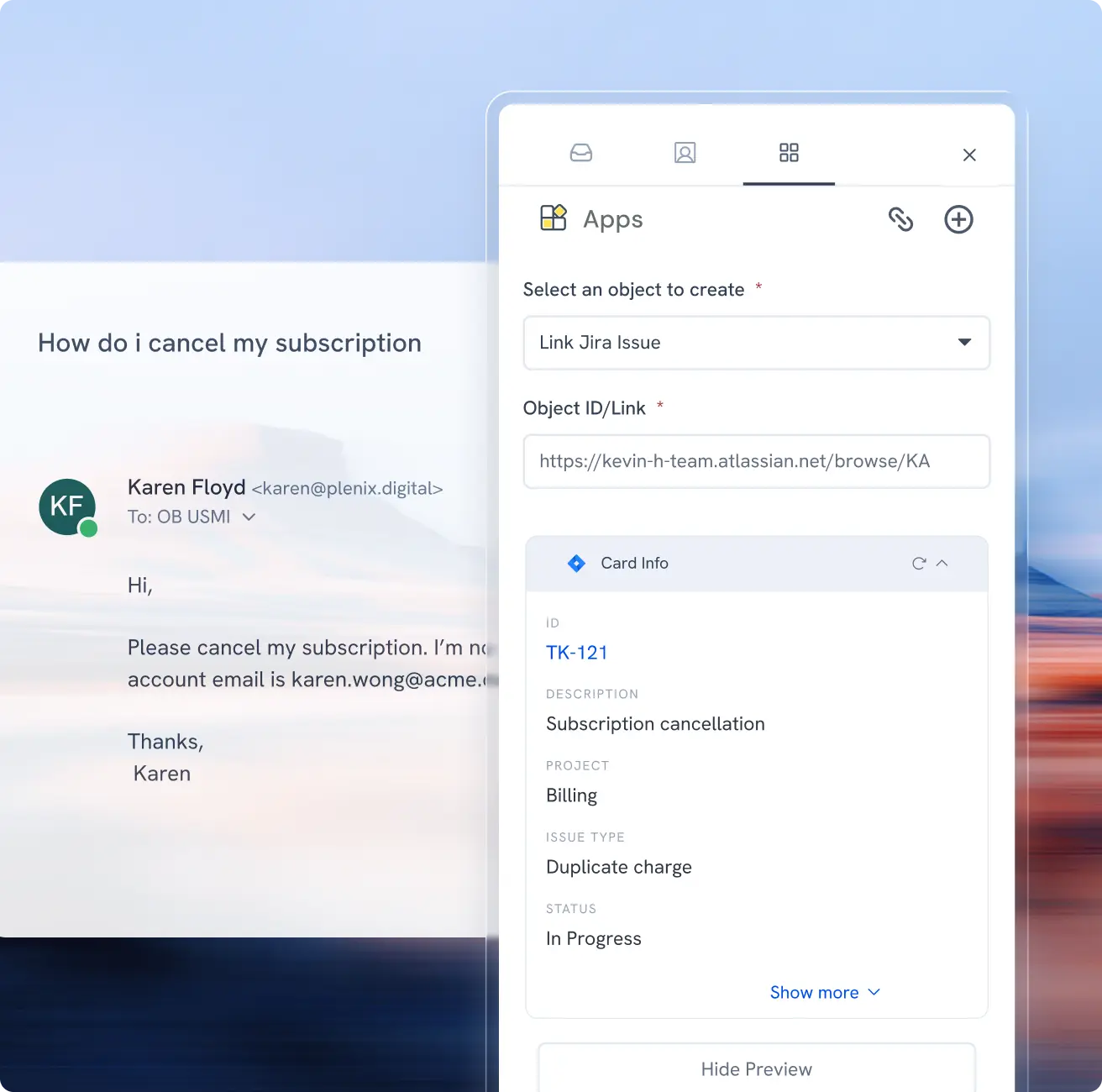
Context from every tool, inside every ticket
Easily view or update details across any system, like Salesforce, Jira, NetSuite, and Linear, right inside Hiver. Push updates back across every record and custom field, sync emails, and more, without the tab-switching.

Collaborate across tools
Loop in engineering on Jira, finance on NetSuite, or product on Linear from inside the conversation. Updates sync both ways in real time, so a status change in their tool shows up in yours, and the customer stays updated on the progress at every step.
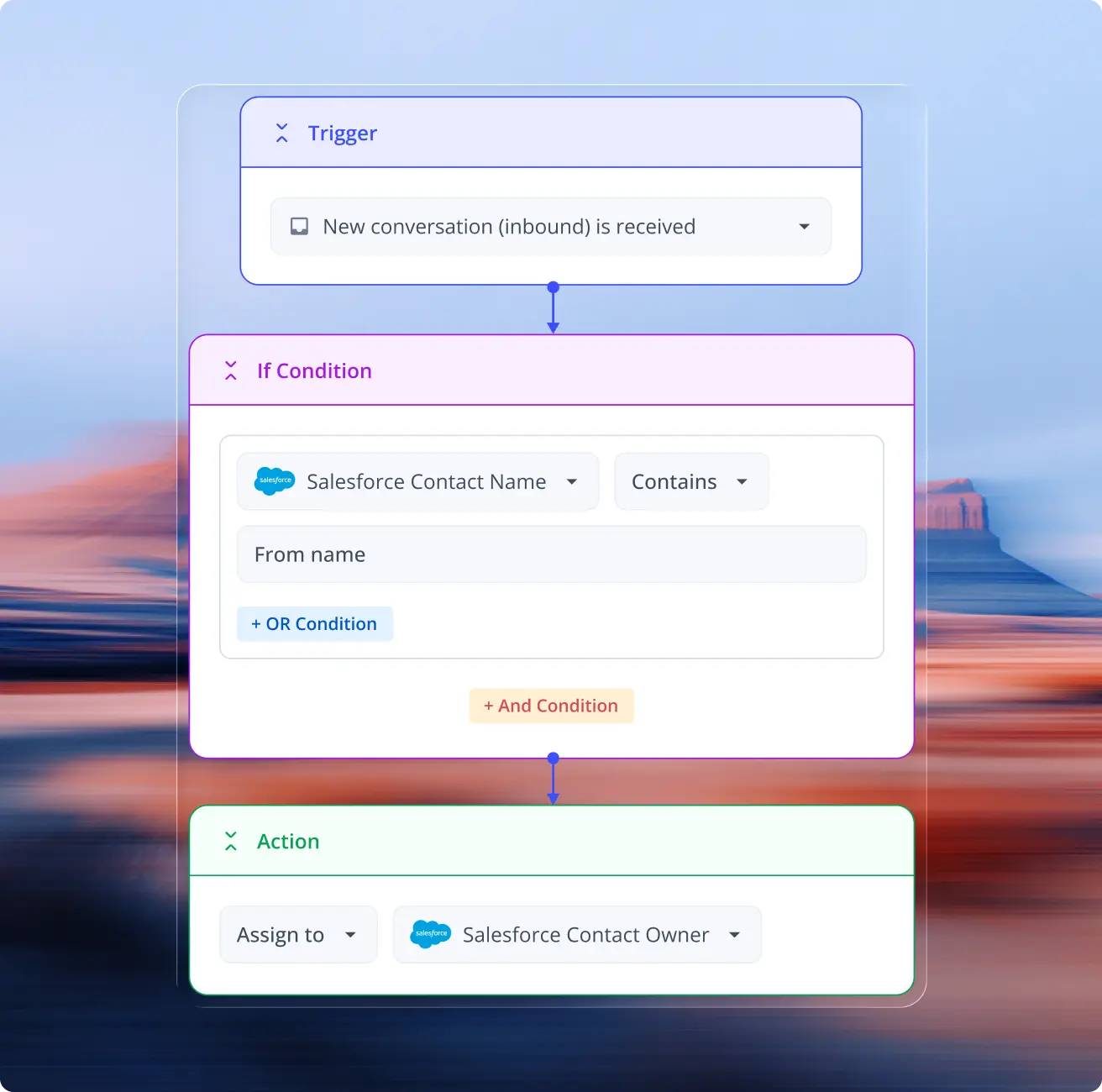
Route on the logic buried in your systems
Trigger rules on any signal from any connected system. Route and triage based on a plan tier or ownership in your CRM, an order value in Shopify, or a churn flag in your ERP, so the right request reaches the right team.
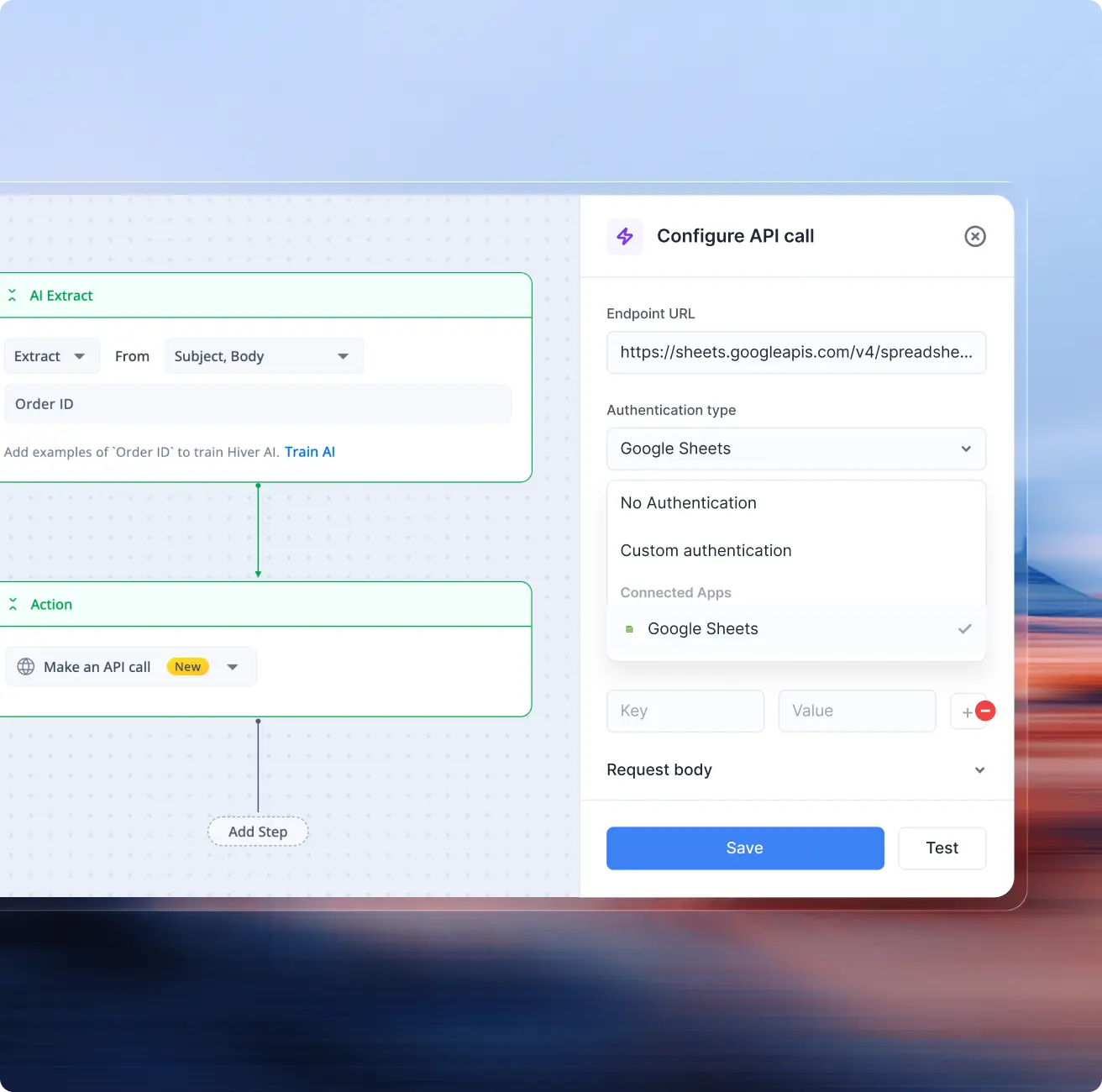
Pull context and push updates with APIs and webhooks
Open APIs and webhooks let you pull any data point in and push updates back out. If it has an API, Hiver can talk to it. Make your ERP the source of truth for every conversation and automate any cross-tool workflow.

Spaghetti workflows? Untangle it with AI and Automation
The busywork between systems, copying an order number, creating or updating a record, chasing a status, is where requests stall. Let AI and automation run it end-to-end, so your team only steps in when needed.
Hand the busywork to AI agents that run 24/7. They don't just answer, they act. Got a request for a quote? It reads the PDF, pulls the order ID, and creates the record in your ERP.
Open a Jira issue, log a Salesforce case, or kick off a refund in your billing tool without leaving the ticket. The action fires in the other system; the record lands back in Hiver. No copy-paste, no swivel chair.
All your tools.
All your channels.
One workspace.
From CRMs to ERPs to the custom tools only your team uses, explore 1,000+ integrations, or build your own with the API.
Frequently Asked
Questions
1. What are integrations, and why are they essential for businesses?
Integrations help connect your app with other business software, enabling seamless communication, data sharing, and workflow automation. Hiver is an AI-powered customer service platform that offers out-of-the-box integrations with over 100 tools like Salesforce, Jira, Okta, QuickBooks, WhatsApp, and more. It also allows admins and developers to build custom integrations using the Hiver API, tailored to the tools their teams already use.
2. Can we connect Hiver with Slack, CRM tools, or automation platforms?
Yes. Hiver offers native integrations with tools like Slack, Salesforce, HubSpot, NetSuite, Shopify, Asana, and Jira, so customer context flows directly into conversations. Hiver also supports open APIs and automation platforms (e.g., Zapier) to connect virtually any app in your stack. These integrations let teams see CRM fields, billing data, order history, and project details inside every support thread without switching systems.
3. How do integrations improve collaboration in customer service?
Integrations bring customer context into Hiver, so teams always see the full picture when responding. For example, viewing CRM account details alongside a support thread helps agents respond faster and more consistently. Automations can trigger downstream actions (e.g., create Jira issues or update CRM records) based on conversation status, reducing manual work and keeping teams aligned across functions.
4. What should I look for in an integration solution?
Look for a solution that supports integration with the tools your business already uses or plans to adopt. It should offer flexibility, ease of setup, reliable support, and strong security features to protect your data. Additionally, automating workflows and providing insights into team performance can be highly beneficial.
5. What sets Hiver apart from the integrations offered by other customer service platforms?
Hiver offers an intuitive interface that reduces the learning curve for teams. Its integrations can be set up in one click and are compatible with various tools, such as Aircall, WhatsApp, Salesforce, and more. Hiver’s capability for custom integrations via APIs makes it a versatile choice for businesses looking to deliver stellar support across channels.
6. How fast can we set up Hiver integrations for our team?
Hiver integrations are designed for quick setup. Most native connectors such as Slack, Salesforce, HubSpot, Shopify, Asana, and Jira can be configured in minutes via guided setup.
7. How does Hiver enhance integration for businesses?
Hiver is a powerful AI customer service platform that integrates with over 100 apps such as Salesforce, HubSpot, QuickBooks, Okta, Jira, and more. This enables businesses to manage customer service, finance, HR, and IT operations directly from a single interface—streamlining workflows, enhancing team productivity, and improving response times to customer queries.
8. How can integrating your customer service platform with other tools improve team productivity?
By integrating your customer service platform with other tools, teams can access all necessary information without switching between platforms. Hiver offers out-of-the-box and API-based integrations with several tools and apps, helping teams streamline communication, exchange data, and automate workflows—thereby boosting overall productivity.
9. Do integrations sync data in real time?
Yes. Most native integrations sync customer data with conversations in real time or near real time. When account ownership, order status, or ticket information changes in connected systems, teams can see updated context directly inside Hiver.
10. Can integrations trigger actions automatically across tools?
Yes. Hiver supports workflow triggers that update connected systems when conversation attributes change. For example, teams can create Jira issues, Asana tasks, or CRM updates automatically based on conversation status, tags, or routing rules.
11. What are the advantages of using Hiver’s API integration?
API integration allows developers to programmatically access and sync conversation data with other software. Hiver’s API will enable developers to build custom integrations and workflows with tools and apps tailored to their specific needs.
12. How can businesses get started with custom integrations using Hiver?
To start with Hiver’s API, developers or admins must generate an API key from the developer section in Hiver’s admin panel. Click here for detailed steps. Then, to build custom integrations using the key, refer to Hiver’s API documentation.
13. I need help setting up integrations or building a custom app. Can Hiver help?
Absolutely, feel free to email our support team at support@hiverhq.com or start a chat with our team by heading over to https://help.hiverhq.com/









