







Here’s a common scene that plays out at IT help desks every single day: an employee submits a ticket at 9 AM because their VPN keeps dropping mid-call.
Agent A replies in five minutes with a structured response — confirms the issue, checks the VPN client version, and shares a step-by-step fix. At 10 AM, another employee logs the exact same VPN issue. Agent B sends back a two-line reply: “Try restarting your laptop and reconnecting.” Same IT team, same ticket type, wildly different experience.
This isn’t an agent problem; it’s a process problem. Without standardized IT help desk ticket templates, every response depends on whoever picks up the ticket — their mood, their experience, their workload that day.
The result? Inconsistent resolutions, repeated back-and-forth, and SLA breaches that were completely avoidable.
That’s what this resource fixes. Below, you’ll find 35+ free IT help desk ticket templates you can copy and start using today, covering everything from ticket acknowledgements and IT service requests to escalation notices and resolution confirmations.
Jump to the templates you need:
- Ticket Acknowledgement Templates
- IT Service Request Templates
- Support Ticket Response Templates
- Escalation Templates
- Resolution Templates
- Outage & Communication Templates
- Internal Service Desk Templates
We’ve done the heavy lifting for you. Grab our 35+ IT helpdesk ticket template set at the end of this guide to start streamlining your support today.
What Are IT Help Desk Ticket Templates?
An IT help desk ticket template is a predefined format for logging, responding to, and resolving IT support issues consistently.
Instead of writing every ticket or reply from scratch, IT agents use templates as structured starting points that already include the right fields, language, and workflow context.
These templates work across IT support, internal help desks, and broader IT service desk workflows.
Whether an end user is reporting a hardware failure, requesting software access, or flagging a network outage, the underlying structure remains the same: a clear subject line, relevant issue details, an assigned IT agent, and a defined priority.
Here’s a break down of the key terms:
| Term | Meaning |
|---|---|
| IT help desk ticket template | A predefined format for logging and tracking an IT support request |
| Service desk ticket template | A broader ITSM workflow template covering incidents, problems, changes, and service requests |
| Support ticket response template | A pre-written reply sent to the requester during the ticket lifecycle |
Recommended reading
What Fields Should an IT Help Desk Ticket Have?
Every IT help desk ticket template needs a specific set of fields to move smoothly through the
ticket lifecycle—from creation to triage, assignment, escalation, and resolution.
Skip a critical field, and you create bottlenecks. Overload the form, and IT agents waste time on data entry instead of resolving issues.
Here are the fields that belong in a well-structured service ticket template:
| Field | Importance | Description |
|---|---|---|
| Ticket ID | Required | Unique identifier for tracking and reference across the IT help desk |
| Subject Line | Required | Brief summary of the IT issue or service request |
| Issue Description | Required | Detailed explanation of the problem, including steps to reproduce and error messages |
| Requester Details | Required | Name, email, department, and contact information of the employee or end user |
| Priority Level | Required | Classification of urgency—Low, Medium, High, or Critical |
| Status | Required | Current state—Open, In Progress, On Hold, Resolved, Closed |
| Category | Required | Type of IT issue—Hardware, Software, Network, Security, Access, etc. |
| Subcategory | Recommended | Further classification within the category (e.g., Hardware > Laptop, Hardware > Printer) |
| Tags | Recommended | Labels for filtering, reporting, and automation triggers |
| Assigned Agent | Required | The IT agent or technician responsible for resolving the ticket |
| SLA Deadline | Recommended | Response and resolution time targets tied to service level agreements |
| Timestamps | Required | Created date, last updated, and resolved date for audit trails |
| Attachments | Recommended | Screenshots, error logs, or documents that help diagnose the IT issue |
| Resolution Notes | Required at close | Summary of what was done to resolve the issue, added before ticket closure |
Pro tip: Keep required fields to the essentials—Ticket ID, Subject Line, Description, Requester, Priority, Status, Category, and Assigned Agent. Make everything else optional or auto-populated. The fewer fields an employee has to fill out, the more likely they are to submit a complete IT ticket on the first attempt.
35+ IT Help Desk Ticket Templates
Below is the complete IT help desk ticket template library, organized by category. Each template includes a description of when to use it.
Ticket Acknowledgement Templates
These templates confirm that an IT ticket has been received and set expectations for what happens next. Sending an acknowledgement immediately reduces follow-up emails and builds trust with the requester.
Template 1: IT Ticket Received Acknowledgement
When to use: Immediately after a new IT support ticket is submitted through any channel text.
Subject: We’ve Received Your IT Request – [Ticket ID]
Hi [Requester Name],
Thanks for reaching out to the IT help desk. We’ve logged your request under Ticket ID: [Ticket ID] and our team is reviewing it.
You can expect an initial response within [SLA Response Time]. If your issue is urgent, reply to this email with additional details, and we’ll prioritize accordingly.
You can also track the status of your ticket at [Help Center/Portal URL].
Best,
[Agent Name]
[Company Name] IT Support
Template 2: We Are Investigating Your IT Issue
When to use: If your IT team has begun investigating an issue but hasn’t yet reached a resolution.
Subject: Update on Your IT Request – [Ticket ID]
Hi [Requester Name],
Quick update — we’re actively investigating the issue you reported regarding [Brief Issue Description].
Our IT team is looking into this and we expect to have more information for you by [Expected Update Time/Date].
No action is needed from your end right now. We’ll reach out as soon as we have an update.
Thanks for your patience,
[Agent Name]
[Company Name] IT Support
Template 3: IT Service Request Confirmed (Formal)
When to use: For service desk environments or enterprise IT teams where formal acknowledgement is expected.
Subject: IT Service Request Confirmed – [Ticket ID]
Dear [Requester Name],
This confirms that your IT service request has been received and logged in our system.
Ticket ID: [Ticket ID]
Date Submitted: [Date]
Category: [Category]
Priority: [Priority Level]
Assigned To: [Agent/Team Name]
Our target response time for [Priority Level] requests is [SLA Response Time]. You’ll receive status updates as your request progresses.
If you need to add information, reply directly to this email.
Regards,
[Agent Name]
IT Service Desk
Template 4: Your IT Ticket Is in Queue
When to use: During high-volume periods when IT response times may be longer than usual.
Subject: Your IT Request Is Queued – [Ticket ID]
Hi [Requester Name],
We’ve received your request ([Ticket ID]) and it’s currently in our queue.
We’re experiencing higher-than-usual ticket volume right now, so response times may be slightly longer than normal. Rest assured, your ticket is assigned and will be addressed in order of priority.
Current estimated wait: [Estimated Time]
If your issue becomes critical in the meantime, reply with “URGENT” and we’ll re-evaluate priority.
Thank you for understanding,
[Agent Name]
[Company Name] IT Support
IT Service Request Templates
These templates are used to submit structured IT service requests. They ensure that the right technical information is captured upfront, reducing triage time and back-and-forth between the requester and the IT help desk.
Template 5: Password Reset Request
When to use: If an employee requests a password reset for any system or application. One of the most common IT help desk tickets.
Subject: Password Reset Request – [System/Application Name]
Requester Name: [Full Name]
Department: [Department]
Email: [Email Address]
System/Application: [Name of system requiring reset]
Issue Description:
Unable to access [System/Application Name] due to forgotten/expired password. Requesting a password reset.
Priority Level: Medium
Additional Notes:
[e.g., “User needs access before start of next shift” or “Account may be locked after multiple failed attempts”]
Template 6: Software Access Request
When to use: Times when a team member needs access to a new software tool, application license, or SaaS platform.
Subject: Software Access Request – [Software Name]
Requester Name: [Full Name]
Department: [Department]
Manager/Approver: [Manager Name]
Software Requested: [Software Name and Version]
License Type: [Individual / Team / Enterprise]
Business Justification: [Why this software is needed]
Access Level Required: [Admin / Standard User / Read-Only]
Needed By: [Date]
Additional Notes:
[Any specific configuration requirements or integrations needed]
Template 7: Hardware Issue Ticket
When to use: To report a malfunctioning device, peripheral, or workstation component to the IT help desk.
Subject: Hardware Issue Report – [Device Type]
Requester Name: [Full Name]
Location: [Office/Floor/Desk Number]
Device Type: [Laptop / Desktop / Monitor / Printer / Other]
Asset Tag/Serial Number: [If known]
Issue Description:
[Describe the problem — e.g., “Laptop screen flickering intermittently since Monday. Occurs every 5-10 minutes. Reboot does not fix the issue.”]
Steps Already Taken:
[e.g., “Restarted device, updated display drivers, connected to external monitor (issue persists on laptop screen only)”]
Priority Level: [Low / Medium / High]
Impact: [Can still work / Partially impacted / Cannot work]
Template 8: Network Outage Ticket
When to use: For connectivity problems affecting one or more users in the organization.
Subject: Network Connectivity Issue – [Location/Department]
Reported By: [Full Name]
Department: [Department]
Location: [Building/Floor/Room]
Number of Users Affected: [Estimate]
Issue Description:
[e.g., “Complete loss of internet connectivity for all users on Floor 3 since 9:15 AM. VPN connections also failing. Wi-Fi and wired connections both affected.”]
Troubleshooting Attempted:
[e.g., “Restarted workstation, checked cable connections, other floors appear unaffected”]
Priority Level: High
Impact: [Number of users unable to work / Business processes affected]
Template 9: Employee Onboarding IT Setup Request
When to use: When a new hire needs IT accounts, equipment, and access provisioned before their start date.
Subject: New Employee Onboarding – IT Setup Required
Requested By: [HR Contact / Manager Name]
New Employee Name: [Full Name]
Start Date: [Date]
Department: [Department]
Role: [Job Title]
Reports To: [Manager Name]
Equipment Needed:
– [ ] Laptop ([Specify model/type if applicable])
– [ ] Monitor
– [ ] Headset
– [ ] Phone
– [ ] Other: [Specify]
Accounts/Access Required:
– [ ] Email ([email domain])
– [ ] Slack / Teams
– [ ] [CRM/ERP System]
– [ ] [Department-specific tools]
– [ ] VPN access
– [ ] Building access card
Additional Notes:
[e.g., “Employee is remote — ship equipment to home address: [Address]”]
Template 10: Employee Offboarding IT Request
When to use: If an employee is leaving and all IT access, accounts, and equipment need to be deactivated or recovered.
Subject: Employee Offboarding – IT Access Revocation
Requested By: [HR Contact / Manager Name]
Employee Name: [Full Name]
Last Working Day: [Date]
Department: [Department]
Access to Revoke:
– [ ] Email account
– [ ] Slack / Teams
– [ ] VPN access
– [ ] [CRM/ERP System]
– [ ] Building access / badge
– [ ] All SSO-connected applications
Equipment to Recover:
– [ ] Laptop (Asset Tag: [Number])
– [ ] Monitor
– [ ] Phone
– [ ] Other: [Specify]
Data Handling:
[e.g., “Forward emails to [Manager Email] for 30 days. Back up Drive/OneDrive to shared team folder.”]
Priority Level: Medium
Deadline: [Last Working Day]
Support Ticket Response Templates
These are the replies IT agents send to employees or end users during the ticket lifecycle.
Template 11: Troubleshooting Steps Request
When to use: Instances when a reported IT issue requires the user to perform initial troubleshooting before the team can proceed to further diagnosis.
Subject: Troubleshooting Steps for Your IT Issue – [Ticket ID]
Hi [Requester Name],
Thanks for reporting this. Based on your description, we’d like you to try a few steps before we dig deeper:
1. [Step 1 — e.g., “Clear your browser cache and cookies, then restart the browser”]
2. [Step 2 — e.g., “Try accessing the application in an incognito/private window”]
3. [Step 3 — e.g., “Check if the issue occurs on a different device or network”]
Once you’ve tried these, let us know the results and we’ll take it from there. If the problem persists after all steps, we’ll escalate to our engineering team.
Thanks,
[Agent Name]
[Company Name] IT Support
Recommended reading
10 Best Trouble Ticket Software in 2026 (Ranked by Ease of Use)
Template 12: Need More Information
When to use: When an IT ticket lacks enough detail to begin troubleshooting.
Subject: We Need a Few More Details – [Ticket ID]
Hi [Requester Name],
Thanks for reaching out to IT support. To help us resolve your issue faster, could you share a bit more information?
Specifically, we need:
– [Detail 1 — e.g., “Which browser and version are you using?”]
– [Detail 2 — e.g., “Can you share a screenshot of the error message?”]
– [Detail 3 — e.g., “When did this issue start occurring?”]
Once we have these details, we’ll be able to move forward quickly.
Thanks for your help,
[Agent Name]
[Company Name] IT Support
Template 13: Follow-Up Response
When to use: To check in with the requester after providing a solution or sending troubleshooting steps.
Subject: Following Up on Your IT Request – [Ticket ID]
Hi [Requester Name],
Just checking in on Ticket [Ticket ID]. We [shared troubleshooting steps / applied a fix / provided information] on [Date].
Were you able to resolve the issue? If everything is working as expected, we’ll go ahead and close this ticket. If you’re still experiencing problems, just reply here and we’ll pick it back up.
We’ll automatically close this ticket in [X days] if we don’t hear back.
Thanks,
[Agent Name]
[Company Name] IT Support
Template 14: IT Ticket Status Update
When to use: If there’s progress to report, but the IT issue isn’t fully resolved yet.
Subject: Update on IT Ticket [Ticket ID]
Hi [Requester Name],
Quick update on your IT support request:
Current Status: [In Progress / Waiting on Vendor / Under Review]
What’s Happening: [e.g., “Our engineering team has identified the root cause and is working on a fix. We’ve deployed a temporary workaround in the meantime.”]
Next Steps: [e.g., “The permanent fix is scheduled for deployment by [Date].”]
Expected Turnaround: [Timeframe]
We’ll keep you posted. If anything changes on your end, reply to this email.
Thanks for your patience,
[Agent Name]
[Company Name] IT Support
Template 15: Apology for Delayed IT Response
When to use: Situations when the IT team takes longer than expected or breaches the initial SLA commitment.
Subject: Sorry for the Delay – [Ticket ID]
Hi [Requester Name],
I want to apologize for the delay in getting back to you about your [IT issue type]. We know how important this is and regret the wait.
Here’s where things stand: [Brief update on the status of their issue]
We’re now actively working on this and will have a resolution for you by [Date/Time].
Thank you for your patience, and again — sorry for the inconvenience.
[Agent Name]
[Company Name] IT Support
Escalation Templates
Escalation templates are critical when an IT ticket needs to move to a higher-priority queue, a specialist, a manager, or an external vendor. Clear escalation communication prevents confusion and ensures accountability at every handoff in the IT support workflow.
Template 16: Escalating to Tier 2 / IT Specialist
When to use: If an IT ticket requires deeper technical expertise beyond the current agent’s scope.
Subject: Escalation – [Ticket ID] Requires Specialist Review
Hi [Specialist/Tier 2 Team],
I’m escalating the following IT ticket for specialist review:
Ticket ID: [Ticket ID]
Requester: [Requester Name]
Issue Summary: [Brief description]
Priority: [Priority Level]
Current Status: [What’s been done so far]
Reason for Escalation:
[e.g., “Issue requires database-level access that’s outside L1 scope” or “Troubleshooting steps exhausted without resolution”]
All previous correspondence and notes are attached to the ticket. Please pick this up at your earliest convenience.
Thanks,
[Agent Name]
Template 17: Escalation Due to SLA Risk
When to use: When an IT ticket is approaching or has breached its SLA deadline and needs immediate attention.
Subject: SLA At Risk – Immediate Attention Required – [Ticket ID]
Hi [Manager/Team Lead],
IT Ticket [Ticket ID] is at risk of breaching its SLA:
Requester: [Requester Name]
Priority: [Priority Level]
SLA Response Deadline: [Date/Time]
SLA Resolution Deadline: [Date/Time]
Time Remaining: [Hours/Minutes]
Current Status: [Brief summary of where things stand]
Blocker: [What’s preventing resolution — e.g., “Waiting on vendor response” or “Requires infrastructure access approval”]
Recommended Action: [What needs to happen next]
Please advise or reassign as needed.
[Agent Name]
Template 18: Manager Escalation Notice
When to use: Times when an IT issue requires management involvement due to severity, repeated failures, or significant business impact.
Subject: Manager Escalation – [Ticket ID]
Hi [Manager Name],
I’m escalating IT Ticket [Ticket ID] for your review due to [reason — e.g., “repeated resolution failures” / “business-critical impact” / “VIP requester”].
Ticket Summary:
– Requester: [Requester Name / Department]
– Issue: [Brief description]
– Priority: [Priority Level]
– Days Open: [Number]
– Resolution Attempts: [Number and brief summary of what was tried]
Business Impact: [e.g., “Finance team unable to process payroll” or “Executive unable to access email for 48 hours”]
Recommended Next Steps:
[e.g., “Approve emergency infrastructure change” or “Assign senior engineer for dedicated troubleshooting”]
Full ticket history is available in [Ticketing System Link].
[Agent Name]
Template 19: Vendor Escalation Template
When to use: If a third-party vendor’s involvement is needed to resolve an IT issue with their product or service.
Subject: Support Escalation – [Ticket ID] – [Product/Service Name]
Dear [Vendor Support Team],
We’re escalating the following IT issue that requires your assistance:
Our Reference: Ticket ID [Ticket ID]
Product/Service: [Product Name and Version]
Environment: [Production / Staging / Development]
Issue Description:
[Detailed description of the issue]
Steps to Reproduce:
1. [Step 1]
2. [Step 2]
3. [Step 3]
Impact:
[Number of users affected, business processes disrupted, financial impact if applicable]
What We’ve Tried:
[List of troubleshooting steps already taken]
Urgency: [Critical / High — explain why]
Please provide an initial response by [Date/Time]. Our internal SLA requires resolution by [Date/Time].
Best regards,
[Agent Name]
[Company Name] IT Department
[Contact Information]
Template 20: Escalation Notification to Requester
When to use: To inform the employee that their IT ticket has been escalated to a higher-level team.
Subject: Your IT Ticket Has Been Escalated – [Ticket ID]
Hi [Requester Name],
We wanted to let you know that we’ve escalated your IT ticket ([Ticket ID]) to our [senior technical team / specialist team / infrastructure team] for further review.
This means your issue is now being handled by team members with deeper expertise in [issue area]. You can expect an update from them within [Timeframe].
You don’t need to do anything right now — we’ll keep you informed every step of the way.
Thanks for your patience,
[Agent Name]
[Company Name] IT Support
Resolution Templates
Resolution templates close the loop with the requester. They confirm what was done, verify the fix is working, and set expectations for any follow-up. These are essential for proper ticket closure documentation.
Template 21: IT Issue Resolved Notification
When to use: When the IT issue has been resolved, and you’re informing the requester.
Subject: Your IT Issue Has Been Resolved – [Ticket ID]
Hi [Requester Name],
Good news — we’ve resolved the issue you reported regarding [Brief Issue Description].
Here’s what we did: [1-2 sentence explanation of the fix — e.g., “We reset your account permissions and cleared the cached session data that was causing the login failure.”]
You should now be able to [expected outcome — e.g., “log in normally and access all your dashboard features”].
If everything looks good, no action is needed — this ticket will close automatically in [X days]. If the issue returns, just reply to this email and we’ll reopen it immediately.
Thanks for your patience,
[Agent Name]
[Company Name] IT Support
Recommended reading
Template 22: Closing the IT Ticket
When to use: For following up on a resolved IT ticket that hasn’t received a response from the requester.
Subject: Closing Your IT Ticket – [Ticket ID]
Hi [Requester Name],
We’re following up on IT Ticket [Ticket ID], which was resolved on [Date]. Since we haven’t heard back, we’re going to close this ticket.
If the issue comes back or you need further IT help, reply to this email anytime, and we’ll reopen it — no need to submit a new request.
Thanks for reaching out,
[Agent Name]
[Company Name] IT Support
Template 23: Fix Applied Confirmation
When to use: After a technical fix, patch, or configuration change has been deployed by the IT team.
Subject: Fix Deployed – [Ticket ID]
Hi [Requester Name],
We’ve applied a fix for the IT issue you reported:
Issue: [Brief description]
Fix Applied: [What was changed — e.g., “Deployed patch v2.4.1 to resolve the timeout error on the reports page”]
Deployed On: [Date/Time]
Please test on your end and confirm everything is working as expected. If you notice any remaining issues, let us know right away.
This ticket will remain open for [X days] while we monitor.
Thanks,
[Agent Name]
[Company Name] IT Support
Template 24: Temporary Workaround Provided
When to use: When a permanent fix isn’t available yet, but a workaround exists to keep the employee productive.
Subject: Workaround Available – [Ticket ID]
Hi [Requester Name],
While we’re working on a permanent fix for [IT Issue Description], here’s a workaround you can use in the meantime:
Workaround Steps:
1. [Step 1]
2. [Step 2]
3. [Step 3]
This should allow you to [expected outcome] until the permanent fix is deployed, which is currently estimated for [Date].
We’ll update you as soon as the fix is live. In the meantime, if the workaround doesn’t work or you run into other issues, let us know.
Thanks for your patience,
[Agent Name]
[Company Name] IT Support
Template 25: Post-Resolution Feedback Request
When to use: After resolving an IT ticket, to collect satisfaction feedback from the requester.
Subject: How Did We Do? – [Ticket ID]
Hi [Requester Name],
Your IT ticket ([Ticket ID]) was recently resolved, and we’d love to hear how it went.
Could you take 30 seconds to rate your experience?
[Link to CSAT survey or rating buttons]
Your feedback helps us improve IT support and deliver better service. If there’s anything else we can help with, don’t hesitate to reach out.
Thanks,
[Agent Name]
[Company Name] IT Support
Outage & Communication Templates
These IT help desk templates handle proactive communications — outage notifications, maintenance windows, delays, and service updates. Proactive communication reduces inbound IT ticket volume and builds trust across the organization.
Template 26: Unexpected IT Outage Notification
When to use: If an unplanned service or system disruption occurs, and employees need to be informed.
Subject: Service Disruption – [System/Service Name]
Hi [Team / All Staff],
We’re currently experiencing an unexpected disruption affecting [System/Service Name]. Our IT team is aware and actively working on a fix.
What’s Affected: [Specific systems, features, or locations]
Started At: [Time, Timezone]
Current Status: Under investigation
We’ll provide updates every [30 minutes / 1 hour] until the issue is resolved. You can also check our IT status page at [URL] for real-time updates.
We sincerely apologize for the inconvenience.
[Agent Name]
[Company Name] IT Support
Template 27: Scheduled Maintenance Notification
When to use: When planned IT maintenance may affect system availability for employees.
Subject: Scheduled Maintenance – [System Name] – [Date]
Hi [Team / All Staff],
We’ll be performing scheduled maintenance on [System/Service Name] on [Date] from [Start Time] to [End Time] ([Timezone]).
What to Expect:
– [e.g., “The system may be temporarily unavailable for approximately 2 hours”]
– [e.g., “You may experience slower response times during the maintenance window”]
– [e.g., “No data will be lost”]
What You Need to Do: [e.g., “Save any work in progress before the maintenance window begins” or “No action required”]
We’ve scheduled this during off-peak hours to minimize impact. If you have concerns, reach out to IT before [Date].
Thanks,
[Company Name] IT Support
Template 28: Delay Apology Template
When to use: Times when there’s a delay in delivering an IT service, fix, or resolution.
Subject: Apology for the Delay – [Ticket ID]
Hi [Requester Name],
We owe you an apology. The [fix/service/provisioning] we committed to delivering by [Original Date] has been delayed.
Here’s what happened: [Brief, honest explanation — e.g., “We encountered an unexpected dependency during testing that required additional engineering work.”]
New Expected Date: [Updated Date]
We understand this impacts your work and we’re making this a top priority. If you need to discuss this further, I’m happy to jump on a call.
Sincerely,
[Agent Name]
[Company Name] IT Support
Template 29: IT Service Restoration Update
When to use: After an IT outage or disruption has been resolved.
Subject: Service Restored – [System/Service Name]
Hi [Team / All Staff],
Good news — [System/Service Name] has been fully restored as of [Time, Timezone].
What Happened: [Brief root cause — e.g., “A configuration change triggered an unexpected database failover”]
Duration: [Start Time] to [End Time]
Impact: [What was affected]
What We’ve Done: [Preventive measures — e.g., “We’ve added additional monitoring and rollback safeguards to prevent recurrence”]
If you’re still experiencing any issues, please submit an IT ticket or reply to this email and we’ll investigate immediately.
We apologize for the disruption and appreciate your patience.
[Agent Name]
[Company Name] IT Support
Internal Service Desk Templates
These templates are used for internal IT operations — infrastructure alerts, bug reports, incident documentation, change requests, and security incidents.
Template 30: Internal IT Service Request
When to use: When an IT team member needs to request internal infrastructure work or configuration changes.
Subject: Internal IT Request – [Brief Description]
Requester: [Full Name]
Department: [IT / Engineering / DevOps]
Date: [Date]
Request Type: [Access / Configuration / Installation / Provisioning / Other]
System/Tool: [Name]
Description: [What do you need? — e.g., “Need admin access to the staging environment for QA testing this sprint”]
Business Justification: [Why is this needed?]
Urgency: [Low / Medium / High]
Needed By: [Date]
Approver: [Manager Name]
Template 31: Infrastructure Alert Ticket
When to use: When monitoring systems flag an infrastructure issue that needs investigation.
Subject: Infrastructure Alert – [System/Service] – [Severity]
Alert Source: [Monitoring Tool Name]
Alert Triggered: [Date/Time]
System/Service Affected: [Name]
Severity: [Critical / Warning / Informational]
Alert Details:
[e.g., “CPU utilization on production server PROD-WEB-03 has exceeded 95% for the past 15 minutes. Automated scaling has been triggered but utilization remains elevated.”]
Potential Impact: [e.g., “Application response times may degrade. Customer-facing API latency already increased by 200ms.”]
Recommended Action:
[e.g., “Investigate root cause of CPU spike. Check for runaway processes. Review recent deployments.”]
Assigned To: [Team/Individual]
Priority: [P1 / P2 / P3 / P4]
Template 32: Bug Report Template
When to use: To report a software bug discovered internally or by an end user.
Subject: Bug Report – [Feature/Module] – [Brief Description]
Reported By: [Name]
Date Discovered: [Date]
Environment: [Production / Staging / Development]
Application/Module: [Name and Version]
Bug Description:
[Clear description of the unexpected behavior]
Steps to Reproduce:
1. [Step 1]
2. [Step 2]
3. [Step 3]
Expected Behavior: [What should happen]
Actual Behavior: [What actually happens]
Severity: [Critical / Major / Minor / Cosmetic]
Frequency: [Always / Intermittent / Once]
Workaround Available: [Yes — describe / No]
Attachments: [Screenshots, error logs, screen recordings]
Template 33: Incident Report Template
When to use: After a significant IT incident, to document what happened, the impact, and preventive measures.
Subject: Incident Report – [Incident ID] – [Brief Description]
Incident ID: [Number]
Date/Time Detected: [Date, Time, Timezone]
Date/Time Resolved: [Date, Time, Timezone]
Duration: [Total downtime/impact duration]
Severity: [1-Critical / 2-Major / 3-Minor]
Affected Systems/Services: [List]
Number of Users Impacted: [Estimate]
Timeline:
– [Time] — [Event — e.g., “Monitoring alert triggered for database latency”]
– [Time] — [Event — e.g., “On-call engineer began investigation”]
– [Time] — [Event — e.g., “Root cause identified as failed disk on DB-PRIMARY”]
– [Time] — [Event — e.g., “Failover to secondary database completed”]
– [Time] — [Event — e.g., “Service fully restored, monitoring confirmed stable”]
Root Cause: [Detailed explanation]
Resolution: [What was done to fix it]
Preventive Measures:
– [Action 1 — e.g., “Implement automated disk health monitoring”]
– [Action 2 — e.g., “Add redundancy to primary database cluster”]
– [Action 3 — e.g., “Update runbook with new failover procedure”]
Report Prepared By: [Name]
Reviewed By: [IT Manager Name]
Template 34: Change Request Ticket
When to use: For requesting a change to IT infrastructure, systems, or configurations that follows a formal change management process.
Subject: Change Request – [Brief Description]
Requester: [Name]
Department: [IT / Engineering]
Date: [Date]
Change Description: [What needs to change — e.g., “Upgrade production API server from Node.js 18 to Node.js 20”]
Reason for Change: [Business or technical justification]
Systems Affected: [List of systems/services]
Risk Assessment: [Low / Medium / High]
Rollback Plan: [How to revert if something goes wrong]
Proposed Implementation Window: [Date/Time]
Expected Downtime: [Duration, if any]
Testing Completed: [Yes / No — link to test results if applicable]
Approver: [IT Manager / Change Advisory Board]
Priority: [Low / Medium / High / Emergency]
Template 35: Security Incident Report
When to use: When a potential or confirmed security incident needs to be documented and escalated by the IT team.
Subject: Security Incident Report – [Severity] – [Brief Description]
Reported By: [Name]
Date/Time Discovered: [Date, Time]
Incident Type: [Phishing / Unauthorized Access / Malware / Data Breach / Other]
Description:
[What was observed — e.g., “Multiple failed login attempts from unrecognized IP addresses targeting admin accounts on the CRM portal. Account lockout was triggered for 3 accounts.”]
Affected Systems/Data: [List]
Potential Impact: [e.g., “Possible credential compromise for admin-level accounts”]
Immediate Actions Taken:
– [e.g., “Blocked IP range at firewall”]
– [e.g., “Forced password reset for affected accounts”]
– [e.g., “Notified security team lead”]
Severity: [Critical / High / Medium / Low]
Escalated To: [Security Team / CISO / Incident Response Team]
Attachments: [Logs, screenshots, IP addresses, forensic evidence]
Template 36: Knowledge Base Article Request
When to use: When a recurring IT issue warrants a self-service article to reduce future ticket volume.
Subject: Knowledge Base Article Request – [Topic]
Requested By: [Name]
Date: [Date]
Suggested Article Topic: [e.g., “How to reset your VPN password”]
Related Tickets: [List of ticket IDs where this issue has come up]
Frequency: [How often this issue occurs — e.g., “5-10 tickets per week”]
Suggested Content:
[Draft or outline of the article — steps, screenshots, common variations]
Target Audience: [Internal employees / External users / Both]
Category: [e.g., “Network & Connectivity” / “Account Access”]
Priority: [Low / Medium / High — based on ticket deflection potential]
Quick Download – Want all 35+ IT help desk ticket templates in one place? Access the complete template library in this Google Sheets file.
Recommended reading
Benefits of IT Help Desk Ticket Templates
Templates aren’t just about saving typing time. They fundamentally change how an IT support operation runs.
Faster response times
When IT agents don’t have to draft every reply from scratch, first response times drop significantly. Pre-built templates can reduce ticket handling time by up to 70%. That’s extra time IT agents get back for actual problem-solving.
Consistency across IT agents
A junior IT support agent using a well-built template delivers the same quality of communication as a senior technician. The employee experience doesn’t vary based on who happens to pick up the ticket.
SLA compliance
IT help desk ticket templates paired with SLA deadlines make it nearly impossible to miss response commitments. Acknowledgement templates go out immediately, escalation templates trigger at the right thresholds, and resolution templates close the loop cleanly.
Better documentation and audit trails
Structured templates force IT agents to capture the right information at every stage. When a ticket gets escalated, reviewed during audits, or revisited weeks later, the full context is there.
Easier onboarding for new IT staff
New IT agents can start handling tickets on day one when they have a library of tested templates. Instead of shadowing for weeks, they follow the template structure and customize as they learn the systems.
How to Create and Use IT Help Desk Ticket Templates Effectively (A Checklist)
Use this checklist when building or auditing your IT help desk template library:
- Keep required fields minimal — Only ask for information the IT agent actually needs to begin working on the ticket. Every extra field is friction.
- Standardize categories — Use a fixed set of IT ticket categories (Hardware, Software, Network, Security, Access, etc.) that map to your IT team structure.
- Add priority levels — Every template should include a priority field with clear definitions so IT tickets get triaged correctly.
- Include SLA indicators — Map each priority level to specific response and resolution time targets.
- Use placeholders, not instructions — Show [Requester Name] instead of writing “Enter the name of the person submitting the ticket.” Placeholders are faster to scan and replace.
- Write for copy-paste — Templates should work the moment they’re pasted into your IT ticketing system. Avoid templates that require heavy rewriting.
- Match templates to your ticket lifecycle — Make sure you have templates for every stage: creation, acknowledgement, investigation, escalation, resolution, and closure.
- Version control your templates — Track changes and date-stamp updates. Outdated IT templates cause more problems than no templates.
- Get IT agent feedback — The people using templates daily will spot gaps and friction points faster than anyone. Review templates quarterly with your IT team.
- Test before deploying — Send every template through a test run. Check for broken placeholders, unclear language, and missing fields.
Download this editable version of this checklist to keep handy and refer to whenever you’re creating or reviewing IT help desk ticket templates.
Common Pitfalls to Avoid with IT Help Desk Ticket Templates
Even IT teams with template libraries make errors that undermine the benefits:
Overloaded templates
When a simple password reset ticket requires 15 fields, IT agents skip the template entirely and go freestyle. Keep required fields to the bare minimum needed for triage and assignment.
Unclear categories
Categories like “General” or “Other” are black holes. If more than 10% of your IT tickets land in a catch-all category, your category structure needs reworking.
Missing priority field
Without a clear priority on every IT ticket, everything gets treated with equal (usually low) urgency. Or worse, agents assign priority based on who’s loudest rather than actual business impact.
Unclear ownership
A template that doesn’t specify who’s responsible for the ticket — or how assignment works — creates orphaned tickets that sit unresolved until someone complains.
Manual assignment only
If every IT ticket requires a human to read it, decide who should handle it, and manually reassign it, you’ve built a bottleneck right at the front door. Templates should feed into automated routing rules wherever possible.
No SLA mapping
Templates without SLA context mean IT agents don’t know when a response is due. Connect your priority levels to specific SLA deadlines so agents can see the clock ticking.
Poor documentation and stale content
A template written two years ago for systems that have been updated six times is worse than no template. Outdated steps, outdated product names, and incorrect procedures erode trust and delay resolutions.
Turn IT Help Desk Ticket Templates Into Real Workflows With Hiver
Templates give your IT team structure. But as ticket volume grows and SLAs tighten, copy-pasting from a document stops scaling.
Hiver takes the structure you’ve built with these templates and turns it into automated, trackable workflows — without pulling your IT team out of email.
Your acknowledgement templates become automated first responses that fire the moment a request hits your helpdesk. Your IT request templates become structured ticket forms with custom fields that capture requester details, priority, and SLA targets upfront.
Your response templates become saved replies with dynamic variables that auto-populate employee names, ticket IDs, and issue context.
Escalation and resolution templates reduce manual work for IT teams. For example, if an employee reports “I can’t access the VPN,” and the ticket stays unresolved for 90 minutes, an SLA trigger automatically escalates it to the IT security lead and alerts the manager.

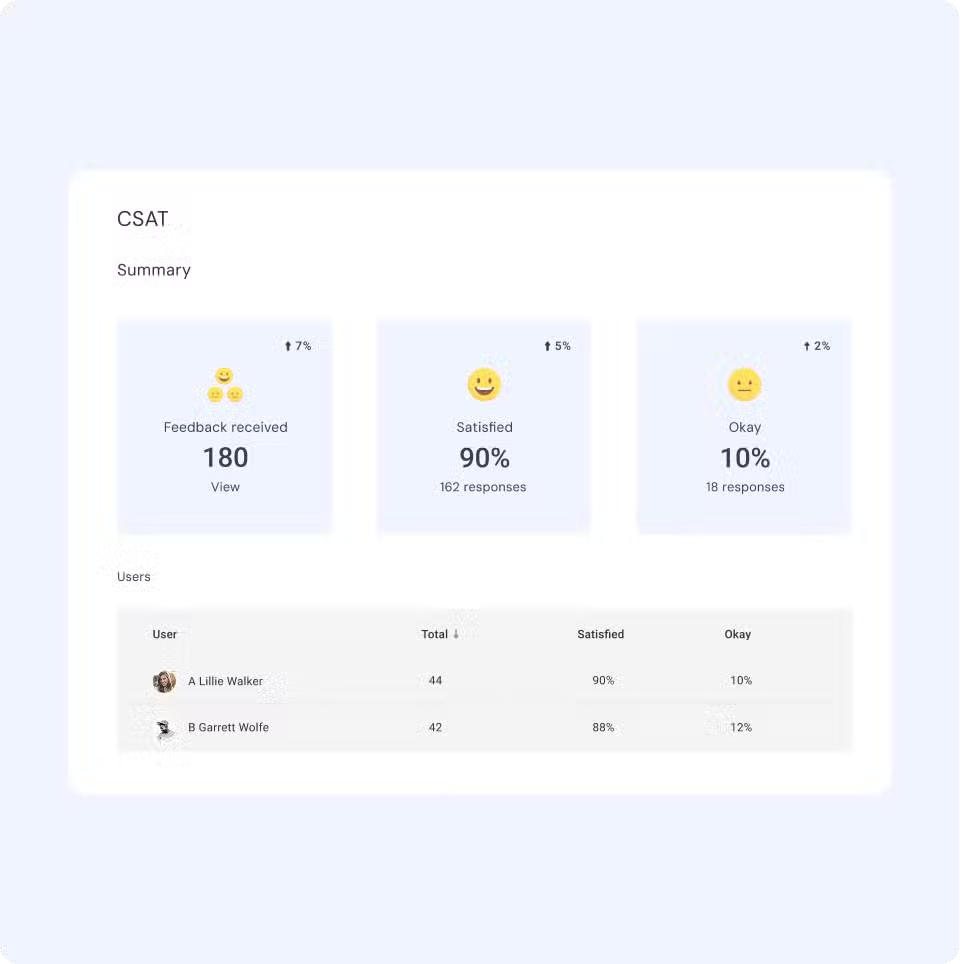
When issues are fixed, closure workflows handle the rest, sending a confirmation message, triggering a CSAT survey after 24 hours, and auto-closing the ticket if there’s no response.
Meanwhile, Hiver’s AI triage reads incoming emails like “My laptop battery drains in 30 minutes,” tags it as a hardware issue, and routes it to the device support team instantly.
You also get capabilities that templates alone can’t offer: collision detection to prevent two agents from responding to the same ticket, internal notes for behind-the-scenes collaboration, real-time SLA tracking with breach alerts, and AI sentiment analysis that flags frustrated employees before the situation escalates.
Try Hiver free and turn your IT help desk templates into automated workflows.
Frequently Asked Questions
What is a helpdesk ticket template?
A helpdesk ticket template is a pre-built format that standardizes how IT support issues are logged, tracked, and responded to. It includes predefined fields like ticket ID, subject line, issue description, priority level, and assigned IT agent. Templates save time, reduce inconsistencies, and help IT teams maintain quality across every ticket interaction.
Why should you use a helpdesk ticket template?
A help desk ticket template eliminates the need to draft every response from scratch, reducing response times and ensuring consistent communication. They also improve documentation quality, make SLA compliance easier, and speed up onboarding for new support agents.
Can helpdesk ticket templates help with SLA compliance?
Yes. help desk templates, paired with priority levels and SLA deadlines, create a structured workflow in which acknowledgements, updates, and escalations occur at the right time. Escalation templates trigger when SLA deadlines approach, and resolution templates ensure tickets close with proper documentation.
What formats are helpdesk ticket templates available in?
Help desk ticket templates are commonly available in Excel (.xlsx), Google Sheets, Word (.docx), PDF, and as built-in macros or saved replies within your ticketing software. The format depends on whether your team uses spreadsheets, email clients like Outlook, or dedicated help desk tools.
How do IT ticket templates improve service desk efficiency?
IT ticket templates standardize the information captured at each stage of the ticket lifecycle, from creation through resolution. This reduces back-and-forth, speeds up triage, and ensures IT agents have the context they need to resolve issues on the first attempt.
What is the difference between ticket priority and severity?
Severity measures the business impact of an IT issue — how many users or systems are affected and how badly. Priority determines how quickly the issue should be addressed. A cosmetic bug on your company’s intranet might be low severity (no functional impact) but high priority (it’s visible to every employee). The ITIL framework uses an impact/urgency matrix to determine priority based on these two factors.
Can I use these templates in Excel or Google Sheets?
Absolutely. Many IT teams start with help desk ticket templates in Excel or Google Sheets before moving to a dedicated IT ticketing system. Spreadsheet-based templates work well for tracking IT tickets, logging service requests, and maintaining a basic workflow — especially for small IT teams or internal help desks.
What are common use cases for help desk templates?
The most common IT help desk use cases include password resets, software access requests, hardware issues, network outages, employee onboarding and offboarding, bug reports, escalations, incident documentation, security incidents, and outage communication.
When should I move from manual templates to a ticketing system like Hiver?
When your IT help desk handles more than 50 tickets daily, SLA requirements become strict, you need automation for routing and escalation, or your team requires collision detection and real-time reporting — that’s the moment to upgrade. Hiver offers powerful ticketing features like automation, SLA tracking, AI-powered triage, and cross-team collaboration (via notes) on top of your existing IT templates.













