Skip to content





The first sign an enterprise helpdesk is breaking at scale is a missed SLA. I’ve seen it happen when tickets move across teams and no one adjusts ownership or priority in time. By the time the issue is visible, the SLA is already gone.
This shows up the moment ticket volume spikes. Billing questions land in general queues. Product issues bounce between support and engineering. Ownership changes mid-conversation, often during a shift change.
This isn’t a people problem. It happens when a helpdesk was built for low-volume and single-team workflows.
An enterprise helpdesk exists to prevent late routing, unclear ownership, and missed SLAs. It assigns the right owner before an agent opens the ticket, protects priority as tickets move across teams, and flags SLA risk early, while there’s still time to act.
In this guide, I’ve ranked enterprise helpdesk software based on how consistently they handle high ticket volume, cross-team workflows, and strict SLAs.
Table of Contents
- Enterprise Help Desk Solutions at a Glance
- How Did I Evaluate These Enterprise Helpdesks?
- Enterprise Help Desk Solutions Compared by Buying Criteria
- Top 12 Enterprise Helpdesk Solutions: Detailed Deep Dives
- How to Choose an Enterprise Helpdesk for Your Business
- Why Hiver is the best choice for Enterprises?
- Frequently Asked Questions
Enterprise Help Desk Solutions at a Glance
When I evaluated these enterprise helpdesk tools, I focused on how they handled core support operations at scale. That included routing and ownership across teams, SLA tracking, and visibility into work as volume increased. Here’s how each platform fits best in an enterprise setup.
- Hiver: Best for AI-led efficiency across channels for high-volume support. It uses AI to route, prioritize, and summarize tickets so agents spend less time managing queues.
- Zendesk: Best for large, omnichannel enterprise operations. It handles high ticket volume across email, chat, voice, and social in one system.
- ServiceNow: Best for IT-centric, process-driven enterprises. It enforces structured audit trails and approval controls for regulated IT workflows.
- Jira Service Management: Best for engineering-led support teams. It converts support tickets into tracked engineering issues without losing context.
- Intercom: Best for live chat and in-app messaging. It’s optimized for fast, real-time conversations at scale.
- Kustomer: Best for CRM-led, relationship-driven support. It presents the full customer history in a single timeline to support ongoing, relationship-based service.
- Salesforce Service Cloud: Best for Salesforce-native enterprises. It runs customer support directly inside Salesforce, alongside sales data and customer records.
How Did I Evaluate These Enterprise Helpdesks?
I evaluated every platform using the same enterprise buying criteria, using product demos and hands-on trials where possible.
Instead of reviewing feature lists, I focused on how each tool performs in real support environments. That meant looking at:
- How well it handles high ticket volume and everyday requests like access changes or billing updates
- Whether customer support leaders can see SLA risk and workload issues without manual reporting
- Whether AI meaningfully reduces day-to-day work and pricing stays predictable as the team scales
- Whether the platform supports enterprise security requirements such as role-based access, audit logs, and compliance with GDPR, HIPAA, or equivalent standards
Enterprise Help Desk Solutions Compared by Buying Criteria
Enterprise helpdesk decisions involve clear trade-offs. Some platforms are built to handle sustained ticket volume. Others prioritize process control, system alignment, or faster deployment. Here’s a comparison showing where each tool performs best across volume handling, workflow complexity, and operational visibility.
| Platform | Best Fit For | Best Enterprise Buying Criteria | Core Perception | Rating | Enterprise Plan Pricing |
|---|---|---|---|---|---|
| Hiver | High-volume omnichannel support teams with AI-led workflows | Automates triage, assignment, and SLA tracking using AI | Praised for a simple UI and responsive, always-on support | 4.6⭐ | $105/user |
| Zendesk | Global omnichannel enterprises | Handles large ticket volumes with flexible routing and workflows | Valued for flexibility and a large integration ecosystem | 4.3⭐ | $169/agent |
| ServiceNow | IT-driven enterprises | Enforces approvals, workflows, and internal compliance requirements | Trusted for strict process control and enterprise-grade SLAs | 4.4⭐ | Custom pricing |
| Jira Service Management | Engineering-led support teams | Links support tickets to engineering issues with full context | Favored for tight engineering alignment and issue traceability | 4.3⭐ | Custom pricing |
| Intercom | Chat-first, product-led companies | Supports real-time chat and in-app conversations | Known for live chat performance and strong AI-led automation | 4.5⭐ | $132/seat |
| Kustomer | Relationship-driven enterprises | Unified customer timeline across all conversations and channels | Recognized for deep customer context; setup and reporting need upfront effort | 4.5⭐ | $89/seat |
| Salesforce Service Cloud | Salesforce-native enterprises | Case management built directly on Salesforce data objects | Appreciated for native Salesforce integration and powerful dashboards | 4.4⭐ | $175/user |
| Freshdesk | Growing enterprise teams | Prebuilt workflows and faster time-to-value | Easy to set up and use; workflow and integration limits appear as complexity grows | 4.4⭐ | $79/agent |
| Freshservice | Internal IT & ops teams | Incident, change, and asset management in one ITSM system | Valued for structured IT workflows and asset management | 4.6⭐ | Custom pricing |
| Front | Cross-functional support teams | Shared inboxes with internal collaboration and visibility | Clean inbox and collaboration are highlights | 4.7⭐ | $105/seat |
| HubSpot Service Hub | CRM-led support orgs | Ticketing tightly coupled with CRM records and pipelines | Praised for quick onboarding and CRM context; ticket views can feel cluttered | 4.4⭐ | $150/mo/seat |
| Zoho Desk | Cost-conscious enterprise teams | Broad helpdesk functionality with predictable, bundled pricing | Appreciated for strong value and features; workflow setup takes time | 4.4⭐ | $40/agent |
Top 12 Enterprise Helpdesk Solutions: Detailed Deep Dives
Below are the 12 best enterprise helpdesk solutions reviewed through an operational lens. Each section shows how the tool fits into an enterprise support setup. It also highlights where teams gain leverage and where friction shows up.
1. Hiver
When a support team grows, the first thing that usually breaks is handling new requests. Messages start coming in from everywhere, and no one’s sure who should pick them up first or who owns them.
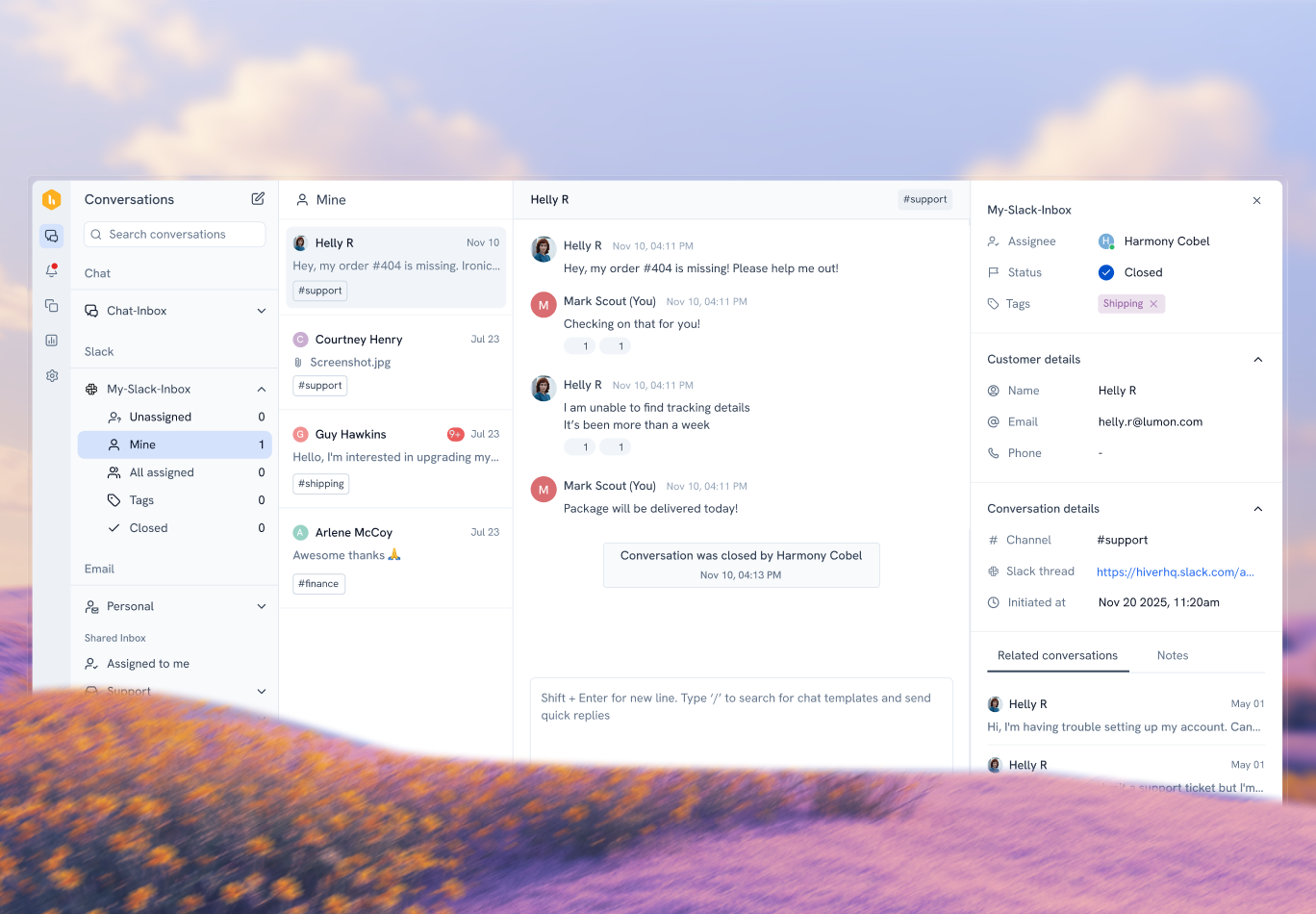
What I’ve seen work well with Hiver is how it handles those incoming conversations. The moment a message comes in, it’s routed to the right person, and the response clock starts automatically. Nothing sits there waiting for someone to notice it.
I’ve moved live conversations between teams and channels without losing context or priority. A chat can turn into an email and still feel like one continuous thread. That’s what keeps things from getting messy as volume grows.
Once the conversation is active, AI helps agents move faster. It summarizes long threads, flags frustrated customers, and helps draft replies using the full history. That saves time and keeps replies consistent when things get busy.
Key Features
- AI-based triage and prioritization: Hiver AI reviews incoming conversations and ranks them by intent and urgency. This ensures that critical issues are addressed first when ticket volume increases.
- Workload-aware assignment: Conversations are routed based on agent availability and current capacity. This helps large teams balance work consistently across shifts and regions.
- SLA monitoring in real time: Hiver surfaces conversations that are nearing SLA breach. It allows managers to step in before issues escalate to customers or leadership.
- Context-aware reply assistance: Hiver Copilot assists agents by drafting responses using conversation history, past interactions, and internal notes. This shortens response time while keeping replies accurate and consistent.
- Internal notes and team @mentions: Agents can add private notes and tag teammates directly within conversations. This simplifies handoffs, escalations, and approvals where multiple teams are involved.
- Enterprise security and compliance: Hiver supports enterprise-grade data protection with role-based access, audit trails, and encrypted handling of sensitive information. It is GDPR compliant and offers a Business Associate Agreement (BAA) to support HIPAA compliance for healthcare data, helping you meet regulatory requirements.
Pros
- The interface is simple. New agents ramp quickly, even without deep technical training.
- 24/7 chat support helps teams resolve issues without long wait times.
- “The intuitive and simple interface is another aspect I enjoy, as it ensures that even those less tech-savvy find it user-friendly to adopt.”
- “Customer support is very efficient with the 24/7 chat available.”
Cons
- The interface is available only in English, which can slow adoption for teams that operate in multiple languages.
- Auto-responders need to be turned on and off manually. There is no scheduling option, unlike out-of-office replies.
- “The interface is only in English. Personally, that’s fine for me, but it really slowed down some of my colleagues who aren’t comfortable in English.”
- “The only downside that I’ve found so far is that you have to manually enable and disable auto-responders, instead of being able to schedule them like an out of office reply.”
Reviews are from G2
Pricing
Hiver’s Elite plan is priced at $105 per user per month. It includes AI-based triage and assignment, conversation summaries through Hiver Copilot, SLA tracking, and advanced analytics. A 7-day free trial allows teams to validate workflows before upgrading.
Who this is for
Hiver is best suited for enterprise customer support teams that want AI to handle intake and prioritization. It also works well for teams that prefer minimal setup and low ongoing rule maintenance.
Who this is not for
Teams whose primary requirement is managing product roadmaps, engineering backlogs, or deeply coupling support tickets to development workflows.
Recommended reading
2. Zendesk
At the enterprise level, not all tickets follow the same rules. High-impact issues need tighter SLAs, different routing, and clearer escalation paths than routine requests.
What worked well for me in Zendesk is how explicitly those differences can be defined. Enterprise tickets are handled differently from the start. Priority updates automatically. Routing sends them to the right queue. Escalations trigger without manual checks.
When volume spikes or work shifts across teams, tickets follow the rules already in place. Ownership stays clear, and deadlines don’t slip because something landed in the wrong queue.
The trade-off is upkeep. Zendesk gives you fine-grained control, but rules and automations need regular maintenance. For teams willing to manage that overhead, this level of control is why Zendesk remains common in large enterprise support setups.
Key Features
- Enterprise reporting and analytics: Zendesk Explore provides prebuilt and customizable dashboards. They track ticket volume, response and resolution patterns, SLA adherence, and agent activity. It also includes live dashboards that give teams ongoing visibility into current support operations.
- Multi-channel support at scale: Email, chat, voice, and social conversations are handled within the same system. This helps in managing large, distributed support operations.
- Configurable SLA policies: Teams can define custom SLA targets and escalation rules based on priority, channel, or customer segment.
- Automation and triggers: You can automate rules and triggers to update ticket status, notify teams, or escalate issues as conditions are met.
- Security and compliance controls: Zendesk includes role-based permissions, audit logs, and a robust security framework designed for large organizations. It also provides compliance support for standards like GDPR and helps teams meet data protection obligations across regions.
Pros
- Zendesk integrates well with CRMs, internal tools, and databases. Tickets, users, and events can sync with backend systems without custom hacks.
- Support conversations live in one shared workspace, giving multiple teams visibility without relying on shared inboxes.
- “Zendesk works well with internal tools, CRM, and databases. I can sync tickets, users, and events with our backend system without hacks.”
- “A centralized place for reviewing what information comes in that is accessible to multiple users without the need for a shared Gmail inbox.”
Cons
- The interface can feel heavy and slower when agents handle large ticket volumes.
- Advanced settings have a steep learning curve and take time for admins to locate and understand.
- “The UI, while functional, can feel heavy and slow when handling a large number of tickets. It’s not always the fastest experience for agents.”
- “I noticed that the main downside is that some of the advanced settings can be hard to find and take time to learn.”
Reviews are from G2
Pricing
Zendesk’s enterprise plan is priced at $169 per agent per month. Costs increase as teams add advanced automation, analytics, additional channels, or support for multiple brands and regions. A free trial is also available for 14 days.
Who this is for
Zendesk is best for large enterprises that need deep control over routing, SLAs, and multi-brand support.
Who this is not for
Teams looking for fast setup, low maintenance, or AI-led automation that reduces day-to-day administrative work.
Recommended reading
3. ServiceNow
ServiceNow works best when internal IT work has to follow a defined path. Access requests, incidents, and changes move through fixed workflows with approvals and audit logs built in.
That structure shows up immediately in day-to-day use. An access request won’t move until approvals are completed, and every step is logged automatically. While working in ServiceNow, I never had to guess where a request was stuck or who owned it. The system makes that explicit.
What stood out for me was how predictable request handling became once everything was inside ServiceNow. Ownership, status, and history stayed clear without manual tracking. That level of consistency is why ServiceNow fits regulated environments, even though it comes with more setup and admin overhead than lighter helpdesks.
Key Features
- Incident, problem, and change management: IT requests move through structured incident, problem, or change workflows. This means there is clear ownership, approvals, and audit history built into each step.
- Policy-driven workflows and approvals: Workflows enforce mandatory approvals and standardized steps for IT requests and changes. It is critical in regulated environments.
- Security and compliance framework: ServiceNow provides role-based access and full audit trails. It also aligns with standards such as SOC 2, ISO 27001, and GDPR to support enterprise security and compliance requirements.
- AI-powered virtual agents and automation: AI-driven virtual agents answer common internal questions and guide employees through request forms. They also route requests to the correct IT workflows. This reduces manual intake and speeds up handling of routine internal requests.
- Centralized internal service management: IT, HR, facilities, and other internal teams can operate within the same platform, reducing tool sprawl for employee-facing support.
Pros
- Teams can see which IT requests are at risk of missing SLA and act on them sooner. This has helped reduce resolution times after SLAs were formally set up and tracked.
- All IT requests flow into one system instead of scattered tools or inboxes, making it easier to track ownership and status across teams.
- “Resolution times are now shorter than they were before, as we have access to accurate insights based on the contracted SLAs we implemented.”
- “What I like best about ServiceNow IT Service Management is its ability to centralize all IT requests in one easy-to-use platform.”
Cons
- Licensing costs can escalate quickly, which makes the platform harder to justify for smaller or less mature organizations.
- AI-based assignment requires significant ticket volume to be effective. Predictive Intelligence needs around 10,000 tickets to train properly, so teams may not see value early on.
- “The licensing fees can be quite steep for smaller organizations, potentially making the platform less accessible.”
- “With the high volume of tickets being created, it’s important to have strong AI capabilities for automatically assigning them. The Predictive Intelligence feature seems promising, but it requires at least 10,000 tickets to train the model effectively.”
Reviews are from G2
Pricing
ServiceNow uses custom enterprise pricing based on modules, usage, and organizational scale.
Who this is for
ServiceNow works best for large enterprises that require strict process control, approvals, and compliance across IT and internal service operations.
Who this is not for
Skip it if you’re looking for lightweight workflows, fast setup, or tools optimized for external customer conversations.
Recommended reading
4. Jira Service Management
Jira Service Management fits teams where support issues regularly require engineering involvement. It’s an IT service management (ITSM) tool, but the value shows up when incidents, bugs, and change requests need to move beyond the support queue.
If you’re handling a production issue from support, it turns into an engineering incident tied to the same Jira issue. That link stays intact through investigation, the fix, and deployment. There’s no separate handoff or parallel tracking to manage.
In incident-heavy setups, that continuity matters. Support and engineering work from the same record, with ownership staying clear on both sides. It removes the gray area where issues usually stall between teams.
Key Features
- Rovo AI (AI assist): Atlassian Intelligence summarizes long ticket threads, suggests replies, and speeds up triage directly inside Jira workflows. This reduces manual context gathering when issues move between support and engineering.
- Engineering-linked change workflows: Changes raised from support stay connected to engineering work, releases, and deployments. This helps teams track why a change was made, who approved it, and how it ties back to customer impact.
- Support issues prioritized inside engineering backlogs: Customer-facing issues appear directly in engineering backlogs with impact and urgency visible. This allows teams to prioritize fixes alongside sprint work instead of managing escalations separately.
- SLA visibility during active work: Teams can see which tickets are at risk of missing SLAs while they are still being worked on, allowing intervention before deadlines are missed.
- Security and audit controls: Role-based access, change logs, and audit trails give you the traceability needed for enterprise governance and compliance.
Pros
- Incidents, changes, and service requests are handled in one system, which improves visibility and accountability across teams.
- The self-service portal is easy to use and integrates with the knowledge base, helping deflect common requests and reduce ticket volume.
- “Managing incidents, changes, and service requests in a single platform enhances visibility, accountability, and the overall efficiency of service delivery.”
- “A user friendly self service portal with knowledge base integration to reduce ticket traffic and support strain.”
Cons
- Licensing requires committing to larger batches, which limits flexibility for gradual rollouts.
- Reporting is fairly basic out of the box, which limits visibility into more complex SLA scenarios without additional configuration.
- “The licensing model, and not being able to purchase smaller batches, is my dislike.”
- “There are limitations around complex SLA setups, reporting is fairly basic out of the box, and scaling for multiple clients often requires multiple projects, which increases administrative effort.”
Reviews are from G2
Pricing
Jira Service Management’s enterprise plan is available for large teams on a custom basis. Pricing increases as automation, asset management, and advanced features are added.
Who this is for
Choose Jira Service Management if your support team works closely with engineering and regularly turns customer issues into product or technical work. It fits best when Jira is already central to how your teams operate.
Who this is not for
Skip this if your support agents are non-technical or if you want a lightweight helpdesk that works independently from engineering workflows.
Recommended reading
5. Intercom
Intercom works best when support happens in real time and chat is the primary channel, directly affecting customers’ perception of your product. Conversations start while customers are active in the product, which makes response speed part of the experience, not just a metric.
What stood out to me while using Intercom was how continuous the conversations felt. A customer could start with an automated message during onboarding. From there, the conversation shifts to a live agent without restarting. Agents could see what the user was doing inside the product, which reduced follow-up questions and sped up resolution.
That continuity is where Intercom shines. Automation and human responses blend into a single flow, so conversations don’t fragment as volume increases. For chat-first teams, that matters more than traditional ticket structure.
Key Features
- Fin AI (AI automation): Fin handles common customer questions, sends first responses, and routes conversations before agents step in. This reduces manual handling during high chat volume.
- Proactive outbound messaging: Teams can trigger messages based on user behavior or lifecycle stage. This includes onboarding prompts, feature announcements, and targeted support nudges.
- Conversation routing and inbox management: Messages are routed using rules like customer type, priority, or issue category. It helps teams keep chat queues organized as volume grows.
- In-app and web messaging context: Agents can see what users are doing in the product while chatting, which helps resolve issues faster without follow-up questions.
- Security framework: Intercom also offers role-based access and encrypted data transmission. This compliance readiness (including GDPR) supports secure handling of customer-facing interactions at scale.
Pros
- The interface is fast and intuitive, which makes it easy to track active conversations without losing context.
- Fin AI supports voice interactions and can be tuned to match different agent styles, creating more natural and human-sounding customer conversations.
- “The interface is fast, intuitive, and makes it simple to keep track of ongoing conversations without losing context.”
- “I like the voice functionality and how FIN can adapt to the type of agent I want it to be, which makes it more human. FIN’s voice is very human, which results in added value and a more interesting experience for customers.”
Cons
- Fin relies heavily on the quality of your help content. If articles are unclear or incomplete, responses can be inaccurate or misleading.
- Some teams report product gaps and stability issues, including missing features like screenshot analysis.
- “If your content isn’t clear, detailed, or well‑structured, Fin may misunderstand or give incomplete answers.”
- “Some users have also found the software to be buggy or lacking important features, such as screenshot analysis.”
Reviews are from G2
Pricing
Intercom uses usage-based enterprise pricing, with costs tied to seats, contacts, and message volume. A free trial is available for 14 days, but large teams typically need sales-assisted pricing to estimate total cost.
Who this is for
Choose Intercom if your support strategy is chat-first and real-time conversations are central to how you serve customers.
Who this is not for
Skip this if you need predictable pricing, deep SLA governance, or a helpdesk optimized for long-running, asynchronous ticket workflows.
Recommended reading
Intercom Review: Features, Pricing, and User Experience Analysis
6. Kustomer
Kustomer organizes conversations around a single customer record, so every message, channel, and past interaction stays connected. Conversations don’t reset every time someone writes in. They attach to a single customer record that carries history forward.
When you’re handling a conversation in Kustomer, the context is already there. Past interactions, orders, refunds, and account events sit on one timeline. If a customer follows up weeks later, you’re not digging through old threads or switching systems to understand what happened before.
That depth changes how repeat or high-value customers get handled. Decisions come from what’s already visible, not from memory or manual lookups. For teams managing ongoing relationships rather than one-off issues, that persistent customer view is the real advantage.
Key Features
- Customer-level routing and prioritization: Conversations are routed and prioritized based on customer attributes. This includes account value, lifecycle stage, or order status, not just the contents of a single ticket.
- Unified customer timeline with operational events: Support interactions sit alongside events like purchases, deliveries, refunds, and account changes. It gives agents operational context while responding.
- Cross-channel continuity without ticket resets: Conversations can move across channels without breaking history or ownership. It reduces rework when customers follow up elsewhere.
- AI-assisted history summaries and actions: Kustomer AI summarizes long customer histories and helps agents act faster when handling repeat or high-value customers.
- Customer data governance: Kustomer applies role-based access and audit trails to unified customer profiles. This ensures that sensitive customer context is protected and traceable across interactions.
Pros
- Workflows give teams fine control over how customers are routed and handled, even for complex account setups.
- Automation and AI reduce repetitive work for agents while keeping responses consistent across high-value interactions.
- “It offers flows that allow us to highly customize the customer experience and the routing to service advisors.”
- “Its automation features, such as workflows and AI-powered suggestions, help boost productivity while maintaining a high-quality customer experience.”
Cons
- Reporting customization can be difficult for non-technical users and often requires extra effort.
- Out-of-the-box reports are rigid, and custom reports lack flexibility. They cannot be easily sorted, grouped, or used to cross-analyze customers, conversations, and messages.
- “Although the system provides valuable insights, creating custom reports can sometimes be complex and less intuitive for non-technical users.”
- “The general reports are not flexible and I cannot adapt them to my needs. The custom reports also have several problems: they cannot be sorted or grouped in folders, they don’t allow me to cross information between customers, conversations, and messages.”
Reviews are from G2
Pricing
Kustomer’s enterprise-only pricing starts at $89 per user per month. It includes customer timelines, CRM-based routing, multi-channel conversations, and workflow automation. Costs increase with seats, channels, and data usage.
Who this is for
Kustomer is the right fit if your support team handles repeat customers and needs deep context across conversations, orders, and accounts.
Who this is not for
It’s not the best choice if your priority is speed, simple workflows, or lightweight handling of one-off support requests.
Recommended reading
7. Salesforce Service Cloud
Salesforce Service Cloud runs support directly on CRM data. Agents work on cases alongside accounts, contracts, and entitlements, without switching systems. This means routing and SLAs are driven by customer data, not just the issue itself.
You’ll see this most clearly when entitlements are involved. Two identical cases can come in, but they won’t follow the same path. One goes straight to a premium queue with tighter SLAs. The other follows the standard workflow. That decision happens automatically, based on account data, before an agent even opens the case.
In setups with multiple support tiers, this removes manual prioritization and keeps service levels consistent across teams. Compliance is easier too, because support data follows the same protections already in place across Salesforce.
Key Features
- Entitlements and contract-based SLA enforcement: Support entitlements and SLAs can be tied directly to customer contracts, support tiers, or account attributes. This helps enterprises enforce different service levels without manual tracking.
- Einstein AI for service: Salesforce Einstein assists with case classification, suggested replies, and next-best actions. This helps reduce manual effort, especially in high-volume environments.
- Omnichannel routing with skills and capacity logic: Cases are routed based on agent skills, availability, and workload. This helps large teams balance volume across regions and roles.
- Deep extensibility through the Salesforce platform: Enterprises can extend Service Cloud with custom objects, flows, and integrations across sales, billing, and operations.
Pros
- Dashboards make it easy to track response times and spot delays before they escalate.
- Native integrations with other Salesforce products let support teams share data seamlessly across sales, billing, and operations.
- “The dashboards are very useful for monitoring response times and identifying any areas where delays might be occurring.”
- “Combined with strong reporting, customizable dashboards, and integration with other Salesforce products, Service Cloud provides a scalable and highly flexible solution for improving customer satisfaction and operational efficiency.”
Cons
- The interface is slow and overly complex, with too many clicks required for simple tasks.
- Advanced customizations often require technical expertise and take time to implement.
- “What I don’t love is that sometimes the system feels a little slow or overly complicated, like it takes way more clicks than it should to do simple things.”
- “Customizations sometimes require technical expertise, and some advanced configurations can be time-consuming.”
Reviews are from G2
Pricing
Salesforce Service Cloud offers enterprise plan at $175 per user per month. This includes advanced automation, AI, and omnichannel routing. Pricing scales with feature depth and usage.
Who this is for
Salesforce Service Cloud is the perfect fit if your support team needs deep access to Salesforce CRM data and operates as part of a broader Salesforce ecosystem.
Who this is not for
It’s not a great fit if you want a lightweight helpdesk, fast changes without admin involvement, or predictable pricing at scale.
Recommended reading
Dynamics 365 vs Salesforce (2026): Features, Pricing, Pros & Cons
8. Freshdesk
Freshdesk removes the need for a long configuration phase before support can start. SLAs, automation, and multi-channel ticketing are ready to use, so you’re not designing workflows from scratch before work can begin.
When I onboarded agents in Freshdesk, there was very little setup to explain. Tickets already had owners. SLAs were running from the moment a request came in. Email, chat, and phone conversations landed in one workspace. Agents could start responding right away instead of learning a complex rule system first. This means you spend less time maintaining workflows and more time handling tickets.
However, as workflows grow more complex, limits show up around automation depth and integrations. Automation works well for tagging, assignment, and basic escalations, but struggles with multi-step logic or cross-team exceptions. Similarly, integrations with email, chat, and basic CRM syncing are easy to set up, while deeper CRM workflows usually need additional configuration.
Key Features
- AI-powered ticket classification and suggestions: Freddy AI helps categorize incoming tickets, suggest fields like priority or type, and recommend responses. This reduces manual triage in high-volume queues.
- SLA visibility without complex configuration: SLA rules are easy to define and monitor. They warn the team early for at-risk tickets without building custom dashboards.
- Quick reporting for operational monitoring: Standard dashboards surface workload, response trends, and agent performance without requiring deep reporting expertise.
- Preconfigured workflows for common support scenarios: Freshdesk includes predefined workflows and automations for typical support cases. This reduces setup time and ongoing rule maintenance.
- Security basics for scale: Freshdesk limits customer data access by agent role and encrypts conversations in transit. This means customer information doesn’t get exposed as more agents and teams are added.
Pros
- Automation and canned replies reduce repetitive work and help agents respond faster.
- The interface is clean and easy to use, which helps new team members get productive with minimal training.
- “I also like how automation and canned replies save time and reduce repetitive work.”
- “I really like is the clean and user-friendly interface. Even a new team member can start using Freshdesk quickly without much training.”
Cons
- Automation rules can become harder to manage as workflows grow, making it difficult to trace why a ticket followed a specific path.
- Some integrations require more manual setup than expected, particularly with CRM tools like Salesforce and HubSpot and marketing platforms such as Marketo.
- “Sometimes automatic rules can become complex to manage as the number of workflows grows. If not well organized, it can be hard to understand why a ticket behaved a certain way.”
- “One area where Freshdesk can improve is third-party integrations. While most common integrations work fine, setting up some CRM or marketing tools takes more time than expected and isn’t always straightforward.”
Reviews are from G2
Pricing
Freshdesk’s Enterprise plan is priced at $79 per agent per month. It includes advanced automation, SLA management, and reporting designed for large support teams. A 14-day free trial is also available.
Who this is for
Freshdesk fits teams that want a structured helpdesk with SLAs, automation, and reporting. It works well when teams want to avoid heavy configuration and ongoing administration.
Who this is not for
It is less suitable for organizations that require deep customization, complex approval chains, or strict governance across multiple business units.
Recommended reading
12 Best Freshdesk Alternatives for 2026 (Tried, Tested and Compared)
9. Freshservice
Freshservice is what I turn to when internal IT needs structure without heavy overhead. Incidents, service requests, changes, and assets all live in one place. That keeps day-to-day IT work from spilling into inboxes, spreadsheets, or side tools.
When I used Freshservice, the difference showed up inside the ticket. Asset details were already there. I could see which device was affected, who it belonged to, and what had happened before, without switching systems just to understand impact.
Requests followed clear workflows. Access requests required manager approval, and routine IT issues stayed organized without constant rule tuning. Automation handled things like assignment and approval routing without needing long rule chains. This makes Freshservice a good fit for teams that want ITSM discipline without unnecessary complexity.
Key Features
- Native asset context during support work: Assets and configuration data surface directly inside tickets. This means IT teams can see which devices, users, or services are affected without switching tools.
- Low-maintenance automation for routine IT tasks: Automations handle assignments, approvals, and notifications without complex rule chains. It keeps workflows manageable as volume grows.
- AI-assisted intake and routing: Freddy AI categorizes incoming requests and routes them to the right IT teams, reducing manual triage during peak internal demand.
- Asset lifecycle tracking linked to tickets and changes: Hardware and software assets are tracked from purchase to retirement and stay linked to related incidents and changes. This helps IT teams understand impact, ownership, and risk without switching systems.
- ITSM security alignment: You get access controls, approvals, and audit logs built into Freshservice. That helps you meet internal IT governance and compliance requirements without extra tooling.
Pros
- The app marketplace makes it easy to extend Freshservice and integrate with other tools without heavy setup.
- The knowledge base helps IT teams document resolutions and quickly reference past fixes, which speeds up troubleshooting.
- “We also really enjoy the app marketplace, this was a game changer for us and made Freshservice even better due to the ease of integration between it and other apps.”
- “Rich with knowledge base with ease of tracking history of resolved issues for faster debugging.”
Cons
- The mobile app works well for agents but offers limited reporting for managers who need insights on the go.
- Support is generally responsive, but complex integration issues can take longer to resolve.
- “The mobile app is great for agents but could offer more reporting capabilities for managers on the go.”
- “While generally responsive, we did experience a delay in customer support resolution for a complex integration question early on.”
Reviews are from G2
Pricing
Freshservice’s Enterprise plan uses custom pricing based on scale and requirements. It includes advanced ITSM workflows, automation, asset management, and reporting, and requires contacting sales.
Who this is for
Freshservice fits organizations that want a modern ITSM tool for internal support without heavy setup or ongoing administrative overhead.
Who this is not for
It is less suitable for enterprises that require strict governance, deep customization, or highly complex ITSM processes.
Recommended reading
10. Front
Email starts to break down once multiple people are replying to the same thread. Two agents answer the same customer. A follow-up sits because everyone assumes someone else handled it. I’ve run into this exact problem any time a shared inbox gets busy.
Front fixes that coordination gap without pulling teams out of email. Conversations stay in a shared inbox, but ownership and status are always visible. You can see who’s replying, who’s already responded, and what still needs action.
I believe that visibility matters the most during peak hours. Internal comments stay tied to the conversation, handoffs are clearer, and duplicate replies are easier to avoid. It also reduces the risk of sensitive information being mishandled when multiple teams work out of the same inbox.
The tradeoff is governance. Front improves access visibility and accountability, but it isn’t built for strict security or compliance workflows. If you need deep audit controls or regulated handling, a full helpdesk is a better fit.
Key Features
- Conversation-level status and workflows: Each conversation moves through states like open, pending, or closed. Teams can track follow-ups and ownership directly inside the inbox instead of managing a separate ticket record.
- Front AI for drafting and summarization: Front AI helps draft replies and summarize long email threads. This saves time when agents handle high-volume or long-running conversations.
- Lightweight automation for inbox hygiene: Automation rules handle tagging, assignment, and routing to keep inboxes organized as volume grows. All this without complex workflow configuration.
- Email-centric analytics for operational visibility: Built-in dashboards show response times, workload distribution, and inbox activity. It gives managers visibility into team performance.
Pros
- The interface is fast and uncluttered, which makes switching between conversations smooth even during busy hours.
- Internal notes and @mentions let teammates collaborate directly on conversations without exposing context to customers.
- “I also like how fast and clean the interface feels. It doesn’t feel heavy, and switching between conversations is smooth, even during busy support hours.”
- “There are so many useful features such as assigning individual emails out of the group box, @mentioning in comments instead of CC’ing coworkers in for a quick answer or reply, archiving, snoozing, tagging, the list goes on.”
Cons
- Slack integration can be unstable at times, with occasional disconnects during active use.
- Reporting works well for day-to-day monitoring, but advanced analytics are limited compared to dedicated support analytics tools.
- “Front sometimes crashes with the Slack system, where it disconnects on its own.”
- “The reporting is good for daily operations, but advanced analytics sometimes feel basic compared to dedicated support analytics tools.”
Reviews are from G2
Pricing
Front’s Enterprise plan is priced at $105 per user per month. It includes advanced collaboration features, shared inboxes with role-based access, automation rules, analytics dashboards, and Front AI for drafting and summaries.
Who this is for
Front fits teams that rely heavily on shared inboxes and need better visibility and collaboration across customer conversations.
Who this is not for
Skip this if you require advanced automation, strict SLA enforcement, or complex, multi-step support workflows.
Recommended reading
11. HubSpot Service Hub
When you reply to tickets without knowing where the customer is in their lifecycle, what sales already discussed, or whether a renewal is coming up. That’s where support starts to break down.
HubSpot Service Hub keeps support inside HubSpot’s CRM. Tickets, conversations, and customer properties all sit on the same record as sales and marketing data.
That changes how you handle tickets in real time. In the ticket view, lifecycle stage, account details, and recent activity are already visible. When a customer is mid-renewal or just finished onboarding, it’s obvious. You adjust tone, priority, and next steps right away instead of switching tools or asking another team. I’ve relied on this when responses needed to reflect commercial context, not just the issue.
Since routing and automation can use CRM properties directly, support decisions stay aligned with sales and marketing. Service Hub keeps support aligned with existing HubSpot workflows, instead of introducing a separate support system.
Key Features
- Pipeline-based case tracking: Tickets move through defined pipeline stages, which helps teams track progress and ownership without complex workflow configuration.
- Automation tied to CRM properties: Routing and status changes can be triggered based on CRM data, such as account type or lifecycle stage, reducing manual triage.
- AI assistance through HubSpot AI: Breeze AI drafts replies, summarizes conversations, and suggests next actions to agents which speeds up handling of routine requests.
- Customer feedback and CSAT tracking: CSAT surveys and feedback are tied directly to tickets and customer records, making it easier to track customer satisfaction trends.
- CRM security inheritance: Service Hub uses HubSpot CRM’s security model. Permissions and audit history are tied to contact and company records, so your support data follows the same governance rules as your customer data.
Pros
- Setup is straightforward. Teams can start using shared inboxes, ticketing, forms, and basic reporting without complex configuration.
- Automation handles lead routing accurately by geography. It assigns web-generated leads to the right sales agents even when submissions come from the wrong region.
- “It was very easy to set up, and I was able to start using features like the shared inbox, ticketing, forms and basic reporting right away without any complexity.”
- “I like how HubSpot Service Hub automates the process of routing web-generated leads to sales agents based on their country.”
Cons
- The Gravity Forms integration can be unreliable, with technical issues occurring even without changes on the website.
- The ticketing interface feels cluttered, which makes it harder to search past tickets or maintain clear, role-specific views.
- “The HubSpot integration with Gravity Form needs to be improved. Many times we face technical issues even after not changing anything on the website.”
- “The ticketing UI feels messy and unintuitive, making it hard to search for old tickets or have distinct user ticket views.”
Reviews are from G2
Pricing
HubSpot Service Hub’s Enterprise plan is priced at $150 per seat per month. It includes advanced automation, custom reporting, permissions, and AI features.
Who this is for
Service Hub fits organizations already running sales and marketing on HubSpot and want support data tightly connected to their CRM.
Who this is not for
It is less suitable for teams that need deep SLA enforcement, complex routing logic, or a support-first platform independent of CRM workflows.
Recommended reading
12. Zoho Desk
Zoho Desk defines the steps a ticket must follow before it can move forward or be closed. Approvals, required fields, and resolution steps are built into the workflow.
You see this clearly with Blueprints. If you’re handling a refund, the ticket can’t move forward until required fields are filled and approvals are completed. I’ve seen this prevent agents from closing tickets early. This ensures that the same type of request follows the same steps, even when it passes between agents or departments.
That makes outcomes easier to trust. SLAs stay on track, and managers don’t have to double-check whether steps were skipped. It does take some setup at the start, but once the workflows are defined, your team can rely on them.
Key Features
- Multi-department ticket routing and visibility: Tickets can be routed across departments like support, billing, or operations, while maintaining visibility and ownership across teams.
- SLA policies with multi-level escalations: Zoho Desk supports layered SLA rules and escalations. It allows teams to flag, reassign, or escalate tickets as deadlines approach.
- Zia AI for intake and prioritization: Zia AI categorizes incoming tickets, suggests priorities, and detects sentiment. It helps teams triage large volumes more consistently.
- Built-in reporting with customizable views: Managers can track ticket volume, SLA compliance, and agent performance using configurable reports without exporting data.
- Data protection and compliance: Your support data is protected with access controls, audit logs, encryption, and GDPR compliance. When needed, data can be hosted in regional data centers, so customer information stays within required geographic boundaries.
Pros
- The knowledge base and self-service tools are tightly integrated, which helps deflect routine questions and keeps agents focused on higher-value issues.
- The mobile apps are reliable and full-featured, making it easier for teams to manage tickets and approvals on the go.
- “The knowledge base and self-service features are also well integrated, which helps deflect simple inquiries and keeps the team focused on higher-value support.”
- “Additionally, Zoho Desk excels in mobile accessibility due to its excellent mobile apps.”
Cons
- Workflow configuration, automation rules, and Blueprint setup can take time to learn, especially for teams new to Zoho Desk.
- UI customization options are limited, which can make it harder to tailor views and layouts to specific team needs.
- “Some features of Zoho Desk can present a steep learning curve, particularly for those who are new to the platform.”
- “Additionally, certain UI customizations and reporting options feel limited compared to more enterprise-focused tools.”
Reviews are from G2
Pricing
Zoho Desk’s Enterprise plan is priced at $40 per user per month. It includes advanced automation, Blueprint workflows, SLA management, and AI features through Zia.
Who this is for
Zoho Desk fits enterprises that want a full-featured helpdesk with predictable pricing and are already using, or open to using, the Zoho ecosystem.
Who this is not for
Zoho Desk may not be the right fit for teams that want a highly refined interface. It is also less suited for organizations that rely heavily on advanced, custom analytics out of the box.
Recommended reading
How to Choose an Enterprise Helpdesk for Your Business
Choosing an enterprise helpdesk is about operational fit, not feature lists. The platform needs to scale with volume, integrate with your systems, and reduce manual work for agents and leaders. The factors below outline what to prioritize and what to avoid when evaluating enterprise helpdesk software.
| Factor | What to Prioritize | What to Reject |
|---|---|---|
| Scalability | Choose a platform proven to stay stable with large queues, multiple teams, and regional routing | Avoid tools that slow down or require manual intervention as volume grows |
| Volume handling | Ensure routing, ownership, and SLAs remain consistent during volume spikes | Reject SMB-first tools that collapse into shared queues at scale |
| AI usefulness | Use AI to classify, route, summarize, and surface risk before agents step in | Avoid AI that only drafts replies and adds review overhead |
| Integrations | Prioritize native integrations with your CRM, identity, chat, and data tools, plus reliable APIs | Avoid critical integrations that require custom builds or frequent fixes |
| Visibility | Demand real-time SLA risk, backlog health, and workload signals inside the product | Reject reporting that depends on exports, spreadsheets, or manual analysis |
| Customizability | Configure workflows, roles, permissions, and routing to match your org structure | Avoid platforms where customization requires heavy development or costly add-ons |
| Ease of use | Select tools where agents ramp quickly and workflows stay low-click | Reject admin-heavy interfaces that require long training cycles |
| Budget and pricing | Lock in predictable enterprise pricing that scales cleanly with seats and channels | Avoid usage-based pricing that creates surprise costs |
| User feedback | Validate stability and admin experience through reviews from teams like yours | Ignore tools with repeated complaints about slowness or brittle workflows |
| Software reviews | Cross-check claims using G2, Gartner Peer Insights, and community forums | Avoid relying on vendor marketing without third-party validation |
| Support options | Require clear enterprise support SLAs, escalation paths, and onboarding support | Reject vendors with slow support or unclear ownership during critical issues |
Why Hiver is the best choice for Enterprises?
Enterprise teams need a helpdesk that holds up under volume without adding operational drag. Hiver focuses on that execution layer. AI handles intake, prioritization, and SLA risk early. Ownership stays clear as conversations move across teams. Managers get visibility without relying on exports or complex configuration.
For enterprises that want predictable operations, faster agent adoption, and AI that actually removes work, Hiver fits cleanly into the day-to-day reality of support at scale.
Frequently Asked Questions
1. What is an enterprise help desk?
An enterprise help desk is a support system designed to handle high ticket volume, multiple teams, and complex workflows. Unlike SMB tools, it enforces ownership, prioritization, and SLAs across regions, departments, and time zones, without breaking under scale.
2. What are the key features of an enterprise help desk?
An enterprise help desk needs to support three non-negotiables. First, centralized management. All conversations live in one system. Ownership and SLAs stay visible, even when multiple teams are involved.
Second, scalability. Routing and prioritization must stay consistent as ticket volume grows. Reporting should still work when requests span regions and time zones.
Third, automation. Intake, assignment, and escalation should happen automatically. That reduces manual triage and helps prevent missed SLAs.
3. What is the best enterprise helpdesk for large-scale ticket volume?
The best enterprise helpdesk for high volume is one that maintains routing accuracy, SLA visibility, and ownership clarity as queues grow. Platforms like Hiver, Zendesk, and ServiceNow are commonly used at scale, but differ in setup complexity and operational overhead.
4. Why do enterprises need helpdesk software?
Enterprises need helpdesk software to prevent breakdowns that happen at scale. Without it, tickets stall in shared queues, ownership becomes unclear, SLAs slip during handoffs, and leaders only see problems after escalations occur.
5. What is the most highly rated customer service software on review sites?
Ratings vary by use case, but tools like Hiver, Zendesk, Freshdesk, and Intercom consistently score well on platforms such as G2 and Gartner Peer Insights. The highest-rated option depends on volume, workflow complexity, and how much automation teams actually use.
6. Is AI a must-have in enterprise help desks today?
Yes, but only when AI removes work. AI should handle intake, prioritization, summarization, and SLA risk detection. Tools where AI only drafts replies add limited value at enterprise scale.
7. Is it difficult to switch to a new enterprise help desk?
Switching is manageable when the platform supports data migration, phased rollouts, and parallel workflows. The biggest risk is not the move itself, but underestimating training, workflow mapping, and change management.
8. Examples of enterprise helpdesk software
Common enterprise helpdesk platforms include:
-Hiver
-Zendesk
-ServiceNow
-Jira Service Management
-Salesforce Service Cloud
-Freshdesk
-Zoho Desk
Each differs in automation depth, governance, and setup effort.
9. How do you estimate total cost of ownership for helpdesk software?
Look beyond license price. Include:
-Per-user or per-agent costs
-Add-ons for AI, reporting, or automation
-Integration and setup effort
-Ongoing admin and training time
-Predictable pricing matters more than a low starting point
10. What are the security and compliance requirements for enterprise helpdesks?
Enterprise helpdesks typically need:
-Role-based access controls
-Audit logs and activity tracking
-Data encryption
-Compliance support for standards like SOC 2, ISO 27001, or GDPR
Requirements vary by industry and region.
11. How does enterprise helpdesk software work?
-Request received: A customer or employee submits a request through email, chat, web, or another channel.
-Ticket created: The system logs the request with metadata such as priority, category, and SLA.
-Automated routing: Automation or AI assigns the ticket based on rules, workload, or urgency.
-Resolution: Agents collaborate, respond, and resolve the issue while tracking ownership and SLAs.
-Analysis: Leaders review volume, response times, SLA compliance, and trends to improve operations