If you’ve looked for a help desk solution before, you’ve probably noticed the same problem I did: most tools claim to do everything, comparisons sound the same, and pricing pages rarely show what you’ll end up paying.
To put this guide together, I didn’t rely on vendor websites alone. I signed up for trials, sat through demos, and tested how tools handle ticket routing, collaboration, SLAs, and reporting. I also tracked which features were locked behind upgrades or add-ons.
What became clear quickly is that there’s no single “best” help desk. A five-person support team has very different needs from a global organization managing multiple brands, languages, and SLAs.
Some tools are easy to use but limit automation and reporting. Others scale well but have hidden costs.
I reviewed 40 help desk solutions and ranked the ones that offer the best balance of features, usability, and cost. I’ve reviewed 15 of them in-depth, and provided a short overview for the rest.
Table of Contents
- 10 help desk solutions at a glance
- How I evaluated these help desk solutions
- 15 best help desk solutions: Compared by buying criteria
- All-in-one customer support help desk solutions
- 1. Hiver: Best for modern, fast-moving businesses
- 2. Front: Best for mid-sized teams collaborating on shared customer conversations
- 3. Help Scout: Best for small to mid-sized teams that want an easy-to-use help desk
- 4. Missive: Best for small support teams that collaborate closely on emails and messages
- 5. Drag: Best for small businesses managing support directly inside Gmail
- 6. Zendesk: Best for large teams with SLA-driven, high-volume support operations
- 7. Freshdesk: Best for growing teams needing ticketing, automation, and self-service
- 8. Zoho Desk: Best for small to mid-sized teams using Zoho
- Chat-first and conversational support platforms
- E-commerce focused help desk solutions
- IT help desk & IT service management (ITSM) tools
- Open-source & self-hosted help desk solutions
- Other 25 help desk solutions
- How to choose a help desk for your business
- How far can a $0 help desk take you, and when should you switch to a paid one?
- How Hiver works best for modern support teams
- Frequently asked questions
10 help desk solutions at a glance
Not all help desk systems solve the same problem. Some are built for fast-moving teams, others for IT service management, ecommerce workflows, or enterprise support. Here are the top 10 service desk solutions:
- Hiver: Modern omnichannel help desk platform built for fast-moving teams.
- Front: Customer service platform used by support, sales, and ops to manage customer conversations together.
- Help Scout: Email-first help desk focused on simplicity, clarity, and customer-friendly interactions.
- Missive: Team inbox built for internal collaboration alongside external customer conversations.
- Zendesk: Enterprise help desk supporting complex workflows, high ticket volume, and omnichannel routing.
- Freshdesk: All-round help desk with ticketing, automation, and multi-channel support.
- Zoho Desk: Ticketing system tightly integrated with Zoho CRM and other Zoho apps.
- Intercom: Conversational support platform built around chat, automation, and in-product messaging.
- Gorgias: Ecommerce help desk built around Shopify orders, refunds, and macros.
- Jira Service Management: IT service desk built for engineering and DevOps teams using Jira.
How I evaluated these help desk solutions
To make this list genuinely useful, I checked user reviews from multiple sources (G2, Capterra, community forums, Reddit threads, and YouTube walkthroughs) to validate features and day-to-day usage.
I also treated every tool like I was onboarding it into a real support team and asked these questions:
How well does it handle multiple support channels?
The tool should turn email, chat, social, and other channels into structured tickets, instead of spreading conversations across disconnected views that force agents to switch between tools.
Can it route and organize work without manual effort?
Tickets should be automatically assigned, tagged, prioritized, and escalated using rules and SLAs, so teams don’t rely on manual triage or workaround processes to keep work moving.
If I couldn’t route tickets by channel or tag without writing code or using Zapier, it didn’t make it to the final list.
Can teammates collaborate efficiently?
Agents should be able to add internal notes, mention teammates, reassign ownership, merge or split tickets, and view relevant conversation history without losing context.
Does the reporting answer real support questions?
Reporting should surface practical metrics, such as response times, FCR, SLA breaches, agent performance, and backlog trends, directly within the tool (without needing external BI tools).
Use our pre-built FCR Calculator to identify bottlenecks and speed up your support response today.
[Download for free]
Are advanced features gated behind unpredictable costs?
Advanced features should be clearly included in the plan, not locked behind frequent upgrades, add-ons, usage-based pricing, or extra fees.
Vendor support should also be accessible and responsive at lower tiers, rather than reserved only for higher plans.
Do real users validate the tool’s day-to-day usability?
Reviews across G2, Capterra, community forums, Reddit, and YouTube should reflect actual day-to-day usage: what works well, and where teams struggle.
Recommended reading
15 best help desk solutions: Compared by buying criteria
| Platform | Business size | Best fit for | Core perception | G2 rating | Starting price |
|---|---|---|---|---|---|
| Hiver | Small to mid-sized businesses | Managing customer queries and service requests across channels (email, chat, phone, WhatsApp) | “Easy to adopt. Offers 24×7 support. Extremely feature-rich help desk.” | 4.6/5 | $25/user/month |
| Front | Mid-sized businesses | Collaborating on customer emails with internal comments, assignments, and shared drafts | “Excellent cross-team collaboration; cost rises with seats.” | 4.7/5 | $25 per seat/month |
| Help Scout | Small to mid-sized businesses | Handling customer email support through shared inboxes, with clear ownership | “Clean inbox-like UX; limited for complex ops.” | 4.4/5 | $25 per user/month |
| Missive | Small to mid-sized teams | Real-time team collaboration on emails using internal chat and comments | “Best for internal collaboration on customer tickets.” | 4.6/5 | $14 per user/month |
| Drag | Small businesses | Tracking support requests using Kanban boards inside Gmail | “Works inside Gmail; not built for deep reporting/SLAs.” | 4.5/5 | $12 per user/month |
| Zendesk | Large businesses and enterprises | Running SLA-driven ticket queues with advanced routing and reporting | “Scales with your team; can feel complex + add-on pricing stacks up.” | 4.3/5 | $19 per user/month |
| Freshdesk | Mid-sized to large businesses | Building a customer-facing self-service portal with ticket deflection | “Reliable ticket-based support with AI add-ons; advanced features sit behind higher plans.” | 4.4/5 | $15 per user/month |
| Zoho Desk | Small to mid-sized businesses | Automating ticket workflows using rule-based and AI-assisted actions | “Strong value if you’re in Zoho; does ticketing + automation well” | 4.4/5 | $14 per user/month |
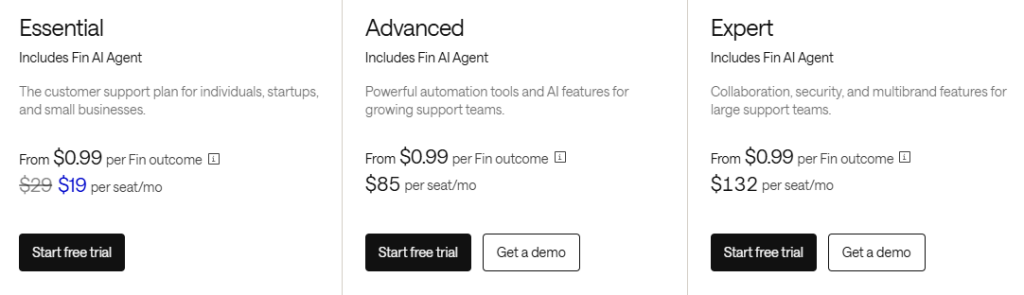
| Intercom | Mid-sized to large businesses | Automating chat and in-app support using the Fin AI agent | “Best-in-class chat and in-app messaging powered by Fin; costs can rise quickly at scale.” | 4.5/5 | $29 per seat/month |
| Gorgias | Small to mid-sized ecommerce businesses | Resolving ecommerce support tickets with order and customer data visibility | “Shopify context + macros are really good.” | 4.6/5 | $10/month (for 50 tickets) |
| Kustomer | Mid-sized to large businesses | Viewing customer conversations and history in a unified timeline | “Customer timeline model; implementation-heavy.” | 4.5/5 | $89 per user/month |
| Jira Service Management | Mid-sized to large organizations | Managing internal support requests and change workflows | “Best for teams already using Jira; less intuitive for non-technical teams.” | 4.3/5 | $20 per user/month |
| osTicket | Small businesses and internal teams | Running a self-hosted, open-source ticketing system | “Reliable open source ticketing; but fewer built-in features” | 4.4/5 | Free/self-hosted |
| ProProfs Help Desk | Small businesses | Managing email-based ticketing | “Simple ticketing + KB; limited features.” | 4.5/5 | $19.99 per user/month |
All-in-one customer support help desk solutions
1. Hiver: Best for modern, fast-moving businesses
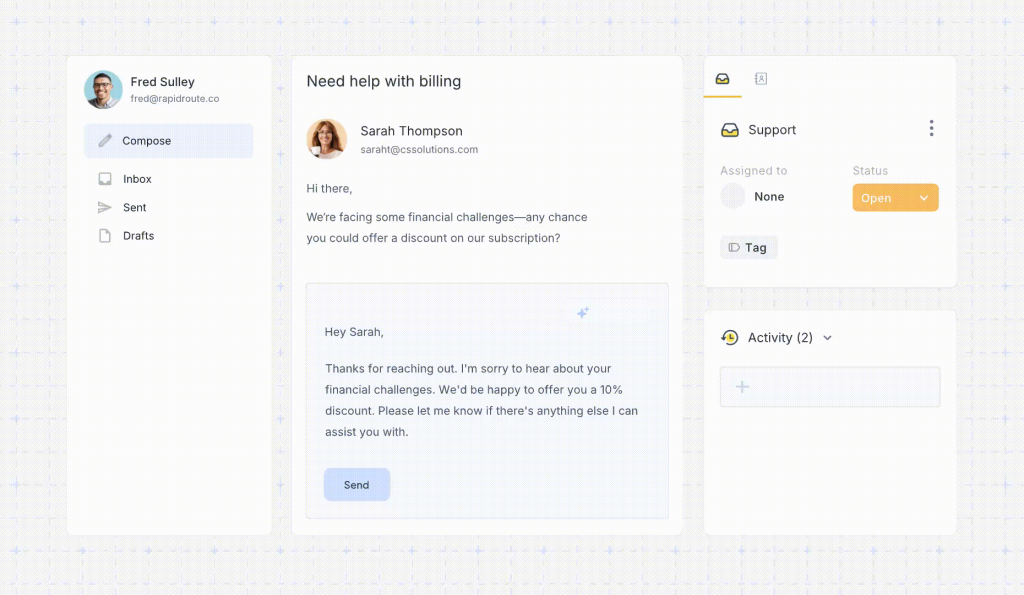
Hiver is a modern, AI-powered help desk software that brings email, live chat, WhatsApp, voice, and social channels into one shared workspace.
It embeds AI directly into everyday support work by tagging incoming requests, suggesting replies, assisting agents through resolution.
Unlike tools that treat AI as a separate chatbot or paid add-on, Hiver includes AI across every plan, with no usage limits or per-resolution fees.
Alongside AI, Hiver covers everything you’d expect from a full-scale help desk, with features like automation, analytics, knowledge base, CSAT, customer portal, integrations, and more.

Some standout features:
- AI Copilot: Draft accurate replies, suggest next actions, and pull relevant context into tickets so agents respond faster and with fewer edits.
- AI Agents: Resolve repetitive queries end-to-end, send follow-ups, and trigger workflows across tools and teams without manual intervention.
- AI Insights: Identify workflow bottlenecks, track agent and AI performance, and spot issues early so you can fix them before they escalate.
- AI live chat assistant: Provide 24/7 chat support using answers from your help docs and past conversations.
- AI QA: Check every reply in real time against your quality standards, flag issues before sending, and guide agents with feedback, without any manual reviews.
- Automation: Assign tickets automatically using skill-based rules, availability, or round-robin logic.
- Canned responses: Handle repetitive questions quickly using reusable response templates.
- Custom reports & dashboards: Track resolution time, agent workload, CSAT, and trends, or lets teams build their own views.
- Customer feedback (CSAT): Send customizable surveys after a ticket resolution or at specific points in the customer journey.
- 100+ integrations: Connect with tools like HubSpot, Salesforce, Jira, Shopify, and NetSuite without switching tabs.
My perspective on where Hiver works best:
Tools like Zendesk or Freshdesk are powerful, but they often come with a steep learning curve. Agents have to navigate multiple dashboards, rigid workflows, and features that only unlock after upgrades or add-ons. That slows teams down, especially when you’re onboarding new agents or scaling fast.
Hiver takes a different approach. Getting started is quite easy; it typically takes less than 15 minutes to set up. Teams can go live quickly without long training cycles, which is a big reason why over 10,000 teams use it today.
| Pros | Cons |
|---|---|
| Offers enterprise-level security with an interface that’s extremely easy to use. | Mobile app is limited compared to the desktop experience. |
| Includes 24/7 support across channels, with dedicated assistance (email, live chat, WhatsApp), even on the free plan. | Advanced reporting needs may require exporting data to other tools. |
| Scales well as support volume grows, without pushing teams into expensive add-ons. | Not designed for highly specialized ITIL or service catalog use cases. |
Pricing:
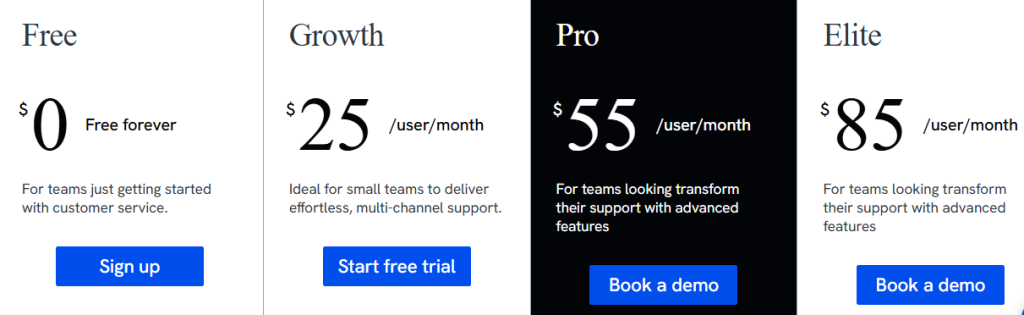
- Growth: $25/user/month
- Pro: $65/user/month
- Elite: $105/user/month
- 7-day free trial on all paid plans, and a forever-free plan
Who is this for: Modern, growing businesses in sectors like IT, finance, logistics, and real estate, where support teams typically range from 10–300 employees. It’s useful for teams that handle customer queries across multiple channels and want an AI-powered help desk.
Who is this not for: Teams that operate primarily from mobile devices and need advanced, fully featured mobile apps for agents.
2. Front: Best for mid-sized teams collaborating on shared customer conversations
Front is a full-fledged help desk with an interface that looks and works like an email inbox. Where it excels is cross-team collaboration.
Support agents can view, assign, comment on, and reply to the same customer conversation without sending duplicate responses.

Some standout features:
- AI summaries and drafting (Front Copilot): Summarize long email threads instantly, draft replies using past context, and adjust tone before sending.
- Internal comments inside conversations: Tag teammates from sales, finance, or ops directly inside the same thread. Customers never see these notes, so context stays in one place instead of moving to Slack or other apps.
- Rules-based routing: Automatically tag, assign, or route emails based on sender, keywords, or fields, without setting up rigid ticket queues.
- Multi-channel inbox: Handle email, chat, SMS, and social messages from the same inbox, using one consistent workflow instead of managing separate tools.
My perspective on where Front works best:
Front works best in workflows where a single customer reply needs input from multiple people.
For example, billing-related emails can be routed into a shared inbox, tagged automatically, and discussed internally using comments before a response goes out.
Instead of forwarding emails or spinning up side conversations in Slack, all context stays attached to the original thread.
| Pros | Cons |
|---|---|
| Front enables team collaboration directly on customer conversations. | Advanced analytics, QA, and AI features sit behind higher plans or add-ons. |
| Clear ownership and assignments reduce reply conflicts. | Costs rise as team size and feature usage increase. |
| Internal comments replace Slack or forwarded emails. | Automation is less flexible compared to other help desks. |
Pricing:
- Free trial: 14 days
- Price: Starts at $25 per seat/month and goes up to $105 per seat/month
- Add-on costs may apply for AI capabilities (e.g., Copilot/analytics) on lower tiers
Who is this for: B2B services and logistics companies (typically 20–500 employees) that handle high-stakes client relationships that require inputs from multiple departments..
Who is this not for: Teams that need strict SLAs and highly structured support processes
3. Help Scout: Best for small to mid-sized teams that want an easy-to-use help desk
Help Scout is a customer support tool that helps teams manage customer emails through shared inboxes, with live chat and a built-in help center for self-service.

Some standout features:
- Shared inbox: All customer emails come into one shared inbox, where each conversation clearly shows ownership and status (active, pending, or closed). Teammates are notified when someone else is viewing or replying, which helps prevent duplicate responses.
- Beacon (chat + self-service widget): Beacon puts live chat and help articles in one widget. Customers can search for answers on their own before starting a chat, which cuts down on repeat questions.
- AI Assist & AI Summarize (built-in): Helps agents draft replies using past conversations, summarize long threads, and rewrite responses to correct tone before sending.
- Customer profiles: Each ticket opens with the customer’s profile alongside the conversation, so agents can immediately see past interactions, internal notes, and recent activity without leaving the inbox or opening another tab.
My perspective on where Help Scout works best:
Where Help Scout stands out is onboarding. New agents don’t need to learn queues, routing rules, or complex workflows. They open the dashboard, see what’s assigned to them, and reply. It’s straightforward, easy to follow, and works well from the first day.
For example:
- You connect your support email to Help Scout.
- You create one inbox for support and another for billing.
- You add Beacon to your website so customers can search for help articles.
- When an email comes in, it appears in the right inbox (support or billing) with the customer’s past messages and notes visible next to the conversation.
- An agent opens the email and replies.
That’s it. There’s nothing else for a new agent to figure out.
| Pros | Cons |
|---|---|
| Built-in knowledge base (Docs) and Beacon help customers find answers before contacting support. | Lacks advanced workflow automation needed by large or complex teams. |
| Clean shared inbox with clear ownership and visibility. | Limited SLA controls compared to enterprise help desks. |
| Easy to set up and use, with minimal admin overhead. | Reporting and dashboards are basic and not deeply customizable. |
Pricing:
- Free trial: 15 days
- Price: Starts at $25 per user/month and goes up to $75 per user/month
- AI Answers cost $0.75/resolution
Who is this for: Startups and SMBs (typically 10–200 employees) that want to scale their support, using a simple help desk.
Who is this not for: Support teams that depend on strict SLAs, queue-based workflows, or advanced routing and analytics.
4. Missive: Best for small support teams that collaborate closely on emails and messages
Missive is a team inbox built for collaboration. It brings email, SMS, and messages from social channels like WhatsApp, Messenger, and Instagram into one collaborative workspace.
It also lets you turn messages into tasks inside the dashboard. You can assign a task to a teammate, set a due date, and track it alongside the conversation.

Some standout features:
- Collaborative drafting: Multiple people can write and edit the same email at the same time.
- Workflow automation: Missive lets you define rules to automatically tag, assign, or respond to messages based on conditions (e.g., sender, subject keywords).
- AI-assisted drafting and summarization: Built-in AI helps draft replies, translate text, and summarize long threads so agents can act faster.
- Security & compliance: Supports SSO, two-factor authentication, SOC 2 Type II compliance, and blocks email read trackers to protect privacy.
My perspective on where Missive works best:
Missive works best when a reply needs input from more than one person before it’s sent.
For example, a support agent can draft a response and tag a product manager and someone from billing in the same conversation. The reply can then be updated based on their comments without switching to Slack, email, or docs. Everything stays in one place.
| Pros | Cons |
|---|---|
| Emails can be turned into tasks, assigned, and tracked with due dates inside the same conversation. | Lacks core help desk features like ticket queues, SLAs, and escalation rules. |
| Internal chat and comments make collaboration fast and visible. | Limited reporting and performance tracking for support teams. |
| Reduces the need for separate task or collaboration tools. | Better suited for collaboration than high-volume customer support. |
Pricing:
- Free trial: 30 days
- Price: Starts at $14 per user/month and goes up to $36 per user/month
Who is this for: Creative agencies and remote startups (typically 5–100 employees) that need to combine email with internal chat and social media management.
Who is this not for: Teams handling thousands of tickets a day with strict service level expectations. Dedicated help desk systems (like Hiver, Zendesk, Freshdesk, etc.) will be much better.
5. Drag: Best for small businesses managing support directly inside Gmail
Drag integrates directly with Gmail to help teams manage customer support, tasks, and workflows from within their email interface.
It adds shared boards, assignments, automation, and task management on top of Gmail so teams don’t need separate tools.

Some standout features:
- Visual boards (Kanban or list): Emails are displayed as cards on a board, where teams can drag conversations between columns like New, In Progress, and Done to track status at a glance.
- Tasks tied to emails: Convert messages into tasks with checklists and notes, and track them alongside inbox workflows.
- Automation & rules: Create automation rules to move emails or tasks between boards, auto-respond to messages, or sort content based on conditions.
- Reporting & analytics: Drag includes basic reports on inbox activity, team workload, response times, and tags so you can measure how work flows through boards.
- AI assistants: Higher plans include AI features like draft suggestions and tagging assistance to speed up replies and reduce manual triage.
My perspective on where Drag works best:
Drag works best for teams that lose track of work when emails start piling up. Turning emails into cards that move from New to In Progress to Done makes it clear what’s being worked on and what’s still waiting.
Instead of digging through inboxes or trying to remember what needs follow-up, teams can see progress visually right inside Gmail.
| Pros | Cons |
|---|---|
| Manage shared inboxes, tasks, and conversations directly inside Gmail using visual Kanban boards. | Limited support for channels outside Gmail, such as WhatsApp, Instagram, or SMS. |
| Simple to adopt for Gmail-based teams. | Lacks advanced help desk features like SLAs and escalation rules. |
| Assignments and status changes happen without leaving the inbox. | Reporting and automation are basic. |
Pricing:
- Free trial: 7 days
- Price: Starts at $12 per user/month and goes up to $24 per user/month
Who is this for: Solopreneurs and micro-teams (1–10 people) who manage their support or sales pipeline using a visual Kanban board (like Trello) inside Gmail.
Who is this not for: Teams that require enterprise help desk workflows, complex routing rules, and omnichannel support.
6. Zendesk: Best for large teams with SLA-driven, high-volume support operations
Zendesk is a long-established help desk platform built for teams handling large volumes of support tickets.
It’s commonly used by enterprises that need structured ticket workflows, SLA tracking, and rule-based automation to route, prioritize, and escalate tickets across channels like email, chat, phone, and social.

Some standout features:
- Robust ticketing system: Every customer request becomes a ticket that can be assigned, prioritized, and tracked through defined statuses and SLAs.
- Omnichannel support: Email, live chat, voice, social media, and web widget interactions are all managed from a single support interface.
- AI automation & bots: Zendesk uses AI to suggest replies, automate repetitive steps, and deflect common questions through bots or self-service before they reach an agent.
- Self-service knowledge base: Zendesk Guide allows teams to build help centers and community forums for customer self-service.
My perspective on where Zendesk works best:
Zendesk works best for large support teams that operate across shifts or regions and need a structured process.
For example, in a SaaS company running 24/7 support with tiered teams across regions, Zendesk provides a single place to manage handoffs. Incoming tickets are routed into L1, L2, or escalation queues based on issue type and priority. Response and resolution SLAs are tracked in real time, and tickets automatically surface when deadlines are close or missed.
This gives managers a clear view of queue load, aging tickets, and SLA breaches without relying on inbox checks or Slack follow-ups.
| Pros | Cons |
|---|---|
| Built to handle very high ticket volumes across regions, shifts, and large teams. | Takes longer to set up and learn compared to other help desks. |
| A powerful workflow engine keeps routing, SLAs, and escalations running at scale. | Advanced features like skills-based routing and deep analytics require higher-tier plans. |
| Reliable for complex, process-heavy support operations. | Feels heavy for small or fast-moving teams. |
Pricing:
- Free trial: 14 days
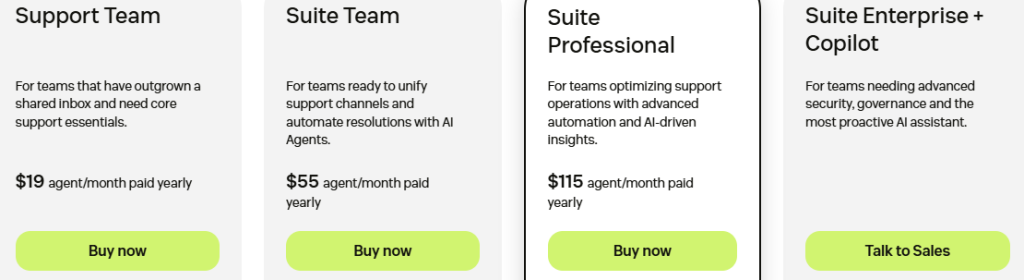
- Price: Starts at $19 per agent/month and goes up to $169 per agent/month
Who is this for: Global enterprises (1,000+ employees) and hyper-growth B2C companies requiring extreme customization and deep security compliance.
Who is this not for: Small teams, early-stage startups, or teams that require flexible collaboration and pricing.
7. Freshdesk: Best for growing teams needing ticketing, automation, and self-service
Freshdesk is an AI-powered, multi-channel support platform. Freshdesk is an AI-powered omnichannel help desk. It consolidates customer interactions from email, phone, live chat, social media (Facebook, Instagram, X), and messaging apps like WhatsApp into a unified interface.

Some standout features:
- Freddy AI Suite: Includes an AI Agent that can autonomously resolve up to 80% of routine queries, plus an AI Copilot that helps agents by summarizing long conversations and drafting replies.
- Parent-child ticketing: Large, complex issues can be split into smaller “child” tickets for different departments (like finance or shipping) to work on simultaneously.
- Skill-based routing: Freddy AI automatically assigns tickets to the agent best suited for the specific problem, rather than just the next available person.
- Conversational analytics: Users can ask Freddy AI questions about their data (e.g., “Why did my CSAT drop last Tuesday?”) and receive instant, natural-language reports and visual dashboards.
My perspective on where Freshdesk works best:
I’ve seen teams begin with shared inboxes and eventually adopt Freshdesk because:
- They want ticket queues and SLAs without building heavy processes
- They handle a high volume of repeat customer questions, which makes AI agents well suited to take on the grunt work.
- They want agents to handle tickets more efficiently without dealing with complex setup or configuration.
In day-to-day use, this is where Freddy Copilot fits in. It helps agents draft replies faster and catch up on long threads, reducing time spent writing and reading through conversations.
| Pros | Cons |
|---|---|
| Easy to set up and navigate. | Access to Freddy AI starts at $29 per agent/month, adding extra cost as teams scale. |
| Suitable for growing teams that want structure without heavy setup. | Multi-channel support is not fully unified and can require switching views. |
| Covers core help desk needs like ticketing, basic automation, and self-service. | Advanced AI features and automation require higher plans. |
Pricing:
- Free trial: 14 days
- Price: ~$15–$18 per agent/month
Who is this for: Fast-growing SMBs and mid-market companies looking for an “all-in-one” solution that is easier to set up (than tools like Zendesk).
Who is this not for: Teams that need highly customized workflows, strict governance, or deeply configurable process control.
8. Zoho Desk: Best for small to mid-sized teams using Zoho
Zoho Desk is a cloud-based help desk developed by Zoho Corporation.
It syncs seamlessly with other apps in the Zoho ecosystem, such as Zoho CRM, Zoho Books, and Zoho Projects. This helps support agents check sales status or invoice details without switching tabs.

Some standout features:
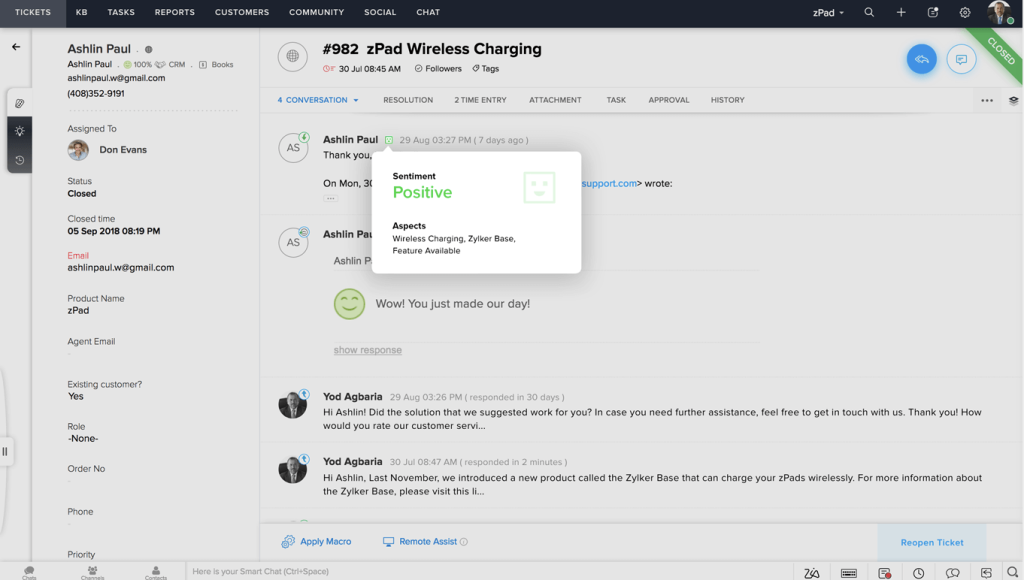
- Zia AI Assistant: Zoho’s AI, Zia, performs sentiment analysis to detect a customer’s mood, suggests relevant knowledge base articles to agents, and can automatically tag tickets based on content.
- Answer Bot: A multilingual chatbot that pulls answers from your help articles or generates AI replies, and responds to customers on websites and social messaging channels.
- Automation: Zoho Desk supports rule-based workflows for assigning tickets, sending responses, escalating overdue issues, and updating statuses automatically.
- Help center: Teams can build public or private knowledge bases. Articles can be surfaced by Answer Bot before a ticket is created, reducing inbound ticket volume.
- Reporting: Built-in dashboards show response times, backlog, agent workload, and customer happiness. Custom reports can be created without exporting data.
My perspective on where Zoho Desk works best:
Zoho Desk works best for teams that already run a lot of their day-to-day work inside Zoho. When support, sales, and account data live in the same ecosystem, agents don’t have to guess who the customer is or what stage they’re in. That information is already visible next to the ticket.
For example, when a customer raises a support ticket, the agent can see their CRM profile, past conversations, and any open deals alongside the ticket.
| Pros | Cons |
|---|---|
| Cost-effective and feature-rich for the price. | Interface can feel text-heavy and cluttered compared to tools like Hiver or Help Scout. |
| Deep integration with the broader Zoho ecosystem (CRM, Finance, Projects). | Initial setup and customization take time to get right. |
| Strong automation options with rules and Blueprints (predefined workflows that control how tickets move through different stages). | Reporting and dashboards are less intuitive to configure. |
Pricing:
- Free trial: 15 days
- Price: Starts at $14 per agent/month and goes up to $40 per agent/month
- A forever free plan is available for up to 3 agents
Who is this for: Cost-conscious SMBs (typically 10–500 employees) already using the Zoho ecosystem (Zoho CRM, Zoho Books, etc.).
Who is this not for: Teams that want a minimal interface, instant setup, or deep customization without configuration effort.
Chat-first and conversational support platforms
9. Intercom: Best for teams that want AI-first, chat-centric support
Intercom is an AI-first customer support platform. It brings chat, in-app messaging, email, SMS, and voice into one system, with a strong focus on automating support through its AI agent, Fin.

Some standout features:
- Fin AI Agent: Intercom’s flagship autonomous agent, Fin is capable of resolving over 50-80% of routine queries (like order updates or troubleshooting) across any channel, including voice, email, and chat.
- Conversational support: Customers can start a chat on a website, follow up via email, and finish on WhatsApp without ever repeating themselves, as agents see the entire history in one timeline.
- Workflow Builder: A visual, no-code builder that lets teams automate ticket routing and complex escalation rules without needing a developer.
- AI Copilot: Works inside active conversations to summarize context, suggest replies, help troubleshoot issues, and improve the quality of responses while agents are replying.
- AI Insights and reporting: Shows where Fin resolves conversations on its own, where it hands off to humans, and where it struggles. This helps teams decide what to automate next and what still needs human support.
My perspective on where Intercom works best:
One thing I found useful is that Fin isn’t confined to Intercom’s help desk. Teams can run Fin on top of Intercom or connect it to another help desk. This makes it easier to adopt AI without overhauling your tech stack.
For example, a SaaS team can deploy Fin to handle in-app chat questions while continuing to manage tickets in their existing help desk.
This lets them measure AI resolution rates and cost impact before deciding whether to move fully to Intercom’s help desk.
| Pros | Cons |
|---|---|
| Fin AI Agent can autonomously resolve issues by taking actions (e.g., refunds, booking changes), not just answering questions. | Pricing is high and multi-layered, with per-seat fees plus additional charges for AI resolution and proactive messaging. |
| Strong at handling chat and in-app support at scale with fast response times. | Monthly costs can become hard to predict as usage and automation increase. |
| Effective for deflecting high volumes of repetitive queries through automation. | Email workflows feel limited compared to chat. |
Pricing:
- Free trial: 14 days
- Starting price: From $29 per seat/month
- Fin AI Agent: $0.99 per resolved conversation
- Additional costs may apply for add-ons like proactive messaging or outbound campaigns
Who is this for: Product-led SaaS and tech companies where the goal is to resolve 50-80% of queries through AI bots (like “Fin”) inside a web/mobile app.
Who is this not for: Teams that want automation without usage-based AI pricing or prefer simpler help desk platforms.
Recommended reading
10. LiveAgent: Best for teams that rely heavily on voice support
LiveAgent is a customer support platform that brings email, live chat, social media, and phone support into one interface.
Unlike many tools that depend on external voice integrations, LiveAgent includes call handling as a built-in feature. This makes it a practical choice for teams handling a large volume of customer calls alongside tickets from other channels.

Some standout features:
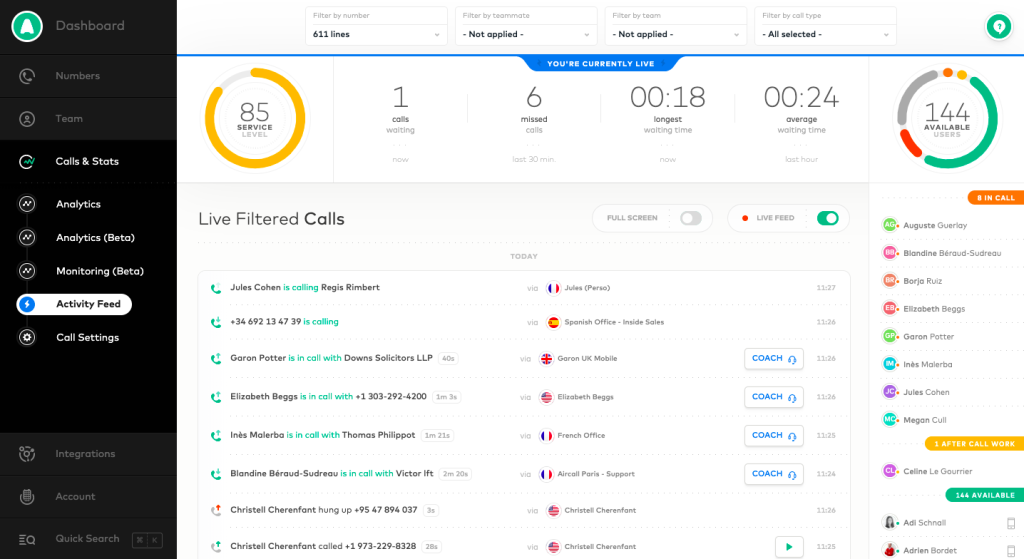
- Built-in virtual Call Center: LiveAgent includes a native call center with IVR, call routing, and unlimited call recordings.
- AI support: Features an AI Answer Generator for contextual replies and an AI Chatbot that sources content from your knowledge base to answer routine inquiries.
- Gamification: Includes an “Arcade” system where agents earn badges and levels (e.g., “Sharpshooter”) for meeting performance goals.
- Real-Time Typing View: Agents can see what a customer is typing in the chat window before they hit “send”.
- Social media support: LiveAgent supports Facebook, Instagram, X (Twitter), WhatsApp, and Viber from the same interface.
My perspective on where LiveAgent works best:
LiveAgent works best when voice support is a core channel. Teams that handle a high number of phone calls benefit from having calling, routing, and ticketing in one system.
Setup is fast, there’s no extra fee for call center features, and teams can choose between cloud or on-premise deployment depending on their needs.
| Pros | Cons |
|---|---|
| Includes email, live chat, voice, and social channels in one standard plan, without charging separately for call center features. | Interface feels dated compared to newer help desk tools. |
| Good value for teams that need phone support alongside digital channels. | WhatsApp support is less smooth than email or chat, with occasional sync issues. |
| Supports classic ticketing features like queues, SLAs, and time tracking. | Setup and configuration can feel overwhelming. |
Pricing:
- Small: $15 per agent/month
- Medium: $29 per agent/month
- Large: $49 per agent/month
- Enterprise: $69 per agent/month
- Free trial: 30 days
Who is this for: SMBs and “voice-heavy” service providers (with 10–200 employees) that need a 100% all-in-one desk without paying for separate phone or chat software.
Who is this not for: Teams that want a full-fledged support help desk or advanced AI-driven automation. It’s also not ideal for teams that rely heavily on WhatsApp-based workflows.
E-commerce focused help desk solutions
11. Gorgias: Best for e-commerce teams handling order-related support
For ecommerce support teams, Gorgias is often the default choice. It lets agents do two essential tasks: handle tickets as well as manage orders (like refunds, cancellations, discounts), from the same screen.

Some standout features:
- E-commerce integrations: Gorgias connects directly with Shopify, BigCommerce, WooCommerce, and Magento.
- AI Agent: An autonomous agent that can interpret images (e.g., photos of damaged goods) and resolve up to 60% of tickets end-to-end, such as processing returns or updating shipping addresses.
- AI Shopping Assistant: Proactively engages website visitors with real-time product recommendations and personalized discounts based on their browsing behavior.
- In-ticket actions: Agents can trigger refunds, cancel orders, or suggest products and discounts while replying to customers.
My perspective on where Gorgias works best:
Gorgias makes the most sense when customer support and order management are basically the same job.
For example, a customer writes in saying their package hasn’t arrived. In Gorgias, the agent can see the order details immediately, check the shipping status, and issue a refund — all from the same screen. There’s no need to open Shopify in another tab, copy order numbers, or hand over the ticket to someone else.
| Pros | Cons |
|---|---|
| Doesn’t charge per user—pricing is based on ticket volume, so teams can add unlimited agents as needed. | Performance can slow down during very high ticket volumes. |
| Works well for seasonal spikes (Black Friday, launches) when temporary staff need quick access. | Automation rules are less flexible compared to other help desks. |
| Deep integrations with ecommerce platforms like Shopify provide order and customer context. | Reporting is fairly basic for teams that need detailed operational insights. |
Pricing:
Gorgias uses ticket-based pricing with unlimited agents:
- $10/month – 50 tickets
- $50/month – 300 tickets
- $300/month – 2,000 tickets
- $750/month – 5,000 tickets
- Free trial: 7 days
Who is this for: DTC (Direct-to-consumer) e-commerce brands specifically running on Shopify, BigCommerce, or Magento.
Who is this not for: SaaS companies, service businesses, or teams that don’t need direct access to ecommerce actions inside support tickets.
12. Kustomer: Best for e-commerce teams that need 360-degree customer history
Most help desks are ticket-based (one email = one ticket). Kustomer works differently.
The platform is built around the customer, not individual ticket. When someone contacts support, the agent sees everything about that customer in one screen, like previous conversations, orders, refunds, notes, and recent activity. There’s no need to jump between tickets to understand context.

Some standout features:
- Customer timeline: Every interaction (email, chat, SMS, social, calls) shows up in a single timeline. If a customer contacted you three times in a month, agents see all three conversations together.
- Kustomer IQ (agent-facing + routing AI): Kustomer IQ detects intent and sentiment, applies tags, routes conversations, and generates summaries for agents. It assists agents but does not fully replace them.
- Customer-facing AI agents (no-code): Teams can build AI agents that answer common questions and hand off to humans when needed.
- Ecommerce integrations: Kustomer integrates with Shopify and Magento to show order data directly inside the customer timeline.
- Reporting: Reports can be built around customer behavior (repeat contacts, escalations, churn signals) instead of only ticket counts and response times.
My perspective on where Kustomer works best:
Kustomer works best when the same customer contacts support multiple times, and context matters across those conversations.
For example, a customer first contacts support about a delayed order. Later, they follow up for a refund. After that, they reach out again once the replacement arrives.
In Kustomer, all of these conversations appear on a single timeline along with the order and refund details. Agents don’t have to search or piece things together: the full history is visible as soon as the conversation opens.
| Pros | Cons |
|---|---|
| Agents see full customer context in one place, including order details, past conversations, and account data. | Often requires technical setup and careful configuration. |
| Reduces back-and-forth by eliminating the need to ask customers for order numbers or history. | Typically needs a dedicated admin or ops owner to manage workflows and integrations. |
| Well-suited for data-rich environments like ecommerce or subscription businesses. | Can feel heavy for smaller teams or simple support use cases. |
Pricing:
Kustomer uses seat-based pricing, with AI charged separately.
- Enterprise: $89 per seat/month
- Ultimate: $139 per seat/month
AI pricing (separate from seats):
- AI Agents for Customers: $0.60 per engaged conversation
- AI Agents for Reps: $40 per user/month
Free trial: 30 days
Who is this for: High-volume B2C retail & travel enterprises that need a “360-degree timeline” view of a customer.
Who is this not for: Small teams that want quick setup, basic ticket queues, or low-cost email support.
IT help desk & IT service management (ITSM) tools
13. Jira Service Management: Best for Internal IT and operations teams
Jira Service Management (JSM) is Atlassian’s IT service management tool that specialises in handling internal requests like IT access, incidents, onboarding, and change approvals.

Some standout features:
- Atlassian Rovo (AI): A specialized AI agent that uses “knowledge cards” to find information across your entire company (from Slack, Google Drive, Confluence) to help agents solve complex technical issues instantly.
- Asset management: A built-in database that tracks every laptop, server, and software license owned by the company, linking them to support tickets.
- Low-code form builder: Lets teams like IT, HR, or Legal create structured request forms with conditional logic (for example: different fields for contractors vs full-time employees) without needing engineering help.
My perspective on where Jira Service Management works best:
JSM works best as an internal help desk, where support is closely tied to internal workflows like engineering requests, approvals, and change management.
For example, when an employee requests software access, JSM helps with:
- Notifying manager for approval,
- create a Jira issue for IT,
- notify security,
- and close only after confirmation.
Everything is tracked and visible. That level of control is hard to match.
| Pros | Cons |
|---|---|
| Strong incident, problem, and change management aligned with ITIL practices. | Advanced workflows, service catalogs, and ITIL processes often require a dedicated Jira admin. |
| Built-in approvals, audit trails, and change logs support compliance-heavy environments. | Setup and configuration can be complex for non-technical teams. |
| Integration with Jira enables smooth handoffs between support and engineering. | Feels heavy for customer-facing or lightweight support use cases. |
Pricing:
- Free: $0 for up to 3 agents
- Standard: $20–$23 per agent/month
- Premium: $47–$55 per agent/month
- Enterprise: Custom pricing
- Free trial: 7 days
Who is this for: IT, Engineering, and DevOps teams within mid-sized to large organizations (typically 50–5,000+ employees), looking to manage internal employee requests.
Who is this not for: Support teams that need to offer omnichannel support (live chat, phone, social media).
Open-source & self-hosted help desk solutions
14. osTicket: Best for small teams needing self-hosted, open-source ticketing
osTicket is one of the most popular free, open-source help desk systems. It is a lightweight alternative to high-cost SaaS platforms like Freshdesk or Zendesk.
Mostly suited for organizations that want to self-host their own help desk and maintain complete control over their data.

Some standout features:
- Email-to-ticket conversion: Every incoming email automatically becomes a ticket, keeping the full thread, attachments, and timestamps together in one place.
- Full customization: Users can modify the code, create custom fields, and design unique forms for different “Help Topics” (e.g., Support, Billing, Sales).
- Self-service portal: Includes a public-facing portal where customers can check their ticket status and search a built-in knowledge base.
- SLA management: Allows you to set service level agreements with automated alerts and escalations if a ticket remains unanswered for too long.
My perspective on where osTicket works best:
osTicket works best when teams want a reliable, low-cost ticket system and already have technical resources to run it.
For example, a small IT team can host osTicket internally, route emails like “access request” or “printer issue” into tickets, and track SLAs, without paying per agent or per ticket.
| Pros | Cons |
|---|---|
| No per-user or monthly fees for the self-hosted version. | Requires a web server (Linux/Apache/PHP/MySQL) and technical expertise to set up. |
| Customer data stays on your own server, not a third-party cloud. | Ongoing maintenance, updates, and security are your responsibility. |
| Offers flexibility to customize ticket fields, workflows, and integrations. | Interface and UX feel dated compared to modern help desks. |
Pricing:
- Software: Free (open source)
- Costs to plan for: Hosting, maintenance, backups, and any paid plugins or custom work
Who is this for: Technical SMBs and non-profits (typically 5–100 employees) with a $0 software budget and a developer who can host/manage their own server.
Who is this not for: Teams looking for modern AI features, chat-first support, or a fully managed help desk.
Open-source & self-hosted help desk solutions
15. ProProfs Help Desk: Best for small teams that want a simple, cloud-based help desk tool
ProProfs Help Desk is a cloud-based tool for managing email-based support, and self-service through a built-in knowledge base. Its flat pricing model, instead of per-agent fees, makes it easier for small teams to scale support without rising costs.

Some standout features:
- Team collaboration: Agents can add internal notes or split complex issues into child tickets so different teams can work on parts of the same request.
- Built-in knowledge base: Teams can create help articles and FAQs directly inside the product, without using a separate KB tool.
- AI assistance: The platform includes AI-generated reply suggestions and ticket summaries to help agents respond faster and get context quickly.
- Built-in customer surveys: Integrates directly with ProProfs Survey Maker to send CSAT or NPS surveys automatically after a ticket is closed.
My perspective on where ProProfs Help Desk works best:
ProProfs is best suited for basic ticket tracking and self-service, without requiring much setup or training.
For example, a small SaaS or services team can route all support emails into one inbox, create a knowledge base, and start responding to tickets the same day.
| Pros | Cons |
|---|---|
| Easy to get started without heavy configuration or IT involvement. | Fewer native integrations compared to tools like Zendesk or Freshdesk. |
| Simple interface that’s easy for new agents to learn. | Limited support for complex CRM or advanced third-party app workflows. |
| Flat pricing makes costs predictable for small teams. | Automation and reporting are fairly basic. |
Pricing:
- Starts at: $19.99 per user/month
- Free trial: 15 days
- A forever-free plan is available for a single agent.
Who is this for: Educational institutions and small support teams that need a very simple, “parent-child” ticketing system.
Who is this not for: Teams that need advanced workflows, strict SLAs, deep reporting, or AI-driven automation.
Other 25 help desk solutions
A useful list of 25 other help desk solutions you can explore — spanning lightweight tools, niche platforms, and options that fit specific support needs:
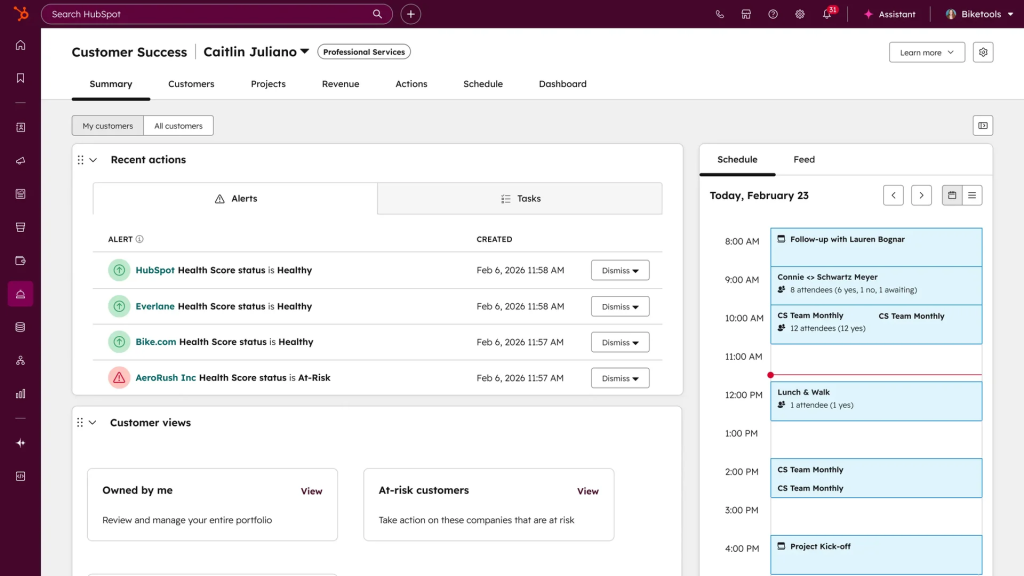
16. HubSpot Service Hub: A help desk built directly into HubSpot’s CRM. Tickets, emails, and chats sit alongside contact records and deal history. It works best if your sales and support teams already live inside HubSpot.
17. HappyFox: A help desk focused on rules, workflows, and reporting. It’s strong at routing, SLAs, and automation, but feels more process-heavy than collaboration-first tools.
18. Kayako: It combines email and live chat tickets into a single conversation view. It’s useful for teams that want customer context across channels, but automation and AI features are fairly limited.
19. Groove: A lightweight help desk that is good at managing shared inboxes. It’s easy to set up and learn, but lacks advanced workflows and reporting for growing teams.
20. Pylon: Built for B2B support teams handling complex accounts. It focuses on shared inboxes, customer context, and collaboration rather than strict ticket queues.
21. Decagon: An AI-first support platform that uses generative AI agents to resolve customer questions across email, chat, and voice. It’s designed for teams betting heavily on automation over human-first workflows.
22. Tidio: A chat-first support tool for small teams. It combines live chat, simple bots, and basic ticketing, but isn’t built for complex workflows or high volumes.
23. Drift: A conversational sales and engagement platform now part of Salesloft. It’s strong at routing high-intent website conversations and qualifying leads in real time, but it’s expensive and generally not ideal for email-heavy support workflows.
24. Crisp: Offers chat, email, and messaging with flat-rate pricing. It’s attractive for startups that want predictable costs, though reporting and automation are fairly basic.
25. HelpCrunch: A live chat tool that also lets teams turn chat and email messages into tickets. It works when most conversations happen in chat, but lacks the controls needed for complex routing, SLAs, or multi-step ticket workflows.
26. Re:amaze: A shared inbox built for online stores that brings email, chat, social, and SMS into one place. It works well for handling customer conversations, but offers limited automation compared to larger help desk tools.
27. Richpanel: Built for ecommerce brands handling refunds, returns, and order updates. It does a fairly good job at automating post-purchase workflows.
28. Freshservice: An ITSM tool for internal IT teams. An ITSM tool for internal teams that handles incidents, asset tracking, and change management, with a cleaner interface than many enterprise tools.
29. ServiceNow: A large-scale ITSM platform used by enterprises. It’s extremely powerful, but costly and complex to implement and maintain.
30. SysAid: An IT help desk with built-in asset management and ITIL workflows. It’s functional but feels dated compared to newer ITSM tools.
31. ManageEngine ServiceDesk Plus: Combines ticketing, assets, and change management. It’s feature-rich for the price (starts around $10-$13/technician/month), but the interface can feel cluttered.
32. SolarWinds Service Desk: A cloud ITSM platform focused on incident and change management. It’s a solid option for IT teams but limited for customer-facing support.
33. Zammad: An open-source help desk with a modern interface. It offers flexibility for self-hosted setups, but requires technical maintenance.
34. GLPI: Combines IT ticketing with asset and inventory management. Setup and customization can take some effort.
35. Request Tracker: A highly configurable open-source ticketing system. It’s powerful for technical teams, but the UI and setup are not beginner-friendly.
36. UVdesk: An open-source help desk framework. It’s best for teams that want to build a custom support system rather than use an out-of-the-box tool.
37. SupportBee: An email-first help desk focused on simplicity. It’s quick to set up but limited in automation and reporting.
38. Spiceworks: A free IT help desk commonly used by small teams. It’s functional, but supported by ads and limited customization.
39. Faveo Helpdesk: Offers both cloud and open-source ticketing with SLAs and a knowledge base. It’s affordable, but the UI and UX feel basic.
40. OSTrack: A simple cloud-based ticketing tool. It supports email-to-ticket workflows but lacks advanced features and integrations.
Recommended reading
How to choose a help desk for your business
Start by answering these questions:
- Where do customer conversations come from today? Email only, or a mix of email, chat, social, and phone? Don’t overbuy channels you won’t actually use.
- Do agents need to collaborate before replying? If tickets often need input from billing, product, or ops, prioritize tools that offer internal collaboration functionalities.
- Is support process-driven or inbox-driven? If you need strict SLAs, approvals, and audits, choose a ticketing-first tool. If speed and flexibility matter more, an inbox-style help desk may work better.
- How much automation do you actually need? Simple auto-assignment and tagging is enough for many teams. Advanced workflows only make sense when ticket volume is high.
- Can pricing scale predictably? Look closely at usage-based AI fees, add-ons, and contract lock-ins before committing.
- How well does the tool integrate with your existing systems? Check whether it connects easily with your CRM, billing tools, ecommerce platform, or internal apps—and whether integrations are included or gated behind higher plans or API limits.
- Does the reporting answer real operational questions? Look for visibility into response times, SLA breaches, backlog trends, and agent workload without needing to export data to external BI tools.
- Is security and access control built for your team size? Make sure the tool supports role-based permissions, audit logs, data encryption, and compliance standards relevant to your industry as the team grows.
Once you’re clear on these, the choice becomes much easier.
Multichannel help desk vs omnichannel help desk
| Aspect | Multichannel help desk | Omnichannel help desk |
|---|---|---|
| How channels work | Each channel (email, chat, social) is supported, but handled separately | All channels are unified into a single conversation timeline |
| Customer context | Context may reset when a customer switches channels | Full context carries over across channels |
| Agent experience | Agents may switch views or inboxes | Agents work from one unified view |
| Best for | Teams with low channel switching | Teams where customers move between chat, email, and social |
| Setup complexity | Easier to configure | Requires more planning and data mapping |
| Examples | Help Scout, Groove, SupportBee | Hiver, Zendesk, Freshdesk, Intercom, Kustomer |
How to decide quickly:
- If most customers stick to one channel, multichannel is enough.
- If customers frequently start on chat and follow up on email, omnichannel avoids repeated explanations.
How far can a $0 help desk take you, and when should you switch to a paid one?
A free help desk works well when:
- Ticket volume is low and predictable: Like early-stage startups or small teams handling a few dozen conversations a day.
- Email is the main channel: Most free plans support basic email ticketing and a simple shared inbox.
- Support workflows are simple: One team, no approvals, no complex routing, and no strict SLAs.
- Manual coordination is still manageable: Agents can assign tickets manually and follow up without automation.
- Reporting needs are basic: Open vs closed tickets and simple response tracking are enough.
At this stage, a free tool helps you stay organized without adding cost or setup overhead.
Where free help desks start to break down
A $0 help desk becomes a bottleneck when:
- Ticket volume grows: Manual assignment and follow-ups don’t scale beyond a certain point.
- Customers reach out across channels: Chat, social, WhatsApp, or phone support often require paid plans.
- Multiple teams get involved: Billing, onboarding, or technical escalations need better collaboration tools.
- SLAs start to matter: Free plans rarely support SLA tracking or breach alerts.
- Managers need visibility: Basic dashboards don’t answer questions like backlog growth, agent load, or response delays.
At this point, the tool isn’t “free” anymore. The cost shows up as missed replies, slower resolutions, and agent frustration.
When you should seriously consider switching to a paid help desk
You’re ready for a paid solution if any one of these is true:
- Customers expect faster, more consistent responses
- You need automation for routing, tagging, or follow-ups
- You’re supporting multiple products, regions, or departments
- Reporting and accountability matter to leadership
- You’re adding AI, chatbots, or self-service to reduce ticket load
Ask yourself one question: “Is support still manageable because volume is low, or because the team is working harder to keep up?”
If it’s the second one, you’ve outgrown a free plan.
How Hiver works best for modern support teams
After reviewing 40 best help desk software, the real differences show up in day-to-day use, not feature lists.
Some platforms struggle once ticket volume grows. Others become expensive as soon as you try to automate anything useful. Many promote AI heavily, but in practice it only works as a chatbot or requires upgrades.
The tools that work best are the ones teams can adopt quickly, without complex setup.
If you’re choosing a help desk, look closely at how it fits into your actual workflows. The right tool should reduce friction for agents and customers alike.
That’s also why platforms like Hiver resonate with fast-moving teams that need omnichannel support, built-in collaboration, and powerful AI capabilities. Book a free demo.
Frequently asked questions
1. Where to find multi-brand help desk solutions?
Look for help desks that support multiple brands/portals (separate email addresses, help centers, and chat widgets) under one account. These are typically used by companies with multiple products, regions, or sub-brands that need separate customer-facing experiences but shared internal visibility. Most mature, mid-to-enterprise platforms (like Zendesk) offer this as a built-in feature or via multiple support “instances.”
2. Who provides scalable global help desk solutions?
Global scalability usually comes from platforms that support multi-region teams, role-based access, advanced routing, SLAs, audit logs, and enterprise security/compliance.
These are most common in enterprise-focused help desks and ITSM platforms like Zendesk, Freshdesk (higher tiers), Zoho Desk (enterprise plans), and Jira Service Management.
3. Which help desks have hidden costs for extra features like analytics or API access?
Instead of “hidden,” it’s more accurate to say many tools have costs that aren’t obvious upfront.
Common extra-cost areas:
-Advanced analytics / custom reporting
-API access limits or paid API tiers
-AI features (copilot, agent, summarization)
-Skills-based routing, advanced automation, QA
-Voice/telephony bundles
-WhatsApp/social connectors
-Multiple brands/portals
-Premium support / dedicated success manager
Examples of tools where these extra costs frequently apply:
-Zendesk: Add-ons like workforce management (~$25/agent/mo), quality assurance (~$35/agent/mo), or enhanced data protection (~$50/agent/mo) are extra costs beyond the base plan.
-Freshdesk/Freddy AI: Advanced AI features (Freddy AI Agent, Copilot) require paid add-ons, often ~$29/agent/mo for the AI roles, and additional AI sessions can cost hundreds per billing cycle.
-Intercom: Starter plans begin around ~$29 per agent/month, but Fin AI resolution often uses per-resolution fees (e.g., ~$0.99 per automated resolution).
Best practice: always ask vendors for a detailed quote based on your expected agent count, channels, automation needs, reporting requirements, and API usage so you can compare easily.
4. How long does it actually take to migrate 10,000+ tickets from one help desk to another?
It depends on data complexity (attachments, custom fields, SLA history, user profiles), API limits, and whether you need conversation fidelity (timestamps, internal notes, tags, status history). For 10,000+ tickets, teams typically plan for:
-Data mapping + cleanup: defining fields, tags, users, queues
-Test migration: a smaller batch to validate accuracy
-Full migration + verification: ticket counts, attachments, threading
-Cutover plan: live email forwarding, downtime strategy, parallel run
5. What are the different types of help desk solutions?
-Ticket-based customer support platforms: queues, SLAs, automation, reporting
-Omnichannel support platforms: email + chat + social + messaging + voice (varies in how “unified” it is)
-ITSM tools: internal service management (incidents/changes/problems, service catalog, approvals)
-Shared inbox tools: email collaboration, light ticketing
-Open-source/self-hosted: full control, more technical overhead
-Customer messaging platforms: chat/in-app-first, often tied to product-led support and automation
Skip to content