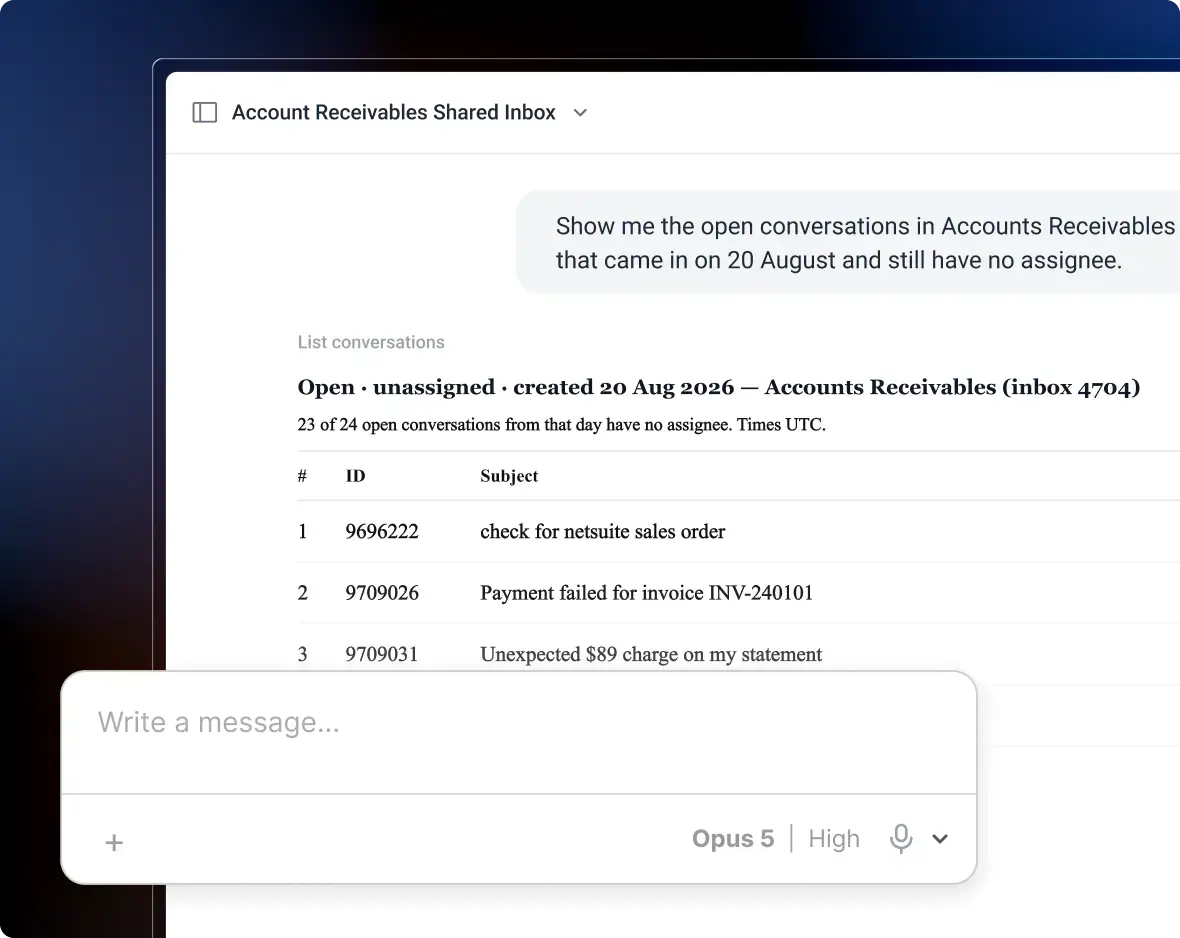


Customer service teams use Front to collaborate on customer conversations and deliver faster, more consistent support across channels. They praise its clean interface, real-time collaboration, and omnichannel workspace.
But those same teams also mention rising costs, automation limits, and setup complexity that caught them off guard.
If you’re considering Front, you need the full picture: what works brilliantly, where frustrations surface, and whether it’s actually worth the investment for a team like yours. Read below for my honest take.
Author’s note: I’ve spent 72+ hours digging into how Front performs in real-world scenarios, analyzing hundreds of user reviews, testing its features, and comparing it to alternatives. It’s an honest breakdown based on what actually matters when you’re managing customer conversations at scale.
What Is Front software?
Front is a customer service platform that centralizes all support channels into one workspace. Instead of managing email, live chat, SMS, WhatsApp, and social messages in separate tools, agents can manage them all from a single interface.
It comes with:
- Shared inbox management to eliminate duplicate responses and track ownership
- Team collaboration tools like internal comments, shared drafts, and @mentions
- Automation and workflows to route conversations and trigger actions
- Analytics to measure response times, resolution rates, and team performance
- AI capabilities for drafting replies and deflecting routine queries
- Knowledge base and customer portal for self-service support
Apart from customer service teams, Front is also used by like sales and account management teams to deliver better service.
Front’s Key Features Explained (with Pros & Cons)
Let’s look at Front’s key features in detail below:
Shared Inbox & Team Collaboration
Front’s core strength is helping teams manage shared email addresses like support@ or contact@ using a single, collaborative workspace. Multiple team members can access the same inbox, see who’s handling what, and jump in to help without stepping on each other’s toes.
Every conversation carries a status (open, pending, closed), full response history, and any internal notes. Collision detection alerts you in real-time, preventing duplicate replies.
What users like about this: The collaboration experience feels natural. You’re not learning a new ticketing system; you’re just using email, but with the ability to actually work as a team.
As one user on G2 sums it up,
“The team collaboration features are very useful. You can see who is replying, leave internal comments, and avoid sending duplicate responses to customers. I also like how fast and clean the interface feels. It doesn’t feel heavy, and switching between conversations is smooth, even during busy support hours. “
Omnichannel Support
Front’s omnichannel inbox centralizes everything in one workspace. It pulls conversations from email (Gmail, Outlook, any SMTP provider), live chat, SMS (via Twilio, WhatsApp, Dialpad, JustCall), and social channels (Facebook, Instagram, Twitter, Telegram) into a single inbox-like interface.

What users like about this: Front helps manage customer communications across multiple channels. The platform brings together email, messaging, SMS, and social media into a single, unified inbox where your team can collaborate and respond efficiently with AI-powered assistance.
In the words of a user on Trustpilot,
My experience with Front App has been great, especially when it comes to managing team communication and customer interactions efficiently. It brings emails, SMS, and other messaging channels into one shared inbox, making collaboration easy and reducing back-and-forth between team members.
What users dislike about this: Many users highlight that Front doesn’t support voice calls natively. You need an integration for that.
Live Chat
Front Chat enables teams to connect with customers through branded live chat on their website or mobile app. It’s fully integrated with email, SMS, and social media, allowing your team to handle all customer conversations from a single, unified inbox. Moreover, Front Chat supports chatbot automation powered by AI Answers (Autopilot), which can autonomously resolve routine customer inquiries by pulling information from knowledge bases and past conversations.
What users like about this: Users appreciate the integration of live chat with other channels as it helps save a lot of back and forth.
As highlighted by one user on G2,
“By integrating together email and chat, we’ve been able to trim down our tool stack as we were previously using 2 different software for each.”
What users don’t like about this: Some users wish that the interface they use to manage live chat could be more user-friendly.
We are using their live chat widget on our website, but the backend interface could be better.
~ One user on G2
Ticketing System
Front’s ticketing system is designed to help teams track, organize, and resolve customer issues faster without making customers feel like ticket numbers.
It lets you track the status of conversations, choose custom status options to match internal processes, and route tickets automatically using AI. You can add linked discussions for internal action items and send mass notifications when multiple customers experience the same issue.
You can also create custom ticket views, assign priorities, set SLAs, and track tickets throughout their lifecycle, all within the familiar inbox interface.
What users like about this: With Front, you’re not forcing every interaction into a rigid ticket workflow, which preserves the personal feel of email while adding accountability.
One user on G2puts this perfectly,
“With Front, we can assign messages directly to a person without forwarding these messages, tag them automatically, snooze messages for later, and see what messages are not yet taken care of by colleagues, so we can help. Also, the comments we can add for the team or a mentioned person are awesome. It also looks more personalised for our customers, they never receive a ticket number, they just receive an email or Facebook message.”
What users don’t like about this: This is where Front’s “middle ground” approach becomes a limitation. Multiple reviewers note that Front is not ideal as a dedicated ticketing system because it lacks features necessary for effective ticket handling.
A user on Reddit captures this accurately,
“Front has sacrificed essential features like ticket sorting, exporting ticket lists, and gaining insights into incoming tickets for a chaotic email inbox-like interface… The subject lines no longer provide a clear description of the issues at hand, and I can’t group or sort tickets. I have to open each ticket individually and sift through lengthy message threads to extract relevant information… “
Automation & Workflows (Rules)
Front offers automation through what it calls “rules”. They are basically, if-this-then-that logic to route conversations, assign them to teammates, add tags, send auto-replies, or trigger actions in connected apps.
You can create linear rules (simple A→B→C sequences) or branching rules (different paths based on conditions).
What users like about this: The rules and automation features are a huge time-saver. You can automatically route billing questions to your finance team, flag VIP customers, set up round-robin assignments to balance workload, or close spam auto-replies.
The ability to trigger actions in third-party apps (like creating Jira tickets or logging data in your CRM) is genuinely powerful for teams with integrated workflows.
What users dislike about this: There are limits to the number of automations you can use based on the plan you are on. For example,
- Starter plan: A maximum of 10 rules
- Growth/Pro plan: 20 rules
- Scale plan: 200 rules
For fast-growing teams, this can feel restrictive.
“On the lowest (paid) plan, you can automatically assign tags, but you cannot automatically assign custom fields. “
AI Features
Front offers several AI capabilities:
- AI Copilot drafts email responses based on past conversations and helps agents respond faster.
- AI Autopilot can autonomously resolve customer inquiries by pulling from your knowledge base.
- AI Summarizer condenses long email threads and conversations into brief summaries.
- AI Topics automatically categorizes conversations by subject matter to identify trends and common issues.
- Smart QA provides automated quality assurance to review agent performance and identify coaching opportunities.
- Smart CSAT uses AI to gather and analyze customer satisfaction ratings automatically, without any surveys.
- AI Translate enables real-time translation of customer messages in multiple languages

What users like about this: Teams appreciate the time savings on repetitive questions. It also reduces the mental overhead of digging through long threads before replying.
One G2 reviewer also praises Front’s AI,
“I find the new AI tools to be extremely beneficial in streamlining my workflow and enhancing my emails to better align with the client’s tone. We utilize it daily for our customer support, making it an essential tool for our operations.”
What users dislike about this: All AI features are hidden behind a paywall. So if you’re in the starter plan and have a 10-person team, adding all AI features will look like:
- Base plan: $650/month
- AI Copilot: +$200/month ($20 × 10)
- Smart QA: +$200/month ($20 × 10)
- Smart CSAT: +$100/month ($10 × 10)
- AI Autopilot: Variable (e.g., $445/month for 500 resolutions at $0.89 each)
- Total: $1,595+/month vs. $650 base
That’s a 145% increase, which might not be justifiable for small to mid-sized teams.
One user on Trustpilot explained this perfectly,
“For AI: many software that include AI responses, resolution, etc have close to unlimited usage for a fixed fee of, for example $20/month.
But Front seems to want to squeeze every single $ out of every single little thing to maximize their profit. You could add some minor, but super useful features like summarizing a conversation after X messages or writing draft email responses for agents to review and then send with a small AI model like some ChatGPT mini for less than $1 a month on all emails.”
Knowledge Base
Front lets you create a knowledge base or a help center where customers can find answers to common questions on their own. It helps deflect FAQs, so your support team can focus on complex issues that actually need human attention.
What users like about this:
It lets you organize articles into multi-layered categories, customize branding (logos, colors, design), and embed rich content like images, videos, tables, and code blocks.
You can host multiple knowledge bases for different brands or audiences, and integrate them with Front Chat for seamless escalation from self-service to live support.
What users dislike about this: The lack of access controls and visitor tracking creates visibility gaps.
One user on G2 explained this,
“We cannot currently lock or gate the knowledge base. Knowing who is reviewing our knowledge base and using this as an opportunity to pick up potential clients would be nice, though the main value is to give our knowledge base to clients, and only clients.”
Analytics & Reporting
Front’s analytics dashboard gives you a bird’s-eye view of your primary support metrics. You can track response time, resolution time, CSAT scores, team productivity, and conversation volumes. It also lets you create custom dashboards filtered by inboxes, teammates, tags, channels, and date ranges.
What users like about this: Conversation tag reports help clearly identify major inquiry types. SLA reporting is also pretty straightforward.
What users dislike about this: Multiple users note that the analytics feel basic compared to other platforms.
You likely have a set of customer service goals for your team: faster responses, fewer interactions, high levels of customer satisfaction. Without a clear process to manage customer emails though, your team is left stumbling in the dark,
“I feel Front could improve on its analytics. The analytics reports do not accurately depict employee performance because they use generic metrics that do not account for the different expectations across various job roles within the firm. As a result, these reports are not the best indicators of performance, especially for employees working in different profiles with unique expectations.”
~ A user on G2
Integrations & API
Front connects with over 110 tools to bring customer context directly into your inbox. Support agents can handle everything without switching tabs. You can create Jira tickets from conversations, view Salesforce account details while replying to a customer, or see Shopify order history without logging into another system. Front’s open API extends this capability even further by allowing teams to build custom integrations tailored to their specific workflows.
What users like about this:
It connects seamlessly with CRM‘s (like Salesforce and Hubspot), ticketing tools, and internal systems (like Slack), which helps keep customer context in one place.
A user on G2 highlights,
“The integration capabilities are excellent, allowing us to connect with our existing tools effortlessly. It’s elevated our entire customer service operation and made us significantly more efficient as a team.”
What users don’t like about this: Some advanced integrations require higher-tier plans. Even though API integrations are strong, some users wish that Front could connect with more apps out of the box.
“It’s also sad that linking to other apps is only available on higher plans. When the app has an official integration (Linear, GitHub), you’re good to go, but for example, I can’t link tickets to my CRM because this entire section of the API is locked on the (paid) plan I’m on.”
~ Review by a user on Trustpilot
Licenses, Seats, and Support
Unlike some platforms (for example, Zendesk) that bundle all features into one license, Front uses a tiered pricing model where capabilities and channel access vary significantly by plan. Each plan has minimum and maximum seat requirements, and AI features are mostly paid add-ons.
- Starter Plan – $25/seat/month. Up to 10 users maximum. Single channel only. Email support. Email support only
- Professional Plan – $65/seat/month. Up to 50 users maximum. Full omnichannel support (email, SMS, chat, social). Email support only.
- Enterprise Plan – $105/seat/month. Unlimited users. Everything in Professional. Email support, live chat, and a dedicated account team.
What users don’t like about this: This is where Front receives the most criticism. Many users feel that Front’s pricing is expensive and escalates quickly.
One user on Trustpilot explains this in detail,
“You are overpaying for things that many other software offer for free, and get absolutely nothing you can’t do in Gmail, for example. We currently pay $87 for 2 users to simply view and reply to emails in Front. I find $43.5 per user already absurd to manage emails, and the crazy part is that you get access to absolutely none of their “Features” for paying this. “
Another user highlights how Front forces teams to upgrade to higher plans,
“Look, I get it, it must be very hard to price a product where your dealing with companies making millions of dollars a year and can afford 50k on 50 seats for customer service, but then the other end of the scales – you’ve literally got small businesses that aren’t earning this type of money, that are competing with the same companies that are happy to pay for the software.”
Recommended reading
Expert Opinion: Is Front Worth It?
After reviewing Front’s features, pricing, and real-world user feedback, here’s my unbiased take: Front delivers for small-to-mid-sized teams (10-50 agents) who primarily need collaborative email + light chat/SMS support and can stomach $65+/seat/month pricing.
The interface feels familiar as it mirrors your inbox. So your team doesn’t feel like they’re learning a new tool. Real-time features like collision detection, shared drafts, and @mentions make coordination effortless.
But here’s where “worth it” starts to break down:
- Pricing escalates fast: You’re looking at $25/seat/month minimum. But most teams need the $65 or $105 tiers to get useful automation, integrations, and omnichannel support.
- AI feels like an afterthought: Charging $20/seat/month extra for AI, while competitors include comparable AI in their base plans, is hard to justify.
- Automation limitations surprise users: Hitting a 10 or 20-rule cap happens quickly for growing teams.
- Setup complexity: Configuring rules, setting up integrations, and managing permissions need dedicated admin time.
- It’s stuck between email and help desk: Front isn’t simple enough to replace Gmail entirely, and it’s not robust enough to compete with full-featured help desks.
Who Would Front Be A Good Fit For?
Small customer success teams, account management groups, and billing/ops teams often fit this profile well. Front makes sense if you:
- Have 10-50 agents managing moderate conversation volumes
- Primarily use email, chat, and SMS (not heavy phone support)
- Value real-time collaboration over complex help desk workflows
- Can afford $59-$99/seat/month comfortably
- Have technical resources to handle setup and integrations
Who Would Front Be A Bad Fit For?
Front probably isn’t worth it if you:
- Have a tight budget
- Need AI out-of-the-box
- Require complex ticketing workflows
- Have fewer than five agents
- Rely heavily on phone support
- Want predictable, transparent costs
Hiver: An Affordable, More Intuitive Choice for AI-Powered Customer Support
Front is a strong shared inbox tool that helps manage customer queries as a team, but costs can climb once you add AI and advanced automation. And that is the reason teams often consider other Front alternatives. So, if you want a simpler setup and clearer pricing, Hiver is worth a look.
Hiver is a modern AI customer service platform that delivers comparable functionality at a lower cost, with faster implementation and more transparent pricing. Unlike traditional helpdesks, it combines:
- Intuitive interface — Your team can set Hiver up in under 15 minutes and start handling conversations in hours.
- Omnichannel support — Manage email, live chat, SMS, WhatsApp, voice, and social media.
- Built-in AI on paid plans— AI Copilot, AI Agents, and AI Insights across all paid plans
- Self-service options — A knowledge base and customer portal help reduce repeat tickets.
- Team collaboration — Assign ownership, @mention teammates, and add notes.
- Free plan — Hiver offers a free plan with unlimited users, including basic ticketing and essential integrations.
- 24/7 support — Email + live chat support even on the Free plan.
Front Vs Hiver: How Hiver Compares To Front Across Core Use Cases
Both platforms promise to streamline customer support, but the experience diverges in the scenarios that matter most, such as routing efficiency, AI implementation, cost predictability, and time-to-value.
Features
Here’s how Front Professional and Hiver Pro compare on the core capabilities that matter most to customer support teams.
| Feature | Front Professional | Hiver Pro |
|---|---|---|
| Shared Inbox | ✓ | ✓ |
| Omnichannel Support | Email, SMS, social media, WhatsApp | Email, chat, SMS, voice (via Aircall), WhatsApp, social media |
| Live Chat | Branded live chat widget with AI Autopilot | Live chat widget powered by AI-suggested responses and smart chatbots. |
| Ticketing System | Basic ticketing with conversation tracking | Full ticketing with custom fields and SLA management |
| Automation | 20 automation rules max | Unlimited automation rules |
| Knowledge Base | Basic (limited customization) | Fully customizable with branding |
| Customer Portal | Not available | Included |
| Integrations | 100+ integrations (some require higher plans) | Native integrations with Gmail, Outlook, Salesforce, Slack, etc. |
| Analytics & Reporting | Basic analytics and custom dashboards | Advanced analytics with team performance metrics |
| AI Capabilities | AI Copilot and Smart QA ($20/seat add-on)AI Agents ($0.89/resolution)Smart CSAT ($10/seat add-on) | AI Copilot, AI Agents, AI Sentiment Analysis, AI Triaging AI Extract (All included) |
| Setup & Implementation | Weeks to months | Minutes to hours |
| Customer Support | Email only (live chat requires Enterprise plan + $25K contract) | 24/7 email + live chat on all plans (including free) |
Pricing & Value
Hiver offers a free plan with unlimited users, which is ideal for small teams just getting started. Front has no free option and starts at $25/seat/month.
Let’s take a closer look at how their paid plans compare when you factor in AI features, along with what’s included and what costs extra. For the sake of this article and a fair comparison, I’ve tried to break down Front’s Professional and Hiver’s Pro plan side by side.
| Plan | Front Professional | Hiver Pro | Difference |
|---|---|---|---|
| Price per seat/month | $65 | $49 | $16 cheaper |
| Annual cost (10 users) | $7,800 | $5,880 | Save $1,920/year |
| Annual cost (50 users) | $39,000 | $29,400 | Save $9,600/year |
| AI Copilot | $20/seat add-on | Included | ✓ |
| AI Agents | $0.89/resolution | Included | ✓ |
When you factor in AI costs, the savings grow significantly. For example, for a 10-person team using AI features:
- Front: $7,800 (base) + $2,400 (AI Copilot) + $2,400 (Smart QA) + $1,200 (Smart CSAT) + ~$5,340 (AI Answers at 500 resolutions/month) = ~$19,140/year
- Hiver: $5,880 (AI included) = $5,880/year
- Total savings: ~$13,260/year
Recommended reading
What Makes Sense For Your Team?
Front can be a solid choice if your team relies heavily on collaboration features and you’re comfortable paying extra for AI and advanced automation as you scale.
But Hiver is better if you want a free plan to start without pressure, predictable pricing that doesn’t balloon with add-ons or per-resolution AI charges, and AI is included in the plan tier. Also, a faster, lower-admin setup so your team can get moving quickly instead of babysitting workflows.
Ready to see how Hiver compares? Start your free trial today.
Frequently Asked Questions
1. Is Front Software Free To Use?
No, Front does not offer a free plan. Pricing starts at $25/seat/month (billed annually) for the Starter plan, which requires a minimum of 2 users. There’s also no free trial, though Front does offer product demos.
2. Is Front Good For Small Businesses?
Front can work for small businesses with 5-15 employees who need better email collaboration and have a budget for $25-$65/seat/month. However, the Starter plan’s single-channel restriction (email OR chat OR SMS—not both) makes it impractical for most businesses that need omnichannel support. This forces teams to the Professional plan at $65/seat/month, which can be expensive for small teams.
3. What Are The Best Alternatives To Front In 2026?
Top Front alternatives include Hiver (lower cost at $25/seat, AI included, faster setup, and 24/7 support), Help Scout (strong for email-focused support with a better knowledge base), Zendesk (more robust ticketing and automation for complex workflows), Intercom (better for sales and support hybrid teams), and Missive (similar shared inbox approach with lower pricing).
4. Does Front Offer Automation Capabilities?
Yes, Front offers automation through “rules” that can route conversations, assign them to teammates, add tags, send auto-replies, and trigger actions in connected apps. However, automation is limited by plan: Starter allows 10 rules max, Growth allows 20 rules, Scale allows 200 rules, and Premier offers unlimited rules.
5. Can I Use Front With My Current Email Provider (Gmail/Outlook)?
Yes, Front integrates with Gmail, Outlook, and any SMTP email provider. You can forward emails to Front or connect directly via IMAP. However, note that for large numbers of distribution lists (like 1,000+), you may need to manually configure SMTP settings for each one, which can be time-consuming.
6. Does Front Integrate With Other Software?
Yes, Front offers 100+ integrations, including CRM platforms like Salesforce, HubSpot, and Pipedrive; project management tools like Jira, Asana, and Trello; communication apps like Slack, Microsoft Teams, and Zoom; e-commerce systems like Shopify and Magento; and automation platforms like Zapier (not on the Starter plan) and webhooks. API access is available on all plans, with rate limits varying from 50 calls/minute on the Starter plan to 500 on the Premier plan.
7. Does Front meet security and compliance standards for regulated industries?
Yes. Front is SOC 2 Type II and ISO 27001 certified, HIPAA compliant with a Business Associate Agreement (BAA), and GDPR-ready. The platform uses AES-256 encryption at rest and TLS 1.2 in transit, offers regional data hosting (US or EU), and supports 2FA and SSO authentication. However, HIPAA compliance and some enterprise security features are typically limited to higher-tier plans, which may increase costs significantly for healthcare and regulated industries.