







I was ordering a jacket on a shopping app. The payment went through, but the confirmation screen froze. There was no order ID. I couldn’t tell if the order succeeded or if retrying would double-charge me. I reached out to an agent through live chat who checked the transaction, confirmed the order, and closed it in minutes.
This is the kind of moment live chat is built for. Something breaks mid-transaction, and the customer needs a definitive answer before taking the next step.
When that doesn’t happen, customers hesitate, retry actions, or escalate billing issues. That’s where repeat contact, refunds, and chargebacks start. In this guide, I break down the live chat features built to prevent that.
Must-Have Live Chat Features (Non-Negotiables)
When live chat carries real support volume, weak features surface quickly. Missed routing, unclear ownership, and missing context slow responses, push SLAs off track, and create follow-up work. The features below determine whether chat actually reduces load or adds to it.
1. Real-Time Agent Availability and Routing
When chat volume rises, assignment is usually the first thing I see break. New chats keep landing with agents already juggling three or four conversations, just because they’re marked online.
Capacity-aware routing assigns chats based on live workload. It checks active chat count before assignment and skips agents who are already at their limit. Without it, response times climb fast. A few agents get overloaded, others stay underused, leading to growing queues even though the team looks fully staffed.

The fix is straightforward. Set clear per-agent chat limits and route new chats only when someone drops below that threshold, with overflow moving automatically to the next queue.
2. Clear Conversation Ownership
Live chats slow down most during handoffs, especially between support and billing. I’ve seen ownership reset mid-conversation, leaving no one clearly responsible for replying next.
When that happens, the chat sits unanswered. One team checks a charge or invoice, another assumes the reply is covered, and the customer either sends a follow-up or leaves.
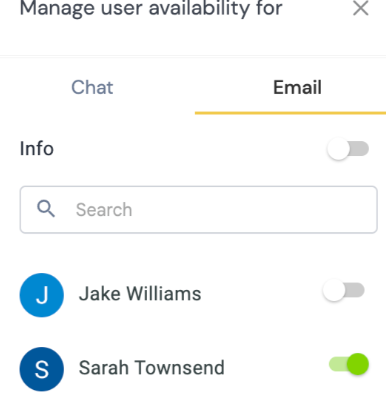
What’s worked in practice is fixing ownership to one agent. That agent stays responsible for the reply while billing or another team checks the details internally. If a handoff is required, ownership changes only through an explicit reassignment. Until then, the primary agent sends updates to the customer so the chat never goes silent.
Recommended reading
3. Conversation History and Context
I know conversation history is missing the moment an agent asks, “Can you walk me through what happened earlier?” The issue has already been explained once.
That usually means the agent is jumping across tabs to piece together past chats, tickets, orders, or recent account changes. While that’s happening, the customer is left waiting, watching response time stretch.
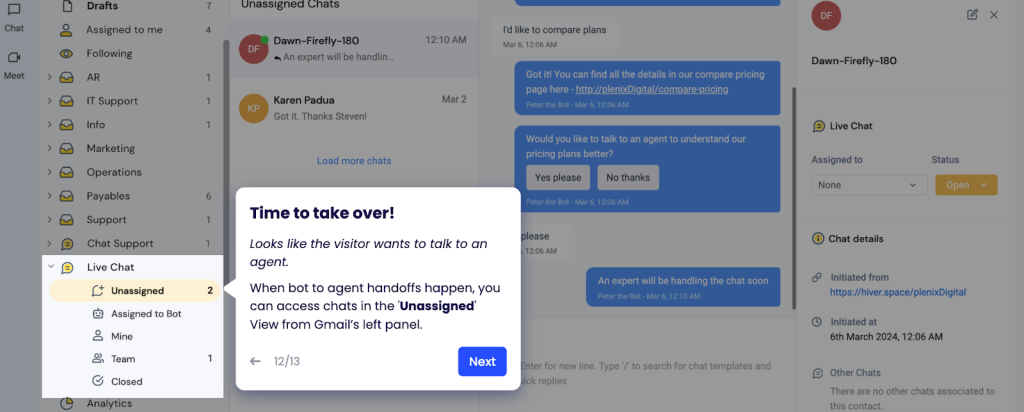
What’s worked for me is surfacing conversation history within the live chat software. When previous transcripts, related tickets, and recent customer actions are visible at reply time, agents respond without pausing to catch up and conversations move forward cleanly.
4. Chat-to-Ticket Continuity
When a chat needs follow-up, the customer is still waiting, and I need to keep the conversation moving.
Without chat-to-ticket continuity, the chat closes, the transcript stays behind, ownership resets, and SLAs restart. The next agent has to reconstruct what already happened, and the customer is asked to repeat context.
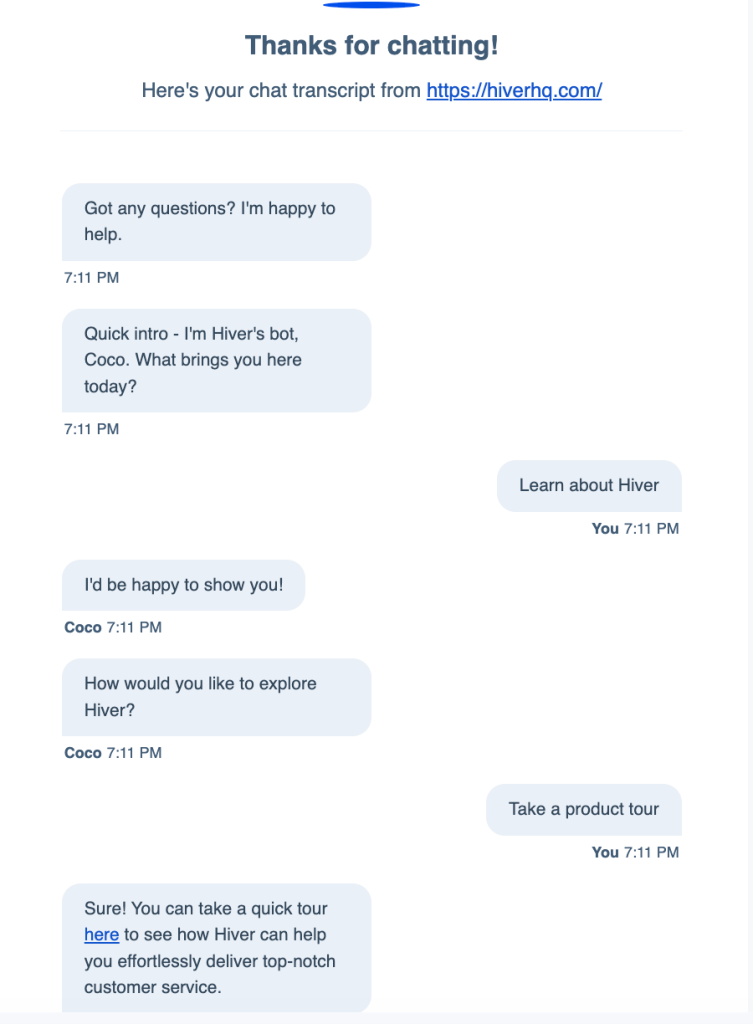
What works is the in-built chat-to-ticket handoff. If a chat isn’t resolved in-session, it should close into a ticket by default. The full transcript carries over, ownership stays the same, and the original SLA continues. That way, follow-ups move forward from the last message instead of restarting the conversation.
Recommended reading
SLAs in Ticketing Software: The Complete Setup and Optimization Guide
5. SLA and Response Time Tracking
When customers open a live chat, they expect a response almost immediately. In practice, that means a first reply within about 40 seconds. Once the first response crosses 90 seconds during peak traffic, abandonment and repeat chats increase.
The problem is visibility. I’ve seen teams track chat like email or review performance after the shift. By the time delays show up, queues are already backing up.
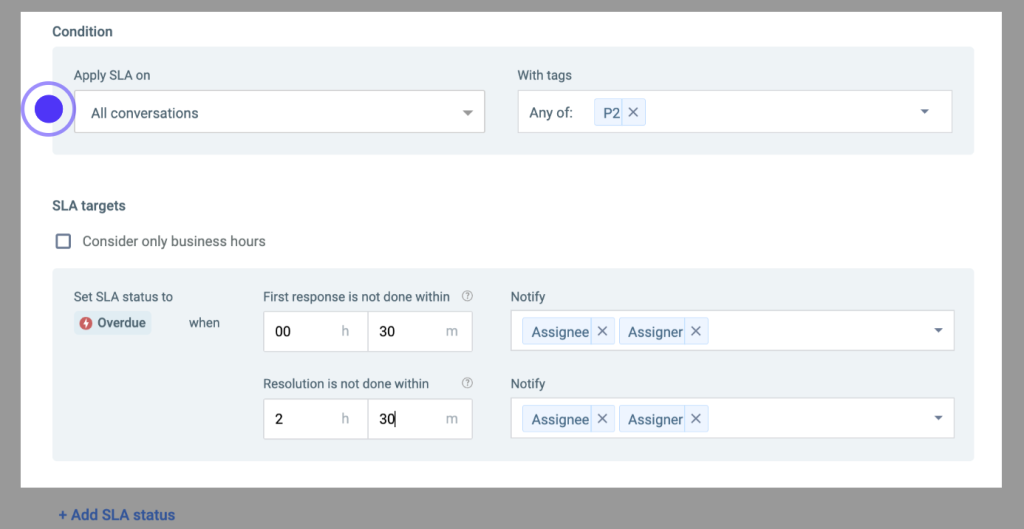
What works is chat-specific SLA tracking. I need to see the current wait time, time to first response, and time since last reply for every active chat, with alerts before thresholds are crossed. That makes it possible to redistribute chats or bring in backup agents before customers drop or escalate.
6. Internal Notes and Agent Collaboration
Some live chat replies require internal checks, such as confirming a billing charge or obtaining approval for a refund. When that work happens outside the chat, context breaks. Agents jump to Slack or email, the chat goes quiet, and details have to be pieced together before replying.

With internal notes inside the chat, agents can loop in billing or a manager, record decisions as they’re made, and resume the conversation cleanly. To the customer, replies still feel timely, even when resolution takes longer.
Recommended reading
10 Key Live Chat Metrics to Track for Better Customer Engagement
Advanced Live Chat Features
Once the foundational features are working, the next set is about handling volume without losing quality. These features are already in use by teams handling hundreds of concurrent chats per day across multiple queues. They reduce manual effort for agents, make routing and triage more reliable, and help teams stay consistent as conversations become more complex.
7. AI-Powered Conversation Summaries
I often join live chats after a transfer or escalation, when the thread is already long and the context is buried. AI-powered summaries surface what matters immediately. They show the customer’s request, what’s been tried, and what’s still pending, without forcing the agent to scroll long threads.
Without this, resolution time stretches. I’ve seen teams spending valuable minutes rebuilding context instead of moving the issue forward.

What works is automatic summaries triggered on transfer or escalation. Each summary should capture the request, actions taken, and current status. They should stay visible in the chat so the next agent can respond immediately.
8. Automated Triage and Tagging
When chat volume rises, misrouting becomes visible fast. I’ve seen chats wait longer simply because they opened with the wrong agent.
Without automated triage, chats arrive unclassified. An agent opens the conversation, realizes it’s a billing or access issue, and forwards it. That adds an extra handoff, pushes first response time out, and creates avoidable queue buildup across dozens of chats.
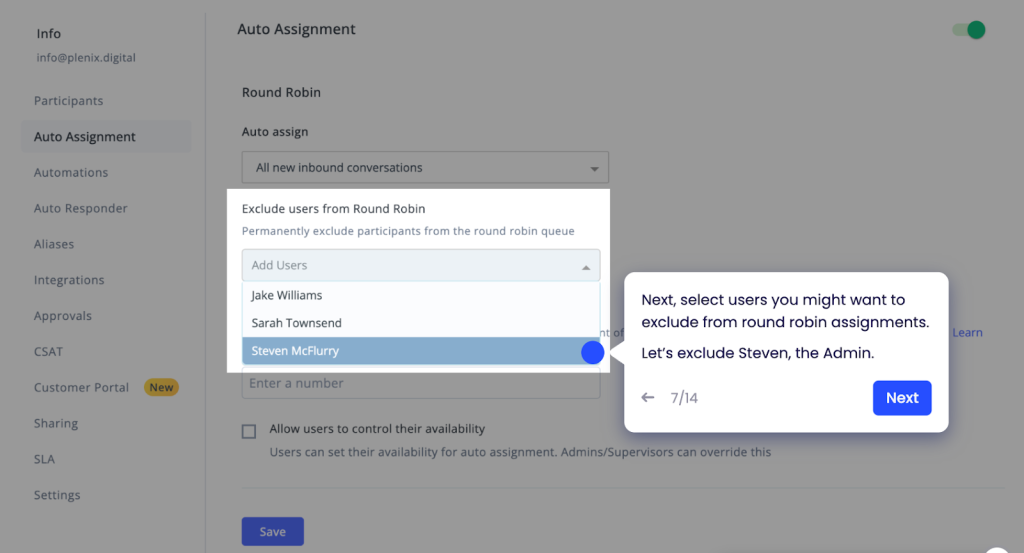
Automated tagging and triaging fix this at entry. Chats are tagged as they arrive based on intent, like billing, access, or product issues, before an agent opens them. With correct tagging upfront, chats land with the right team, first replies are substantive, and routing delays don’t compound as volume grows.
Recommended reading
How AI Development Can Add More Humanity to Customer Service
9. Skill-Based Routing
Problems start when chats land with agents who don’t have access to resolve them. I’ve seen billing disputes routed to agents without refund permissions, and account changes land with generalists.
When everything goes into one queue, agents spend the first replies confirming access and permissions, then transferring the chat. Each transfer adds delay, even when the right agent is available.

Skill-based routing fixes this at assignment. Chats are routed using inputs like issue type, required access, or account tier before an agent opens them. Billing goes to billing, technical issues to specialists, and priority accounts to senior agents.
10. Proactive Chat Triggers
If you’re waiting for customers to ask for help, you’re already late. By the time chat is opened, the customer is often stuck or close to abandoning the task.
I see this during specific moments: checkout hesitation, repeated errors, or long pauses on pricing or upgrade pages. These signals show up before a support request. In fact, 87% of U.S. adults say they want companies to reach out proactively, rather than wait for a support request.
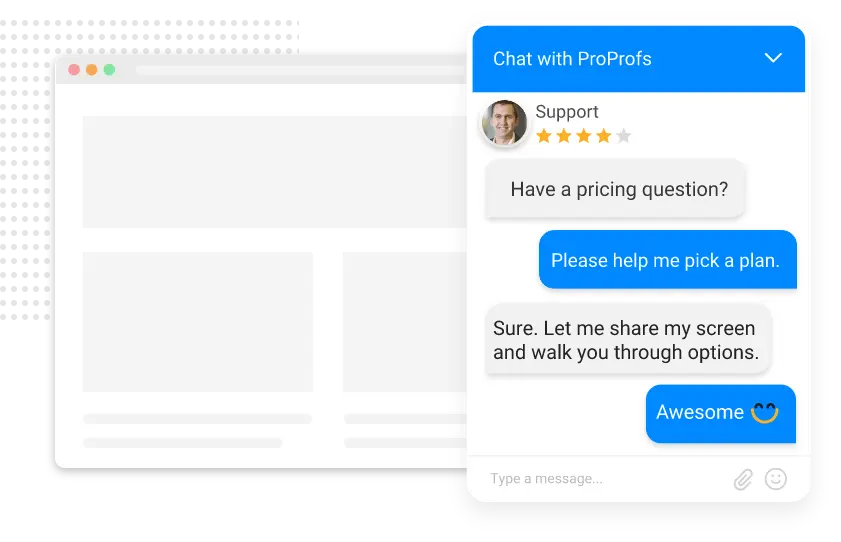
Proactive chat triggers act on that behavior. The system starts a conversation based on signals like checkout hesitation or the same error appearing multiple times in a single session, instead of waiting for a click. That lets teams intervene earlier and keeps simple blockers from turning into drop-offs or follow-up tickets.
Recommended reading
11. AI-Assisted Replies
When I’m handling multiple live chats at once, drafting responses becomes the bottleneck. AI-assisted replies help by generating a draft directly from the conversation, based on what the customer asked and the context so far. I review it, make edits if needed, and decide whether to send it. Nothing goes out automatically.

This matters most during busy periods. Common questions get answered faster without copying templates. For complex issues, the draft gives structure, so agents only have to spend time validating the response instead of writing from scratch.
12. Performance and Workload Analytics
Once live chat runs at scale, averages stop telling the full story. I’ve seen teams hit overall SLAs while still missing peak hours because demand isn’t evenly distributed through the day.
Performance and workload analytics make that unevenness visible. You can see chat volume by hour, where wait times start climbing, and how work is spread across agents. Breaking this down by issue type shows which problems are driving demand and when coverage starts to fall short.

With that visibility, staffing decisions become precise. It’s clear which hours need more coverage, which issues create repeat demand, and whether agents are overloaded or routing is uneven. That’s what moves chat operations from reactive to planned.
Recommended reading
Security and Compliance Features
As live chat becomes a primary support channel, it also becomes a point of risk. Sensitive customer data and account actions now flow through real-time conversations. Security and compliance features ensure these interactions stay controlled and auditable, without slowing agents down or breaking the support experience.
13. Role-Based Access Controls
Role-based access controls define who can view, edit, or export live chat data based on role. This includes conversations, transcripts, internal notes, reports, and system settings.
Without this, access spreads too widely. I’ve seen agents without billing responsibility able to view invoices or export transcripts. That increases data exposure and makes audits harder because it’s unclear who accessed what and why.
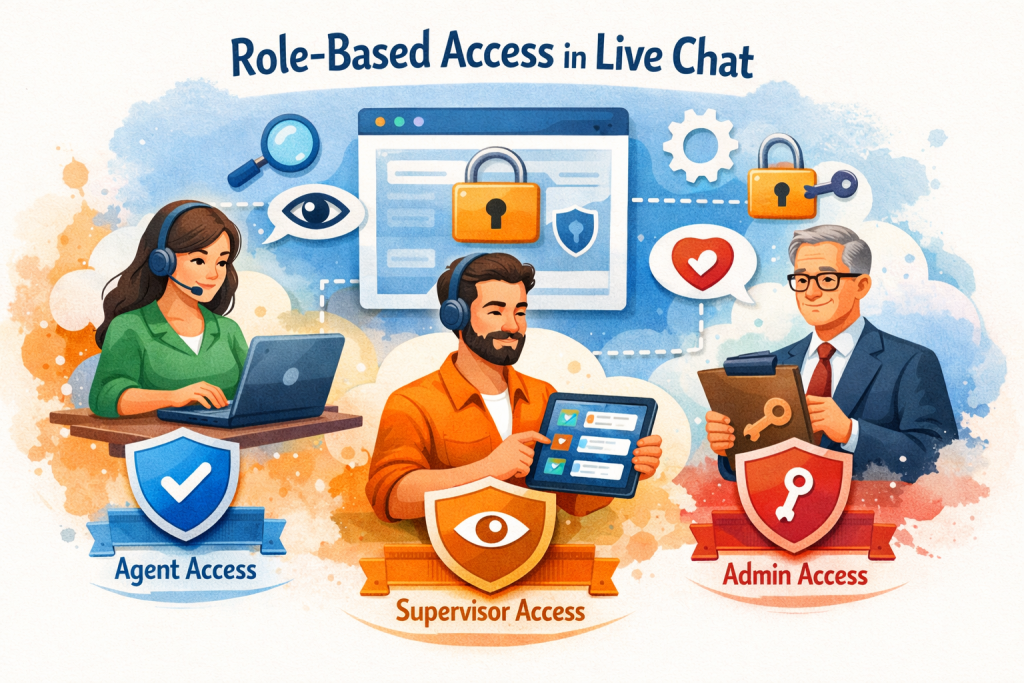
The fix is assigning permissions at the role level. Agents only see the chats they’re assigned. Team leads can review conversations and reports but can’t export data. Admins manage exports and system settings. As teams scale or contractors are added, access is adjusted by role, keeping sensitive data contained and audit trails clear.
14. Data Encryption and Secure Storage
Live chat security is often framed around the active conversation. In my experience, the bigger risk appears after the chat ends. Transcripts, attachments, customer details, and internal notes persist. They’re stored, exported, and reused far more than most teams account for.

Encryption protects that data both in transit and at rest, securing messages as they move between systems and while they’re stored.
The real exposure comes from long-term access. Teams need clarity on where chat data lives, who can access it over time, and how exports and backups are handled. Stored transcripts and backups should follow the same encryption and role-based access rules as live chats. That’s what keeps historical chat data from becoming a compliance or audit issue later.
Recommended reading
Live Chat Best Practices: The Ultimate List of Dos and Don’ts
15. Audit Logs and Activity Tracking
Once chat data is stored and access is controlled, the next thing I look for is traceability. If a transcript is exported, permissions change, or a setting is updated, I need a clear record of who did it and when.
Audit logs provide that record. Actions like viewing conversations, exporting data, changing access levels, or updating settings should be logged automatically, time-stamped, and tied to a specific user.
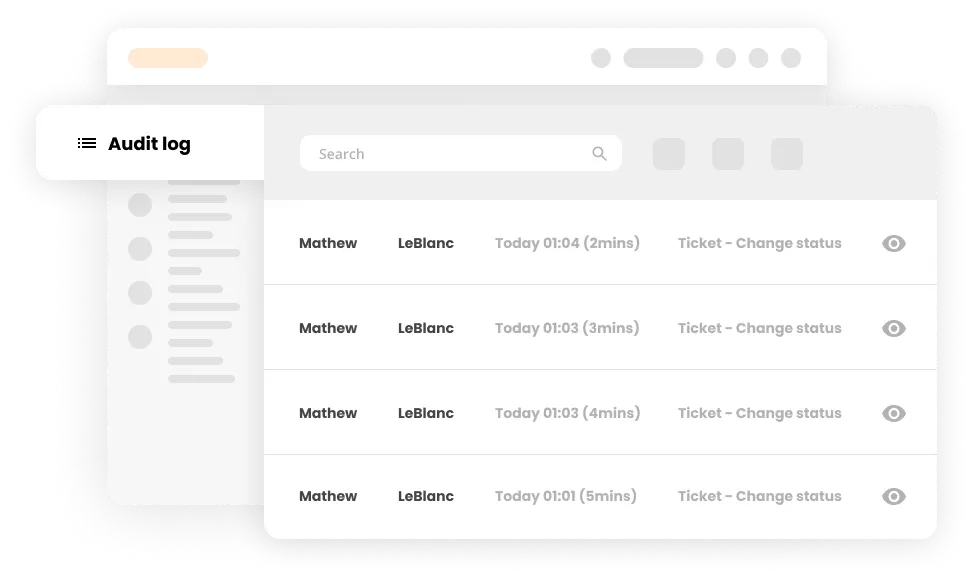
I’ve been in reviews where everything stalled because teams couldn’t reconstruct past activity. With proper audit logs, you can confirm exactly what happened, show who had access at the time, and move forward. That’s what keeps live chat compliant and manageable as teams scale.
16. Data Retention and Deletion Controls
Live chat data shouldn’t live forever by default. Old transcripts and attachments often contain personal or sensitive information with no ongoing operational value. I’ve seen teams retain this data simply because deletion wasn’t automated.
Retention and deletion controls fix this. They let you define how long transcripts, attachments, and metadata are kept before removal. This is especially important for regulations like GDPR, where customers can request data deletion. Without automation, those requests become manual work and missed deadlines.

The fix is straightforward. Set retention rules by data type and region, and delete data automatically when it expires. That reduces long-term exposure and keeps old conversations from turning into compliance issues later.
17. Compliance Certifications and Regulatory Support
When you choose a live chat tool, claiming it’s secure isn’t enough. You eventually have to prove it.
Compliance certifications provide that proof. When I evaluate tools for regulated teams, certifications like SOC 2 or ISO 27001 reduce friction because security controls are independently audited. That shortens vendor reviews and speeds up approvals.
What matters next is day-to-day support. Teams need clear audit documentation, simple workflows for GDPR access and deletion requests, and support for data residency as they expand into new regions. Live chat software should handle this as part of normal operations, not as a separate compliance project.
Recommended reading
Industry-Specific Live Chat Feature Requirements
Live chat breaks in different ways depending on the industry. In e-commerce, missed chats cost orders. In SaaS, slow responses block product usage. In regulated industries, weak controls create compliance risk. Those failure modes change, which live chat features actually matter. Here’s how live chat feature requirements change by industry.
E-commerce
In e-commerce, live chat is tied directly to purchase and post-order resolution. Most conversations happen around checkout, order status, or refunds.
To handle those well, agents need order status, shipment details, and payment history visible inside the chat. When that context lives elsewhere, responses slow down and customers lose patience.

During sales and holiday spikes, this pressure increases. Proactive chat on checkout or order confirmation pages can intercept issues early. However, that’s only if the system can handle sudden volume without the queues breaking down.
In practice, this means live chat needs to support:
- Stable performance during peak traffic
- Order and shipment visibility inside the chat view
- Easy escalation to refunds, returns, or exchanges
- Proactive chat on checkout and post-purchase pages
SaaS
In SaaS, live chat usually appears when a user gets blocked inside the product. Maybe an action fails. Maybe a feature they expected isn’t available.
Agents need context immediately. Plan tier, user role, recent usage, and recent errors should be visible in the chat. Without that, the first messages are spent diagnosing the account instead of unblocking the user.
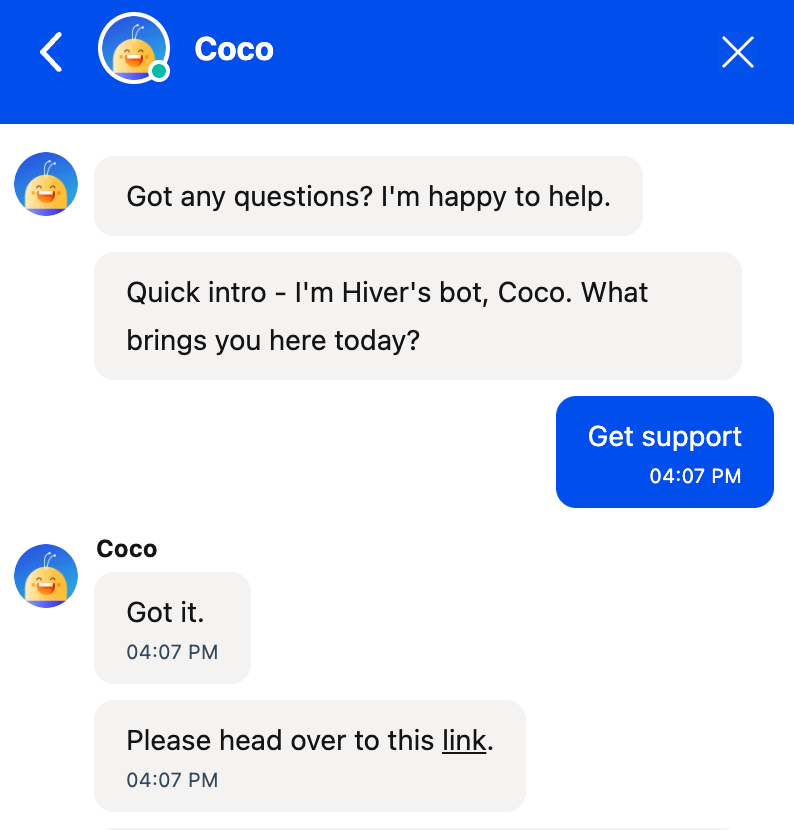
When chat has that context, issues can be resolved in place. Agents can explain plan limits, fix permissions, or guide the next step, so users move forward in the product instead of opening follow-up tickets.
In practice, this means live chat needs to support:
- Visibility into recent product actions or errors
- In-chat guidance for onboarding and feature adoption
- User and account context, such as plan, role, and usage
- Smooth handoffs between support and customer success
Healthcare
In healthcare, live chat often involves protected health information. Conversations commonly touch test results, prescriptions, appointments, or insurance details.
Problems start when chat access isn’t scoped tightly enough. I’ve seen agents open a simple question about appointment timing and end up with visibility into full medical histories or unrelated records. That increases exposure risk and makes audits harder, even when the response itself is correct.

Inside the chat, agents should only see the specific patient data required to answer that question. Limiting visibility at the conversation level keeps sensitive information contained without slowing down care.
In practice, this means live chat needs to support:
- Strict access controls and limited data visibility
- Configurable retention and deletion policies
- Secure, compliant messaging workflows with consent and data masking
- Clear disclaimers and escalation paths
Jordan Hooker, who leads Customer Support at Auxall, a healthcare technology company, put it this way in a podcast:
“When something doesn’t go right, what does it look like to build an experience that restores trust and restores confidence?”
In healthcare, that moment isn’t theoretical. It could be a patient seeing another patient’s record surface in a chat window. A clinician opening a simple scheduling query and gaining access to full medical history.
Trust is restored through role-based permissions, conversation-level visibility, and audit logs that clearly show who accessed what and why. Not just reassurance in the reply.
Financial Services
In financial services, live chat usually starts when something urgent goes wrong. I see it around disputed transactions, blocked cards, or failed payments. Customers want fast answers, but the conversation involves sensitive, account-level data. Risk shows up when account details are shared before identity is verified, or when actions inside the chat aren’t logged.
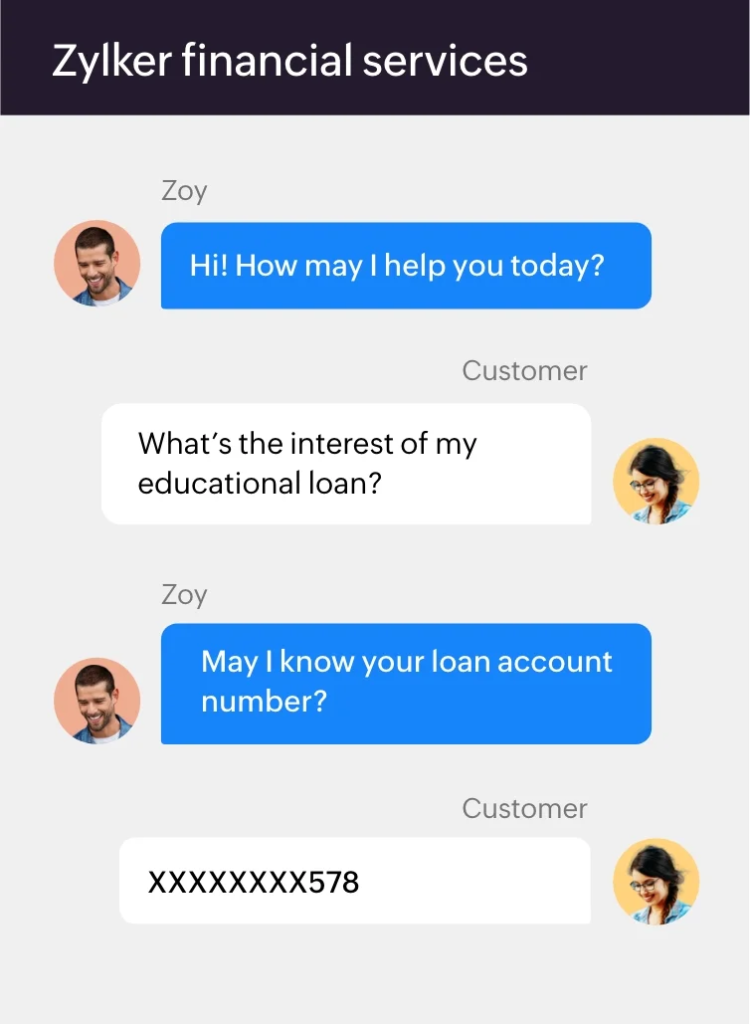
Before sharing any account details, identity has to be verified inside the chat. After that, every action needs to be traceable. Who accessed the account, what information was shared, and when an escalation happened. That traceability lets teams resolve issues quickly without increasing exposure or audit risk.
In practice, this means live chat needs to support:
- Secure file sharing, automatic redaction, and step-up verification
- Identity verification inside the chat before sharing account details
- Tamper-proof audit trails
- Clear ownership and escalation workflows
Recommended reading
How to Evaluate Live Chat Features Within a Platform
Here’s a checklist I use when evaluating live chat tools. It reflects the choices teams face once chat volume grows and issues start spanning multiple teams, systems, and workflows.
1. What does your real chat volume look like today?
Start with current volume and peak-hour behavior, not future plans. Look at when chats spike, how many conversations agents handle at once, and what happens during launches or campaigns. This is where capacity-based routing and agent concurrency limits come into play. They distribute chats across available agents based on real workload, so queues stay balanced even when traffic jumps.
2. Where do chats slow down or break?
Follow a chat from the first message to resolution. Watch where you lose ownership, where replies stall, or where you have to ask for context that should already be there.
This is where clear conversation ownership, internal notes, and full conversation history in the chat view make a difference. They keep accountability clear and give you the full picture in one place. This ensures that customers don’t have to repeat themselves, and handoffs don’t reset progress.
3. How well does chat connect to the rest of your support stack?
Start by checking what happens when a chat needs follow-up. You should be able to convert a chat into a ticket and carry the full transcript with it. Ownership should stay with the same team, and SLAs should continue instead of resetting.
Next, look at how much context agents have during the conversation. Past chats, emails, and tickets should be visible in one place. When conversation history is split across tools, customers end up repeating themselves and reporting missing parts of the story. Shared history across chat, tickets, and email keeps follow-ups continuous and reporting accurate.
4. Does the tool hold up under real load?
Don’t rely on demos. Look at how the tool behaves when you have peak traffic, multiple concurrent chats per agent, and frequent handoffs between teams.
Pay attention to queue behavior and routing under pressure. Response times should stay predictable as volume rises, not degrade quietly during spikes. If performance changes the moment traffic increases, that’s a risk you’ll feel immediately once chat is live.
5. Does the tool reduce agent effort or add to it?
Watch how much manual work your agents do during a typical chat. Notice how many steps it takes to understand the issue, route the conversation, or respond.
Features like automated triage and tagging help chats start in the right place. AI-assisted replies speed up common responses without taking control away from agents. In-chat collaboration keeps coordination inside the conversation instead of pushing work into Slack or email. Together, these reduce context switching and help agents focus on resolving issues faster.
Recommended reading
8 Takeaways From Customer Service Experts on Live Chat Support
Common Mistakes to Avoid When Selecting Live Chat Tools
Here are some common mistakes that can be avoided when selecting the right live chat software for your team. Most of these mistakes don’t show up during demos. I’ve seen them surface months later, once volume grows and leadership starts asking harder questions.
1. Focusing on interface design instead of core chat workflows
During demos, a clean UI can feel convincing. Replies are easy to send. Early chats look smooth.
The problem shows up when multiple agents are active, and chats overlap. Weak routing, unclear ownership, and poor concurrency handling slow everything down. You want workflows that hold up under real volume, not just an interface that looks good on day one.
2. Treating live chat as a separate channel
When you evaluate chat on its own, it’s easy to think you’ve covered the basics. Messages go out. Conversations get closed. On the surface, it feels like enough.
The cracks show when a chat needs follow-up. The conversation ends, context doesn’t carry over, and ownership starts from scratch in another tool. Reporting gets split, and you lose sight of the full customer journey. Live chat works best when it’s part of a single workflow, where chats flow into tickets, and conversation history stays connected across channels.
3. Ignoring reporting limitations until leadership asks hard questions
Early reporting often feels “good enough.” You can see total chats and average response time.
The gap becomes obvious when leadership asks deeper questions. What happened during peak hours? Why did wait times spike? Which issues are driving volume? You need reporting that breaks down data by hour, issue type, and agent workload so those questions are easy to answer.
4. Choosing tools that require heavy customization for basic workflows
Some tools look flexible because they let you customize everything. In practice, that usually means you’re building rules just to handle basics like routing, ownership, or SLAs. When core workflows work out of the box, your team spends less time maintaining setups and more time supporting customers. Customization should extend what already works, not keep it standing.
5. Underestimating staffing and routing complexity as volume grows
Manual routing feels manageable when volume is low. As chat scales, it breaks fast. Queues back up even when agents are available because chats aren’t distributed based on capacity. Planning for scale early, with capacity-based routing and visibility into agent workload, helps you avoid uneven queues and agent burnout.
Emerging Live Chat Features to Watch in 2026
Live chat is evolving in terms of where decisions happen, not just how conversations look. AI is moving earlier in the workflow, helping predict intent and prioritize conversations. It’s also helping surface risk before an agent ever responds. That shift reduces misrouted chats and prevents issues from escalating unnecessarily.
It’s also leading to the convergence of voice and chat. This means your live chat has the ability to move conversations between channels without starting over. Smooth voice-to-chat handoffs carry transcripts and context forward. This gives customers flexibility while letting teams resolve issues in the most efficient channel.
Additionally, CRM automation is deepening at the same time. Live chat is increasingly triggering account updates, follow-ups, and risk signals automatically. It’s usually based on conversation outcomes, rather than relying on manual updates after the fact.
In 2026, the tools that stand out are the ones that move decisions earlier, preserve context across channels, and reduce manual judgment without removing human control.
Frequently Asked Question
1. What are the most important live chat features to look for?
The most important features are the ones that keep chat reliable at scale. That includes capacity-based routing, clear conversation ownership, full conversation history in one view, chat-to-ticket continuity, SLA tracking for chat, and workload visibility. Without these, fast responses turn into stalled queues and repeated follow-ups.
2. How is omnichannel live chat different from standalone live chat?
Standalone live chat handles conversations in isolation. Omnichannel live chat connects chat with email, tickets, and CRM data. This means context carries over when a conversation continues in another channel, ownership doesn’t reset, and reporting reflects the full customer journey instead of fragmented interactions.
3. Why are chatbots considered a must-have live chat feature?
Chatbots are useful when they handle predictable, low-risk tasks like routing, triage, and basic questions. They reduce agent load by classifying intent, collecting context, or resolving simple requests before an agent steps in. The value comes from supporting human agents, not replacing them.
4. Can live chat features help increase sales?
Yes, when used at the right moments. Proactive chat on pricing, checkout, or upgrade flows helps remove friction before abandonment happens. Live chat also enables faster answers to objections, clearer plan comparisons, and quicker resolution of payment or access issues, all of which directly affect conversion.
5. How do you implement live chat features on your website?
Start by placing chat where customers need help most, such as checkout, onboarding, or account pages. Configure routing and ownership rules first, then add proactive triggers and integrations with your helpdesk or CRM. Launch with a limited scope, monitor volume and wait times, and expand once workflows are stable.
6. Which industries benefit most from live chat features?
Industries with time-sensitive or high-intent interactions benefit the most. E-commerce uses chat for order issues and conversions. SaaS relies on chat for product questions and onboarding. Healthcare and financial services use chat for secure, guided interactions where context and compliance matter. The value comes from matching features to industry-specific needs.
7. Can live chat features improve customer service quality?
Yes, when they reduce friction for both customers and agents. Features like conversation history, internal notes, and skill-based routing prevent repetition and misrouting. When agents have context and clear ownership, responses are more accurate, and resolution is faster, which directly improves customer experience.
8. What are the best live chat features for small businesses?
Small businesses benefit most from features that reduce manual work. Automated routing, basic chatbots for triage, shared inboxes, and simple reporting help teams respond quickly without adding headcount. The goal is to handle growing volume without increasing operational complexity.
9. How do you measure the effectiveness of live chat features?
Focus on operational and customer outcomes. Track first response time, resolution time, wait time, and chat abandonment. Look at workload distribution across agents and peak-hour performance. Pair these with CSAT and repeat contact rates to understand whether chat is reducing effort or creating follow-up work.













