


Most teams start with Issuetrak because it handles ticketing and workflows well. But as support volume grows and customers expect replies across chat, WhatsApp, and email, Issuetrak starts to feel limiting, especially around automation, collaboration, and reporting.
That’s when teams begin exploring tools built for modern support – platforms that unify every channel, use AI to simplify work, and scale without unpredictable costs.
Here are 12 Issuetrak alternatives that meet those needs in 2025.
Table of Contents
- What is Issuetrak?
- Why choose an Issuetrak alternative for customer support?
- 12 top Issuetrak alternatives (Full comparison in 2025)
- Key features to look for in an Issuetrak alternative
- Conclusion
- FAQs (Frequently asked questions)
What is Issuetrak?
Issuetrak is a help desk and issue tracking tool that keeps tickets, requests, complaints, and work orders in one place. Issues can come through email, quick web forms, or a customer portal. Agents can then assign, track, and close them without losing context – everything stays connected.
You can run it in the cloud or keep it on your own servers. Pricing is based on agents, but the nice part is that the end users are unlimited. Teams like it for the flexibility, customizable forms, workflows, reporting dashboards, plus extras like SLAs, automation, and even a built-in knowledge base.
The cost starts at $27 per agent/month for the Team plan and goes up to $79 per agent/month for the Support plan, with a three-agent minimum. On-premises plans run higher. And if you just want to try it, there’s a free trial.
Why choose an Issuetrak alternative for customer support?
Issuetrak does the basics well. However, when you dig deeper, teams discover gaps that make daily work more challenging than it needs to be. Here’s why they start looking for alternatives.
1. Integrations don’t go far enough
Issuetrak integrates with basic tools like Zapier and the Google ecosystem, but many teams find the available options limited. Without smooth links to CRMs or chat apps, agents end up doing manual work that slows them down.
“Adding features like better integration with calling systems and real-time repeat ticket tracking would greatly enhance the tool’s efficiency.”
2. Feels a bit old-school
The software functions properly, but the interface appears dated and cluttered. For teams handling tickets all day, a cleaner, modern design makes work easier.
3. Setup takes more effort
Issuetrak offers plenty of customization, but it’s not very intuitive. Setting up workflows or forms often takes trial and error, delaying rollout for new teams.
4. Managing users is a pain
Bulk actions are limited, so updating or adding large groups of users becomes time-consuming. Users also face issues like needing extra licenses just to pass tickets to colleagues, and weak security controls for end-user access.
“Sometimes the system can feel a little slow when handling very large volumes of tickets, and certain advanced customization features could be made more intuitive.”
7. Everyday use feels clunky
Small inefficiencies add up: extra clicks, outdated search functions, and dashboards that aren’t as user-friendly as other tools.
“Reports are not as user-friendly as we would like. I find it easier to run SQL to get many of the answers that I seek, but I am more comfortable in that than working through the predefined set.”
All the reviews/feedback shared here are from G2 + Capterra reviews.
12 top Issuetrak alternatives (Full comparison in 2025)
Choosing the right tool can be overwhelming, so we’ve collected the top 12 Issuetrak alternatives in one place. Here’s how they compare on features and costs.
| Tool | Key Features | Starting Price | Free Trial |
|---|---|---|---|
| Hiver | Shared inbox, Multichannel support (chat, social, WhatsApp, voice), Hiver’s AI (Insights + Co-Pilot + Agents), Workflow automation, Reporting & analytics, 100+ integrations | $19/user/month | 7 days. Free forever plan is available |
| Freshdesk | Omnichannel ticketing system (email, chat, phone, social), Freddy AI (Copilot + Self-service bots), SLA automation, Marketplace apps | $15/agent/month | 21 days |
| Zendesk | Omnichannel support (voice, chat, social, WhatsApp), AI Agents + Copilot, Advanced SLA routing, Explore analytics | $55/agent/month | 14 days |
| Zoho Desk | Multichannel ticketing (email, social, telephony), Zia AI assistance, Workflow Blueprints, SLA management | $14/agent/month | 15 days |
| Help Scout | Shared inbox, Live chat + Beacon, Knowledge base, AI-powered instant answers, Reporting & CSAT surveys | $20/user/month | 15 days |
| HappyFox | Ticket management, Asset tracking, Workflow automation, Customizable reporting, Customer portal | $29/agent/month | free trial for 14 days |
| TeamSupport | B2B account-level ticketing, Customer management, SLA tracking, Collaboration tools | $49/agent/month | 14 days |
| Jira Service Management | Atlassian ITSM platform, Incident/change/release workflows, DevOps alignment, SLA management | $21/agent/month | 7 days |
| SolarWinds Service Desk | ITIL-aligned ticketing, Automated asset discovery, Workflow automation, Service catalog | $19/agent/month | 30 days |
| ServiceNow ITSM | Enterprise-grade ITSM, Advanced workflows, AI-driven automation, Governance & compliance features | Quote-based | Not available |
| Vivantio | SLA and workflow flexibility, Advanced reporting, B2B service operations, Customizable automation | $42/agent/month | 14 days |
| Kayako | Multichannel support (email, chat, social), Unified conversation view, Self-service portal, Collaboration tools | $30/agent/month | 14-day free trial |
1. Hiver
Hiver is a modern AI customer service platform built for fast-moving teams. It helps support agents handle every customer conversation – across email, chat, WhatsApp, voice, SMS, and social – from one clean, intuitive workspace. The interface feels instantly familiar, so teams can start resolving queries in minutes without complex setup or training.

As an Issuetrak alternative, Hiver brings flexibility and depth that legacy helpdesks lack. Issuetrak works well for traditional ticketing, but it’s limited to a single-channel mindset. Hiver combines AI, automation, and collaboration in one powerful yet easy-to-use omnichannel platform, without the bloat or steep learning curve of legacy tools.
At its core, Hiver runs on a powerful AI engine that automates repetitive work across the entire support lifecycle, helping teams stay focused on what truly matters – building better customer relationships.
Key features
- Unified multichannel workspace: Every customer interaction, whether it happens via email, chat, WhatsApp, phone, or social, shows up in one shared view. Agents can move between channels without losing context, and full conversation history stays linked to the customer.
- AI suite (Copilot, Agents & Insights):
- Powerful reporting & analytics: Go beyond basic metrics with fully customizable dashboards. Track SLAs, CSAT, ticket trends, agent performance, and multi-channel volume. Filter by tags, channels, or team members to get real visibility into operations.
- Workflow automation: Route conversations using rules based on skills, workload, or teams. Use round-robin assignments, auto-tagging, and escalation rules to eliminate manual busywork and improve response times.
- Built-in collaboration: Internal notes, shared drafts, @mentions, and collision alerts let multiple agents collaborate smoothly on the same issue without overlap or confusion.
- Knowledge base: Create and share help articles to improve self-service rates and reduce incoming tickets.
- Branded customer portal: Give customers a self-service space to track tickets and submit requests.
- 100+ integrations: Connect with 100+ apps like HubSpot, Salesforce, Jira, Shopify, and NetSuite without switching tabs.
- Customer feedback (CSAT): Send customizable surveys post-resolution or at any point of the customer journey to capture sentiment in real time.
Pricing overview
Hiver starts at $19/user/month. Other plans include Growth ($29), Pro ($49), and Elite (custom). The AI bundle costs $20/user/month with no extra limits. It also gives you a forever-free plan.
Start your 7-day free trial with Hiver!
User reviews
- “I’m thrilled with how practical Hiver is because it makes customer service so much easier for me and my team. I love all the personalization features like tags, colors, and automation.”
- “It’s simplicity. It was created on the pov of the worker. No buttons are extra, no interface is not used. Everything with it just makes perfect sense.”
- “Hiver makes managing customer emails so much easier. The shared inbox, easy assignments, and quick collaboration have improved our response time and reduced confusion.”
All these reviews are from Hiver’s G2.
Ideal for
Fast-growing teams in SaaS, ecommerce, logistics, finance, travel, and professional services and want multichannel support and AI without changing platforms.
2. Freshdesk
Freshdesk, from Freshworks, is a cloud-based help desk platform that combines ticketing, automation, and AI in one place. It works just as well for small teams setting up their first support desk as it does for enterprises managing thousands of tickets daily.

As an Issuetrak alternative, Freshdesk stands out with broader channel coverage and built-in AI. While Issuetrak feels more traditional and ticket-centric, Freshdesk adds phone support, chatbots, and a free plan that makes it easier to start without upfront cost.
Key features
- Freddy AI (Copilot + Bots + Insights): Drafts quick replies, powers chatbots for auto-assignment, and offers sentiment analysis plus performance insights. Learns from every interaction.”
- Built-in telephony (Freshdesk contact center): Run a full call channel right from Freshdesk, complete with IVR menus, call recording, warm transfers, and analytics, so you don’t need to buy or integrate a separate phone system.
- Omnichannel ticketing: Manage conversations across email, chat, phone, social, and web forms from one dashboard with full customer context.
Pros
- Easy to start with and intuitive for most teams.
- Strong AI features (Freddy) that improve with use.
- Large integration marketplace for CRMs, ecommerce, and internal tools.
Cons
- Setup and customization can feel overwhelming without IT support.
- Performance slows under heavy ticket loads.
- Customer support response times are often reported as slow.
Pricing overview
Freshdesk has a free forever plan that includes basic email and ticketing system. Paid plans start at $15/agent/month (Growth) and scale up to $79/agent/month (Enterprise), unlocking deeper automation, analytics, and AI add-ons. Free trial: 21 days.
User reviews
- “I don’t know if it just happens with me, but Freshdesk is laggy sometimes. When the ticket count is high and workload is heavy, this causes a lot of frustration. Sometimes even the stats that are reflected are not so accurate.”
- “Freshdesk is too complex and challenging to set up without technical expertise. For a small team, it’s not as straightforward as it should be.”
- “The AI features are somewhat useful, but I’ve only used them in free trials. For the most part, I don’t think they’re worth paying for at the level of business we are doing, but they could make more sense for brands handling larger numbers of tickets.”
All these reviews are from Freshdesk’s G2.
Ideal for
SMBs to mid-size teams in ecommerce, SaaS, and IT services that want affordable omnichannel support with built-in AI.
3. Zendesk
Zendesk is one of the most established customer support platforms in the market. It’s built for scale, with advanced workflows, robust analytics, and support across almost every channel you can imagine. Large enterprises lean on it for managing thousands of conversations at once without losing visibility or control.
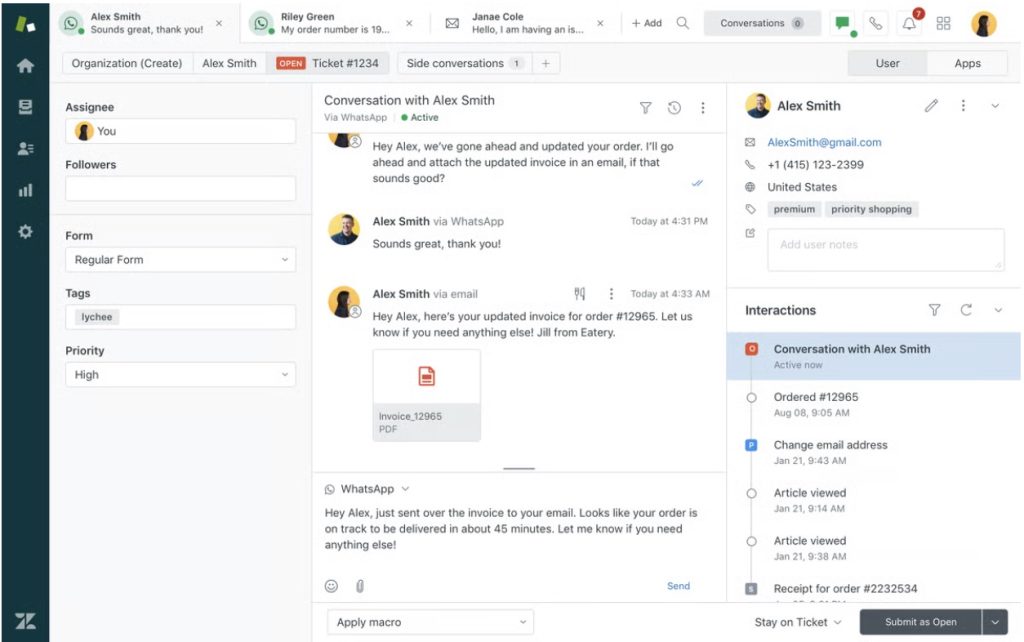
Compared to Issuetrak, Zendesk offers far more depth in automation, omnichannel coverage, and AI. Where Issuetrak focuses on issue tracking and simpler workflows, Zendesk’s AI Agents, Copilot, and QA bring intelligence into every step of the process.
Key features
- AI agents: Automate common questions and resolve routine tickets across multiple channels, freeing agents to focus on complex cases.
- AI copilot: Works inside the agent workspace to suggest replies, summarize tickets, and surface knowledge articles right when needed.
- Zendesk QA: Evaluates customer interactions, helping managers improve quality without manually reviewing every ticket.
Pros
- Enterprise-grade workflows and automation.
- Strong AI and reporting capabilities.
- Huge integration ecosystem.
Cons
- Steep learning curve for new users.
- Pricing can get expensive at scale.
- Support and contract terms sometimes frustrate customers.
Pricing overview
Zendesk Suite starts at $55/agent/month (Team plan), with higher tiers at $89 and $115 unlocking more analytics and workflow automation. Free trial: 14 days.
User reviews
- “Zendesk isn’t the cheapest option, and to get some core features like task automation, you have to upgrade to a higher tier. For simple workflows it’s fine, but as we scaled and needed more automation, the options felt limited unless we moved to a more expensive plan.”
- “The platform is so extensive that we really needed more information or better training to use it properly. It’s not as intuitive as it could be.”
- “Over the past several years, our reported issues and bugs often went unanswered. Sometimes it took 5 or 6 reminders, and even then responses could take 45 to 100 days. This lack of support hurt our productivity and eventually led us to switch providers.”
All these reviews are from Zendesk’s G2.
Ideal for
Mid-to-large enterprises across SaaS, retail, and telecom that need enterprise-grade omnichannel support with advanced AI.
4. Zoho Desk
Zoho Desk is part of the larger Zoho suite, but easily stands on its own as a flexible, budget-friendly helpdesk. It offers strong multichannel support, intuitive workflows, and a surprisingly powerful AI assistant, Zia, which helps agents work faster without breaking the bank.
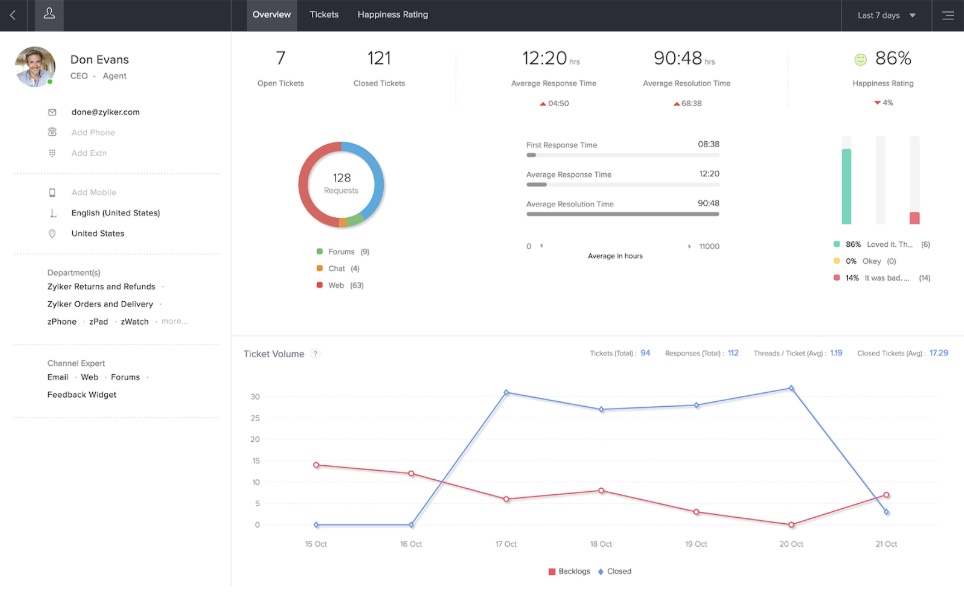
As an alternative to Issuetrak, Zoho Desk shines with automation and affordability. While Issuetrak’s customizations can feel clunky and expensive at scale, Zoho Desk gives you Blueprints for drag-and-drop workflows, Zia AI for real-time assistance, and a free plan to get started.
Key features
- Zia AI: Suggests responses, analyzes sentiment, and flags anomalies so agents can focus on resolving issues instead of digging for context.
- Blueprints: A drag-and-drop workflow builder that automates multi-step processes like approvals, escalations, and SLA tracking.
- Guided conversations: Creates structured chat flows that guide customers to solutions or the right agent, cutting down resolution times.
Pros
- Very affordable pricing, including free plan.
- Smooth integrations with other Zoho apps.
- Good automation for the price.
Cons
- Interface isn’t as polished as bigger players.
- Setup can require technical effort.
- Limited customization compared to higher-end tools.
Pricing overview
Free for up to 3 agents. Paid plans start at $14/agent/month (Standard). Professional at $23, Enterprise at $40. Free trial: 15 days.
User reviews
- “Pricing is on the higher side, and they’ve kept important features locked behind upper tiers. Also, many workflows require code, which isn’t very user-friendly. Having to rely on support for scripts doesn’t give the best experience.”
- “Zoho Desk offers a robust, customizable help desk solution with strong integrations and AI support, but the interface feels dated at times and not always intuitive. The learning curve can be steep because of how extensive it is.”
- “While it brings good value, the platform could be more user-friendly. We often wish for smoother navigation and easier ways to get the most out of its features.”
All these reviews are from Zoho Desk’s G2.
Ideal for
Startups and SMBs on a budget, especially those already using the Zoho suite.
5. Help Scout
Help Scout is a customer support tool that feels like email It combines a shared inbox, live chat through Beacon, and a simple knowledge base, all wrapped in a clean, approachable interface. Smaller teams especially love it because it’s quick to set up and doesn’t overwhelm agents with extra complexity.

As an Issuetrak alternative, Help Scout wins on usability and customer experience. Issuetrak leans more toward structured ticketing and workflows, but Help Scout keeps the support experience conversational and human.
Key features
- Shared inbox: Centralize all customer emails in one place with collision detection, assignments, and saved views—keeping the workflow clean and transparent.
- Beacon + AI answers: Customers can either chat with an agent or get AI-driven instant answers from your knowledge base directly inside the Beacon widget.
- Docs knowledge base: A branded, easy-to-build library of help articles that integrates directly with chat, giving customers seamless self-service options.
Pros
- Clean and intuitive interface.
- Easy rollout for smaller teams.
- Great balance of inbox + chat + KB.
Cons
- Limited channel support (no WhatsApp/voice).
- Docs module is fairly basic.
- Not ideal for very large teams.
Pricing overview
Plans start at $20/user/month (Standard). Plus plan at $50, Pro at $75. Free trial: 15 days.
User reviews
- “Help Scout still feels like a work in progress—many services are not automated yet, and the reporting capabilities are shallow compared to what we need.”
- “I wish we could embed videos into emails. Not being able to merge two different email IDs or upload PDFs to the site is frustrating.”
- “There’s no way to merge several tickets at once. Also, if you want to add a note, the ticket reopens, which makes things messy. Plus, integrations are pretty limited.”
All these reviews are from Help Scout’s G2.
Ideal for
Small to mid-size businesses in SaaS, nonprofits, and agencies looking for a simple, human helpdesk.
Recommended reading
6. HappyFox
HappyFox is a help desk software that combines ticketing, workflows, and knowledge base features into one system. It’s popular with IT and customer service teams because it also adds asset management, so you can track hardware and software right alongside support tickets.
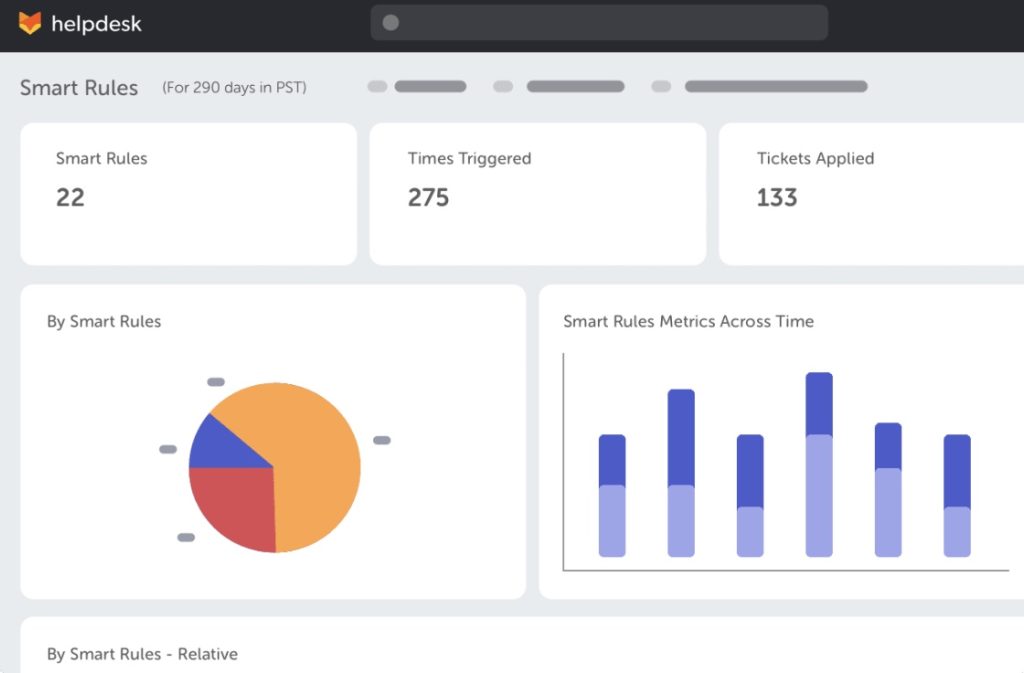
As an Issuetrak alternative, HappyFox brings more modern automation and AI into the mix. While Issuetrak can feel limited in interface and integrations, HappyFox offers a smoother design, built-in asset tracking.
Key features
- Assist AI: A full AI suite that helps agents draft replies, summarize conversations, and even generate help articles, cutting down repetitive work.
- Asset management: Track hardware, software, and other assets inside the same helpdesk, linking issues directly to specific devices or resources.
- Custom workflows & SLAs: Create automation rules to handle repetitive tasks, enforce SLAs, and make sure high-priority issues get resolved quickly.
- Knowledge base + self-service: Build an easy-to-use help center where customers or employees can find answers before raising tickets.
Pros
- Strong combination of helpdesk + ITAM.
- Easy to use once set up.
- Solid AI features with Assist AI.
Cons
- Reporting features can feel limited.
- Some users note UI could be smoother.
- Pricing higher for smaller teams.
Pricing overview
Basic plan starts at $24/agent/month (for up to 5 agents). Team, Pro, and Enterprise tiers unlock advanced features. Free trial available.
User reviews
- “The reports can be confusing, and some features are only available on higher tiers. Managing contacts isn’t the best either—you can’t just disable a contact without deleting it, which would make things much easier.”
- “The inputs aren’t as customizable as we’d like, which sometimes makes it hard to route tickets to the right person. The email notification system also isn’t the clearest.”
All these reviews are from HappyFox’s G2.
Ideal for
IT service teams and mid-sized organizations that want ticketing plus asset management.
7. TeamSupport
TeamSupport is a customer support platform built specifically for B2B companies. It goes beyond ticketing to focus on account-level management, product tracking, and customer health.
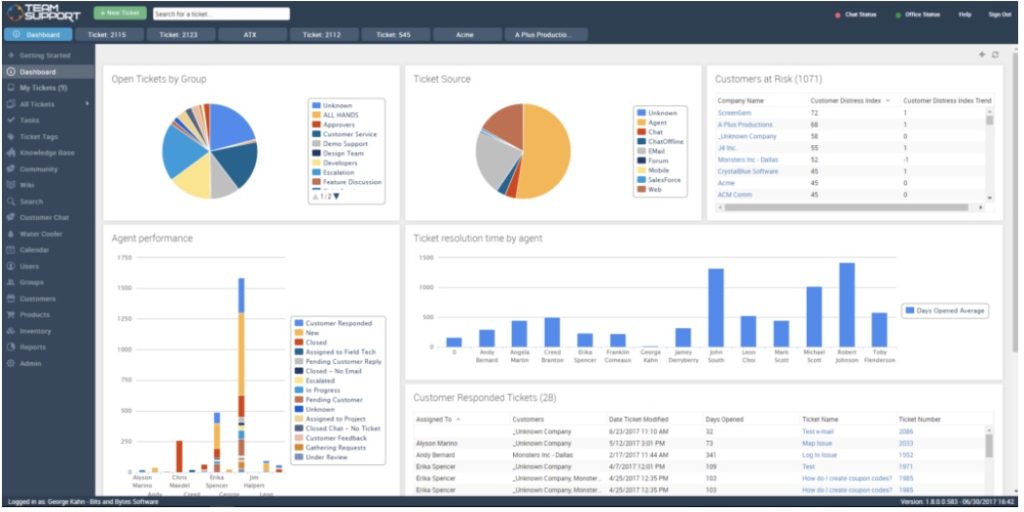
As an Issuetrak alternative, TeamSupport stands out with its B2B-first design. Issuetrak tracks issues, but it doesn’t give you tools to manage entire customer accounts or monitor adoption. TeamSupport does both, and its AI agent Kevin can handle repetitive questions, summarize tickets, and route issues faster—something Issuetrak lacks.
Key features
- Account-level management: View all tickets, contacts, and product issues tied to a customer account for better context.
- Product tracking: Log defects and product usage trends to connect support directly to engineering and customer success.
- Playbooks: Automate proactive outreach and customer health check-ins to improve retention.
Pros
- Tailored for B2B workflows.
- Strong account-level visibility.
- Good collaboration between support and engineering.
Cons
- UI feels outdated compared to newer tools.
- Reporting isn’t very flexible.
- Pricing is higher for small teams.
Pricing overview
Starter plan at $45/agent/month, Professional at $65, Scale at $85. Add-ons available. Free trial offered.
User reviews
- “We’ve reported mobile performance problems with TeamSupport, and the interface feels old-fashioned compared to newer tools.”
- “My main cons are the cost, I think features like AI should be included by default. Also, some basic filtering options are missing, like being able to see all my tickets that are on hold.”
- “Reporting could be more flexible. Right now it’s limited, and we’d like more ways to measure different items of interest.”
All these reviews are from TeamSupport’s G2.
Ideal for
Mid-to-large B2B SaaS and service companies needing account-level management.
8. Jira Service Management
Jira Service Management (JSM) is Atlassian’s IT service management platform. It brings incident, change, and request management into the same ecosystem as Jira Software, making it a natural fit for dev and IT teams.

As an alternative to Issuetrak, JSM shines in ITIL-based workflows and automation. Where Issuetrak focuses on basic issue tracking, a branded self-service portal, and Atlassian Intelligence for AI-generated replies and summaries. For teams that already use Jira, it’s an easy step up.
Key features
- Assets (CMDB): Tracks configuration items and relationships, making root cause analysis and asset-linked tickets much easier.
- Service request portals: Branded portals for IT or HR that let employees or customers raise tickets quickly.
- ITIL practices built in: Manage incidents, changes, and problems with workflows aligned to IT best practices.
Pros
- Strong integration with Jira development teams.
- Great for internal IT and service ops.
- Offers ITIL practices out of the box.
Cons
- Interface can feel cluttered to non-technical users.
- Setup and customization take time.
- Costs rise with add-ons.
Pricing overview
Free plan (up to 3 agents). Paid plans start at $21/agent/month (Standard) and $49 for Premium. Free trial: 7 days.
User reviews
- “The initial setup and configuration can be intimidating, especially for teams without prior Jira experience. The UI and features feel harder to grasp for non-technical users.”
- “Some useful features aren’t available in the basic plan and require extra payment or plugins. The pricing model also feels high for smaller teams.”
All these reviews are from Jira Service Management’s G2.
Ideal for
IT teams, DevOps orgs, and companies already using Jira or Confluence.
9. SolarWinds Service Desk
SolarWinds Service Desk (formerly Samanage) is a cloud ITSM tool built with ITIL in mind. It covers incident, problem, change, and service catalog management, plus asset discovery and reporting.
Compared to Issuetrak, SolarWinds SD offers a more complete IT service desk package at a relatively affordable price point. Issuetrak lacks built-in ITIL alignment and advanced asset management, while SolarWinds includes both, along with a Virtual Agent on higher tiers.
Key features
- Virtual agent: Handles common employee requests through chat across web, Slack, or Teams, deflecting simple issues before they hit agents.
- Service catalog + automations: Standardize requests like onboarding or access permissions with workflows and approval chains.
- Asset discovery + CMDB: Scan, track, and relate IT assets to tickets for faster troubleshooting.
- Analytics & dashboards: Prebuilt ITSM reports plus custom dashboards to monitor SLAs and service health.
Pros
- Strong ITSM/ITIL alignment.
- Built-in asset and CMDB tracking.
- Affordable compared to similar IT tools.
Cons
- UI feels dated according to some users.
- Limited flexibility in reporting.
- Admin setup can take time.
Pricing overview
Essentials starts at $39/agent/month, Advanced at $79, Premier at $99. Free trial: 30 days.
User reviews
- “There’s no fixed font for documenting code, tag searching doesn’t work well, and you can’t search by subcategory, which makes finding things harder.”
- “While you can customize workflows and forms, it lacks the deep flexibility of more enterprise-focused tools. Complex logic or granular permissions are harder to set up.”
- “It’s missing some features compared to other service desk products I’ve used. The API also lacks functionality in certain areas.”
All these reviews are from SolarWinds Service Desk’s G2.
Ideal for
IT departments and mid-sized organizations needing ITIL workflows and asset tracking.
10. ServiceNow ITSM
ServiceNow ITSM is the heavyweight of enterprise service desks. It’s built for large organizations that need strict workflows, compliance, and automation across multiple departments.

As an Issuetrak alternative, ServiceNow brings much deeper automation and scalability. While Issuetrak suits smaller teams, ServiceNow’s Now Assist AI and Virtual Agent allow global enterprises to automate complex requests, summarize tickets, and provide 24/7 self-service. It’s overkill for small teams, but unmatched at scale.
Key features
- Virtual agent: AI-powered chatbot with prebuilt topics for IT, HR, and beyond, available on web or chat apps.
- Flow designer: No-code workflow builder to automate multi-step processes across IT and business functions.
Pros
- Extremely scalable and customizable.
- AI and automation are built for enterprise use.
- Works across IT, HR, and operations.
Cons
- Expensive for smaller teams.
- Steep learning curve.
- Implementation often requires consultants.
Pricing overview
Quote-based only (depends on modules and seats). No public free trial but demos/POCs are available.
User reviews
- “The biggest downside is the high expenses and complicated pricing. The licensing costs are steep, and the structure varies a lot depending on modules, user count, and features.”
- “Many users face a steep learning curve, especially new admins and end-users. It can feel overwhelming at first, and performance issues sometimes make it harder to work smoothly.”
- “The tool can get very slow at times, even with high-speed internet, which impacts productivity.”
All these reviews are from ServiceNow ITSM’s G2.
Ideal for
Enterprises with 200+ employees needing AI-driven ITSM and workflow automation.
11. Vivantio
Vivantio is a configurable service desk platform built for B2B organizations that handle complex client relationships. It stands out for its flexible licensing – you can assign permanent seats to core agents and use shared, pay-per-use seats for part-time or rotating staff. This helps teams control costs as they scale.
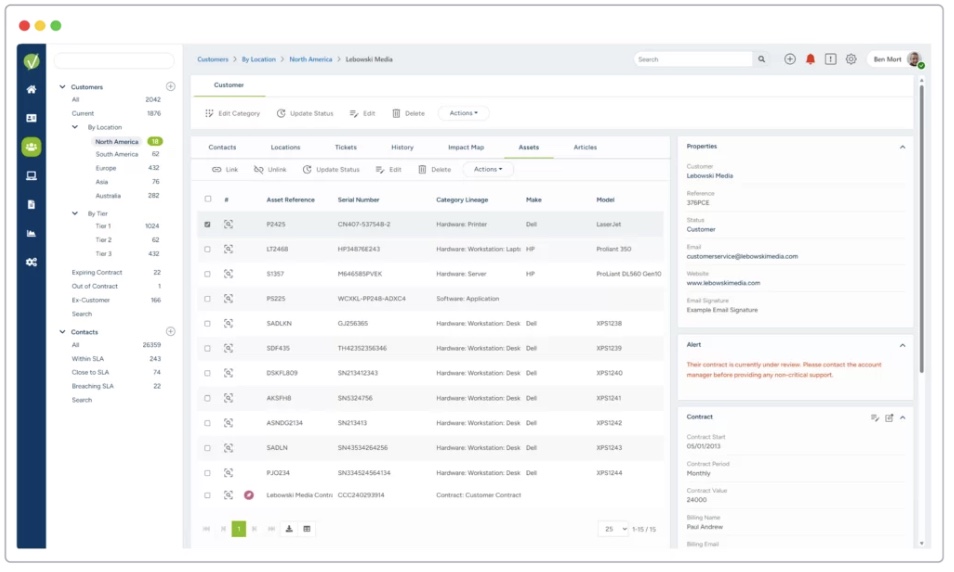
As an Issuetrak alternative, Vivantio offers more advanced SLA tracking and no-code customization. Issuetrak’s workflows are less intuitive, while Vivantio lets teams create detailed rules, automate escalations, and monitor performance in real time.
Key features
- Flexible licensing: Choose named, concurrent, or mixed models to keep costs predictable as your team grows.
- SLA + workflow automation: Set detailed service levels and build rules to escalate or reroute tickets automatically.
- Custom dashboards & reports: Create tailored views of team performance, SLA compliance, and customer trends.
- No-code customization: Adjust fields, forms, and processes without developer support.
Pros
- Great for B2B service environments.
- Flexible licensing reduces cost.
- Strong automation without coding.
Cons
- UI varies in polish depending on module.
- Fewer integrations than bigger players.
- Setup can take planning.
Pricing overview
Starts around $42–$59/agent/month based on license type. Free trial: 14 days.
User reviews
- “Vivantio has complex issues with report generation, often needing a well-trained admin. Performance also slows down when handling large databases.”
- “The backend can be hard to navigate, and there’s a learning curve in finding settings. Customizing areas of the helpdesk can also take longer than expected.”
- “When we first started, we ran into bugs and stability issues. Some features didn’t work as advertised when combined with others, and those limitations weren’t clear upfront.”
All these reviews are from Vivantio’s G2.
Ideal for
B2B support, IT services, and field ops teams with SLA-heavy workflows.
12. Kayako
Kayako is a lightweight helpdesk that blends email, chat, and self-service into a straightforward platform. It’s designed for smaller teams that want multichannel support without the heavy cost or complexity of enterprise tools.

As an Issuetrak alternative, Kayako works better if you need simplicity and faster adoption. Issuetrak is more issue-tracking heavy, but Kayako’s AI stack and SingleView™ unify customer history, conversations, and context in one timeline, making it easier for agents to respond quickly.
Key features
- AI support suite: Includes AI bots, Copilot for drafting replies, and AI-driven triage to speed up resolutions.
- Multichannel inbox: Supports email, chat, SMS/WhatsApp, and social channels in one place.
- Knowledge base + self-Service: AI-assisted drafting and translation to expand your help articles quickly.
Pros
- Very easy to use and onboard.
- Strong customer history visibility.
- Good AI inclusion at SMB level.
Cons
- Limited customization.
- Not ideal for large or ITSM teams.
- Reporting can feel shallow.
Pricing overview
Flat pricing at $79/month (Kayako One) + $1 per AI-resolved ticket. Free trial: 14 days.
User reviews
- “There’s still a bit of a ramp-up, and some analytics could be more intuitive. In rare cases, the AI also needs a nudge with edge-case tickets or regional phrasing.”
- “Kayako doesn’t have an auto-refresh feature, which is a big drawback. Having to rely on third-party browser plugins for something so basic is frustrating.”
- “Pulling reports can be a struggle, setting up a signature isn’t straightforward, and ticket notifications don’t always come through promptly.”
All these reviews are from Kayako’s G2.
Ideal for
Small teams, SMBs, ecommerce, and startups want plug-and-play multichannel support.
Key features to look for in an Issuetrak alternative
If you’re moving away from Issuetrak, make sure the next platform doesn’t come with the same limitations. Here’s what you should expect from a modern ticketing system.
1. Omnichannel support
One of the biggest drawbacks of Issuetrak is its limited channel coverage. Most reviews point out that it leans heavily on email/web forms and doesn’t provide strong options for live chat, WhatsApp, or social media. A good alternative should bring all major channels into one place so customers don’t feel restricted in how they reach you.
2. Strong integrations
Issuetrak’s integration options are minimal compared to modern platforms. For instance, teams often struggle to sync it with CRMs like Salesforce or collaboration tools like Slack. An alternative should offer native integrations with CRM, billing, and communication apps so agents always have context and don’t waste time switching tabs.
3. Advanced automation & SLA management
Automation in Issuetrak is basic — ticket assignment, routing, and SLA tracking require a lot of manual setup, and reporting on SLAs is clunky. The right alternative should provide rule-based workflows, automated ticket distribution, and clear SLA dashboards so teams can meet commitments without chasing spreadsheets.
4. AI copilots & predictive insights
Issuetrak doesn’t yet provide meaningful AI features. No AI agents, no predictive analytics, and no copilots to help agents reply faster. This is where alternatives stand out — with AI that suggests responses, flags at-risk tickets, and highlights customer sentiment in real time.
5. Robust knowledge base & self-service
While Issuetrak has a knowledge base, reviews say it’s not intuitive for customers and lacks analytics to show which content is helping. A stronger alternative should include a searchable self-service portal with usage insights, so you know exactly how much ticket deflection it’s driving.
6. Mobile access
Issuetrak doesn’t offer a modern mobile experience, making it hard for managers or agents to stay on top of tickets on the go. Look for alternatives that provide dedicated mobile apps or responsive dashboards, so work doesn’t stop when teams aren’t at their desks.
7. Transparent, scalable pricing
Pricing is another frustration with Issuetrak. Customers on G2 mention that the costs feel high for the features provided and scaling adds up quickly. Alternatives with clear, per-agent pricing (and no hidden extras for reporting or analytics) are easier to plan for as your team grows.
8. Modern extras that Issuetrak lacks
Other features like customizable dashboards, SLA breach alerts, and AI-powered reporting are either limited or absent in Issuetrak. These extras in an alternative can make all the difference in day-to-day efficiency and long-term scaling.
Conclusion
While Issuetrak handles ticketing and workflows well, it may not always be the best fit for fast-growing teams. Many find themselves needing better integrations, smarter AI, and stronger multichannel support.That’s why exploring alternatives like Hiver, Freshdesk, or Zendesk is worth it. And if you’d like to see a simpler yet powerful option in action, go ahead and start Hiver’s free 7-day trial!
FAQs (Frequently asked questions)
Which teams use Issuetrak today?
Issuetrak is popular among IT, operations, and customer service teams in industries like manufacturing, healthcare, logistics, and government. It’s especially chosen by teams that want on-premises deployment or strict data control.
Why do companies look for Issuetrak alternatives?
Teams often switch when they need better automation, AI, omnichannel support (like chat, voice, or WhatsApp), or more affordable pricing that scales without hidden costs.
Does Issuetrak support omnichannel ticketing?
Not fully. Issuetrak mainly handles tickets from email, forms, and a portal. It doesn’t provide built-in live chat, WhatsApp, voice, or social support like many modern help desk platforms.
Is Issuetrak available on-premises?
Yes. Issuetrak offers both cloud and on-premises options. The on-premises setup is often chosen by industries that require strict compliance or high data security.
Is there a cheaper solution than Issuetrak with AI features built in?
Yes. Tools like Hiver start at $19/user/month and add AI for a flat $20/user/month with no usage caps, which is often cheaper than Issuetrak at scale. Options like Zoho Desk and Freshdesk also provide AI capabilities in lower-tier plans.
Start using Hiver today
- Collaborate with ease
- Manage high email volume
- Leverage AI for stellar service