Skip to content



Most teams start the day with a plan. But as things come up, priorities shift, tasks pile up, and deadlines get missed. It’s usually not because people aren’t trying – it’s because there’s no clear system.
Task management helps bring order to the chaos. It keeps work organized, shows who’s doing what, and helps teams finish what they start.
In this guide, we’ll discuss:
- How AI is shaping the future of task tracking
- What task management actually is
- Benefits of managing tasks effectively
- Proven frameworks and methods to organize work
- 11 best task management tools and how they compare
Table of Contents
- What is task management?
- Benefits of effective task management
- 11 Popular task management tools
- Key features to look for in task management software
- Task management methods and frameworks
- Best practices for successful task management
- Common task management challenges
- Future of task management
- Make task management a breeze
What is task management?
Task management is the process of planning, tracking, and completing tasks within a team or organization. It ensures that every task, from simple to complex, is assigned, prioritized, and monitored until it’s done. Unlike project management, which oversees entire projects from start to finish, task management focuses on the day-to-day execution of individual tasks that make up those projects.
Effective task management helps teams:
- Task identification: Break down projects into specific, actionable tasks.
- Prioritization: Focus on tasks that have the highest impact or urgency.
- Resource allocation: Assign the right people, tools, and time to each task.
- Progress monitoring: Track task status and deadlines to avoid bottlenecks.
- Collaboration: Enable smooth communication and handoffs between team members.
- Time management: Use workflows, reminders, and schedules to stay on track.
- Evaluation: Review completed tasks to measure success and improve future planning.
In customer service and operations, strong task management can mean the difference between resolving requests quickly and letting them pile up. It keeps communication clear for cross-functional teams and to make sure smooth handoffs between departments.
Benefits of effective task management
Task management helps teams stay focused, work better together, and avoid last-minute scrambles. It makes sure tasks are clearly defined, assigned to the right people, and tracked from start to finish. This leads to higher productivity, fewer delays, less stress, and more consistent results. Here are some key benefits:
1. Increased productivity and efficiency
- Focus on priorities: Task management tools help individuals and teams identify and prioritize critical tasks so that time and resources are spent where they deliver the most value.
- Breaking down large tasks: Big projects are divided into smaller, manageable subtasks, making it easier to track progress and complete milestones step by step.
- Eliminating duplicated work: Centralized systems allow teams to see who’s working on what, reducing the chances of two people doing the same job unknowingly.
- Optimizing resources: Managers can assign tasks based on availability, skill sets, and workload balance, ensuring that projects move forward without bottlenecks.
2. Improved time management
- Clear deadlines: Setting due dates and reminders keeps everyone on schedule and helps teams plan their workdays more effectively.
- Efficient scheduling: Visual planning tools like calendars and Kanban boards help allocate tasks efficiently and avoid overloading any single person.
- Task batching: Grouping similar tasks minimizes context switching and improves concentration, allowing more work to get done in less time.
- Faster handoffs: Defined workflows and task dependencies make it easier to transfer work between team members without delays or confusion.
3. Reduced stress and balanced workloads
- Defined ownership: When every task has a clear owner, there’s no confusion about accountability or next steps.
- Workload visibility: Dashboards allow managers to see who’s overworked and redistribute tasks to balance the load.
- Predictable processes: Consistent workflows reduce uncertainty and last-minute firefighting, allowing teams to plan their work confidently.
- Smoother escalations: Automated escalation rules ensure that urgent issues are immediately surfaced and addressed by the right people, preventing burnout.
4. Enhanced collaboration and communication
- Centralized communication: Task management platforms store discussions, comments, and files within the task itself, avoiding scattered information.
- Real-time notifications: Automatic alerts keep team members updated on task changes, approvals, or blockers, improving responsiveness.
- Cross-functional teamwork: Teams from different departments can collaborate on the same platform without needing separate tools or manual updates.
- Shared progress visibility: Everyone knows the status of each task, which minimizes the need for repetitive status meetings and reduces misunderstandings.
5. Greater accountability and data-driven decisions
- Transparent task ownership: Visible assignments make accountability clear, preventing tasks from falling through the cracks.
- Performance tracking: Metrics like task completion rates, overdue tasks, and SLA breaches help managers identify inefficiencies and training needs.
- Historical insights: Completed task records allow teams to analyze past projects, learn from mistakes, and replicate successful strategies.
- Error reduction: Standardized workflows and checklists ensure consistency in task execution, reducing the chances of errors.
6. Improved customer experience
- Faster issue resolution: Automated task assignments and tracking help support teams respond quickly, reducing customer wait times.
- Consistent service quality: Structured workflows ensure that customers receive the same level of service, regardless of which agent handles the task.
- Proactive problem-solving: Early detection of delayed or stuck tasks allows teams to fix issues before they affect customers.
- Higher satisfaction scores: Organized task management leads to faster resolutions, fewer errors, and happier customers, boosting CSAT and NPS ratings.
11 Popular task management tools
Choosing the right task management tool can significantly improve how your team organizes work, collaborates, and meets deadlines. We’ve compiled a list of 11 popular tools, each with unique strengths, features, and pricing, making it easy to compare and choose the best fit your needs.
| Tool | Key Features | Starting price |
| Hiver | – Automates workflows and SLAs – Round-robin or skill-based task assignment – AI triage and draft replies – Analytics tracking – CRM and tool integrations | Offers a Free Forever plan & paid plans start at $19 per user per month. |
| DragApp | – Email-to-task assignment with real-time tracking – Shared inbox collaboration – Integrations with Google Calendar, Slack | $12 per user per month |
| Trello | – Kanban boards and cards for task tracking – Custom fields and checklists – Power-Ups for reporting and integrations | Offers a Free plan; Paid from $5 per user per month |
| ClickUp | – Customizable views (List, Kanban, Gantt, Calendar) – Goal tracking and OKRs – Time tracking and workload planning | Offers a Free Forever plan; Paid from $7 per user per month |
| Asana | – List, board, timeline, and calendar views – Advanced task management (priorities, subtasks, milestones) – Workflow automation | Offers a Free plan; Paid from $10.99 per user per month |
| Wrike | – Multiple views (list, board, Gantt, table) – Automated assignments and approvals – 400+ integrations | Offers a Free plan; Paid from $10 per user per month |
| Todoist | – Labels and filters for prioritization – Automated recurring tasks – Productivity insights | Offers a free plan; paid plans start from $2 per user per month |
| SmartTask | – Kanban boards and Gantt charts – Built-in CRM for leads and clients – Time tracking and workload reports | Offers a free plan; paid plans start from $5 per user per month |
| Zoho Projects | – Milestones, task lists, and subtasks – Gantt chart visualization – Zoho and third-party integrations | Offers a free plan; paid plans start from $4 per user per month |
| Jira | – Agile Scrum and Kanban boards – Backlog management – Burndown charts and velocity reports | Offers a free plan; paid plans start from $7.53 per user per month |
| Airtable | – Grid, Kanban, calendar, Gantt, and gallery views – Collaboration with comments and mentions – Integrations with Slack and Zapier | Offers a free plan; paid plans start from $10 per user per month |
1. Hiver
Hiver is an AI-powered customer service platform that brings multichannel communication and task management together in one place. Unlike traditional task management tools that focus only on internal projects, Hiver is built to help teams deliver exceptional customer experiences while staying on top of every task.
With Hiver, teams can manage customer conversations from email, live chat, WhatsApp, voice, SMS, and social channels—all without switching between tools. Tasks can be created directly from conversations, assigned to the right team member, tracked with SLAs, and automated for faster resolutions.

Key Features:
- Multichannel task management: Convert customer emails, chats, or calls into actionable tasks and assign them to team members instantly.
- AI-powered automation: Use AI Copilot and AI Agents to auto-triage tasks, suggest responses, and handle repetitive queries, freeing up your team for complex work.
- Collaborative workflows: Share internal notes, @mentions, and tags for seamless teamwork without losing context.
- Task tracking and analytics: Monitor task progress, resolution times, and backlogs with real-time reports and dashboards.
- SLAs and workflows: Set up automated workflows and service-level agreements to ensure no task or customer request slips through.
- Integrations: Connect with CRM, project management, and reporting tools for a unified task and support ecosystem.
| Pros | Cons |
| AI-powered automation with Copilot and Agents | Primarily focused on customer service, not generic project management |
| Multichannel support (email, chat, WhatsApp, SMS, voice) | Limited standalone project visualization views like Gantt or Kanban |
| Easy to adopt with intuitive, familiar interface | Higher tiers may be expensive for very small teams |
Pricing:
Hiver offers five pricing options to suit different team needs. There’s a Free Forever plan.
Paid plans include Lite at $19 per user per month, Growth at $29 per user per month, and Pro at $49 per user per month, each offering more advanced features as you scale. For larger teams with custom needs, Hiver also offers an Elite plan. A 7-day free trial is available.
2. DragApp
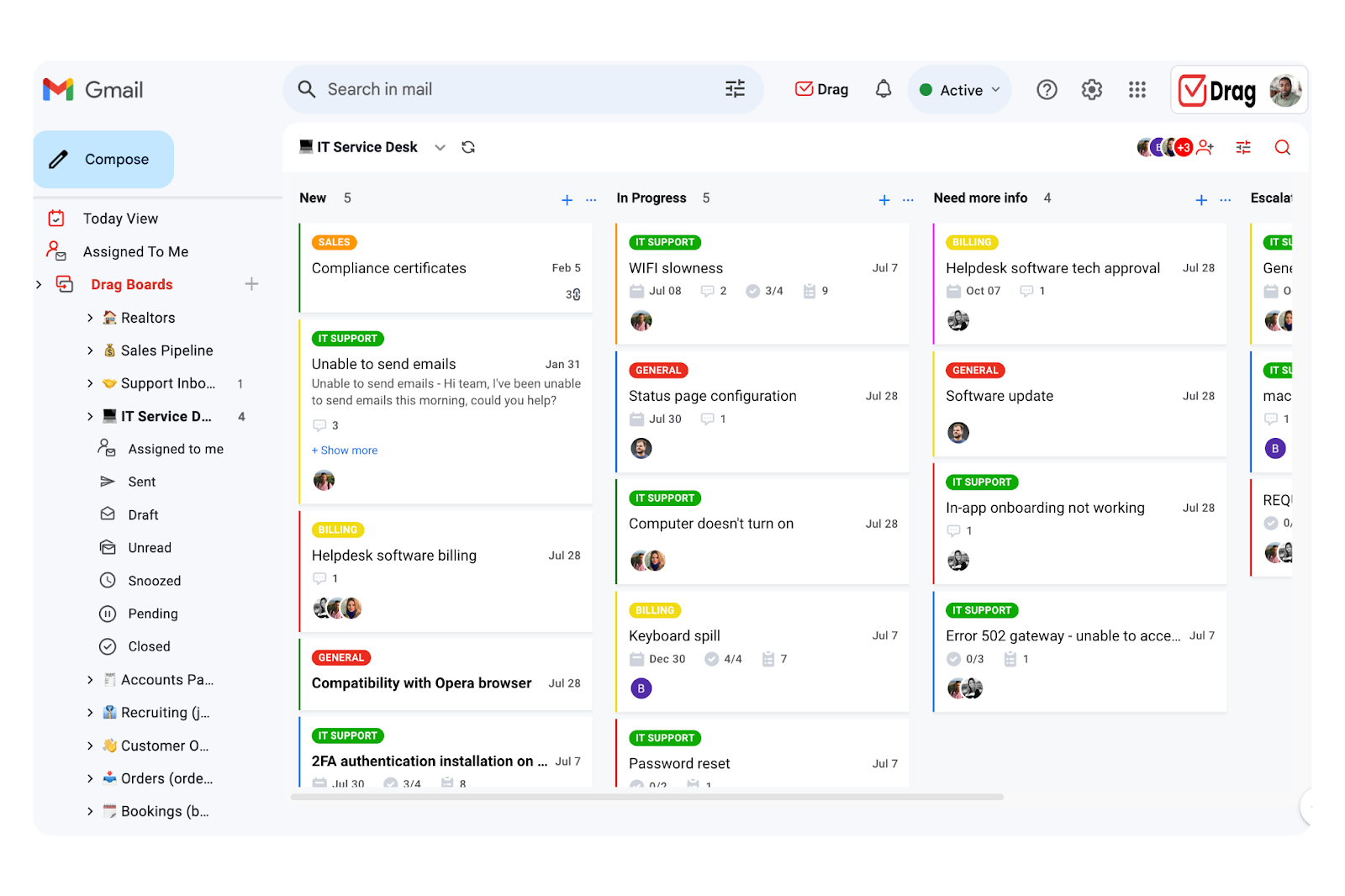
DragApp is a shared inbox solution that simplifies task management and team workflows directly within Gmail. It turns emails into tasks with drag-and-drop functionality, making it easier to track and manage projects without needing multiple tools.
With customizable views (Kanban, Preview, and List), teams can choose the layout that best suits their workflow. Tasks are organized as cards, with due dates, notes, and private chat options for team communication all in one place.
Key Features:
- Task assignment and tracking: Assign emails as tasks to team members and track progress in real-time.
- Shared inbox management: Collaborate on incoming emails with features like internal chat, comments, and shared drafts.
- Automation rules: Automate repetitive actions such as tagging, moving, or assigning emails to the right team members.
- Integrations and analytics: Connect with tools like Google Calendar and Slack and access analytics for team performance insights.
| Pros | Cons |
| Shared inbox with Kanban boards directly in Gmail | Only works within Gmail environment |
| Simple drag-and-drop task management | Fewer advanced reporting or analytics features |
| Affordable pricing for small teams | Lacks multichannel support beyond email |
Pricing:
DragApp’s pricing starts at $12 per user/month for the Starter plan, $18 for the Plus plan, and $24 for the Pro plan. A 7-day free trial is available.
Recommended reading – Dragapp vs Hiver
3. Trello
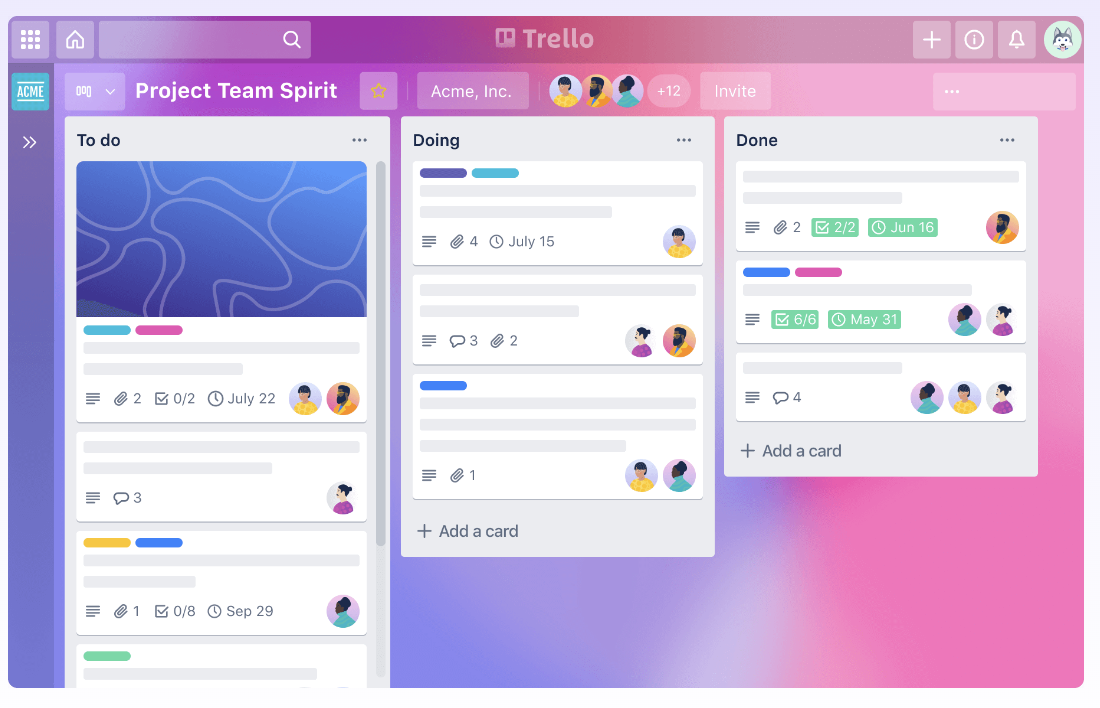
Trello is a visual task management tool built around Kanban boards, making it ideal for teams that prefer a straightforward, drag-and-drop approach to organizing work. Its simplicity and flexibility make it visual-first for everything from personal to-do lists to managing complex, multi-stage projects. Trello integrates seamlessly with hundreds of third-party apps, allowing teams to connect their favorite tools and automate workflows without complexity.
Key Features:
- Visual Kanban boards: Organize projects using customizable boards, lists, and cards to track task progress at a glance.
- Custom fields and task attributes: Add due dates, labels, checklists, attachments, and comments to create detailed task cards.
- Automation with Butler: Use rule-based workflows for actions like moving cards, sending notifications, or assigning tasks based on triggers and rules.
- Collaboration capabilities: Supports real-time collaboration with mentions, task assignments, and file sharing, making teamwork transparent and efficient.
- Power-Ups and integrations: Extend functionality with add-ons for reporting, time tracking, and integrations with tools like Slack, Google Drive, and Jira.
| Pros | Cons |
| Visual Kanban boards ideal for task tracking | Limited native reporting and analytics |
| Flexible, beginner-friendly interface | Can become cluttered for complex projects |
| Hundreds of integrations and Power-Ups | Lacks built-in time tracking without add-ons |
Pricing:
Trello’s pricing starts with a Free plan, followed by Standard at $5 per user per month, Premium at $10 per user per month, and Enterprise plans from $17.50 per user per month.
4. ClickUp
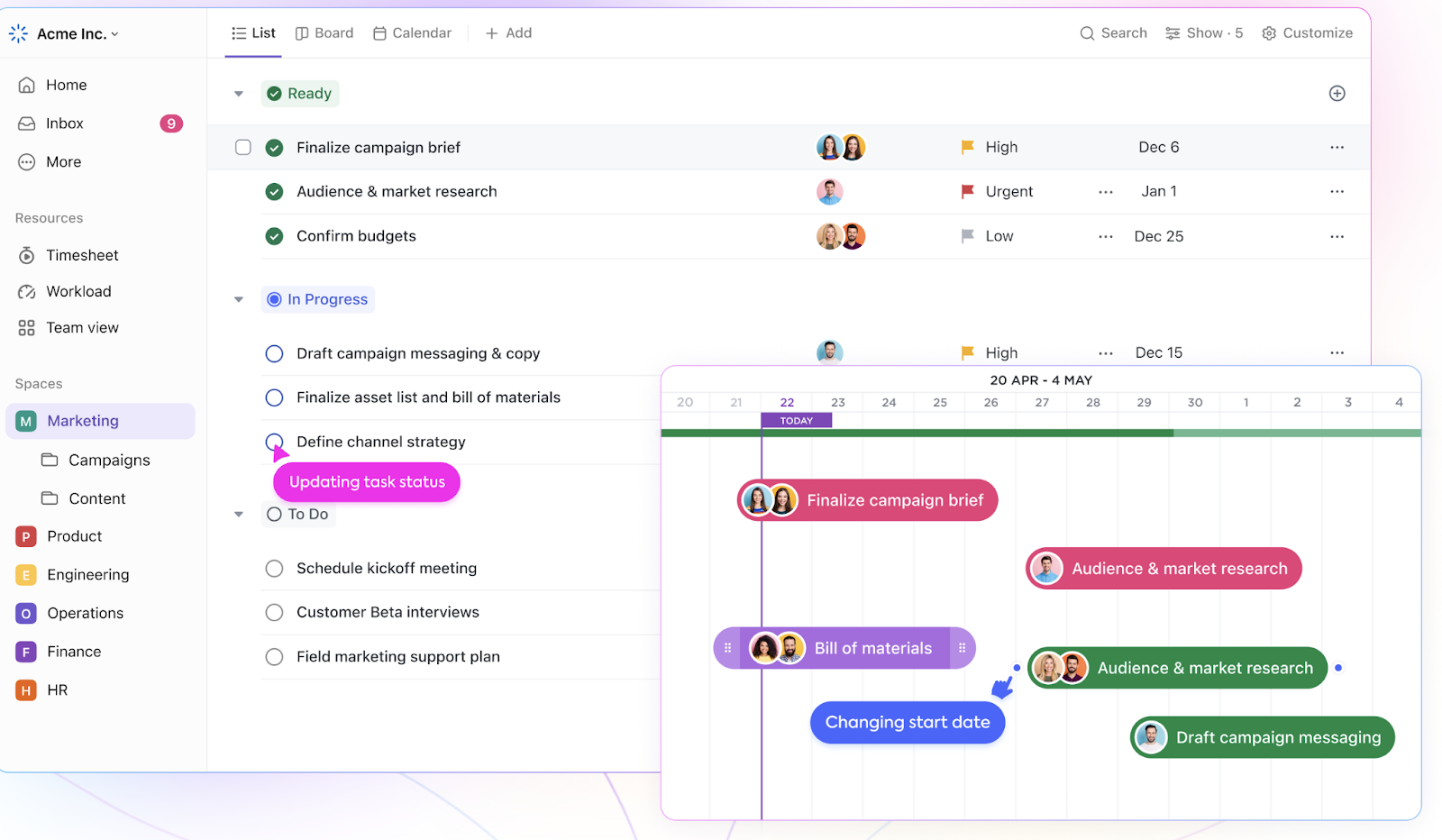
ClickUp is a flexible project and task management platform designed for teams that need flexibility and advanced productivity features. It supports everything from simple to-do lists to managing complex, multi-team projects, making it suitable for businesses of all sizes. With customizable views, built-in time tracking, and powerful reporting tools, ClickUp helps teams streamline workflows and stay aligned on goals.
Key Features:
- Customizable views and workflows: Supports List, Kanban, Gantt, and Calendar views with fully customizable task statuses and fields.
- Goal tracking and OKRs: Align tasks and projects to measurable objectives, allowing teams to track progress against strategic goals.
- Time tracking and workload planning: Built-in timers and resource management tools help teams allocate effort efficiently and avoid overload.
- Advanced automation and AI assistance: Automates repetitive steps like task assignments and reminders while using AI to suggest task optimizations.
- Collaboration tools: Real-time editing, comments, mentions, and shared documents ensure seamless team communication.
| Pros | Cons |
| Highly customizable views and workflows | Steeper learning curve for new users |
| Built-in goal tracking, time tracking, and workload planning | Interface can feel overwhelming for small teams |
| Robust automation and AI suggestions | Advanced features require higher-tier plans |
Pricing:
ClickUp’s pricing starts with a Free Forever plan, with paid tiers including Unlimited at $7 per user per month, Business at $12 per user per month, and Enterprise with custom pricing.
5. Asana
Asana is a comprehensive project and task management solution that helps teams organize, track, and manage work efficiently. It supports both simple to-do lists and complex project timelines, making it popular among cross-functional teams.
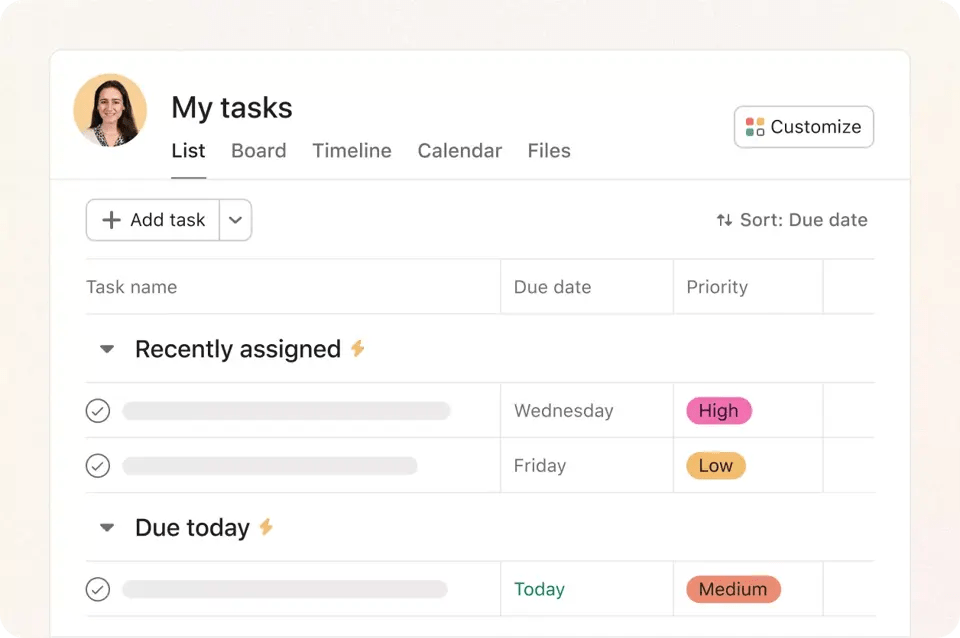
Asana also provides multiple views (list, board, timeline) and advanced workflow customization for large-scale projects. Automation features help teams save time on repetitive processes.
Key features:
- Flexible project views: Organize tasks in list, board, timeline, or calendar views to suit different workflows.
- Advanced task management: Set priorities, create subtasks, add dependencies, and track milestones for better project control.
- Workflow automation: Use rules to automate recurring actions like task assignments, due date adjustments, and status updates.
- Team collaboration: Share files, add comments, and tag teammates directly within tasks to keep communication contextual.
- Reporting and dashboards: Access project health dashboards and workload reports to stay on top of deadlines and resources.
- Integrations: Connect with tools like Slack, Google Drive, and Zoom for seamless collaboration.
| Pros | Cons |
| Multiple project views (list, board, timeline) | Limited customization compared to ClickUp |
| Strong task dependencies and milestone tracking | Premium features can be expensive for small teams |
| Solid integrations with major collaboration tools | No built-in time tracking |
Pricing:
Asana’s pricing starts with a free Personal plan, followed by Starter at $10.99 per user per month, Advanced at $24.99 per user per month, and Enterprise with custom pricing.
6. Wrike
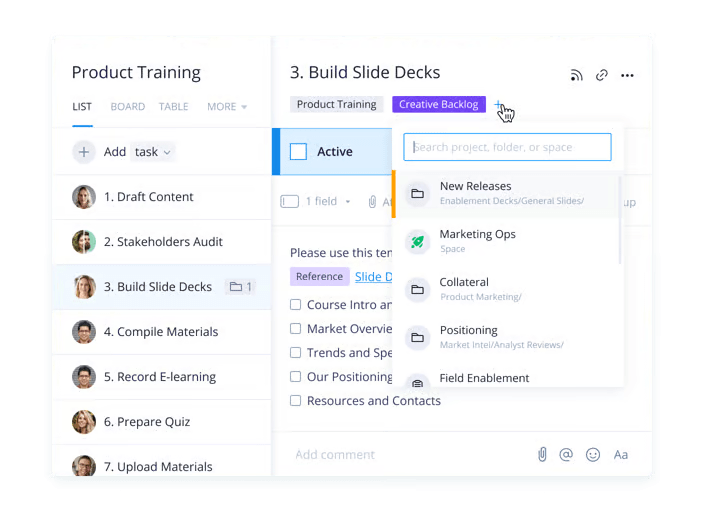
Wrike is an enterprise grade project management platform designed for teams that juggle multiple projects and need deep visibility into progress. It stands out for its advanced planning tools and customizable workflows, making it a strong choice for large organizations and departments with complex approval processes.
Key features:
- Customizable project views: Switch between list, board, Gantt chart, and table views to organize tasks the way your team works best.
- Workflow automation: Set up automated task assignments, status changes, and approvals to reduce manual effort.
- Built-in-chat: Collaborate within tasks using comments, @mentions, and live document editing to keep work moving.
- Request forms: Standardize project intake with dynamic request forms that automatically route tasks to the right team members.
- Advanced reporting: Monitor project health with dashboards, workload charts, and detailed analytics for better decision-making.
- Extensive integrations: Connect with over 400 apps, including Salesforce, Slack, and Microsoft Teams, to bring tools under one roof.
| Pros | Cons |
| Enterprise-grade planning and advanced reporting | Complex setup for small teams |
| Customizable workflows with automation | Higher pricing for business and enterprise tiers |
| Scales well for large organizations | User interface less intuitive than Trello or Asana |
Pricing:
Wrike’s pricing starts with a Free plan, followed by Team at $10 per user per month, Business at $25 per user per month, and Enterprise and Pinnacle with custom pricing.
7. Todoist
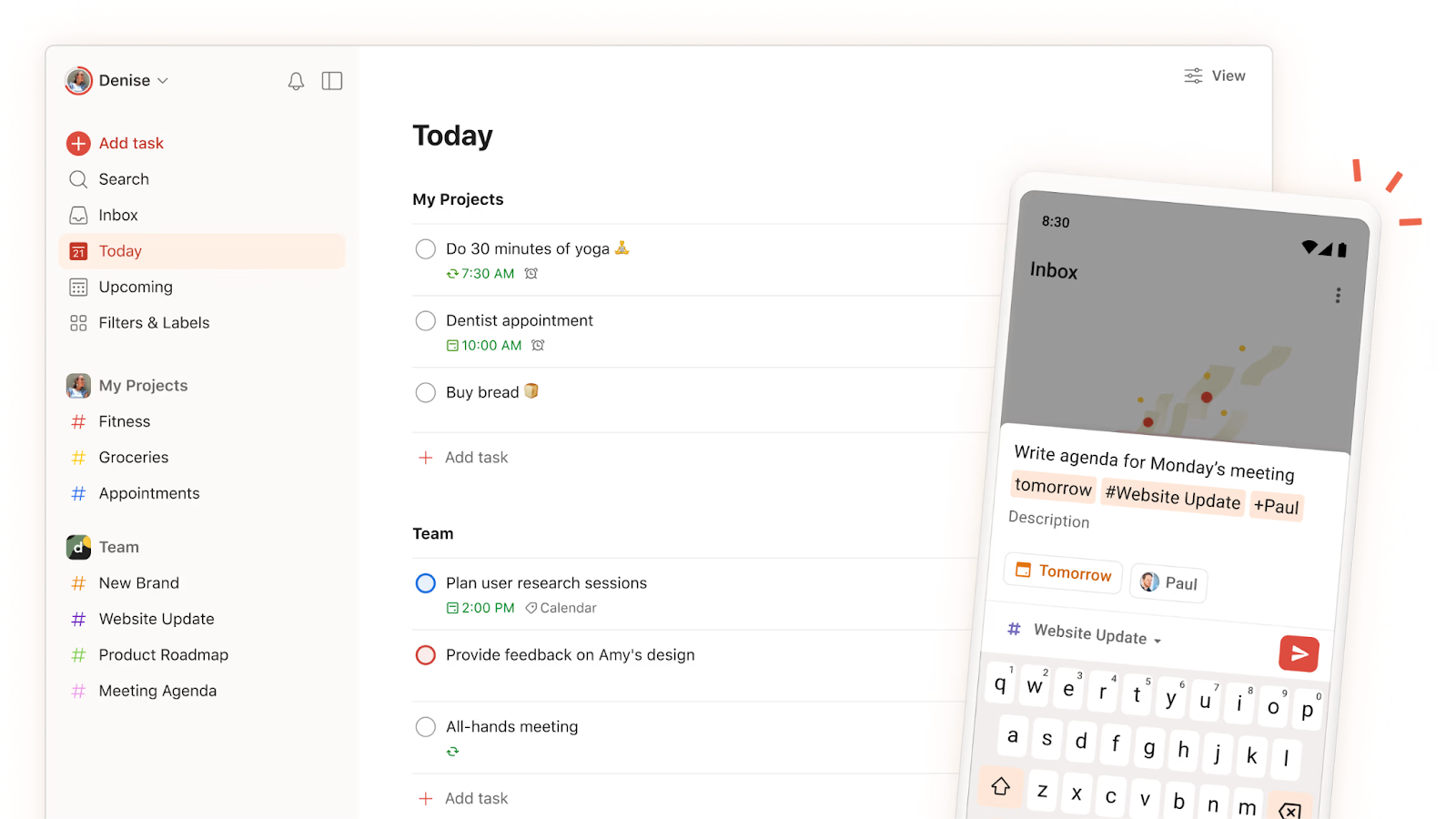
Todoist is a minimalist task management tool built for individuals and small teams looking for an organized way to stay on top of daily work. With its fast task input, customizable views, and seamless syncing, Todoist makes it easy to manage personal to-dos and shared projects without complexity.
Key features:
- Instant task capture: Quickly add tasks using natural language to set priorities and deadlines in one step.
- Custom labels and filters: Group and sort tasks for better focus on high-priority work.
- Smart recurring tasks: Schedule repeating tasks with flexible rules to automate routine planning.
- Team project sharing: Assign tasks, share project boards, and exchange comments for efficient teamwork.
- Productivity insights: Track completed tasks and review weekly activity reports to spot trends.
- Cross-platform access: Use Todoist on desktop, mobile, or browser to keep tasks updated anywhere.
| Pros | Cons |
| Minimalist design ideal for personal and small-team use | Lacks advanced project management views (e.g., Gantt) |
| Fast task capture with natural language input | Limited collaboration features compared to Asana or ClickUp |
| Affordable and easy to use across platforms | Reporting capabilities are basic |
Pricing:
Pricing starts with a Free plan, followed by Pro at $2 per user per month and Business at $6 per user per month.
8. SmartTask
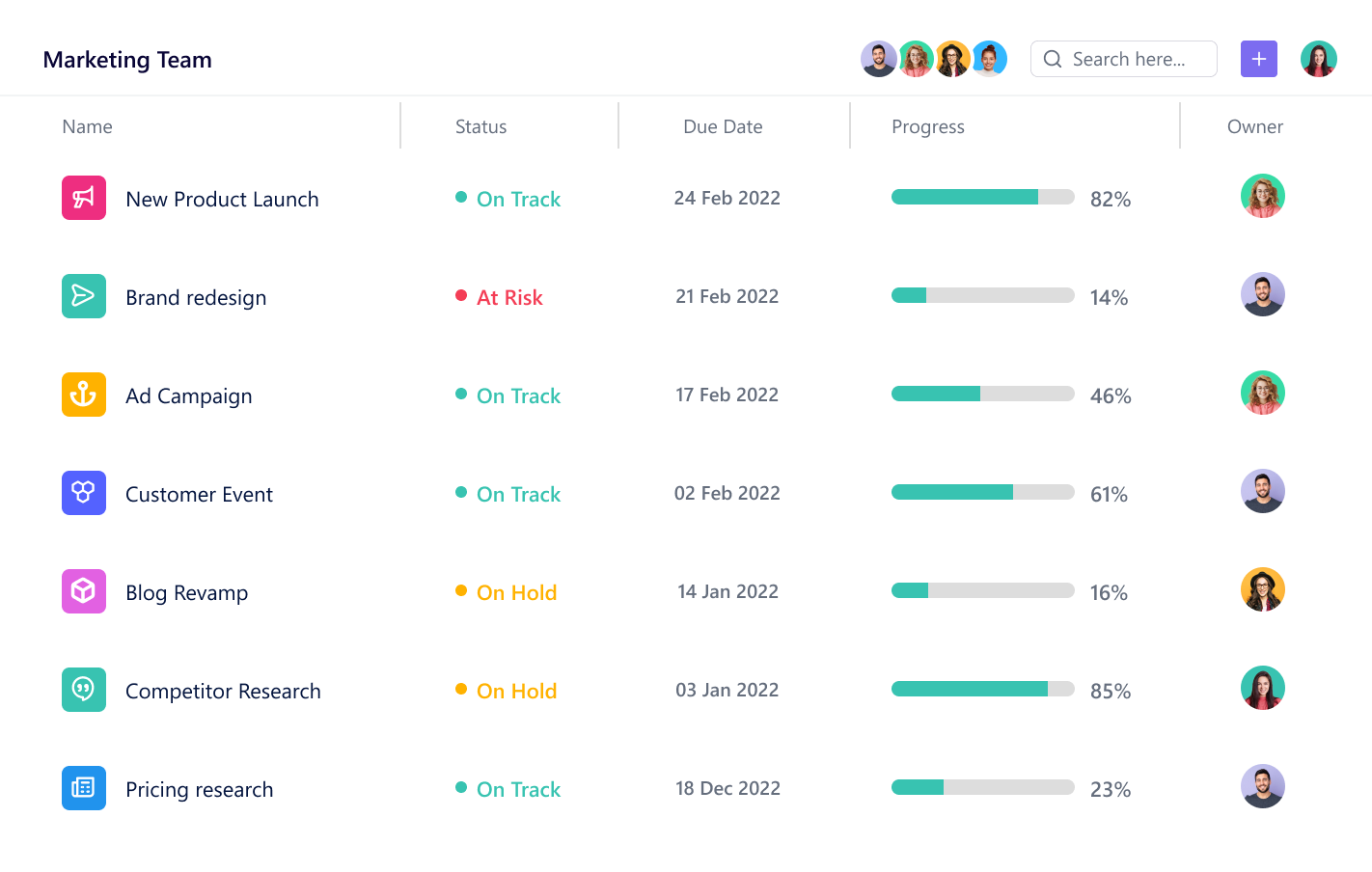
SmartTask combines task management, CRM, and project tracking in one tool. It’s designed for small to mid-sized teams that want an affordable solution without sacrificing advanced capabilities like time tracking and reporting.
With its all-in-one approach, SmartTask eliminates the need for multiple tools and keeps task management streamlined.
Key Features:
- Task tracking: Organize and manage projects visually with Kanban boards and Gantt charts for clear progress tracking.
- Built-in CRM: Manage leads, clients, and sales pipelines directly within the platform to streamline customer management.
- Time tracking: Log work hours and use workload reports to measure productivity and optimize team efficiency.
- Collaboration tools: Share files, add comments, and communicate with teammates in real time to keep projects aligned.
- Reporting and analytics: Access detailed reports to monitor task progress, project timelines, and team performance.
| Pros | Cons |
| Combines task management, CRM, and project tracking | Interface less polished than leading tools |
| Time tracking and workload reports included | Limited third-party integrations |
| Cost-effective solution for small teams | Less suitable for large-scale, complex projects |
Pricing:
SmartTask offers a Free plan, with Premium at $5 per user per month, Business at $8 per user per month, and Enterprise available with custom pricing.
9. Zoho Projects
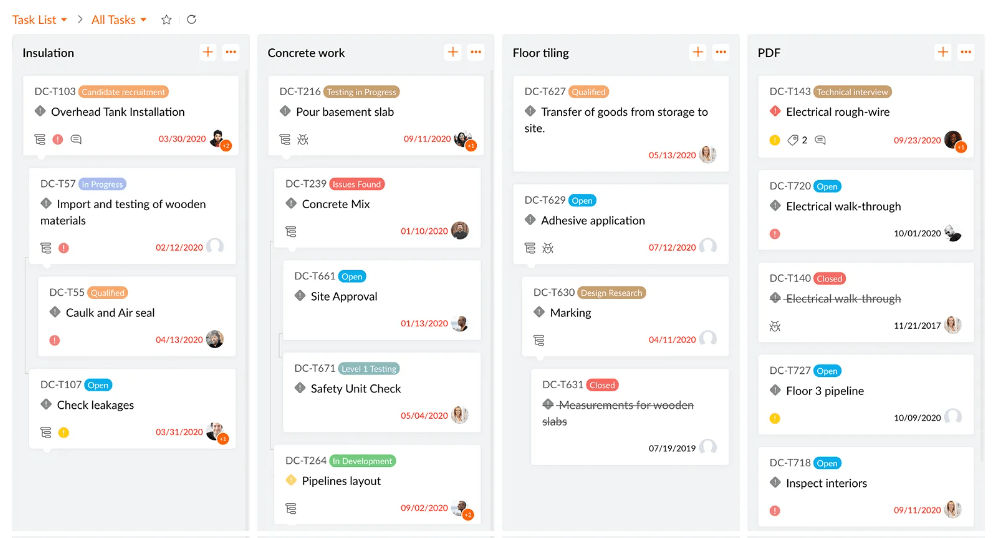
Zoho Projects is a cloud-based project management solution that helps teams plan, track, and execute projects efficiently. As part of the larger Zoho ecosystem, it’s a strong choice for businesses already using Zoho apps, offering seamless integration with CRM, invoicing, and other tools.
Key Features:
- Structured project planning: Organize work into milestones, task lists, and subtasks for better clarity and execution.
- Interactive Gantt charts: Map out project timelines and dependencies visually to stay on track.
- Task automation: Streamline repetitive actions like task creation, notifications, and approvals with customizable workflows.
- Built-in time management: Track hours, generate timesheets, and monitor billable time for accurate project costing.
- Team collaboration: Share files, discuss tasks in real time, and maintain centralized documentation.
- Ecosystem integrations: Connect effortlessly with other Zoho apps and third-party tools like Slack, Google Drive, and Microsoft Teams.
| Pros | Cons |
| Strong project planning with Gantt charts and milestones | Best suited for businesses already in the Zoho ecosystem |
| Built-in time tracking and task automation | Limited third-party app integrations outside the Zoho suite |
| Affordable pricing for SMBs | User interface can feel dated compared to newer tools |
Pricing:
Zoho Projects offers a Free plan, with Premium at $4 per user per month and Enterprise at $9 per user per month.
10. Jira
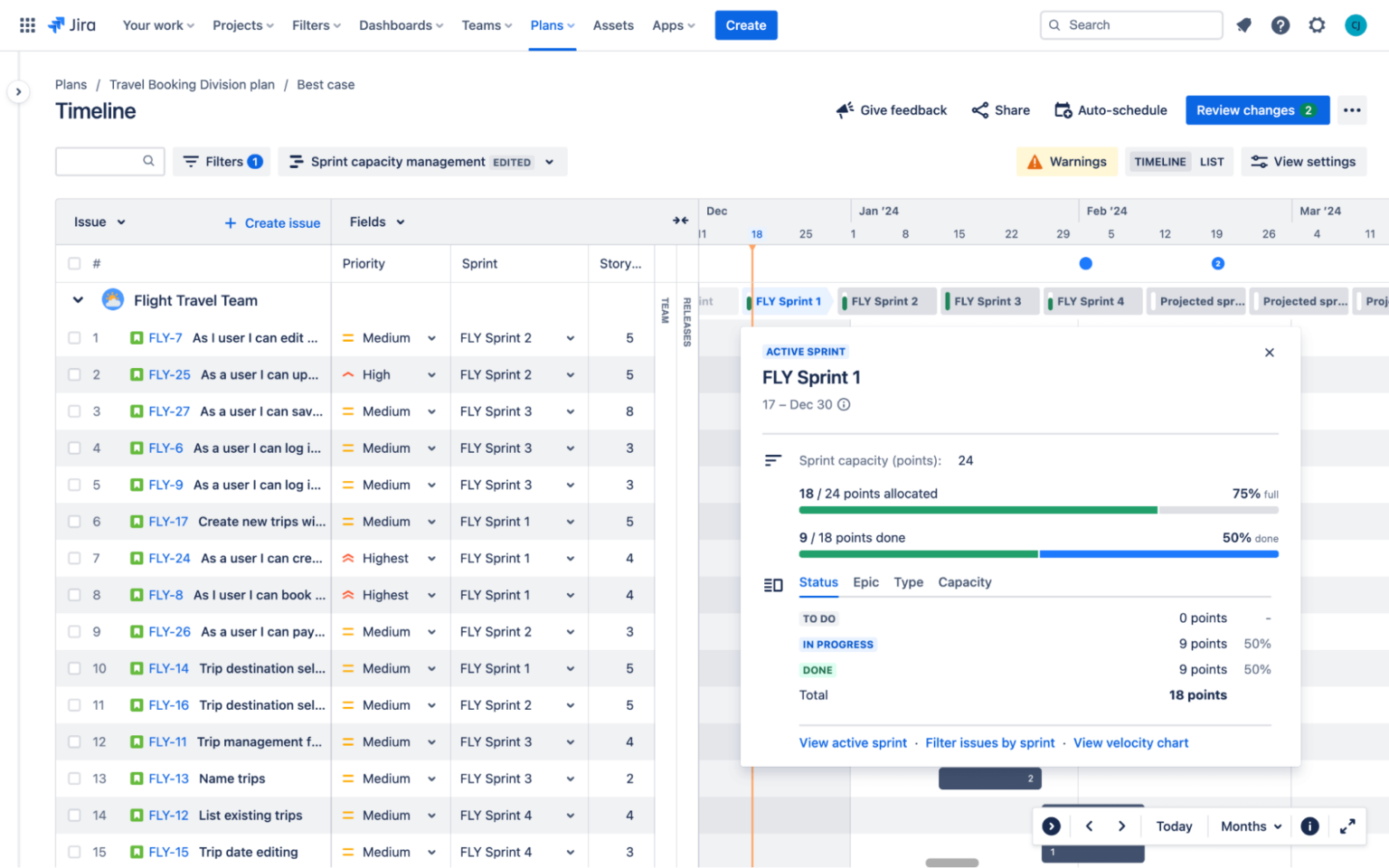
Jira by Atlassian is a developer-focused project management tool. Known for its issue tracking and sprint planning capabilities, Jira helps teams plan, prioritize, and deliver projects efficiently while maintaining visibility across workflows.
Key features:
- Agile boards: Manage sprints and track work progress using Scrum and Kanban boards.
- Advanced issue tracking: Create, assign, and monitor tasks, bugs, and epics with customizable workflows.
- Backlog management: Organize and prioritize tasks to ensure smooth sprint planning and execution.
- Reporting and dashboards: Access burndown charts, velocity reports, and real-time dashboards for performance tracking.
- Automation: Reduce repetitive manual work with built-in automation rules for task assignments and notifications.
- Extensive integrations: Connect with CI/CD tools, Confluence, Slack, GitHub, and hundreds of other apps to streamline development processes.
| Pros | Cons |
| Tailored for agile teams with Scrum and Kanban boards | Steeper learning curve for non-technical users |
| Powerful issue tracking and sprint planning tools | May feel over-engineered for non-software projects |
| Extensive integrations with developer tools | Reporting requires setup and can be complex |
Pricing:
Jira offers a Free plan, with Standard at $7.53 per user per month, Premium at $13.53 per user per month, and Enterprise with custom pricing.
11. Airtable
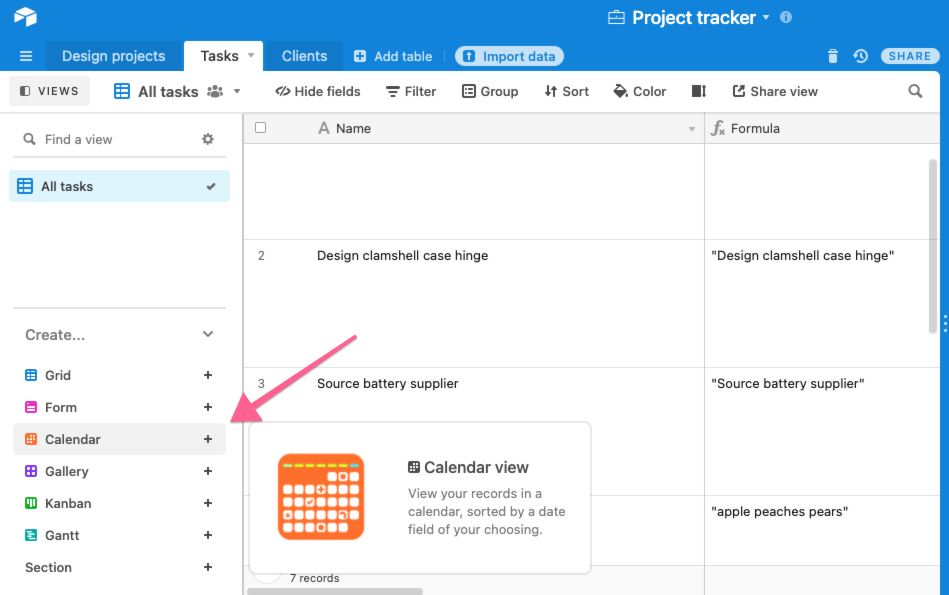
Airtable is a database-driven task management platform that blends the simplicity of spreadsheets with the functionality of a robust project management tool. It’s highly customizable, making it a popular choice for teams in marketing, operations, product management, and creative fields that need customizable workflows without complex setup.
Key features:
- Multiple project views: Organize and visualize tasks in grid, Kanban, calendar, Gantt, or gallery views to fit different workflows.
- Rich field types: Add attachments, links, checkboxes, dropdowns, and more to capture detailed information in each task.
- Customizable templates: Start projects quickly with pre-built templates for content calendars, product roadmaps, and campaign planning.
- Collaboration tools: Comment on records, @mention teammates, and share bases for seamless teamwork.
- Automation: Streamline repetitive processes like notifications, status updates, and task assignments with built-in automation.
- Integrations: Connect with apps like Slack, Google Workspace, and Zapier to sync data across platforms.
| Pros | Cons |
| Combines spreadsheet simplicity with database power | Limited built-in project reporting dashboards |
| Highly customizable with multiple views and field types | Advanced automation features need technical setup |
| Ideal for marketing, creative, and product teams | Pricing can increase quickly for larger teams or bases |
Pricing:
Airtable offers a Free plan, with Plus at $10 per user per month, Pro at $20 per user per month, and Enterprise with custom pricing.
Key features to look for in task management software
Not all task management tools are built the same. The right one should help your team assign tasks, track progress, set deadlines, and stay aligned – without adding extra work. Features like calendars, checklists, automation, and status tracking are what make a tool actually useful day-to-day.
Here’s a detailed breakdown of essential features every team should look for:
- Task creation and assignment
- Allows you to quickly create tasks and assign them to individuals or teams.
- Supports adding task details like descriptions, attachments, and due dates to provide clarity.
- Helps managers distribute workloads evenly and track ownership.
- Prioritization and tagging
- Lets you set priority levels (e.g., high, medium, low) or use color-coded tags.
- Helps teams focus on urgent tasks first while keeping long-term projects visible.
- Prevents important tasks from being buried in large project boards.
- Collaboration and real-time updates
- Enables comments, mentions, and file sharing within tasks.
- Real-time notifications keep everyone updated on progress or changes.
- Centralizes communication, reducing the need to switch between apps.
- Custom workflows and automation
- Lets you design workflows tailored to your processes (e.g., stages like “To-Do → In Progress → Completed”).
- Supports automation for repetitive actions like assigning tasks or sending reminders.
- Improves efficiency by minimizing manual tracking.
- Reporting and analytics
- Provides dashboards to track completion rates, overdue tasks, and workload distribution.
- Helps managers identify bottlenecks and make data-driven decisions.
- Supports exporting reports for performance reviews or audits.
- Integrations and multi-device access
- Seamlessly integrates with calendars, email clients, CRM systems, and communication tools like Slack or MS Teams.
- Offers mobile and desktop apps so teams can manage tasks from anywhere.
- Keeps all tools connected, reducing duplicate data entry.
- AI-powered assistance
- Suggests task assignments based on workload and skills.
- Drafts responses, summarizes discussions, and flags overdue work automatically.
- Helps teams save time and focus on strategic priorities.
Task management methods and frameworks
To manage tasks better, you need more than just a to-do list. Frameworks like Kanban, Scrum, or Getting Things Done (GTD) give your team a structure to plan, prioritize, and stay on track – especially when work gets complex. Here are some task management methods and frameworks:
1. Agile methodology
Agile is an iterative approach to managing projects and tasks. Instead of planning everything upfront, teams work in small increments, review progress frequently, and adapt as needs change. Organizing tasks into sprints and backlogs is central to the Agile methodology, as it provides a structured way to plan, arrange, and manage work efficiently.
- Best for: Projects with changing requirements, such as ongoing product development, frequent software updates, shifting customer support workflows, or continuously improving service processes.
2. Waterfall approach
The Waterfall method is a linear, step-by-step approach to task management. Each phase of a project, such as planning, execution, testing, and delivery, happens in a fixed order, and one stage must be completed before the next begins.
This method works well when the scope is clearly defined from the start and there’s little room for change. It’s predictable, easy to track, and ideal for tasks that don’t need frequent adjustments.
- Best for: Projects with fixed requirements and little expected change, such as construction planning, regulatory compliance documentation, hardware installations, or manufacturing processes.
3. Scrum framework
Scrum is a subset of Agile that organizes work into short, time-boxed sprints (usually 1–2 weeks). It includes structured roles (Scrum Master, Product Owner) and rituals (daily stand-ups, sprint reviews). Teams commit to a sprint backlog, meet daily to track progress, and conduct retrospectives to improve next cycles.
- Best for: Cross-functional teams needing tight collaboration and fast iteration.
4. The Kanban system

In Kanban, team members visualize workflow on a board, allowing teams to see task statuses (To Do → In Progress → Done) as they progress through the workflow. This visual and hands-on approach makes the process more transparent, while also limiting ongoing work to prevent bottlenecks.
- Best for: Teams handling continuous workflows, such as customer support centers or IT service desks that manage a steady flow of incoming tasks.
5. Getting Things Done (GTD)
Getting Things Done (GTD) is a personal productivity method that helps you clear your mind, organize your work, and take action with less stress. It’s all about capturing every task, idea, or to-do in a trusted system – so nothing gets forgotten or clutters your head.
Once tasks are captured, they’re sorted by context, priority, or next steps. This makes it easier to focus on what matters without constantly juggling mental to-do lists.
- Best for: Individuals or small teams handling multiple task streams.
6. Eisenhower Matrix
The Eisenhower Matrix helps you decide what to work on first by sorting tasks based on urgency and importance. It’s a simple 2×2 grid with four categories:
- Urgent and important
- Important but not urgent
- Urgent but not important
- Not urgent and not important
By organizing tasks this way, you can focus on what actually matters, rather than just reacting to what feels urgent. For example, a support manager might prioritize fixing a major bug (urgent and important) over checking internal emails (not urgent, not important).
- Best for: Anyone who feels overwhelmed by competing priorities or struggles to focus on high-impact work
7. Time Blocking and Batching
Time blocking is about scheduling specific blocks of time for certain tasks or types of work. Task batching takes it a step further – by grouping similar tasks together and tackling them all in one go.
This method helps reduce context-switching, which is a major productivity killer. For example, instead of checking emails throughout the day, you block out 30 minutes in the afternoon to handle them all at once.
- Best for: People who juggle multiple roles or get pulled into frequent context switches
8. Pomodoro Technique
The Pomodoro Technique helps you stay focused by working in short, timed bursts – usually 25 minutes of work followed by a 5-minute break. After four “Pomodoros,” you take a longer break.
It’s simple but powerful, especially for tasks that require concentration. For example, a support rep might use Pomodoro intervals to power through ticket replies without distraction, then take a quick breather to reset.
- Best for: Anyone who struggles with focus or tends to procrastinate.
Best practices for successful task management
Even with great software, task management can fall apart without the right approach. Best practices like setting deadlines, avoiding multitasking, organizing tasks by priority, and keeping task lists updated can make a big difference in how smoothly work gets done.
1. Define clear goals and priorities
- Set SMART goals: Make sure every task is Specific, Measurable, Achievable, Relevant, and Time-bound to avoid ambiguity.
- Prioritize effectively: Use frameworks like the MoSCoW method to rank tasks by urgency and importance.
- Break down large tasks: Split complex projects into smaller, manageable subtasks to make progress visible and reduce overwhelm.
2. Utilize task management tools
- Choose the right software: Look for tools that provide task assignment, collaboration features, progress tracking, and workflow customization.
- Leverage automation: Automate repetitive tasks like tagging, reminders, and follow-ups to save time and reduce errors.
- Centralize communication: Pick platforms that allow in-task comments, file sharing, and real-time notifications to keep everyone aligned.
3. Focus and minimize distractions
- Avoid multitasking: Concentrate on completing one task at a time to improve accuracy and efficiency.
- Manage distractions: Disable unnecessary notifications and block out focus time in your calendar.
- Use time management techniques: Methods like the Pomodoro Technique or time blocking help maintain deep focus and consistent productivity.
4. Schedule tasks and manage time effectively
- Plan ahead: Start each day or week with a review session to prioritize tasks and plan workloads.
- Allocate time slots: Assign dedicated time windows for each task to ensure focused work and avoid procrastination.
- Set realistic deadlines: Prevent overcommitment by considering workload, dependencies, and team availability.
5. Strengthen communication and collaboration
- Ensure clarity: Clearly define task responsibilities, deadlines, and deliverables for every team member.
- Delegate wisely: Assign tasks based on individual expertise and current workload to balance efforts.
- Encourage feedback: Regular feedback loops help spot bottlenecks and improve workflows over time.
6. Monitor progress and adapt as needed
- Track performance: Use dashboards and reports to review task completion rates, SLA adherence, and backlog trends.
- Reflect and improve: After each project cycle, analyze what worked and what needs adjustment.
- Stay flexible: Be ready to reprioritize tasks or reassign resources as projects evolve.
💡 Pro tip: Combine these best practices with AI-powered task management tools to automatically triage work, suggest priorities, and provide real-time performance insights. This not only streamlines execution but also helps teams proactively manage workloads.
Key metrics to measure task management success
To know if your task management process is effective, keep an eye on a few key metrics. These include how many tasks are completed on time, how often deadlines are missed, and how evenly work is distributed across the team. Here’s a detailed breakdown of the most important metrics:
| Metric | Definition | Why it matters | How to improve |
| Task completionrate | Percentage of tasks completed within a defined time period | Indicates overall team productivity and ability to finish planned work. | Set clear deadlines, use automation for routine tasks, and regularly review incomplete tasks to resolve blockers. |
| SLA adherence | Measures how often tasks or tickets are completed within agreed Service Level Agreements (SLAs). | Shows reliability and helps maintain customer trust by meeting commitments. | Configure SLA alerts in your task management tool, prioritize high-risk tasks early, and reassign work when delays occur. |
| First response time (FRT) | Average time it takes for the team to acknowledge or respond to a task or customer query. | Fast responses improve customer satisfaction and prevent issues from escalating. | Use AI or workflow automation to triage tasks, set up response templates, and monitor queues to avoid missed SLAs. |
| Resolution time | Total time taken to complete and close a task from the moment it is created. | Reflects efficiency and effectiveness in handling assignments or customer issues. | Track recurring bottlenecks, update SOPs for complex workflows, and balance workloads to speed up task resolution. |
| Workload balance and backlog | Distribution of tasks among team members and the size of tasks waiting to be started. | An unbalanced workload causes burnout and delays; large backlogs can stall progress and lower morale. | Visualize workload in dashboards, redistribute tasks dynamically, and automate recurring assignments. |
| Customer satisfaction (CSAT/NPS) | Feedback scores from customers post-task completion or ticket resolution. | A direct indicator of service quality and team performance from the customer’s perspective. | Analyze low ratings, provide coaching, automate follow-ups for unresolved feedback, and prioritize at-risk customers. |
| Task prioritization accuracy | Measures whether high-priority tasks are addressed before lower-priority ones consistently. | Ensures critical tasks aren’t overlooked, improving operational efficiency and client satisfaction. | Use tagging and AI-based routing to flag critical tasks, and conduct weekly reviews of prioritization accuracy. |
| Collaboration and handoff speed | Time it takes for tasks to be transferred and picked up by the next responsible team member. | Poor handoff speed can delay task completion and increase miscommunication risks. | Define clear task ownership, use mentions and comments to reduce back-and-forth, and automate task routing rules. |
| Error or rework rate | Percentage of tasks that need corrections or rework due to mistakes or incomplete work. | High error rates waste time and resources, signaling gaps in process clarity or training. | Standardize workflows, use checklists, conduct root cause analysis on rework cases, and offer targeted agent training. |
| Analytics usage | Frequency and depth with which analytics dashboards are used to monitor and optimize task performance. | Ensures teams aren’t just tracking metrics but actively leveraging them to improve workflows and performance. | Set a cadence for analytics reviews, integrate real-time dashboards, and make data-driven process adjustments regularly. |
Common task management challenges
Even with a task management system in place, many teams face challenges that affect productivity and project outcomes. Common issues include unclear task ownership, where no one knows who’s responsible; poor prioritization, which leads to missed deadlines and last-minute work; and lack of visibility, making it hard to track progress or spot delays early. Here are some task management challenges:
1. Lack of visibility into task status
Without real-time visibility, managers and team members struggle to understand what’s being worked on, who’s responsible, and how close tasks are to completion. This lack of transparency can lead to duplicated efforts, missed deadlines, and difficulty spotting potential bottlenecks.
How to fix: Use dashboards and status tracking to give everyone a single source of truth. Tools with visual boards (like Kanban or Gantt charts) make progress clear at a glance.
2. Over-reliance on manual updates
Manual task tracking, whether in spreadsheets or scattered emails, often results in outdated or incomplete information. This makes it hard to prioritize effectively and increases the risk of errors.
How to fix: Automate task updates where possible. Features like auto-status changes, real-time notifications, and rule-based workflows reduce dependency on manual inputs.
3. Poor communication across teams
When teams rely on multiple channels or lack structured collaboration tools, critical information can get lost. Misaligned communication leads to delays, misinterpretations, and duplicated work.
How to fix: Centralize task-related communication within your task management platform. Look for tools with built-in comments, @mentions, and shared notes to keep everyone aligned.
4. Difficulty managing multichannel tasks
Customer-facing teams often juggle requests from email, chat, voice calls, and social media. Without a unified system, tasks can slip through the cracks or be handled inconsistently.
How to fix: Choose task management tools that integrate multichannel communication. This ensures all tasks regardless of origin are captured, assigned, and tracked in one place.
5. Bottlenecks during handoffs
Delays frequently occur when tasks move from one team member or department to another. Lack of clarity on ownership or next steps slows progress and affects overall delivery timelines.
How to fix: Define clear handoff rules and responsibilities. Use automation to route tasks to the right person, send alerts for pending approvals, and track handoff speed to improve collaboration.
Future of task management
Task management is quickly evolving, driven by automation, AI, and the need for more flexible working methods. In the future, we’ll see tools that don’t just track tasks but actively suggest priorities, assign work based on capacity, and predict delays before they happen. Real-time collaboration, smarter notifications, and deeper integrations with communication tools will become the norm.
Here’s a look at the key trends shaping this future:
1. AI-powered automation and predictive capabilities
- Automating routine tasks: AI-powered automation will handle repetitive actions like task assignment, status updates, and follow-ups, allowing teams to focus on high-value strategic work.
- Data-driven insights: Advanced analytics will scan project data to detect patterns, forecast delays, and suggest process improvements automatically.
- Predictive task planning: By learning from historical performance and ongoing progress, AI will anticipate future tasks and resource needs, enabling proactive planning and smoother project execution.

“The ability to hyper-personalize will improve. AI will look at a customer’s history, including buying patterns, past support calls, how they compare to other customers, and more. This will allow the company or brand to make “hyper-personalized” suggestions through automation or during human-to-human interactions with sales and support people.”
2. Enhanced collaboration and integrated workflows
- Unified platforms: Task management systems will increasingly integrate with communication tools like chat, email, and voice, creating seamless collaboration without app-switching.
- Remote and hybrid team support: Evolving tools will provide richer features for distributed teams, such as asynchronous updates, real-time dashboards, and automated timezone-based scheduling.
3. Personalized and adaptable task management
- Dynamic prioritization: AI will automatically reshuffle priorities in real time based on deadlines, workload changes, and emerging risks.
- Customizable, user-friendly interfaces: Teams will be able to tailor dashboards, workflows, and notifications to match individual roles and project needs.
- Hybrid methodologies: Combining Agile, Kanban, and Waterfall approaches, task management systems will offer flexible frameworks to suit diverse projects.
4. Human skills at the center
- Strategic decision-making: While AI handles operational complexity, leadership and creative problem-solving will remain essential human-driven strengths.
- Continuous learning: As AI tools evolve, teams will need ongoing skill development to adapt to new features, methodologies, and productivity enhancements.
5. AI agents as productivity multipliers
- Intelligent assistants: AI agents will evolve into co-pilots capable of summarizing project data, recommending next steps, and assisting with decision-making.
- Streamlined workflows: These agents will handle coordination tasks like following up on blockers or reallocating resources, reducing manual intervention, and improving efficiency.
Make task management a breeze
When teams have a clear way to manage tasks – using the right methods, tools, and habits – workflows become easier to follow, progress is easier to measure, and outcomes improve. Start by breaking down complex work, assigning clear owners, and tracking what gets done. Review what’s working and adjust as you go.
Hiver makes task management easier by helping teams assign work, collaborate clearly, and stay on top of every request. Take a free trial.