Skip to content







Most companies do a great job supporting customers. But when it comes to supporting their internal teams, they often rely on emails, chats, and follow-ups that don’t scale.
You’ve probably seen this firsthand. You send a request to HR or Finance, it gets forwarded or nudged on Slack, and then you wait—without knowing who owns it or when it’ll be resolved. And to be fair, it is not about effort, but about using tools that weren’t built to manage internal requests clearly.
That’s where an internal ticketing system helps. It gives you one place to raise a request and gives internal teams a clear way to track ownership, priority, and progress.
In this guide, we’ll walk you through what internal ticketing systems actually do, how they help teams collaborate better, and a quick look at the best internal ticketing systems, in case you’re looking for one.
Table of Contents
- What is an Internal Ticketing System?
- Why Do Organizations Use Internal Ticketing Systems?
- How Does an Internal Ticketing System Work?
- Which Teams Use Internal Ticketing Systems and How?
- Difference Between Internal and External Ticketing Software
- Free vs Paid Internal Ticketing Systems
- Best Internal Ticketing Systems (Quick Overview)
- 2. Zoho Desk
- 3. Zendesk
- 4. HappyFox
- 3. Help Scout
- 6. Front
- 7. Jitbit
- 1. Understand how employees currently raise requests
- 2. Evaluate the volume and complexity of internal requests
- 3. Ensure the system supports multiple teams and departments
- 5. Choose a system that gives managers visibility without micromanagement
- 6. Use automation that simplifies work instead of adding complexity
- 7. Support internal collaboration within each request
- 8. Assess whether a knowledge base will reduce repeat questions
- 9. Plan for reporting and insights as the organization grows
- 10. Balance cost today with long-term value
What is an Internal Ticketing System?
An internal ticketing system is a software used by organizations to manage and track requests or issues raised by employees. When someone in your company needs help—like fixing a broken laptop, getting refunded for a business expense, or requesting a new office chair—they submit a request (often known as a “ticket”) through the system.
This ticket captures all the important details about the issue, like who needs help, what the problem is, and how urgent it is.
The system then assigns the ticket to the right person or team (HR, Finance, Admin, etc) to handle it and tracks its progress until it’s resolved. Everyone involved can see updates, communicate easily, and avoid misunderstandings.
Why Do Organizations Use Internal Ticketing Systems?
When internal support isn’t organized, it creates a lot of confusion across the company. Requests move across email, Slack, forms, and forwards, and it becomes hard to track ownership, urgency, or progress.
For example, take Travelist, one of Hiver’s customers. Before they started working with internal ticketing, these were the problems they faced:
- No clear ownership — tasks were picked up by multiple people or missed entirely, creating duplicate work and delays
- No prioritization system — urgent updates like hotel pricing or promotions sat next to low-priority requests
- No manager visibility — leaders couldn’t see workload distribution or spot delays early
- No performance tracking — turnaround time and SLA adherence had to be manually updated in spreadsheets
- Scattered context — teams switched between email threads, chats, and tracking sheets to piece together request details
- Manual routing — every message needed someone to read, decide an owner, and update status separately
After adopting internal ticketing with Hiver, here’s what changed for them:
- Requests are now assigned to one clear owner, so duplicate work dropped and nothing gets picked up twice by accident.
- Hundreds of weekly updates across Finance, HR, Connectivity, and Visual Content are routed automatically instead of manually tracked in spreadsheets.
- Time-sensitive changes like pricing and availability updates now follow a 4-hour SLA, with automatic alerts before a deadline is missed.
- Leaders export performance data directly, which powers 30+ internal dashboards and helps them step in early if delays start to form.
- They introduced 20 reusable templates, cutting response back-and-forth and improving acknowledgment speed.
These improvements helped Travelist’s teams work faster without adding complexity, and 160+ hours a month that used to go into manual coordination is now reinvested into quality checks, partner updates, and internal process improvements.
In the words of Sławomir Piotrowski, Head of Data Processing at Travelist:
“Hiver turned our daily work into something we can measure and manage. We finally see where time goes, what slows us down, and how to improve it.”
How Does an Internal Ticketing System Work?
An internal ticketing system turns everyday employee requests into clear, trackable work. Here’s how the process typically works.
Step 1: Employee creates ticket
An employee submits a request for help (such as tool access, reimbursements, office supplies, or policy questions) through email, a form, or a shared intake channel. The system immediately converts the request into a ticket.
Step 2: Ticket is created and categorized
The system converts the request into a ticket. It captures key details like the request type, urgency, requester, and attachments. The ticket is categorized so it can be handled correctly from the start.
Step 3: Assigned to the right team or person
Routing rules assign the ticket to the right team or owner based on category, priority, or department. The request reaches the right person without manual sorting.
Step 4: Status updates and communication
The assigned owner updates the ticket status and starts working on it. Teams ask follow-up questions, add internal notes, and collaborate in the same ticket thread. Everyone can see who owns the request and what is happening.
Step 5: Resolution and closure
The owner resolves the request and records what was done. They communicate the outcome to the employee and close the ticket once the work is complete.
Step 6: Reporting and insights
Managers review ticket data to understand request volume, response times, and bottlenecks. These insights help teams improve workflows and plan resources better.
Which Teams Use Internal Ticketing Systems and How?
Teams across departments use internal ticketing to keep work organized and visible. After talking to our sales team and sitting in on demo calls, we started to see clear patterns in how different teams actually came to use it.
We’ve added those real use cases directly below to show how internal ticketing helps teams stay aligned and avoid dropped requests.
IT / ICT teams
IT teams are usually the first to adopt internal ticketing.
Early on, handling access requests and device issues through personal inboxes works well enough. But as the team grows, it gets harder to track ownership, approvals, and what’s still pending.
During one of our sales demo calls, an ICT team shared exactly this problem. They were managing requests through individual inboxes, and once audit and documentation requirements kicked in, tracking changes became manual and time-consuming.
As they put it:
“For our ICT work, we need a clear view of all incoming requests and an easy way for users to submit them. Just as important, we need the ability to track everything over time. Because of regulatory requirements, having access to logs, stats, and request history isn’t optional.”
An internalIT ticketing system gives teams one place to route requests, assign clear ownership, and document decisions as the work happens. That makes daily support easier to manage and removes guesswork during audits and reviews.
HR / People Operations
HR teams deal with requests that rarely end with a single reply. Onboarding, payroll questions, immigration cases, and benefits changes often unfold over weeks or months.
In one conversation, a People Operations team shared how they managed onboarding, payroll, immigration, and benefits through shared inboxes. With a small team, it worked—largely because everyone knew who handled what.
In their words:
“Right now, we manage because we’re a small team and sit next to each other. But if we grow or spread across regions, it gets tricky. We need a shared inbox that shows who’s working on what.”
The bigger issue was long-running work. Onboarding stretched across weeks or months, with ongoing back-and-forth. Once those conversations lived in inboxes, tracking progress, handing work off, and explaining effort to leadership became difficult.
An HR ticketing system closes that gap. Requests stay together, ownership stays clear, and work that takes time stays visible instead of fading into email history.
Finance Teams
Finance teams deal with requests that carry implied urgency: reimbursements, invoice questions, payroll clarifications, and vendor follow-ups. When these come through personal inboxes or scattered email threads, it becomes hard to separate what’s pending from what’s already handled.
Internal ticketing helps finance teams log every request from start to finish. Each one has an owner, a status, and a clear approval trail.
Managers can see what’s pending and where work is stuck. Approvals are easier to trace. Follow-ups become predictable instead of reactive.
Admin, Operations & Facilities
Operations and facilities teams handle work that’s easy to miss because it comes in from everywhere—emails, calls, quick requests in passing. Without structure, tracking that work becomes guesswork.
In one of our calls, an administrator at a social housing organization with 20+ buildings and over 100 staff explained how operational requests were handled through a shared inbox. These included everyday building issues. Once messages were read, tracking stopped.
There was no reliable way to see what was completed and what was still open. The issue wasn’t communication. It was visibility. The team needed “one place for tickets” so requests could be followed through, not reconstructed later.
Internal ticketing can give them that structure. Each request becomes trackable in a single place, so the team knows exactly what’s open and what’s done. Progress is visible as work moves forward, without relying on memory or digging through old messages.
Guest Services / Hospitality Teams
Guest services teams often share responsibility across multiple people and shifts. The challenge isn’t responding to requests, but keeping everyone aligned as work moves between people.
In the same organization mentioned above, a five-person guest services team managed requests through a shared inbox. Messages were sorted into folders, which helped with basic organization, but didn’t show ownership or capture context from calls and in-person conversations.
With internal ticketing, ownership became clear. Notes captured what happened outside email, and when shifts changed, the next person could pick up the work without guessing.
Difference Between Internal and External Ticketing Software
An internal ticketing system is designed primarily to serve the needs of employees within an organization. These needs can vary from reimbursement queries and onboarding assistance to software and hardware issues.
On the other hand, an external ticketing system helps your support team address and resolve any question or query customers might have. Think of it as a system that enables your business to interact with its customers and answer their questions.
The following table clearly illustrates the differences between internal and external ticketing software, providing a clear insight into what sets these two systems apart:
| Feature | Internal Ticketing System | External Ticketing System |
|---|---|---|
| Audience | Employees within the organization. | Customers or external users. |
| Primary Purpose | Address internal queries/issues. | Handle customer inquiries/complaints. |
| Types of Queries | IT support, queries for HR and Finance. Inter-departmental communication. | Product support, sales inquiries, customer feedback. |
| Accessibility | Restricted to the organization’s employees or stakeholders. | Accessible to all customers or the general public. |
| Escalation Procedures | Often related to internal hierarchy, departmental protocols | Based on customer service levels, customer satisfaction and sentiment. |
| Knowledge Base Requirements | Internal knowledge base. Specific to organizational processes. | Customer-focused, product/service information. |
| User Training and Onboarding | Training aligned with internal staff needs. | Training focused on helping support teams setup multiple support channels. |
| Multi-Language Support | May not be required, but it depends on the organization. | Often necessary for a global customer base. |
Recommended reading
Free vs Paid Internal Ticketing Systems
There are two types of internal ticketing systems: free and paid. Both help teams track internal requests, but they serve different needs. Free tools help teams get started, while paid tools support teams as request volume and complexity grow.
| Category | Free internal ticketing systems | Paid internal ticketing systems |
|---|---|---|
| What they are | Basic tools for logging and tracking internal requests | Full platforms for managing internal workflows |
| Core features | Ticket creation, basic assignment, simple views | Automation, SLAs, reporting, approvals, integrations |
| Users and teams | Limited users or one team | Multiple teams and departments |
| Automation | Minimal or manual | Rule-based routing and workflows |
| Visibility | Limited insight into workload and status | Dashboards and performance tracking |
| Support | Community help or basic email support | Dedicated customer support |
| Pros | No upfront costEasy to start usingGood for small teams | Scales across teamsReduces manual workImproves accountability |
| Cons | Limited featuresHard to scaleFew integrations | Ongoing costSetup effort |
Why teams pay when free options exist
Free systems work well for small teams with low request volume. As more teams get involved, limitations appear. Paid systems are chosen when teams need automation, reporting, and visibility to manage internal work consistently.
Best Internal Ticketing Systems (Quick Overview)
Many organizations look for a reliable internal ticketing system to streamline daily operations. A quick scan through Reddit discussions shows how often teams compare tools and share recommendations, usually because choosing the right one is not straightforward. With so many options available, it is easy to feel overwhelmed.
To help narrow things down, this guide breaks down seven internal ticketing systems, comparing their features, pricing, and ideal use cases so teams can make a more informed choice.
1. Hiver
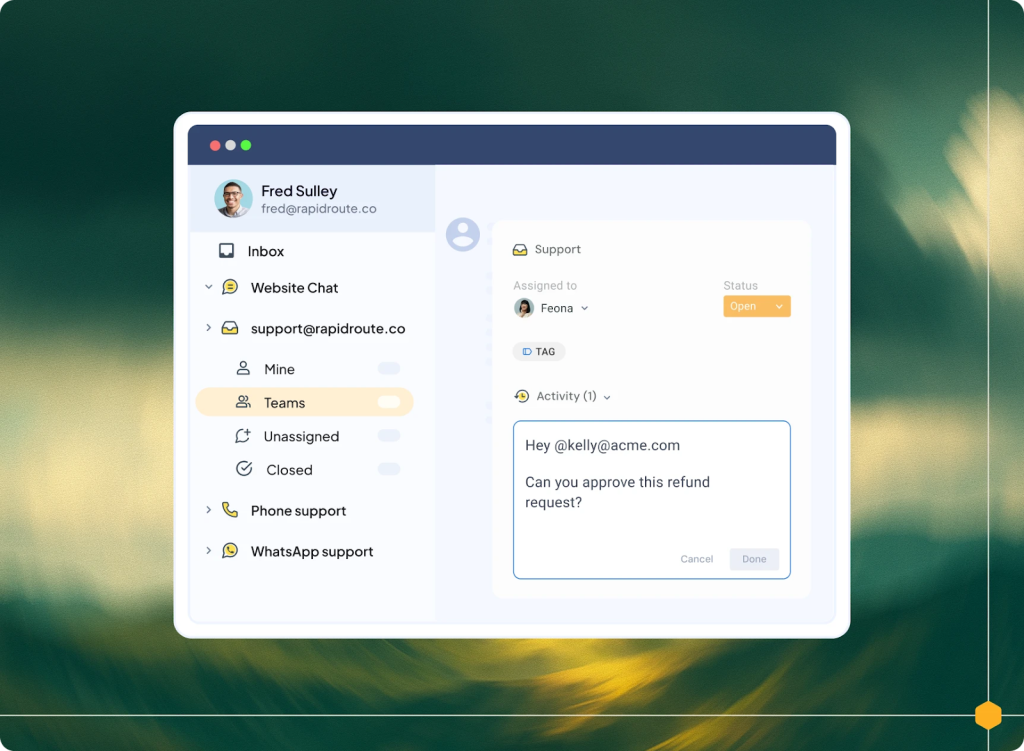
Hiver is built for teams that want internal ticketing to be structured without feeling rigid. It provides clear ownership, priorities, SLAs, and automations, while keeping collaboration natural and easy for teams to adopt.
Instead of forcing teams into heavy, ticket-ID–driven workflows, Hiver focuses on clarity and accountability. Requests are tracked end to end, responsibilities are explicit, and teams always know what is pending, in progress, or resolved. At the same time, conversations stay contextual, so collaboration does not feel transactional or disconnected from real work.
This balance makes Hiver especially useful for internal teams like HR, Finance, IT, Operations, and Guest Services that handle high volumes of requests but do not want the overhead of traditional ITSM tools.
Key features
- Structured ticketing: Track internal requests with clear ownership, status, and priority
- Automations: Route requests, apply tags, and trigger approvals using rules
- SLA management: Set and monitor response and resolution timelines
- Analytics and reporting: Track workload, turnaround times, and bottlenecks
- Collaboration tools: Use internal notes, shared drafts, and mentions to work together
- Knowledge base: Create internal self-service content to reduce repeat requests
- AI Summarizer: Condense long conversations into clear summaries
- AI Copilot: Surface relevant answers from internal knowledge
- AI Compose: Improve clarity, tone, and grammar in responses
Pros
- Brings structure and accountability without rigid workflows
- Fast to set up compared to traditional help desks
- Strong collaboration features for cross-team work
Cons
- Advanced reporting requires higher-tier plans
- Not built for heavy ITSM use cases
Pros and cons summarized from Hiver’s G2 reviews.*
“After implementing Hiver in my organization, it has completely transformed our internal communications for various purposes. It is so effortless that you implement it once with just a few clicks, and a lot of things are automated. It also provides various customer support channel options. With such an easy-to-integrate product, you can automate a huge number of mundane work communications and email sharing, which actually saves your time and efforts and eliminates communication lag in the team.”
– Hiver User Review | G2
Hiver pricing plans:
- Free-forever plan
- Growth: $25/user per month
- Pro: $45/user per month
- Elite: $75/user per month
2. Zoho Desk
Zoho Desk is a structured help desk platform that supports internal ticketing through automation and multi-channel intake. It fits teams that want more control over workflows, especially those already using Zoho products.

Key features
- HQ Dashboard: Live view of workload, unassigned tickets, agent activity, and trends.
- Workflow Automation: Auto-assign, notify, and escalate tickets using rules.
- Multi-channel Intake: Collect requests from email, portal, chat, phone, and social.
- Custom Fields & Layouts: Capture internal details like request type, location, or approval stage.
- SLA Policies: Set response and resolution targets by category and track breaches.
- Help Center / KB: Publish internal FAQs and guides to reduce repeat tickets.
- Roles & Permissions: Control who can access sensitive internal requests
Pros
- Strong automation capabilities
- Works well within the Zoho ecosystem
- Multiple channels for request intake
Cons
- Interface can feel cluttered for new users
- Integrations outside Zoho may need extra setup
- Learning curve can slow adoption
Pros and cons summarized from Zoho Desk’s G2 reviews.
Zoho Desk pricing plans:
Zoho pricing plans are typically tiered, with different features and functionality available at each level.
- Free (for up to 3 agents)
- Standard plan at $15.57 per user per month
- Professional plan at $25.16 per user per month
- Enterprise plan at $38.34 per user per month
Recommended reading
Here’s why Zoho’s pricing doesn’t get you the most value for your money
Still unsure which helpdesk fits your team? Take this quick quiz to find out.
3. Zendesk
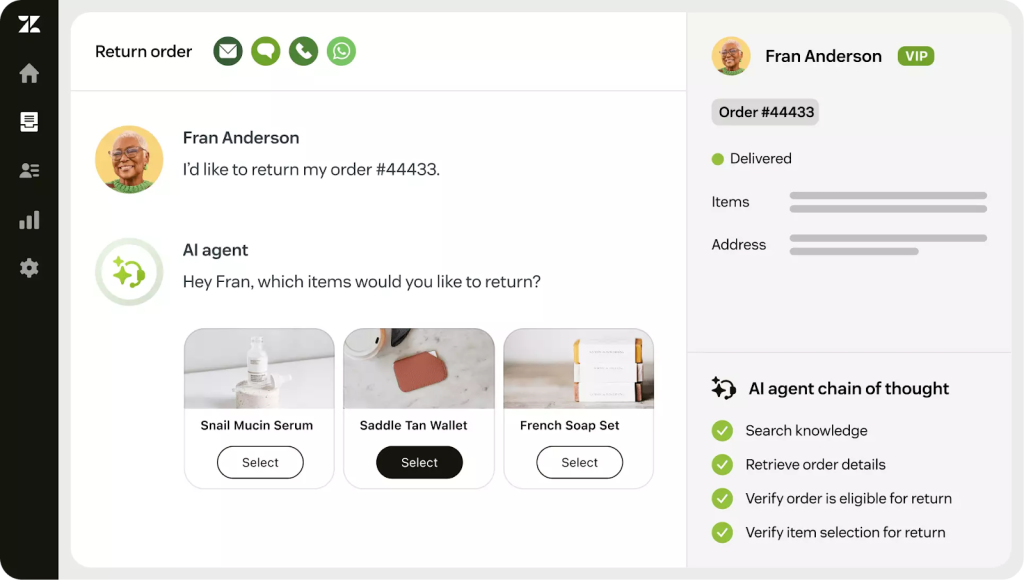
Zendesk is an enterprise-grade platform used for both customer and internal support. It centralizes communication and supports advanced automation, but comes with higher cost and setup complexity.
Key features
- Automations & Triggers: Route, prioritize, escalate, and remind teams automatically.
- Ticket Forms & Fields: Standardize intake with structured fields for faster triage.
- SLA Management: Track response/resolution timelines and flag breaches.
- Knowledge Base (Guide): Build an internal help center for policies and troubleshooting.
- Reporting & Analytics: Measure volume, backlog, SLAs, and performance across teams.
- Multi-channel Support: Handle requests from email, portal, chat, and messaging.
- Integrations Marketplace: Connect Zendesk with HR, IT, and business tools.
Pros
- Scales well across large organizations
- Strong automation and reporting
- Robust internal knowledge base
Cons
- Expensive compared to lighter tools
- Complex setup and configuration
- Many features require higher-tier plans
Pros and cons summarized from Zendesk’s G2 reviews.
Zendesk pricing plans:
- Suite Team at $55 per user per month
- Suite Growth at $89 per user per month
- Suite Professional at $115 per user per month
- Suite Enterprise – Custom pricing
Recommended reading
4. HappyFox
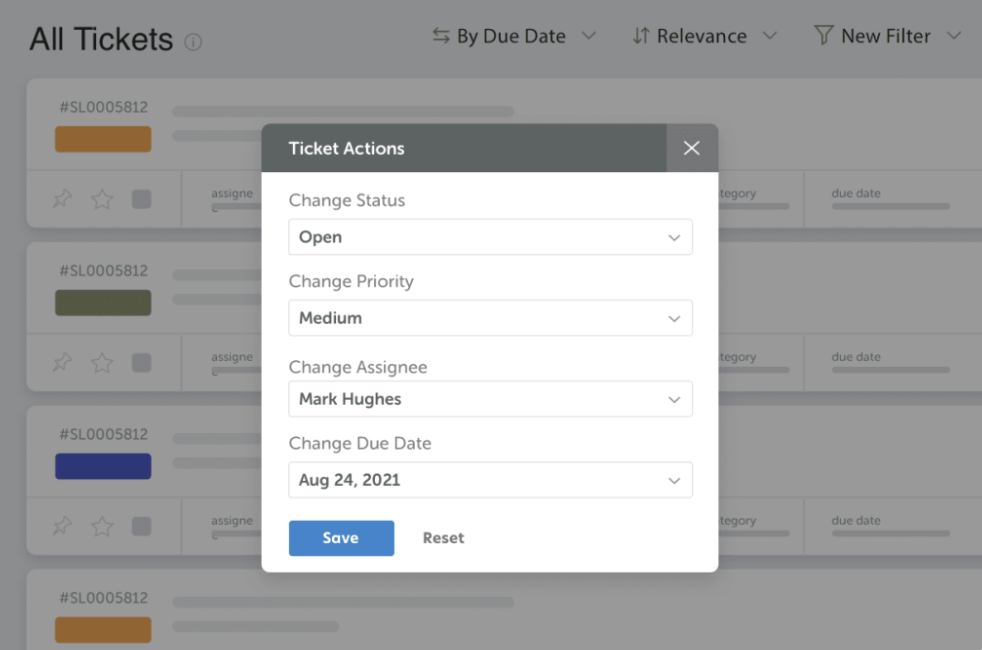
HappyFox is a traditional help desk that can support internal teams like IT, HR, and Finance. It focuses on structured routing, reporting, and internal knowledge management.
Key features
- Smart Routing: Assign tickets based on category, team, or skill rules.
- Roles & Permissions: Restrict access by department for controlled visibility.
- Internal Knowledge Base: Centralize SOPs, FAQs, and how-to guides for employees.
- Custom Categories: Organize internal requests by department, process, or location.
- Reporting Dashboard: Track ticket trends, workload, and resolution performance.
- Automations: Trigger actions like assignments, tags, and escalations automatically.
- Request Forms: Let employees submit structured requests with required fields.
Pros
- Clear structure for internal requests
- Useful for organizations with defined processes
- Supports multiple departments
Cons
- Ticket submission can feel form-heavy
- Interface is less modern
- Setup can feel clunky initially
Pros and cons summarized from Happyfox’s G2 reviews.
HappyFox pricing plans:
- Basic: $14 per user per month
- Team: $69 per user per month
- Pro: $119 per user per month
- Enterprise Pro: Need to contact sales person
3. Help Scout
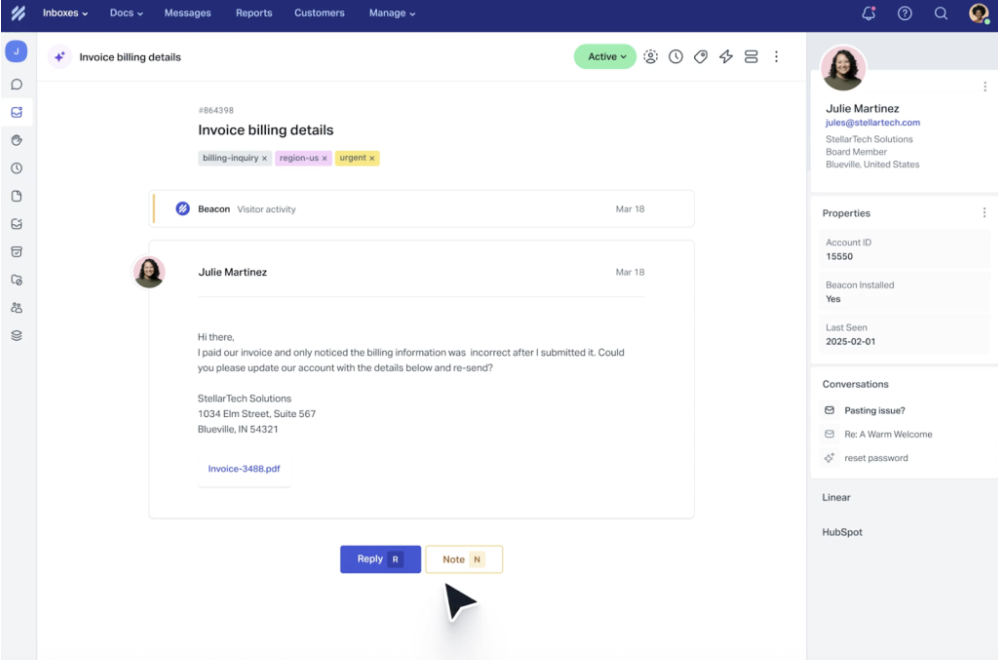
Help Scout works well for internal ticketing when teams primarily handle requests over email. It emphasizes simplicity and collaboration rather than complex workflow logic.
Key features
- Shared Inbox: Manage internal requests in a clean, email-first workspace.
- Internal Notes & @Mentions: Collaborate privately inside a request thread.
- Collision Detection: Prevent two people from replying to the same request.
- Knowledge Base (Docs): Create internal help articles to reduce repeat questions.
- Conversation History: Keep all context in one place for easy handoffs.
- Saved Replies: Use templates for common HR, IT, or finance responses.
- Basic Reporting: Track volume and team activity with simple metrics.
Pros
- Clean interface that is easy to adopt
- Strong internal collaboration features
- Useful for reducing repetitive questions
Cons
- Responses must come from shared inbox identities
- No built-in SLA controls
- Knowledge base is more limited
Pros and cons summarized from Help Scout’s G2 reviews.
Help Scout pricing plans:
- Free Plan
- Standard: $55 per user per month
- Plus: $83 per user per month
Recommended reading
6. Front
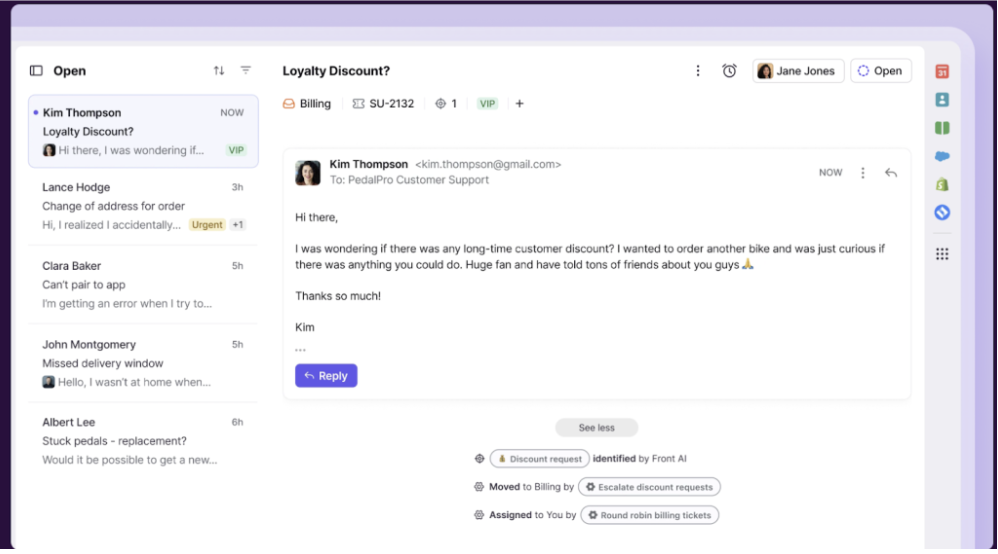
Front combines email, chat, and other channels into a shared inbox designed for collaboration. It suits teams that rely heavily on conversations and handoffs.
Key features
- Multi-channel Inbox: Manage email, chat, and SMS-style channels in one place.
- Rules & Automation: Auto-assign, tag, and route requests with configurable rules.
- Internal Comments: Discuss requests privately without switching tools.
- Shared Drafts: Co-write responses before sending for smoother collaboration.
- Analytics: Track response times, activity, and workload across teammates.
- Integrations: Connect with tools like Slack, Jira, Salesforce, and Asana.
- Handoffs: Preserve context so reassignment doesn’t break the thread.
Pros
- Familiar inbox-style experience
- Strong collaboration and handoffs
- Integrates well with other work tools
Cons
- SLA and advanced reporting only on higher tiers
- Reporting configuration can be complex
- Less structured than traditional ticketing
Pros and cons summarized from Front’s G2 reviews.
Front pricing plans:
- Starter: $19 per user per month
- Growth: $59 per user per month
- Scale: $99 per user per month
- Premier: Need to contact sales person
Recommended reading
7. Jitbit
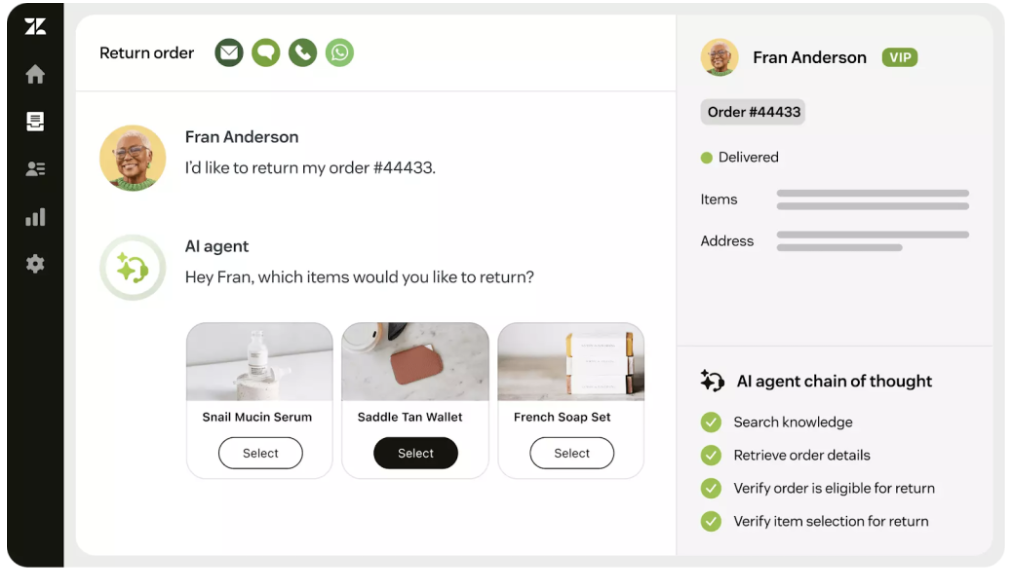
Jitbit is a more IT-focused internal ticketing system built around traditional help desk workflows. It supports structured routing, reporting, and optional on-premise deployment.
Key features
- Ticket routing & categorization: Organize requests by type
- Time tracking: Log effort spent on tickets
- Performance reports: Measure resolution efficiency
- Knowledge base: Internal articles and documentation
Pros
- Strong fit for IT help desk workflows
- Time tracking helps measure workload
- On-premise option for tighter control
Cons
- Less intuitive for HR or Finance teams
- Dated interface
- Starter plan is expensive for single-agent use
Pros and cons summarized from Jitbit’s G2 reviews.
Jitbit pricing plans:
- Freelancer: $29 per user per month
- Startup: $69 per user per month
- Company: $129 per user per month
- Enterprise: $249 per user per month
How to Choose the Right Internal Ticketing System for Your Organization
Choosing an internal ticketing system is not about selecting the most feature-heavy product. It is about choosing a system that fits how work actually happens inside your organization and removes friction from everyday employee support.
Below are the key factors to evaluate, explained in practical terms with realistic examples.
1. Understand how employees currently raise requests
The best internal ticketing system aligns with existing employee behavior instead of forcing a new one.
If employees are used to sending emails or messages for help, the system should support that naturally. Adoption drops quickly when people are asked to learn a new process for simple requests.
Example: If most IT or HR queries already come through email, an email ticketing system will be adopted faster than a portal that requires logging in and filling forms.
2. Evaluate the volume and complexity of internal requests
Different request types need different levels of structure.
Some requests are resolved in minutes, while others involve approvals, dependencies, and multiple teams. The system should support your most common workflows without becoming unnecessarily heavy.
Example: Laptop issues may need quick assignment and closure, while onboarding requests require tracking, coordination, and clear ownership across teams.
3. Ensure the system supports multiple teams and departments
Internal ticketing rarely stays limited to a single function.
As usage grows, HR, IT, Finance, Operations, or Admin teams often need to work within the same system. The tool should scale without creating confusion.
Example: A facilities request may start with HR and later move to Operations. The system should allow reassignment without losing history or context.
4. Make ownership and accountability visible at all times
Lack of ownership is one of the biggest causes of internal delays.
Every request should clearly show who is responsible and what stage it is in. This prevents duplicate work and missed requests.
Example: Without clear ownership, two people may reply to the same employee while another request remains untouched because no one realized it was unassigned.
5. Choose a system that gives managers visibility without micromanagement
Managers need awareness, not constant involvement.
The right tool provides a clear view of workloads, pending requests, and delays so issues can be addressed early.
Example: A team lead should be able to see which requests are overdue without asking the team for manual updates.
6. Use automation that simplifies work instead of adding complexity
Automation should reduce repetitive effort, not require ongoing maintenance.
Simple rules often deliver more value than complex workflows that break when teams or processes change.
Example: Automatically routing access requests to IT saves time daily, while over-engineered approval chains can slow resolution.
7. Support internal collaboration within each request
Many internal requests require discussion before a response is sent.
The system should allow internal notes, comments, and handoffs without moving conversations to chat tools or private emails.
Example: HR may need Finance’s input on a policy question without exposing internal discussions to the employee.
8. Assess whether a knowledge base will reduce repeat questions
A knowledge base is useful only if it reflects real employee needs and stays updated.
It works best for stable processes and frequently asked questions.
Example: Clear documentation on leave policies or reimbursement steps can prevent repeated tickets on the same topic.
9. Plan for reporting and insights as the organization grows
Even if reporting is not a priority today, it often becomes necessary.
Basic metrics help teams justify resources, identify bottlenecks, and improve processes over time.
Example: When leadership asks how long internal requests take to resolve, reports provide clarity instead of guesswork.
10. Balance cost today with long-term value
Free plans can work well initially, but limitations become visible as teams scale.
It is important to understand which features are restricted and whether paid plans align with future needs.
Example: A free plan may support one inbox today, but paid features become necessary when multiple departments need automation or reporting.
Final takeaway: The right internal ticketing system fits naturally into how employees work, gives teams clarity and ownership, and provides leaders with visibility without creating extra process. Start with real workflows, not ideal ones, and choose a system that can grow with your organization.
Internal Ticketing System vs Other Request Management Tools: When to Choose What
Many teams start with simple tools that feel “good enough” for internal support. Over time, as more requests come in and more people get involved, those tools struggle to keep ownership and progress clear.
The sections below explain where different request management tools break down and when an internal ticketing system becomes the better choice.
Internal Ticketing System vs Shared Inbox
A shared inbox is a common email address (like hr@ or it@) that multiple people can access and reply from. It works well for simple communication, but it wasn’t designed to manage ongoing requests.
| Shared Inbox | Internal Ticketing System | |
|---|---|---|
| What it is | A shared email account | A system for managing internal requests |
| Primary use | Reading and replying to emails | Tracking requests end to end |
| How work is handled | Manual replies and folders | Structured tickets with owners |
| Ownership | Implicit and easy to miss | Explicit and always visible |
| Status tracking | Not built in | Built into the workflow |
| Follow-ups | Manual and easy to forget | Automatic and traceable |
| Manager visibility | Limited to inbox scanning | Clear view of backlog and progress |
| Suitability | Low-volume, single-owner work | Growing teams and shared responsibility |
Verdict: Shared inboxes work when requests are infrequent and handled by one clear owner. But once multiple people are involved, ownership becomes unclear and follow-ups slip through the cracks. An internal ticketing system becomes essential when requests need tracking, accountability, and predictable resolution—not just replies.
Internal Ticketing System vs Help Desk Software
Help desk software is built primarily for customer-facing support. It focuses on SLAs, portals, and standardized service processes, often following ITSM or ITIL frameworks.
| Aspect | Help Desk Software | Internal Ticketing System |
|---|---|---|
| What it is | Customer support platform | Employee support platform |
| Original purpose | External customer service | Internal request handling |
| Setup effort | Configuration-heavy | Faster to get started |
| Interface | Portal-first, process-driven | Inbox-style or lightweight |
| Workflow depth | Deep, ITIL-style | Practical, everyday workflows |
| Employee adoption | Can feel formal | Feels familiar |
| Best suited for | Enterprises, ITSM teams | HR, IT, Finance, Ops teams |
Verdict: Help desk software makes sense when internal support must follow strict ITSM processes or when teams already run customer support on the same platform.
Internal ticketing systems are better suited for everyday employee requests, where speed, clarity, and ease of adoption matter more than formal service frameworks.
Internal Ticketing System vs Project Management Tools
Project management tools are designed to plan and execute work that is known in advance—projects, initiatives, and roadmaps. Internal support work doesn’t behave that way.
| Aspect | Project Management Tools | Internal Ticketing System |
|---|---|---|
| What it is | Tool for planned work | Tool for incoming requests |
| Nature of work | Predictable and scoped | Unplanned and ongoing |
| Request intake | Manual task creation | Built-in request capture |
| Prioritization | Based on milestones | Based on urgency and impact |
| Ownership changes | Manual reassignment | Designed for handoffs |
| Context | Spread across tasks/comments | Preserved per request |
| Where it breaks | Support clutters boards | Built for daily support flow |
Verdict: Project management tools are built for planned work with defined timelines and outcomes. Internal support doesn’t behave that way. When incoming requests are unpredictable, ongoing, and require fast ownership and handoffs, an internal ticketing system keeps work flowing without cluttering project boards.
Frequently Asked Questions
1. What are the types of internal ticketing systems?
Internal ticketing systems are commonly categorized into IT service desk systems, help desk systems, incident and problem management systems, and request fulfillment systems. They are used to manage internal issues, service requests, and operational workflows across teams like IT, HR, and facilities.
2. Which is the best internal ticketing system?
The best internal ticketing system depends on how teams work. Hiver is ideal for teams that want structured internal ticketing with ownership, priorities, SLAs, and automations—without rigid, ticket-ID–heavy workflows. Zendesk suits large enterprises with advanced support needs, while Zoho Desk works well for teams that want structured workflows at a lower price point.
3. What are the best internal ticketing systems for small businesses?
For small teams, tools like Hiver are ideal if you want structured internal ticketing with ownership, priorities, SLAs, and automations without complex ticket-ID workflows. Zoho Desk offers an affordable, structured ticketing solution with easy setup and built-in workflows, while Freshdesk and Help Scout are also popular easy-to-use options for growing small businesses.
4. When should a company switch to an internal ticketing system?
A company should switch to an internal ticketing system when internal requests start getting lost in emails or chats, causing delays and lack of accountability. It’s especially useful as teams grow and need better tracking, prioritization, and visibility into internal issues.
5. What is the cost of an internal ticketing system?
Internal ticketing systems vary widely in price depending on features and scale. Many tools offer free plans or entry-level tiers (e.g., Freshdesk and Zoho Desk have free/basic options or plans starting around $7–$15 per user/month) for small teams. Mid-tier paid plans typically range $15–$50 per user/month, while more advanced enterprise plans (like Zendesk) can go $50–$115 per user/month or more with expanded automation and reporting.
6. What features should an enterprise internal ticketing system have?
An enterprise internal ticketing system should include clear ownership and routing, automation and SLAs, advanced reporting and dashboards, role-based access, and strong collaboration features to handle high request volumes across multiple departments with full visibility and accountability.