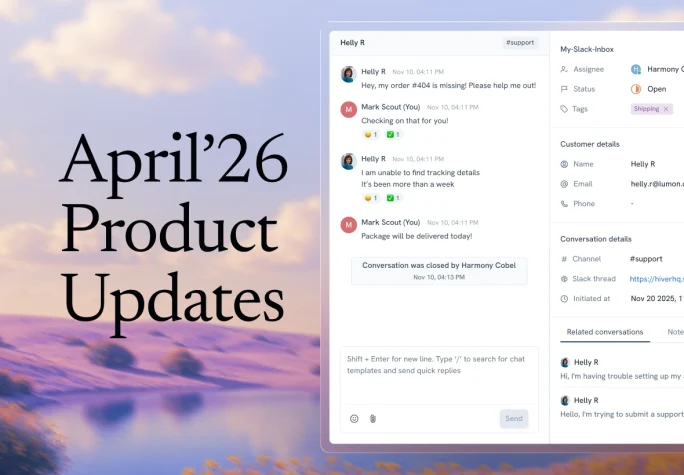


April brought updates across the board — new channels, smarter knowledge management, and more context surfaced right where agents need it.
Here’s everything we shipped in April.
New: Slack as a channel
Available only on Hiver Omni
If you’re managing customer conversations in shared Slack channels, you know how chaotic it gets. There’s no ownership, no visibility into response times or CSAT, and support runs completely outside your helpdesk.
Slack as a channel in Hiver Omni changes that.
You can now manage Slack conversations in the same queue as email and chat — with the same assignment, routing, and reporting you already have in place.

Slack as a support channel in Hiver
When a customer posts in a shared Slack channel, Omni automatically creates a conversation in the shared workspace. Agents can reply directly from Hiver, and those replies sync back to the original Slack thread so customers can keep working where they already are. Ownership, status, CSAT, and workflows follow the same rules as any other conversation.
For admins, setup is straightforward. You can configure how new Slack messages become conversations: automatically, via @mentions, or via @group tags.
Once live, every conversation moves through your existing assignment, routing, and closure workflows. CSAT surveys can also be triggered directly within Slack after a conversation closes.

Slack Analytics for teams using Hiver
Slack conversations now also feed directly into analytics. Teams can track conversation volumes, response and resolution times, agent workload distribution, tag trends, and CSAT performance, giving Slack support the same reporting rigor as email and chat.
Recommended reading
New: Confluence and Google Drive as AI knowledge sources
Available on Hiver Omni and Hiver in Gmail
AI is only as reliable as the knowledge it can access. For many teams, that knowledge already lives in Confluence, Google Drive, SOPs, product guides, and internal folders, not just in the help center.
That creates two problems: teams either recreate the same content in multiple places, or AI works with incomplete and outdated information.
Adding more knowledge sources changes that.
Admins can now connect Confluence and Google Drive directly as knowledge sources for Hiver AI. AI-drafted replies, suggested responses, and answers to agent questions draw from this content alongside anything in the help center — without teams needing to migrate or recreate anything.
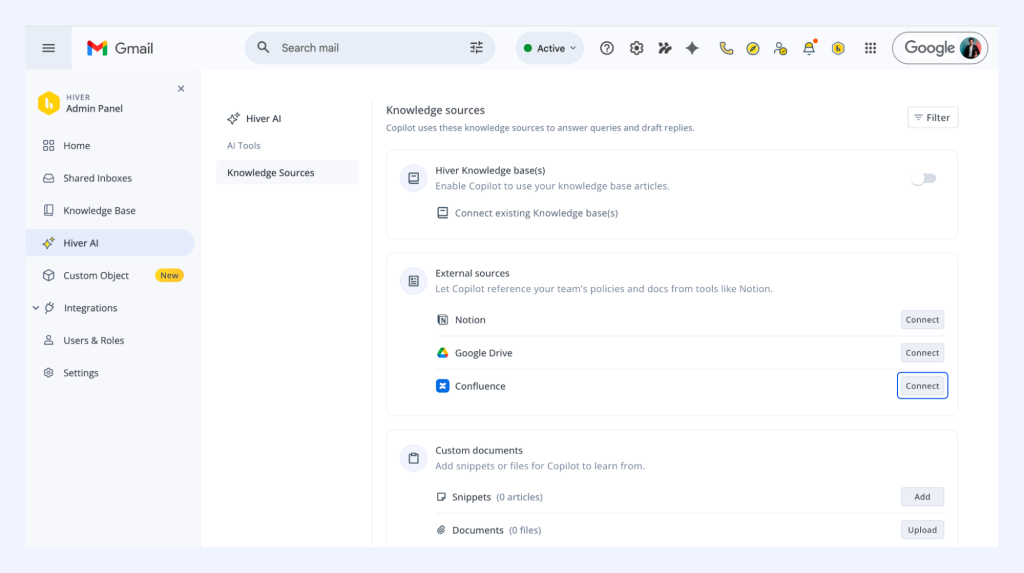
Google Drive and Confluence as knowledge sources in Hiver AI
Multiple connections are supported, so different admins can connect their own accounts and configure exactly what gets included.
New: My Work- Personalized Agent Experience
Available only on Hiver Omni
As teams add more channels, agents start every shift with the same question: what needs my attention first?
That answer gets harder when email, chat, and Slack conversations sit across different queues. Agents spend time scanning, switching views, and figuring out what’s urgent before they can actually respond.
To fix that, we’ve introduced personalized agent experience in Omni.

Personalised agent experience in Omni
My Work is a personalized, unified workspace that gives every agent a single view of everything assigned to them — across email, chat, and Slack — with live conversations clearly separated from standard ones.
Agents can choose between a unified list that shows all conversations together, or a split view that keeps live and standard work distinct. The queue is configurable: group, reorder, and set it up to match how your team actually works. Unassigned conversations can be surfaced directly in the view for agents who want to take ownership proactively.
The practical result is that agents spend less time scanning their inbox for what’s urgent, and more time responding to the right tickets.
Note:
More configuration options for admins — including the ability to define which channels count as “live” — are coming next.
New: Custom Fields powered by Custom Objects
Available only on Hiver in Gmail
Support agents often need account context before they can make the right call. Details like customer tier, plan type, account owner, or renewal date may already exist in Salesforce, HubSpot, or another internal system, but agents still have to switch tabs to find them.
Custom Fields powered by Custom Objects brings that context into Hiver.

Custom fields powered by custom objects
Custom Fields can now be automatically populated using Custom Objects. Once configured, automations pull information from connected systems and surface it directly in Hiver’s agent panel alongside the conversation.
That means an agent opening a new conversation can immediately see details such as the assigned account representative, customer tier, and plan information without leaving Hiver. Instead of spending time gathering context, they can start responding with the information already at hand.
This also improves downstream workflows. Teams can create more precise routing rules, prioritize high-value customers correctly, and trigger escalations with the right context from the beginning.
Update: Custom field support in App actions
Available on Hiver Omni and Hiver in Gmail
Agents can now populate app-specific custom fields directly in the task creation flow within Hiver. This eliminates the need for tab switching or follow-up edits in apps such as ClickUp or Jira.
Custom field support in app actions
For example, a support team that creates ClickUp tasks whenever a bug is reported can now fill the app’s custom field like “bug severity” or “customer” right at the time of task creation from within Hiver.
Custom field support in app actions is available for ClickUp, Jira, and Asana, across both Hiver in Gmail and Hiver Omni.
New: Multiple Knowledge Bases
Available on Hiver Omni and Hiver in Gmail
Hiver now supports multiple knowledge bases under a single account.

Multiple Knowledge Bases in Hiver
Teams can now create multiple knowledge bases with separate articles, categories, branding, and settings.
A company can run a public help center for customers and a private internal wiki for agents at the same time, each with a distinct URL, without any overlap.
For AI, admins can now configure which knowledge base powers each Shared Inbox. A company running multiple brands or products can give each its own knowledge base — so when AI responds, it’s drawing from the right product docs, the right brand voice, and the right policies, not a shared pool where the lines blur.
Update: Custom Object — “To Domain” support now generally available
Available on Hiver in Gmail
Custom Object now supports routing by domain rather than individual email address.
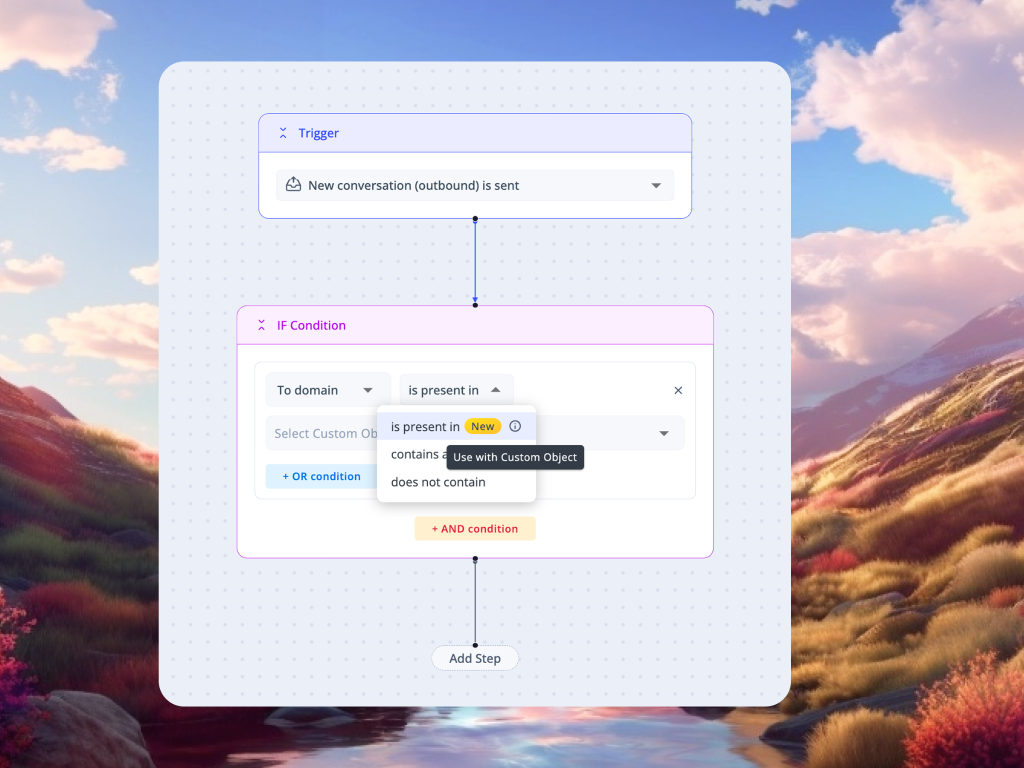
Custom Object To Domain Support in Hiver
One rule covers every stakeholder at a given company, regardless of how many contacts they have.
Custom Object is now available for all Elite and Trial plan customers, with improved UX for automation conditions and actions shipping next.
All of this month’s updates are live now. If you have questions about any of these features or need help getting them set up for your team, write to us at support@hiverhq.com.