


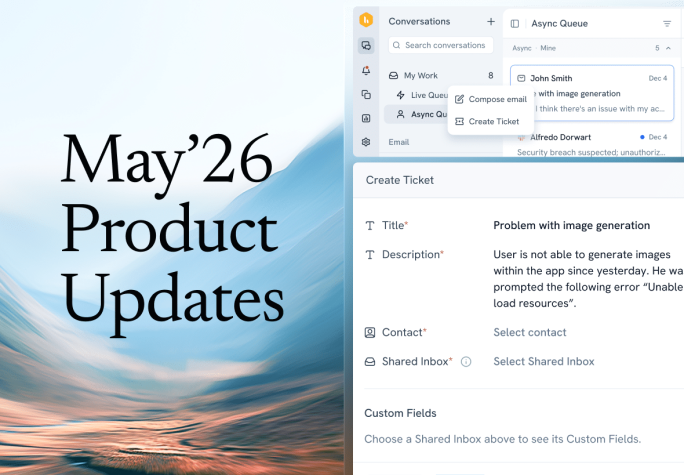


Your customers just got more ways to reach you. We added embeddable forms, a customer portal, and ticket forms. Plus AI Insights, which help teams spot patterns across every support conversation.
Here’s everything we shipped in May.
Tickets and Web Forms
Available only on Hiver Omni
Not every request is a quick back-and-forth. Some need to be tracked, assigned, and followed all the way to resolution. Earlier, support teams had no way to log a manual ticket. That changes with this release: now you can create a ticket for a customer on the fly.
Web Forms launched alongside it. Build a structured intake form, embed it on your site, and every submission lands in the right shared inbox as a ticket. No third-party form tool, and nothing reaches you, missing the details you need.

AI Topics
Available on Hiver Omni and Hiver in Gmail
Analytics only show you what your team remembered to tag. Whatever falls outside your tagging rules – every emerging issue, every pattern no one thought to track falls out of the data entirely. AI Topics fills that gap. It reads every conversation and groups it into clear topics and subtopics automatically, so you can see what’s really driving your volume. From there, it rolls up the metrics that matter, like CSAT and response times, under each topic and subtopic, so you can see how they shift week over week and month over month.
And it’s just the foundation. The same topic structure will soon power routing, SLA policies, and AI Agents across your channels.

Customer Portal in Omni
Available now on Hiver Omni
When customers want to know where their request stands, the only option is to email and ask, and that’s one more “any update?” landing in your queue. Now they have somewhere to look instead. Set up a portal with your logo, colors, and name, where customers log in to submit new requests and track the ones they’ve already raised, all in one place. You decide which fields they fill in, and every request lands in the right shared inbox.
We’re also launching support for verified custom domains with SSL, so your portal can live on your own URL. Stay tuned for more updates.

Extended Analytics Time Range
Available on Hiver in Gmail, coming soon to Hiver in Omni
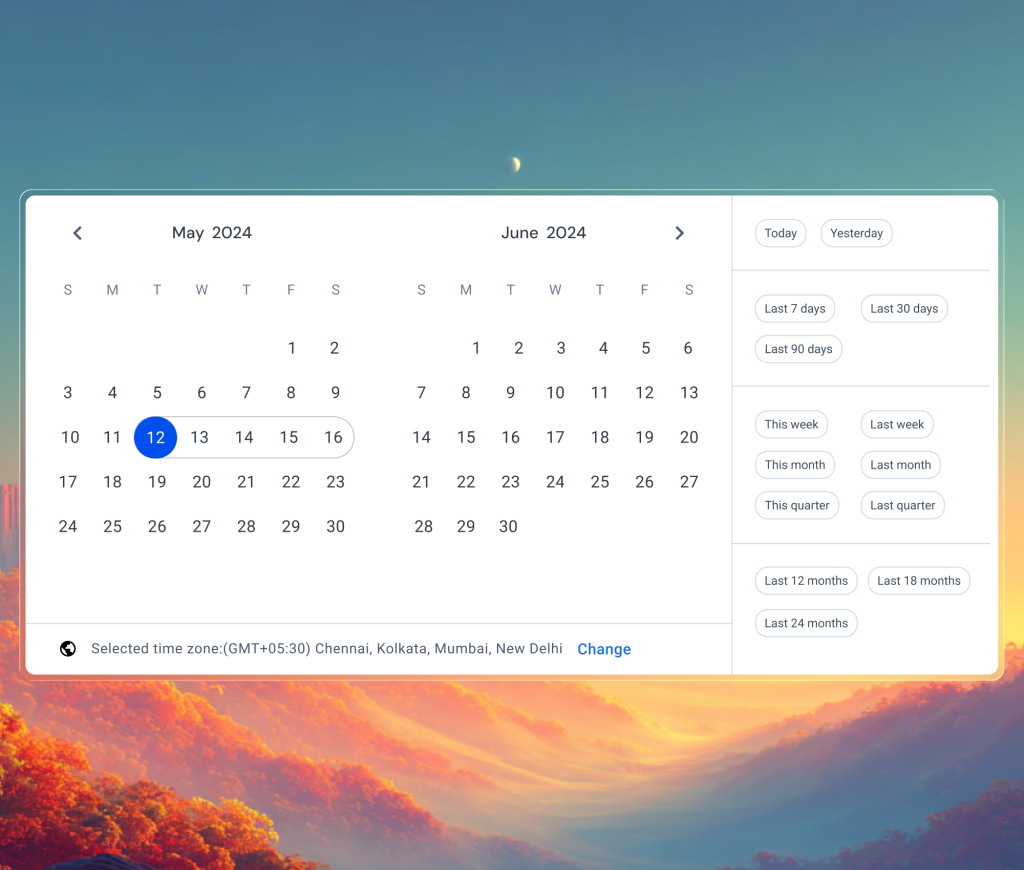
If you’ve ever wanted to compare this quarter to the same one last year, you’ve run into the limit: reporting only went back six months. Now you can pull analytics going back up to 24 months, so you can track long-term trends, compare year over year, and plan around the seasonal peaks that cyclical teams know well.
The date picker now includes presets for 12, 18, and 24 months, plus custom ranges that reach up to two years back.
Analytics Across Multiple Shared Inboxes
Available on Hiver in Gmail
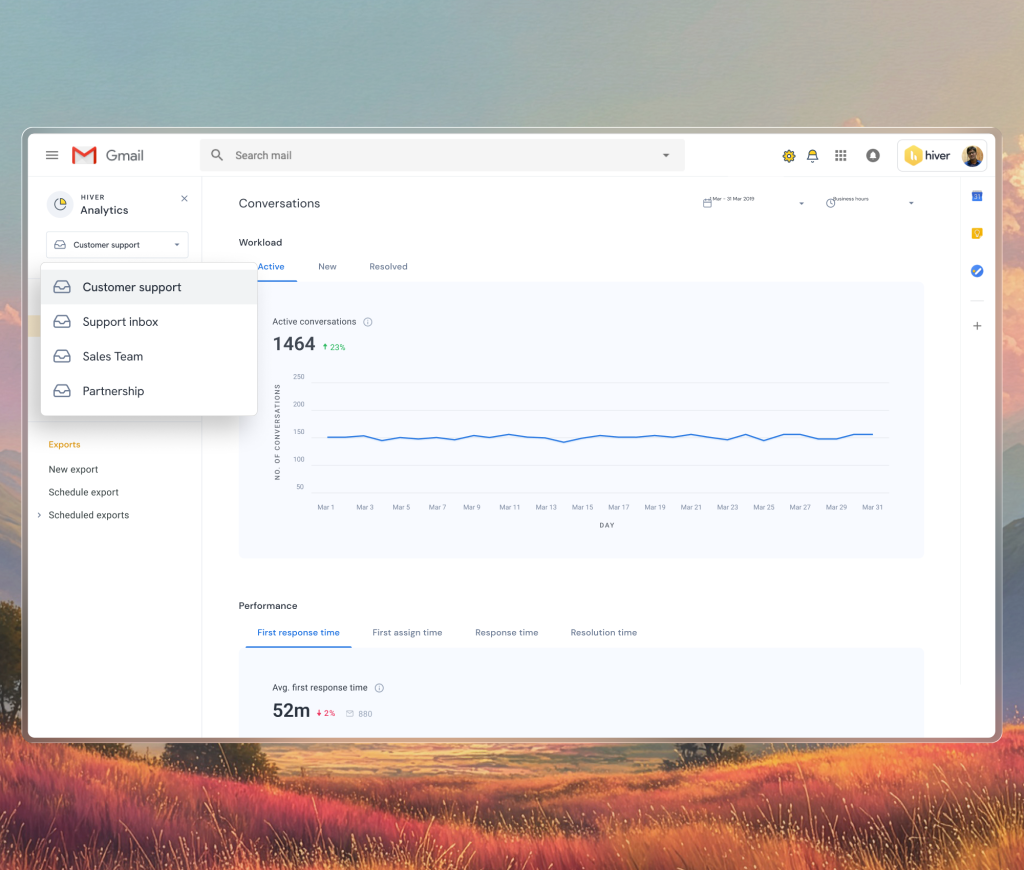
If your team runs more than one shared inbox, reporting on all of them used to mean exporting each one and manually stitching the numbers together. Now you can track team performance, SLAs, CSAT, and more across every shared inbox in a single view.
Google Sheets Sync for Custom Objects
Available on Hiver in Gmail
If you run automations through Custom Objects, the data is only useful when it’s up to date. That used to mean the same chore every time the underlying data changed: export, clean, and re-upload a CSV. We’ve fixed that with this release.
Now you can connect a Google Sheet directly as the data source for your Custom Object, and it stays in sync automatically. Update the sheet, and the data updates too. No more manual re-uploads.

Custom Fields & Notifications in Slack
Available only on Hiver Omni
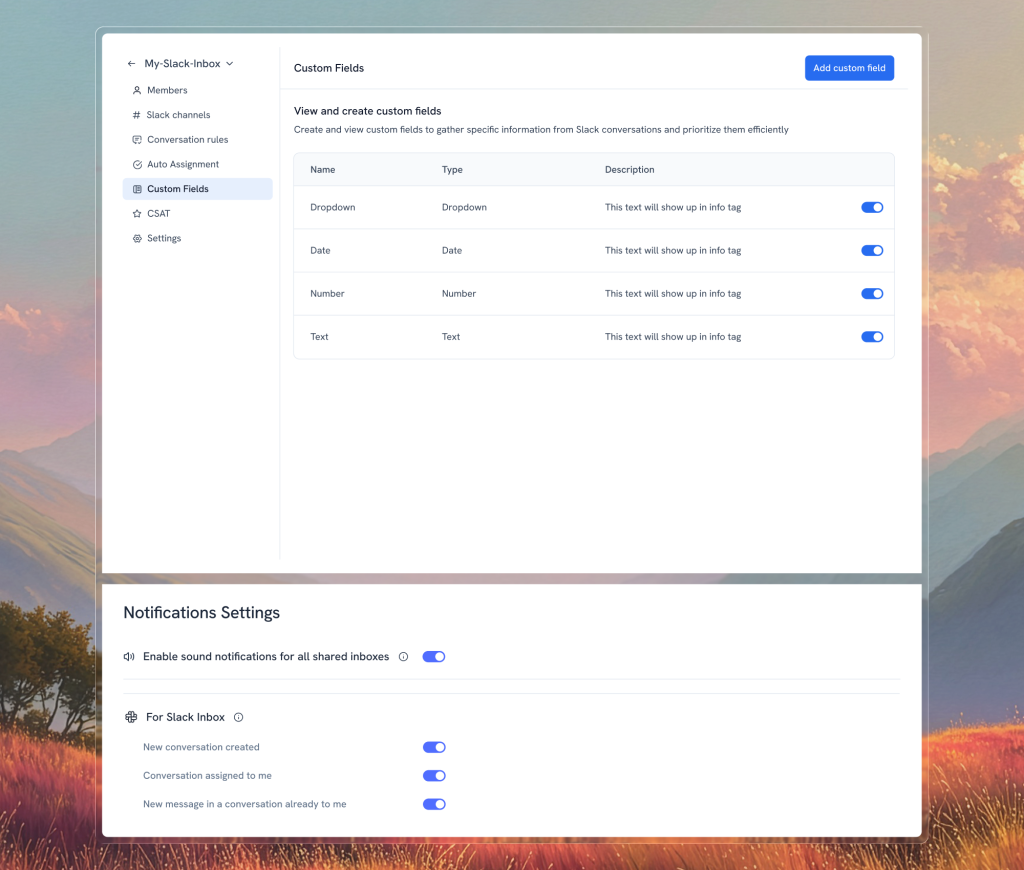
Agents can now add custom fields like dropdown, date, number, and text to a Slack conversation, so you can triage, route, and report on it.
And Slack notifications means you’re always on top of new support requests that come in or any noticeable updates . You’ll know about new conversations, assignments, replies on your threads, and @mentions as they happen.
Coming Soon
We’re excited about what’s coming next. Here are a few features you can expect over the next few months:
- Agent Operating Procedures (AOP): Set out how your AI Agent should handle a process end-to-end, and it carries out every step on its own, the way a trained teammate would. For a refund, that might mean checking whether the order qualifies, asking for the reason, and then either processing the refund or explaining why it can’t, all in a single procedure.
- AI Knowledge Base Builder: Scans your past conversations, finds the questions that keep coming up, and drafts the articles for you, so your docs come together in a fraction of the time.
- One click ticket generation: Turns a conversation into a fully populated ticket in Jira, ClickUp, and more Details like sender info, custom fields, and conversation history automatically populate so agents can save time.
All of this month’s updates are live now. If you have questions about any of these features or need help getting them set up for your team, write to us at support@hiverhq.com.













