Skip to content




HelpDesk is a known ticketing and customer support platform, but sometimes, it doesn’t fully match every team’s needs. Maybe you need deeper AI capabilities, better multi-channel support without extra integrations, or more advanced analytics and automation. Or perhaps you’re looking for a platform that’s easier to scale without blowing up your budget.
The good news here is that we have plenty of modern, agile alternatives that can do more than just replace HelpDesk. You can level up your customer service entirely.
In this blog, we’ll break down 10 of the best HelpDesk alternatives for 2025, looking closely at their features, limitations, and pricing so you can confidently choose the right fit for your team.
Table of Contents
- What is HelpDesk?
- Why choose HelpDesk alternative?
- 10 Best HelpDesk Alternatives in 2025 (Full Comparison)
- Key Features to Look for When Choosing a HelpDesk Alternative
- Which Helpdesk Alternative is Right for You?
- FAQ
- 1. Are there any budget-friendly HelpDesk alternatives with a free plan?
- 2. Which HelpDesk alternative offers better reporting than HelpDesk?
- 3. Are any HelpDesk alternatives free for small teams?
- 4. What is the best HelpDesk alternative for AI automation?
- 5. Which HelpDesk alternative supports live chat, phone, and social media out of the box?
What is HelpDesk?
HelpDesk is a ticketing system app designed to make ticketing effortless and organized. It brings all customer requests into one place, so teams can stay on top of issues. The platform includes features that promote powerful team synergy, streamline ticket handling, and push productivity to the max. With automation, AI-powered suggestions, and integrations, it gives growing teams everything they need to deliver faster, more reliable support.

Why choose HelpDesk alternative?
HelpDesk works well for many teams, but it’s not the perfect fit, especially as your customer support needs grow more complex, and that is okay. The truth is, a tool that felt “just right” when you started out can start to feel like it’s holding you back over time.
Here are some of the most common reasons teams start looking elsewhere:
- Scaling costs: At $29–$50 per user per month, costs can rise quickly as you hire more agents.
- Channel limitations: Some channels (like WhatsApp or advanced chatbots) require extra integrations instead of being built-in.
- AI depth: Current AI features are helpful, but mostly limited to tagging and reply suggestions. Other platforms offer AI that can triage, route, and even reply to tickets autonomously.
👉Fact: Around 80% of employees say AI has improved the quality of their work, suggesting that when used correctly, AI boosts both performance and job satisfaction.
- Customization: Workflow flexibility and analytics personalization are limited compared to more configurable platforms.
- User experience: Several users mention the interface could feel more modern, and some report occasional slowness or delayed notifications.
One user summed it up well:
“It’s a good tool, but sometimes it works slow and notifications don’t come instantly.”
/ G2 Review
If you’ve noticed your team spending more time working around your helpdesk than with your customers, it’s probably time to explore other options.
10 Best HelpDesk Alternatives in 2025 (Full Comparison)
Here’s quick comparison of different alternatives to HelpDesk, their key features, and starting price.
| Tool | G2 Rating | Best For | Pricing | AI Features |
|---|---|---|---|---|
| Hiver | 4.7 ★ | Teams that want a modern customer service platform powered by AI, without the complexity or steep learning curve. | $19/user/mo · 7-day free trial | AI Copilot (real-time assistance with replies & summaries), AI Agents (autonomous triage & resolution), AI Insights (analytics & performance tracking) |
| Help Scout | 4.4 ★ | SMBs needing an easy, email-centric support platform | $20/user/mo · 15-day free trial | AI-assisted search and article suggestions; no predictive AI or automation builder |
| Freshdesk | 4.4 ★ | Teams seeking a full-featured helpdesk with automations | Free plan (up to 10 agents) · Paid from $15/user/mo · 21-day trial | Freddy AI for ticket summaries, intent detection, and response suggestions; no Gmail-native integration |
| Zoho Desk | 4.4 ★ | Budget-conscious teams (free for up to 3 agents) | Free plan (3 agents) · Paid from $14/user/mo · 15-day trial | Zia AI for sentiment analysis, ticket tagging, and reply suggestions; limited predictive analytics |
| Front | 4.7 ★ | Collaboration-focused teams managing shared inboxes | $19/user/mo · 7-day free trial | AI-based drafting and prioritization; no deep helpdesk AI features like auto-routing |
| Zendesk Support Suite | 4.3 ★ | Enterprise-scale support operations requiring omnichannel | $19/user/mo · 14-day free trial | Zendesk AI for intent detection, routing, macro suggestions; some advanced AI locked to higher tiers |
| LiveAgent | 4.5 ★ | Support teams needing an all-in-one helpdesk (with call center) | $9/user/mo · 30-day free trial | Basic automation rules; no advanced AI or machine learning features |
| Groove | 4.6 ★ | Small teams seeking a simple, modern helpdesk | $12/user/mo · 7-day free trial | AI-assisted knowledge base search; no AI triage or predictive features |
| HappyFox | 4.5 ★ | Growing teams wanting omnichannel support (unlimited agents option) | $26/user/mo · 14-day free trial | AI ticket categorization and sentiment analysis; no integrated AI chatbots |
| Deskpro | 4.3 ★ | Organizations needing a customizable, self-hosted helpdesk | $29/user/mo · 14-day free trial | Limited AI, relies on rule-based automation; no native ML-driven features |
Now, let’s get into each tool in detail:
1. Hiver
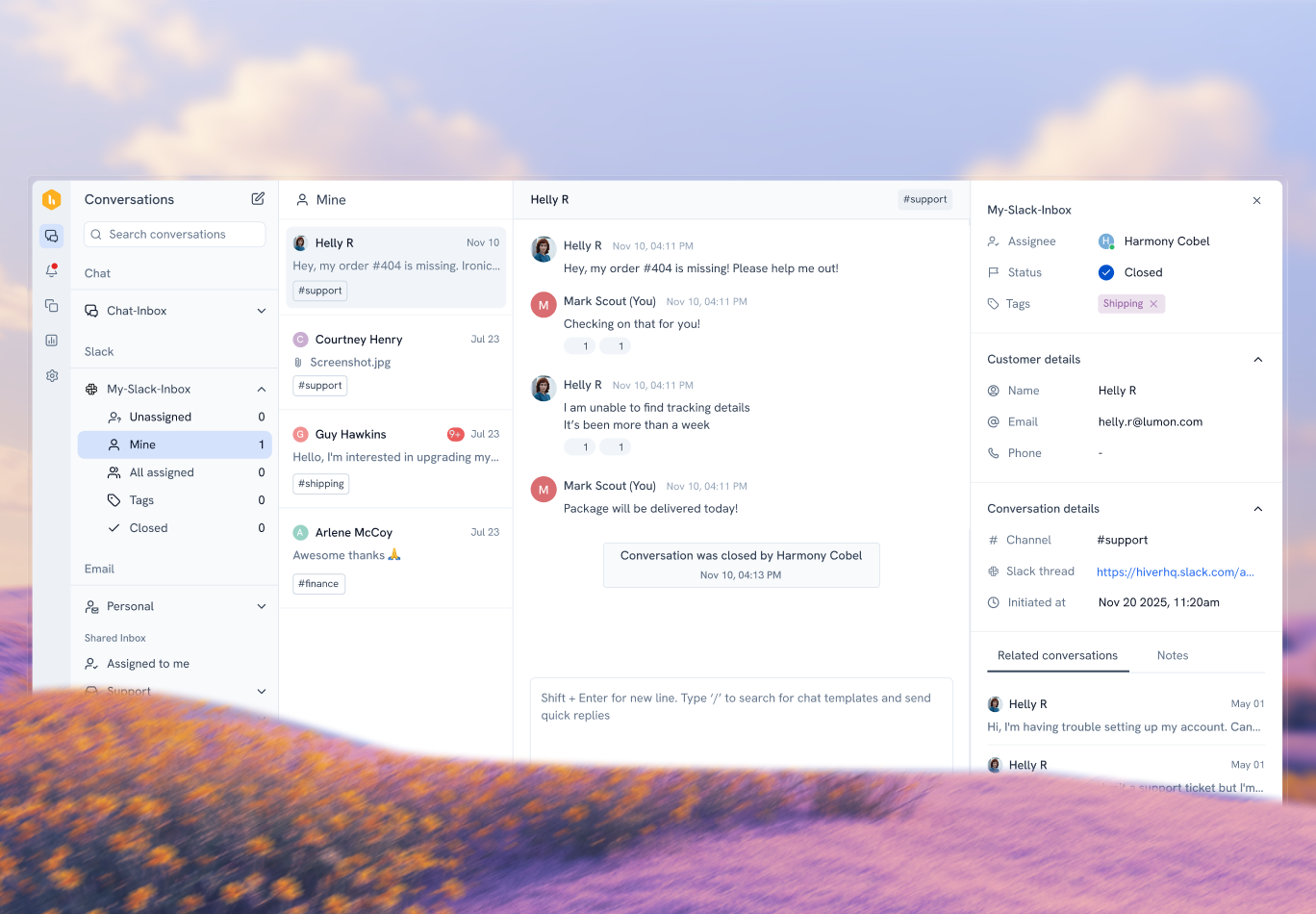
Hiver is a modern, AI-customer service platform built to help teams deliver fast, personalized support across every channel. It brings email, live chat, WhatsApp, voice, SMS, and social media together into one unified workspace, so agents can manage all conversations without jumping between tabs or tools.
The platform resembles an email inbox making it familiar for everybody, so onboarding takes mere minutes, not weeks. Also, the tool embeds cutting-edge AI capabilities at every customer touchpoint – from triage and auto-tagging queries, to suggesting replies, and routing complex issues to human agents when needed.
It’s a better alternative to HelpDesk if you want a system that’s as easy to use as it is powerful. While HelpDesk does well with basic ticketing, Hiver layers on advanced AI, multi-channel coverage, and deep analytics without burying those features behind expensive “enterprise” plans. The result is a tool that scales with you, whether you’re handling a few dozen conversations a day or thousands.
Key Features
- Unified multi-channel workspace: Every customer interaction, whether it starts over email, live chat, WhatsApp, voice, or social, lands in a single view. Agents can switch between channels without losing context, and conversations stay linked so you can follow a customer’s journey from start to finish.
- AI in Hiver: Hiver’s AI Copilot gives you smart reply suggestions, instant answers from docs, and conversation summaries for faster, accurate responses. AI Agents helps you auto-classify and prioritize conversations by sentiment, category, or customer tier, and trigger workflows automatically. And the last, AI Insights give you a clear picture of what’s happening- what’s working well, where bottlenecks are, and how your team can improve.
- Powerful reporting and analytics: Hiver gives you more than standard metrics with fully custom reporting on everything from SLA compliance and CSAT to ticket trends and agent performance. You can tailor reports to your needs, build visual dashboards, and filter by tags, agents, or channels, which makes it easier to track progress, and improve operations over time.
- Workflow automation: You can automatically route conversations to the right people using skill-based rules (match tickets to agents with specific expertise) or round-robin distribution to ensure workloads are balanced across the team. This reduces your manual effort.
- Collaboration built in: Internal notes, @mentions, and shared drafts let multiple agents work together on complex tickets without stepping on each other’s toes. Everyone sees the full conversation history, so nothing gets missed.
Pricing
Free plan: For small teams to get started with email ticketing and basic collaboration.
Lite plan: $19/user/month, adds automation, analytics, and AI.
Pro plan: $49/user/month, unlocks full omnichannel support (live chat, WhatsApp, voice), custom reporting, and advanced automation.
Elite plan: Custom pricing, built for larger teams needing enterprise-grade reporting, custom SLAs, and dedicated onboarding.
You can also try everything risk-free with Hiver’s 7-day free trial, perfect for testing workflows and integrations before committing!
2. Help Scout

Help Scout is an easy-to-use customer support platform that combines shared inbox with a built-in knowledge base and live chat widget. It’s designed for teams that want the simplicity of email but with the added structure, collaboration, and reporting of a modern helpdesk. Instead of feeling like a clunky, “IT-department” tool, Help Scout keeps the interface simple and approachable, which makes adoption easy for smaller teams.
It’s a better alternative to HelpDesk if your support is still largely email-first but you want to add chat and self-service without overcomplicating your workflows. While HelpDesk handles ticketing well, Help Scout makes it feel effortless, letting you organize conversations, automate repetitive work, and keep a clean, branded experience for customers right out of the box.
Key Features
- Unified customer view: All your customer emails, chat messages, and form submissions flow into a single inbox. Agents can see the full conversation history, past purchases, and profile details without having to dig through multiple tools.
- Built-in live chat and self-service: The Beacon widget blends live chat with help content, so customers can get answers instantly or reach an agent if needed. This keeps tickets lower and resolutions faster.
- Knowledge base (Docs): Create a branded, searchable library of FAQs and guides to help customers help themselves. The content editor is simple enough for anyone to use, so updates happen quickly.
Limitations
While Help Scout works for email-centric teams, it’s less equipped for complex, multi-channel operations compared to some larger platforms. A few users have also noted that it can feel limited in terms of advanced features and scalability.
As one G2 reviewer put it,
“Filled with bugs so often emails are sent to the wrong email/customer.”
Others mention that,
“Some new features could also be added such as AI/AGI-aided responses,” and that it “cannot handle too many people” during high-volume periods.
Pricing
Help Scout does not offer a free plan. Its paid plans start at $25/user/month.
3. Freshdesk
Freshdesk is a cloud-based customer service platform from Freshworks that’s built to handle support across multiple channels. It mixes ticketing, automation, AI, and a strong set of integrations into one easy-to-use system. They’re designed for all sized teams, it works just as well for startups getting their first helpdesk as it does for managing high ticket volumes.
It’s a better alternative to HelpDesk if you want a wider feature set right out of the entrance, like more native channels, deeper automation options, and a free plan to get started. While HelpDesk does well with core ticketing, Freshdesk layers in built-in phone support, AI-powered chatbots, and a marketplace full of integrations, which means you can scale your customer service without jumping between multiple tools.
Key Features
- Multi-channel ticketing from day one: Freshdesk lets you manage email, phone, live chat, web forms, and social media messages in a single interface. No extra integrations needed to get the basics running.
- AI-powered assistance with Freddy AI: Freddy AI can suggest responses, identify intent, and even deflect repetitive tickets through chatbots and self-service articles. It learns over time, making your team faster and more accurate.
- Built-in telephony: Freshdesk’s native phone channel supports call recording, IVR menus, warm transfers, and call metrics, which means you can run a basic call center without needing a separate provider.
- Large integration marketplace: With 1,000+ integrations, you can connect Freshdesk to CRMs, ecommerce platforms, and internal tools to keep data flowing smoothly.
Limitations
While Freshdesk offers an impressive range of features, its complexity can be an issue- especially for smaller teams.
As G2 reviews says, “It’s too complex and challenging to set up without technical expertise.”
Another review notes that “Freshworks’ customer support is limited and we’ve had to end up working with our IT team for assistance.”
The interface can also feel overwhelming, with essential features buried under multiple menus, and performance can dip under heavy load. Teams have reported that when ticket volumes spike, the platform can become slow and frustrating to work with. For all its capabilities, it still feels like it should deliver more than just the basics at certain price points.
Pricing
Freshdesk offers a free forever plan. Its paid plans start at $15/agent/month.
4. Zoho Desk

Zoho Desk is part of the bigger Zoho ecosystem, which makes it a natural fit for teams that already use Zoho CRM, Zoho Mail, or other Zoho apps. It’s built to be highly configurable, allowing you to adapt workflows, ticket views, and automation to match your team’s needs.
It’s a better alternative to HelpDesk if you want affordability with customization. While HelpDesk focuses on ticketing, Zoho Desk gives you multi-channel support, AI assistance, and strong reporting, all while letting you customize according to your needs. Plus, if you’re a growing team, Zoho’s pricing scales far more gently than many competitors.
Key Features
- Multi-channel customer support: Manage email, phone, live chat, web forms, and social media conversations in one place. Each channel can have its own SLAs, workflows, and automation rules.
- AI-powered assistance with Zia: Zia can suggest ticket tags, recommend responses, analyze customer sentiment, and even alert managers to unusual patterns in ticket activity.
- Highly customizable interface: Create custom ticket views, layouts, and fields, and even build conditional workflows to handle different request types.
- Context-rich tickets: Pulls in CRM data, customer history, and related tickets automatically so agents have full context before responding.
Limitations
While the platform is sturdy, there are a few areas for improvement.
As one G2 reviewer notes,
“The initial setup and configuration can be time-consuming, especially for teams unfamiliar with the Zoho ecosystem.”
Another points out,
“Customization is powerful, but it often requires technical knowledge or the use of Zoho’s scripting language, which isn’t accessible to all users.”
The number of features can be overwhelming at first, and the interface can feel cluttered in certain areas. Some settings are buried deeper than expected, so even experienced users may need to hunt around to find exactly what they need. While this flexibility is great for tailoring the platform, it can also slow down adoption for less technical teams.
Pricing
Zoho Desk offers a free plan for up to 3 agents. Its paid plans start at $14/agent/month.
5. Front

Front blends the familiarity of an email inbox with the collaboration power of a helpdesk. Instead of replacing email entirely, it layers in shared inboxes, ticket assignment, internal comments, and automation so teams can work together without stepping on each other’s toes. It’s especially popular with fast-moving teams that value speed, transparency, and customer personalization over a heavy, traditional ticketing interface.
It’s a better alternative to HelpDesk if you want a platform that keeps the focus on personal, conversational support while still giving you automation, analytics, and multi-channel capabilities. Where HelpDesk is more traditional ticketing-first, Front feels like a modern workspace that happens to handle support tickets really well — and with less overhead for onboarding and training.
Key Features
- Unified, multi-channel: Front pulls email, SMS, WhatsApp (via partners), live chat, and social messages into a single queue. Every message sits in one conversation thread, so when a customer switches from chat to email, your agents don’t lose the plot.
- Real-time collaboration: Agents can @mention teammates, share drafts, and leave internal comments right beside the customer thread. No more “forwarding chains” or Slack screenshots.
- Rules and automation: Route messages by sender, keywords, time of day, or channel; auto-tag based on content; escalate when an SLA is at risk
- Customer context: Front’s sidebar can show CRM details, recent orders, open invoices, or previous conversations pulled in through integrations. When a customer asks, “Where’s my order?” the agent can check the status and reply in seconds.
Limitations
While Front is strong for collaboration, some advanced features, like certain integrations or automation capabilities, can feel restrictive or require higher-tier plans.
As one G2 reviewer notes,
“The search for emails is very complex… we do not find the email directly, and it is even more difficult in a shared mailbox.”
Another adds,
“Android message templates are broken. Makes answering tickets harder”
Finding specific emails can sometimes be tricky, with a few users mentioning that the mailbox overview isn’t always as clear as it could be. There’s also feedback around missing certain Outlook-specific details and wanting more customization options. These limitations might be worth weighing before committing to teams with complex workflows or global audiences.
Pricing
Front does not offer a free plan. Its paid plans start at $19/user/month.
6. Zendesk

Zendesk is one of the most established names in customer support software, especially for businesses that need enterprise-grade scale and customizability. It’s designed to bring every customer interaction via phone, email, live chat, social media, or a messaging app into one unified platform.
Compared to HelpDesk, Zendesk offers a far deeper feature set for omnichannel operations, richer automation options, and a mature ecosystem of integrations. That said, its breadth can be overkill for smaller teams, and the learning curve is steeper than with more lightweight tools.
Key Features
- Unified workspace: Every customer conversation, whether it starts on live chat, email, phone, or social media, lands in a single agent view. If a customer switches channels mid-conversation, Zendesk stitches the history together so agents can respond without losing context.
- Built-in telephony: Zendesk Talk, its native voice solution, supports call recording, IVR, warm transfers, and skills-based routing. Supervisors can listen in live, coach via “whisper” mode, and pull performance reports, all within the same interface. While Zendesk offers basic phone support, teams looking for deep telephony might also consider a Zendesk vs Talkdesk comparison.
- AI automation: AI-powered bots handle common questions before they hit an agent, while smart routing ensures the right tickets go to the right person. Agents also get AI-suggested replies to speed up responses during live chats or calls.
- Integrations: Choose from 1,500+ pre-built integrations with tools like Salesforce, Slack, Jira, and Shopify, or build custom workflows with the open API.
Limitations
Zendesk is loaded with features, but it’s not without its frustrations, especially for smaller teams. Many users say that some really basic features are hidden behind higher-tier plans, which means you end up paying more just to unlock things you’d expect by default.
The setup can also feel like a bit of work. It’s strong once you get going, but getting there takes a lot of time and patience, and if you’re not a technical person, it can feel overwhelming. Some customers have also shared that workflows can be slow to fine-tune, and that the mobile app or lower-tier customization options aren’t as smooth as they’d like.
As one G2 reviewer put it:
“I would say the thing I disliked the most was the cost. It was too high of a price for our small organization.”
Another mentioned:
“Pricing can get pretty steep as you add on features… They also recently removed basic reporting from the basic Support Team plan, which is a HUGE bummer.”
Pricing
Zendesk does not offer a free plan. Its paid plans start at $19/agent/month (email-only).
7. LiveAgent

LiveAgent positions itself as a true “all-in-one” helpdesk, bringing together ticketing, live chat, call center functionality, and a built-in knowledge base under one roof. It’s a popular choice for teams replacing HelpDesk because it eliminates the need for multiple disconnected tools, you can manage customer emails, handle live chats, take calls, and even respond to social media messages without switching tabs.
It’s particularly appealing to small and mid-sized businesses that want robust multichannel support at a competitive price point. Everything is designed with speed in mind, from the real-time typing view in chat to collision detection in ticketing, so your team can move faster without stepping on each other’s toes.
If your team needs more than email ticketing and wants to combine call center and live chat capabilities in one place, LiveAgent offers a feature-packed alternative to HelpDesk without breaking the bank.
Key Features
- Omnichannel ticketing system: Manage customer queries from email, chat, social media, and calls in one dashboard, with all interactions converted into trackable tickets.
- Built-in call center: Make and receive calls directly from the platform, with call routing, recording, and IVR included.
- Real-time live chat: Engage with customers instantly using proactive chat invitations, real-time visitor monitoring, and typing previews.
- Collision detection: Prevent two agents from replying to the same ticket at the same time, saving your team from awkward duplicate responses.
- Knowledge base tools: Create self-service articles and FAQs so customers can find answers without raising a ticket.
Limitations
LiveAgent packs a lot into its platform, but some areas leave users wanting more. Many mention that the feature set for social media and chat integrations is too limited, making it harder for teams that rely heavily on those channels. Others point out missing conveniences like the ability to attach knowledge base articles directly to chats, which can slow down agent productivity.
The interface isn’t winning design awards either, and a few users note occasional freezing or delays when handling emails and calls. For teams that need speed and smooth integrations, these hiccups can be frustrating.
As one G2 reviewer put it:
“I don’t like the price for bigger teams and integration of social media (too many options missing, so it is not really usable).”
Another added:
“Problems with calls, disconnecting during call, not being able to answer call, not being able to place calls”
Pricing
LiveAgent does not offer a free plan. Its paid plans start at $9/agent/month.
8. Groove

Groove is a lightweight helpdesk platform designed with small businesses and growing teams in mind. It offers a clean, minimal interface that focuses on the essentials, shared inbox, live chat, and a knowledge base, without overwhelming users with overly complex menus or features.
It’s a better alternative to HelpDesk if you want something that’s fast to set up, easy to learn, & focused on delivering straightforward customer service without the steep learning curve.
Key Features
- Shared Inbox with Collaboration:Manage customer conversations from multiple team members in a single place, with internal notes, collision detection, and assignment options to prevent duplicate work.
- Live Chat & Knowledge Base Integration: Offer real-time support and provide customers with instant answers through self-service articles, all connected to your main support platform..
- Customizable Knowledge Base: Easily publish articles with branding and structure that match your company’s style, so customers can find answers without contacting support.
- Reporting & Analytics: Track team performance, conversation trends, and response times with simple yet insightful analytics designed for non-technical users.
Limitations
Groove works well for small teams, but it’s not without its pain points. The rules and automation system, while helpful, lack deeper customization. Reporting is basic, you can’t customize or easily export data, and CSAT comments aren’t visible in reports without manually checking individual tickets. Searching for emails can also be frustrating, as it often requires very specific queries, and the limited filtering options make managing large inboxes tricky.
As one G2 reviewer notes:
“There’s a lot left to be desired like- the inability to filter tickets by date and lack of filter options”
Another adds:
“The reporting feature can be better… I’d love to see more flexibility to customize reports and share them with my team.”
Pricing
Groove does not offer a free plan. Its paid plans start at $12/user/month.
9. HappyFox

HappyFox is a versatile helpdesk and customer support platform designed to handle multi-channel communication without overwhelming you with clutter. It’s great for businesses that want an all-in-one ticketing solution covering email, chat, social media, and phone support, while also offering flexible automation to keep things moving efficiently.
It’s a better alternative to HelpDesk if you want scalability without breaking the bank, thanks to its “unlimited agents” option on certain plans. This is especially useful for growing teams who want predictable pricing without worrying about per-agent fees.
Key Features
- Omnichannel ticketing: Consolidates customer requests from email, chat, phone, and social media into a single, easy-to-use dashboard.
- Powerful automation: Create rules to automatically assign, prioritize, and escalate tickets based on specific triggers.
- Customizable workflows: Adapt ticket handling processes to fit your team’s needs with tailored statuses, fields, and categories.
- Self-service portal: Give customers the ability to submit and track tickets themselves, reducing repetitive inquiries.
Limitations
HappyFox does the basics well, but some areas consistently frustrate users. The pricing feels steep for small teams, with several reviewers calling out the cost per user as too high. The ticketing workflow can also be clunky, creating or navigating tickets takes more effort than it should, and reporting options feel pretty limited.
The chat side isn’t much better. Users say the chat history is poorly organized and scrolling through past conversations is tedious. The mobile app and chat window also don’t deliver the smooth experience teams expect today.
As one reviewer put it:
“I wish some features were more flexible, and I could get even more people on it if it were a bit cheaper.”
Another noted:
“The chat history view is poor… scrolling is tedious and it should be organized better.”
Overall, HappyFox works, but it doesn’t feel as polished or flexible as many alternatives, especially if you’re scaling fast.
Pricing
HappyFox does not offer a free plan. Its paid plans start at $29/agent/month.
10. Deskpro

Deskpro is a long-standing name in the helpdesk space, known for being flexible enough to work both as a cloud-based tool and as an on-premise solution. That alone makes it stand out for teams who need tighter control over their data — especially in industries with strict compliance needs.
It’s designed for multi-channel support right from the start, so your team can handle email, chat, voice, and even social messages without juggling multiple platforms. Deskpro also places a strong focus on automation, reporting, and customization, giving you the freedom to build workflows that match how your team already operates, rather than forcing you into a one-size-fits-all mold.
If you’ve outgrown simpler tools like HelpDesk, Deskpro is a worthy alternative because it brings enterprise-grade functionality without locking you into a cloud-only environment.
Key Features
- Multi-channel ticketing in one view: Manage email, chat, voice calls, and social media messages all in a single interface. Agents can switch channels without losing the context of a customer conversation.
- Automation rules & triggers: Set up custom rules to route, prioritize, or escalate tickets automatically. This helps ensure nothing slips through the cracks.
- Customizable workflows: From custom ticket fields to personalized agent permissions, you can tailor Deskpro to fit your exact processes.
- Advanced reporting & analytics: Build detailed reports on performance, SLAs, customer satisfaction, and more. Insights can be exported for deeper analysis.
Limitations
While Deskpro is powerful, there are a few areas where it falls short. The search function can be unreliable, making it hard to locate certain tickets, and removing CCs often unintentionally re-adds them, leading to sensitive emails being sent to the wrong people. Some users also mention that small but persistent bugs in the ticketing system can be frustrating over time.
Performance can dip under heavy workloads, and the UI isn’t as streamlined as some modern competitors. The learning curve can also be steep, especially when generating reports or customizing workflows, which sometimes feels like you need to “code” your way through.
As one G2 reviewer puts it:
“There are occasional crashes on the web-app.”
Another echoed similar frustrations:
“UI isn’t the most intuitive design, could do with modernising”
Pricing
Deskpro does not offer a free plan. Its paid plans start at $39/agent/month.
Key Features to Look for When Choosing a HelpDesk Alternative
When you’re exploring helpdesk alternatives, keep an eye out for tools that address these common complaints about HelpDesk:
1. True Omni-Channel Support
What users report: “I would like to see an omnichannel option so that we may answer to customers in the medium via which they first contacted us” / G2 Review
Why it matters: Your team shouldn’t have to reroute conversations back to the support email. Look for platforms that support email, live chat, social media, and voice, all from one unified interface.
2. Fast, Reliable Performance
What users report: “Sometimes it works slow, etc.” / G2 Review
Why it matters: Laggy ticketing workflows reduce support speed and frustrate your agents. Choose tools built to stay responsive under heavy load.
3. Transparent Pricing & Fair Tiers
What users report: Discomfort around pricing and occasional response time or SLA issues / G2 Review
Why it matters: A tool that hides features behind expensive tiers can sting as you scale. Prioritize options where essential functionalities are available upfront, so you won’t need extra purchases later.
4. Intuitive UI + Scalability
What users report: “Could be more interactive and UI friendly” / G2 Review
Why it matters: An easy-to-use, modern interface speeds onboarding and reduces training. Pick a helpdesk that’s approachable for new team members—without compromising power as you grow.
5. Advanced Reporting & Customization
What users report (summary across reviewers): Steep learning curve, limitations in native reporting, lag during high ticket loads, and weak customization / G2 Review
Why it matters: As your support volume grows, you’ll need flexibility to build custom dashboards, export data, and slice it however makes sense. Don’t settle for rigid, black-box reporting.
6. Responsive Customer Support
What users report: Some trouble with response time and SLA adherence / G2 Review
Why it matters: Choosing a helpdesk is a contract—you need a vendor that backs you up when issues crop up. Prioritize platforms known for fast, helpful support.
7. Easy Onboarding & Training
What users report: Although some users say it’s “simple to use,” others raise concerns about escalated support and inconsistent functionality / G2 Review
Why it matters: You don’t want to struggle with setup or key features. Look for tools that offer clear documentation, guided onboarding, and intuitive workflows.
Which Helpdesk Alternative is Right for You?
Honestly, choosing the right helpdesk depends on your team’s size, budget, and the kind of support experience you want to create. Smaller teams may value simplicity, while larger businesses often look for scalability and advanced automation.
So, what’s next for your team? You don’t have to overcomplicate the decision. Focus on three things:
1. How quickly your team can get started
2. How easily the tool adapts as you grow
3. Whether it actually makes your agents’ lives easier.
And if you’re still unsure? This is exactly where Hiver comes in! With its simple onboarding, deep multi-channel support, and AI that genuinely improves efficiency without overwhelming your team, it’s built for support teams that want to do more with less effort. You don’t need heavy IT setups or complex workflows to see value, Hiver keeps things simple, powerful, and scalable.
👉 The best part, you can try it yourself. Hiver offers a 7-day free trial, so your team can test-drive the workflows, AI features, and multi-channel support in real time before committing.
FAQ
1. Are there any budget-friendly HelpDesk alternatives with a free plan?
Yes. Freshdesk offers a free plan for up to 10 agents, and Zoho Desk has one for 3 agents. Hiver also provides a free starter plan, making it a strong budget-friendly HelpDesk alternative.
2. Which HelpDesk alternative offers better reporting than HelpDesk?
Zoho Desk, Deskpro, and Hiver all provide more advanced reporting than HelpDesk. With features like custom dashboards and SLA tracking, they give teams deeper insights into performance.
3. Are any HelpDesk alternatives free for small teams?
Yes. Freshdesk and Zoho Desk both include free plans for small teams. Hiver also has a free version with ticketing and collaboration, so teams can get started without upfront cost.
4. What is the best HelpDesk alternative for AI automation?
Hiver is a top HelpDesk alternative for AI automation, with tools like AI Copilot for smart replies, AI Agents for auto-triage, and AI Insights for reporting. Freshdesk and Zoho Desk also bring AI features, but often reserve the best ones for higher plans.
5. Which HelpDesk alternative supports live chat, phone, and social media out of the box?
Freshdesk, Zendesk, and LiveAgent include live chat, phone, and social media natively. Hiver also supports multiple channels—email, chat, WhatsApp, voice, and more—within one workspace, so teams don’t need extra integrations.
Start using Hiver today
- Collaborate with ease
- Manage high email volume
- Leverage AI for stellar service