Skip to content



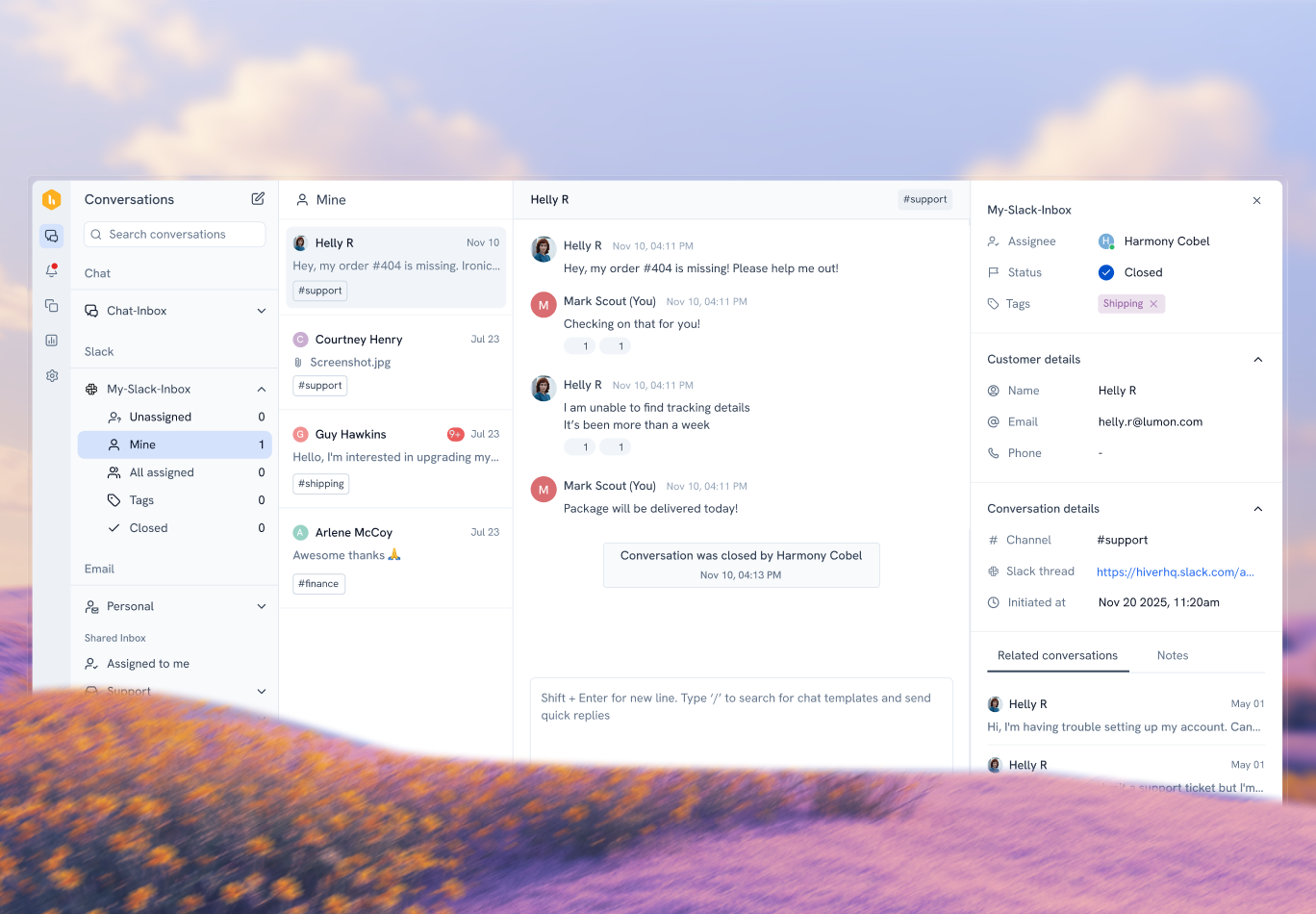
Support teams often deal with the same challenges every day: tickets piling up, customers following up across multiple channels, and agents switching tools just to get context.
When these problems repeat, the issue is rarely the team. More often, the cause is the limitations of the help desk
Thankfully, modern help desk software is designed to fix that. They have moved past basic ticketing and now combine collaboration tools, AI & automation to support faster resolutions and more consistent service at scale.
In this article, we break down the essential help desk software features for 2026 and explain why each matters for support workflows.
Table of Contents
- TL;DR: Essential Help Desk Software Features for 2026
- 1. Unified Inbox
- 2. Ticketing System
- 3. Automation & Workflows
- 4. Knowledge Base
- 5. AI Chatbots
- 6. Agent Assistance
- 7. Ticket Deflection
- 8. Omnichannel Support
- 9. Integrations
- 10. User-Friendly Interface
- 11. Mobile Apps
- 12. Scalability
- 13. Reporting & Analytics
- 14. Security & Compliance
- 15. Collaboration Tools
- A Quick Help Desk Feature Audit to Identify Gaps in Your Current Stack
- Conclusion
- Frequently Asked Questions
TL;DR: Essential Help Desk Software Features for 2026
| Feature | Why it matters |
|---|---|
| Unified Inbox | Keeps all customer conversations in one place and prevents duplicate or missed replies |
| Ticketing System | Ensures every request is tracked, prioritized, and resolved with clear ownership |
| Automation & Workflows | Reduces manual triage and keeps response quality consistent at scale |
| Knowledge Base | Deflects common questions and helps agents respond accurately and faster |
| AI Chatbots | Handles first-touch queries and collects context before human involvement |
| Agent Assistance | Helps agents reply faster with summaries, suggestions, and context |
| Ticket Deflection | Lowers ticket volume by resolving issues before they reach agents |
| Omnichannel Support | Maintains context and consistency across email, chat, messaging, and voice |
| Integrations | Brings customer and account data into tickets without tool switching |
| User-Friendly Interface | Improves agent productivity and shortens onboarding time |
| Mobile Apps | Enables faster responses from remote, hybrid, and on-call teams |
| Scalability | Supports growing volumes and teams without performance issues |
| Reporting & Analytics | Provides visibility into KPIs, bottlenecks, and trends |
| Security & Compliance | Protects sensitive data and supports regulated workflows |
| Collaboration Tools | Enables smooth internal coordination without exposing customer-facing replies |
Core Help Desk Software Features Every Support Team Needs
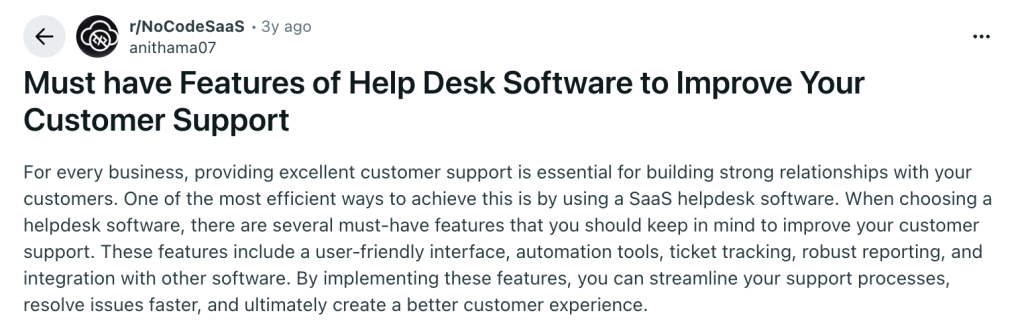
When choosing help desk software, teams often look for a combination of usability, automation, ticket tracking, reporting, and integrations. Together, these features help streamline support workflows, resolve issues faster, and deliver a more consistent customer experience.
Here are the ones every support team needs in place.
1. Unified Inbox
A unified inbox brings all customer conversations into a single shared workspace, regardless of where they originate.
Instead of switching between email, chat, social, or messaging tools, support teams handle every request from a single view. The shared workspace reduces missed messages, avoids duplicate replies, and removes confusion around ownership.
This helps managers gain clearer visibility into workloads, helping teams distribute work evenly and maintain accountability.
What you get from a unified inbox:
Collision detection prevents multiple agents from replying to the same conversation simultaneously. Because of this, tickets move smoothly between teams without delays or confusion.
Business impact: As ticket volume grows, faster first-response times become easier to maintain. At the same time, clear ownership reduces unnecessary follow-ups and internal back-and-forth, resulting in more consistent customer experiences over time.
2. Ticketing System
A ticketing system turns every customer request into a structured, trackable item with a clear owner and lifecycle.
Incoming messages are automatically logged as tickets that move through defined stages such as open, pending, and resolved.
Support teams gain a reliable way to track progress, prioritize urgent issues, and ensure no request gets lost in an inbox. Historical ticket data also creates a system of record for recurring issues and long-term improvements.
What you get from a ticketing system:
Searchable ticket history makes it easier to identify recurring issues and past resolutions. Over time, lifecycle tracking supports better accountability and process improvements.
Business impact: With every request tracked through a defined workflow, resolution rates improve, and fewer tickets fall through the cracks. Over time, better visibility into ticket history helps teams prevent SLA breaches and plan support capacity more accurately.
3. Automation & Workflows
Automation and workflows handle repetitive support tasks automatically, allowing agents to focus on solving customer problems instead of managing queues.
Predefined rules can route tickets to the right team, assign priorities, apply tags, trigger SLA timers, or escalate urgent issues without manual intervention.
As request volumes increase, well-designed workflows keep response quality consistent and prevent bottlenecks caused by manual triage.
What you get from automation and workflows:
Custom rules apply consistent prioritization without manual intervention. In real scenarios, escalations trigger automatically when SLAs or conditions are met.
Business impact: By removing manual triage and repetitive actions, average handle time drops even during peak volumes. As a result, teams scale support operations more efficiently without increasing headcount or operational costs.
4. Knowledge Base
A knowledge base serves as a single source of truth for help articles, FAQs, and internal documentation.
Customers find answers on their own through searchable help content, while agents rely on the same repository for accurate, approved responses.
As products and policies evolve, a well-maintained knowledge base keeps information consistent across every channel and reduces dependency on individual team members.
What you get from a knowledge base:
Centralized documentation reduces reliance on individual team members. As teams grow, onboarding becomes faster, and knowledge stays consistent.
Business impact: As customers resolve simple issues on their own, overall ticket volume decreases, and agents face less repetitive work. In parallel, consistent and accurate responses improve resolution quality and customer satisfaction over time.
Advanced and AI-Powered Help Desk Features for Faster Resolutions
As support teams scale, manual processes and basic automation start to show their limits. Advanced and AI-driven features help teams handle higher volumes, maintain quality, and reduce operational effort without increasing headcount.
5. AI Chatbots
AI chatbots handle first-touch interactions by answering common questions, gathering context, and guiding customers to the right resolution path.
Instead of acting as a replacement for human agents, chatbots work best as an intelligent front line. They respond instantly, collect key details, and route complex issues to the right team with context already attached. When connected to a knowledge base, chatbots can resolve repetitive requests without human involvement.
What you get from AI chatbots:
Relevant context is collected before issues reach human agents. This means complex tickets arrive with key details already captured.
Business impact: With instant first-touch responses, first response times improve even outside business hours. At the same time, deflecting repetitive queries allows agents to focus on complex issues that require human judgment.
6. Agent Assistance
Agent assistance tools use AI to support agents during live conversations by surfacing context, drafting responses, and summarizing interactions.
Instead of starting from a blank reply, agents receive suggested responses based on conversation history, knowledge base content, and past resolutions.
AI-generated summaries help agents quickly understand long threads or handovers, reducing ramp-up time and mental load during busy shifts.
What you get from agent assistance:
AI-generated summaries reduce the effort required to understand long conversations. Meanwhile, suggested responses help agents stay consistent under pressure.
Business impact: By reducing the time spent reading long threads and drafting replies, average handle time decreases across the team. As agents ramp up faster and work more consistently, overall productivity and response quality improve.
7. Ticket Deflection
Ticket deflection focuses on resolving customer questions before they turn into support tickets.
AI-powered suggestions, searchable help articles, and proactive answers guide customers toward self-service at the right moment. Instead of submitting a ticket for common issues, customers find solutions through the knowledge base, chatbots, or in-product prompts.
Effective deflection reduces unnecessary workload without compromising the support experience.
What you get from ticket deflection:
Relevant help content appears at the right moment in the customer journey. As a result, fewer users feel the need to raise tickets for common issues.
Business impact: As fewer low-complexity tickets reach agents, overall ticket volume drops, and workload pressure eases. This allows support teams to prioritize high-impact issues while keeping support costs under control.
Help Desk Usability and Integration Features That Improve Daily Workflows
Support tools only deliver value when teams can adopt them quickly and use them consistently. Usability and integration features determine how smoothly agents work day to day and how well the help desk fits into existing business systems.
8. Omnichannel Support
Omnichannel customer support allows teams to manage customer conversations across email, live chat, messaging apps, voice, and social channels from one system.
Customers choose the channel they prefer, while agents maintain full context across every interaction. Conversations remain connected even when customers switch channels, preventing repeated explanations and fragmented experiences.
A unified approach also helps teams deliver consistent support regardless of where requests originate.
What you get from omnichannel support:
Service standards remain consistent across all communication channels. This reduces channel-specific exceptions and manual workarounds.
Business impact: When conversations stay connected across channels, customer experience becomes more consistent and less fragmented. At the same time, predictable response and resolution times remain easier to maintain as channel volume increases.
Recommended reading
9. Integrations
Integrations connect the help desk with the tools teams already rely on, bringing context and workflows into one place.
CRM systems, project management tools, internal communication platforms, and databases can share data directly with the help desk. Agents see customer history, order details, or account status without switching tabs. Integrated workflows also reduce manual updates and improve collaboration across departments.
What you get from integrations:
Customer and account data remain up to date across connected systems. Consequently, manual syncing and duplicate data entry are avoided.
Business impact: With customer and account context available inside the help desk, resolution times decrease and errors caused by missing information are reduced. In addition, smoother cross-team workflows improve collaboration without adding manual effort.
10. User-Friendly Interface
A user-friendly interface reduces friction by making everyday support tasks intuitive and easy to navigate.
Agents spend most of their day inside the help desk, so layout, clarity, and speed directly affect performance.
A clean interface shortens learning curves, reduces errors, and helps agents focus on conversations rather than figuring out where to click. Simple workflows also encourage consistent usage across teams.
What you get from a user-friendly interface:
Agents complete tasks with fewer clicks and less effort. This reduces dependence on training materials.
Business impact: As agents spend less time navigating the tool, productivity across daily workflows increases. Faster onboarding and fewer mistakes also help teams scale support without sacrificing service quality.
11. Mobile Apps
Mobile apps extend help desk access beyond the desktop, allowing teams to stay responsive from anywhere.
Agents and managers can view, respond to, and manage tickets while away from their desks. Push notifications ensure urgent issues get immediate attention, while mobile-friendly workflows support distributed and on-call teams.
Reliable mobile access becomes essential for global support operations and flexible work environments.
What you get from mobile apps:
Critical tickets receive attention even when agents are away from their desks. In such cases, on-call and remote workflows remain uninterrupted.
Business impact: With real-time access to tickets on the go, response times improve outside standard office hours. This ensures service continuity across time zones and reduces delays during escalations or on-call situations.
Business-Focused Help Desk Features for Visibility, Control, and Scale
As support operations mature, teams need more than efficient workflows. Business and performance features help leaders measure impact, maintain reliability at scale, and make data-backed decisions that improve both customer experience and operational efficiency.
12. Scalability
Scalability determines how well a help desk performs as ticket volume, team size, and customer expectations increase.
A scalable system supports growing workloads without slowing response times or breaking workflows. It handles higher concurrency, additional channels, and more complex routing rules while maintaining reliability.
Support teams avoid constant tool changes as the business expands into new markets or use cases.
What you get from scalability:
Support systems adapt to growing volumes without performance issues. In the long term, workflow changes do not require frequent platform migrations.
Business impact: As demand increases, support quality remains stable without system slowdowns or workflow breakdowns. Over time, teams avoid costly tool migrations and maintain reliable service as operations grow.
13. Reporting & Analytics
Reporting and analytics provide visibility into how support operations perform and where improvements are needed.
Dashboards and reports track key metrics such as response times, resolution rates, ticket volume, and agent workload. Leaders use these insights to spot bottlenecks, measure SLA performance, and understand trends over time. Accurate reporting turns support data into actionable decisions rather than gut-based assumptions.
What you get from reporting and analytics:
Performance can be reviewed by team, channel, or time period. This visibility helps teams spot trends without relying on manual reporting.
Business impact: With clear visibility into performance metrics, teams identify inefficiencies early and address them proactively. Data-driven decisions lead to better resource planning and more predictable service levels.
14. Security & Compliance
Security and compliance features protect customer data while ensuring support operations meet regulatory and organizational standards.
Access controls, data encryption, and audit logs help teams safeguard sensitive information across every interaction. Compliance certifications and configurable permissions ensure only the right people access the right data.
What you get from security and compliance:
Sensitive data access remains tightly controlled across workflows. As expected, audit trails support accountability in regulated environments.
Business impact: Legal and operational risk decreases when sensitive customer data is consistently protected. Over time, reliable security practices strengthen trust and support safe expansion in regulated industries.
15. Collaboration Tools
Collaboration tools help support teams work together efficiently while resolving customer issues.
Shared notes, internal comments, and collision detection allow agents to coordinate without exposing internal discussions to customers. Teams collaborate across shifts, departments, or regions while maintaining full context within each ticket. Clear collaboration prevents duplicate work and improves the quality of responses.
What you get from collaboration tools:
Internal discussions stay private and separate from customer replies. This separation enables teams to coordinate efficiently without duplicating work.
Business impact: When agents collaborate within the help desk, resolution times improve, and duplicate work decreases. Clear internal coordination leads to more accurate responses and consistently better customer experiences.
A Quick Help Desk Feature Audit to Identify Gaps in Your Current Stack
Instead of reviewing a long feature list, it’s often easier to spot gaps by looking at everyday support problems. Use the questions below to audit whether your current help desk supports your team effectively or creates friction as volume grows.
| Common support question | What it indicates |
|---|---|
| Is your team still asking, “Who is handling this?” | A lack of collision detection or clear ownership leads to duplicate replies, missed tickets, and confused handoffs. |
| Are agents answering the same basic questions repeatedly? | Repetitive replies signal the absence of a strong knowledge base or AI-powered self-service that can deflect common queries. |
| Does collaboration happen outside the help desk? | Conversations moving to Slack or email indicate missing internal notes, shared inboxes, or real-time collaboration features. |
| Do urgent tickets get buried during peak hours? | Manual triage and limited automation often cause delays when priorities and routing aren’t handled automatically. |
| Do new agents take weeks to become productive? | Long ramp-up times usually point to poor usability, missing context, or limited agent assistance. |
| Is performance tracking reactive rather than proactive? | Limited reporting and analytics make it hard to spot SLA risks, workload imbalances, or recurring issues early. |
If several of these scenarios feel familiar, your current stack may support basic operations but struggle to scale. Modern help desk software addresses these gaps with features designed to reduce friction, improve visibility, and help teams deliver consistent support as expectations rise.
For teams that want these capabilities without managing complex systems or add-ons, Hiver, a modern customer service platform, brings shared inboxes, automation, AI-powered assistance, and collaboration directly into everyday workflows, helping support teams move faster without sacrificing clarity or control.
Conclusion
Choosing help desk software in 2026 requires more than checking off a list of features. Real value comes from understanding how each capability improves response times, supports collaboration, and helps teams scale without adding complexity.
Using a quick feature check to audit current gaps helps teams move from reactive support to proactive service. When help desk features align with real workflows and business metrics, support teams deliver faster resolutions, more consistent experiences, and measurable improvements in customer satisfaction.
For teams looking to bring these capabilities together without heavy setup or fragmented tools, Hiver offers a modern help desk built for everyday collaboration. Teams can manage customer conversations, automate workflows, and use AI-powered assistance directly from shared inboxes.
Book a demo to see how Hiver can support your team’s help desk needs in 2026 and beyond.
Frequently Asked Questions
1. What are the features of help desk software?
Help desk software typically includes a ticketing system, unified inbox, automation and workflows, knowledge base, collaboration tools, reporting and analytics, security controls, and support for multiple communication channels.
2. What are the key metrics for a help desk?
Common help desk metrics include first response time, average handle time, resolution rate, ticket volume, SLA compliance, customer satisfaction (CSAT), and agent workload distribution.
3. How to make a help desk more efficient?
Efficiency improves by automating ticket routing, enabling self-service through a knowledge base, reducing manual collaboration, and using reporting to identify bottlenecks and recurring issues.
4. How does AI ticket summarization improve agent productivity?
AI ticket summarization reduces reading time by highlighting key context, past actions, and customer intent, allowing agents to respond faster and handle more tickets with less effort.
5. What are the benefits of omnichannel support in help desk software?
Omnichannel support keeps conversations connected across email, chat, messaging, and voice, helping teams deliver consistent experiences without losing context when customers switch channels.