


Zendesk is one of the most recognized names in customer service software. It’s also one of the most misunderstood.
Teams buy it expecting a plug-and-play helpdesk. But what they get is an enterprise platform that requires dedicated admins and months of setup. And a budget that grows every time you need something “basic”—like AI, quality assurance, or better support.
None of this makes Zendesk bad. It just makes it a specific tool for specific teams.
So, after analyzing hundreds of user reviews, we’ve put together an honest breakdown of 11 key Zendesk features. Read what users love (and hate) about each, and how to tell if Zendesk is the right fit for you.
Table of Contents
- Zendesk Features: At a Glance
- 11 Key Features of Zendesk
- 1. Omnichannel Ticketing System
- 2. Messaging and Live Chat
- 3. Voice (Zendesk Talk)
- 4. Help Center
- 5. AI-Powered Automation (AI Agents + Copilot)
- What Does Zendesk AI Actually Cost?
- 6. Quality Assurance and Workforce Management
- 7. Reporting and Analytics (Zendesk Explore)
- 8. Integrations
- 9. ITSM (IT Service Management)
- 10. Zendesk Sunshine & Sunshine Conversations
- 11. Zendesk Sell (Sales CRM)
- How To Benefit The Most From Your Current Zendesk Subscription?
- When Should You Consider Zendesk?
- When Should You Not Consider Zendesk?
- Explore Hiver: The Best Zendesk Alternative
- What ex-Zendesk customers say about Hiver?
- Frequently Asked Questions
Zendesk Features: At a Glance
Here’s a quick look at Zendesk’s most important features:
| Feature | What It Does | Tier Requirement | Best For |
|---|---|---|---|
| Ticketing System | Centralizes all customer queries into trackable tickets with SLAs, priorities, macros, and worflows | All plans (Support Team starts at $19/agent/month) | High-volume support teams needing structured workflows |
| Messaging & Live Chat | Real-time conversations across web, mobile, WhatsApp, and social channels | Suite Team ($55/agent/month) for full messaging | Teams wanting omnichannel real-time support |
| Voice (Zendesk Talk) | Integrated cloud-based phone support with IVR and call recording | Suite Team and above; advanced features on Professional | Contact centers needing phone + digital in one place |
| Help Center | Self-service knowledge base with FAQs, articles, and community forums | Basic KB on all Suite plans; multilingual/community on Pro+ | Businesses wanting to deflect tickets through self-service |
| AI Agents & Copilot | Autonomous AI for ticket resolution + agent assist with suggestions | Advanced AI is a paid add-on ($50/agent/month for Copilot; $1.50+/resolution for AI Agents) | Enterprise teams with a budget for AI-driven automation |
| Quality Assurance (Zendesk QA) | Conversation scoring, agent performance tracking, and coaching tools | Paid add-on ($35/agent/month) | Teams focused on agent coaching and service quality |
| Reporting & Analytics (Explore) | Customizable dashboards, CSAT tracking, SLA reports | Basic on all plans; advanced on Professional+ | Data-driven teams needing deep operational insights |
| Integrations | 1,500+ apps, including Salesforce, Shopify, Slack, Jira | All plans; some integrations need higher tiers | Businesses with complex tech stacks needing connectivity |
| ITSM (IT Service Management) | Internal helpdesk for employee IT requests, incident management, and asset tracking | All Suite plans work best with Professional+ | Organizations consolidating external support and internal IT |
| Zendesk Sunshine | Open data platform for custom objects + unified messaging API | Suite Professional+; Sunshine Conversations is an add-on | Enterprise teams building custom integrations or bots |
| Zendesk Sell (Sales CRM) | Standalone sales CRM for pipeline management, lead tracking, and outreach | Separate product (starts at $19/user/month) | Sales teams wanting CRM integrated with Zendesk Support |
11 Key Features of Zendesk
Below is a detailed breakdown of Zendesk’s key features, along with their pros and cons.
1. Omnichannel Ticketing System
Zendesk’s ticketing system is the backbone of the platform and its most mature feature. It’s usually the first thing teams look at when they evaluate Zendesk. At its core, it turns every customer inquiry into a unique “ticket,” giving support teams a clear, structured way to track, prioritize, and close requests without anything slipping through the cracks.
What makes it powerful:
- Omnichannel support: Emails, chats, social DMs, and calls all appear in one place, so agents aren’t bouncing between tools.
- Agent Workspace: Agents work from a single interface (Agent Workspace) where they can view all tickets, customer history, past interactions, and relevant context without switching between multiple tabs or tools.
- Skill-based routing: Teams can automatically assign tickets to agents based on their expertise, language proficiency, or product specialization.
- Macros and workflows: Pre-defined replies and actions that let agents answer common questions, update fields/tags/assignees in bulk, and personalize messages.
- Custom views: Teams can create views like “High priority – unassigned” or “VIP customers – pending” to stay organized.
- SLAs: You can set response and resolution time targets by ticket priority, with automatic alerts when deadlines approach.
- Custom fields: Custom fields let you capture exactly the data you need (order ID, product type, issue category) right when a ticket comes in.
- Collision alerts: You can see when another agent is viewing or responding to the same ticket, preventing duplicate responses.
- Workforce management: You can track agent capacity, monitor active ticket assignments, and distribute workload evenly across the team to prevent burnout and balance productivity.
What users like: Automation, triggers, macros, and clear workflows save significant time and reduce manual effort.
As highlighted by one user on G2,
“The ticketing system is especially powerful—it helps us stay on top of customer requests, assign them efficiently, and track their progress without anything slipping through the cracks. I also appreciate the automation features and macros, which save us a lot of time when handling repetitive tasks or responding to common queries.”
What users dislike: The steep learning curve and dense configuration requirements often mean you need dedicated admins to manage the system properly.
As highlighted by one user on G2,
“At times, the admin settings can feel a bit complex or unintuitive, especially when setting up advanced workflows or automation rules—it takes some time to fully understand and configure them correctly.”
2. Messaging and Live Chat
For teams that want real-time conversations with customers, Zendesk offers two chat experiences: Zendesk Live Chat and Zendesk Messaging. While both enable chat-based support, they’re built for different interaction styles.
Zendesk Live Chat
Zendesk Live Chat is designed for real-time, session-based conversations on your website or app. It focuses on helping agents respond instantly while a customer is online. Zendesk positions Live Chat around speed and agent efficiency, with features like:
- Live, synchronous conversations where agents and customers chat in real time
- AI-powered response assistance, including suggested replies and conversation summaries
- Triggers and proactive chat, allowing teams to start chats based on visitor behavior
- Agent productivity tools such as shortcuts, internal notes, and chat ratings
- Integration with Zendesk AI, where AI supports agents during live conversations rather than replacing them
Live Chat works best when customers expect immediate responses and are actively waiting for help. Once the session ends, the interaction typically concludes as well.
Zendesk Messaging
Zendesk Messaging is the newer experience. It’s designed for more flexible, asynchronous conversations, where customers don’t need to stay online, and conversations can continue over time. Instead of focusing on live sessions, Messaging emphasizes:
- Easier entry points for customers to start conversations
- Ongoing conversations that don’t require both sides to be online at the same time
- AI agents that can handle common requests like FAQs, refunds, or order status
- The ability to extend messaging experiences to social channels such as WhatsApp, Facebook, and Instagram.
- Analytics and quality monitoring through Zendesk dashboards and Zendesk QA
Zendesk positions Messaging as the future of chat within its platform, while Live Chat remains available for teams that prefer fast, agent-led, real-time interactions.
What users like about this: Users appreciate that messaging is conversational.
“That’s what’s lovely about messaging, it’s actually conversational. And once you’ve moved into conversational, it completely changes the dynamic and the interaction you have with the guest…”
Marco Trecroce, Chief Information Officer at Four Seasons Hotels and Resorts
What users don’t like: Some users report CSAT drops, workflow disruptions, and technical bugs since they moved from chat to messaging.
As highlighted by one user on Reddit,
“Since we moved from Chat to Messaging, CS CSAT has massively dropped, and our end users are quite unhappy about it. A common complaint is that after the bot transfers to an agent, there is a ‘dead’ time, which can be a few minutes until an agent is available. During that time, the end user is unable to speak with anyone, the bot does not reply, and they can basically be speaking with themselves.”
3. Voice (Zendesk Talk)
Zendesk Talk is the platform’s built-in cloud phone solution and sits at the heart of its Zendesk contact center features. It’s designed for teams that want phone support without juggling a separate telephone vendor. Combined with chat, email, and messaging, these Zendesk contact center features let support teams run voice and digital channels from a single workspace instead of stitching together multiple tools.
What you get:
- Inbound and outbound calling: Handle support calls directly from the Agent Workspace.
- IVR (Interactive Voice Response): Route callers to the right team based on menu selections.
- Call recording and transcription: Review calls for QA, training, or compliance.
- Voicemail and callback requests: Customers can leave messages or request a callback instead of waiting on hold.
- Real-time dashboards: Monitor call queues, wait times, and agent availability.
- AI summaries: Agents get instant, AI-powered summaries and key insights from each call, so they can answer follow-up questions confidently while spending less time on wrap-up.
What users like about this: Users appreciate how Zendesk Talk improves customer service with easy ticket handling and excellent call quality, all without requiring extra software or installations.
As highlighted by one user on Capterra,
“I have been using Zendesk Talk for over a year. The thing I like most about it is improving customer service; it helps to handle tickets easily, and the call quality is excellent in Zendesk Talk.”
What users don’t like: The biggest concern is pricing. Zendesk Talk can become expensive for small to medium-sized businesses.
As highlighted by some users on GetApp Capterra,
“One disadvantage of Zendesk Talk is that it might be expensive for small to medium-sized businesses.
4. Help Center
Zendesk offers powerful self-service options. Using the Help Center, you can create a branded, searchable repository of articles, FAQs, and guides that customers can access 24/7.
Core features:
- Knowledge in Agent Workspace: Zendesk supports self-service by letting agents search and access help center articles directly from the context panel while working on tickets. It also surfaces AI-powered article recommendations based on ticket content, which agents can link to responses in one click.
- Article editor: Create and organize content with a WYSIWYG editor; supports images, videos, and code blocks.
- Content hierarchy: Structure articles into categories and sections for easy navigation.
- Search functionality: Customers can search across your entire knowledge base.
- Multilingual support: Translate articles into 40+ languages (available on higher tiers).
- Community forums (Zendesk Gather): Let customers ask questions, share solutions, and crowdsource answers from other users. Gather integrates with your knowledge base, so popular community threads can be promoted to official articles.
What users like about this: Users praise the fact that the knowledge base is easy to set up and customize.
One user on G2 highlights this,
”The initial setup for email is simple and doesn’t require much previous knowledge of the system. It can be fairly customized regarding agent interaction, and essential features are understandable when going through the admin center, with enough articles and guides to browse through and learn the basics in case any doubts come up.”
You likely have a set of customer service goals for your team: faster responses, fewer interactions, high levels of customer satisfaction. Without a clear process to manage customer emails though, your team is left stumbling in the dark,
What users don’t like: Customers feel that the chatbots built on KB are too basic.
“The big problem here is how basic these bots are. The flows are very limited and ‘rigid’. Not great for a customer asking a question that hasn’t been precisely scripted.”
5. AI-Powered Automation (AI Agents + Copilot)
Zendesk has invested heavily in AI, and on paper, its capabilities are genuinely impressive. It offers autonomous bots that resolve tickets, agent copilots that draft responses, and a Resolution Learning Loop™ that gets smarter with every interaction. Unlike one-time AI deployments, this system ensures your automated resolution rate today becomes your baseline tomorrow and continues to improve.
The two main AI products of Zendesk include:
1. AI Agents (formerly “bots” and “Answer Bot”): These are autonomous agents that can resolve customer requests without human intervention. They can:
- Automatically categorize, prioritize, and route incoming tickets based on intent, sentiment, and urgency.
- Understand customer intent using natural language processing
- Pull information from your knowledge base to answer questions
- Resolve common queries (password resets, order status, FAQs) instantly without agent involvement, reducing ticket volume.
- Complete actions (like checking order status) via integrations
- Escalate to human agents when they can’t resolve an issue
2. Copilot (Agent Assist): Copilot helps human agents work faster by:
- Suggesting relevant macros and knowledge articles
- Auto-summarizing long ticket threads
- Drafting responses based on ticket context
- Detecting customer sentiment and intent
What users like: Zendesk AI provides real-time visibility into workloads and performance, with AI-powered features like sentiment analysis improving both agent responsiveness and customer satisfaction.
“Zendesk AI capabilities, including AI Agents and Copilot, are easy to use and have greatly enhanced our support operations. By automating routine tasks and offering agents real-time assistance, these tools have enabled us to respond more quickly and improve overall customer satisfaction.”
~ One user on G2,
What users dislike: Zendesk locks AI features behind expensive add-ons.
As highlighted by one user on G2,
“Advanced AI tools come as paid add-ons rather than being included in the mail plans, which can limit access to the full potential of the platform.”
What Does Zendesk AI Actually Cost?
Zendesk’s pricing is complex and often catches teams off guard. Here are the real pricing details:
AI Agents Advanced (Pay-Per-Resolution Model):
- $1.50 per resolution (if you commit to a usage volume upfront)
- $2.00 per resolution (pay-as-you-go for overages)
- Example: If your AI resolves 500 tickets/week, that’s 2,000 resolutions/month = $3,000–$4,000 in resolution fees alone
AI Copilot:
- $50 per agent/month (billed annually)
- Must be purchased for every agent on your team—you can’t selectively enable it for specific agents.
- Not included in base plans; always a paid add-on
Bundles (2026):
- Suite Professional + Unlimited Copilot: $155/agent/month (saves ~$10/agent vs. buying separately)
- Suite Enterprise + Unlimited Copilot: $209/agent/month
Included Automated Resolutions (Baseline Allocation):
- Suite Enterprise Plan: 15 resolutions/agent/month
- Suite Professional / Growth Plan: 10 resolutions/agent/month
- Suite Team Plan: 5 resolutions/agent/month
To understand how quickly Zendesk AI costs can escalate, it helps to model a realistic scenario. Most mid-sized support teams don’t just pay for base seats. They layer on AI capabilities to improve efficiency. However, Zendesk’s pricing structure means that the more successful your AI becomes at resolving tickets, the more you pay in resolution fees. This creates a counterintuitive dynamic: your costs rise as automation improves.
Let’s assume you’re a mid-sized team with 20 agents handling 10,000 tickets/month, and your AI resolves 30% of tickets (3,000 resolutions):
| Item | Cost |
|---|---|
| Suite Professional (20 agents × $115/mo) | $2,300/month |
| AI Copilot add-on (20 agents × $50/mo) | $1,000/month |
| AI Agents Advanced resolutions (3,000 × $1.50) | $4,500/month |
| Total Monthly Cost | $7,800/month ($93,600/year) |
So basically, without AI, for a team of 20 agents at $115/mo = $2,300/month. On the other hand, the cost increase for AI would be +239% ($5,500 additional per month). In theory, you only pay when the AI actually solves a problem. In practice, this model introduces significant budget unpredictability, especially for growing teams without historical usage data.
6. Quality Assurance and Workforce Management
Quality assurance is often an afterthought in support, but Zendesk QA brings it front and center by using AI to review every interaction, not just a small sample.
What it does:
- Conversation scoring: Score agent interactions against customizable scorecards (tone, accuracy, policy adherence, resolution quality).
- AI-powered AutoQA: Automatically reviews 100% of conversations and spotlights outliers, churn risk, escalations, and policy violations.
- Coaching workflows: Let managers leave structured feedback tied to specific messages, share best-practice examples, and calibrate scoring across reviewers.
- Performance dashboards: Track trends by agent, team, channel, or topic, identify knowledge gaps, and measure the impact of coaching over time.
- Browser extension: Review tickets in the native UI while filling scorecards side by side, which makes audits much faster.
What users like about this: Users like that Zendesk QA turns QA from a manual, sampling-based chore into an automated, always-on process, while still allowing detailed human reviews where it matters.
As mentioned by a user on Capterra,
“There is a section where I can see the full breakdown of my scorecard and any comments my manager left, plus a space to add my own notes. The dashboard is very detailed, lets me track my scores across different time periods, and even sends alerts to Slack and email whenever I’m scored. There’s a lot Klaus can do that saves you from hammering through Excel just to build the perfect QA scoring sheet.”
What users dislike: The main complaints are around performance and usability at scale.
“Filtering reports can be quite bothersome if there are a lot of agents to search from, since the interface gets quite slow.”
Another user on Capterra
7. Reporting and Analytics (Zendesk Explore)
Zendesk Explore is the platform’s dedicated analytics tool, and it’s genuinely powerful once you figure it out. It pulls data from all your Zendesk channels (tickets, chat, messaging, voice, etc.) and lets you view it in prebuilt dashboards or create custom reports so you can track performance, spot trends, and share insights across your team.
What you can track:
- Ticket metrics: Volume, first response time, resolution time, backlog, and reopens.
- Agent performance: Tickets handled, CSAT scores, average handle time.
- SLA compliance: How often you’re hitting (or missing) your service targets.
- Channel breakdown: Where tickets are coming from (email, chat, phone, social).
- Customer satisfaction: CSAT and NPS trends over time.
- Pre-built dashboards: Get started quickly with out-of-the-box reports for common metrics.
- Custom reports: Build your own reports with drag-and-drop query builders.
- Scheduled exports: Automate report delivery to stakeholders.
- Data export: Easily extract reports for advanced analysis.
What users like about this: Users appreciate deep, flexible reporting across channels and teams.
As one user on G2 praised,
“Powerful Automation, Extensive Reporting and Analytics: With Zendesk Explore, businesses can track a huge range of metrics—from agent response times and customer satisfaction scores (CSAT) to the most common types of support requests.”
What users don’t like about this: Users complain that reporting is confusing to configure, hard to filter/search, and sometimes feels “overkill.”
As raised by one user on G2,
“The reporting side is also quite limited unless you pay for the higher tiers, and sometimes the interface still has that mix of old and new screens that don’t feel consistent.”
8. Integrations
Zendesk integrates well with the rest of your apps, which is a big part of its appeal for larger organizations with complex tech stacks. It has 1,500+ apps in the Zendesk Marketplace.
Key integration categories include:
- CRM sync: Pull customer data from Salesforce or HubSpot directly into tickets.
- E-commerce: View Shopify or Magento order history, process refunds and cancellations, manage returns, and access real-time shipping and payment data.
- Collaboration: Get Slack or Teams notifications and create Jira issues directly from tickets.
- Telephony: Connect external phone systems like Amazon Connect if Zendesk Talk doesn’t meet your needs
- Custom integrations: Use Zendesk’s robust REST API to build bespoke connections with internal tools and systems
What users like about this: Teams appreciate the ability to connect their existing tech stack and centralize customer data, reducing context-switching and improving agent efficiency.
As highlighted by another user on G2,
“Integrates well with tools like Slack, Salesforce, Jira, Shopify, and hundreds of others. Offers powerful APIs for custom integrations.”
What users dislike: While the breadth of integrations is impressive, many native integrations suffer from bugs, data sync issues, and configuration problems that require ongoing troubleshooting.
As highlighted by one user on Reddit,
“I am experiencing an issue with the Shopify app integration in Zendesk and need some assistance. Currently, I am unable to view any customer data in the tickets… All connections are properly set, and permissions are allowed. We use prefixes on our order numbers, but in Zendesk, it only recognizes numerical order IDs. I tried removing the prefixes to see if that was causing the problem, but it did not resolve the issue… Additionally, there are two sections for the Shopify order ID in the tickets, which seems unusual as I would expect only one.”
9. ITSM (IT Service Management)
Zendesk isn’t as specialized as dedicated ITSM platforms like ServiceNow or Jira Service Management. It lacks native ITIL workflows, change management modules, and deep asset management out of the box. But for organizations that want to consolidate external support and internal IT under one platform without managing two systems, it’s a pragmatic choice.
Zendesk ITSM features include request intake forms, SLAs, automated routing, and integrations with tools like Jira or asset databases, all built on the same ticketing engine used for customer support.
What you can do:
- Employee service portal: Create an internal help center where employees submit IT requests (hardware issues, software access, onboarding tasks).
- Incident and problem management: Track, prioritize, and resolve IT incidents using the same SLA policies and escalation workflows you’d use for customers.
- Asset tracking: Link devices, software licenses, or equipment to employee profiles for visibility during troubleshooting.
- Automation: Use triggers, macros, and webhooks to auto-route requests (e.g., “password reset” goes to IT Tier 1, “VPN issue” goes to the Network team).
- API integrations: Connect Zendesk to existing ITSM tools, CRMs, or internal systems via REST APIs.
What users like: Fast setup for IT teams, plus strong integration capabilities.
As highlighted by one user on G2,
“Zendesk allows ITSM professionals to easily set up screens for agents, as well as to extract reports about support tickets. It also allows for integration with other CRMs or APIs via their automation tools, like triggers and webhooks.”
What users don’t like: Licensing costs and reporting complexity remain pain points.
As mentioned by a user on Reddit,
“I actually think it’s a pretty poor ITSM tool. It’s designed for quick in and out, customer service-type support. The Views are quite limited. The agent landing page is useless and not customizable. There’s no CMDB or asset management built in, and the available 3rd party apps are pretty low quality. There’s no built-in functionality for parent/child ticket relationships. You can sorta do that now with lookup relationship fields, but that’s not really fleshed out yet.
10. Zendesk Sunshine & Sunshine Conversations
Zendesk Sunshine is Zendesk’s open, flexible data platform that sits underneath Support, letting you model and connect customer data from any external system. Instead of being limited to standard fields, you can create custom objects (like contracts, subscriptions, or devices) and attach them directly to users and tickets, so agents see richer context inside the workspace.
Sunshine Conversations extends this to messaging. It provides a unified API that pulls conversations from channels like WhatsApp, Instagram, SMS, web chat, and your mobile app into a single programmable layer. This is especially useful for teams building custom bots, complex workflows, or orchestrating conversations across multiple systems without losing the thread.
What users like about this: Sunshine unlocks deep customization for teams that want to build highly tailored experiences.
One user praised this on G2,
“With the Sunshine platform, you can go wild with custom objects, which is a huge win for building tailored experiences.”
What users don’t like about this: Sunshine’s flexibility comes with complexity and cost.
Another user on G2 describes this in detail,
“Messages received via Sunshine may be assigned based on different criteria, but not the online status of the agent. For example, if agents are working on a schedule and you don’t have an online agent today in the particular group, the ticket still will be assigned to offline team members. Language detection is not always working correctly and does not work in Sunshine. Also, cost can scale quickly with add-ons like Sunshine.”
11. Zendesk Sell (Sales CRM)
Zendesk Sell is Zendesk’s standalone sales CRM. It’s separate from the customer service suite but designed to integrate with it. It helps sales teams manage leads, track deals, and automate outreach.
Key capabilities:
- Pipeline management: Visual sales pipelines with drag-and-drop deal stages
- Email integration: Sync with Gmail/Outlook, track opens and clicks
- Lead scoring: Prioritize prospects based on engagement
- Mobile app: Full CRM access on iOS/Android for field sales
- Support integration: Pull customer support history into sales conversations for context
What users like: Teams already using Zendesk Support appreciate Sell for being comprehensive and helping them keep all client context in one place.
One user on Capterra put it this way,
“Really comprehensive. I found myself adding things to client profiles, interactions, and deals just to fill in and use all the features! Really fantastic for keeping everything related to a client and their deals organized.”
What users don’t like: Despite being part of the Zendesk family, Sell often feels disconnected from the rest of the Suite, like a bolted-on product rather than a native feature.
As one user on G2shared,
“When Zendesk acquired Base CRM and integrated it as Zendesk Sell, we were thrilled, as we were Base CRM’s customers. However, several years later, Zendesk has failed to fully incorporate Sell as part of the Suite and solutions provided. It feels as if Sell lives in another place, which has caused a little trouble on our side.”
How To Benefit The Most From Your Current Zendesk Subscription?
Zendesk is powerful, but it’s also complex enough that most teams never tap into its full potential. Here are a few tips from Zendesk power users to help you get maximum benefit.
1. Plan for Scale from Day One
The biggest mistake teams make is building workflows that work today but break tomorrow. So before adding automations, triggers, or custom fields, consider how they’ll perform at 10x the volume. This becomes especially important if you’re a new user because the early structure you set becomes very hard to unwind later.
As shared by one user on Reddit:

💡Pro tip: Use consistent naming conventions for macros, triggers, and automations (e.g., [TEAM] – [ACTION] – [CONDITION]). Add descriptions explaining why each automation exists, not just what it does.
2. Optimize Your Knowledge Base with Team Ownership
Knowledge bases become cluttered and outdated fast without clear accountability. So it becomes important to keep them clean and useful.
One Reddit user suggests assigning ownership by product area rather than by individual writers. When someone is responsible for “Billing” or “Integrations” as a whole, they naturally keep it clean because they see the full picture. Random articles belong to teams, not individuals. He also suggests using AI to spot duplicate articles, find conflicting info, and summarize huge docs into something more maintainable.
Another user suggests leveraging analytics and Knowledge Centered Support (KCS),
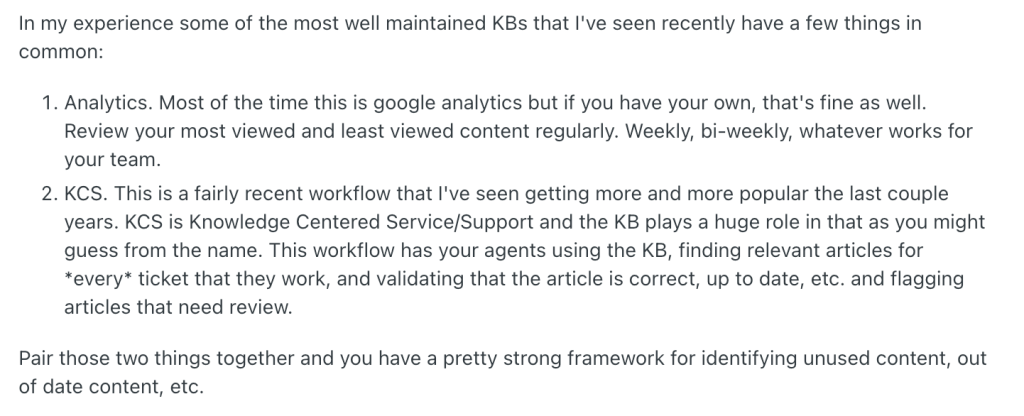
💡Pro tip: Try to implement Knowledge-Centered Service (KCS) where agents update articles as they resolve tickets, flag outdated content during ticket resolution, and link knowledge base updates to actual support interactions.
3. Track Macro Usage to Spot Automation Opportunities
Zendesk tracks which macros your agents use most frequently. You can use this data to identify repetitive work that should be automated. If your team is manually applying the same macro dozens of times per week, it’s a clear signal that customers are asking the same question repeatedly. That question should either be answered by AI, deflected with self-service content, or handled with a trigger instead of manual agent effort.
One user on Reddit also highlights this:
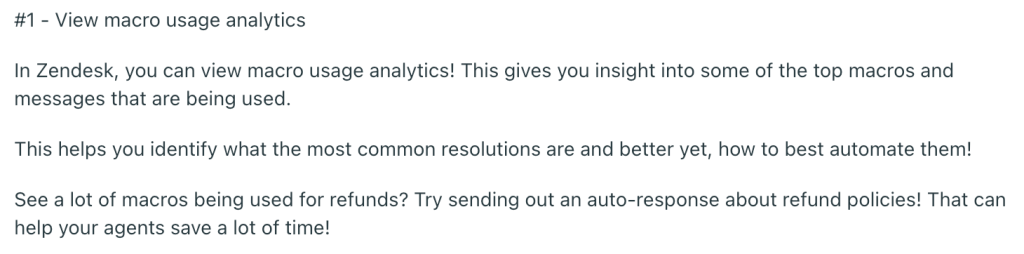
💡Pro Tip: Navigate to Reports > Macros to see usage stats. If a macro is used 50+ times per week, consider adding it to your AI agent’s knowledge base, creating a trigger to auto-respond with that content, and building a self-service article to deflect those tickets entirely.
When Should You Consider Zendesk?
Zendesk makes sense if:
- You’re a large organization (500+ employees) with complex support needs, multiple teams, and the budget to invest in proper implementation.
- You need enterprise-grade integrations with tools like Salesforce, Oracle, or SAP.
- You have dedicated admins who can manage configuration, workflows, and ongoing optimization.
- You’re prepared for a 3-6 month implementation with training, customization, and change management.
When Should You Not Consider Zendesk?
Zendesk may not be the right fit if:
- You’re a small or mid-sized team looking for something simple that works out of the box.
- You don’t have technical resources for setup and ongoing administration.
- Budget is a concern because Zendesk’s pricing adds up fast, especially with add-ons for AI, QA, and advanced features.
- You value fast implementation as Zendesk requires significant setup time; if you need to be live in days (not months), it’s not ideal.
- You don’t want to pay extra for Premium support.
If you checked more than a couple of boxes in the list above, Zendesk probably isn’t the right fit. Many teams reach a point where Zendesk’s power becomes more burden than benefit. That’s where simpler, purpose-built alternatives come in.
Explore Hiver: The Best Zendesk Alternative
Zendesk is powerful, but it’s also heavy, complex, and priced like an enterprise platform. Hiver takes a different approach: it gives you everything you actually need to run a modern, AI-powered support team, without the admin overhead or the “ticket number” experience.
What you get with Hiver:
- Intuitive interface: Your team can set Hiver up in under 15 minutes and start handling conversations in hours.
- Omnichannel support: Manage email, live chat, SMS, WhatsApp, voice, and social media from one place.
- Built-in AI on all paid plans: AI Copilot, AI Agents, and AI Insights come included—not locked behind expensive add-ons.
- Self-service options: A knowledge base and customer portal help deflect repeat tickets before they reach your team.
- Team collaboration: Assign ownership, @mention teammates, and add internal notes to keep context visible without forwarding threads.
- Free plan: Hiver offers a free plan with unlimited users.
- 24/7 support: Email and live chat support included even on the Free plan.
What ex-Zendesk customers say about Hiver?
When teams outgrow Zendesk (or realize it’s overkill for their needs), they start looking for alternatives that are simpler, faster to deploy, and more cost-effective. Hiver keeps coming up, particularly for teams where email is the primary support channel.
Here’s what happened when real companies made the switch:
How itGenius Restored Human, Ticket-Free Communication After Leaving Zendesk
itGenius, #1 SMB Google Cloud Partner in Australia, tried Zendesk to manage customer conversations but quickly hit a wall. They noticed that the platform was expensive, clunky, and overloaded with features they didn’t need. Worse, customers complained about feeling like “just a number” thanks to Zendesk’s impersonal ticketing system with auto-responses and ticket numbers.
itGenius moved to Hiver to bring back natural, human conversations. The transition was painless, required zero training, and allowed the team to manage 100+ daily emails efficiently while maintaining personal relationships with customers.
“Zendesk was expensive, clunky, and had a whole lot of features we just didn’t need. We also had a lot of feedback from people about being treated ‘like a number.’ You know that auto-response, ‘here’s your ticket, now sit back, and we’ll get to your email?’ Turns out people don’t like that.”
— Scott Gellatly, General Manager, itGenius
How Bynder Saved 198 Hours Monthly by Switching From Zendesk’s Transactional Ticketing
Bynder, a global leader in AI-powered digital asset management serving brands like Spotify, Puma, and Five Guys, struggled with disconnected systems. Their Customer Success team juggled Zendesk, Gmail, and Salesforce just to respond to customers, wasting time and losing context. CSMs spent 10-60 minutes per shift manually assigning emails, conversations went untracked, and managers had zero visibility into workloads or SLAs.
Bynder moved to Hiver to unify its workflows on a single platform. Hiver’s Salesforce integration automates routing based on account ownership, eliminating manual distribution. SLA policies, tags, and real-time dashboards gave managers complete visibility. CSMs finally have time to focus on customers instead of chasing processes. As a result, they are able to save 50% faster first-response times.
Zendesk worked for ticketing, but it never fit how a Customer Success team operates. We needed a system built for relationships, not requests.”
— Wes Gibson, Revenue Operations Manager, Bynder
If Zendesk feels overwhelming or you’re tired of paying extra for basic things like AI, better support, or more agents, you can consider taking a look at Hiver. To see how it feels in your own environment, you can start a free trial and evaluate it with your existing team and processes.
Frequently Asked Questions
1. What is Zendesk best known for?
Zendesk is best known for its ticketing system and wide channel support. It’s widely used by large teams that need structured workflows across email, chat, voice, and social.
2. What features does Zendesk offer?
Zendesk includes ticketing with SLAs, omnichannel messaging, voice support, a knowledge base, AI tools (Agents and Copilot), QA, reporting (Explore), and 1,500+ integrations. Many advanced features require higher-tier plans or add-ons.
3. What automation tools are included in Zendesk?
Zendesk offers triggers, time-based automations, and macros on all plans. AI Agents and Copilot handle automated replies and agent assist, but they’re paid add-ons.
4. Is Zendesk a CRM or a ticketing system?
Zendesk is primarily a customer service and ticketing platform. It offers basic customer records, but full CRM features are only available through its separate product, Zendesk Sell.
5. How does Zendesk compare to its competitors?
Zendesk competes with platforms like Freshdesk, Intercom, Help Scout, Gorgias, and Hiver. Zendesk offers more depth in enterprise features, integrations, and customization, but at a higher price point and with more complexity. Freshdesk is a more affordable alternative with similar features. Intercom excels in conversational support. Gorgias is purpose-built for e-commerce. Hiver stands out for teams that want modern support, built-in AI on paid plans, and faster setup without enterprise-level overhead.
6. What are the strengths of Zendesk?
Its main strengths are a highly configurable ticketing system, broad channel coverage, strong integrations, and scalability for large support teams.
7. What are the weaknesses or limitations of Zendesk?
Zendesk is often criticized for complex pricing, heavy setup, and reliance on paid add-ons for AI and QA. Smaller teams may find it expensive and harder to manage than they need.