







Most problems in healthcare don’t start in the operating room; they start in the workflow. A patient calls to reschedule, and someone has to update the calendar manually. A claim gets rejected because one checkbox was left blank. None of these are clinical problems, they’re operational bottlenecks.
And the old fix, “just add more staff,” doesn’t work anymore. Teams are exhausted, compliance demands keep growing, it costs more and patients now expect the same instant responsiveness they get from banks and airlines.
That’s why healthcare workflow automation, backed by AI, integrations, and intelligent triggers, is quickly becoming non-negotiable. In this blog, we’ll break down how it works, where real healthcare systems are already using it, and how you can start automating one workflow at a time without disrupting existing systems.
What is healthcare workflow automation?
Healthcare workflow automation simply means setting up rules so common tasks happen automatically, without manual effort every single time. Instead of someone copying data between systems, sending reminders, or forwarding messages to the right person, the system does it for you based on triggers you define.
At a basic level, it’s like saying: “If X happens, then do Y automatically.” But when you layer AI on top, it goes beyond fixed rules. AI can read patient questions, understand what they need, decide where it should go, and respond instantly, without a human even touching it.
And this applies across:
- Clinical workflows (triage, monitoring, discharge coordination)
- Operational workflows (approvals, staff onboarding, inventory, referrals)
- Patient engagement workflows (reminders, FAQs, instructions, feedback)

10 healthcare workflows you can automate right now
If you’re wondering, “Okay, but what can I actually automate?”, here’s a list of everyday workflows that most hospitals are still doing by hand, even though they don’t need to be:
| Workflow area | What usually happens | How automation fixes it |
|---|---|---|
| Patient Communication | Staff manually remind patients about visits or call when paperwork is missing | Auto-sends SMS/email reminders, pre-visit instructions, or “You forgot to upload X” nudges |
| Call Center & Support | Agents waste time forwarding calls or repeating the same answers | AI detects intent → routes to right team or answers FAQs instantly |
| Clinical Intake | Patients fill paper forms, staff retype into EHRs | Digital forms feed directly into EHR/CRM — no duplicate entry |
| Discharge Follow-ups | Nurses call every patient manually after discharge | Auto-triggers check-in messages with escalation only if needed |
| Referral Management | Referrals arrive via fax/email and get lost or delayed | Automation scans referral files → assigns to correct specialist queue |
| Internal Operations | Teams use WhatsApp/Excel for shift swaps or approvals | Auto-alerts for schedule changes, IT approvals, or supply requests |
| Billing & Claims | Staff manually review codes and chase denied claims | Automation pre-checks codes, fills forms, and flags errors before submission |
| Prior Authorizations | Slow back-and-forth between insurers & providers | Auto-fills templates, attaches records, sends for approval instantly |
| Incident Reporting | Staff forget to log events or write incomplete reports | Any flagged keyword (“fall”, “med error”) → auto-generate compliance log |
| Patient Feedback Collection | Surveys rarely sent because no one remembers | Auto-sends post-visit CSAT/NPS forms and logs response in system |
Benefits of workflow automation in healthcare
Let’s make it simple. Here’s what actually gets easier when you automate:
1. Faster patient triage & response times
You don’t have to check again and again who handles what manually. With automated routing and AI that understands intent, messages and calls get sorted instantly. It knows if someone’s asking about:
– An appointment
– A refill
– A billing question
– Or something urgent
Cleveland Clinic implemented a unified routing system that connects its voice platform with patient and department data. When a patient calls, the system identifies who they are and why they’re calling, then routes the request directly to the right team or automated self-service option.
After this setup, the clinic saw first-call resolution improve from under 60% to over 86%, and more than 20% of calls are now handled through self-service. It resulted in fewer call transfers and lower handling costs per interaction.
2. Less administrative drag (and lower staffing costs)
Most admin work in healthcare isn’t hard, it’s just constant. Entering the same details in different systems, chasing missing forms, and confirming appointments one by one. It doesn’t require medical skill, but it eats up entire shifts.
And every time the workload grows, the usual answer is “let’s hire more people.” However, that’s not realistic forever, as budgets are tight and burnout is already high.
Geisinger Health fixed this by automating post-discharge follow-ups. And the result showed 30% fewer no-shows, more recovered revenue, and no extra staff needed.
3. Fewer errors, fewer penalties
In healthcare, small mistakes don’t just cause delays, they cost money and lives. One missed authorization, one unsigned consent form, or one step that isn’t appropriately logged can lead to denied claims or compliance trouble.
That’s why automation is so valuable. It doesn’t forget steps, approvals, or misplace paperwork. Every action gets recorded automatically.
4. Better patient experience leads to better retention
Patients don’t stay loyal because of one great visit, they stay because every interaction feels smooth and cared for. And that often comes down to simple communication.
Automation helps you stay a step ahead: reminders go out automatically, pre-visit instructions arrive without staff effort, and patients can check updates without waiting on hold.
This leads to fewer missed appointments, fewer “just checking” calls, and patients who stick with providers that make things easy.
5. Higher staff satisfaction & lower burnout
Hiring and training new staff is expensive and most people don’t leave because the work is hard, but because it’s relentless.
When automation takes over repetitive tasks like data entry, routing, and routine replies, teams finally get to focus on meaningful work instead of feeling buried. That leads to less burnout, fewer resignations, and far lower hiring costs in the long run.
How to choose a healthcare workflow automation software
Here’s your mini checklist before buying or building anything:
1. It should work across every channel, not just one
Patients won’t always follow your “official” communication path. Some will email, others will text, and some will leave a voicemail. Your healthcare software should be able to capture all of it – email, chat, WhatsApp, phone transcripts, and treat them the same. If one channel gets ignored, the whole system breaks.
2. It should understand what people are asking, not just react to keywords
If a patient writes, “Can I move my MRI from Tuesday to Thursday?”, the platform shouldn’t treat it like a random message. It should recognise that it’s a rescheduling request and route it straight to scheduling, or even reply with available slots. Smart routing = fewer bottlenecks.
3. It has to connect to the tools you already use
If automation means logging into yet another dashboard, your team won’t use it. The right platform should push updates directly into your EHR, CRM, or ticketing system, so staff see everything in one place. No double entry. No copying and pasting.
4. It must be secure without you having to ask twice
Healthcare can’t take risks with data. So ask the vendor straight: “Do you sign BAAs? Where is data stored? Can I see audit logs?” If they hesitate or give vague answers, walk away. Compliance should be built-in, not bolted on later.
5. It shouldn’t require an engineering team to set up
If every small workflow needs a developer or a six-month integration plan, the tool will die on the shelf. Your operations or admin team should be able to build basic automations with clicks, not code. No-code or low-code is a must.
6. It should know when to step aside for a human
Great automation doesn’t try to solve everything. If a message sounds emotional, unclear, or clinically risky, it should escalate to a real staff member instantly. AI can assist, but it shouldn’t pretend to be a doctor.
Real-world examples of workflow automation in healthcare
These aren’t futuristic ideas; hospitals are already running on automation behind the scenes. Here are a few examples:
📍 Geisinger Health (USA)
Nurses were spending hours making routine check-in calls to patients after discharge, even when most responses were simple “I’m fine” confirmations. Valuable clinical time was being spent on low-priority follow-ups instead of patients who actually needed attention.
Geisinger introduced an automated SMS and voice workflow that reached out to every discharged patient with structured follow-up questions. Only if someone reported an issue did a nurse get notified to step in.
- Nurses focused only on real escalations
- Follow-ups happened consistently without adding staff
📍 Cleveland Clinic (USA)
Handling claims and prior authorizations was slow and repetitive — staff had to manually verify codes, collect missing documents, and rework denials. Each delay not only affected reimbursement but also held up patient care.
Cleveland Clinic deployed RPA bots that scan submissions, detect missing information, and auto-populate required fields before forwarding for approval. The system acts like a digital reviewer that never gets tired.
- Faster approvals and reimbursements
- Thousands of manual admin hours saved
📍 Narayana Health (India)
Front-desk teams were overwhelmed with calls for bookings, rescheduling, and basic “What should I bring?” questions. Patients waited on hold for simple queries that could’ve been answered instantly.
Narayana Health launched Aira, an AI-powered documentation tool built on its EMR system that processes both digital and paper records, creates smart tags and timelines, helping reduce doctors’ paperwork and improve outcomes.
- Lower call volume for frontline teams
- Fewer patients arriving unprepared
📍 BC Cancer (Canada)
BC Cancer, Canada’s leading oncology network, used to receive referrals mostly by fax or email. Each one had to be manually opened, read, and forwarded to the right specialist, a slow, error-prone process that delayed care before it even began.
Now, BC Cancer is piloting an AI-driven triage system that scans referral information, identifies the cancer type and urgency, and routes each case to the correct triage queue automatically. The new electronic referral portal (CONRef) also allows hospitals and clinics to send cases securely online, reducing paperwork and missed referrals.
– Faster case assignment
– Fewer referrals lost or delayed in transit
Final thoughts: Start with one workflow
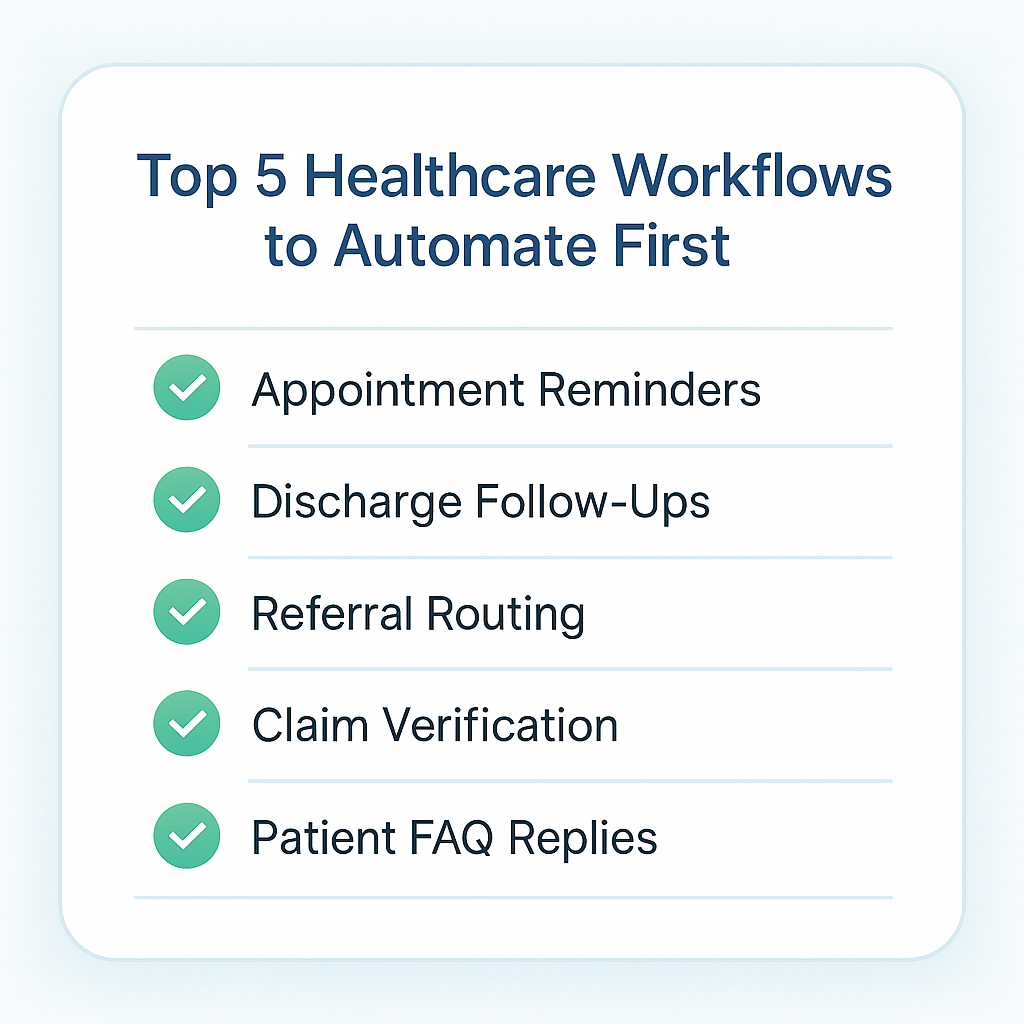
You don’t have to automate everything at once. In fact, you shouldn’t. Just pick one annoying workflow, appointment reminders, discharge follow-ups, whatever your team is tired of chasing, and let automation handle it.
Once everyone feels the difference, the next workflow becomes an easy “yes.”
Bring AI into every part of your healthcare workflow with Hiver – empower healthcare agents with AI Copilot, automate resolutions and routine tasks, and uncover valuable insights with AI Analytics. All within an intuitive, easy-to-use interface that takes minutes to get started.Try a 7-day free trial!
Start using Hiver today
- Collaborate with ease
- Manage high email volume
- Leverage AI for stellar service













