





“In the near future, anyone who’s online will be able to have a personal assistant powered by artificial intelligence that’s far beyond today’s technology.”
These were Bill Gates‘ exact words in an article published in November 2023. Just two years later, that vision is already taking shape.
AI copilots are built into the tools you already use (email, CRM, documents, or support platforms) and are changing how we work. They handle routine tasks, suggest next steps when you’re stuck, and help teams make faster, smarter decisions.
What makes them valuable is how naturally they fit into your daily workflows, so having a copilot doesn’t feel like using an external tool.
In this guide, we’ll explore what AI copilots are, how they work, and why they’re quickly becoming an essential part of modern workplaces.
TL;DR
AI copilots are AI assistants built into your tools, powered by LLMs, NLP, and generative AI.
- Who they help: Support, sales, IT, healthcare, finance, and education teams with heavy workloads.
- Why it matters: Faster execution, smoother customer experiences, lower costs, and fewer risky calls.
- What they do: Write emails, summarize meetings, analyze data, manage projects, and guide agents in real time.
- Where they fall short: They depend on data quality, require oversight, and need guardrails for compliance.
What is an AI Copilot?
An AI copilot is an AI assistant built into your work tools. It uses large language models (LLMs) and Natural Language Processing (NLP) to understand instructions, draft content, analyze data, and guide you through complex tasks.
A McKinsey report projects that AI could automate up to 30% of work currently done by humans by 2030. AI Copilots are a major part of this shift, showing up across many roles and industries:
- Administrative teams use them to create reports, prepare presentations, and manage daily tasks.
- Developers rely on them for code generation, debugging, and documentation.
- Customer-facing teams turn to copilots to suggest responses, analyze leads, and track cases.
- Executives and analysts use copilots to spot trends, run scenarios, and back up decisions.

What You Can Do With AI Copilot
AI copilots are designed to step in wherever work feels repetitive or time-consuming. They’re not tied to one function. Instead, they adapt to different tasks across writing, research, analysis, and project management.
Here are some of the most common ways they help:
Create and Refine Content
You can use an AI copilot to adjust tone, simplify complex words, or shorten text for quick summaries. Instead of writing from scratch, you can review and fine-tune your content based on the output.
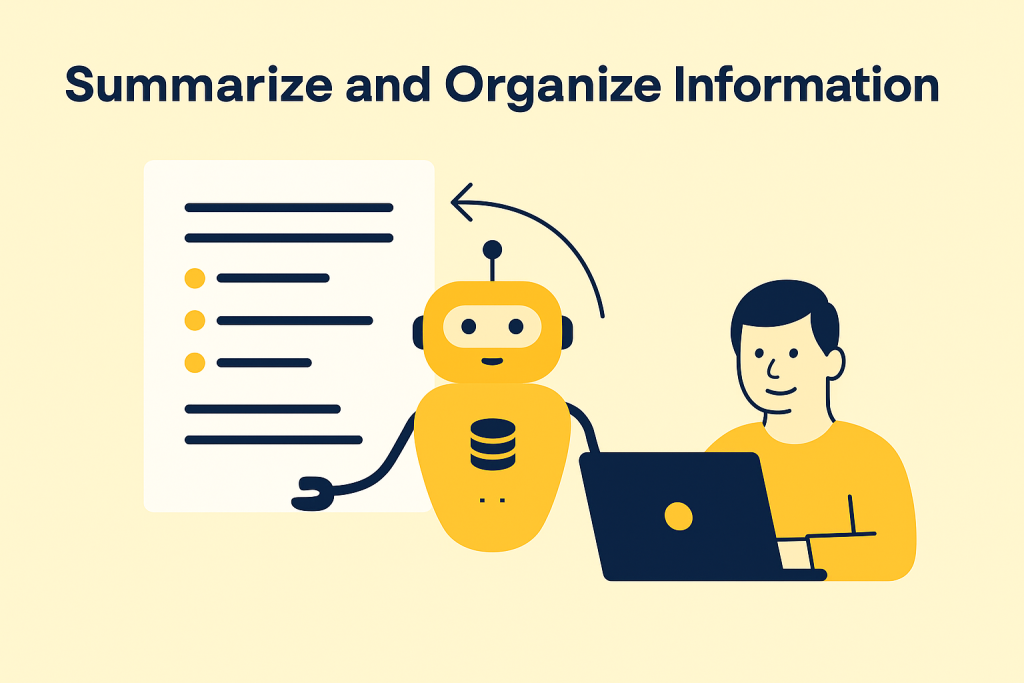
Take the IT Services department at the University of Oxford, for example. Copilots helped 400 of their staff members to create content and summarise their documents, which powered their productivity and creativity, and reduced workload.
Automate and Speed Up Customer Conversations
AI copilots reduce the time agents spend drafting responses by suggesting context-aware replies. They can pull details from past customer interactions, personalize answers, and keep communication consistent across different channels.
Zurich Insurance Group in Hong Kong is a good example of this. They added AI copilot to their support system so agents could handle WhatsApp, email, and SMS in one place. With copilots suggesting faster replies, agents simply review and send, leading to faster customer service.
Analyze Data and Trends
AI copilots can do more than run calculations. They can analyze structured data and business trends, making it easier to understand and act on patterns.
Estée Lauder, for example, used AI copilot to analyze years of consumer data from 25 brands. These insights helped them spot new beauty trends faster, adjust campaigns, and get products to market more quickly.
According to Jennifer Lee, director of strategic initiatives and predictive analytics at Estée Lauder:
“It’s really increasing our speed to be able to compete in the marketplace.”
Build Knowledge Bases Faster
A well-structured knowledge base reduces repetitive questions, shortens resolution times, and helps new agents get up to speed faster. AI copilots can turn FAQs and internal notes into ready-to-publish help articles, so your team spends less time writing and more time helping customers.
Commonwealth Bank of Australia has been successful in doing this. With an AI copilot connected to its knowledge base, employees solve IT issues much faster. In six months, it handled over 2.3 million messages, freeing up staff to spend more time supporting customers and less time on troubleshooting.
How Does an AI Copilot Work?
An AI copilot combines different types of artificial intelligence to understand what you ask, reason through it, and deliver results that fit the context of your work.
Here are the key underlying technologies of AI copilot:
- Large Language Models (LLMs): These are advanced machine-learning models trained on vast text collections. They interpret meaning, spot patterns, and produce human-like responses.
- Natural Language Processing (NLP): NLP is the interpreter between people and machines. It takes everyday language, such as typed or spoken, and turns it into instructions the AI can process.
- Generative AI: This is the creative layer. Once the model understands your request, it can generate results such as a market analysis, a financial report, a slide outline, or a customer insight brief.
What makes copilots truly useful is their link to your own environment. They can use your emails, documents, calendars, or business data to give suggestions that fit your task.
Some companies go further. They train copilots on industry data and blend multiple models for specific needs.
Difference Between AI Copilot vs. Chatbots vs. AI Agents
Chatbots, AI copilots, and AI agents may seem similar since they all use AI and natural language to interact with users, but they have different purposes. Knowing the difference helps you pick the right tool for the job. Otherwise, you might expect a chatbot to run complex workflows or use an agent where a simple copilot would do.

A Chatbot answers simple, repetitive questions in a conversational interface.
AI copilots work inside your tools to assist with tasks and suggest next steps.
AI Agents run multi-step workflows across systems with minimal human input.
Here’s how they compare side by side:
| Aspect | AI Copilot | Chatbot | AI Agent |
|---|---|---|---|
| Primary Role | Works inside apps to draft, summarize, and suggest next steps. | Answers questions in a conversational interface | Plans and executes multi-step tasks across systems without constant input |
| User Involvement | Medium: You review and approve suggestions. | High: You drive the dialogue and the conversation | Low: Agent acts with minimal oversight once given a goal |
| Scope of Work | Contextual: Tied to apps and workflows (email, CRM, docs, code editors) | Narrow: Task-specific (FAQs, basic support) | Broad: Cross-system operations that span departments or processes |
| Examples | Microsoft 365 Copilot, Salesforce Copilot, GitHub Copilot | Customer support bot on a website, banking FAQ assistant | Automated IT resolution, end-to-end order handling, workflow orchestration tools |
| Strengths | Embeds directly into workflows, speeds up complex tasks | Provides instant, 24/7 responses for high-volume, repetitive queries | Automates entire processes across systems, reducing the need for manual coordination |
| Limitations | Needs human review for accuracy | Limited to predefined answers or training data | Higher risk of errors, requires strict governance and monitoring |
To sum up, AI copilots are best when you need help inside your daily tools, chatbots are suitable for simple question-answering, and agents are useful when whole processes need to run independently.
Recommended reading
Real-World Applications and Examples of AI Copilot Across Industries
AI copilots cut routine work, speed up analysis, and guide better decisions. So it’s no wonder they are being used widely across industries.
Here are some examples:
Coca-Cola Invests $1.1B to Speed Up Marketing Operations
Coca-Cola is betting big on generative AI with a $1.1 billion investment. The company rolled out copilots across marketing, supply chain, and workplace productivity to help teams move faster and find new growth opportunities.
These copilots are being used to reduce manual work and give employees more time to focus on creative and strategic decisions.
Accenture Gives Developers More Time for Creative Coding
Thousands of developers at Accenture used AI copilot to handle basic coding and documentation. By automating the repetitive work, the copilot frees engineers to experiment with new ideas and solve client-specific challenges.
Mayo Clinic Made Healthcare Records Easier to Access With Copilots
Mayo Clinic teamed up with Google to bring copilots into its health systems andmake patient records easier to find and use.
The copilots now connect the correct data in seconds, giving doctors a complete view of a patient’s history. The change helps clinicians focus more on healthcare, while their admin teams spend less time searching reports.
Morgan Stanley Arms Financial Advisors With Instant Research
Morgan Stanley worked with OpenAI to give financial advisors a copilot that pulls answers from a vast research and client data library. The employees now spend less time searching for reports and more time focusing on client conversations.
Copilots also automate reporting, surface anomalies, and scan large datasets for compliance risks. It helps the team catch patterns that might otherwise be missed.
Did you know? Hiver’s AI Copilot lets you simplify everyday agent work by drafting smarter replies, summarizing long conversations, and helping the team give consistent responses.
Agents can get answers from internal docs without hunting for info, and new hires get up to speed faster with AI-guided suggestions. During peak volumes, AI Copilot helps teams work through multiple requests efficiently while keeping service quality steady.
Benefits of AI Copilot for Business
AI copilots create measurable value across speed, customer outcomes, efficiency, and decision quality. Here are some of the most significant advantages:
Get Your Work Done Faster
AI copilots shorten the cycle for research, reporting, and content creation. Teams can move from idea to execution without much time.
Marketing launches, product updates, and even internal reports get delivered faster, giving companies a competitive edge in crowded markets.
Deliver a Better Customer Experience at Scale
With AI-driven suggestions and instant access to the knowledge base, customers wait less for answers. Agents and account managers resolve issues consistently, which builds trust.
Make Smarter, Lower-Risk Decisions
Copilots clarify large datasets. You can flag recurring issues and highlight ticket anomalies, product usage, or financial reports. Instead of handling crises, leaders can focus on fixing root causes.
Save Costs and Improve Capital Efficiency
AI copilots automate routine work, lowering operating costs and handling times. Teams free up time and budget for projects that drive growth.
IBM, for example, reported saving 3.9 million hours in 2024 through AI automation, contributing to $4.5 billion in productivity gains.
Handle More Support Requests With Less Manpower
Copilots help teams handle more requests as customer volumes grow without compromising quality. Service standards remain consistent at scale, making it easier to expand without endlessly adding headcount.
Stand Out From Competitors
AI copilots give businesses an edge by increasing speed, customer personalization, and efficiency, helping early adopters serve customers better and outpace competitors.
In industries with thin margins, even small gains in speed and accuracy can tip the balance in favor of copilot users.
AI Copilot Limitations You Should Know
AI copilots have huge potential, but they also present risks that organizations need to manage carefully. Ignoring these pitfalls can lead to security breaches, compliance issues, or costly errors.
Best as a Co-Pilot, Not the Pilot
Copilots are great at repetitive tasks but need human oversight for complex or high-stakes cases. Final judgment should remain with people, especially in customer service or compliance-sensitive situations.
Solution: Keep a human in the loop for external communication and critical workflows. Use copilots to accelerate prep work, not to replace decision-making.
Dependent on Data Quality
The quality of a copilot’s output depends on the data it learns from. Outdated knowledge bases, incomplete ticket histories, or poor documentation can all reduce accuracy.
Solution: Regularly clean and update knowledge bases, review ticket tagging, and invest in better data hygiene to improve accuracy.
Learning Curve for Teams
Agents may need time to trust and adopt AI suggestions daily. Without adequate training, understanding copilots might be difficult.
Solution: Roll out copilots gradually, provide training sessions, and share success stories from early adopters to build confidence.
Compliance Considerations
Industries with strict regulations may need to review how copilots handle, process, and store customer data. Sometimes, even small gaps in retention, audit trails, or privacy controls can create compliance risks.
Solution: Work with IT and compliance teams to set clear guidelines on data use. Ensure copilots align with retention rules, audit requirements, and data privacy standards.
Key Factors to Consider Before Adopting a Copilot
The right copilot depends on how well it fits your needs and protects your data. Keep these areas in mind before choosing one:
- Security first: Protecting sensitive data and ensuring compliance must be the top priority. Nearly 40% of organizations cite privacy or data confidentiality concerns as a major barrier to adopting generative AI.
- Fits your workflows: The tool should adapt to how your teams already work, not force them to change habits.
- Integrates easily: Check that it connects with your existing apps, like email, CRM, and helpdesk.
- Scales with growth: As your business expands, the copilot should be able to handle more users and larger amounts of data without slowing down.
Rolling out a copilot also means preparing your people. Involve teams early, answer concerns, and keep the roadmap clear so adopting the AI Copilot feels smooth.
The Future of AI Copilots
Today, copilots function mainly as assistants embedded in tools people already use, like email platforms, CRMs, project boards, and helpdesks.
Nonetheless, challenges remain in terms of accuracy, trust, and security. Many business leaders are still looking for clear ROI from copilot initiatives. There is “little measurable business return yet” and a desire for a “hard-nosed business case” for AI copilots.
Despite these hurdles, the capabilities of AI copilots are advancing quickly. Looking ahead, experts expect AI copilots to evolve in three major ways:
- Industry specialization: Instead of one-size-fits-all, AI copilots will be trained on domain-specific data, like healthcare records, financial models, or legal contracts, to deliver more precise and compliant support.
- Deeper workflow integration: In the future, AI copilots will be embedded directly into processes. You can move from drafting or summarizing to orchestrating workflows across multiple systems.
Early signs of this deeper integration are evident; 21% of organizations using generative AI have fundamentally redesigned at least some workflows to incorporate AI tools into their processes.
- More proactive behavior: Rather than waiting for prompts, copilots will anticipate needs by flagging risks, suggesting opportunities, and initiating routine tasks before users even ask.
As copilots grow more capable, businesses need stronger governance, more explicit rules, and steady human oversight to keep them reliable and trustworthy.
Getting Started With AI Copilots
Adopting a copilot doesn’t have to be overwhelming. The key is to start simple and let your team grow comfortable with how the technology fits into everyday work.
At Hiver, we’ve seen how copilots can positively affect customer-facing teams. Hiver helps support agents respond faster, track performance, and deliver consistently great service at scale. If this interests you, check out our free product demo.
The best way to understand the value of a copilot is through hands-on use. Start small, experiment daily, and see how it changes your routine.
Over time, you’ll know where it makes the biggest difference and how to scale its impact across your workflow.
Frequently Asked Questions
1. Is Copilot the same as ChatGPT?
No. ChatGPT is a standalone conversational AI, while copilots are assistants built into apps and workflows. Many copilots use large language models like GPT, which are integrated with your data and tools.
2. What is Microsoft Copilot AI?
Microsoft Copilot is one vendor’s version of an AI copilot. It embeds into apps like Word, Excel, Outlook, and Teams to draft, summarize, and automate tasks. Other companies (Google, Salesforce, Zendesk) also have copilots with similar goals.
3. Is Copilot generative AI?
Yes. Copilots use generative AI models to create text, summarize information, generate insights, or suggest actions. The difference is that copilots are connected to your apps and permissions, not just a general chat window.
4. What AI does Copilot use?
It varies by vendor. Microsoft copilots use OpenAI’s GPT models plus Microsoft’s own orchestration layer. Other copilots may run on Gemini (Google), Claude, or proprietary large language models.
5. What is the purpose of a copilot?
The goal is to reduce manual work, speed up drafting and analysis, and provide context-aware suggestions, so people can focus on judgment, strategy, and customer engagement.
6. Does copilot use my personal data?
Most copilots follow the same principle: Your data and permissions stay within your tenant. The AI generates suggestions based on content you already have access to. Details differ by provider, so always check the vendor’s data and privacy policy.
Start using Hiver today
- Collaborate with ease
- Manage high email volume
- Leverage AI for stellar service













