 Skip to content



Fishburners: Helping startups in their success journey
Fishburners is a startup community, dedicated to empowering tech-based startups. Its primary mission is to support and nurture startups by providing essential resources and a collaborative environment.
Based out of Australia, Fishburners provides more than just a co-working space; they offer a thriving community where entrepreneurs can connect, learn, and grow together. This involves hosting events, workshops, and networking opportunities, creating a fertile ground for ideas and collaborations.
The Challenge: Lack of visibility into support queries
For Fishburners, effectively managing queries from members (startups and small businesses that use their services) is key to running a smooth business.
This is normally done by their account management team. They take care of inquiries on onboarding, offboarding, invoices, membership plans, and more.
But the approach they used wasn’t very efficient. Tegan Harlow, an Account Manager at Fishburners, said that a lot of times, members would directly email her with questions, and then she’d have to forward these emails to the right person.
We were managing (these conversations) through my inbox, which wasn’t the best way to manage it, especially if I’m not in the office for some reason; no one could obviously get access to my inbox.
While some members emailed Tegan directly, others would send their queries to the common support inbox (support@fishburners.org). In this inbox, there was no easy way to keep track of all conversations – as a result of which, the team would miss out on some queries.
The biggest problem was the lack of visibility into these member queries. Since multiple inboxes were involved, it was difficult for everyone in the Account Management team to know who was working on what query, the status of queries, and so on. They were also not able to take over in case someone was out of the office or if a query was wrongly assigned.
Tegan explained:
We needed a solution that could give our supervisors and teammates better visibility into the team’s workload.
The Solution
Fishburners’s team decided to go with Hiver after evaluating multiple tools in the market.
Tegan recalls how the product training call was smooth and straightforward. Her first impression of Hiver was that it’s super easy to setup and use.
The Hiver advantage
Streamlines email management and facilitates team collaboration, ensuring no customer query is overlooked
Favourite features
Automated categorization to streamline workload
Earlier, the Account Management team at Fishburners would manually forward incoming queries to team members. This was quite time-consuming and on top of that, there was no way to find out who is working on what.
With Hiver coming into the picture, this problem has been solved.
Tegan’s colleague makes use of Hiver’s Tags feature to categorize queries. So basically, all queries that are related to membership are auto-assigned to her with a ‘membership queries’ tag.
This way, Tegan – who specifically handles membership-related queries – knows exactly what she needs to work on, on a daily basis. There’s no confusion.
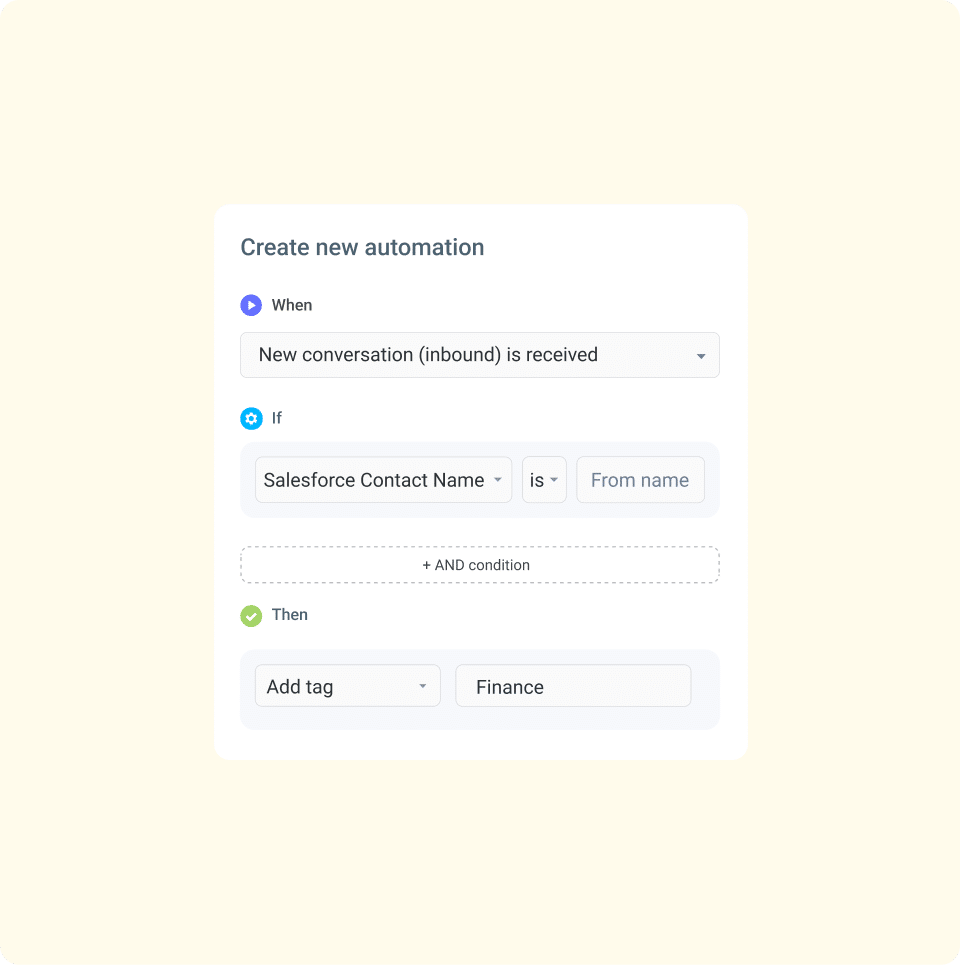
Tegan can now filter conversations by tags and ensure that all membership-related queries that addressed on time.
Instant reassignments, zero hassles
Before Hiver, it was a task for Tegan’s team to redirect queries to other departments in case they were wrongly assigned.
Hiver’s assignment feature has made everyone’s life easier.
Now, Tegan can quickly reassign any wrongly assigned queries to the correct department. And the best part is that she can do this from the Hiver activity panel which is located right next to the email thread. No more forwarding emails.
If I feel like I’ve been assigned the wrong ticket, I’ll send it back to the right person by simply assigning the email to them. This is super helpful because that means you don’t have to email them and say, ‘Hey, this is not for me.’ It just saves so much time.

The moment an email is assigned, assignees get notified in real-time about it. This ensures that everyone has clarity on what they need to work on. This has eventually led to timely resolutions and higher accountability.
A faster way to collaborate
Hiver’s Notes feature has made contextual (internal) collaboration quite easy for the Account Management team at Fishburners. Tegan explains that in case she needs input on a particular query from one of her colleagues, she can simply drop an internal note, and @mention the relevant team member
This can be done from Hiver’s activity panel, which is right next to the email conversation. Tegan further explains that she writes notes sometimes to provide context to a colleague. If say, a colleague is taking over from her to address a specific query, they can simply refer to the notes left next to the query for all the context they need.
More visibility, faster support
Since Hiver came into the picture, the team at Fishburners is able to timely address queries and ensure no communication gets overlooked.
They have complete visibility into the entire team’s workload, can easily assign conversations to the correct department, and can collaborate seamlessly for faster resolutions.

“Hiver is a positive friend that can support you along the way. It’s easy, it’s fun, and most importantly, I can always find what I’m looking for.”
Tegan Harlow
Account Manager


