Zendesk never fit our team’s needs. We needed a system built for relationships, not requests. Every improvement we made with Hiver strengthened how our team operates.
Wes Gibson
Revenue Operations Manager
With Hiver, I have much better visibility into where an issue is on the resolution path. Trying to achieve this level of team coordination without Hiver would take 50-100% more time.
Nathan Strang
Ocean Freight Operations Manager
We looked at Zendesk and the issue was their lack of support. They weren’t very responsive. We found Hiver’s support to be very responsive and very proactive.
John Torres
Director of Customer Communication
Hiver has completely transformed our workflow. The ability to collaborate and track progress in real-time has eliminated delays and made our team much more efficient.
Jill Tarnoff
Sr. AP Specialist at Ping Identity
With Hiver, the team responds faster, handles higher volume, and works with a level of confidence we didn’t have before.
Kenedi Padgett
Manager of Scaled Customer Success
We tested Freshdesk and Salesforce, but they were too complex for us. Hiver struck the right balance — simple enough for daily use, structured enough to track everything.
Every improvement we made with Hiver strengthened how our team operates. What used to take five steps now happens automatically—and everyone knows exactly who owns what.
We built accountability into every customer touchpoint. The team responds faster, handles higher volume, and works with a level of confidence we didn’t have before.
We’ve always focused on responding quickly and accurately to our team members, and with Hiver, we’ve only gotten better. We’re now responding 25% faster than earlier.
Support and engineering were trying to help customers, but context kept getting lost without a shared system. We were spending more time coordinating than actually resolving issues.
Hiver’s AI Copilot is helping our team respond faster without sacrificing tone or quality. It’s a great starting point that we can build on as we scale.
Dana Madlem
CEO
Other features you might find useful
Related Articles
BLOG
How to Use Conversational AI for Customer Service?
How does customer service automation software work?
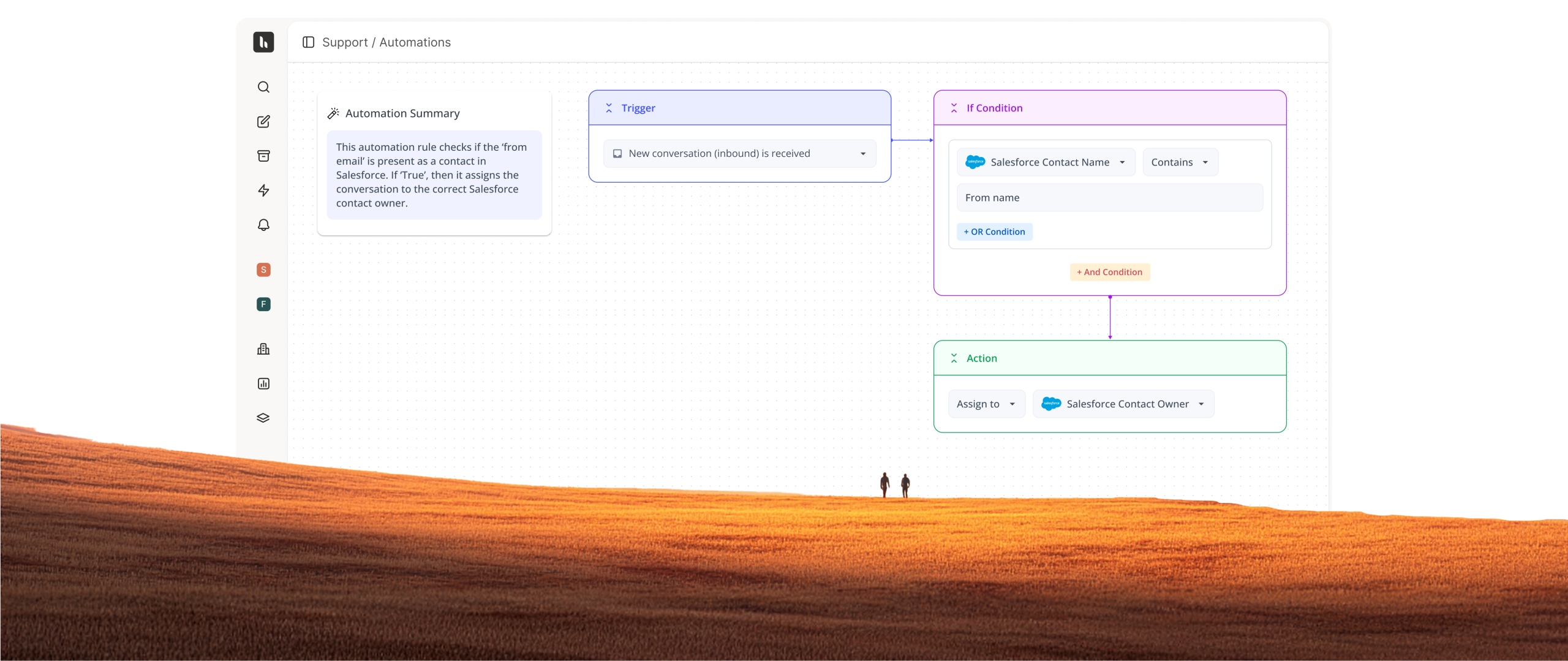
Customer service automation software uses rules and AI to automatically route, prioritize, assign, and respond to customer requests. It reduces manual work by triggering workflows and actions based on conversation context, urgency, or customer data.
How is Hiver different from other customer service automation tools?
Hiver combines no-code automations, AI-driven workflows, omnichannel support, and collaboration in one easy-to-use platform. Unlike legacy tools that rely on complex setup and disconnected add-ons, Hiver keeps workflows simple, flexible, and connected end to end.
How does Hiver ensure accuracy in automated responses?
Hiver uses connected knowledge sources, conversation context, and configurable AI workflows to generate accurate responses and actions. Teams can also review outputs, define rules, and monitor quality using AI QA and analytics.
Can automations assign tickets based on skills and workload?
Yes. You can route requests to agents based on skill, availability, workload, CRM ownership, or custom data. This ensures the right work reaches the right person without manual sorting.
Can AI be used inside workflows?
Yes. AI can detect intent, sentiment, and extract key details to trigger routing, prioritization, or multi-step actions automatically. Workflows adapt to what the conversation is actually about.
Can automations connect with other tools and systems?
Yes. You can trigger API calls and sync data with CRMs, project tools, and other systems. Ticket data flows across tools automatically so workflows stay connected end to end.
What metrics should be used to measure automation success?
Key automation metrics include response and resolution times, SLA compliance, ticket volume handled automatically, workload distribution, CSAT, and time saved through automated workflows and AI actions.
How does Hiver maintain consistency across customer interactions?
Hiver maintains consistency using shared workflows, automations, SLAs, and connected knowledge sources across conversations. Teams can standardize responses, routing, and support processes so customers get accurate and reliable support every time.
Can Hiver assist agents during complex conversations?
Yes. Hiver AI Copilot helps agents with instant answers, summaries, and contextual reply suggestions, while AI Tasks add an intelligent layer to automations by handling triage, follow-ups, and multi-step actions automatically so teams can focus on resolving complex issues faster.
How much time does my team need to do the onboarding?
Most teams can get started within a few hours and fully onboard in a few days, depending on workflow complexity and integrations. Hiver is designed to be easy to set up, with onboarding resources and support to help teams move quickly.
How does Hiver ensure the privacy and security of customer service communications?
Hiver is GDPR, ISO27001, SOC2 Type II, HIPAA and CCPA compliant with leading security policies and frameworks including SAS70 level II, SSAE 16, and SOC framework. All of these make Hiver the safest customer service ticketing software.
How does the free trial work?
When you sign up, you instantly get access to our Elite plan for 7 days. We will email you when your trial expires. You can then select a plan and pay by credit card to continue using the product. If you choose not to continue, your account will be suspended.
Hiver offers the best experience on your desktop or laptop browser. Switch devices and download our extension from the Chrome Web Store to start using Hiver.
 Skip to content