







Many teams searching for ServiceNow pricing quickly notice how difficult it is to get a clear number.
ServiceNow does not publish standard pricing, uses a mix of license types, bundles modules separately, and treats AI usage, implementation, and renewals as additional cost layers.
That creates a pricing model that feels harder to estimate than most enterprise platforms.
In this article, we break down ServiceNow’s 2025 pricing, including its license types, module costs, AI usage, hidden fees, implementation charges, and potential alternatives.
What Does ServiceNow Actually Do?
ServiceNow helps you manage and automate complex operational work across your organization. It’s an AI-powered enterprise workflow platform that brings your data, processes, and teams together in one place, allowing you to simplify work at scale.
You can use ServiceNow to handle a wide range of operations, including:
- IT Service Management (ITSM)
- IT Operations Management (ITOM)
- Customer Service Management (CSM)
- HR Service Delivery
- Governance, Risk, and Compliance (GRC)
- Asset and Inventory Management
- Custom workflow applications
Since the platform is flexible, you can personalize it to fit almost any enterprise workflow. The challenge is that you’ll need more configuration, customization, and ongoing admin time, which increases both setup effort and long-term costs.
Because ServiceNow is modular and each product is licensed separately, your costs can vary a lot. Pricing depends on the modules you choose, the license types, how many users you add, your data usage, and the integrations you need.
That’s why ServiceNow only gives custom quotes and why no two organizations end up paying the same amount.
ServiceNow Pricing Model (How Pricing Actually Works)
ServiceNow structures pricing around who uses the platform, what work they perform, and which products they access. Licensing is role-based, and costs expand as organizations add modules, AI capabilities, and automation requirements.
Understanding these roles is the first step in estimating the cost of your ServiceNow deployment.
Here’s a list of different ServeNow licenses:
1. Fulfiller (Agent License)
A fulfiller is anyone who actively works on tickets or processes requests, such as IT service desk agents, CSM teams, or HR case workers.
Fulfillers can create, update, resolve, and reassign records across various modules, including ITSM, CSM, ITOM, and HRSD, which is why they sit at the top of the pricing ladder. The fulfiller tier unlocks operational features and carries the highest per-user cost.
2. Requester
Requesters are end users who submit incidents or service requests through the portal, mobile app, or virtual agent.
They do not work tickets; they only raise them. Organizations usually assign requester access to all employees, which is why this tier is free or extremely low-cost in most contracts.
3. Approver/Business Stakeholder
Managers and business owners fall into this category. They review and approve changes, monitor requests, and view dashboards, but they cannot resolve tickets like agents.
Stakeholder access is priced between requester and fulfiller levels, giving decision-makers visibility without full operational capabilities.
4. Module-specific roles
ServiceNow offers specialized roles tied to specific suites, including ITSM, ITOM, CSM, HRSD, SecOps, and GRC. A fulfiller in ITSM may not automatically receive access to HR or CSM applications. These roles are explained in detail in the next section.
Many enterprises also negotiate enterprise-wide entitlements, allowing broader access across product families but at a higher contract value.
5. Consumption-based pricing (AI and usage in 2025)
ServiceNow’s AI layer introduces a consumption model built around “Assists.” Each AI action, such as summarizing incidents, drafting replies, generating workflows, or building code, consumes a defined number of Assists.
ServiceNow includes a base Assist allocation in its higher-tier packages, and organizations purchase additional Assist packs when they exceed that allowance.
Advisory firms and community discussions note that AI consumption has become one of the more variable cost components in ServiceNow contracts in 2025.
Example: A company with 40 fulfillers, 2,000 requesters, ITSM and CSM modules, and moderate Now Assist usage will primarily pay for fulfiller licenses, module bundles, and an AI consumption pack. Requesters contribute almost nothing to the bill, while fulfillers and AI drive most of the cost.
Pricing Factors
Several inputs determine the final cost of a ServiceNow deployment. The most influential are:
- Number of fulfillers (operational users)
- Number of modules activated
- AI and automation features added
- Workflow volume and automation limits
- Storage consumption and retention needs
- Integrations with monitoring tools, CRM, HRIS, or identity systems
- Number of instances (production + dev/test environments)
- Support tier selected during the contract
A simple way to think about ServiceNow pricing:
Final Cost = Licenses + Modules + AI Add-Ons + Implementation + Support + Annual Uplifts
Contracts fluctuate as organizations add more modules, expand automation, upgrade support tiers, or consume more AI capacity.
ServiceNow Pricing by Module
ServiceNow prices each major product area separately. These modules are the biggest drivers of total contract value, and most searchers specifically look for pricing around ITSM, ITOM, CSM, HRSD, GRC, SecOps, and Asset Management.
IT Service Management (ITSM) Pricing
ITSM is ServiceNow’s core product for handling incidents, requests, changes, and knowledge management. ITSM helps your IT team resolve issues faster, reduce manual effort, and maintain consistent service quality across the organization.
You get structured workflows, clear SLAs, and visibility into every request so nothing slips through the cracks.
Estimated Range: Typically $100–$200 per fulfiller per month, depending on license tier and volume.
What’s Included: ITSM includes core IT workflows such as incident, problem, change, request, and knowledge management, all supported by the foundational CMDB.
Who Needs It: Internal IT teams managing employee-facing issues
Usage-Based Add-Ons: AI assists, Virtual Agent, storage expansions, more instances
IT Operations Management (ITOM) Pricing
ITOM gives your team real-time visibility into your infrastructure and cloud services. It helps you catch issues earlier, understand dependencies, and keep critical services stable.
Estimated Range: Often $30K–$80K per year, based on the number of discovery nodes, devices, and environments monitored.
What’s Included: ITOM includes discovery, service mapping, event management, and cloud insights to help teams understand infrastructure and service dependencies.
Who Needs It: Teams managing hybrid/multi-cloud or distributed environments
Usage-Based Add-Ons: Extra mapping nodes, log storage, cloud monitoring volume
Customer Service Management (CSM) Pricing
CSM handles external customer issues using structured case workflows. It helps your team manage high-volume customer conversations, deliver faster resolutions, and maintain consistency across channels. You also gain entitlement tracking and enhanced visibility into customer history.
Estimated Range: Generally $150–$250 per fulfiller per month, with additional costs for messaging, portals, and entitlement features.
What’s Included: CSM includes case management, customer portals, entitlements, and messaging tools to support external customer workflows at scale.
Who Needs It: Teams supporting external customers with complex issues
Usage-Based Add-Ons: Messaging consumption, Virtual Agent, AI assists
HR Service Delivery (HRSD) Pricing
HRSD organizes every employee request, including onboarding, benefits, payroll issues, and policy clarifications, into a single, coherent system, rather than relying on scattered emails and forms.
It gives HR teams a clear queue of work, automated approvals, and standardized processes so employees always know where their request stands.
Estimated Range: Usually $60–$120 per HR agent per month, depending on lifecycle apps enabled.
What’s Included: HRSD includes HR case management, employee center, onboarding workflows, and an HR knowledge base for managing employee lifecycle requests.
Who Needs It: HR teams handling internal service requests at scale
Usage-Based Add-Ons: Document storage, extra lifecycle modules, custom tables
Governance, Risk & Compliance (GRC / IRM) Pricing
GRC (IRM) manages policies, risks, controls, audits, and vendor assessments. It helps your organization spot risks earlier, automate compliance checks, and simplify audits across teams.
You get a unified view of governance activities without relying on spreadsheets.
Estimated Range: Commonly $40K–$100K+ per year, depending on the number of activated modules (Risk, Compliance, Audit, VRM).
What’s Included: GRC includes policy management, risk assessments, control tracking, audit workflows, and vendor risk management modules.
Who Needs It: Regulated industries or teams running internal audits
Usage-Based Add-Ons: Continuous monitoring, document storage, integrations
Asset Management (HAM/SAM) Pricing
Hardware Asset Management (HAM) and Software Asset Management (SAM) track devices, entitlements, and licenses.
They help you avoid unnecessary spending, reduce compliance risk, and maintain an accurate inventory across hardware and software assets.
Estimated Range: HAM typically starts around $30K+ per year, while SAM often exceeds $50K–$150K per year due to reconciliation engines.
What’s Included: HAM/SAM includes hardware lifecycle tracking, software license management, contract data, and compliance reconciliation engines.
Who Needs It: Teams with large hardware fleets or software audit pressures
Usage-Based Add-Ons: Discovery nodes, reconciliation engines, SaaS/cloud modules
Security Operations (SecOps) Pricing
SecOps handles security incident response, vulnerability workflows, and threat intelligence.
It helps your security team automate investigations, respond faster, and coordinate more effectively with IT and operations, reducing exposure and improving response times.
Estimated Range: Typically $40K–$120K per year, depending on the mix of SIR, VR, threat intelligence, and automation playbooks.
What’s Included: SecOps includes security incident response, vulnerability management, threat intelligence workflows, and automated playbook execution.
Who Needs It: Security teams dealing with alerts, vulnerabilities, and incident workflows
Usage-Based Add-Ons: Threat feed integrations, extra playbook runs, AI assists
What Do Users Like The Most About ServiceNow?
Here’s what users commonly point to as ServiceNow’s most significant advantages.
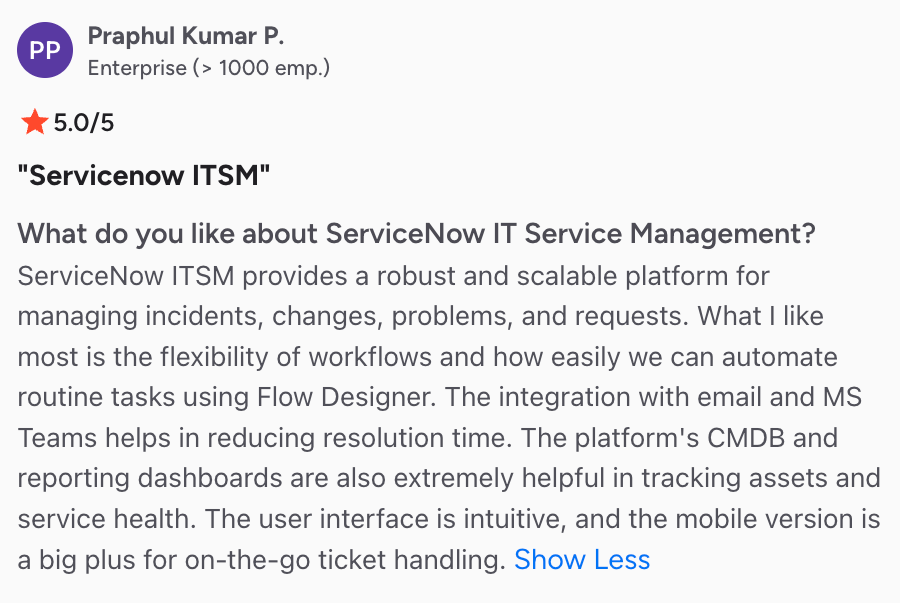
1. Powerful Automation That Reduces Manual Workload
Users consistently praise ServiceNow for simplifying IT operations through automation.

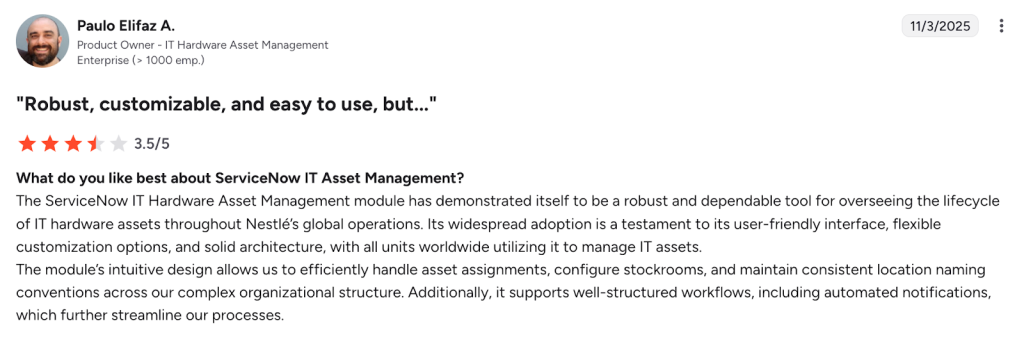
2. Deep Configuration Options
Users appreciate that ServiceNow adapts to complex organizational structures with flexible configuration options.
3. Strong Integration Ecosystem
ServiceNow users value how the platform integrates with existing systems.
What Jira Users Dislike The Most About ServiceNow?
At the same time, users also highlight some drawbacks that make ServiceNow feel more demanding and expensive than expected. Let’s look at that:
1. ServiceNow Pricing Is Expensive and Opaque
Many users feel ServiceNow’s licensing costs are prohibitive, especially for smaller organizations or when adding modules.

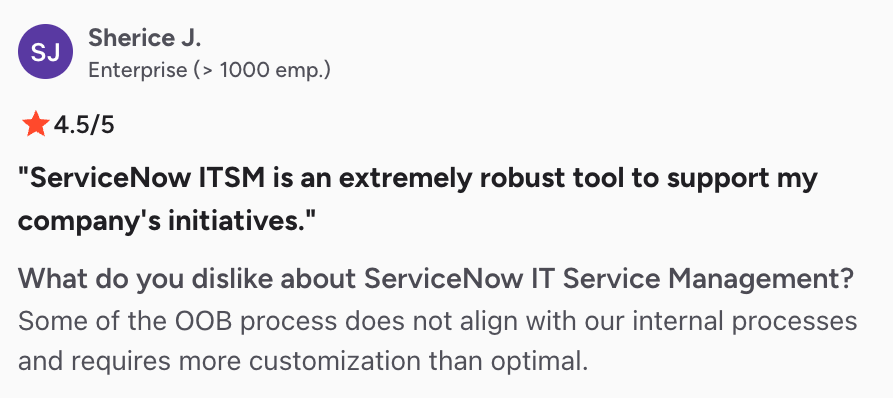
2. Steep Learning Curve
Lots of users mention that ServiceNow requires significant technical expertise to set up.

3. Complex Integration
ServiceNow requires time investment to set up and customize, making it challenging for teams without dedicated IT resources.
The Hidden Costs That Make ServiceNow More Expensive Over Time
Here are the cost layers that most buyers only learn later.
1. Premium support tiers add a significant uplift
Base support is limited, and many organizations upgrade to premium tiers for faster SLAs, architecture guidance, and dedicated support managers. These premium tiers add double-digit percentage increases to annual contract value.
Common reasons teams upgrade:
- Faster incident resolution
- Access to technical account managers
- Proactive monitoring and best-practice reviews
- Support coverage for high-stakes workflows
Support becomes a recurring, unavoidable expense for enterprise environments.
2. Extra instances (dev, QA, staging) are billed separately
Most teams assume dev/test environments are included. In reality, extra non-production instances, QA, UAT, staging, and training often require additional cost.
Large teams regularly add:
- A dedicated QA instance
- A performance testing instance
- A training sandbox
Each instance increases the annual subscription, especially in regulated industries that require separate audit-safe environments.
3. Automation usage can trigger tier upgrades
Automation is central to ServiceNow, but higher-volume workflows consume processing resources and can push teams toward more expensive plans.
High-usage scenarios include:
- Heavy catalog fulfillment
- Complex SLA-driven workflows
- Event or alert automation
- Large-scale routing rules
For growing environments, automation becomes a cost accelerator.
4. Generative AI tokens (“assists”) introduce variable billing
The 2025 shift to consumption-based AI means Now Assist actions are no longer flat-priced. AI summaries, response drafts, routing recommendations, and workflow generations all consume assists.
When the included assist pool runs out, organizations purchase additional packs, turning AI into a running operational expense with unpredictable monthly costs.
5. Custom tables & objects increase contract value
ServiceNow charges for custom table entitlements and object creation beyond the standard allocation.
Teams working with:
- Custom CMDB schemas
- HR case subtypes
- Industry-specific workflows
- Large custom apps
They often learn that expanding tables requires renegotiation or additional licensing.
6. Mandatory annual uplift (5–10%) baked into renewals
ServiceNow contracts typically include a yearly uplift clause, commonly 5% to 10%. It means your cost increases every renewal cycle, even if usage stays the same.
Many enterprise buyers mention that uplifts accumulate quickly across multi-year commitments.
ServiceNow Alternatives With Transparent Pricing
ServiceNow is one of the most powerful ITSM platforms available; however, its pricing can be challenging to forecast.
Your costs depend on fulfiller licenses, module bundles, AI consumption, additional instances, and annual uplifts. If you prefer a setup that’s easier to budget and manage, you’ll likely start exploring other ServiceNow alternatives.
You’ll usually end up looking at two types of options:
1. ITSM Platforms With More Predictable Pricing
If you want the complete ITIL (Information Technology Infrastructure Library) workflow structure without the pricing complexity of ServiceNow, platforms like Freshservice, SysAid, ManageEngine, or HaloITSM can be a good fit.
You get:
- Straightforward per-user pricing
- Faster implementation cycles
- Lower admin overhead
- Useful workflows out of the box
These platforms work well when you need solid ITSM capabilities but don’t require ServiceNow’s enterprise-scale modules.
2. Platforms That Combine ITSM + Team Collaboration Without Heavy Overhead
You might not need a massive workflow engine, but you may still want structured IT service processes, quick response times, and a workspace your team can adopt instantly.
That’s where Hiver becomes a strong alternative. You get a complete ITSM layer that helps you manage:
- IT requests across channels (email, live chat, and portal inside your inbox)
- Approval workflows (multi-step approvals with automated notifications)
- Collaboration (notes, @mentions, shared drafts, followers)
- SLA tracking (real-time alerts and reminders to prevent delays)
- Self-service (AI chatbots and an internal knowledge base for L1 queries)
- Automated triage and routing (no-code workflows + 100+ integrations)
Hiver provides a clean, modern workspace that feels intuitive from the start. There’s no heavy setup, no complex modules, and no usage-based AI billing.
You pay predictable per-user pricing with incident management, multi-channel communication, SLAs, analytics, automations, and AI assistance built in.
You’ll get the most value from Hiver when you need to:
- Simplify your IT operations
- Implement quickly
- Maintain transparent, predictable pricing
- Avoid deep ITOM, AIOps, and custom enterprise app development
Recommended reading
ServiceNow vs. Salesforce: Which Platform Delivers Real Business Value?
ServiceNow vs Hiver: A Transparent Comparison
ServiceNow is built for large, complex IT environments where teams need extensive configuration, multiple operational modules, and the ability to manage heavy workflow orchestration.
Hiver works well for teams that want structured IT service processes, fast adoption, and predictable pricing without operating a large enterprise platform.
The comparison below highlights how the two tools differ in practice, based only on the areas that influence implementation effort, cost structure, and day-to-day use.
ServiceNow vs Hiver Comparison Table
| Feature | ServiceNow | Hiver |
|---|---|---|
| Pricing model | Custom quotes based on fulfiller licenses, modules, AI usage, instances, and annual uplifts. | Predictable per-user pricing with workflows, automation, SLAs, analytics, and AI included. |
| Interface and ease of use | Powerful but complex. Requires configuration, training, and administrative ownership. | Clean and simple workspace that teams understand immediately with minimal setup. |
| ITSM scope | Full ITIL suite suited for large enterprises with advanced operational requirements. | Core IT service workflows for teams that need structure without deep ITOM or heavy customization. |
| AI model | AI usage is tied to consumption units and higher-tier entitlements. | AI available across workflows without usage-based billing. |
| Setup and configuration | Requires longer implementation cycles and dedicated admins to maintain. | Quick rollout with low maintenance overhead. |
| Best suited for | Organizations with complex IT operations, multi-department workflows, and extensive customization needs. | Teams that want streamlined IT service delivery, faster implementation, and stable, predictable costs. |
| Cost predictability | Varies significantly based on modules, AI usage, and contract terms. | Transparent pricing that remains consistent as teams grow. |
Final Verdict on ServiceNow Pricing
ServiceNow delivers a powerful set of ITSM capabilities, but the cost structure increases quickly once you factor in fulfiller licenses, separate modules, AI consumption, additional instances, and administrative effort. For many organizations, the challenge is not the platform’s depth but the unpredictability of the total cost over time.
Teams that need the full ITIL suite, advanced IT operations capabilities, and large-scale workflow orchestration often find strong value in ServiceNow. It makes sense when you have the complexity, resources, and technical ownership to support it.
If your goal is to manage IT requests with structure, automation, SLAs, and faster response cycles without running a heavy enterprise platform, Hiver offers a more predictable path. You get the core IT service workflows, quick implementation, and stable per-user pricing without modules, usage-based AI fees, or multi-layer contracts.
Explore Hiver’s pricing to see exactly what you get, upfront.
Frequently Asked Questions
1. Does ServiceNow publish pricing?
No. ServiceNow does not publish standard pricing on its website. All pricing is provided through custom quotes.
2. Why is ServiceNow pricing custom?
Pricing varies based on license types, modules, AI usage, instance count, and support tiers, so quotes are tailored to each organization.
3. What is the difference between a ServiceNow fulfiller and requester license?
A fulfiller works and resolves tickets. A requester only submits tickets or service requests. Fulfillers carry the highest cost, while requesters are usually free or low cost.
4. How much does ServiceNow ITSM cost?
ITSM pricing depends on fulfillment licenses, modules, and AI assists. Vendors typically position ITSM in the mid-to-high price range for enterprise tools.
5. What modules does ServiceNow charge separately for?
Modules such as ITOM, CSM, HRSD, SecOps, GRC, Field Service, and Analytics often require separate licenses or product bundles.
6. Why is ServiceNow so expensive?
Costs increase with fulfillment licenses, additional modules, AI consumption units, implementation effort, and annual contract uplifts.
7. How much does ServiceNow implementation cost?
Implementation can range from tens of thousands to several hundred thousand dollars, depending on scope, integrations, and customization.













