




Quick summary
A chatbot-to-human handoff happens when AI reaches the point where a support rep needs to step in and take over the conversation.
A good handoff should not make the rep start from scratch. The AI should pass along the full context of the issue, what it has already checked, what it found, and why it is escalating the conversation.
That means the rep can pick up where the AI left off instead of repeating the investigation.
Here’s what a good handoff needs to get right:
- Decide what AI should handle. Define which requests AI can resolve independently and which need human involvement.
- Set clear handoff triggers. Transfer conversations when customers ask for a person, AI gets stuck, or an issue needs human judgment.
- Pass along the full context. Include conversation history, customer details, actions taken, and the reason for escalation.
- Route requests to the right people. Consider the issue, customer account, urgency, and rep availability.
- Keep customers informed. Explain when a handoff is happening and what they should expect next.
- Measure handoff quality. Track how quickly reps take over, how often customers repeat information, and whether the issue gets resolved.
Why the handoff matters for your AI support strategy
Even as more support starts with AI, customers want to know they can reach a person when needed.
A 2026 Gartner survey of 3,566 customers found that 87% consider access to a human essential when companies use generative AI for customer service.
Most companies believe they’ve solved this. In Five9’s 2026 research, 96% of CX decision-makers said their AI-to-human handoffs preserved the context support reps needed. Yet 83% of consumers said they at least sometimes had to repeat themselves after being transferred.
For customers, that means explaining the problem twice. For support reps, it means rereading the conversation, asking questions the AI already asked, and repeating troubleshooting steps before making progress.
A bad handoff can also cost you the customer’s trust in AI. In another 2026 Gartner finding, only 27% of customers said they would try a chatbot again after a negative experience.
This is why handoffs deserve as much attention as AI resolution rates.
Even a capable AI agent will encounter requests that need a support rep. The experience depends on whether that rep can pick up the work without making the customer start again.
Why listen to us?
We’ve spent over a decade building Hiver for complex support, and today more than 10,000 teams use it. Across those teams, the same thing decides whether a handoff works: whether context moves with the conversation.
Take Air Comm, whose support team handles more than 4,000 requests every month. When a rep’s shift ends, they leave an internal note on each open conversation explaining what’s happened and what still needs attention, and the next rep reads it alongside the full history.
Tai Roach, Air Comm’s Support Team Manager, describes Hiver’s Notes section as “the most powerful part of Hiver.”
That’s a handoff between support reps, but AI handoffs need to solve the same problem. Whoever takes over a request needs to know what’s already happened and what has to happen next.
What is a chatbot-to-human handoff?
A chatbot-to-human handoff is the moment a bot or AI agent passes a live conversation to a support rep. You’ll also see it called escalation, human takeover, or bot-to-human transfer.
Most handoffs happen for one of three reasons: the customer asks for a person, the AI can’t resolve the request, or the issue requires human judgment or approval.
For example, an AI agent might be handling a customer issue where they’re unable to login to their account . In this case it can collect the error code, check the customer’s account, and try out the troubleshooting steps you’ve configured.
If the problem persists, it hands off to a support rep.
Ideally, the rep sees the error, which steps the AI tried, what happened after each one, and why it handed off. They continue the investigation, and the customer doesn’t have to explain anything again.
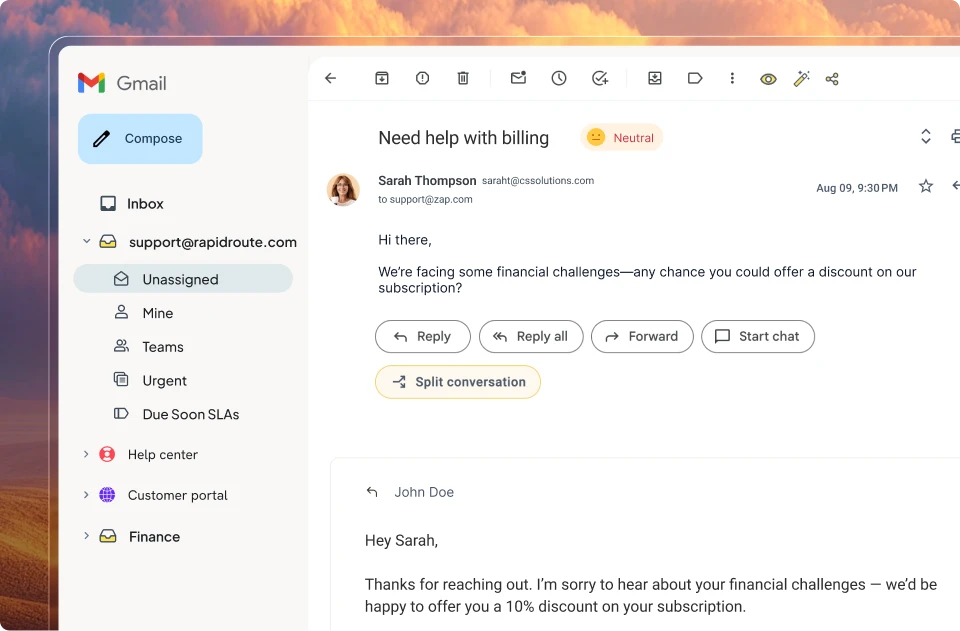
That’s a warm handoff. A cold handoff passes the conversation with little or none of that context.
| Warm handoff | Cold handoff | |
| What the rep receives | The conversation, customer details, and actions already taken | A new ticket or conversation with limited context |
| What the rep does | Reviews the previous work and continues investigating | Gathers information and starts troubleshooting again |
| Customer experience | Fewer repeated questions and a more continuous conversation | More repetition and potentially longer resolution times |
How much context there is to pass along depends on what your AI can do. A basic rule-based chatbot might collect the customer’s name, contact details, and issue type before handing off. An AI agent can go further. Depending on its configuration and integrations, it can retrieve account information, follow troubleshooting procedures, check records in other systems, and complete actions first, and every one of those steps needs to reach the rep.
How to design a chatbot-to-human handoff
1. Decide what your AI agent resolves and what goes to a support rep
Before you write a single rule, look at what customers contact you about. Pull a few months of conversations, group them by what the customer wanted, and sort each group into one of three piles:
- The AI agent resolves it: Password resets, plan details, invoice copies, and how-to questions your help center already answers.
- The AI agent does the groundwork, then hands off: Requests that need deep investigation, like a login error that might be a bug.
- A person owns it from the start: Cancellations, pricing exceptions, disputes, and security concerns, where judgment or approval matters.
The middle pile is where a good handoff saves your reps the most time. By the time a rep joins, the AI has already done part of the work. Write the split down as a short policy. Then review it every month as your AI agent takes on more.

2. Set clear handoff triggers
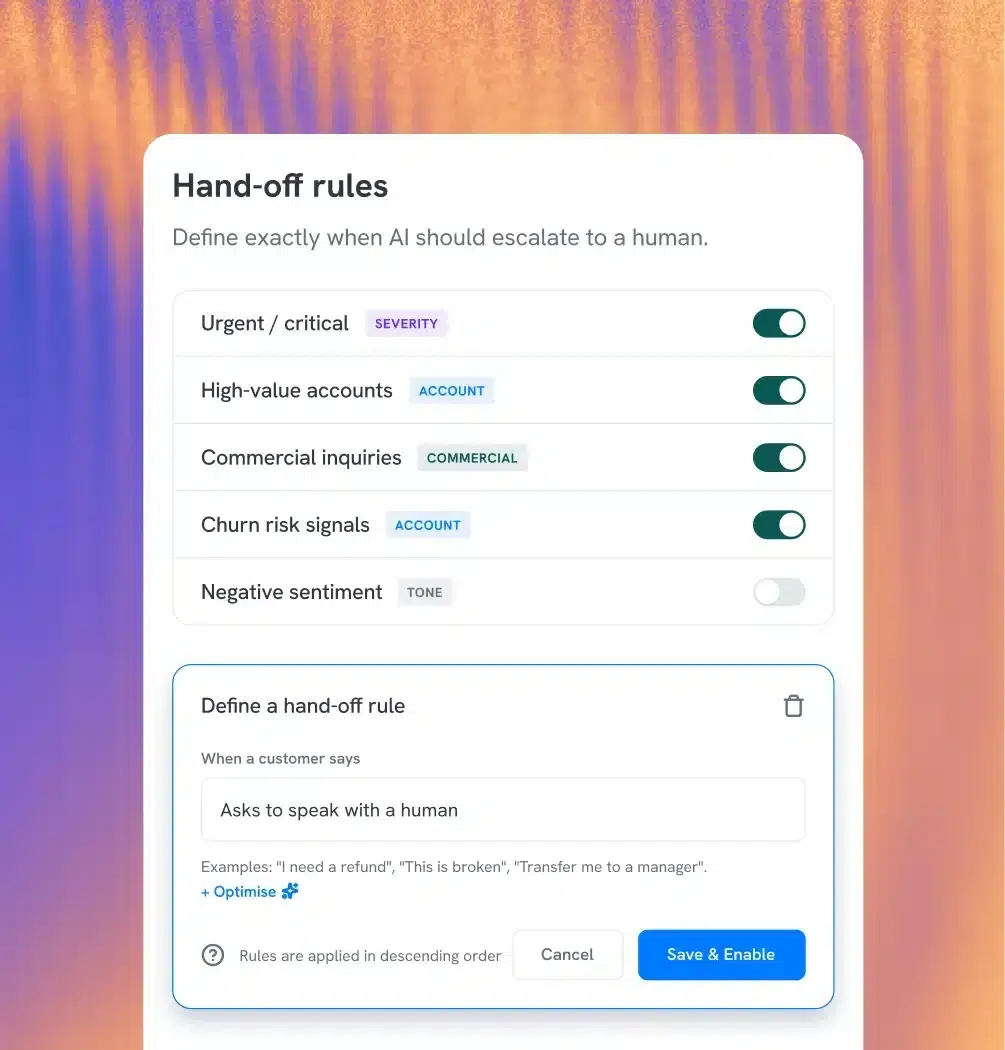
Triggers are the rules that tell your bot when to stop and bring in a support rep. You’ll want a mix of these five:
- The customer asks for a person: Hand off the first time they ask. In the same Gartner survey, 87% of customers said companies using GenAI must offer a way to reach a human.
- The bot is stuck: Hand off after a set limit, like two failed answers in a row or the same question asked twice.
- The customer is frustrated: Negative sentiment, messages in all caps, or “I already told you” are clear signals.
- The request is high stakes: Cancellations, refunds above a set amount, pricing exceptions, and legal or security questions.
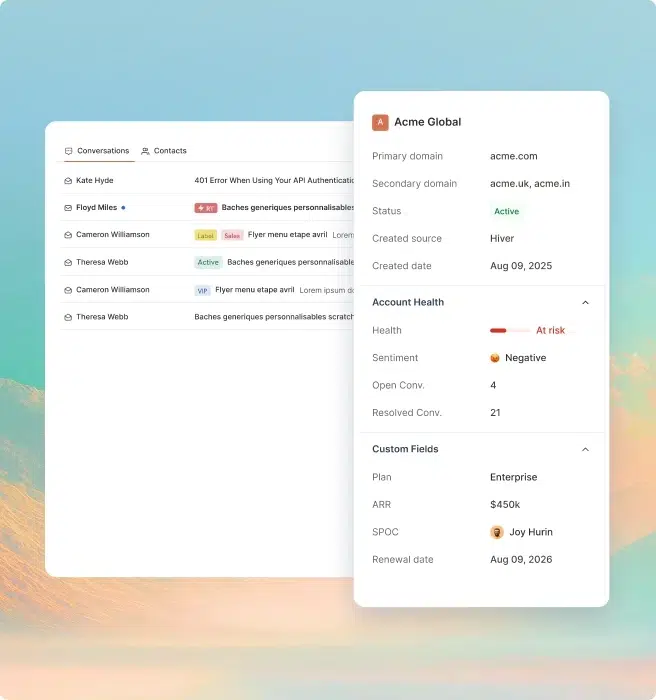
- The account needs special handling: Strategic accounts, customers close to renewal, and anyone your account team has flagged.
Watch for loops, because they’re easy to miss in testing. A bot that asks the same question again and again wears customers down. Reps can also take over a chat they’re watching if they see it going wrong.
3. Hand off with the full context attached
This is the important thing to get right. In our Context in Motion benchmark, 37.6% of B2B support teams said they lose context frequently or almost always during a handoff.
Decide exactly what context should pass along with every conversation.
- The full transcript, in the same thread the rep works in
- Who the customer is, plus account details like plan, owner, and renewal date
- What they want, summed up in one line
- Details the AI already collected, like an error code or order number
- What the AI already checked or tried, and what it told the customer
- Why it handed off
The last two are critical. If the rep doesn’t know the AI already reset a password, they’ll repeat the step. If they don’t know it promised a callback, they might contradict it. And if they don’t know why it handed off, they might miss that the customer is already upset.
4. Route the conversation to the right support rep
If a handoff goes into one general queue, the customer waits all over again. Route each one using these four signals:
- Topic: Billing questions go to someone who can issue credits, and suspected bugs go to your technical team.
- Account: Strategic accounts go to their named rep or account manager.
- Urgency: Frustrated customers and outage reports go to the front of the queue, with a tighter SLA.
- Availability: Only route to reps who are online, and spread chats evenly so no one rep gets overloaded.
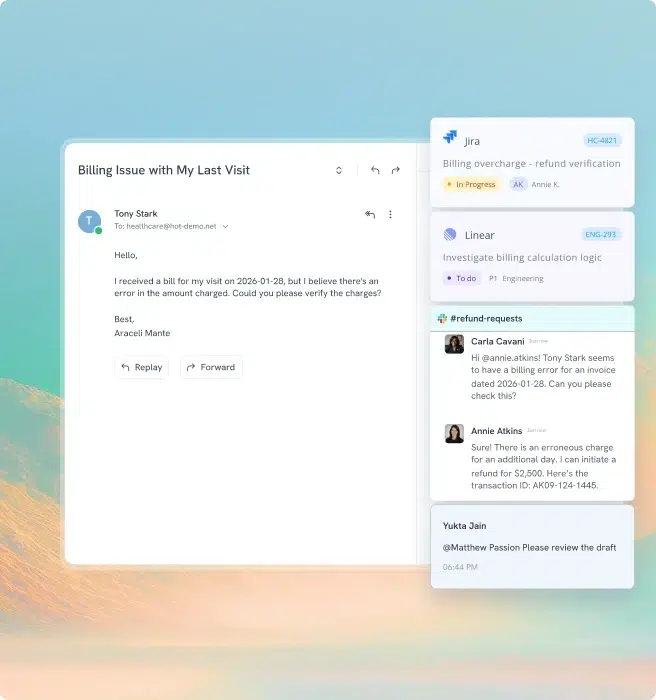
Some fixes need another team, too. The rep should be able to loop in engineering or finance without leaving the conversation. That could mean creating a Jira issue, leaving an internal note, or starting a Slack discussion.
5. Tell the customer what happens next
When a chat suddenly goes quiet, it feels broken, even if a rep is on the way. As soon as the handoff starts, tell the customer who’s joining and roughly how long it’ll take. A message like this works well.
“I’m bringing in [name] from our billing team. They’ll see everything we’ve covered so far, and the current wait is about four minutes.”
Then keep the promise in that message. The rep should see everything the bot covered, and the wait should match what you said.
Once the bot hands off, it should stop replying, so the customer isn’t talking to both the AI agent and the human at once. If no one is online, say so plainly and tell the customer when someone will reply. And turn the chat into a ticket with an owner, so it’s first in line when a support rep logs in.
6. Measure the handoff and tune it
AI resolution rate tells you how often the AI resolved the request end to end. But to see how your handoffs went, track these numbers alongside it:
| Metric | How to calculate it | What it tells you |
| Handoff rate by reason | Handed-off conversations ÷ all AI conversations, split by trigger | Which triggers fire most, and what to teach the AI next |
| Time to rep pickup | Time from handoff to the rep’s first reply | Whether customers sit in silence after the switch |
| Re-ask rate | Handoffs where the rep asked for something the AI already had ÷ all handoffs | Whether your context reaches the rep |
| CSAT after handoff | CSAT on handed-off conversations, compared with AI-resolved ones | How the switch feels to the customer |
| Repeat contact within 7 days | Customers back about the same issue within 7 days ÷ resolved conversations | Whether the issue really got fixed |
You’ll need to sample transcripts to see how often customers come back with the same issue after it’s been marked as resolved. Each week, review 20 handed-off conversations and note every question the rep asked that the AI already had already answered.
For more on the numbers behind support quality, see our guides to customer service metrics and live chat metrics.
How Hiver hands off from AI Frontline Agents to support reps

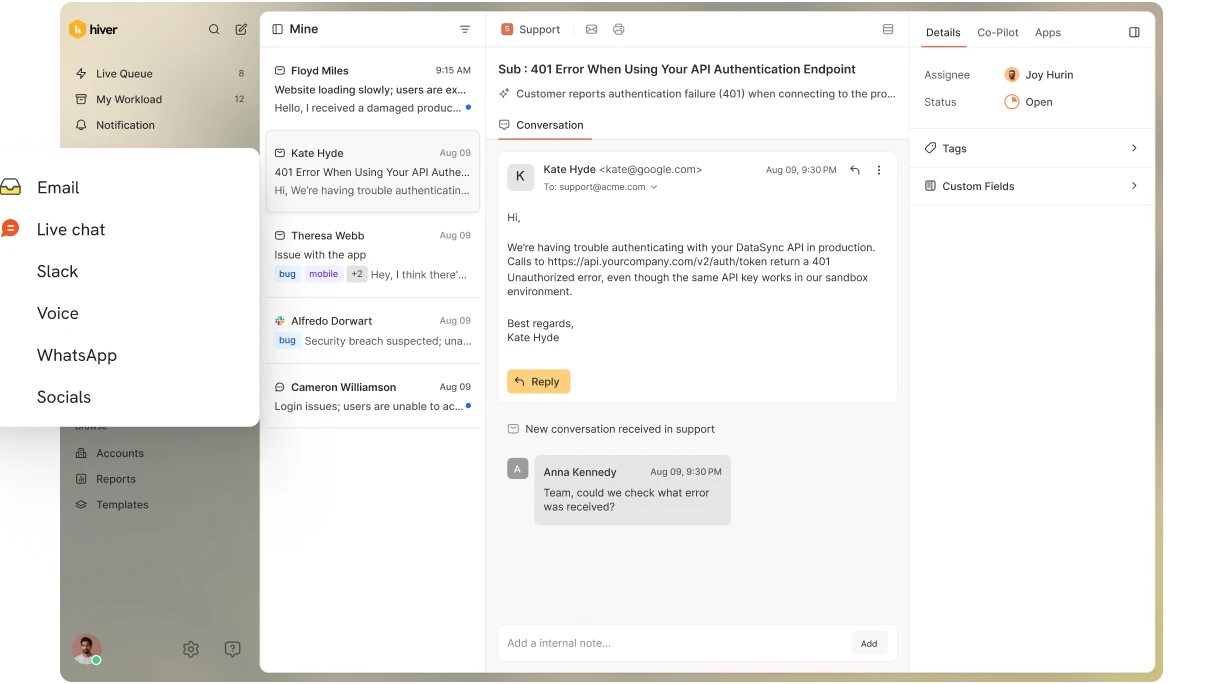
Hiver is the agentic customer service platform built for complex support. Its AI Frontline Agents can investigate issues, follow procedures, and take actions across connected systems to resolve customer requests. When a request needs human involvement, the AI Frontline Agent hands it over with the conversation history and work already completed.
Let’s go back to the login issue we discussed earlier. With the right procedure and integrations configured, a Hiver AI Frontline Agent can collect the customer’s error code, check the relevant account details, and refresh their login token through a connected API. It then asks the customer to try logging in again.
If the error persists, the AI Frontline Agent can create a Jira issue for engineering and hand the conversation to a support rep. The rep receives the error details, the steps already attempted, and the results of the investigation. They can see what’s happened so far and continue working on the issue.
Hiver’s AI Assist Agent can help the rep investigate further by finding relevant information from past conversations, suggesting next steps, and drafting a response. Observability gives your team visibility into the actions the AI Frontline Agent took.

You can also control when these handoffs happen. When configuring an AI Frontline Agent, you can define handoff rules for situations where a customer asks for a person, repeated troubleshooting attempts haven’t worked, or a request needs human approval. For example, you might want a support rep to handle refund disputes that fall outside your standard policy.
And because Hiver brings email, live chat, Slack, WhatsApp, voice, and SMS into one workspace, support reps can access relevant customer history across channels. They can also see customer information from connected systems like Salesforce and HubSpot, which helps when an issue requires more account-specific context.
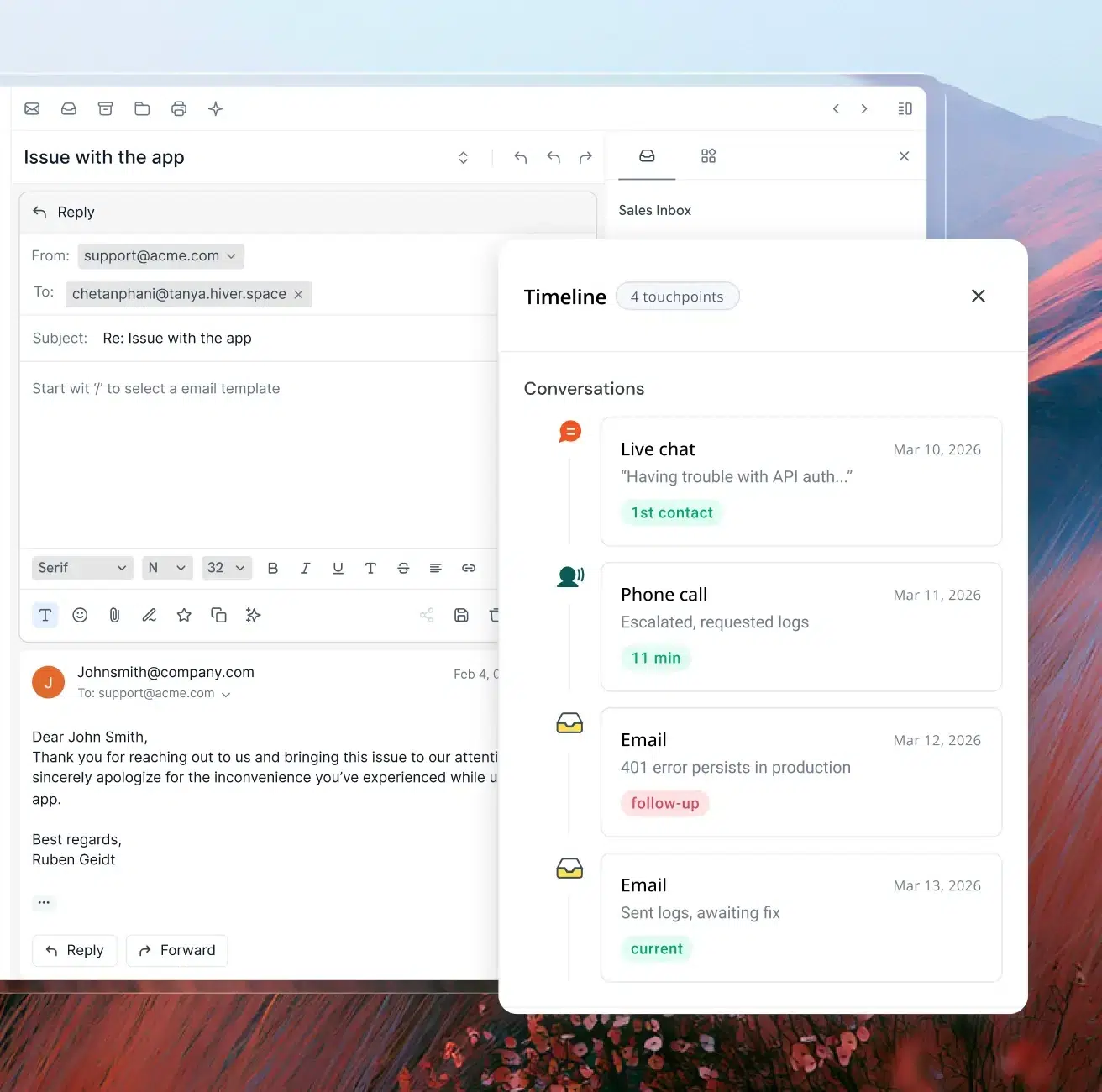
Once the conversation is handed over, Hiver’s Ticketing and Workflows help keep it moving. You can assign an owner, set priorities and SLAs, and route requests based on factors like the issue type, customer account, or urgency.
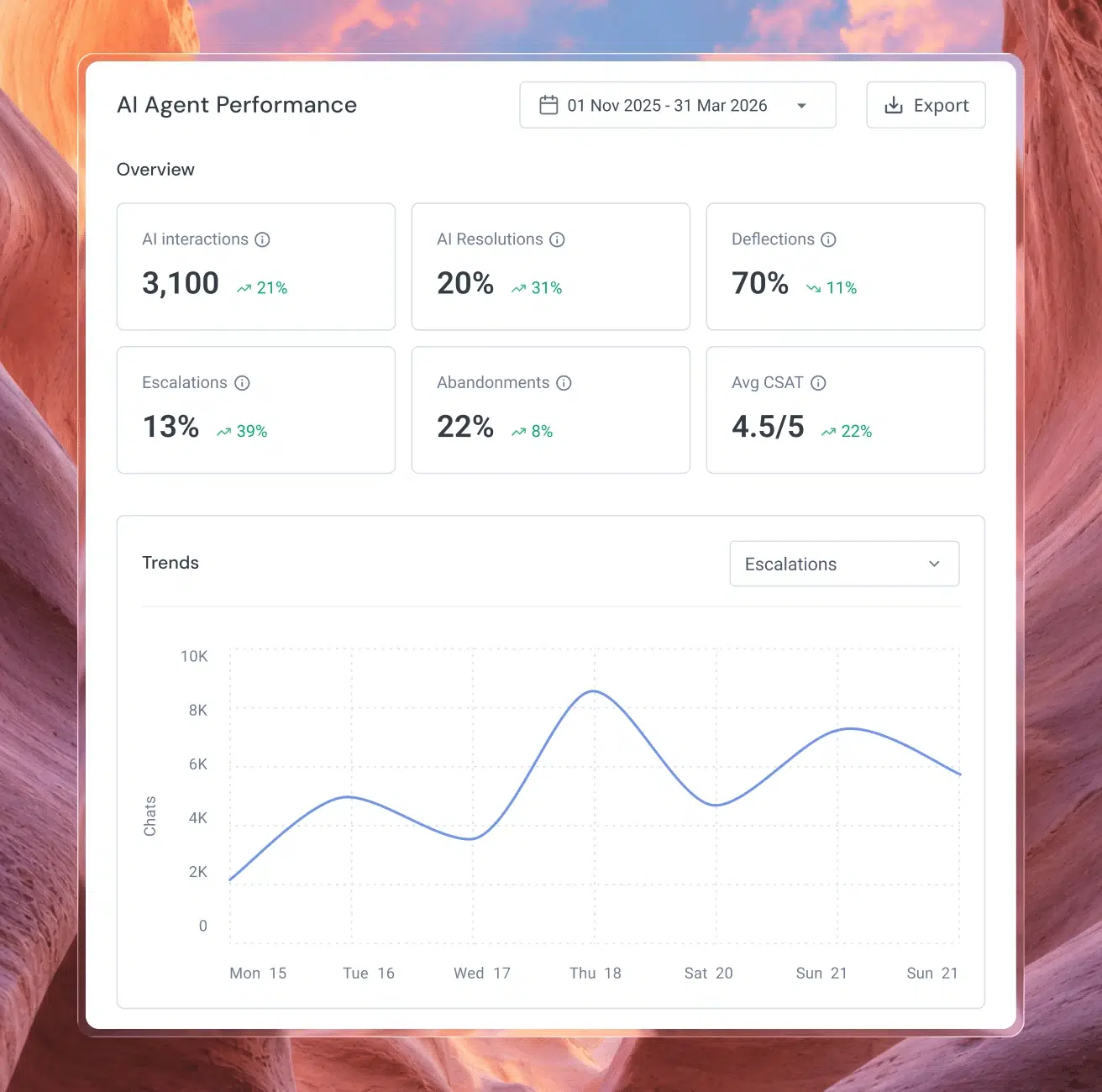
You can then use Reporting to track response times, SLA performance, and customer satisfaction. AI QA also evaluates support replies against your team’s quality standards, including tone, clarity, and completeness. These insights can help you identify where the experience needs improvement after a handoff.
Want to see an AI Frontline Agent hand off a login issue like this one , with the investigation attached? Book a Hiver demo, and we’ll walk you through it.
FAQs
How do chatbots use AI to interact with humans?
AI chatbots use large language models to read what a customer types and work out what they want. Then they reply in plain language. Some also search your help docs and connected systems before they answer. When a chat reaches a limit you’ve set, the bot hands it to a support rep.
Does a handoff mean the AI chatbot failed?
No. Plenty of requests should end with a support rep, like cancellations and pricing exceptions. A handoff only counts as a failure in two cases. Either the bot should have resolved the request itself, or it held on too long before letting go. The second one does more damage, because the customer has already spent time going in circles.
What percentage of chats should go to a support rep?
There’s no single right number. A team answering simple account questions might hand off very few chats. A team supporting complex software will hand off far more, and that’s fine. Track your handoff rate by reason. Then push it down only where the AI could have resolved the request well.
How do you recover after an AI chatbot gives a wrong answer?
Have the support rep own the mistake and correct it plainly in the same conversation. Then fix the cause, which is usually a missing or outdated help article. Finally, check whether the request should have triggered a handoff earlier. If it should have, add a rule for it.