


Why Trust Us?
At Hiver, we’ve resolved over 400 million support conversations. Our AI support platform is trusted by over 10,000 teams worldwide, who we have helped reduce resolution times and simplify customer service. According to Flexport, with Hiver’s automated tools and workflow management, they could achieve 50% faster email resolution, saving 387 hours per month.
Shortlist
| # | Bot | Price | Best For | Features |
| 1 | ChatGPT | Free | General enquiries | NLP understanding and versatility |
| 2 | Hiver | $49/user | Fast-growing teams | AI summarizer and task automation |
| 3 | Infeedo | Contact sales | HR teams | Predictive analytics and custom surveys |
| 4 | Jasper Chat | $39/user | Marketing teams | SEO tools and tone adjustment |
| 5 | Fin by Intercom | $39/user + per query | Automated customer support | Automated replies and deep integrations |
Quick Summary
We tested 32 leading AI chatbots for customer service and narrowed them down to the top performers. ChatGPT’s NLP understanding and versatility make it great for general enquiries, while Hiver is ideal for fast-growing teams, standing out for its powerful AI summarizer and task automation features. Fin by Intercom follows closely, excelling in automated customer support with intelligent replies and deep integrations.
Is Your Customer Support Ready for AI?
Customer support can be simple, but many growing teams face challenges like cluttered inboxes, missed replies, and long setup times that slow them down.
AI chatbots are making support easier. Since the launch of ChatGPT, several businesses have turned to AI to simplify support and improve customer service delivery.
In this article, we review the 32 best AI chatbots for customer service in 2025. We’ll cover their features, pricing, and main benefits to help you choose the right one for your team and customers.
What is an AI Chatbot for Customer Service?
An AI Chatbot is a software that uses Natural Language Processing (NLP) and machine learning technology to simulate conversations with human users. Unlike traditional rule-based chatbots that follow fixed scripts, AI chatbots can understand intent, learn from past chats, and give more natural, intelligent answers as they improve.
Here are some things they can help with:
- Cutting down on response times
- Reducing support costs
- Creating more personalized experiences
Most importantly, AI chatbots make customer support more efficient while keeping the human touch.
A Quick Rundown of the 13 Best AI Chatbots Available in 2025
Let’s look at a list of the most useful AI chatbots available in 2025 and their key features and applications for a wide variety of business use cases.
| AI Chatbot | Starting Price | Key Features | Ratings |
|---|---|---|---|
| ChatGPT | Free plan | – NLP Understanding– Customizability – Versatility | 4.7/5 (G2) |
| Hiver | $49/user/month | – Auto-Close Non-Actionable Responses – AI Summarizer – Intelligent Email Template Suggestions | 4.6/5 (G2) |
| Infeedo | Contact sales | – Employee Engagement Insights – Predictive Analytics – Customizable Surveys | 4.7/5 (G2) |
| Jasper Chat | $39/user/month | – Content Creation Assistance – SEO Optimization – Tone and Style Adaptability | 4.0/5(G2) |
| Fin by Intercom | $39/user/month + $0.99 for every query Fin closes | – Customer Support Automation – Contextual Understanding – Seamless Integration | 4.5/5 (G2) |
| Lyro by Tidio | $29/user/month + $39 for Lyro | – Automated Customer Support – Multi-Channel Integration | 4.7/5 (G2) |
| ChatSpot | Free | – CRM Integration – AI-Powered Insights | N/A |
| Paradox AI | Contact sales | – Recruitment Automation – Conversational Interface – Integration Capabilities | 4.7/5 (G2) |
| Perplexity | Free plan | – Real-Time Information – Source Verification | 4.6/5 (G2) |
| Github Copilot | $10 individual plan | – Code Suggestions and Autocompletion – Supports a Wide Range of Programming Languages | 4.5/5 (G2) |
| Juro’s Legal AI Assistant | Contact sales | – Automated Contract Management – Integration with Multiple Tools | 4.6/5 (G2) |
| Claude | Free plan | – Large Context Window – Enhanced Safety and Accuracy | 4.5/5 (G2) |
| Guru | $25 per user/month | -Knowledge Agents -Multi-Source Reports | 4.7/5 (G2) |
| Kommunicate | $40/month | – No-Code Bot Builder – Multilingual Support | 4.8/5 (G2) |
| Quidget | $16/month | – No-Code AI Agents – Empathetic Support | 4.5/5 (G2) |
| Ushur | $1000/month | – Workflow Automation – Omnichannel Engagement | 4.4/5 (G2) |
| Forethought | Custom | – AI Copilot – Smart Ticket Classification | 4.2/5 (G2) |
1. ChatGPT
ChatGPT is a conversational AI chatbot that went viral in November 2022 because of its ease-of-use, human-like responses, and versatility. Users can simply type a prompt to ask a question or give it an instruction and ChatGPT provides a relevant, accurate response in return.
You can use it in an endless number of ways. It can produce content for essays, emails, blogs, and so on. It can also be used for more complex tasks like writing or debugging code, generating images, translation, or even solving complex mathematical equations.
Here’s a very useful guide on how ChatGPT can help with customer service in 2025.
The creators of ChatGPT, OpenAI, have been consistent with releasing new upgrades and enhancements to improve user experience. They recently launched their latest model, GPT-5, which can accept text, audio, image, and video inputs as part of prompts and generate text, audio, and image outputs. Additionally, they have introduced a new unified system that uses a router to switch between different models for enhanced speed and accuracy.
To understand just how capable this new model is, check out this video where it teaches a kid math –
Key Features:
- Natural Language Understanding: ChatGPT excels at understanding and generating human-like text, making interactions feel more natural and engaging.
- Customizability: The model can be fine-tuned for specific tasks and industries, allowing for tailored applications such as customer support, content creation, and more.
- Versatility: ChatGPT supports a wide range of applications, from answering questions and providing recommendations to generating creative content and assisting with educational needs.
Rating: 4.7/5 ⭐️(G2)
Pricing: As of 2025, ChatGPT offers a free tier with basic features and a subscription plan, ChatGPT Plus, at $20 per month for enhanced capabilities.
Ideal For: General enquiries
Integration Depth: Connects easily to CMS platforms through APIs
SLA/Metrics Visibility: Yes
Compliance/Security: Fully GDPR-compliant
Ease of Setup: Quick
Pros
- Simple to use
- Saves time when researching
- Works well for both personal and business needs
Cons
- Struggles with highly technical queries
- Daily limits hinder productivity
- Produces inaccurate or fabricated information sometimes
2. Hiver
Hiver is a modern AI customer service solution built for fast-moving businesses. It empowers teams to deliver stellar service across channels like email, chat, voice, and more – all from one single intuitive interface.
At Hiver’s core is a powerful AI engine that automates repetitive work, powers customizable chatbots, and assists agents with high-quality suggested responses. Everything is designed to help teams resolve queries faster while keeping the experience personal.

Key Features:
- Auto-reply to common questions: Hiver’s AI Answers lets you instantly respond to incoming inquiries by pulling accurate information from your knowledge base, internal SOPs, past conversations, website content, and more. This way you’re there for your customers round the clock and your agents don’t have to do repetitive work.
- Auto-route conversations to the right person: When a chatbot can’t resolve an issue, it hands the conversation over to a human agent with full context. Hiver automatically triages each query by intent — like Refunds, Billing, Shipping, Bugs, or Cancellations — and routes it to the right teammate so customers reach the right person faster.
- Capture important details: Hiver pulls key information from each customer message — like order IDs, account numbers, product SKUs, store locations, device types, or error codes — and adds them to structured fields your team can sort, filter, and report on. This makes it easier to track issues, spot patterns, and resolve queries faster without digging through long email threads.
Rating: 4.6/5 (G2)
Pricing: Hiver’s pricing starts at $25/user/month. Hiver AI is available for purchase as a $20 add-on across all plans.
Ideal For: Fast-growing support teams
Integration Depth: Integrates with 100+ tools like Salesforce, HubSpot, Jira, and NetSuite
SLA/Metrics Visibility: Yes
Compliance/Security: Fully GDPR-compliant
Ease of Setup: You can get started in minutes
Pros
- Fast setup and minimal training needed
- Automated and faster response times
- Manage all support channels from one single intuitive interface
- Transparent, affordable pricing
- 24/7 human-led support included across all plans
Cons
- Mobile experience isn’t as robust as desktop
- Limited offline functionality
3. Infeedo
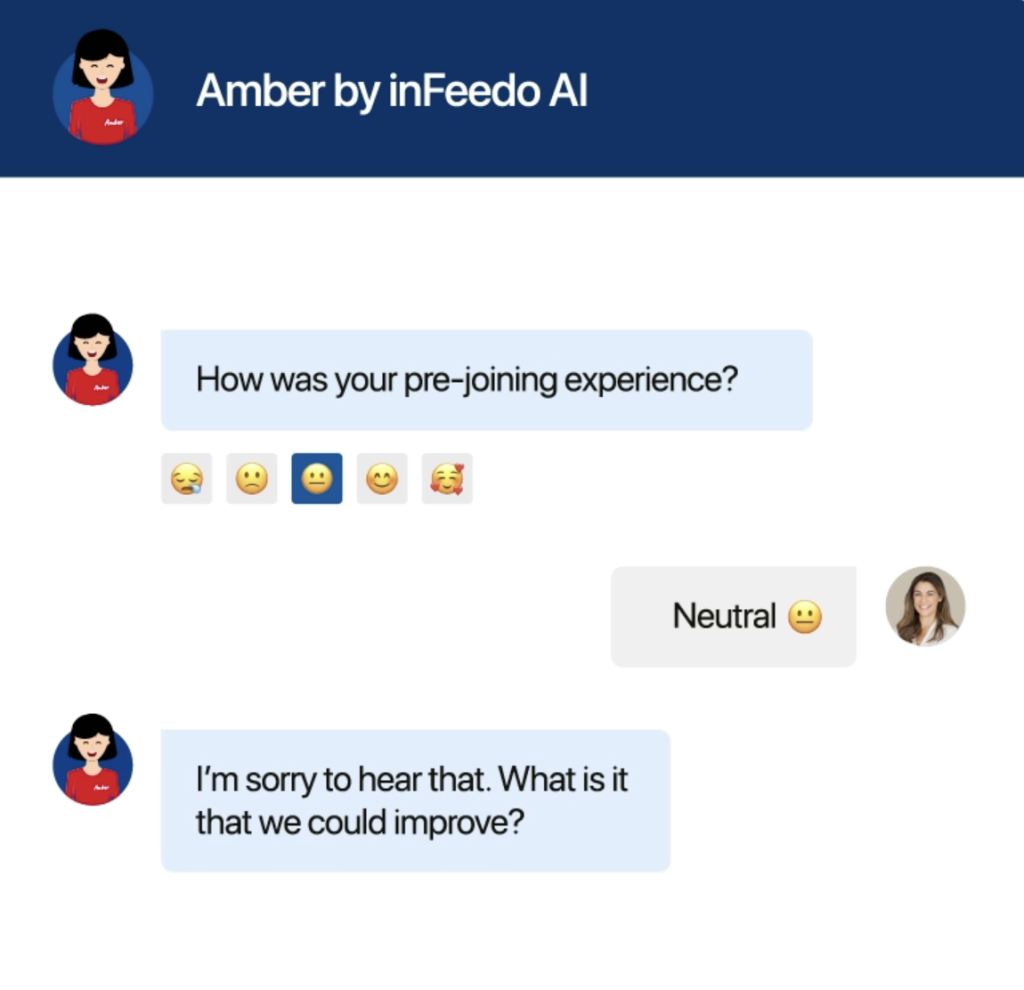
Infeedo is an AI-powered chatbot that helps businesses collect employee feedback from teams that work remotely. Infeedo’s flagship product, Amber, reaches out to employees from time to time and conducts anonymous conversational surveys and discusses topics like work-life balance, how engaged they feel at work, how satisfied they are and so on.
Amber then creates reports – packed with actionable insights – which can help businesses identify areas of improvement. It can help pinpoint employees that are unhappy and might want to move on in the near future or those that are feeling disengaged at work.
Key Features:
- Employee Engagement Insights: inFeedo uses AI to gather and analyze employee feedback, providing actionable insights to improve engagement and retention.
- Predictive Analytics: The platform predicts potential employee issues and turnover, allowing HR teams to proactively address concerns.
- Customizable Surveys: Offers customizable survey templates and questions to suit the specific needs of an organization.
Rating: 4.7/5 ⭐️(G2)
Pricing: Contact sales team for pricing
Ideal For: HR teams
Integration Depth: Syncs with Slack, Teams, and most HR platforms
SLA/Metrics Visibility: Yes
Compliance/Security: GDPR-compliant
Ease of Setup: Quick
Pros
- Feels natural and human in tone
- Turns feedback into actionable insights
- Helps HR teams improve workplace culture
Cons
- Extra setup required for more advanced features
- Inflexible reporting
4. Jasper Chat
Jasper Chat helps businesses generate content. This software comes very handy for marketing teams and can be used to create blog posts, video scripts, emails, reports, social media captions and so on. You can create a document from scratch or use one of the 50 templates available.
While AI Chatbots like ChatGPT are designed for a wide array of general purposes and uses, Jasper Chat is exclusively built to assist marketing teams create campaigns and content.
Key Features:
- Content Creation Assistance: Jasper Chat is designed to help users generate high-quality content quickly, including blog posts, social media updates, and marketing copy.
- SEO Optimization: Provides features to enhance SEO, such as keyword suggestions and optimization tips, ensuring the content ranks well on search engines.
- Tone and Style Adaptability: Jasper Chat can adapt its tone and writing style to match the specific voice and brand guidelines of a brand, making the content more personalized and consistent.
Rating: 4.0/5 ⭐️(G2)
Pricing:
- Creator – $39/month/seat
- Pro – $59/month/seat
- Business – Contact sales
Ideal For: Marketing teams
Integration Depth: Works with Surfer SEO, Grammarly, and Google Docs
SLA/Metrics Visibility: No formal SLA
Compliance/Security: GDPR and SOC-2 compliant
Ease of Setup: Quick
Pros
- Great for high-volume content production
- Comes with built-in SEO and tone-matching tools
- No tech skills needed to use
Cons
- Expensive
- Limited chatbot capabilities
5. Fin by Intercom
Intercom’s AI chatbot Fin can help reduce the workload of customer support teams by resolving up to 50% incoming customer queries by itself. Fin reads any existing support content you’ve created like FAQs (frequently asked questions) and uses that to provide customers with helpful, accurate responses.
On top of that, you can add custom answers for important questions. When Fin is unable to help a customer out, it transfers the customer to a human support rep.

Key Features:
- Customer Support Automation: Fin automates responses to common customer queries, providing instant support and freeing up human agents for handling more complex tasks.
- Contextual Understanding: The chatbot maintains context throughout conversations, allowing for more natural and efficient interactions with customers.
- Seamless Integration: Fin integrates smoothly with Intercom’s existing suite of tools, enhancing customer support workflows and improving overall efficiency.
Rating: 4.5/5 ⭐️(G2)
Pricing: Fin charges $0.99 for every customer query it resolves. A query is considered ‘resolved’ when the customer confirms that the answer provided was satisfactory.
Note: You’ll need an active subscription of any of Intercom’s paid plans to use Fin. Intercom’s plans start at $39/agent/month.
Ideal For: Automated customer support at scale
Integration Depth: Works with Zendesk, Salesforce, HubSpot, and Intercom tools
SLA/Metrics Visibility: Yes
Compliance/Security: GDPR and SOC-2 compliant
Ease of Setup: Quick
Pros
- Prompt issue resolution
- Human-like interactions
- Multiplatform support
Cons
- Limited tone customization option
- Gaps in metrics tracking
6. Lyro by Tidio
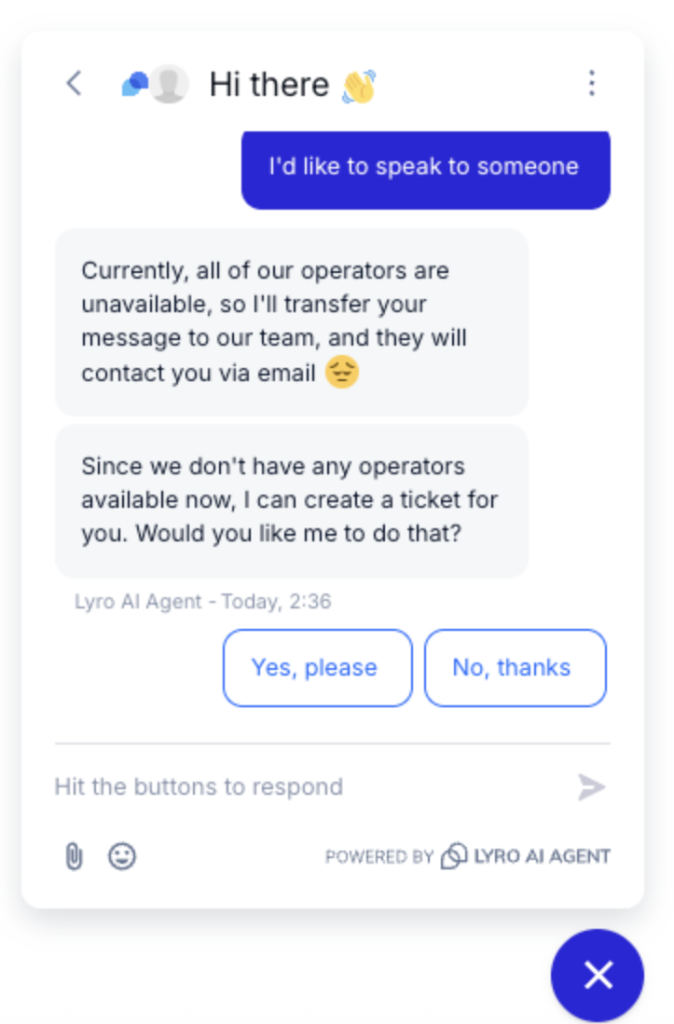
Lyro by Tidio is a conversational AI chatbot which, like Fin, helps reduce the volume of customer queries that your support team handles. You can feed Lyro with your existing support content and then the bot trains itself on that content. It uses your support content to respond to common customer queries. This way you can not only reduce the volume of queries that your agents need to work on, but also cut down on your First Response Time (FRT).
Lyro is available 24×7 so your customers can have help whenever they need it. Similar to Fin, the answers it gives customers is limited only to the support content it has trained itself on, which means there’s no risk of hallucinations.
This is very important when dealing with customers as there’s no risk of the bot going rogue and giving out inaccurate advice or making harmful suggestions. Remember when delivery firm DPD’s AI chatbot went rogue?
Key Features:
- Automated Customer Support: Lyro uses AI to provide instant responses to customer inquiries, ensuring timely support even outside of business hours.
- Multi-Channel Integration: Lyro integrates with various communication channels such as messenger, Instagram, or WhatsApp along with the Tidio widget on your website.
Rating: 4.7/5 ⭐️(G2)
Pricing: Lyro can be purchased as an add-on to any Tidio plan. Lyro is priced at $39/month on top of what you’ll pay for Tidio’s subscription which starts at $29 per month.
Ideal For: E-commerce and service businesses
Integration Depth: Works with Shopify, WordPress, Instagram, and WhatsApp
SLA/Metrics Visibility: Yes
Compliance/Security: SOC 2, GDPR, and CCPA compliant
Ease of Setup: Quick
Pros
- Unified chatbox
- Fast support
- Supports omnichannel reach
Cons
- Free plan has limited features
- May be expensive for smaller teams
7. ChatSpot
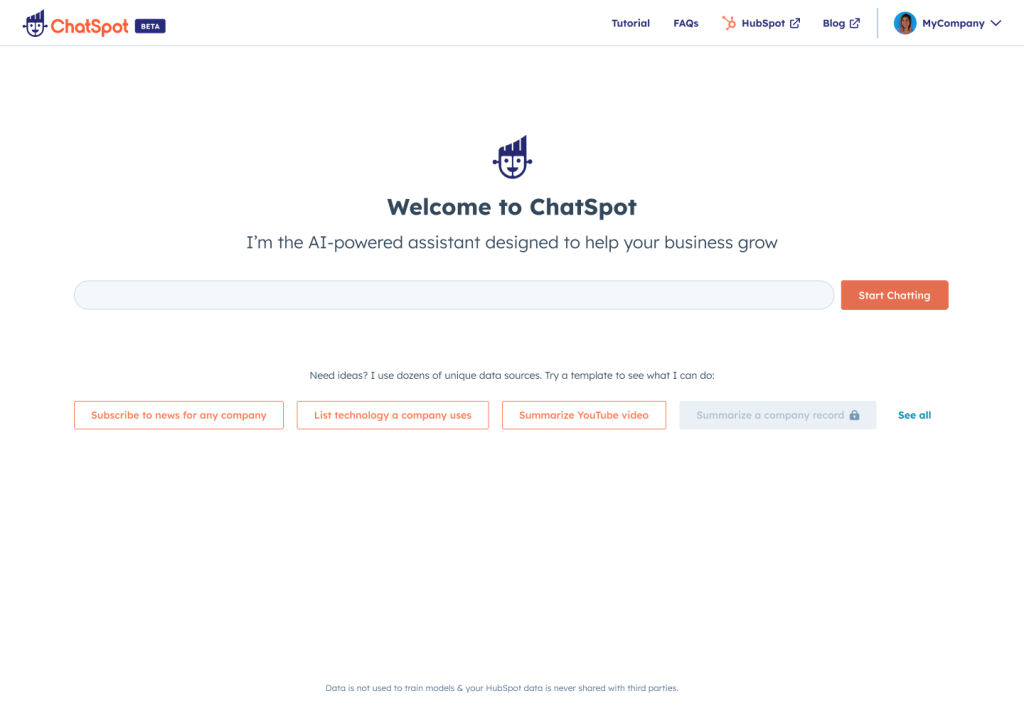
ChatSpot is an AI chatbot built by HubSpot. The software has many use cases and can be used to streamline a bunch of everyday sales and CRM tasks.
For instance, you can just ask the chatbot “how many prospect contacts have I created in the month of June?
AI chatbots are still quite new and users are discovering new and interesting use-cases for AI chatbot development services everyday.
Or if you want to add objects to your database such as a contact or a deal you can just ask ChatSpot to do that for you. Searching your database is super easy because you can simply ask the chatbot to search a lead for you based on criteria like size or location.
For marketing, the bot can generate an overview of your website visits or leads and present it to you as a table or a graph. Or it can figure out which keywords your website is ranking for, the position of those keywords and so on. ChatSpot can be a very capable tool when paired with Hubspot.
Key Features:
- CRM Integration: Seamlessly integrates with popular CRM systems, enabling easy tracking and management of customer and prospect information.
- AI-Powered Insights: Provides actionable insights based on customer and prospect interactions, helping businesses optimize their sales and marketing strategies.
Rating: N/A
Pricing: Free for use.
Ideal For: HubSpot users
Integration Depth: Deep integration with HubSpot CRM and Marketing Hub
SLA/Metrics Visibility: Yes
Compliance/Security: Inherits HubSpot’s GDPR and SOC 2 compliance
Ease of Setup: Quick
Pros
- Native HubSpot integration
- Easy natural language commands
- Great for quick data insights
Cons
- Limited use outside HubSpot
- No standalone analytics dashboard
8. Paradox AI
Paradox AI is an artificial intelligence powered chatbot that was designed to assist HR teams with talent acquisition. The software takes away the burden of routine tasks involved in hiring candidates such as scheduling interviews, sending follow-up emails, and managing candidate communications.
It can also engage with candidates 24/7, answering their questions, providing updates on their application status, and guiding them through the recruitment process, leading to a better overall experience. You can also remove the element of human bias in the initial screening phase by automating it.

Key Features:
- Recruitment Automation: Paradox AI automates repetitive hiring tasks, such as scheduling interviews and screening candidates, saving time for HR teams.
- Conversational Interface: Utilizes a conversational AI interface named “Olivia” that engages with candidates through chat, providing a more personalized and efficient recruitment experience.
- Integration Capabilities: Easily integrates with existing HR systems and platforms, streamlining the recruitment process and improving overall efficiency.
Rating: 4.7/5 ⭐️(G2)
Pricing: Contact the sales team.
Ideal For: Automated hiring processes
Integration Depth: Works with Workday, SAP SuccessFactors, iCIMS, and Greenhouse
SLA/Metrics Visibility: Yes
Compliance/Security: GDPR, SOC 2 Type II, and EEOC compliant
Ease of Setup: Moderate
Pros
- Automates screening, scheduling, and follow-ups
- Perfect for large-scale adoption
- Excellent customer support
Cons
- Complex reporting system
- Requires usage of the native ecosystem for full benefits
9. Perplexity AI
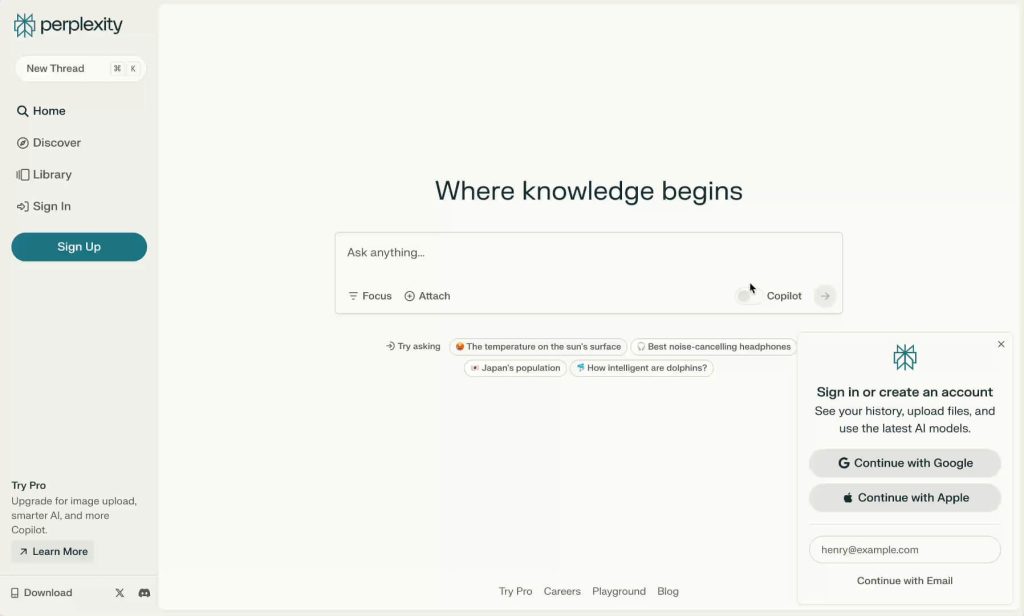
Perplexity is a conversational AI chatbot created by Anthropic that can act as a search engine for users. When I asked Perplexity what it can do, here’s what it told me:
The tool provides answers to users’ questions by compiling information it finds on the internet and sharing links to the sources so you can dig deeper or validate the information. It also requires zero set-up. You can open up the website and with one click conduct a search for any question or topic. Perplexity also allows you to save conversations for later or share your searches with other people.
Key Features:
- Real-Time Information: Perplexity AI excels at providing up-to-date information by indexing the web daily. This feature ensures users receive the most current data available, making it a valuable tool for real-time research and fact-checking.
- Source Verification: Each response from Perplexity AI includes source links, allowing users to verify the information and cite it accurately. This feature adds an extra layer of credibility and transparency, which is particularly useful for researchers and professionals.
Rating: 4.6/5 ⭐️(G2)
Pricing: There’s a free plan which offers basic functionality and a Pro plan ($20/month) which offers advanced features.
Ideal For: Fact-based research
Integration Depth: API is in beta, but works across web and mobile
SLA/Metrics Visibility: Yes
Compliance/Security: GDPR compliant
Ease of Setup: Quick
Pros
- Lightning-fast answers
- Cites sources in real time
- Ideal for quick research
Cons
- Provides surface-level responses at times
- Limited integrations
10. Github Copilot
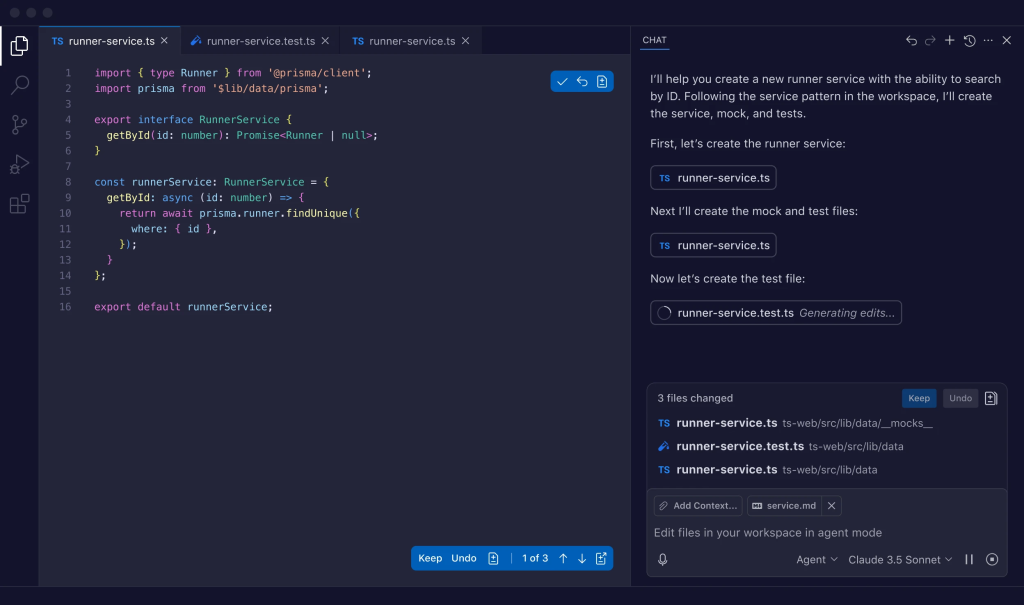
Github Copilot is an AI coding assistant for your developers. You can ask Github Copilot to help you out when you’re hunting a bug or designing a new feature. It also provides code-completion suggestions in real-time as you type based on the project’s style and context. The tool is quite useful in increasing developer productivity and the speed of software development.
Key Features:
- Code Suggestions and Autocompletion: GitHub Copilot provides real-time code suggestions and autocompletion based on the context of the code being written. This feature helps developers write code faster and reduces the amount of repetitive coding tasks.
- Supports a Wide Range of Programming Languages : It supports a wide range of programming languages, making it versatile and useful for developers working in different coding environments. It can handle languages like Python, JavaScript, TypeScript, Ruby, Go, Java, PHP, C++, C, Rust, and Swift.
Rating: 4.5/5 ⭐️(G2)
Pricing:
Github Copilot offers three pricing tiers –
- Copilot Individual – $10/month
- Copilot Business – $19/month
- Copilot Enterprise – $39/month
Ideal For: AI-powered coding and debugging
Integration Depth: Integrates directly with major IDEs
SLA/Metrics Visibility: No public formal SLA found
Compliance/Security: Follows GitHub & Microsoft enterprise standards
Ease of Setup: Moderate
Pros
- Fast code suggestions and completions
- Supports most major programming languages
- Boosts developer output
Cons
- Occasional faulty suggestions
- Pricey for small teams
11. Juro’s Legal AI Assistant
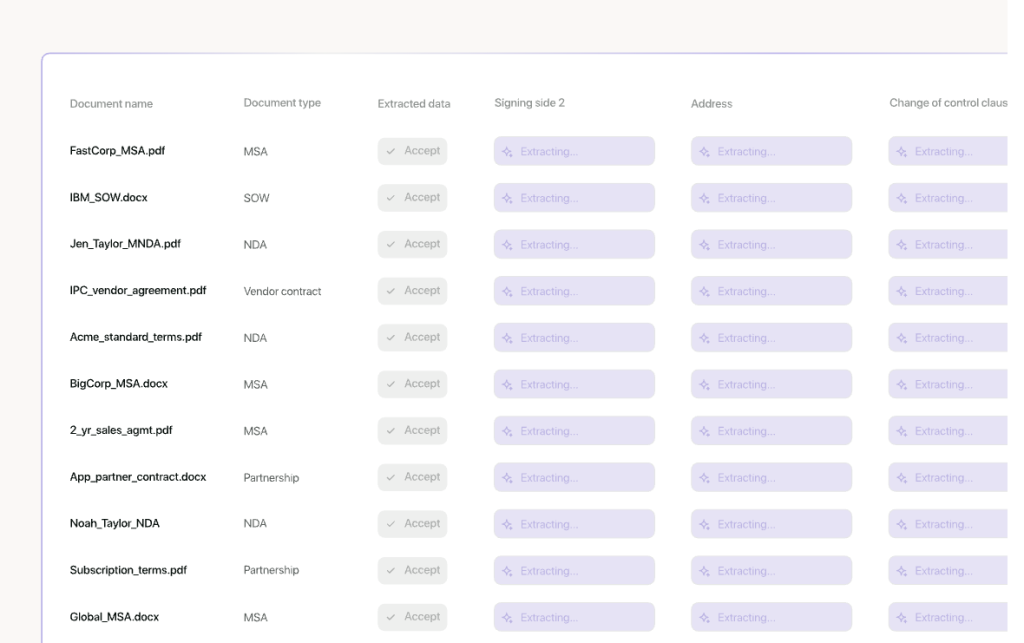
Juro for Legal is an AI assistant that can help businesses manage their contracts end-to-end from one single platform. You no longer need to jump between e-sign tools to word files or shared drives to finalize contracts.
You can draft new contracts in no time with the chatbot, working within established guardrails of course. You can also automate contract revisions to quicken turnaround time.
Key Features:
- Automated Contract Management: Juro’s AI-powered platform accelerates the drafting, summarizing, and reviewing of contracts, making the process up to 10 times faster.
- Integration with Multiple Tools: Juro integrates with over 5000+ tools, including Salesforce, HubSpot, Slack, and Zapier. This extensive integration capability allows businesses to seamlessly incorporate Juro into their existing workflows.
Rating: 4.6/5 ⭐️(G2)
Pricing: Contact sales team for pricing.
Ideal For: Legal and contract teams
Integration Depth: Works with Slack, Salesforce, HubSpot, Google Drive, Workday
SLA/Metrics Visibility: Yes
Compliance/Security: SSO, API access, and role-based controls
Ease of Setup: Moderate
Pros
- Fast AI contract drafting and revisions
- Unlimited users/templates on many plans
- Integrates with major business tools
Cons
- No transparent pricing
- Advanced integrations may add cost
12. Claude
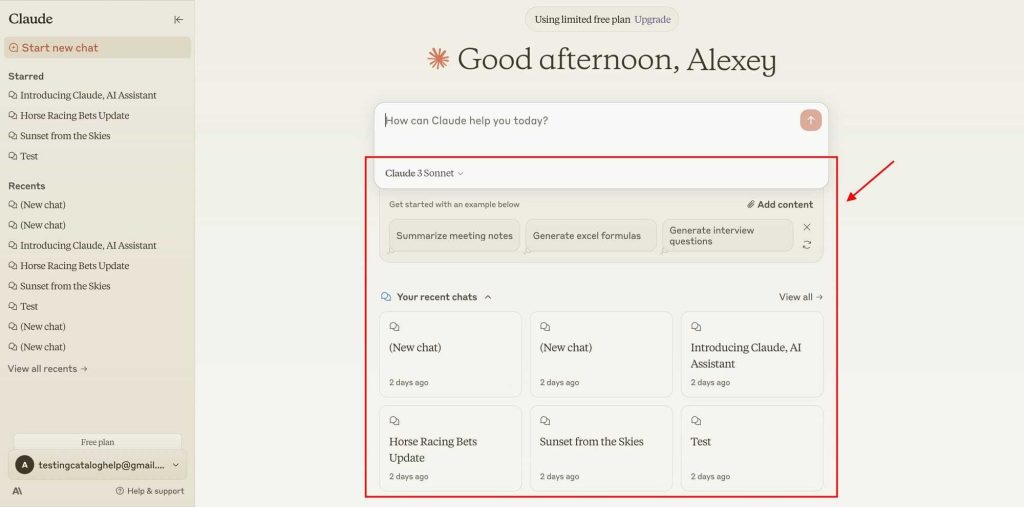
Claude is a versatile artificial intelligence bot developed by Anthropic that can serve as a virtual assistant.
Processing information, generating content and code, brainstorming, helping you understand subjects and so on, Claude can do it all. Its standout feature would be the length of its context window. Meaning: it remembers past questions you’ve asked, the topics they belong to, and so on.
For context, ChatGPT can remember up to 24,000 words of conversation whereas Claude can remember up to 150,000 words.
Key Features:
- Large Context Window: Claude can handle up to 200,000 tokens in each prompt, which is equivalent to around 150,000 words or over 500 pages of content. This allows it to process and summarize extensive documents, making it highly useful for complex tasks like analyzing contracts or drafting lengthy reports.
- Enhanced Safety and Accuracy: Claude is designed with a strong focus on safety, utilizing “Constitutional AI” to reduce the likelihood of generating harmful or unethical responses. This makes it particularly suitable for high-stakes industries such as healthcare and legal sectors.
Rating: 4.7/5 ⭐️(G2)
Pricing: Claude has a free plan with basic functionality and a paid plan called Claude Pro which is priced at $20/month.
Ideal For: Advanced reading tasks
Integration Depth: API-enabled enterprise integrations
SLA/Metrics Visibility: Yes
Compliance/Security: SOC 2 Type II and SSO/SCIM compliant
Ease of Setup: Quick
Pros
- Handles extremely long inputs well
- Strong accuracy
- Multiproblem solving
Cons
- High cost for large contexts
- Limited contextual interactions on the free tier
13. Guru
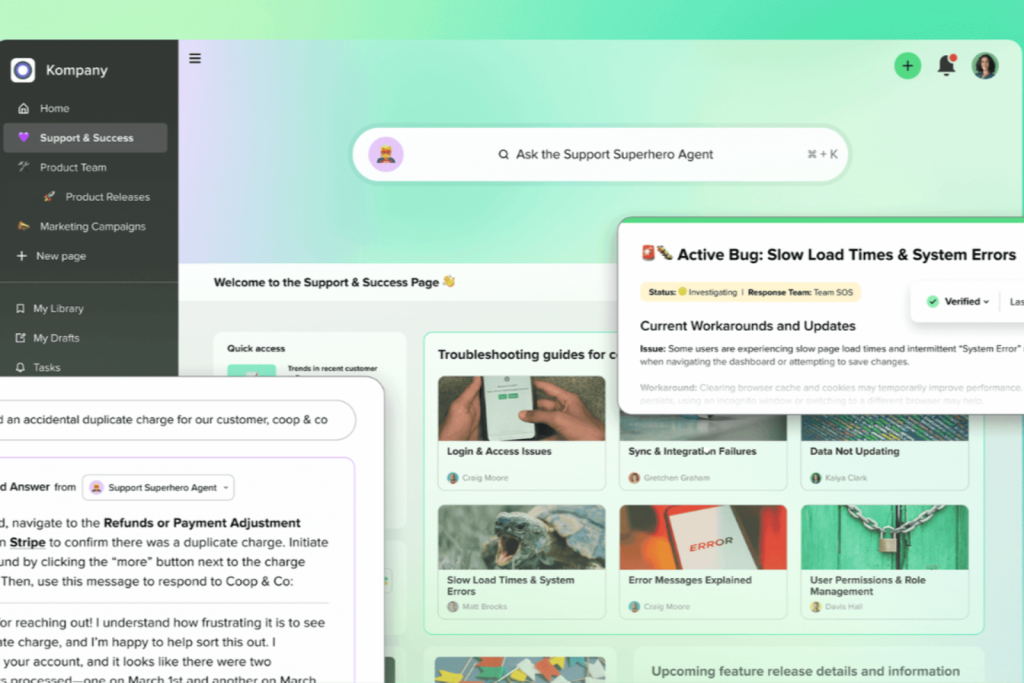
Guru centralizes your team’s knowledge and uses AI to suggest the right answers in real time. Agents get quick access to verified information, reducing handle times and improving consistency across customer responses.
Key Features:
- Knowledge Agents: AI that is trained on company knowledge so teams can get to the right answer faster.
- Multi-Source Reports: Turns open-ended prompts into structured research plans for analysis.
Ideal For: Knowledge-driven support
Rating: 4.7/5 (G2)
Pricing: Custom plans are available, but Guru starts at $25 per user/month.
Integration Depth: Works with Slack, Salesforce, Teams, Chrome, and more
SLA/Metrics Visibility: Yes
Compliance/Security: SOC 2 and GDPR compliant
Ease of Setup: Quick
Pros
- Very accurate responses
- Easy to use
- Enterprise-grade security
Cons
- Issues with search functions
- Cluttered interface
14. Kommunicate
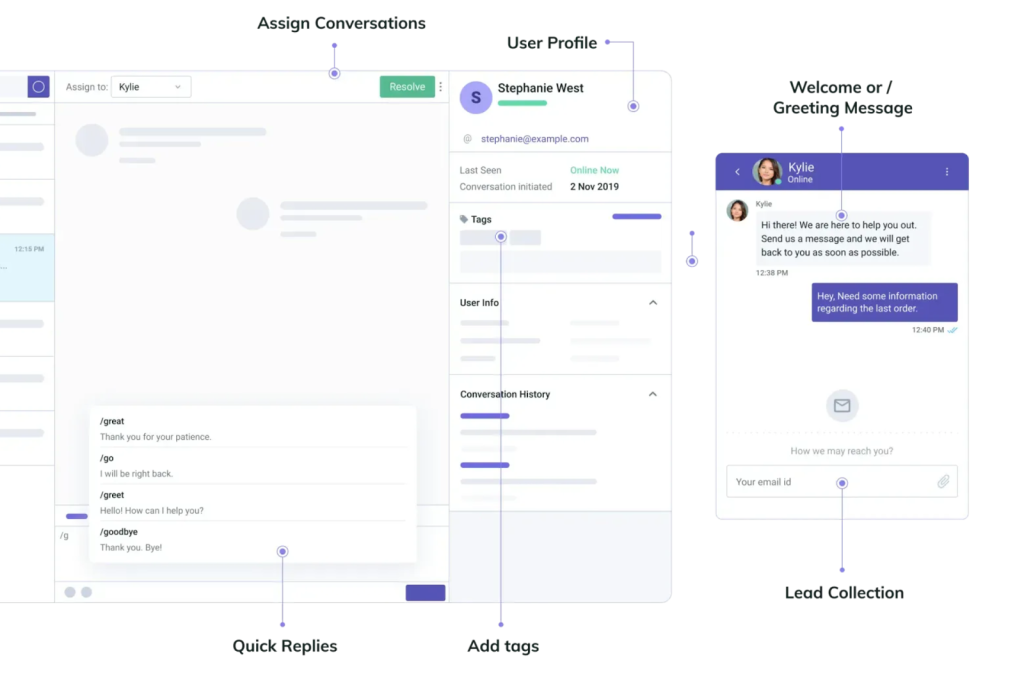
Kommunicate is a no-code AI chatbot platform that helps businesses automate customer conversations on web and mobile apps. It’s designed for speed and improves teamwork between bots and human agents.
Key Features:
- No-Code Bot Builder: Create and deploy AI chatbots without coding or any technical help. Multilingual Support: Real-time translation lets customers chat in multiple languages without any issues.
Ideal For: Multilingual customer support
Rating: 4.8/5 (G2)
Pricing: Kommunicate plans start at $40/month with a 30-day free trial.
Integration Depth: Works with WhatsApp, Facebook Messenger, Instagram, Slack, and more.
SLA/Metrics Visibility: Yes
Compliance/Security: GDPR compliant
Ease of Setup: Quick
Pros
- Smart AI suggestions
- Easy to customize
- Amazing multilingual support
Cons
- Missing advanced customization options
- Occasional integration bugs
15. Quidget
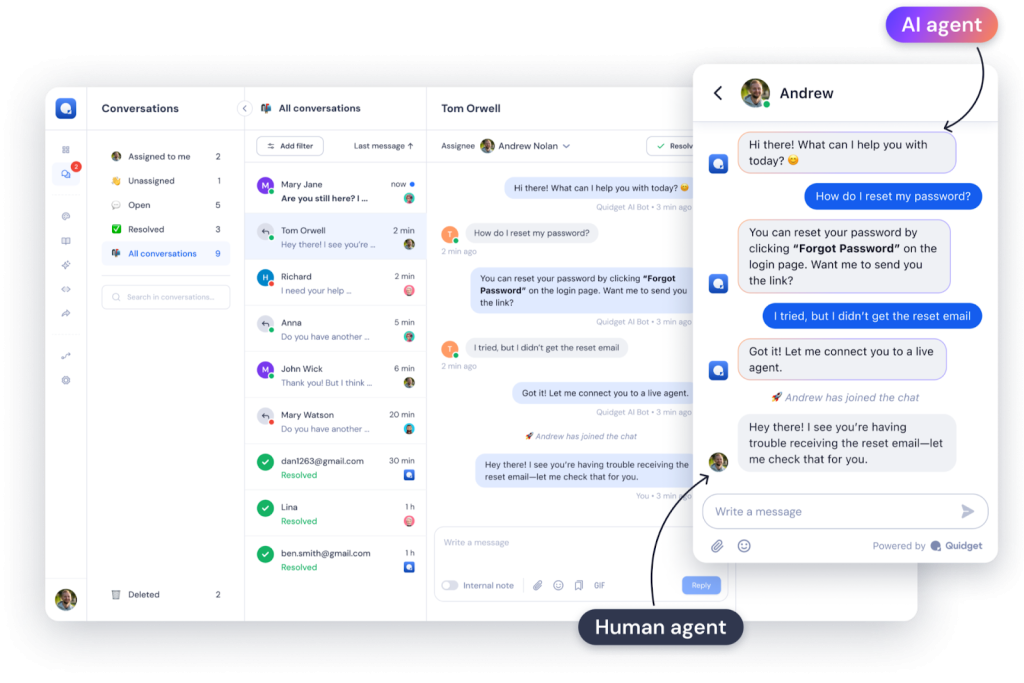
Quidget helps businesses manage website conversations through a clean live chat widget supported by AI-assisted replies. It’s a lightweight live chat and customer support widget designed for small and growing businesses.
Key Features:
- No-Code AI Agents: Teams can build customer service AI agents without any prior coding knowledge.
- Empathetic Support: Delivers context-aware support to customers.
Ideal For: Automated customer support
Rating: 4.5/5 (G2)
Pricing: $16/month (Starter plan) with custom enterprise pricing available
Integration Depth: Works with Slack, WhatsApp, Calendly, and more.
SLA/Metrics Visibility: No public SLA found
Compliance/Security: GDPR, ISO, and PCI compliant
Ease of Setup: Quick
Pros
- Automated ticket handling
- Straightforward setup and configuration
- Supports multilingual interactions
Cons
- Limited customization options
- Some integration challenges with external systems
16. Ushur
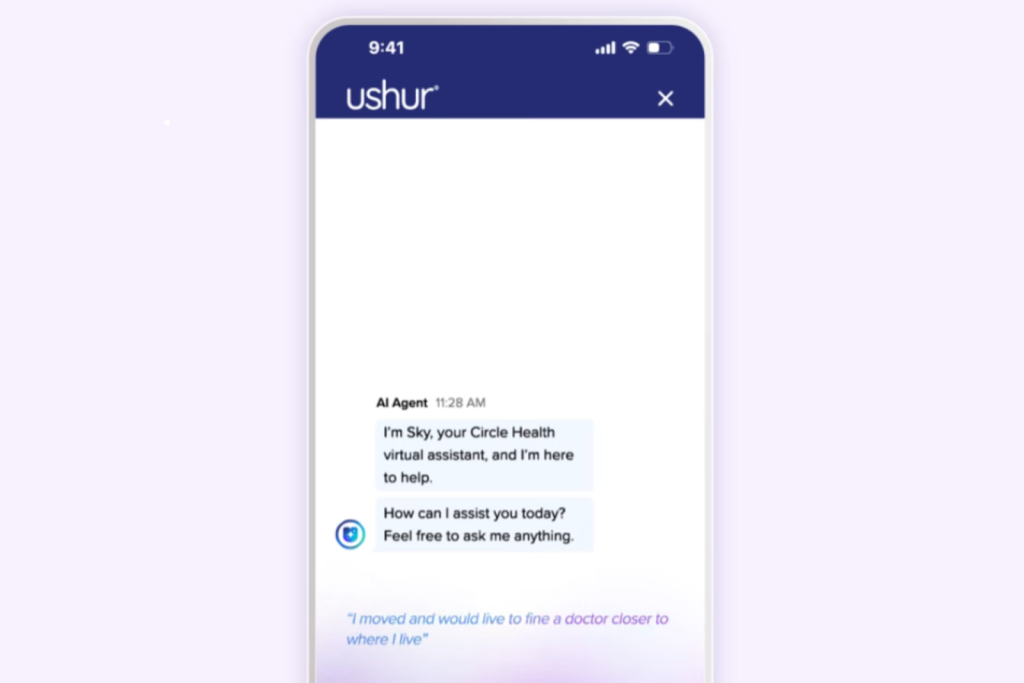
Ushur combines AI chatbots with automated workflows to help businesses manage customer queries more efficiently. It’s built for quick deployment and is widely used in industries like insurance, healthcare, and financial services.
Key Features:
- Workflow Automation: The drag-and-drop tool makes it easy to create automated service journeys for customers.
- Omnichannel Engagement: Unifies client conversations across multiple channels.
Ideal For: Live customer engagement
Rating: 4.4/5 (G2)
Pricing: Enterprise plans reportedly start around $1,000/month
Integration Depth: Salesforce, HubSpot, ServiceNow, Amazon Connect, Slack, and more.
SLA/Metrics Visibility: No formal SLA found.
Compliance/Security: HIPAA, GDPR, SOC 2, and HITRUST certified
Ease of Setup: Quick
Pros
- Robust data protection safeguards
- Unified omnichannel experience
- Strong customer success team
Cons
- Costly for small teams
- Occasional interface bugs
17. Forethought
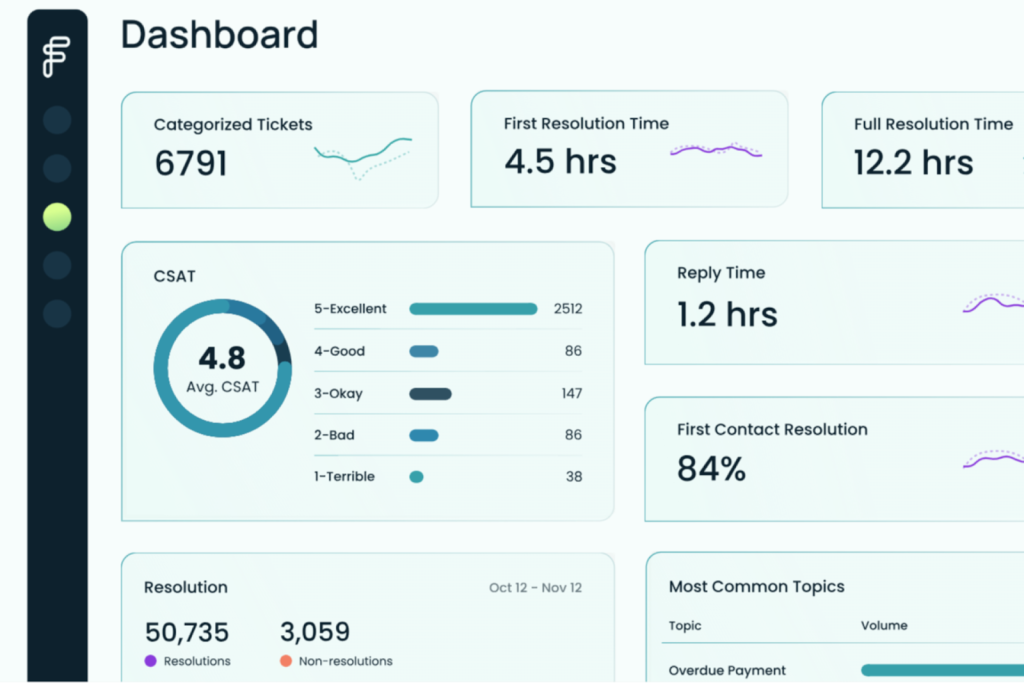
Forethought combines AI chatbots, smart routing, and agent assist tools in one platform. It helps support teams deliver faster, more consistent answers across channels without adding operational complexity.
Key Features:
- AI Copilot: Suggests next steps and responses for agents in real time.
- Smart Ticket Classification: Automatically tags and routes cases for faster resolution.
Ideal For: AI-enhanced ticket management
Rating: 4.2/5 (G2)
Pricing: Custom pricing available on request
Integrations: Zendesk, Salesforce, HubSpot, Freshdesk, and ServiceNow
Compliance/Security: GDPR and SOC 2 compliant
Ease of Setup: Quick
Pros
- High ticket deflection and automation accuracy
- Smooth omnichannel experience
- Simple implementation process
Cons
- Analytics can feel limited
- Occasional responsiveness issues
Honorable Mentions
18. Compass: for real-time conversational support
19. SwiftCX: for extracting AI-powered customer insights
20. LivePerson: for helping users make faster buying decisions.
21. Conversica: for live dispute resolution
22. Mercury: for self-service e-commerce sites
23. HeyDay: for retail brands offering personalized support
24. Netomi: for brand-aligned conversations
25. Khoros: for brands seeking faster collaboration
26. ChatBot: for building simple, custom workflows
27. Jitbit Helpdesk: for smart and automated responses
28. Alhena AI: for fast AI deployment
29. IBM Watson Assistant: for understanding customer intent
30. Intercom: for advanced AI support chats
31. Boost: for quick chatbot training
32. LiveChat: for turning conversations into sales.
How to Choose the Best AI Chatbot for Customer Service
With so many AI tools available today, choosing the right one can feel overwhelming. The goal isn’t just to add a chatbot, but to pick a solution that genuinely improves customer experience and reduces workload for your team. Here are the key factors to evaluate:
- Response accuracy: Your chatbot should deliver clear, reliable, and contextually correct answers — not guesswork or generic responses.
- NLP capability: Look for a tool that truly understands human language, intent, and phrasing so conversations feel natural and human-like.
- Ease of integration: The chatbot should plug into your existing systems, channels, and workflows without months of setup or engineering lift.
- Personalization: The best chatbots adapt responses using past interactions, customer history, and preferences to make support feel more tailored.
- Security: Make sure the platform follows strong security and privacy standards like GDPR and SOC 2, especially if you handle sensitive data.
Beyond these essentials, consider advanced capabilities like multilingual support, omnichannel performance, and even voice interactions. Many of the top chatbots in 2025 can detect sentiment, understand tone, and adjust their responses accordingly — making each interaction feel more thoughtful and human.
Final Word
As you can see, there’s a number of AI chatbots available for each use case. A lot of them are built upon the same language models but the differences arise in what additional features they offer, how they integrate with the tools you already use, and the purpose for which they were built.
Most of these chatbots either offer a free version with basic functionality or a free trial. You can try them out for yourself before you decide to invest in any of them.
If you want to check out Hiver:
Frequently Asked Questions
1. How Secure are AI Chatbots?
Very. They use encryption and comply with standards like GDPR and SOC-2 to keep customer data safe.
2. Why Are AI Chatbots a Better Investment Than Traditional Chatbots?
They are easily scalable, deliver accurate responses, and reduce repetitive manual work.
3. How Can I Measure My AI Chatbot’s Performance?
You can review key metrics like response accuracy, resolution speed, and customer satisfaction to track efficiency and impact.
4. Are AI chatbots suitable for all businesses?
Yes. Most AI chatbots are flexible and easy to scale, regardless of business size or industry.
Start using Hiver today
- Collaborate with ease
- Manage high email volume
- Leverage AI for stellar service