
Don’t miss the best Missive alternative
Say hello to Hiver. The #1 Missive alternative to deliver effortless, 5-star customer service.
Get unlimited users on the Free plan ✦ No credit card needed
Trusted by 10,000+ Customer service, Finance & IT teams
based on 2,000+ reviews from
Missing out on key customer delight moments? Not anymore!
Pick Hiver to provide stellar service effortlessly and faster.
- Unify support channels like email, live chat, voice, SMS, WhatsApp, socials and apps in one place — no toggling, no tabs.
- You’ll need additional tools to manage other channels like live chat and chatbots.
- Get started in minutes with a modern, intuitive interface — no training required. Easily drive org-wide adoption.
- Missive’s UI can take time to get used to — adoption is often slow without a comprehensive onboarding or training program.
- 24/7 support, onboarding, and training — included in every plan, at no additional cost.
- Limited support, onboarding, and implementation services.
- Get started for free. Paid plans begin at just $19/user with all core features included.
- Core ticketing and analytics are only available in the $36/user plan. It's not built for scalability, and as teams grow, they’ll need to look for alternative tools.
- Gauge customer feedback using CSAT surveys and schedule exports of reports for regular insights.
- No customer feedback mechanism and no scheduling options for reports.
- Powerful channel-wise analytics to gauge customer service performance.
- Provides minimal reporting capabilities and isn’t tailored for customer service.
- Bring context from tools like Salesforce, NetSuite, Jira, and 100+apps — deliver personalized service and resolve faster without tab-hopping.
- Rely on limited integrations or custom coding to build new integrations.
- Hiver AI helps agents draft replies, triage and route conversations, and automatically respond to all support queries. Easily setup AI in under 10 minutes.
- Limited AI features to improve team productivity.
- Collaborate effortlessly — assign conversations, loop in teammates, and track ownership without tickets or CCs.
- Requires Light Agent licenses or inbox switching just to keep teammates in the loop.
- Unify support channels like email, live chat, voice, SMS, WhatsApp, socials and apps in one place — no toggling, no tabs.
- Get started in minutes with a modern, intuitive interface — no training required. Easily drive org-wide adoption.
- 24/7 support, onboarding, and training — included in every plan, at no additional cost.
- Get started for free. Paid plans begin at just $19/user with all core features included.
- Gauge customer feedback using CSAT surveys and schedule exports of reports for regular insights.
- Powerful channel-wise analytics to gauge customer service performance.
- Bring context from tools like Salesforce, NetSuite, Jira, and 100+apps — deliver personalized service and resolve faster without tab-hopping.
- Hiver AI helps agents draft replies, triage and route conversations, and automatically respond to all support queries. Easily setup AI in under 10 minutes.
- Collaborate effortlessly — assign conversations, loop in teammates, and track ownership without tickets or CCs.
- You’ll need additional tools to manage other channels like live chat and chatbots.
- Missive’s UI can take time to get used to — adoption is often slow without a comprehensive onboarding or training program.
- Limited support, onboarding, and implementation services.
- Core ticketing and analytics are only available in the $36/user plan. It's not built for scalability, and as teams grow, they’ll need to look for alternative tools.
- No customer feedback mechanism and no scheduling options for reports.
- Provides minimal reporting capabilities and isn’t tailored for customer service.
- Rely on limited integrations or custom coding to build new integrations.
- Limited AI features to improve team productivity.
- Requires Light Agent licenses or inbox switching just to keep teammates in the loop.
Looking for an alternative? You’ve found it with Hiver.
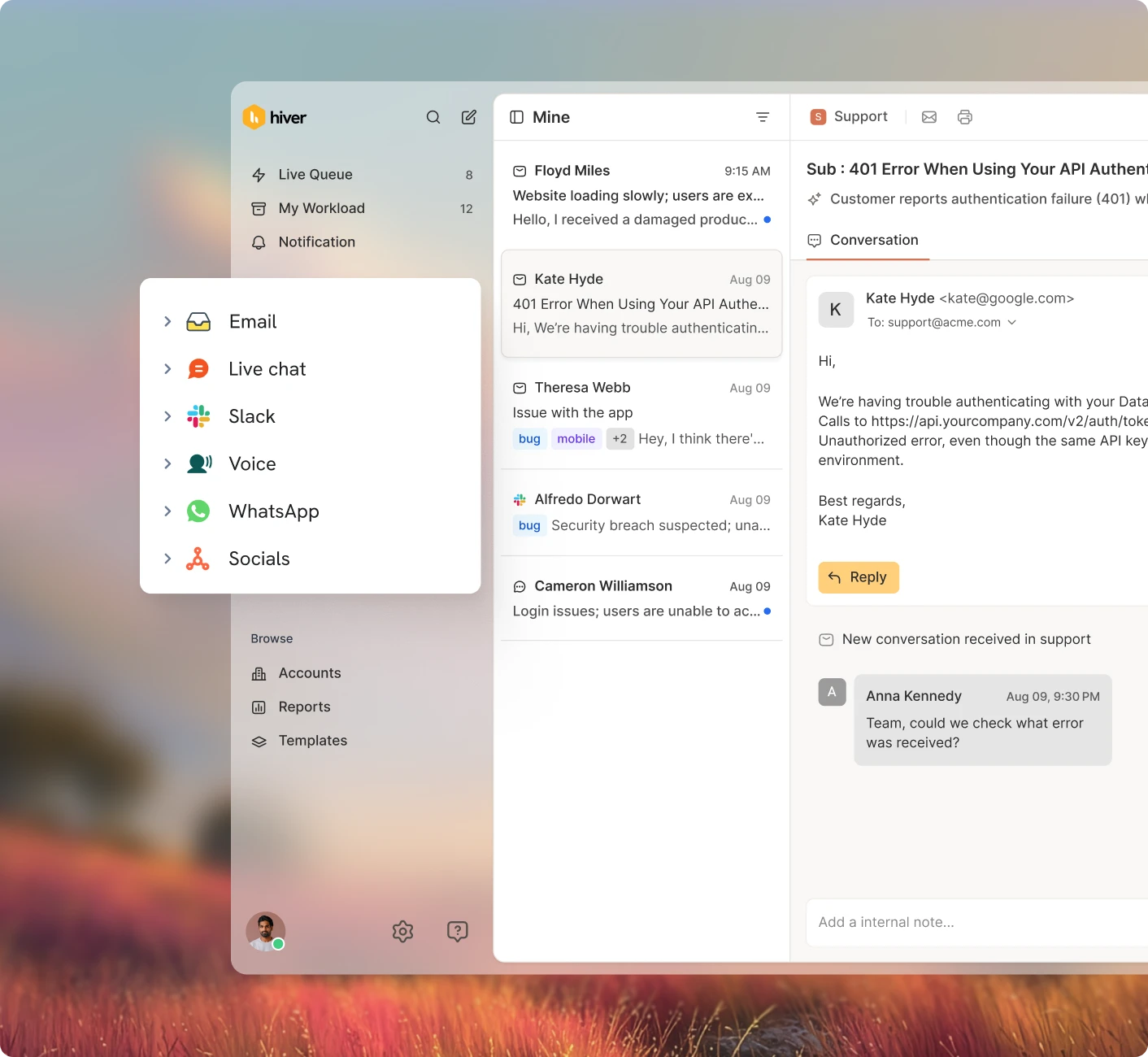
Deliver stellar omnichannel customer support
Easily manage communication channels like email, chat, voice, SMS and WhatsApp within Gmail and Outlook.
Leverage AI to draft or refine messages automatically for a perfectly polished response.
Smart inboxes built for collaboration
Hiver helps you manage conversations across channels by letting you triage and assign clear ownership without needing CCs and forwards.
Enable effortless self-service
Level up your customer service by enabling self-service with AI-powered Chatbots, a Knowledge Base, and a Customer Portal.
Automate the gruntwork and integrate all your apps
Use the power of workflows and AI to route messages to the right team members, categorize them automatically, and ensure every conversation is responded to on time.
Connect your favorite apps like Salesforce, Jira, NetSuite, and more to handle all your tasks without leaving Hiver.
Make decisions with
data-driven insights
Track key metrics, such as response time, resolution time, and customer feedback, to plan headcount and identify improvement opportunities.
Easily customize reports and dashboards to share key insights with your team.
Hiver, the ridiculously easy-to-use and affordable choice
Shared Inbox
Organize, assign, and track queries efficiently to ensure nothing gets missed.
Workflows
Triage, assign, and monitor tickets automatically with rule-based automation.
AI Copilot
Let AI deliver instant resolutions based on past context.
Integrations
Connect with 100+ apps to bring in customer data and manage tasks inside Hiver.
Analytics
Get insights to improve support with built-in reports and dashboards.
Collision detection
Avoid duplicate responses by seeing who is working on a conversation in real-time.
SLAs
Ensure timely responses and resolutions with real-time alerts and reminders.
CSAT
Measure customer satisfaction by collecting feedback through surveys.
Explore why customers love Hiver over Missive.
Logistics
With Hiver, I always know where an issue stands—and we no longer miss emails. It’s like having an extra person on my team.
Nathan Strang
Ocean Freight Operations Manager, Flexport
Business Services
With Hiver, we’re finally having real conversations with our customers. No ticket numbers, no robotic emails—just personal, human interactions.
Scott Gellatly
General Manager, itGenius
Manufacturing
250%
increase in efficiency
Business Services
23hrs
saved per month
Real Estate
Searching for old emails is part of the job. Hiver’s search works with Gmail’s, so we find exactly what we need—quickly and accurately.
Jarrett Lau
CEO, Green Ocean Property Management
Business Services
138hrs
saved per month
Healthcare
Ridiculously easy to use. Hiver gives you all the helpdesk essentials—without the training, hassle, or leaving the Gmail interface.
Luke Thompson
Co-owner, Visiting Angels
Healthcare
634hrs
saved in a month
Frequently Asked
Questions
How does the 7-day free trial work?
When you sign up, you instantly get access to our Elite plan for 7 days. We will email you when your trial expires. You can then select a plan and pay by credit card to continue using the product. If you choose not to continue, your account will be suspended.
Which features can I use during the trial?
You get access to the Elite plan during your trial, which means you can use Hiver without any limits, and can also experience the best support we have to offer.
What happens at the end of my trial period?
If you do not upgrade your Hiver account during your trial period, your account will be suspended at the end of your trial. You can re-activate your account by upgrading within 7 days from the date of the end of your trial.
Do I need a credit card to sign up?
No, you do not. You will only be required to produce your credit card information when you upgrade to a paid subscription.
How do I import my existing emails to my Hiver shared inbox?
If you’d like your emails to be imported to your Hiver shared inbox, please write to us on support@hiverhq.com and we will assist you with the process. The duration of the import process depends on the number of emails to be imported.
Do I need to pay for all the users in my Google or Outlook account?
No. You just pay for the users you enable to access Hiver. You can control this from within Hiver and change the users at any time. If you add new users to your Google or Outlook account, you can easily add them to Hiver.
Breeze through your support inbox
to deliver stellar service.
Get unlimited users on the Free plan ✦ No credit card needed
Skip to content