Skip to content



You know that automated voice you hear when you call a company? That’s IVR – Interactive Voice Response.
It’s been around for years, and while it hasn’t always had the best reputation, it’s come a long way. What started as a simple way to direct calls to the right department has evolved into something much smarter.
Today’s interactive voice response systems are smarter and more efficient, helping businesses handle high volumes of inquiries while giving customers faster solutions. From routing calls to automating routine tasks, IVR systems have become a key touchpoint in shaping customer experiences.
In this article, we’ll talk about what IVR is, the different types of IVR, and why it’s valuable for both customers and businesses.
Table of Contents
- What is interactive voice response (IVR)?
- How does IVR work?
- Types of interactive voice response (IVR) technologies
- Benefits of Implementing IVR
- Common use cases for the IVR system
- Case studies: successful IVR implementations
- 5 best practices for IVR implementation
- IVR KPIs you should track
- How to set up IVR software in 8 steps
- 5 best IVR tools to explore in 2025
- Wrapping up
- FAQs (Frequently asked questions)
What is interactive voice response (IVR)?
Interactive Voice Response (IVR) is basically the automated phone system you reach when a company greets you with options like “Press 1 for support.” It uses your phone keypad (DTMF) or even your voice to route calls, answer FAQs, and perform simple actions without needing a live agent.
Modern IVR systems also connect to your CRM or databases and use Natural Language Processing (NLP) to understand intent, personalize prompts, and make the whole experience feel more natural. When designed well, IVR reduces wait times, speeds up resolutions, and improves overall customer service.
Many people confuse IVR with auto-attendants or ACDs. While they all handle calls, they serve very different purposes. Here’s a quick comparison to clear things up:
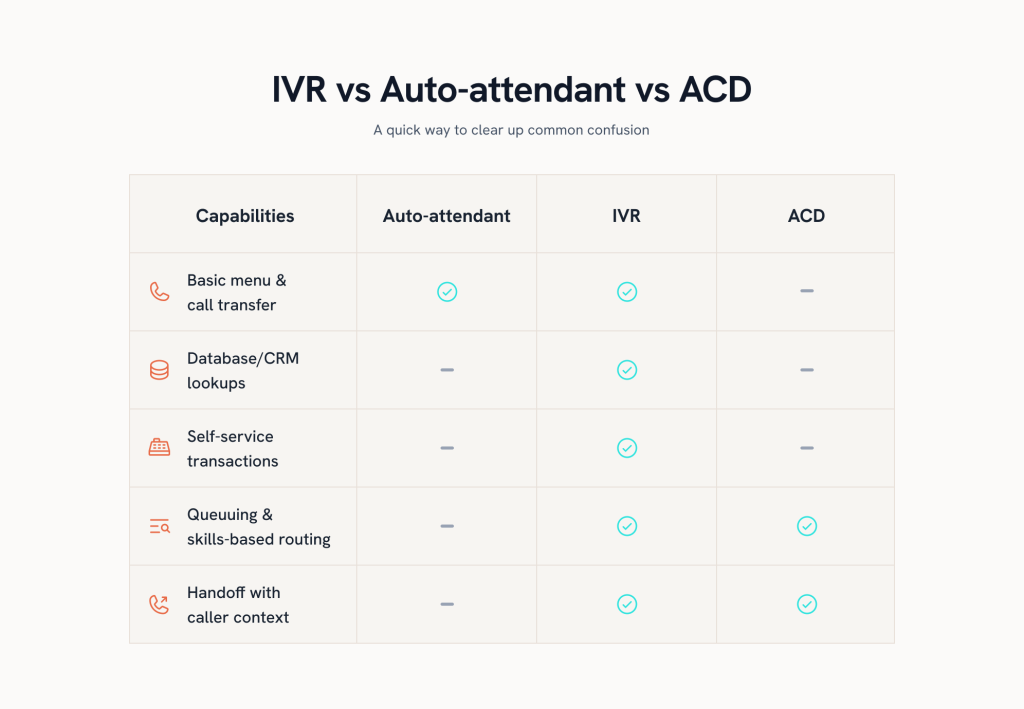
In short: Auto-attendant = simple menus; IVR = menus + data-driven self-service; ACD = the queue/skills brain that distributes calls to agents.
How does IVR work?
IVR works by combining telephony technology with pre-recorded messages and automated processes to interact with callers. Here’s a simple breakdown:

1. Call connection
When a customer dials your business number, the system instantly routes the call into the IVR platform. This step is all about creating a smooth entry point, making sure callers get connected without unnecessary wait or confusion.
👉Tip: Ensure your IVR number is toll-free or easy to remember, as this is the customer’s first touchpoint.
2. Pre-recorded menu options
Once connected, the caller is greeted with a menu of choices—things like “Press 1 for Sales” or “Press 2 for Support.” These prompts act like a map, guiding callers to the right path so they don’t have to explain their request from scratch.
👉Tip: It’s always better to keep menus short (max 4–5 options) to reduce caller frustration.
3. Input from the caller
Callers can interact with IVR in two main ways, depending on the system design:
1. Dual-Tone Multi-Frequency signaling DTMF: Each button press corresponds to a menu option.
2. Speech input: Advanced IVR systems use speech recognition to understand phrases like “Check my order status.
4. Routing or automation
After the caller makes a selection, the IVR decides what happens next. It might route the call to a skilled agent, or handle the task automatically, like checking an order or updating account details, so customers get answers quickly.
5. Integration with databases
For more complex queries, the IVR integrates with backend systems like CRMs, ERPs, or databases. For example, it can pull up a customer’s order history or verify their identity before transferring them. This creates a personalized experience and saves time for both the caller and the agent.
6. Response to the caller
Finally, the IVR delivers the requested information – whether that’s confirming an appointment, providing account details, or transferring to an agent. Importantly, modern systems can pass along caller details to the agent, so customers don’t need to repeat themselves. This small touch goes a long way in boosting customer satisfaction.
Types of interactive voice response (IVR) technologies
Not all IVR systems are created equal. Depending on your business’s needs, you might choose from different types:
1. DTMF-based IVR (Dual tone multi-frequency)
This is the classic “Press 1 for Sales, Press 2 for Support” system. It’s keypad-based, reliable, and easy to roll out. Perfect for handling simple tasks like balance checks, order status, or routing to the right department.
Where it works best:
- Small businesses that need a no-frills solution
- Industries where consistency matters (like banking or utilities)
- Customers who prefer pressing buttons over talking to a bot
2. Speech recognition IVR
Here, customers can speak instead of pressing keys. So instead of “Press 2,” they just say, “Check my balance.” It feels faster and more natural, especially when someone’s driving or multitasking.
This is what it usually looks like:
- Airlines letting you say Flight Status
- Healthcare providers booking or confirming appointments
- Retailers allowing customers to track orders by voice
3. AI-Powered / Conversational IVR
This is where IVR gets smart. Using NLP, it understands intent, pulls data from your CRM, and even greets repeat callers by name. It feels more like talking to an assistant than navigating a menu.
Imagine this:
- “Hi Alex, would you like to continue with your refund request?”
- Suggests next steps instead of waiting for you to pick options
- Learns from past interactions, so it keeps getting better
4. Visual IVR
Visual IVR brings the phone menu onto your screen. Customers can tap through options on their smartphone while still on the call. It’s faster and avoids the pain of repeating account numbers over the phone.
These are the moments where it shines:
- Banks letting users transfer money or check balances
- Insurers guiding customers through claim submissions
- Airlines helping travelers rebook flights without long waits
5. Hybrid IVR (Keypad + Speech + AI)
Hybrid IVR lets callers switch between pressing keys, speaking commands, or relying on AI suggestions. No matter the situation, there’s always a fallback.
Here’s why many companies choose this approach:
- Keypad offers reliability when needed
- Speech adds convenience and speed
- AI brings personalization and smarter routing
In short: Auto-attendant = simple menus; IVR = menus + data-driven self-service; ACD = the queue/skills brain that distributes calls to agents.
Benefits of Implementing IVR
An IVR system isn’t just about automation, it can transform how customers interact with your business. Here are some of the biggest benefits:
1. Streamline your customer interactions
IVR acts like a smart controller, directing calls to the right place without delay. By automating simple requests (like balance checks or appointment confirmations), it frees agents to focus on complex problems. This makes the whole support process smoother for both customers and your team.
For instance, as a user on Reddit mentioned, “the IVR could be a great help by sending customers the right way and even take over some mundane tasks like telling people their account balance or allowing them to make a payment.”
2. Cost reduction
Every repetitive query handled by IVR means one less ticket for your agents. This directly reduces staffing needs, training costs, and overtime expenses.
💡Fact: According to Deloitte, companies can cut service costs by up to 30% with IVR and other automation tools, especially during peak call spikes.
3. Round-the-clock support
Unlike human teams, IVR systems never clock out. Customers can check order updates, payment status, or appointment details anytime, even late at night or during holidays. This 24/7 availability builds trust and positions your business as reliable when customers need you most.
4. Enhanced customer experience
Self-service options empower customers to solve problems on their own, which reduces wait times and frustration. Industries like healthcare, retail, and banking rely on IVR to give predictable, fast service paths. Happier customers mean stronger loyalty and fewer escalations to live agents.
Common use cases for the IVR system
IVR is used everywhere, from banks to hospitals to airlines. The core idea is the same: make routine tasks faster, easier, and available anytime. Here’s how different sectors use it.
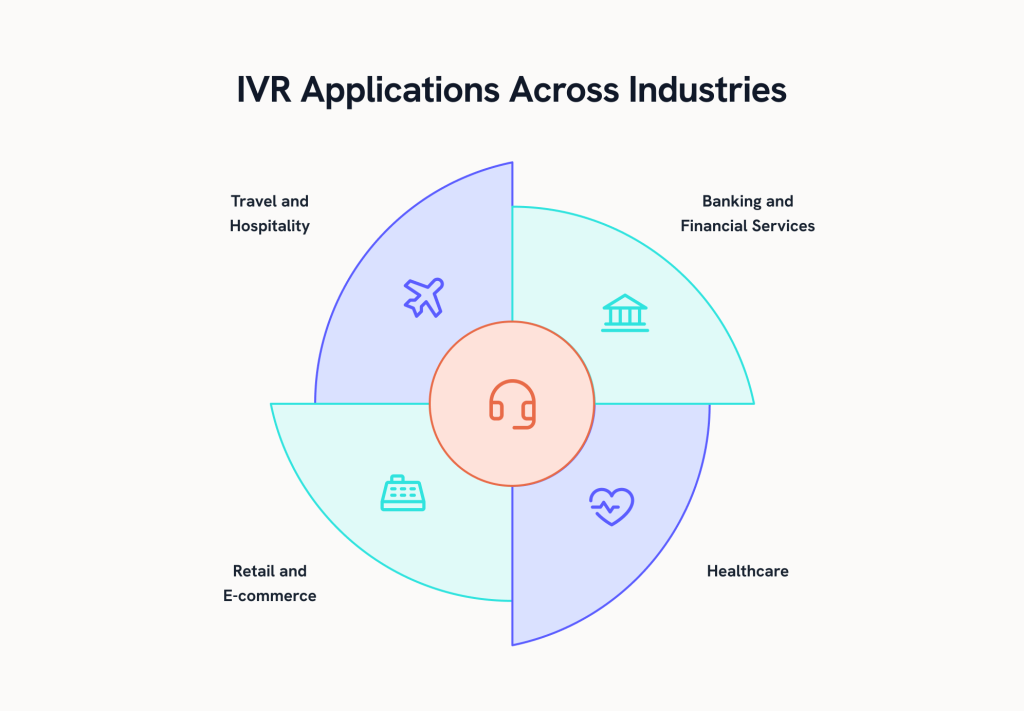
1. Banking and financial services
Banks and financial institutions rely heavily on IVR to handle large call volumes and keep transactions secure.
- Check balances and recent transactions
- Make payments or activate cards
- Report fraud or verify suspicious activity
- Access multilingual support for diverse customers
With IVR, customers get 24/7 access to essential services without needing to speak to an agent.
2. Healthcare
IVR makes patient communication faster and more reliable, cutting down on front desk calls.
- Book, confirm, or reschedule appointments
- Request prescription refills
- Get lab results or health updates
- Complete post-visit surveys and reminders
This helps clinics reduce no-shows, free up staff, and give patients a smoother experience.
3. Retail and E-commerce
Retailers and online stores use IVR to automate order-related queries and keep customers informed.
- Track orders and delivery status
- Manage returns and refunds
- Get shipping updates and policies
- Check loyalty points or redeem rewards
The result: fewer support tickets and happier customers who get answers instantly.
4. Travel and hospitality
Airlines, hotels, and travel companies use IVR to keep travelers updated and improve service convenience.
- Make or confirm reservations
- Check flight status or delays
- Request room service or housekeeping
- Set wake-up calls or service requests
IVR helps reduce wait times for travelers while ensuring staff focus on complex or urgent needs.
Case studies: successful IVR implementations
Let’s look at some real-world success stories where companies have implemented IVR to improve quality of service.
1. Plum Voice: Improving payment experiences
Everview, a global leader in transactional and payment solutions, faced the challenge of providing payment processing for its diverse clientele. They aimed to expand their digital capabilities while reducing manual labor and operational costs.
To address this, Everview partnered with Plum Voice to develop a custom IVR payment application using the Plum Fuse tool. This collaboration yielded transformative results:
- 90% IVR technology adoption rate: New clients readily embraced the IVR solution, demonstrating its user-friendly design and effectiveness.
- 80% reduction in manual labor: By automating payment processing, clients significantly reduce repetitive tasks, freeing resources for strategic initiatives.
- Faster development and deployment: Using Plum Fuse, Everview built and IVR applications quickly, adapting them to specific client needs with minimal effort.
2. Teneo: Empowering telecom customers
A primary telecom provider struggled with a high volume of customer service inquiries, most of which were straightforward but time-consuming. The company sought a solution to improve first-call resolution rates while reducing agent workload.
Teneo’s advanced system was custom made to handle customer queries without human intervention.
Here are the results:
- A healthcare company cut call costs by 20% and reduced wait times by 37% with Teneo IVR.
- Teneo IVR eliminated hold times for 85% of routine queries, boosting CSAT by 37%.
5 best practices for IVR implementation
Implementing IVR isn’t just about setting it up, it’s about doing it right. A few best practices can make the difference between a system that frustrates callers and improves their experience.
1. Keep menus simple and intuitive
Too many choices confuse callers. Stick to 3–4 options per level and put the most common ones first. A short, clear menu keeps customers moving quickly.
2. Use specific, actionable prompts
Generic phrases like “account services” force customers to guess what will happen next. Instead, use clear instructions such as “Press 2 to check your balance.” The more direct the prompt, the less chance of error, and the smoother the overall interaction.
3. Test and optimize regularly
IVR isn’t a set-and-forget system. Monitor call analytics to spot where customers are dropping off or getting stuck, then update menus or prompts accordingly. Ongoing optimization ensures your IVR stays aligned with customer expectations and business changes.
4. Ensure accessibility and inclusivity
Make sure the system works for everyone. Offer both keypad and voice input, add multilingual options, and design flows that are easy to follow.
5. Personalize interactions
Use caller ID or CRM integrations to recognize repeat customers and greet them by name. Surfacing recent activity, like open tickets or last orders, saves customers from repeating themselves and makes the experience feel more human, even though it’s automated.
IVR KPIs you should track
You need the right metrics to know if your IVR is working. Tracking KPIs helps you see where callers get stuck, how often issues are resolved, and whether customers are satisfied. Without these numbers, improving the system or proving its value is hard.
1. Containment rate
This shows how many calls are fully handled by the IVR without needing an agent. It’s a direct indicator of how well your self-service works. A higher rate means fewer calls passed to agents and lower costs.
Formula: (Calls resolved in IVR ÷ Total IVR calls) × 100
2. Completion rate
Completion rate tracks how many callers successfully finish the task they started, like checking a balance or making a payment. If this number is low, it usually means your menu is too long or unclear.
Formula: (Completed IVR tasks ÷ Total IVR interactions) × 100
3. Abandonment rate
This measures the % of callers who hang up before finishing their IVR journey. A high abandonment rate often signals frustration with prompts, long wait times, or dead ends in the flow.
Formula: (Abandoned IVR calls ÷ Total IVR calls) × 100
4. First call resolution (FCR)
FCR tells you how often issues are resolved—or routed correctly—on the first attempt. It’s one of the most important indicators of a smooth customer experience and efficient IVR design.
Formula: (Calls resolved on first contact ÷ Total calls) × 100
5. Average handling time in IVR (IVR AHT)
This is the average time a caller spends inside the IVR before being transferred or resolved. Longer times often mean menus are too deep or prompts are too wordy.
Formula: (Total time spent in IVR ÷ Total IVR calls)
6. Opt-out / Zero-out rate
This tracks how many callers bypass the IVR by pressing “0” or asking for an agent. A high rate shows customers don’t believe the system can solve their problems.
Formula: (Calls that opted out ÷ Total IVR calls) × 100
7. IVR CSAT (Customer Satisfaction)
This measures customer satisfaction with their IVR experience, usually through quick post-call surveys. Even if metrics look good, CSAT tells you how customers feel.
Formula: (Positive IVR survey responses ÷ Total IVR survey responses) × 100
How to set up IVR software in 8 steps
A good IVR should feel simple for callers, not frustrating. Here’s how to design one that gets people where they need to go quickly.

1. Start with clear goals
Decide what success looks like for your IVR. Do you want to reduce wait times, handle FAQs like balance checks, or lower the number of calls that reach agents? Write these goals down- they’ll guide every decision you make.
2. Know why people call
Look at past call data or ask your support team about the top customer requests. Are most calls about billing, order tracking, or appointments? Building your IVR around these real needs makes it instantly more useful.
3. Write short, clear prompts
Prompts should be easy to understand and tell callers exactly what to do. “Press 2 to check your balance” is better than “account services.” Keep the wording simple, avoid jargon, and always include an option to talk to a human.
4. Keep the call flow simple
Limit menus to two or three levels. Long menus lead to confusion and drop-offs. Add features like barge-in (where callers can interrupt a prompt) and a callback option so people don’t feel stuck or forced to wait on hold.
5. Connect to your data
Integrate your IVR with your CRM or databases. This lets it handle tasks like verifying customer details, checking orders, or updating records automatically. The more data it has, the less information customers need to repeat to agents.
6. Test it with real people
Don’t just rely on internal testing. Run pilots with real customers and employees who don’t know the script. Watch how they move through the system and note where they get stuck—it’s the fastest way to spot weak spots.
7. Launch with tracking in place
Make sure your IVR reports on call volumes, drop-off rates, and how often callers press “0” to skip to an agent. Without this visibility, you won’t know if the system is working or where to improve.
8. Keep improving with data
Use KPIs like containment, completion, abandonment, and FCR to see how effective your IVR really is. Don’t treat it as a one-time project, review results regularly and keep tweaking menus, prompts, and routing rules.
5 best IVR tools to explore in 2025
If you’re looking to implement IVR, these are some of the most widely used platforms. Each offers unique strengths depending on your business size and customer needs.
1. Hiver
Hiver is a modern, AI-powered customer support platform that helps teams deliver faster and more organized service across channels. With its seamless integration with Aircall, your team can manage voice calls and voicemails directly in one platform, without switching between multiple tools. This makes it simple to set up, easy to adopt, and highly efficient for both agents and managers.

Hiver offers a forever free plan with unlimited users and core multichannel features. Paid plans start with Lite at $19/user/month, followed by Growth at $29/user/month, and Pro at $49/user/month. For large-scale enterprises, the Elite plan comes with custom pricing tailored to advanced needs.
Key features:
- Keep every call on track: Assign calls to the right team members for complete accountability. Every interaction is logged automatically, ensuring nothing is missed. Agents have instant access to call details and customer context, which helps resolve issues quickly and accurately.
- Expand service coverage: Offer voice support as a premium, personal channel that makes your business more accessible and customer-friendly. By giving callers a human touch, you build stronger loyalty and trust.
- Resolve issues faster: Engage with customers in real time for immediate resolutions in a single interaction. Ideal for urgent or complex queries that can’t wait for back-and-forth emails or chats.
2) Genesys Cloud CX
Genesys Cloud CX is one of the most established names in contact center software. It offers keypad and speech-based IVR with a drag-and-drop builder that’s easy to use. The system also supports predictive routing, matching customers to the right agent with AI. For enterprises that need automation plus reliability, Genesys is a trusted choice.

Pricing starts at $75/user/month
Key features:
- Drag-and-drop IVR builder: Design keypad and speech menus easily.
- AI routing: Predict caller intent and route with context.
- Callback and visual IVR: Reduce wait times with smarter options.
- CRM/ERP integrations: Ensure smooth data sharing across systems.
3) NICE CXone
NICE CXone is built for large teams that need smart IVR with strong compliance and reporting. Its AI can recognize intent and route callers quickly, while workforce tools help manage schedules and performance. It’s especially popular in industries like finance and healthcare where security and reliability matter most.
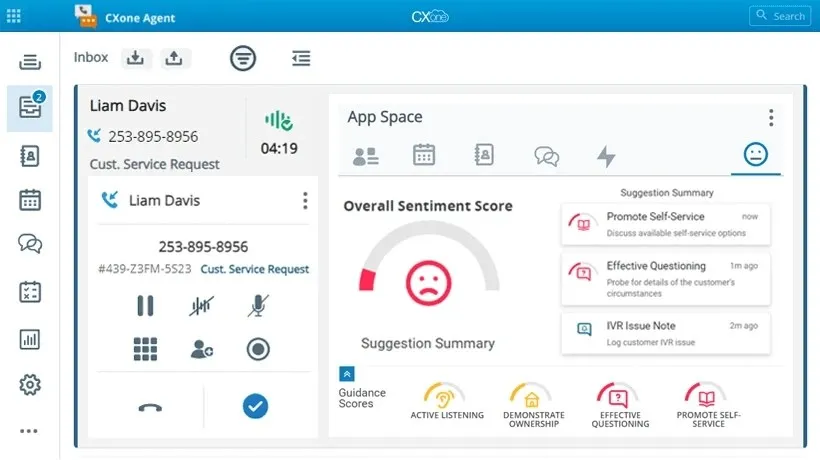
Pricing ranges from $71–$249/user/month..
Key features:
- AI-powered IVR: Understands caller intent for smarter responses.
- Skills-based routing: Matches callers with the best-qualified agents.
- Workforce management: Optimize schedules and monitor agent performance.
- Compliance-ready reporting: Meet industry standards with audit trails.
4) Five9
Five9 offers flexible IVR that scales with mid-market and enterprise businesses. It includes speech recognition, AI-driven routing, and integrations with leading CRMs. With queue management and callback features, it helps reduce wait times and keeps service running smoothly.
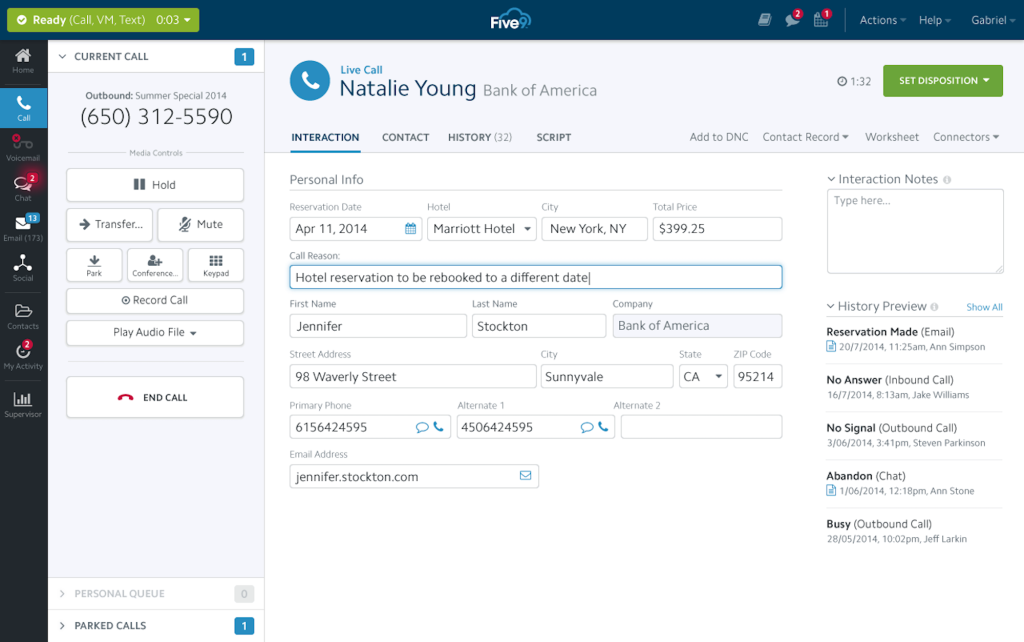
Pricing starts around $159/seat/month (voice edition).
Key features:
- Visual IVR builder: Create call flows without heavy IT support.
- AI-driven routing: Use context and skills to direct calls efficiently.
- Callback & queue management: Let customers avoid long waits.
- Advanced reporting: Track and optimize IVR performance.
5) Talkdesk
Talkdesk focuses on making IVR more natural and easy to set up. Its conversational IVR lets callers speak instead of pressing buttons, and low-code tools make flow design quick. It also supports true omnichannel routing across calls, SMS, email, and chat. Great for fast-growing teams that want automation without heavy IT work.
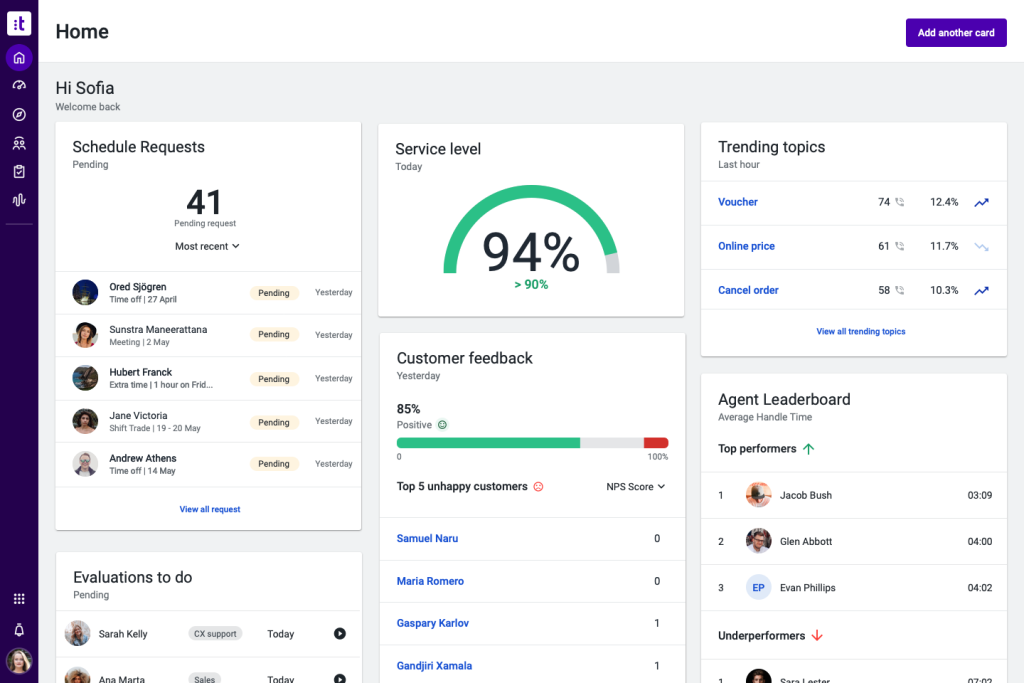
Pricing starts at $85/user/month.
Key features:
- Conversational IVR: Understands natural language and intent.
- Low-code designer: Build call flows quickly with minimal IT effort.
- Omnichannel routing: Manage calls, SMS, chat, and email together.
- Real-time dashboards: Monitor performance and agent activity live.
Wrapping up
IVR is one of the simplest ways to make customer support faster and more efficient. From routing calls to handling routine tasks, a good IVR system improves experiences for both customers and agents.
If you’d like to see how IVR fits into a multi-channel workflow, try Aircall + Hiver. You can manage calls, emails, chat, and WhatsApp in one place, and test it free for 7 days!
FAQs (Frequently asked questions)
1) What is the main purpose of an IVR system?
The main purpose of IVR is to handle routine requests and route calls automatically. This saves customers from waiting on hold and frees up agents to focus on more complex issues.
2) Can IVR work for small businesses, or is it only for large call centers?
IVR isn’t just for enterprises—small businesses can use it too. Even a basic setup helps route calls, answer FAQs, and give a more professional experience without needing a big support team.
3) How does IVR improve customer experience?
IVR lets customers solve simple problems quickly, like checking balances or tracking orders, without waiting for an agent. It also reduces hold times because calls are routed to the right place from the start.
4) What’s the difference between IVR and a call menu/auto-attendant?
An auto-attendant only plays a menu and transfers calls. IVR goes further—it can connect to databases, process payments, or let customers complete tasks like scheduling or checking an order.
5) Is IVR secure for tasks like payments or account lookups?
Yes, modern IVR is secure. It can use PINs, one-time passwords, and even voice biometrics to protect customer data. Many IVR systems also follow PCI DSS standards for payments.
Start using Hiver today
- Collaborate with ease
- Manage high email volume
- Leverage AI for stellar service