Skip to content




Looking for a Helpwise alternative? You’ve come to the right place.
Helpwise is a popular shared inbox platform that unifies multiple communication channels like email, SMS, WhatsApp, live chat, and social media. It’s designed for small to mid-sized teams who want simple, collaboration-focused support.
But as your team grows, Helpwise might start showing its limits. It lacks advanced AI automation and deep native integrations. Pricing and scalability can also become hurdles.
We’ve compared the top tools so you can find the right Helpwise replacement for your team’s needs. Read below to compare their features, pricing, and unique benefits.
Table of Contents
- Why Do You Need to Switch from Helpwise?
- Top 10 Helpwise Alternatives in 2025
- Choosing the Helpwise Alternative That Works for You
Why Do You Need to Switch from Helpwise?
Helpwise is a solid choice for small teams just starting with shared inboxes. But as businesses grow, many find it hard to keep up with increasing support demands and more complex workflows. Here are some more challenges your team might face:
1. Missing Features, Especially on Mobile and Help Center Customization
Many users report that Helpwise’s mobile app lacks key functionalities. One user mentioned that the “mobile version is in a very basic phase that requires much more development,” making it harder to manage tickets on the go.
Additionally, the Help Center customization options are not very robust. Teams want more flexibility, like AI-driven article suggestions, multi-language support, and deeper KPI reporting to improve resolution times.
2. Occasional Bugs and Glitches
Users experience small but disruptive bugs that occasionally interfere with their workflow. While Helpwise’s support team resolves issues quickly, these glitches can cause frustration and slow down ticket handling.
3. Steeper Learning Curve Than Expected
Some users mentioned the lack of video tutorials and not a lot of help articles to take full advantage of the tool.
4. Slow Loading Times and Delays
There have been reports of slow platform loading, which delays ticket creation and overall functionality. These delays can impact customer response speed, especially during peak support hours.
5. Need better email communication capabilities
Users express the need for better sorting, searching, and specific information retrieval capabilities when it comes to managing email communication.
Top 10 Helpwise Alternatives in 2025
| Tool Name | Features | Pricing (Starts at) | G2 Rating |
|---|---|---|---|
| Hiver | – Inbox-like interface – AI Copilot – Automation – Reporting – Omnichannel ticketing (email, chat, WhatsApp, voice) | $19/user/month | 4.6/5 |
| Front | – Multi-channel inbox – Collaboration (shared drafts, comments) – Automation – AI copilot | $25/user/month | 4.7/5 |
| Help Scout | – Shared inbox – Knowledge base – Beacon chat widget – Automations – CSAT surveys | $20/user/month* (old model) or $50/month (new model, unlimited users) | 4.4/5 |
| Zendesk | – Enterprise ticketing – AI bots – SLA rules – Advanced analytics – 1,000+ integrations | $55/user/month | 4.3/5 |
| Groove | – Shared inbox – Knowledge base – Live chat – Automated workflows, – Kanban-style task view | $12/user/month | 4.5/5 |
| Freshdesk | – Omnichannel ticketing – Freddy AI – Self-service – SLAs – Robust reporting | Free (2 agents), Paid $15/user/month | 4.4/5 |
| Kayako | – Shared inbox – Live chat – Help Center – SLA automation – Multi-brand support | $15/user/month | 4.0/5 |
| Gmelius | – Inbox collaboration – Kanban boards – Automation – Gmail integration | $12/user/month | 4.6/5 |
| Zoho Desk | – Ticketing – Zia AI – Help centers – SLA policies | Free (3 agents), Paid $14/user/month | 4.4/5 |
| Missive | – Shared inbox – Internal chat – Co-edit drafts – Task management | $14/user/month | 4.7/5 |
1. Hiver
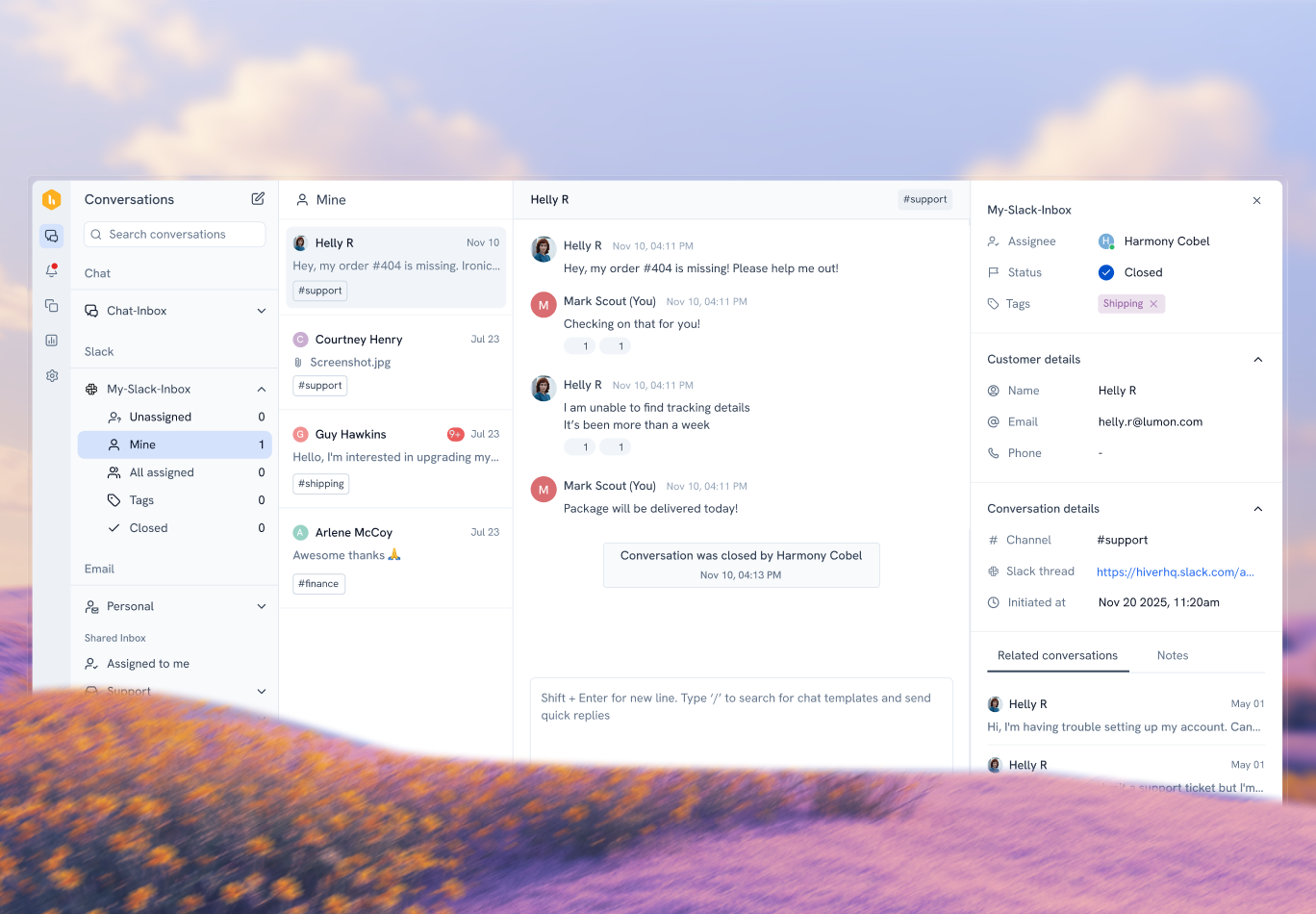
Hiver is a shared inbox software that enables teams to manage shared email accounts like support@, sales@, or info@ from a single interface. It allows teams to collaborate efficiently on incoming emails by assigning messages, tracking responses, and avoiding the need to forward emails or reply individually.
With Hiver, you can manage both personal and team emails in one unified workspace. This makes it easier for your team to stay organized and handle all their communication seamlessly in one place, boosting productivity and improving customer response times.

Strengths of Hiver Over Helpwise:
- Inbox-Like shared inbox experience: Hiver offers a shared inbox that feels just like the email interface teams already use. Agents can view, assign, and collaborate on customer emails without switching to a separate dashboard.
- Advanced AI-First Automation: AI Copilot drafts and rewrites replies, summarizes long conversations, detects sentiment, auto-tags tickets, and suggests next actions. It also offers autonomous AI agents for operations like auto-closing tickets.

- Comprehensive, contextual Integrations: Hiver supports 100+ native integrations (Salesforce, HubSpot, Jira, Asana, QuickBooks, and more) that surface relevant customer data inline within conversations.
- Enterprise-Grade Security & Compliance: Hiver complies with SOC 2 Type II, ISO 27001, HIPAA (on certain tiers), GDPR, CCPA, and supports Single Sign-On (SSO).
- Deeper Analytics & Reporting: You get extensive analytics, including SLA tracking, CSAT, first response times, agent workload, and customizable tag-level reports.
Pros:
- Hiver makes it much easier to stay organized and collaborate. Features like email assignment, internal notes, and ownership tracking streamline operations and reduce miscommunication.
- Hiver is also useful for volunteer-based teams, where emails can be reassigned with notes, ensuring smooth handoffs between team members.
- Several users value how Hiver allows them to manage shared inboxes without switching platforms. They appreciate the ability to assign emails, add notes, and track statuses like open, pending, or closed, which adds accountability and prevents duplication.
Cons:
- The mobile experience isn’t as robust as desktop, which can be limiting for teams who are often on the go.
Pricing:
Hiver offers three paid plans with annual billing:
- Lite: $19/user/month — includes shared inboxes, email notes, assignment automation, and basic reports.
- Growth: $29/user/month — adds advanced automation, SLA management, AI Copilot, and custom reporting.
- Pro: $49/user/month — includes omnichannel (chat, WhatsApp, voice), advanced analytics, and enterprise-grade security features.
2. Front
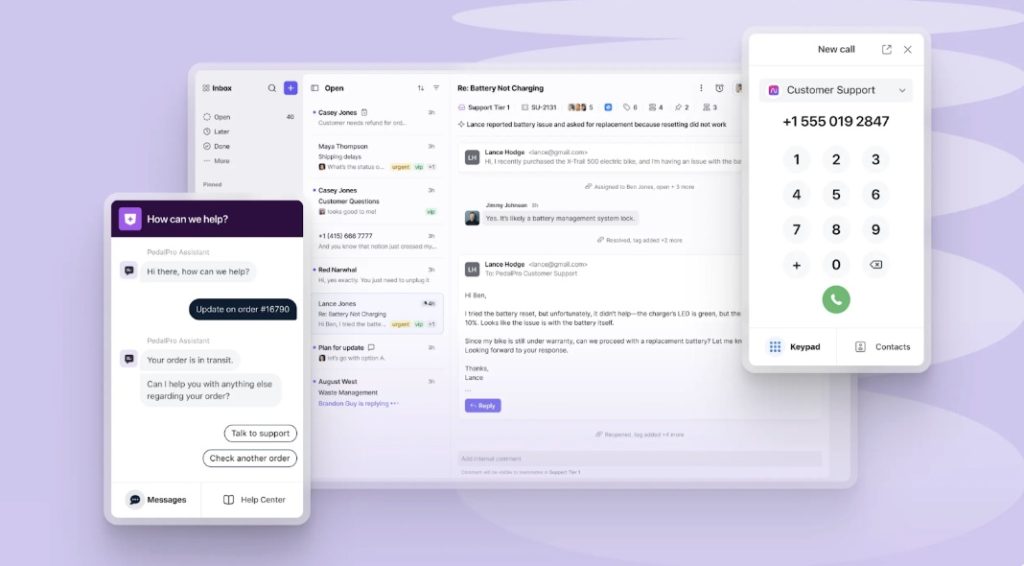
Front is a shared inbox tool that helps teams work together on customer messages. Instead of switching between email, chat, text, and social apps, Front brings everything into one place. It looks and feels like email, so it’s easy to use, but it also lets teams work together with shared drafts, comments, and @mentions.
What stands out about Front is real-time co-editing, which allows multiple teammates to write a reply together at the same time. With AI to suggest replies and route messages, teams can spend less time on repetitive tasks and more time giving customers fast, personal support.
Key Features of Front
- Omnichannel Inbox: Manage email, chat, SMS, voice, social media, WhatsApp, and Slack all from a unified platform.
- AI-Powered Automation: Automate ticket routing, auto-categorize messages, draft replies with AI, summarize conversations, and surface customer context instantly.
- Real-Time Collaboration Tools: Assign messages, use internal comments, collaborate on drafts, @mention teammates, and co-author responses.
- Live Chat with AI Chatbots: Offer in-the-moment chat support with AI-powered bots that escalate to human agents seamlessly.
- Integrated Knowledge Base: Build and access help articles directly within Front, enabling self-service and faster agent responses.
- Ticketing and SLA Management: Track support requests, enforce SLA rules, monitor response times, and visualize ticket metrics.
- Advanced Analytics & Smart QA: Track SLAs, team performance, include AI-assisted quality reviews, and publish real-time metrics.
Pros
- Front is easy to use and implement, making it simple to set up and scale across teams of different sizes.
- Reviewers highlight the seamless team collaboration, noting that it streamlines task management and improves workflow efficiency.
- Users appreciate Front’s organization and analytics tools, which help improve efficiency and track customer support performance.
Cons
- Some users mention email management issues, such as duplicates, difficulty merging conversations, and an overwhelming inbox.
- A few reviewers point out a lack of integration capabilities, for example, with ERP systems.
Front Pricing:
- Starter: $25 per user/month
- Professional: $65 per user/month
- Enterprise: $105 per user/month
3. Help Scout
Help Scout is a customer support tool built around a shared inbox that makes teamwork simple. It brings customer emails, chat, and a knowledge base together so support teams can stay organized and respond quickly. The interface feels familiar and easy to use, which means new team members can get started without much training.
Help Scout comes with Beacon, a widget that lets customers search help articles or start a chat right from your website or app. With features like collision detection, saved replies, and built-in reporting, Help Scout helps teams deliver friendly and efficient support at scale.

Key features of Help Scout:
- Shared Inbox with Unlimited Seats: Manage email, chat, phone, and social in one place, allowing unlimited teammates to collaborate seamlessly.
- Collision Detection & Internal Notes: Prevent duplicate replies by seeing who’s working on which conversation, and leave private, @-mentionable notes for teammates.
- Full Customer Context: View past interactions, internal notes, and customer profiles in a sidebar to ensure informed and personalized replies.
- AI-Powered Tools: Use AI-generated drafts to quickly craft replies and summarize long threads to stay on top of conversations fast.
Snooze & Send Later: Keep your inbox focused by snoozing conversations to revisit later, or schedule messages to send at the optimal time. - Inbox Views & Workflow Automation: Create custom sidebar Views to filter conversations, plus automate tasks like tagging, assigning, and routing to stay organized.
- Rich Integrations: Connect Help Scout to 100+ tools, making customer context available inside the inbox and workflows more efficient.
Pros
- The shared inbox keeps conversations organized, especially with integrations like HubSpot that automatically add customer context. Saved replies and the built-in Knowledge Center make responding quickly and consistently much easier.
- Help Scout is easy to set up and maintain, which means teams can start helping customers more effectively with minimal onboarding.
- Users appreciate the clear communication and strong support from Help Scout’s team, noting that they guide customers through changes and updates to ensure smooth adoption.
Cons
- Some users feel that reporting can be limited, with less drill-down capacity and customization compared to more advanced platforms.
- Others say that workflow customization could be stronger, especially for teams that need more advanced automation or detailed reporting.
HelpScout Pricing:
- Helpwise pricing plans start at $12 per agent per month for the standard plan, $23 for premium, and $39 for advanced tiers.
- Help Scout pricing starts at around $25 per user per month, with costs increasing depending on the number of users and additional features selected.
4. Zendesk
Zendesk is a customer support platform designed to handle high volumes of requests across many different channels. It brings email, chat, phone, social media, and messaging apps into one system, so teams can manage all customer conversations in a single place. While it’s packed with features, the interface is built to help support agents work faster with tools like macros, automation, and advanced reporting.
Zendesk has AI-powered bots, which can answer common questions automatically and free up agents to focus on more complex issues. With powerful analytics, a large app marketplace, and enterprise-grade security, Zendesk is built for companies that need a scalable, all-in-one support solution.

Key features of Zendesk:
- Omnichannel Support & Unified Ticketing: Zendesk centralizes customer interactions from email, live chat, messaging, phone (voice), and social media into a single ticketing system.
- Advanced Automation & SLA Management: Configure triggers, macros, and visual workflow builders to automate ticket routing, escalations, and service-level agreements.
- Self-Service Help Center & Community: Build self-service knowledge bases and community forums to deflect support requests and empower customers to find answers independently.
- Customization & Ecosystem Support: Utilize custom ticket fields, forms, roles, and integrations via a large app marketplace. Fields and workflows can be tailored to match team needs, while robust APIs enable extensibility.
Pros
- Zendesk’s biggest strengths is the Support Suite, which combines Support, Guide, Talk, and Chat into one package. Instead of buying each tool separately, teams can pay a single license fee per user, making it cost-effective and easier to manage.
- Email setup is simple and doesn’t require much prior knowledge. They also like that agent interactions can be customized and that plenty of guides and articles are available to help with onboarding.
Cons
- The features in non-enterprise plans feel limited, especially when tailoring advanced workflows or settings.
- Learning curve for detailed features can be steep, often requiring help from implementation partners for full setup.
Zendesk Pricing:
- Suite Team: $55 per agent/month
- Suite Growth: $89 per agent/month
- Suite Professional: $115 per agent/month
5. Groove
Groove is a streamlined help desk platform built around a shared inbox, knowledge base, and messaging tools. It’s designed for small to mid-sized teams seeking simplicity and efficiency. With features like email management, ticketing, internal notes, @mentions, and live chat, Groove centralizes support workflows in one intuitive workspace.
Its clean, organized interface makes it quick to adopt, helping teams respond more efficiently to customer inquiries. Groove is best for teams prioritizing ease of use and essential support functions without complexity.

Key Features of Groove:
- Familiar Shared Inbox Interface: Groove looks and operates like a modern email client, complete with inbox views, folders, tags, and a dedicated sidebar for customer context. This makes it easy for teams to adopt and get productive fast.
- Efficient Ticket Handling Tools: Assign conversations, merge duplicates, leave internal private notes, and tag messages for easy tracking and collaboration across teammates. Collision detection prevents agents from replying to the same message simultaneously.
- Action-Oriented Conversation Controls: Quick action bar enables you to close (resolve), snooze, star, tag, move across inboxes, mark spam, or follow conversations—all with a single click.
- AI-Powered Productivity: Groove includes AI features such as AI-generated drafts, sentiment analysis, conversation summaries, and suggested tags to let agents work faster and maintain consistency.
- Live Chat & Website Widget: Provide real-time support via live chat, hosted through a customizable widget embedded on your website or app. It supports email continuations for offline inquiries.
- Insights with Reporting: Access reports with metrics such as response times, conversation volume, agent performance, and customer satisfaction to understand support effectiveness and identify improvement areas.
Pros
- Groove’s interface improvements have made workflows smoother, with features like easy ticket assignment, clear folders for new and open tickets, and better note-taking.
- The team has become more responsive and proactive in addressing support issues.
- The ability to manage multiple email accounts in one place, making daily communication easier and more organized.
Cons
- Groove lacks robust filtering options, making it difficult to sort tickets by date, reverse merged tickets, or keep forwarded emails tidy.
- Some users mention they wish Groove had an address book, both per email account and combined across accounts, to streamline communication..
Groove Pricing:
- Standard: $29 per user/month
- Plus: Around $45 per user/month
- Pro: Around $70 per user/month
6. Freshdesk
Freshdesk is a cloud-based help desk solution that turns customer queries from email, chat, phone, and social media into tickets that are easily tracked, prioritized, and managed. It combines omnichannel support, automation powered by Freddy AI, a self-service knowledge base, and reporting into one unified platform.
Designed for all team sizes, it emphasizes user-friendliness and flexibility, so your support team can get up and running quickly.

Key features of Freshdesk:
- Shared Inbox with Tickets, Threads & Tasks: The platform offers a centralized shared inbox that supports threading, task assignment, and internal tagging for efficient ticket handling.
- AI-Powered Solutions (Freddy AI): Freddy AI assists with smart ticket categorization, response suggestions, and automated summaries—helping support teams work faster and more effectively.
- Automation & SLA Tools: The platform offers rule-based automation, ticket routing, SLA enforcement, and escalation workflows to streamline agent workloads.
- Extensive Integrations & Developer API: Freshdesk integrates with CRMs, team tools, payment systems, and more via its app marketplace of over 1,000 integrations. It also supports API access for customization.
- Multi-language, AI Chatbots, and Live Chat: Freshchat, integrated into Freshdesk, enables live chat and AI-powered chatbots across languages and channels like WhatsApp and Messenger.
Pros
- The updated Freddy AI and refreshed interface have made Freshdesk much easier to use and understand, with more Marketplace apps improving flexibility.
- Addition of new internal tracking fields like “Internal Group” and “Internal Agent,” which make it easier to distinguish between internal tickets and customer-submitted ones.
- Freshdesk’s intuitive, user-friendly interface simplifies ticket management, quick implementation, and robust automation features that reduce manual work.
Cons
- Inability to open multiple tickets in separate tabs as a drawback, forcing them to use multiple browser tabs and slowing efficiency.
- Advanced customization can feel limited or requires additional integrations, which can delay implementing complex workflows.
Freshdesk Pricing
- Free Plan
- Growth: Approximately $15/agent/month
- Pro: Around $59–79/agent/month
7. Kayako
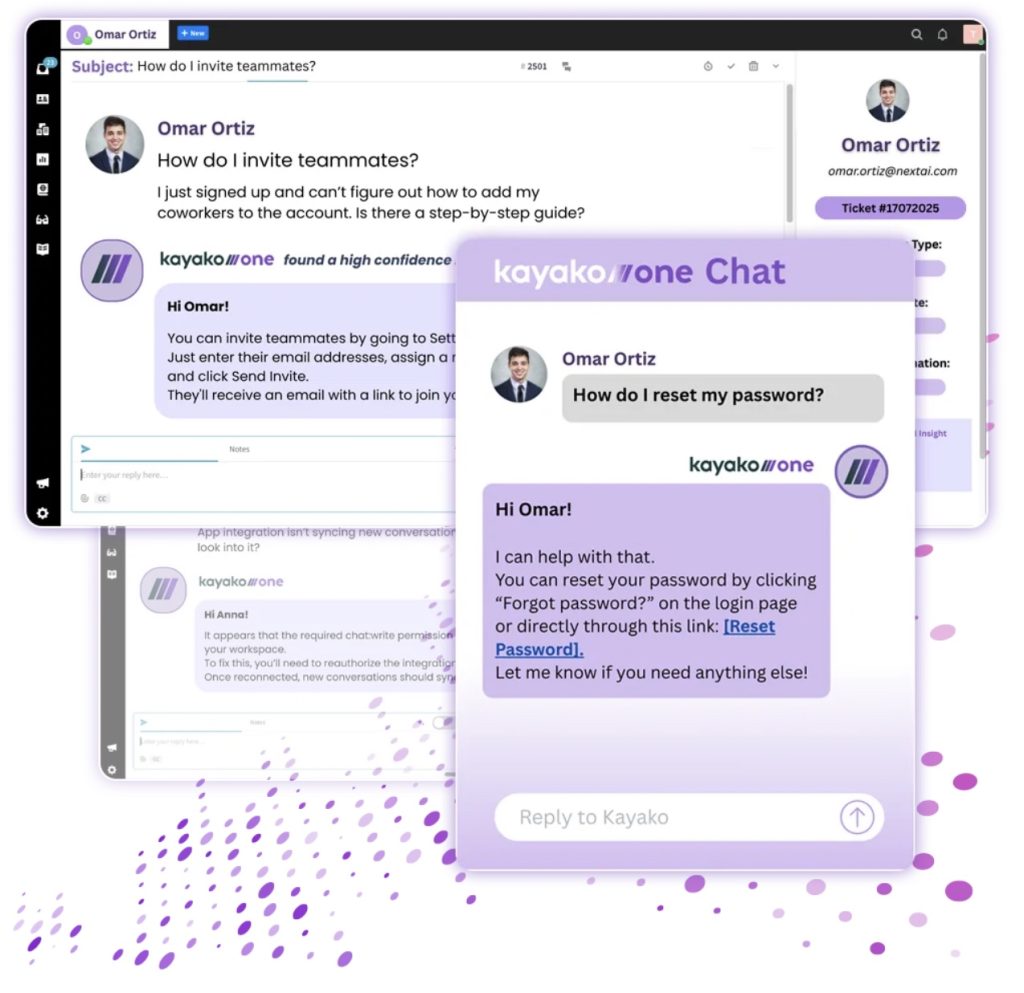
Kayako is a unified help desk platform designed to streamline customer support operations through AI-powered automation. It offers agents a ‘SingleView’ that consolidates all customer interactions across email, chat, web, and social, into one screen.
Its goal is to reduce repetitive tickets using self-learning AI, so agents can focus on more meaningful support. It also offers shared inbox capabilities, customizable workspaces, and automation rules to adapt to both small teams and enterprise workflows.
Key Features of Kayako
- Omnichannel Ticketing System: Routes and manages support across email, live chat, social media, and web-based channels with a shared inbox and advanced ticket workflows.
- Live Chat with Proactive Engagement: Embedded chat widget with real-time messaging, automated responses, and proactive invites to engage visitors based on behavior.
- Custom Self-Service Portals: Build and brand help centers with intuitive search, auto-suggested articles, and dynamic content for better self-service adoption.
- Advanced Ticketing & Workflow Automation: Includes macros, rules, SLA enforcement, escalation triggers, and customizable workflows to ensure tickets are routed and resolved efficiently.
- Extensive Reporting & Analytics: Over 100 pre-built reports plus custom reporting via query language. Track response times, SLA performance, CSAT, and team productivity with automated dashboards.
Pros
- Kayako is easy to implement on top of legacy systems, making adoption smoother.
- Kayako helps eliminate repetitive tickets like password resets and “where’s my order” requests by deflecting them with AI before agents ever got involved.
- AI Ticket Assistant lets agents “chat with the ticket” to surface key details from long threads without scrolling, saving minutes per case.
- The pricing is based on resolved tickets instead of seats, which makes scaling more affordable for larger teams.
Cons
- Connecting accounts and emails can be tricky, and they wish setup guidance were clearer.
- The mobile experience feels limited, making it less ideal for agents who need to respond from the field or after hours.
Kayako Pricing:
- Inbox: $15 per agent/month
- Growth: $30 per agent/month
- Scale: $60 per agent/month
8. Gmelius
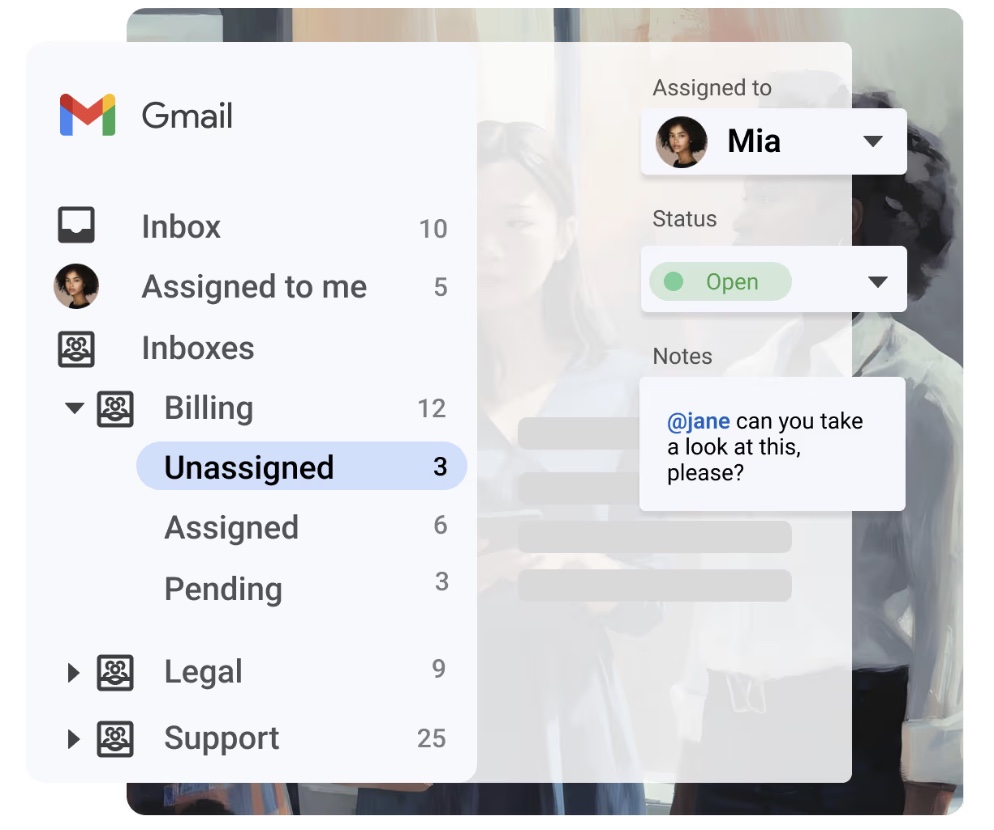
Gmelius enhances Gmail into a powerful, collaborative workspace that combines email, project management, and automation directly inside your inbox. Built as a native Gmail extension, it transforms shared inboxes like support@ or sales@ into transparent, assignable workflows. Gmelius interface
Key Features of Gmelius
- Kanban Boards for Email: Convert emails into tasks and manage them visually with Kanban boards. Drag and drop tasks between stages to track progress at a glance.
- Workflow Automation & Sequences: Automate repetitive processes with rules for routing, tagging, or escalating emails. Create sequences for follow-ups and reminders to ensure nothing slips through.
- AI-Powered Assistance: Gmelius includes AI Assistants that draft replies, auto-sort emails, suggest tags, and summarize conversations to save time and reduce manual work.
- Team Collaboration Tools: Collaborate with @mentions, real-time chat inside threads, and shared drafts. This reduces Slack or WhatsApp back-and-forth and keeps discussions tied to the right email.
- Integrations & API: Native integrations with Google Workspace, Slack, Trello, and Zapier, plus an open API for custom workflows.
- Mobile Access: Manage shared inboxes, tasks, and workflows on the go with the Gmelius mobile app.
Pros
- Gmelius has made email correspondence and work management far more efficient, especially for small teams using shared inboxes.
- Automation features allow teams to set up routines for common support questions and automatically route emails to the right people.
Cons
- The ability to search old emails is limited, wishing for better filters like To, From, and Date.
- They also mention occasional bugs where old unassigned emails resurface unexpectedly.
- Gmelius can be slow to load emails inside Gmail, sometimes taking 10+ seconds, which disrupts workflows.
Gmelius Pricing:
- Starter: $12 per user/month
- Plus: $24 per user/month
- Growth: $36 per user/month
9. Zoho Desk
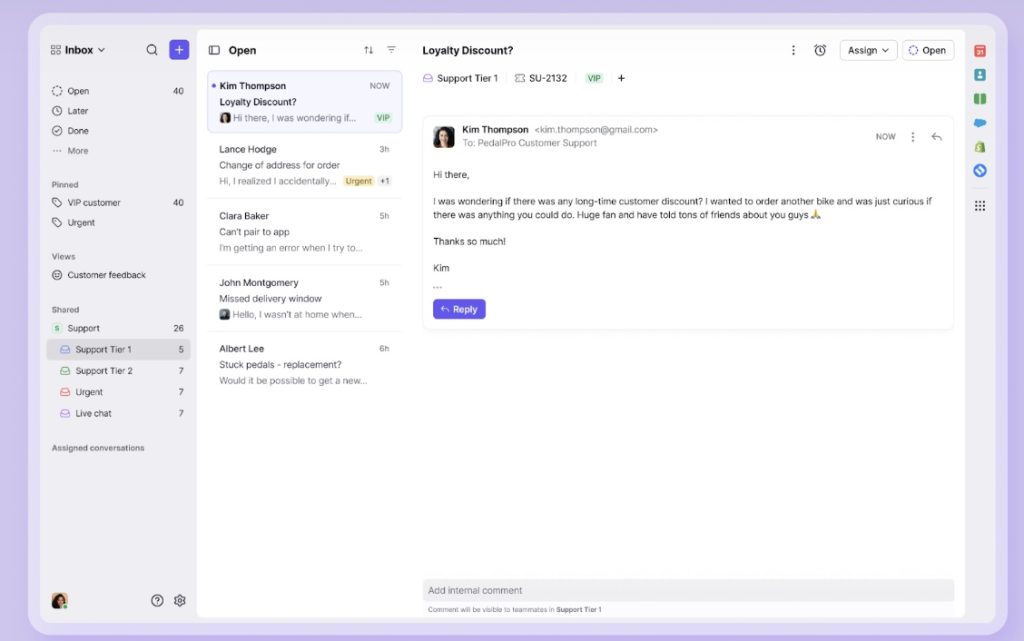
Zoho TeamInbox is a shared inbox solution designed to simplify and streamline team email collaboration. It brings together shared and personal inboxes, allowing teams to manage group email addresses like support@ or sales@ from a single, secure platform.
The interface is clean and intuitive, helping teams onboard quickly and efficiently. Built-in features like inbox delegation, internal chat, email snoozing, archiving, and thread tagging ensure nothing slips through the cracks.
Key Features of Zoho Desk
- Built-In Team Collaboration: Add internal comments, @mention teammates, and co-author drafts within the same thread.
- Automation and Templates: Use rules to assign and tag conversations automatically. Shared templates and signatures help maintain consistent replies.
- Custom Views and Activity Tracking: Create tailored inbox views and track activity logs to monitor performance and accountability.
- Multi-Channel Support: Connect WhatsApp, Instagram DM, Telegram, and more to manage customer communication beyond email.
- Security and Permissions: Role-based permissions, admin controls, and encryption keep shared data secure.
- Mobile Access: Stay productive on the go with iOS and Android apps that allow teams to assign, chat, and respond from anywhere.
Pros
- Easy to use and centralizes tickets effectively, with APIs that make it simple to create tickets directly from their own software.
- Many also find the pricing attractive compared to competitors.
- Easy it is to set up and integrate into workflows. The intuitive interface and customization options help teams adapt quickly without heavy training.
Cons
- Features can feel overwhelming at first, requiring extra time to explore and learn.
- advanced features and automation settings come with a learning curve, although support documentation and responsive local partners help bridge the gap.
FrontApp Pricing:
- Starter: $25/user/month (up to 10 seats).
- Professional: $65/user/month (up to 50 seats).
- Enterprise: $105/user/month.
10. Missive
Missive is a modern team collaboration tool that combines email, chat, tasks, and automation into a unified workspace. It is designed to empower teams to work together inside the inbox, without the need for constant forwarding or switching between apps. With internal chat, real-time shared drafting, and task assignments within email threads, Missive removes communication silos and streamlines workflows.
You can bring together messages from email, SMS, social media, and more in one feed, while also managing tasks, rules, calendar events, and AI-powered features like smart responses and automation. It is collaboration built directly into an email-first productivity tool.

Key features of Missive:
- Chat Built Into Email Threads: Collaborate directly inside conversations with team chat and comments.
- Collaborative Drafting: Teammates can co-write replies in real time, ensuring accuracy and consistency before sending.
- Rules and Workflows: Automate assignments, tagging, and follow-ups with custom rules so repetitive tasks don’t slow the team down.
- Email-to-Task Conversion: Turn any message into a task, set deadlines, and track completion without leaving the inbox.
- Multi-Channel Support: Handle emails, SMS, WhatsApp, Messenger, and social messages in one unified feed.
- Integrations and API Access: Connect Missive with CRMs, project management tools, and other apps for a seamless workflow.
Pros
- Missive has been a game-changer for team communication, with shared inboxes that make collaboration seamless.
- Clean and intuitive interface, which keeps everything organized and helps save time on daily workflows.
- Missive has streamlined their workflow compared to Google tools, especially when managing high email volumes. Shared inboxes, assignments, and built-in chat features have improved team efficiency.
Cons
- The program is only available in English, and notifications can sometimes arrive with delays.
- The mobile app feels less smooth and less fully featured than the desktop version. It works fine for quick replies, but it can feel clunky for heavier use.
- Email search could be improved, as it can be difficult to locate past correspondence without the full email address.
Missive Pricing:
- Starter: $14 (per user/month)
- Productive: $24 (per user/month)
- Business: $36 (per user/month)
Choosing the Helpwise Alternative That Works for You
Switching from Helpwise is not just about getting more features. It is about choosing a tool that helps your team work smarter. Start by mapping your priorities, such as better collaboration, stronger AI automation, or broader multi-channel support, and narrow your options to the platforms that best align with your workflows and budget.
Here’s how to make the decision practical:
- List your must-have features. For example, AI assistance, ticket routing, or integrations.
- Test with a trial. Most tools, including Hiver, offer free trials to see how they fit into your daily workflow.
- Involve your agents. Get their feedback during evaluation to uncover usability challenges before committing.
Factor in long-term scalability. The tool that works for five agents today should still work for fifty tomorrow.
Frequently Asked Questions
1. Are there free Helpwise alternatives for small teams?
Yes, Hiver offers a free plan with shared inboxes and unlimited users, making it a strong option for small teams that want to grow without worrying about per-user costs. Freshdesk also has a free plan for up to two agents with basic ticketing and knowledge base features. Another option is Zoho Desk, which provides a free plan for up to three agents, making it suitable for startups or lean support teams.
2. Can I migrate my emails and contacts from Helpwise to another shared inbox tool?
Yes, most tools make migration straightforward. Here’s how it usually works:
Connect your email accounts (for example, support@ or sales@) to the new platform.
1) Import your data — this can include historical emails, contacts, and sometimes even tags or labels.
2) Use built-in migration tools or guides. Many vendors like Hiver, Front, and Zendesk provide onboarding support to help with the transition.
3) Export via CSV or third-party tools if needed for any data not supported by direct import.
4) Lean on customer support teams from these platforms, who often assist with setup to minimize disruption..
3. Which tool is best for scaling from 5 to 50+ support agents?
If your team is planning to scale, you’ll want a tool that grows without adding complexity or cost surprises. Platforms like Hiver and Help Scout are strong choices because they offer unlimited users on certain plans and provide powerful automation and reporting as your team expands. Zendesk and Freshdesk are also designed for enterprise-scale operations, with advanced workflows and AI automation that keep larger teams efficient. The right choice depends on your priorities: if you want simplicity with scale, Hiver is often the easiest to adopt, while Zendesk may be better for enterprises needing deep customization and analytics.
Start using Hiver today
- Collaborate with ease
- Manage high email volume
- Leverage AI for stellar service