Unlimited users on Free plan ✦ No credit card needed
Trusted by 10,000+ Customer service, Finance & IT teams
Deliver support that’s accurate, fast, and reliable
No more missed queries
Auto-assign every query to active agents based on bandwidth or skill—ensuring no request goes unanswered.
Better workload and productivity
Automate query distribution to bring down assignment times and reassignments. Boost your resolution rates with Hiver.
Happy agents, happier customers
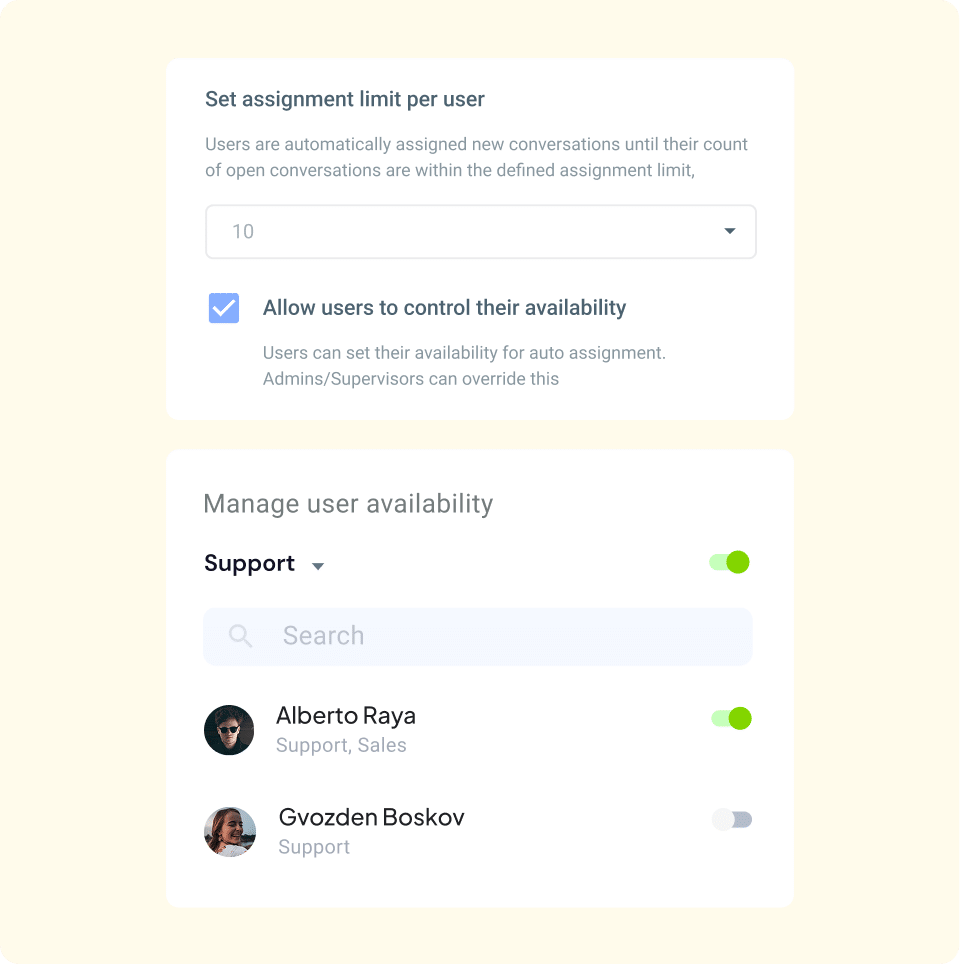
Assign or reassign tickets based on agent availability. Define assignment limits to prevent agent overload and delays in responses.
Ensure every query gets the attention it deserves
Never let a query go unanswered
Stop missing customer queries due to uneven workload distribution. Automatically assign every incoming query evenly among active team members, ensuring shorter assignment times and happier customers.
Maintain flexibility in auto-assignment
Keep your team productive without overwhelming them. Set assignment limits to ensure no one takes on more than they can handle, maintaining steady response times. Team members can toggle availability in one click, so only active agents get new queries.
Auto-assign queries based on skills and workload
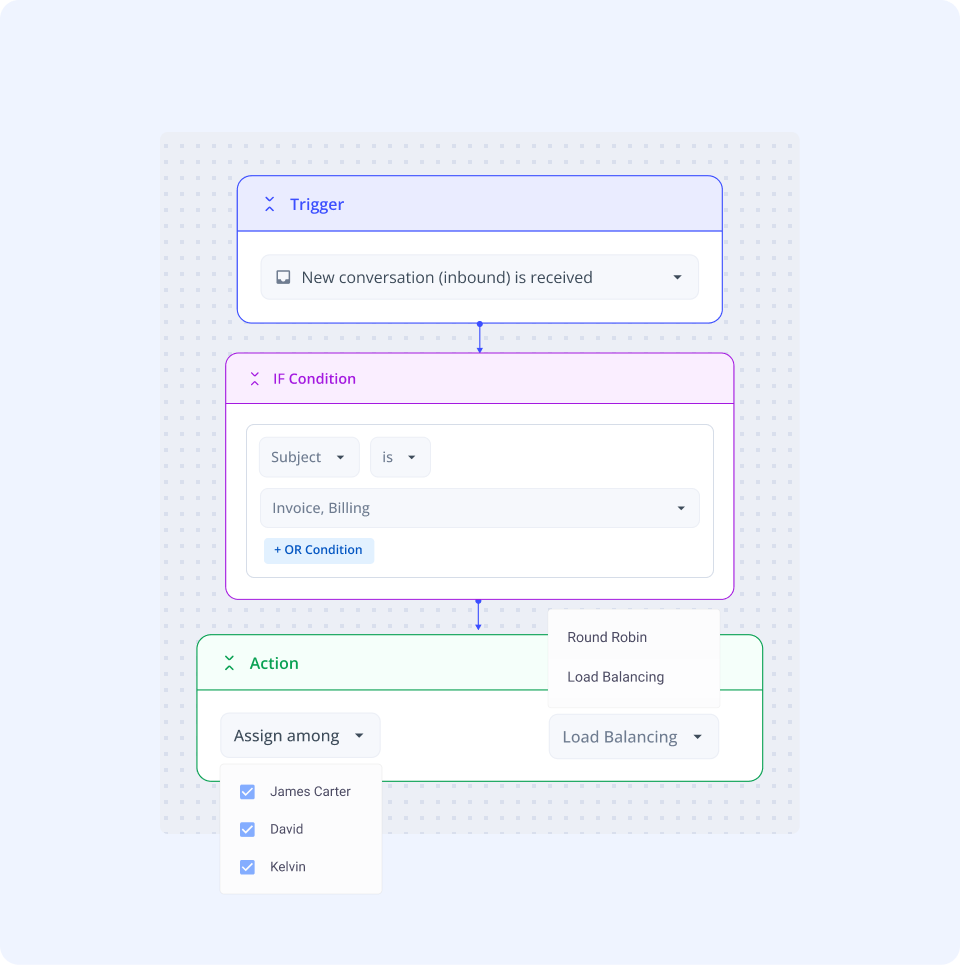
Reduce errors and back-and-forth by routing queries to the most qualified team member, while managing their workload with Load-balanced and Round-Robin assignment. Customers receive accurate responses more quickly, and your team remains efficient.
Customize auto-assignment
Take full control of how queries are assigned. Choose which types of conversations to auto-assign, exclude specific team members when needed, or automatically assign a query to the agent who responded first—all to suit your workflow best.
More features to help your team manage customer queries efficiently
“With Hiver, we've stopped missing emails, and I have better visibility into their resolution. It's essentially like having an additional person on my team.”
“We scrolled through inboxes weekly, to ensure nothing was missed. Missing even one email leaves a bad taste for learners. Hiver ensures that doesn’t happen.”
“Our team operates more seamlessly with Hiver, leading to less back-and-forth. This has improved our accuracy and speed in processing vendor payments.”
“With Hiver, we've stopped missing emails, and I have better visibility into their resolution. It's essentially like having an additional person on my team.”
“We scrolled through inboxes weekly, to ensure nothing was missed. Missing even one email leaves a bad taste for learners. Hiver ensures that doesn’t happen.”
“Our team operates more seamlessly with Hiver, leading to less back-and-forth. This has improved our accuracy and speed in processing vendor payments.”
When you sign up, you instantly get access to our Elite plan for 7 days. We will email you when your trial expires. You can then select a plan and pay by credit card to continue using the product. If you choose not to continue, your account will be suspended.
Which features can I use during the trial?
You get access to the Elite plan during your trial, which means you can use Hiver without any limits, and can also experience the best support we have to offer.
What happens at the end of my trial period?
If you do not upgrade your Hiver account during your trial period, your account will be suspended at the end of your trial. You can re-activate your account by upgrading within 7 days from the date of the end of your trial.
Do I need a credit card to sign up?
No, you do not. You will only be required to produce your credit card information when you upgrade to a paid subscription.
How do I import my existing emails to my Hiver shared inbox?
If you’d like your emails to be imported to your Hiver shared inbox, please write to us on support@hiverhq.com and we will assist you with the process. The duration of the import process depends on the number of emails to be imported.
Do I need to pay for all the users in my Google or Outlook account?
No. You just pay for the users you enable to access Hiver. You can control this from within Hiver and change the users at any time. If you add new users to your Google or Outlook account, you can easily add them to Hiver.
Hiver offers the best experience on your desktop or laptop browser. Switch devices and download our extension from the Chrome Web Store to start using Hiver.
 Skip to content