Unlimited users on Free plan ✦ No credit card needed
Trusted by 10,000+ Support, Finance & IT teams
Zendesk never fit our team’s needs. We needed a system built for relationships, not requests. Every improvement we made with Hiver strengthened how our team operates.
Wes Gibson
Revenue Operations Manager
With Hiver, I have much better visibility into where an issue is on the resolution path. Trying to achieve this level of team coordination without Hiver would take 50-100% more time.
Nathan Strang
Ocean Freight Operations Manager
We looked at Zendesk and the issue was their lack of support. They weren’t very responsive. We found Hiver’s support to be very responsive and very proactive.
John Torres
Director of Customer Communication
Hiver has completely transformed our workflow. The ability to collaborate and track progress in real-time has eliminated delays and made our team much more efficient.
Jill Tarnoff
Sr. AP Specialist at Ping Identity
With Hiver, the team responds faster, handles higher volume, and works with a level of confidence we didn’t have before.
Kenedi Padgett
Manager of Scaled Customer Success
We tested Freshdesk and Salesforce, but they were too complex for us. Hiver struck the right balance — simple enough for daily use, structured enough to track everything.
Sławomir Piotrowski
Head of Data Processing
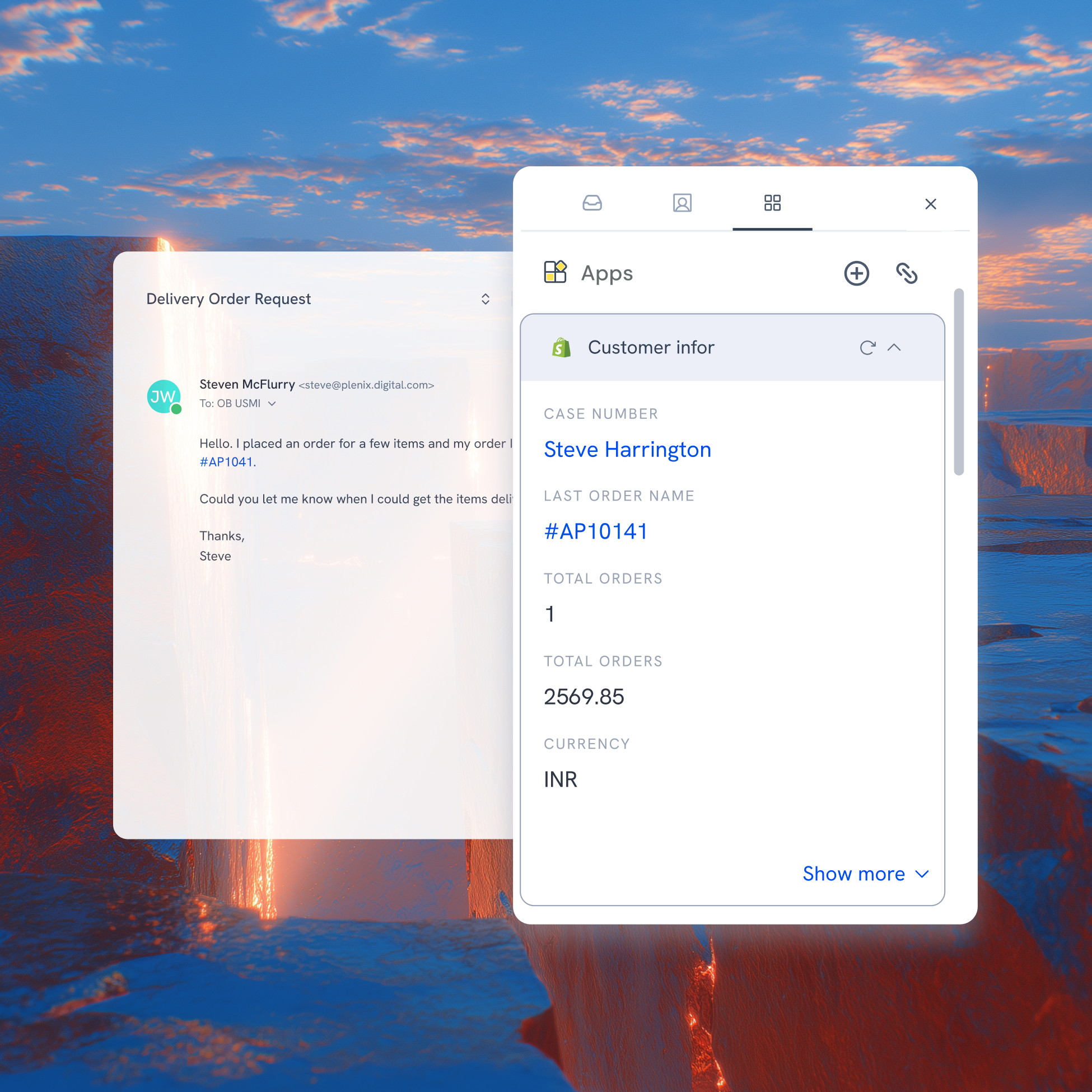
Detox from tab overload. Unify customer context right inside Hiver
“We’ve launched the integration of Hiver with Asana Time Tracking, allowing our team to seamlessly turn emails into tasks and track time in real time. This enhancement is already improving billing precision for enterprise clients, and we’re excited to expand that functionality further.”
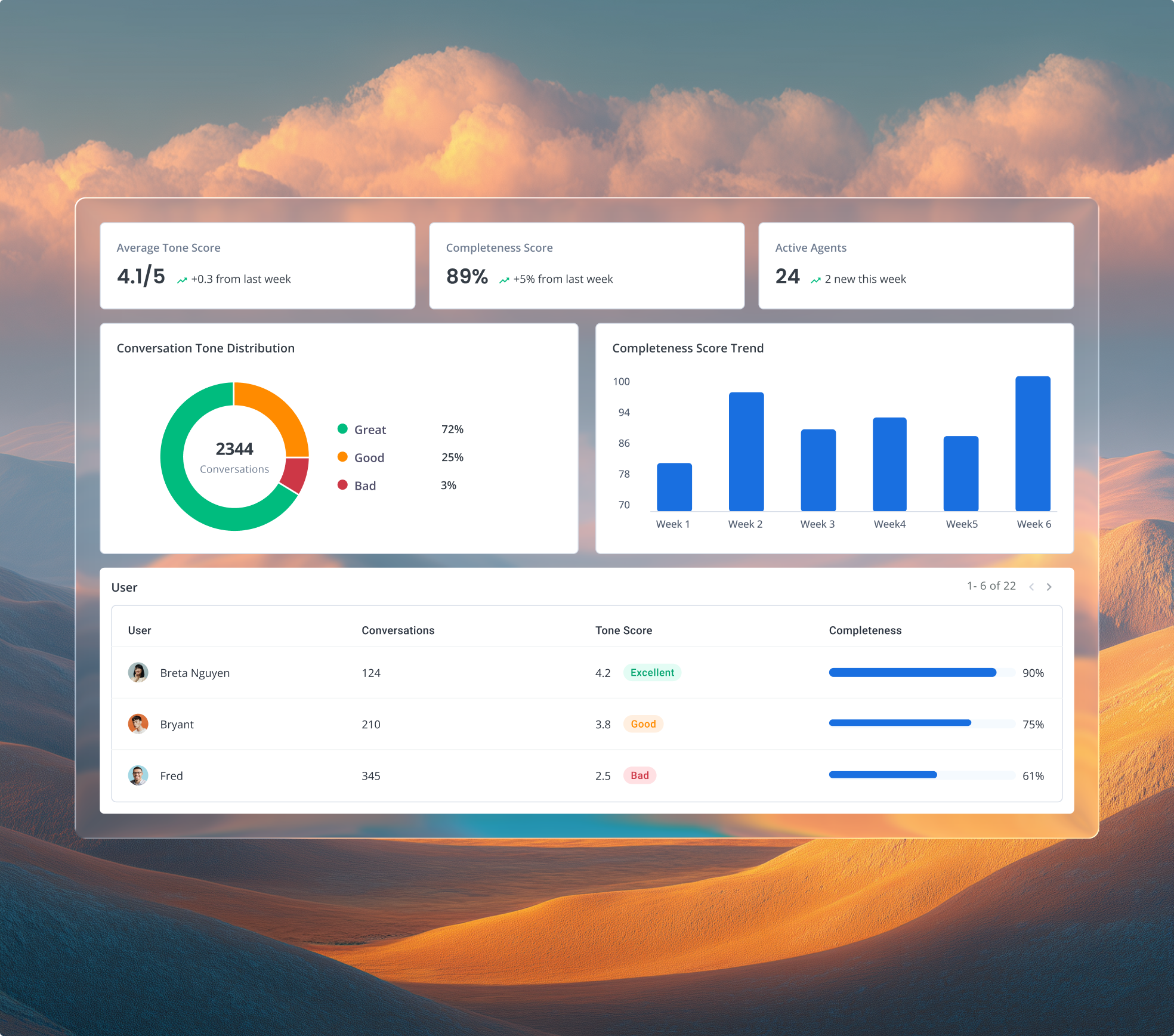
“Hiver helps us handle hundreds of conversations daily without missing a beat. With Salesforce integration, 50+ Automations, and Live Chat, we’ve cut assignment time by 60% and saved hundreds of hours a year.”
“We wanted a setup that worked for people, not against them. Once we automated the basics with Hiver, the team finally had time to focus on customers instead of chasing processes.”
“Integrating Salesforce with Hiver bridges our communication and relationship data. The team don’t have to guess who’s writing in — they can focus on responding meaningfully.”
Nathan Bellet
Director of Information Technology
Your integrations, activated inside a unified platform
Frequently Asked Questions
What are integrations, and why are they essential for businesses?
Integrations help connect your app with other business software, enabling seamless communication, data sharing, and workflow automation. Hiver is an AI-powered customer service platform that offers out-of-the-box integrations with over 100 tools like Salesforce, Jira, Okta, QuickBooks, WhatsApp, and more. It also allows admins and developers to build custom integrations using the Hiver API, tailored to the tools their teams already use.
Can we connect Hiver with Slack, CRM tools, or automation platforms?
Yes. Hiver offers native integrations with tools like Slack, Salesforce, HubSpot, NetSuite, Shopify, Asana, and Jira, so customer context flows directly into conversations. Hiver also supports open APIs and automation platforms (e.g., Zapier) to connect virtually any app in your stack. These integrations let teams see CRM fields, billing data, order history, and project details inside every support thread without switching systems.
How do integrations improve collaboration in customer service?
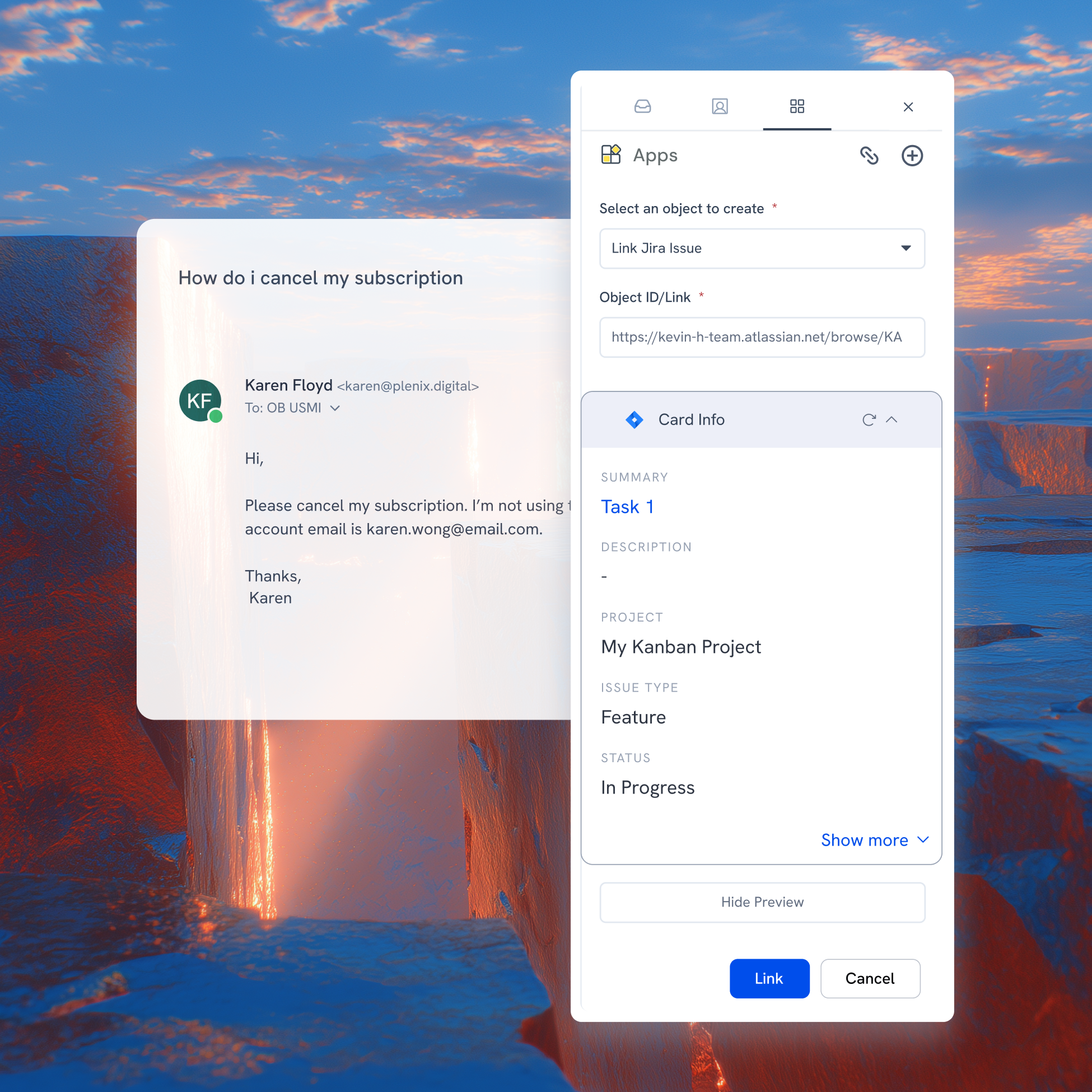
Integrations bring customer context into Hiver, so teams always see the full picture when responding. For example, viewing CRM account details alongside a support thread helps agents respond faster and more consistently. Automations can trigger downstream actions (e.g., create Jira issues or update CRM records) based on conversation status, reducing manual work and keeping teams aligned across functions.
What should I look for in an integration solution?
Look for a solution that supports integration with the tools your business already uses or plans to adopt. It should offer flexibility, ease of setup, reliable support, and strong security features to protect your data. Additionally, automating workflows and providing insights into team performance can be highly beneficial.
What sets Hiver apart from the integrations offered by other customer service platforms?
Hiver offers a familiar inbox-like interface that reduces the learning curve for teams. Its integrations can be set up in one click and are compatible with various tools, such as Aircall, WhatsApp, Salesforce, and more. Hiver’s capability for custom integrations via APIs makes it a versatile choice for businesses looking to deliver stellar support across channels.
How fast can we set up Hiver integrations for our team?
Hiver integrations are designed for quick setup. Most native connectors such as Slack, Salesforce, HubSpot, Shopify, Asana, and Jira can be configured in minutes via guided setup.
How does Hiver enhance integration for businesses?
Hiver is a powerful AI customer service platform that integrates with over 100 apps such as Salesforce, HubSpot, QuickBooks, Okta, Jira, and more. This enables businesses to manage customer service, finance, HR, and IT operations directly from a single interface—streamlining workflows, enhancing team productivity, and improving response times to customer queries.
How can integrating your customer service platform with other tools improve team productivity?
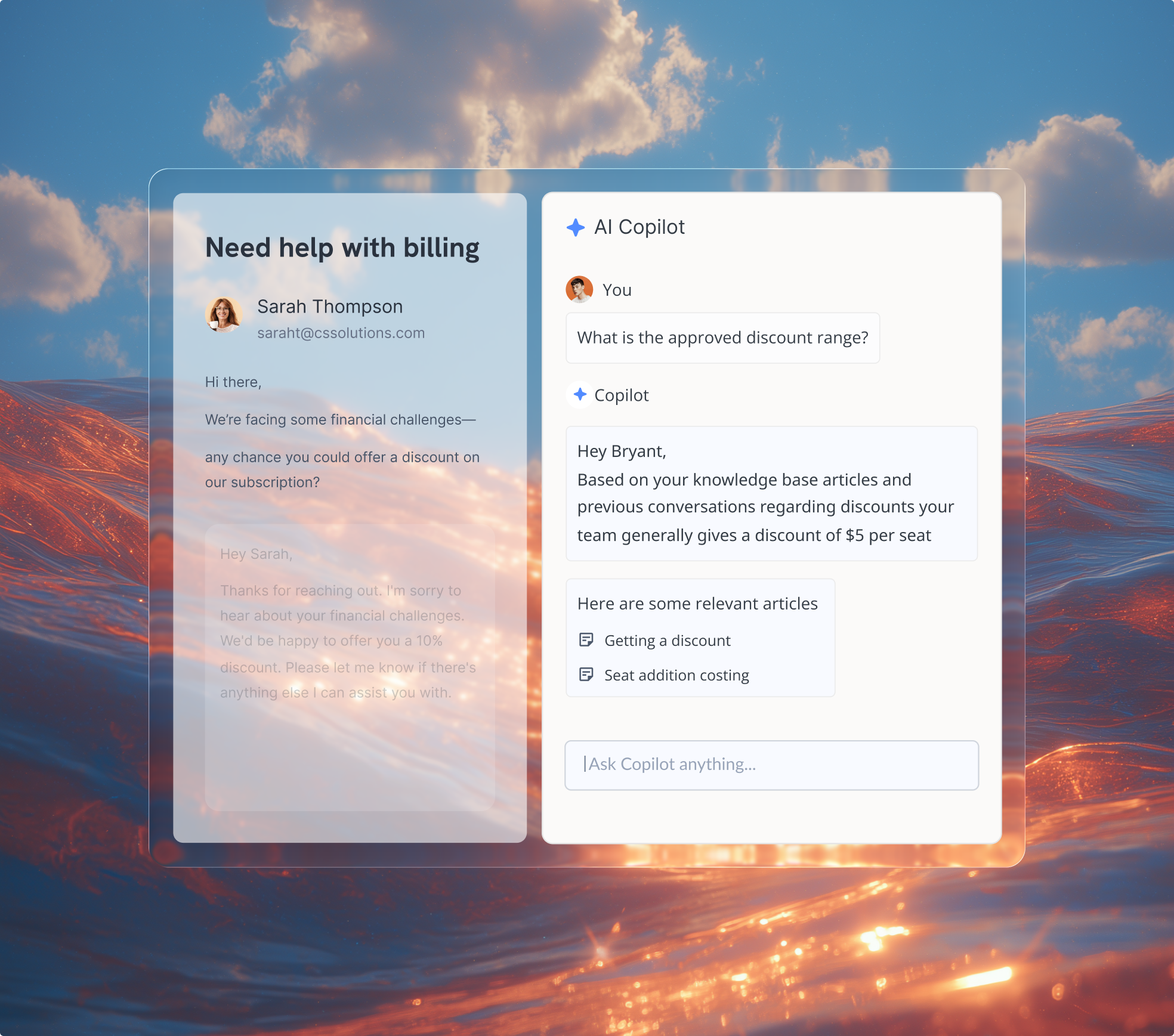
By integrating your customer service platform with other tools, teams can access all necessary information without switching between platforms. Hiver offers out-of-the-box and API-based integrations with several tools and apps, helping teams streamline communication, exchange data, and automate workflows—thereby boosting overall productivity.
Do integrations sync data in real time?
Yes. Most native integrations sync customer data with conversations in real time or near real time. When account ownership, order status, or ticket information changes in connected systems, teams can see updated context directly inside Hiver.
Can integrations trigger actions automatically across tools?
Yes. Hiver supports workflow triggers that update connected systems when conversation attributes change. For example, teams can create Jira issues, Asana tasks, or CRM updates automatically based on conversation status, tags, or routing rules.
What are the advantages of using Hiver’s API integration?
API integration allows developers to programmatically access and sync conversation data with other software. Hiver’s API will enable developers to build custom integrations and workflows with tools and apps tailored to their specific needs.
How can businesses get started with custom integrations using Hiver?
To start with Hiver’s API, developers or admins must generate an API key from the developer section in Hiver’s admin panel. Click here for detailed steps. Then, to build custom integrations using the key, refer to Hiver’s API documentation.
I need help setting up integrations or building a custom app. Can Hiver help?
Hiver offers the best experience on your desktop or laptop browser. Switch devices and download our extension from the Chrome Web Store to start using Hiver.
 Skip to content