Bring structure and speed to Slack support

Bring every customer conversation from Slack into the same ticket queue as email and chat with clear ownership and context to act on it. One channel or one thousand, it’s all in one place.

Why Slack support gets chaotic fast

No ticketing

Slack wasn’t built to handle support at scale. Without triage, assignment, tracking or SLAs, customer messages fall through the cracks.

Collaboration is a mess

A single issue quickly turns into multiple threads, DMs, and new channels. Context gets scattered, and it becomes hard to track issues.

Control slips at scale

As volume grows, managing access, tracking activity, and handling sensitive information becomes harder to control within Slack.

One Slack channel or thousands.
Hiver tames the chaos.

Bring every Slack support request into your helpdesk queue
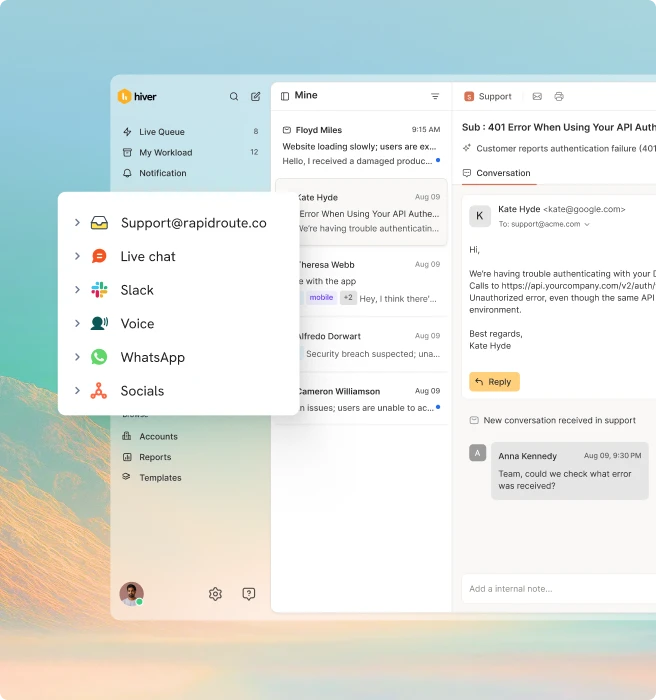
Every customer message that needs support attention automatically becomes a conversation in your helpdesk queue. Your support team works from one place, with full visibility across every customer channel, without having to be in any of them.

"Hiver omnichannel inbox uniting email, live chat, Slack, WhatsApp, voice, and social channels"

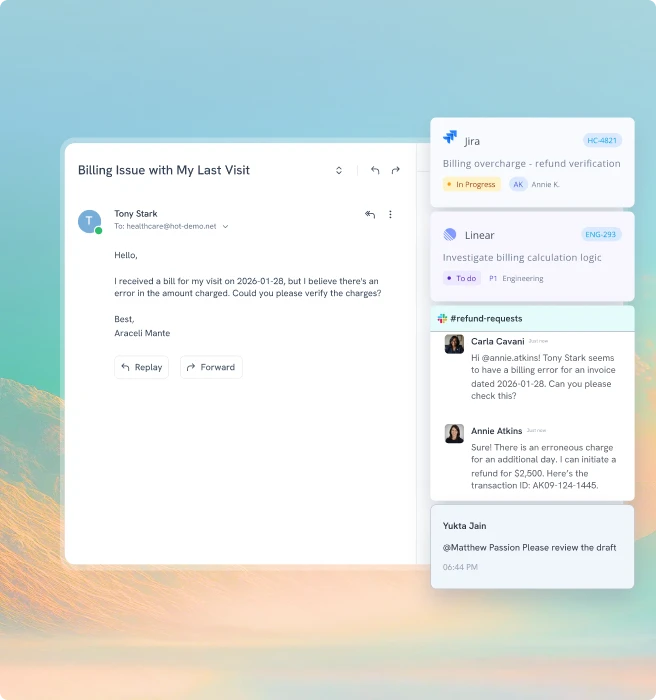
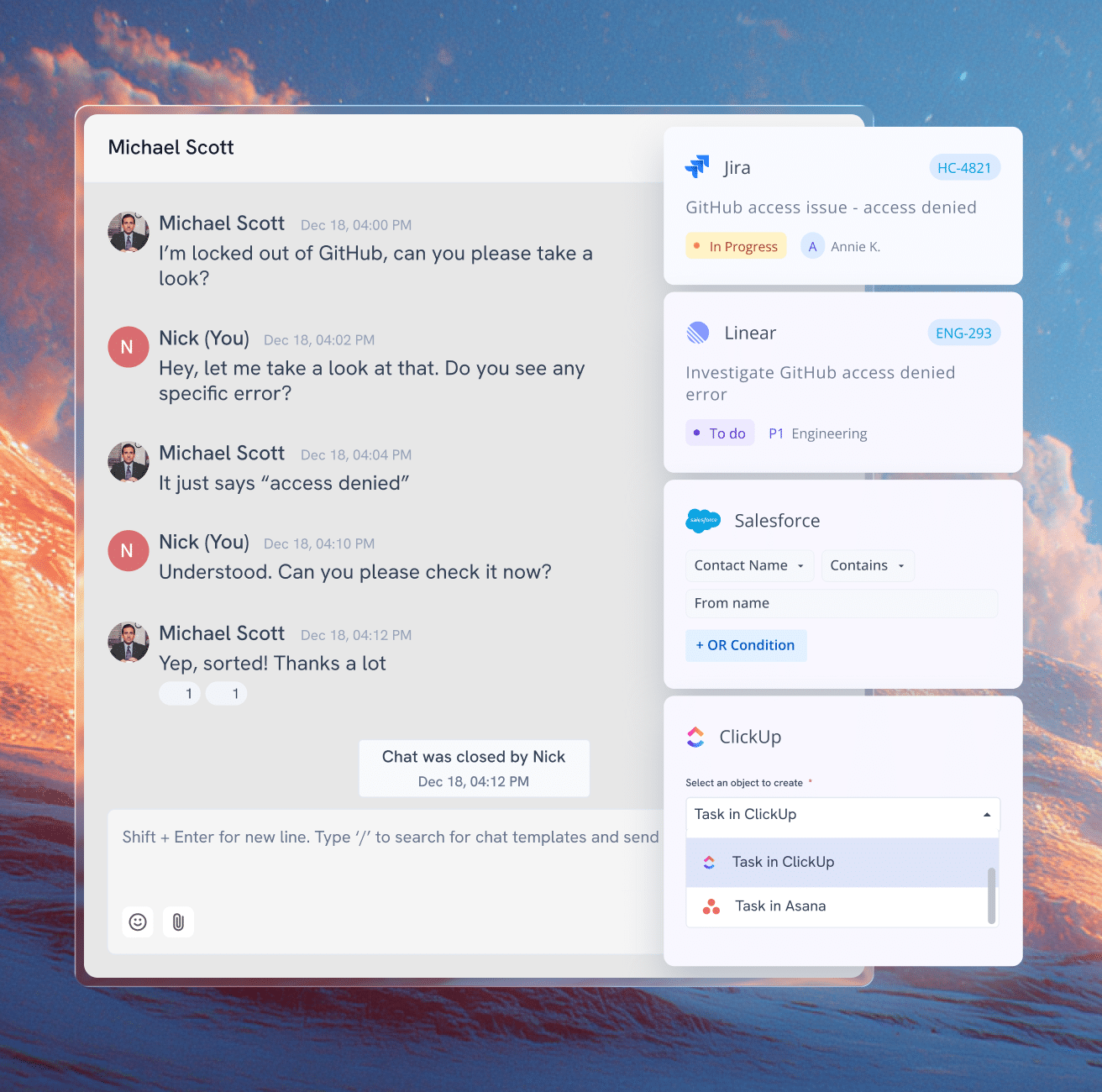
Resolving issues often means pulling in someone outside support like billing, logistics, engineering. In Slack, that’s a DM and a prayer. In Hiver, you can easily loop in teams, route issues or escalate them, with full context intact at every step.

"Hiver ticket view with linked Jira issue, Linear ticket, and Slack refund thread"

Conversations don’t sit waiting to be noticed. Automatic routing puts every Slack request in the right hands immediately, based on sender, keyword, priority, or account ownership from your CRM.

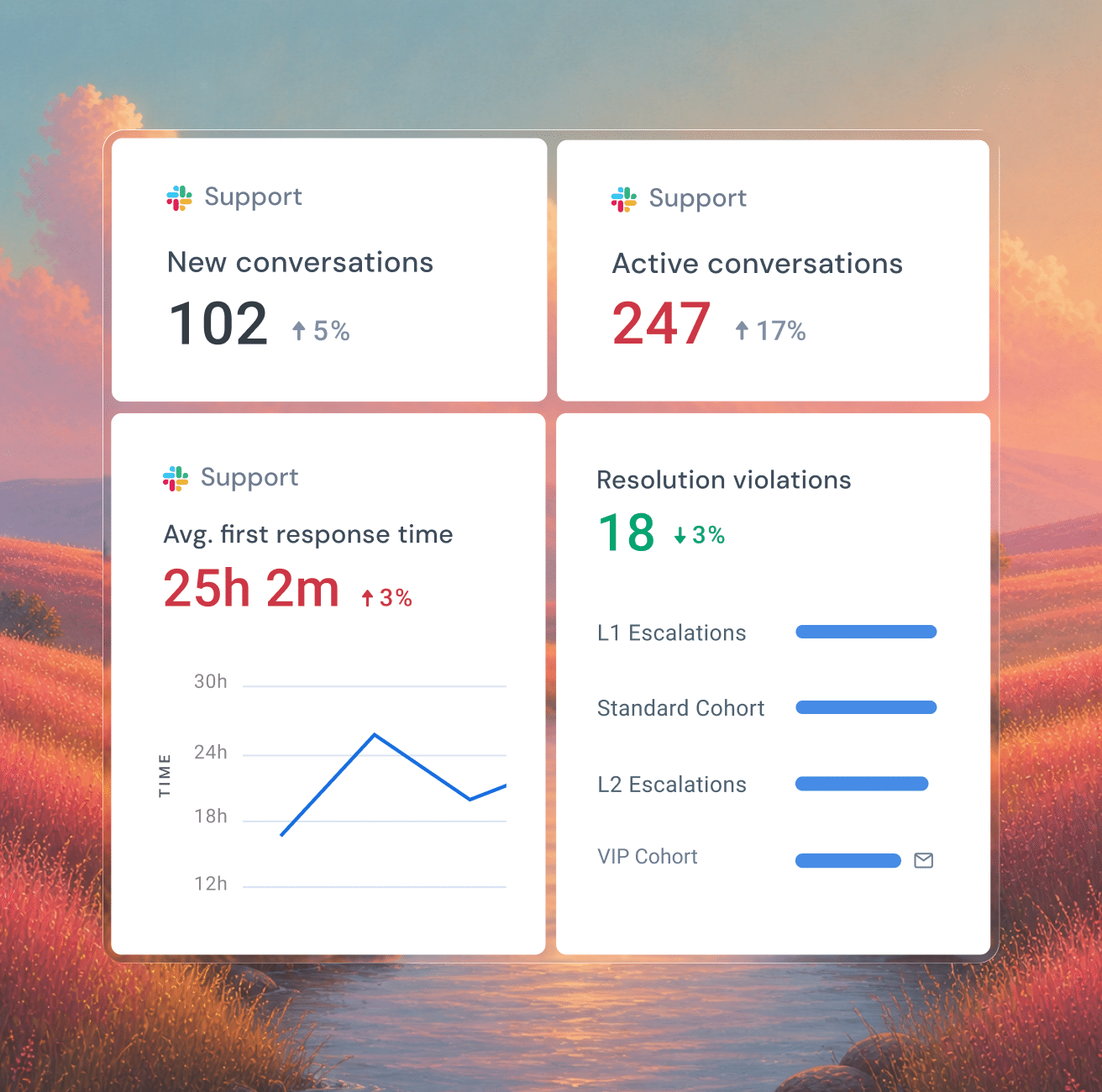
Slack without structure means performance you can’t see. Hiver tracks volume, response time, and SLA tracking across every conversation — so you can spot delays, balance workload, and manage support like a function, not a group chat.

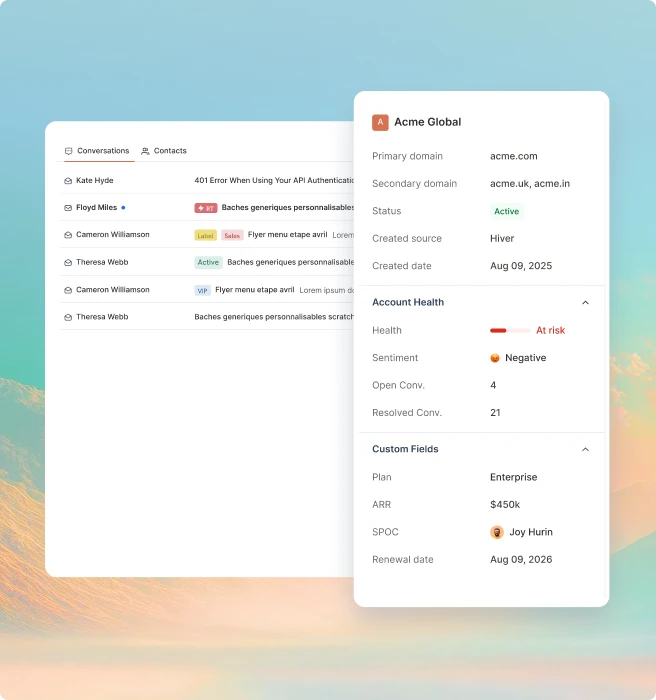
"Hiver customer account panel showing health, sentiment, plan, and ARR beside conversations"
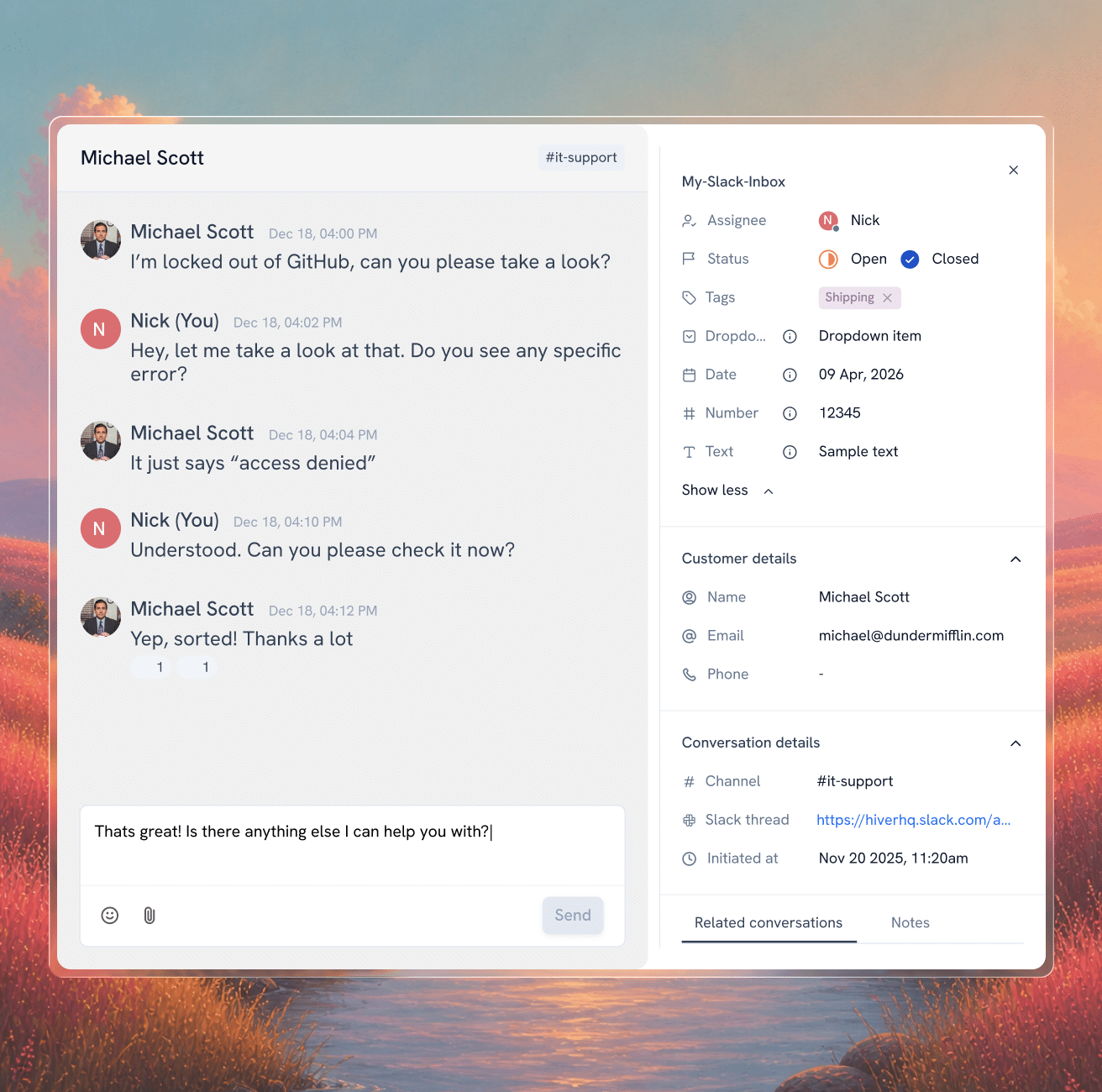
"Hiver Slack inbox conversation with customer details, tags, and custom fields panel"
Hiver inbox escalating an API error email to a Slack channel thread for L2 support
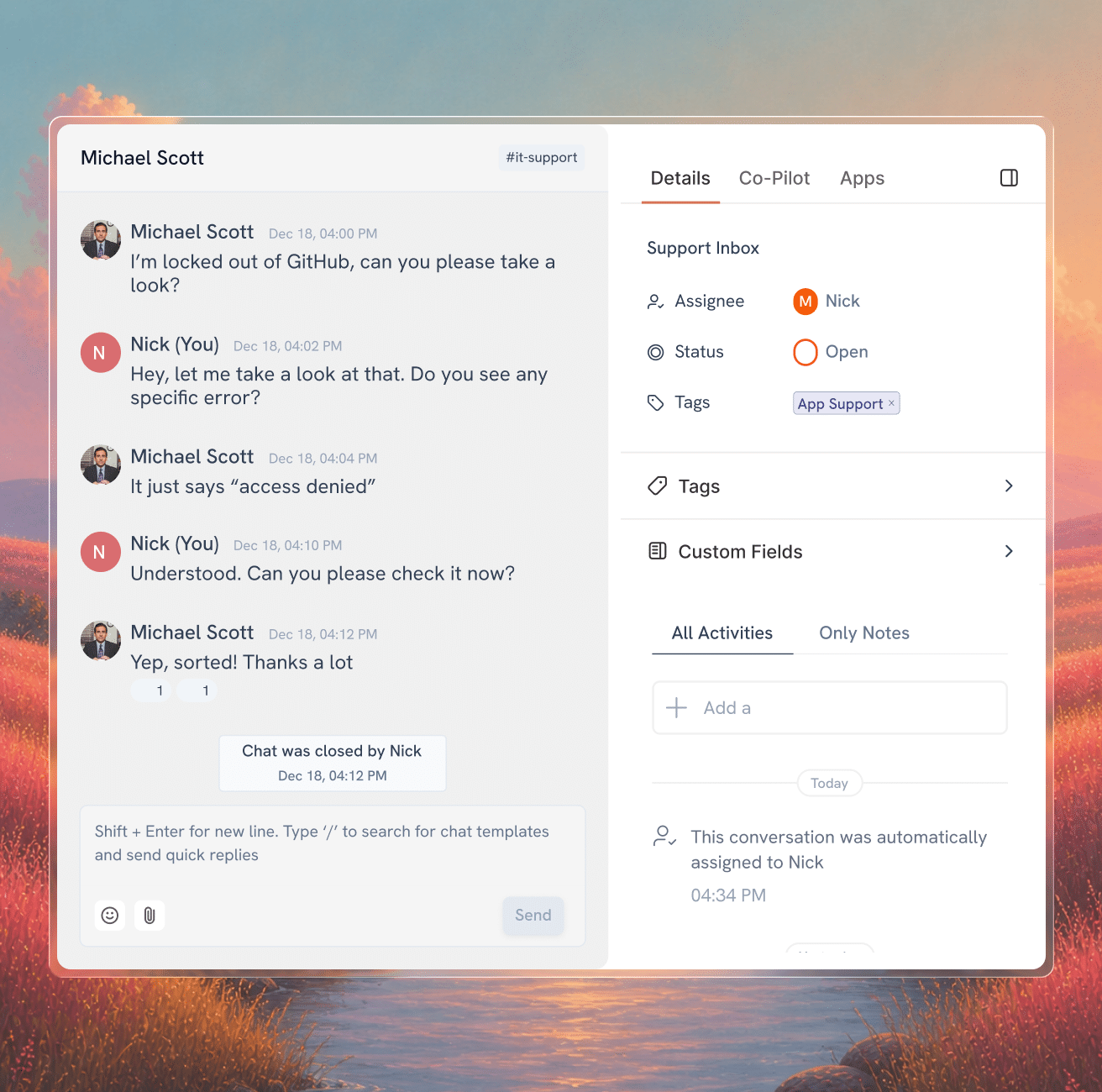
"Hiver Slack support conversation with details panel showing assignee, status, and tags"
"Hiver support metrics in Slack showing new and active conversations, first response time, and resolution violations"

Bring AI, context, and workflows into
the flow of Slack support.

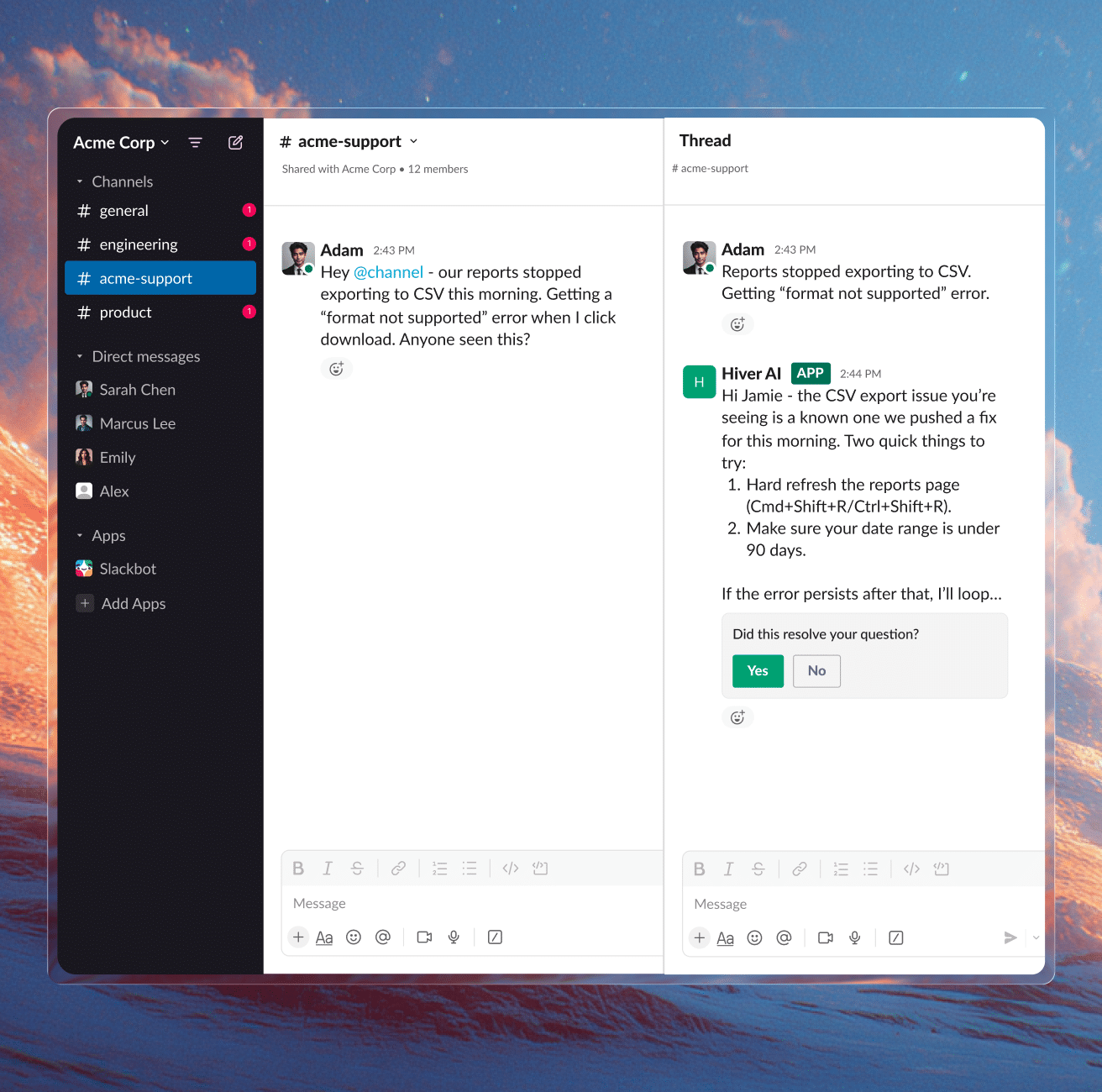
Hiver AI answering a CSV export question in a Slack support channel thread
"Hiver Slack conversation creating linked Jira, Linear, Salesforce, and ClickUp tasks"
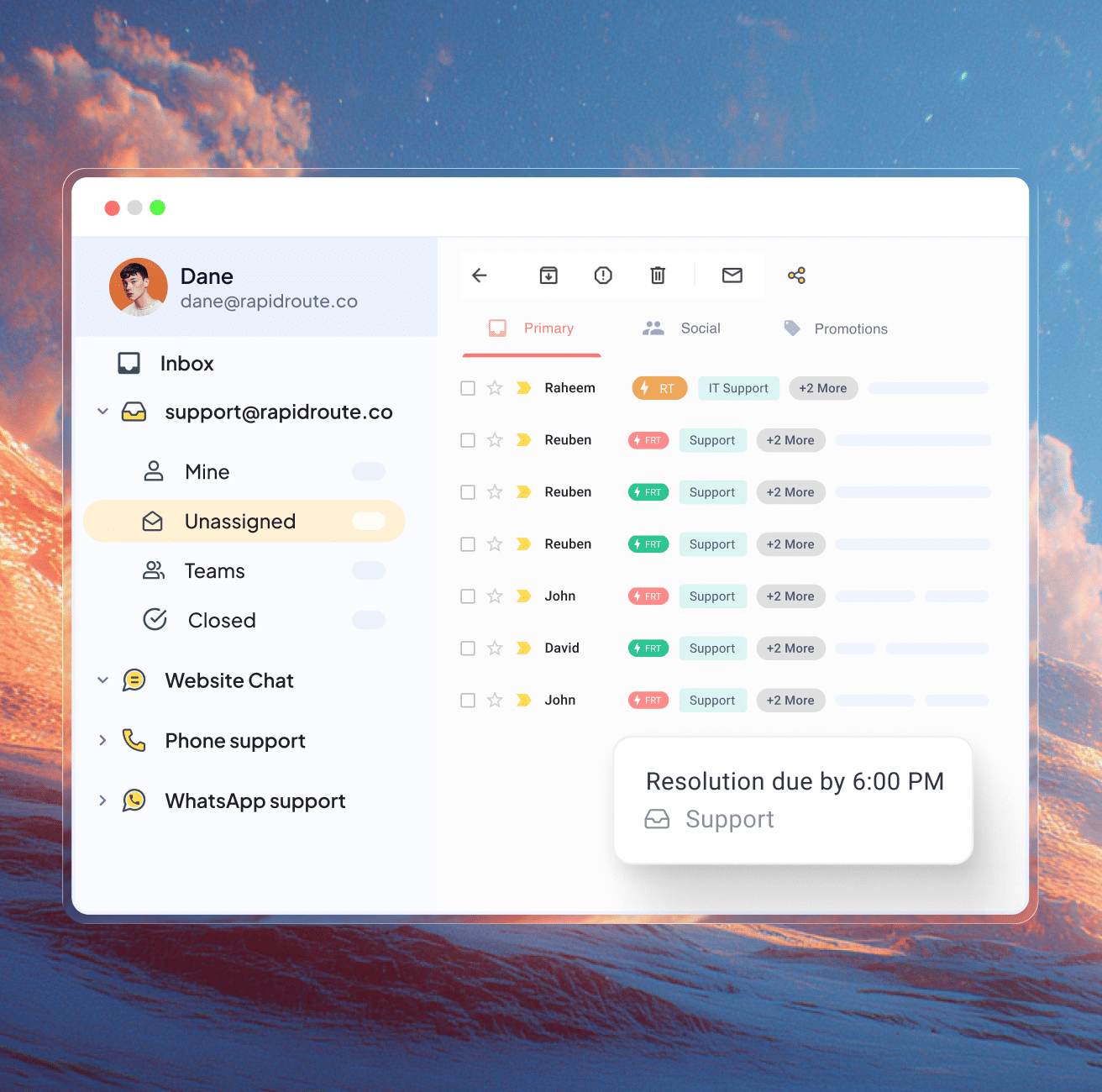
"Hiver omnichannel inbox with email, live chat, phone, and WhatsApp channels and an SLA resolution alert"
Let AI handle the routine. Hand the rest to your team.

AI Copilot drafts replies your team can send in a click. AI Agent handles routine questions. Your team handles the complex requests that require engineering, product, and cross-team collaboration.

"Hiver omnichannel inbox uniting email, live chat, Slack, WhatsApp, voice, and social channels"

Support requests often need details or updates outside Slack. Hiver brings context from CRM and other tools like account health, renewal dates, and revenue right into the conversation. You can access and update info as you respond, without switching tools.

"Hiver ticket view with linked Jira issue, Linear ticket, and Slack refund thread"

Customers don’t remember the replies that landed on time. They remember the ones that didn’t. SLAs and breach alerts keep every request on track.

How teams stay on top of support in Slack

Smiling Craftgate team member in glasses and a branded polo

35% faster resolution

“Support and engineering were trying to help customers, but context kept getting lost without a shared system. We were spending more time coordinating than actually resolving issues.”

Lemi Orhan Ergin

Co-founder & Technical Lead

Craftgate logo
Conservice team member headshot on a teal background

89 hours saved/month

“With Hiver, our team now operates more seamlessly, leading to less internal back-and-forth. This has improved our accuracy and speed in processing vendor payments, ensuring we stay on top of them effectively”

Jill Tarnoff

Sr. AP Specialist

Ping Identity logo
Smiling bearded Conservice team member in a shirt and tie

100% workload visibility

“Managing high-volume client communication without structure was our biggest bottleneck. We needed a system that brought order, accountability, and confidence back into our process.”

James Ribera

Director of Account Management

Conservice logo
"Bynder team member smiling, Hiver customer testimonial photo"

2,500 workflows automated

“Every improvement we made with Hiver strengthened how our team operates. What used to take five steps now happens automatically—and everyone knows exactly who owns what.”

Wes Gibson

Revenue Operations Manager

Bynder logo

Ensure quality, surface insights, and add
structure to your Slack support

AI QA

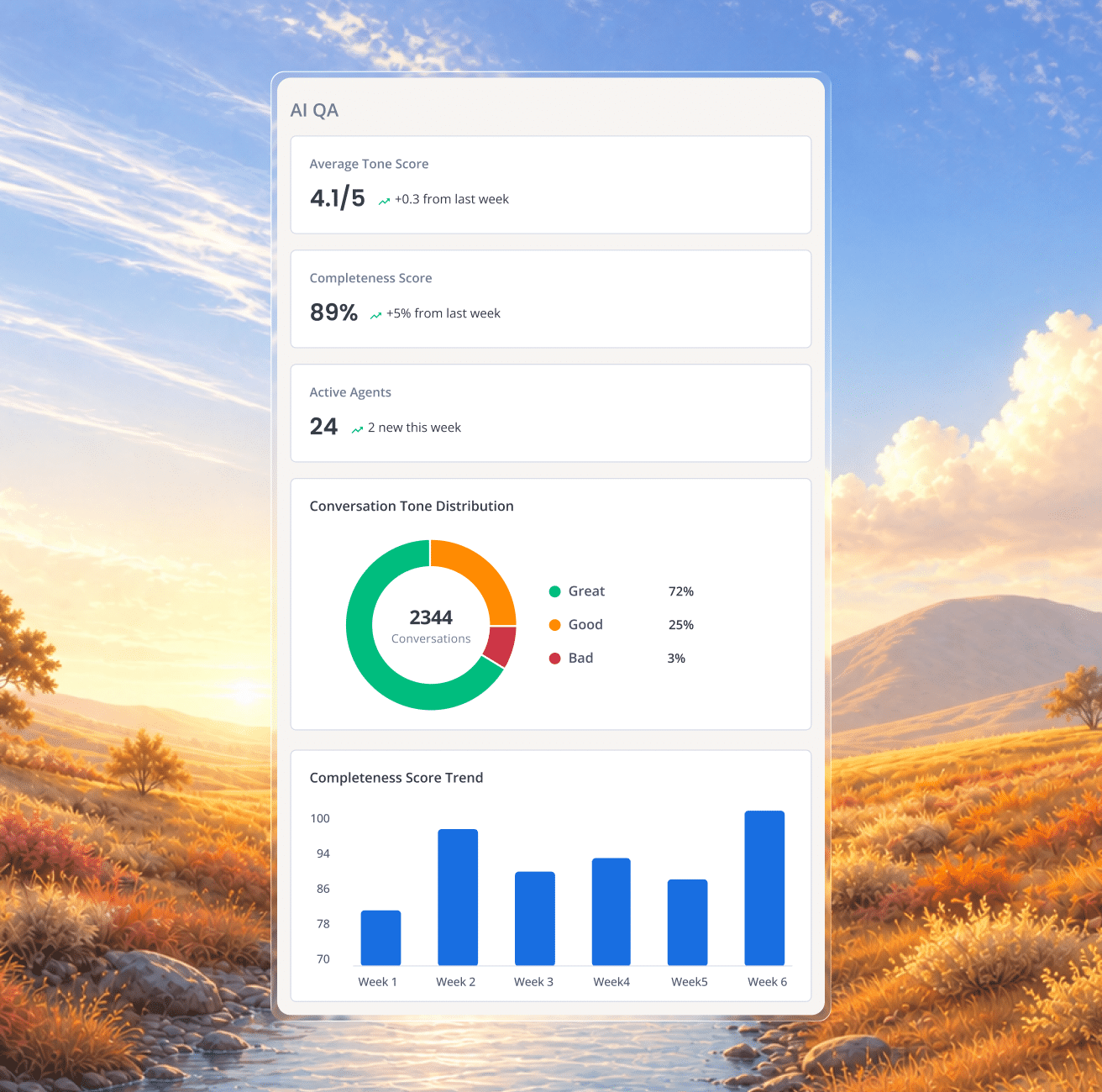
AI QA reviews every Slack response for tone, accuracy, and completeness before they reach a customer.

"Hiver omnichannel inbox uniting email, live chat, Slack, WhatsApp, voice, and social channels"

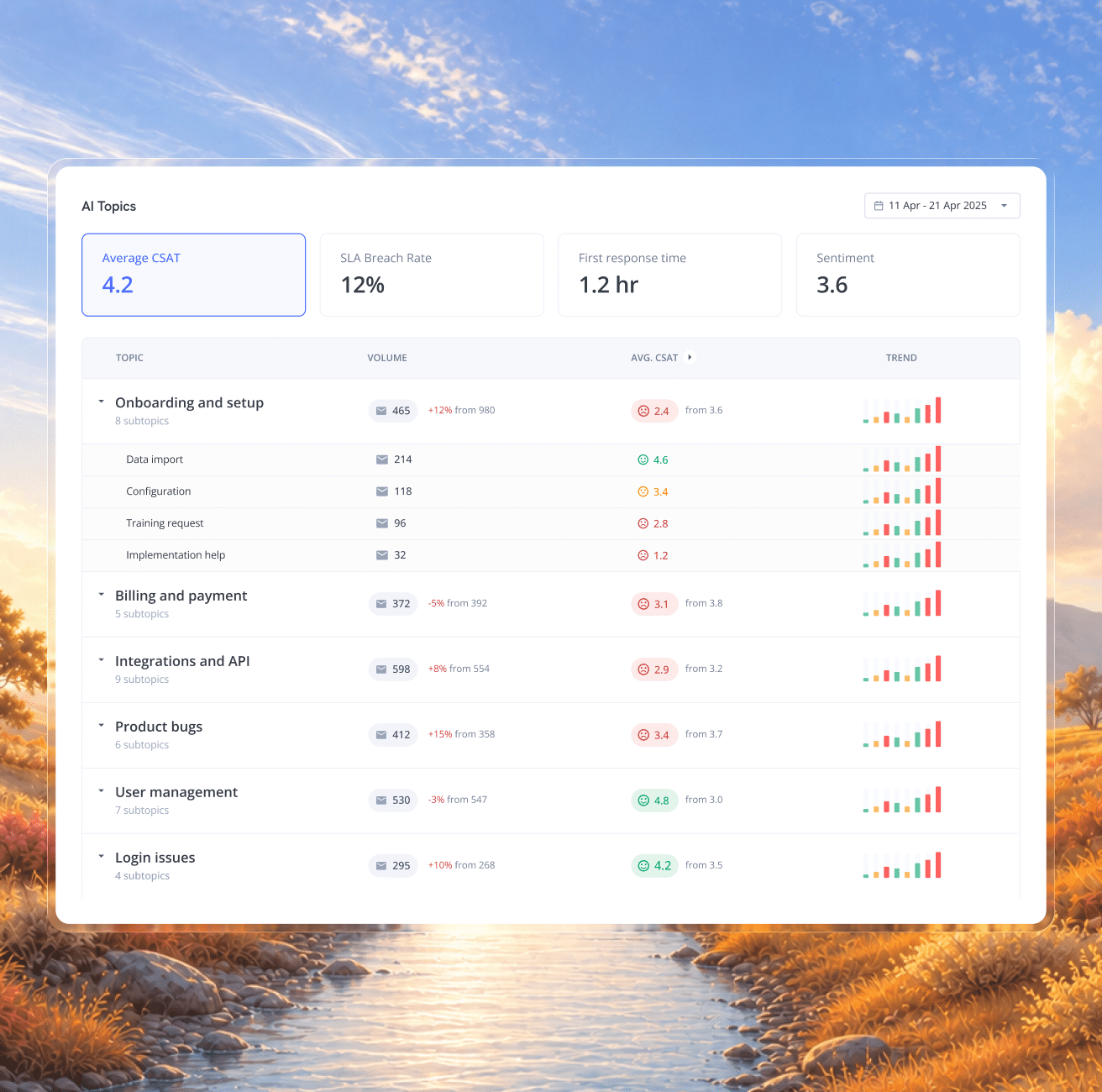
AI Insights catches patterns and risks early. Fix root causes instead of reacting to one ticket at a time.

"Hiver ticket view with linked Jira issue, Linear ticket, and Slack refund thread"

CSAT gives you direct feedback after the conversation is resolved, so you can spot recurring issues and coach your team.

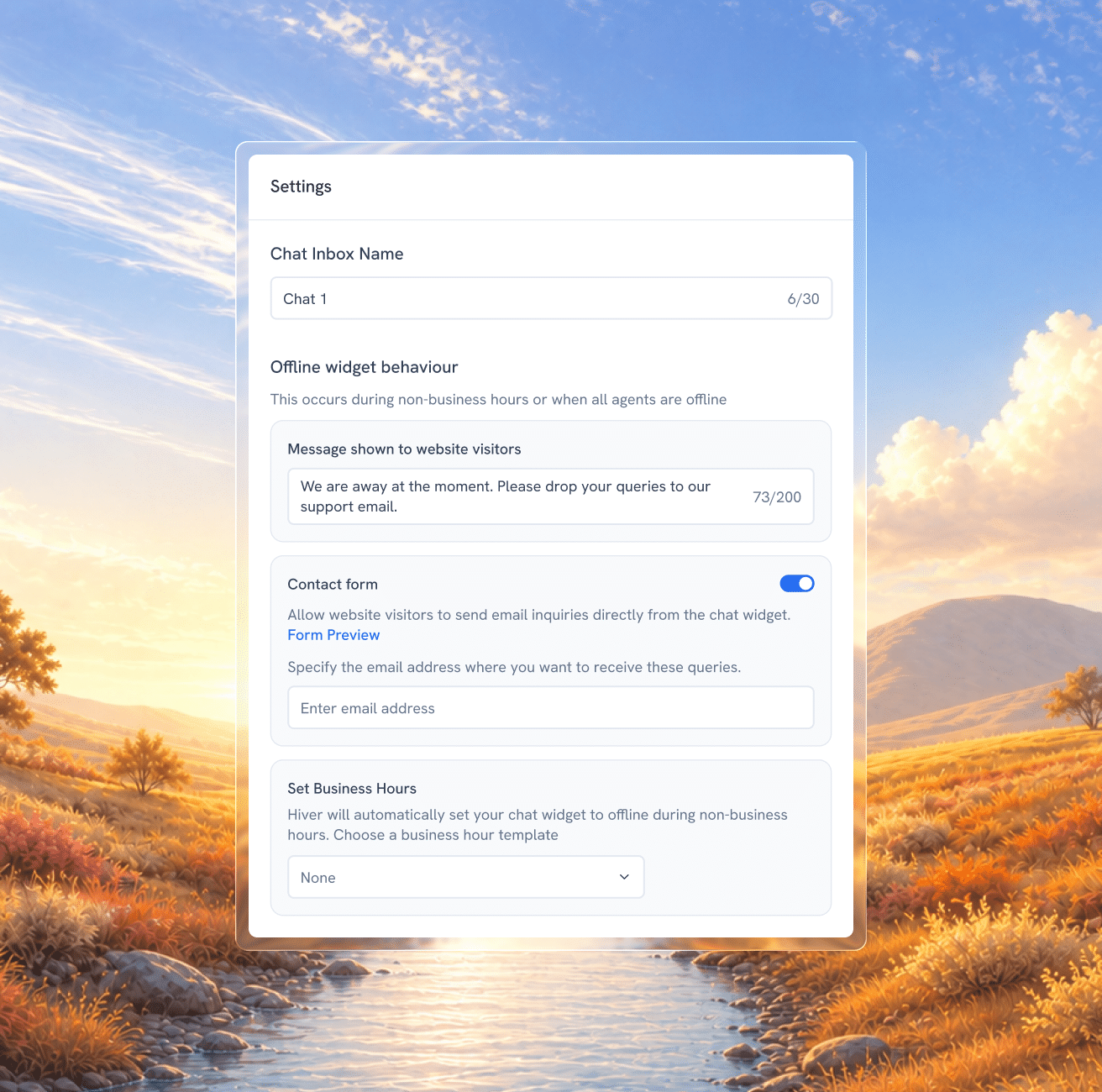
Send an automatic reply when your team is unavailable, so customers know their message has been received and when to expect a response.

"Hiver customer account panel showing health, sentiment, plan, and ARR beside conversations"
"Hiver AI QA dashboard with tone score, completeness score, and conversation tone distribution"
"Hiver AI Topics dashboard tracking CSAT, SLA breach rate, first response time, and sentiment by support topic"
Hiver CSAT survey settings sending a satisfaction rating request in a Slack thread
"Hiver chat inbox settings with offline widget message, contact form toggle, and business hours"

Frequently Asked
Questions

Slack isn’t just an integration in Hiver. It operates as a native support channel, where messages are handled as structured conversations with ownership, status, SLAs, and full activity history. Teams don’t go back to Slack to manage progress or coordinate work, everything from assignment to resolution happens within Hiver.

Not every message needs to be tracked. You can define rules to create conversations based on mentions, channels, keywords, or context, so only relevant requests are captured and managed.

Yes. Once the Slack conversation is brought into Hiver, you can access and update CRM data and other tools directly from that conversation in Hiver. This means you can check customer details, update records, create tasks, or trigger workflows as you respond, without switching tools or losing context.

Teams can start managing Slack conversations in Hiver as soon as Slack is set up as a channel. You can begin by bringing conversations into Hiver, assigning ownership, and tracking them in one place. Workflows like automation, SLAs, and AI can be added gradually, so teams see value early without waiting on a long setup cycle.

The Slack thread is brought into Hiver as a conversation, where it can be assigned to the right team or person. Teams can collaborate using internal notes, add context, and track updates in the activity panel, all in one place. Ownership stays clear, progress is visible, and the escalation is followed through to resolution instead of getting buried in the thread.

Replace your current help desk with its
best alternative—Hiver!

Unlimited users on Free plan  ✦  No credit card needed

4.6 out of 5 star rating

based on 2,000+ reviews from

"G2, Capterra, and Chrome Web Store rating icons"
Security and compliance badges including ISO 27001 and AICPA SOC

Get Hiver's Chrome extension for Gmail to start your 7-day free trial!

Step 1

Add Hiver’s extension to your Gmail from the Chrome Webstore

Step 2

Log in to the extension to grant necessary permissions

Step 3

Enjoy your 7-day free trial of Hiver

Hiver logo

The modern AI-powered
customer service platform

Want Hiver, without the Gmail extension?

Try Hiver Omni. It runs right in your browser, with no extension to install.

gmail extension fallback
logo stripe

Thank you for your interest!

The web app is currently under development—we’ll notify you as soon as it’s live.

In the meantime, you can get started with your 7-day free trial by downloading our Gmail extension.

Hiver logo

The agentic customer
service platform

The agentic customer service platform

“Our clients choose us over competitors due to our speed and quality of communication. We couldn’t achieve this without Hiver”

"Nathan Strang of Flexport, Hiver customer"
Fin Brown

Project Manager

Getitmade@2x

Get in touch with us

Fill out the form and we’ll get back to you.

demo popup graphic

Get a personalized demo

Connect with our customer champion to explore how teams like you can leverage Hiver.

Excellent choice! 🎉 You're all set

An email with the session details is on its way to your inbox. We can’t wait to connect with you!

Meanwhile, here’s how you can learn more about Hiver:

You missed selecting
a time slot! 🗓️

No worries! You can choose a time below, and one of our experts will contact you shortly.