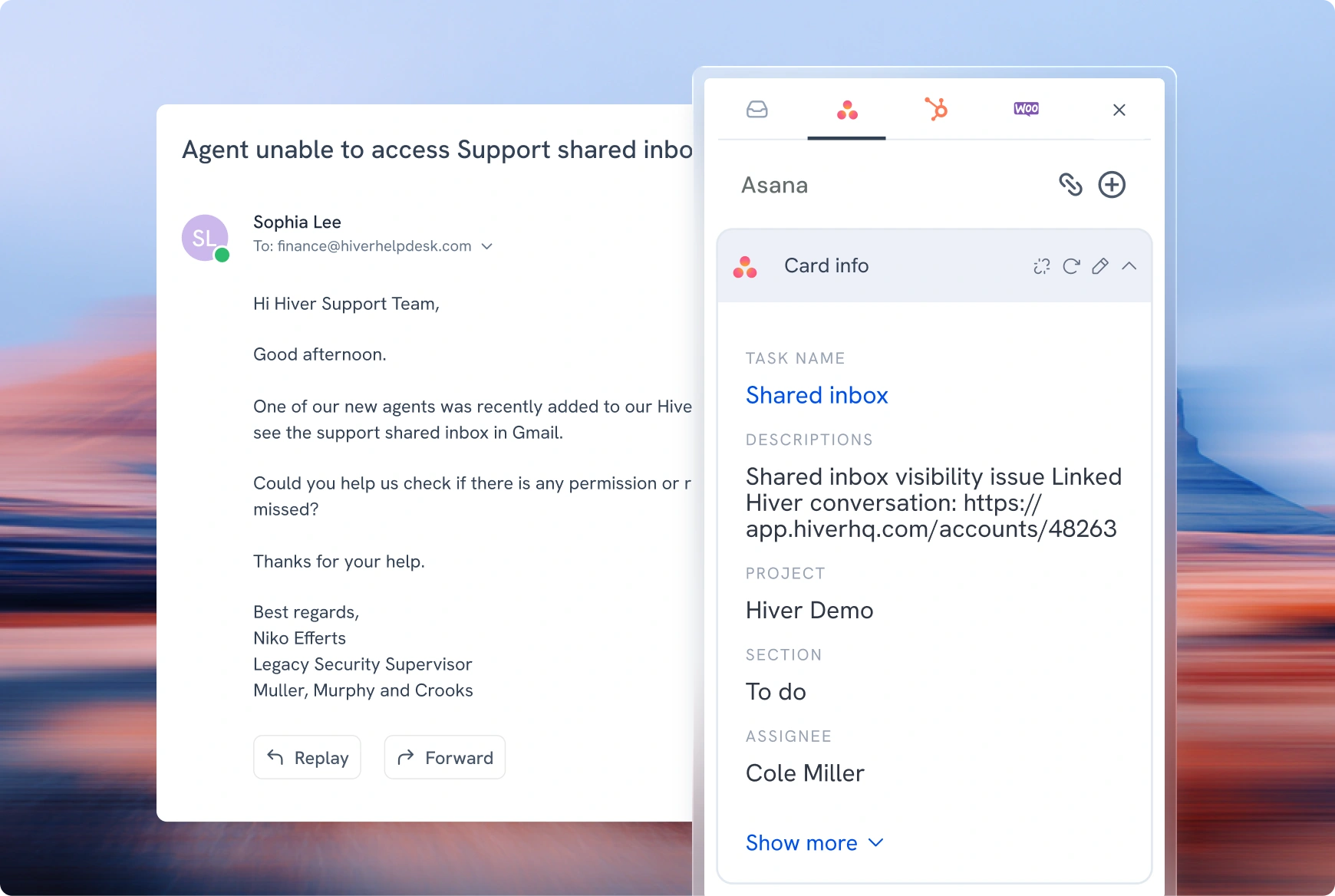
Create, view, and link Asana tasks without leaving the Hiver conversation.
A customer reports a bug. The agent knows engineering needs to see it, so they leave the conversation, open Asana, retype the details, and hope the two stay in sync. Every escalation becomes a small act of shepherding: carrying context from one system to another by hand..
With Hiver’s Asana integration, the task is created right from the thread, fields pre-filled, and the original conversation stays linked to it. Context moves with the work, not with the agent.
Here’s what you can do with our Asana integration:
Create an Asana task straight from a conversation, and view its details in the right panel
Fill in the fields that matter — name, project, assignee, due date, description, and any custom fields from your Asana workspace
Set default values once, from static values or variables, so agents create the task in one click
Automatically create an Asana task the moment a conversation comes in
Use Asana field data and status changes to power Hiver automations — notify a manager when a due date nears, or update the conversation’s status the moment the task moves
Every task lands in Asana instantly. The request and the work that follows stay connected, end to end.
Hiver offers the best experience on your desktop or laptop browser. Switch devices and download our extension from the Chrome Web Store to start using Hiver.