


July’s updates bring more of your support operation together in Hiver, from cross-team collaboration and product handoffs to quality reviews and multi-provider inbox management.
Here’s everything we shipped in July across both products: Hiver in Gmail and Hiver Omni
| Features | Hiver Omni | Hiver in Gmail |
|---|---|---|
| 1. Internal collaboration on Slack | New | New |
| 2. New app integration: Linear | New | New |
| 3. AI QA | New | Shipped earlier |
| 4. AI QA 2.0 | 一 | New |
| 5. Task generation via Automations | New | New |
| 6. One-click task generation for Monday and Trello | New | New |
| 7. Attachment support in project management tools | New | New |
| 8. Web Forms | Shipped earlier | New |
| 9. Web Forms: attachment and custom domain support | New | 一 |
| 10. Unified Inboxes | New | 一 |
Table of Contents
- Internal collaboration on Slack
- New app integration: Linear
- Introducing AI QA
- AI QA 2.0
- Task generation via Automations
- One-click task generation for Monday and Trello
- Attachment support in project management tools
- Web Forms
- Web Forms: attachment and custom domain support
- Unified Inboxes
- Coming Soon
Internal collaboration on Slack
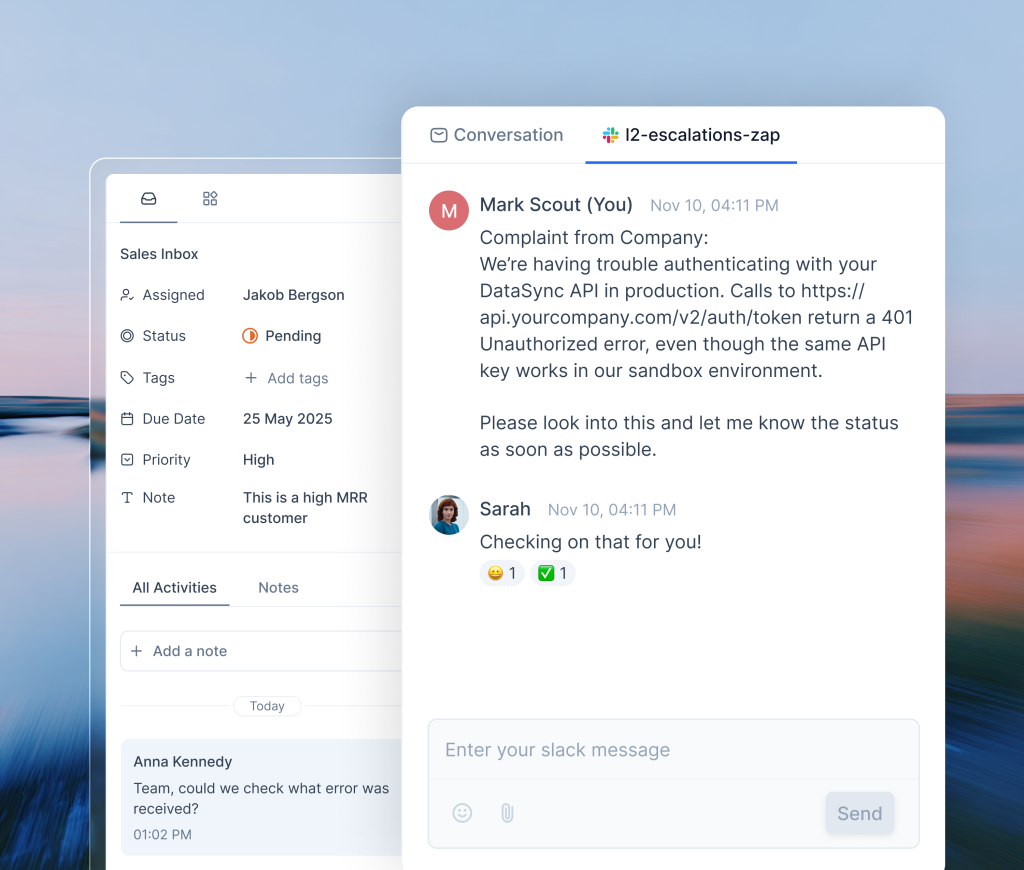
Some customer conversations require input from other teams. A billing dispute may require help from finance, while a product issue may need engineering. But once the question moves to Slack, your team has a second conversation to track alongside the customer request.
Now, you can start a Slack discussion directly from Hiver. When someone replies or mentions you, Hiver notifies you, and you can continue the discussion without switching to Slack.
The internal discussion stays connected to the customer conversation, so your team can get the input they need and keep the request moving.
New app integration: Linear
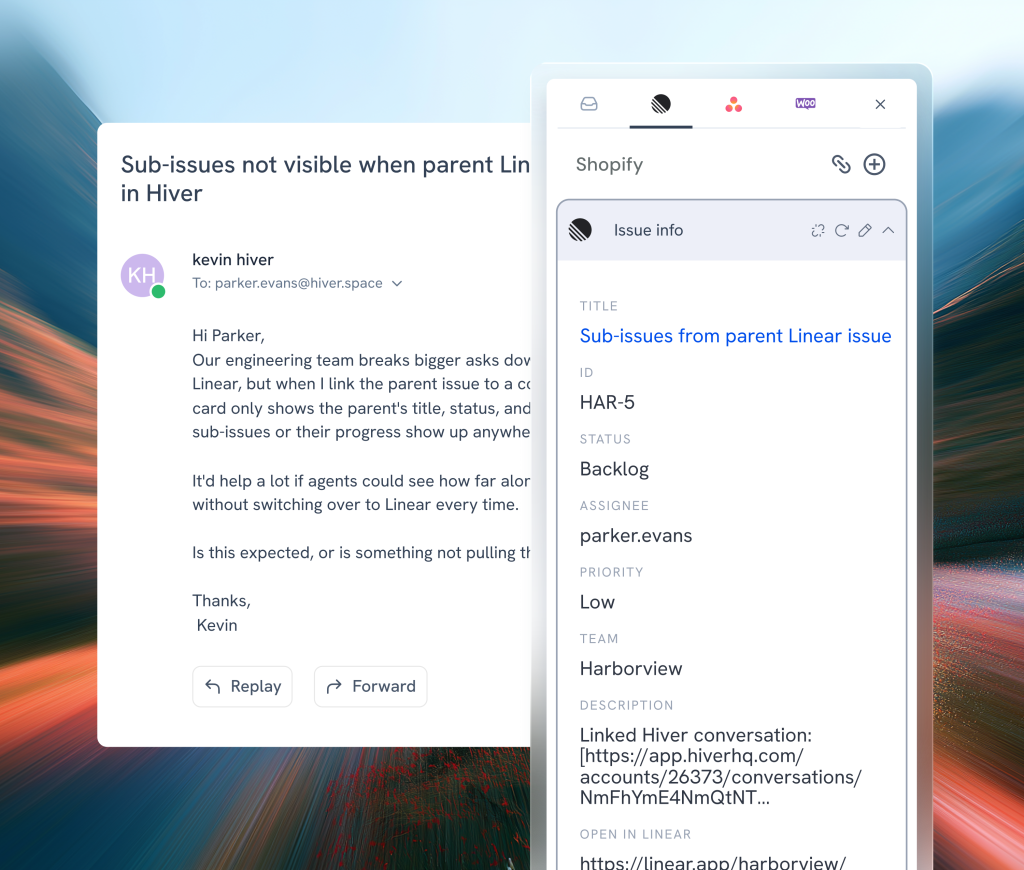
Picture this: A customer reports a bug or a feature request. You open a new tab, log in to Linear, find the right product or engineering board, copy details from the conversation to the issue, and come back to the conversation to reply. From here on, you continue to hop back and forth until the issue is resolved.
With the Linear integration, you create, edit, and link Linear issues directly from the Hiver conversation. You can also use Automations to create an issue when a conversation is tagged as a bug or feature request to loop in the right teams without manual handoff.
Introducing AI QA
As your team handles more conversations, it becomes harder to know whether every customer is receiving the same quality of support.
Manually reviewing every conversation takes time, so most teams can evaluate only a small sample. That leaves important patterns hidden and coaching decisions being made on an incomplete picture.
We built AI QA to automate conversation scoring and give you a complete view of support quality. Define the criteria that matter to your team, including custom checks for tone, and AI QA scores every email conversation against them.
You can review your team’s response quality in one report, with insights on where your team excels and where coaching can help.

AI QA 2.0
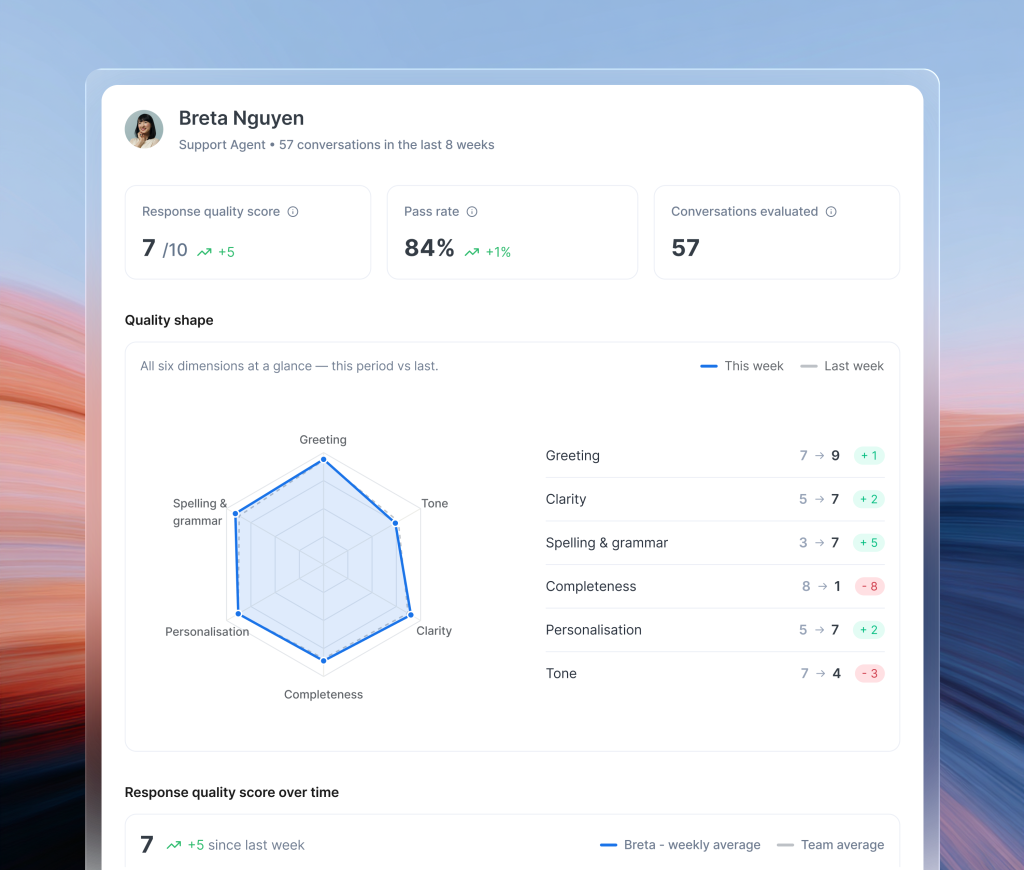
We’ve revamped AI QA to make it easier to understand how your team’s quality is changing and where you can help them improve.
The new dashboard highlights changes from the previous week, gives each teammate a personalized summary of their strengths and areas to improve, and surfaces coaching opportunities so you know where to focus.
Task generation via Automations
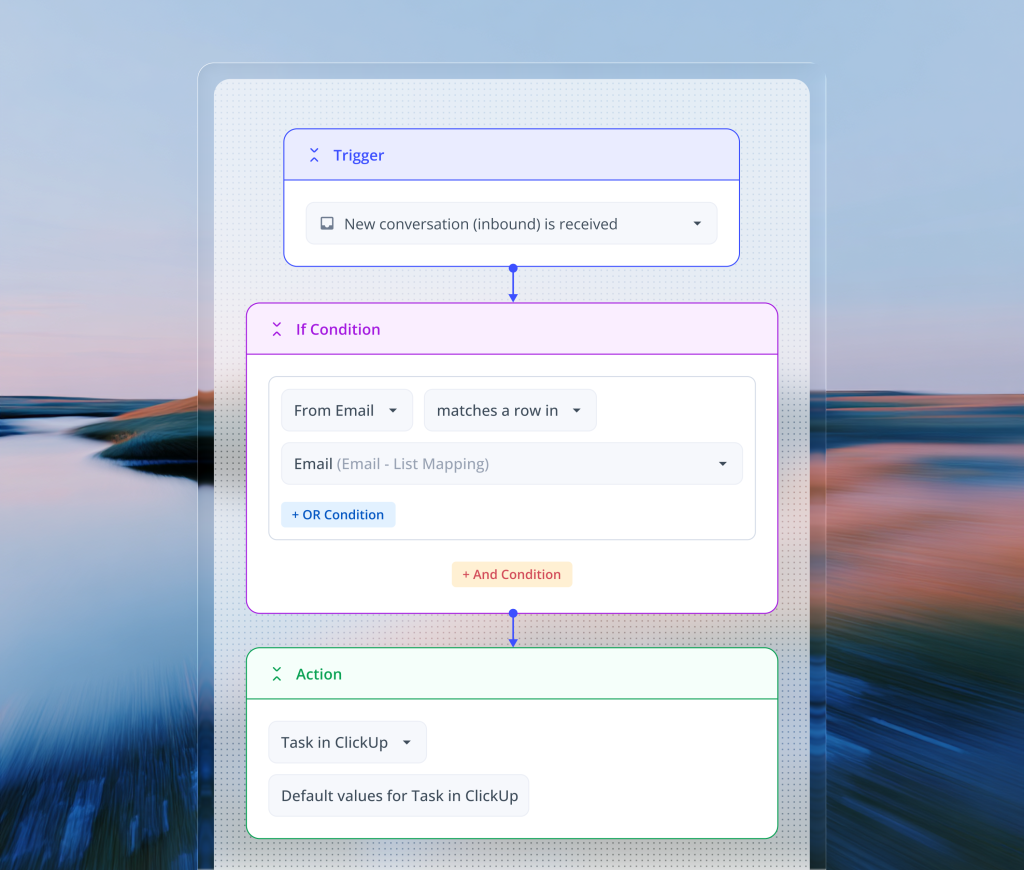
You can now create tasks in ClickUp, Jira, and Asana without any manual effort. Use variables to carry over conversation details, AI Tasks to extract and fill relevant information, and Custom Objects to map customer data to app fields.
Bugs, feature requests, and other follow-ups reach the right team as soon as they’re identified, with the task details already in place.
One-click task generation for Monday and Trello
Creating tasks in Monday.com and Trello now takes fewer steps. Pre-fill fields that rarely change, so your team only needs to add details specific to the request.

Attachment support in project management tools
A screenshot of an error or a log file often contains the details product and engineering need to troubleshoot the issue.
Now you can upload attachments right when you’re creating a task so relevant teams get complete context in one go, without having to switch between tools.

Web Forms
Customer requests don’t always include the details your team needs. A missing order number, device type, or plan can create extra back-and-forth before work begins.
We built Web Forms to help you collect the right information upfront. Create a form and share the link directly with customers or embed it on your website. Each submission reaches the selected Shared Inbox, with the details captured in custom fields.

Web Forms: attachment and custom domain support
You can now enable file uploads in Web Forms, so customers can add photos, screenshots, and documents to their requests. The files appear on the resulting ticket, ready for your team to review.
You can also host Web Forms on your own domain. Tip: If your Customer Portal already uses a custom domain, you can use the same domain for Web Forms without any additional setup

Unified Inboxes
If you manage support across multiple brands, subsidiaries, or client accounts, your inboxes may span different domains and email providers. One team might use Google Workspace while another uses Microsoft 365, requiring separate Hiver accounts for each setup.
You can now bring all those inboxes into the same Hiver account, regardless of their domain or email provider, and manage conversations from one place.

Coming Soon
That’s not all. Here’s what’s in testing ahead of upcoming releases:
- Automations for Slack conversations: Route, reassign, tag, and manage SLAs for Slack conversations with Automations.
- Ask AI QA: Ask questions about your QA data and get answers without digging through reports.
- Conditional custom fields: View parent and dependent fields right beside your conversations.
- PagerDuty app integration: Create and link PagerDuty incidents from the conversation, so when a customer reports an outage, it reaches your on-call engineer right away.
If you have questions about any of these features or want help getting them set up for your team, write to us at support@hiverhq.com.









