
Outgrown Missive and its basic AI?
Switch to Hiver and resolve complex requests across every channel with ticketing, cross-team collaboration, workflows, and AI Agents.
Why teams leave Missive for Hiver.
Omnichannel support
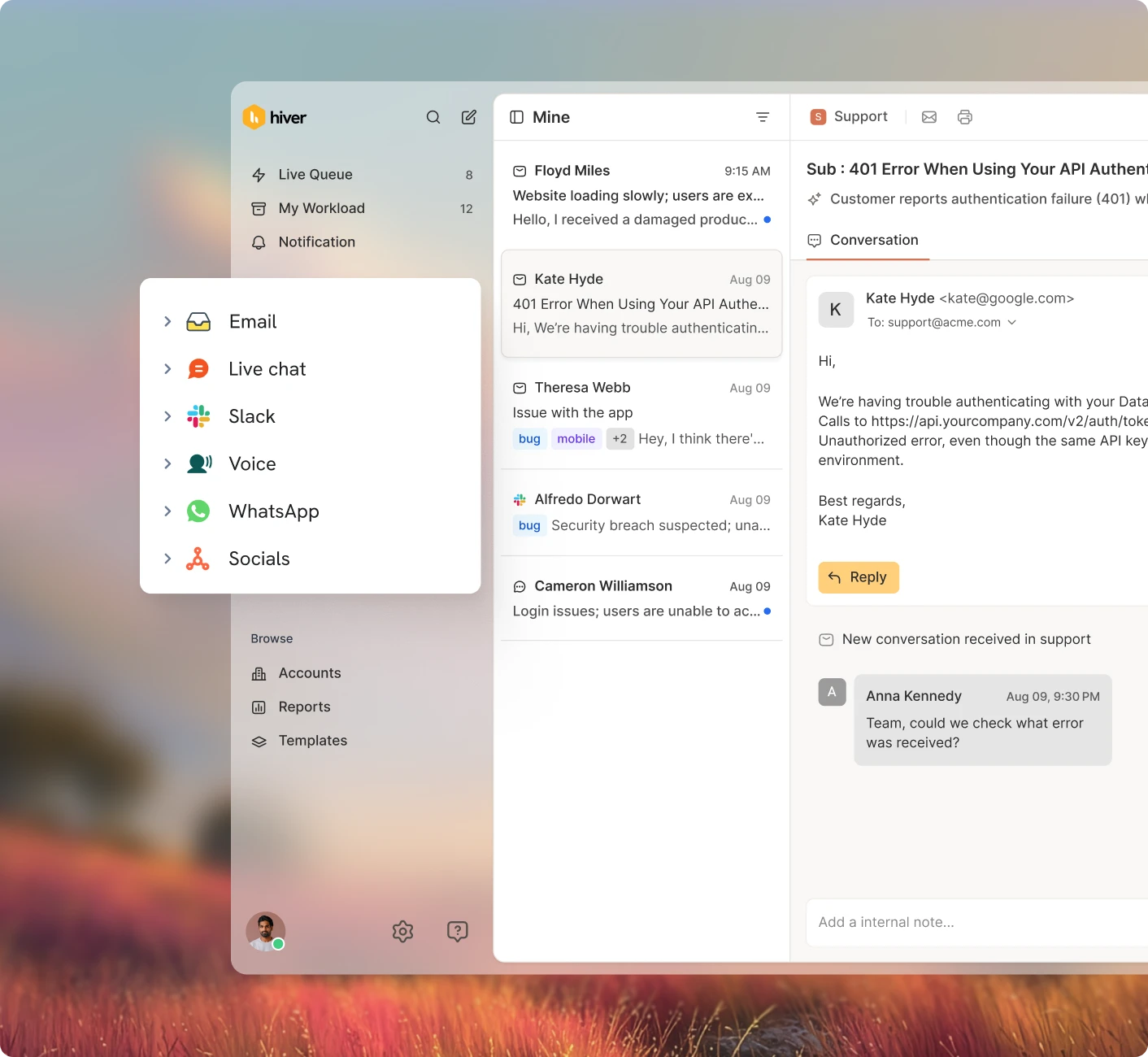
Manage email, chat, Slack, voice, WhatsApp, social, and other channels in one workspace, with shared context and workflows across them.
AI built for resolution
Hiver AI drafts, answers, and resolves requests using your help docs, conversation history, and connected customer data.
Advanced automations
Multi-step automations, macros, rules, and SLAs act on data from connected tools to assign, tag, update, and reply automatically.
Powerful analytics
Track SLAs, workload, CSAT, team performance, and other support metrics across conversations from one place.
Accurate AI-powered search
Ask a question in plain language and Hiver surfaces the right threads and notes, even when you do not remember the exact words.
1,000+ integrations and data sync
Connect your CRM, order systems, and other tools, sync data both ways, and trigger workflows from that data inside Hiver.
Slack as a collaboration channel
Collaborate on tickets through Slack, with every discussion linked back to the original request.
A help center that writes itself
Turn resolved conversations into help-center content automatically, reducing manual upkeep and keeping answers current.
Customer portal and webforms
Let customers submit and track requests through a self-service portal and structured web forms.
Email-first, not fully omnichannel
Missive is strongest around email. Other channels often rely on integrations, with less depth and a less seamless experience.
AI built for tone edits
Missive AI rewrites and polishes drafts, but does not provide agentic AI for resolution, real-time assistance, or quality checks.
Basic automations. No SLAs and CSAT.
Rules and automations cover the basics and unlock on the Productive plan and above. Missive lacks native SLAs and CSAT.
Basic reporting
Reporting stays basic, report windows are capped by plan, and advanced views are reserved for the top tier.
Inaccurate search
Search can struggle with older or specific messages, while archiving quirks can make previous conversations harder to find.
Basic integrations and no data-sync
Integrations are limited and don’t power workflows from synced data, forcing teams to switch tools to find and update information.
No Slack collaboration
Missive keeps collaboration inside its own chat, with no native Slack integration.
No help center
Missive has no native help center or self-service portal, so teams need a separate third-party tool and maintain content manually.
No portal or forms
Missive has no customer portal or native web forms, so requests need to come in as emails.
Transform complex support operations with Hiver.
Collaborate across teams, tools, and channels
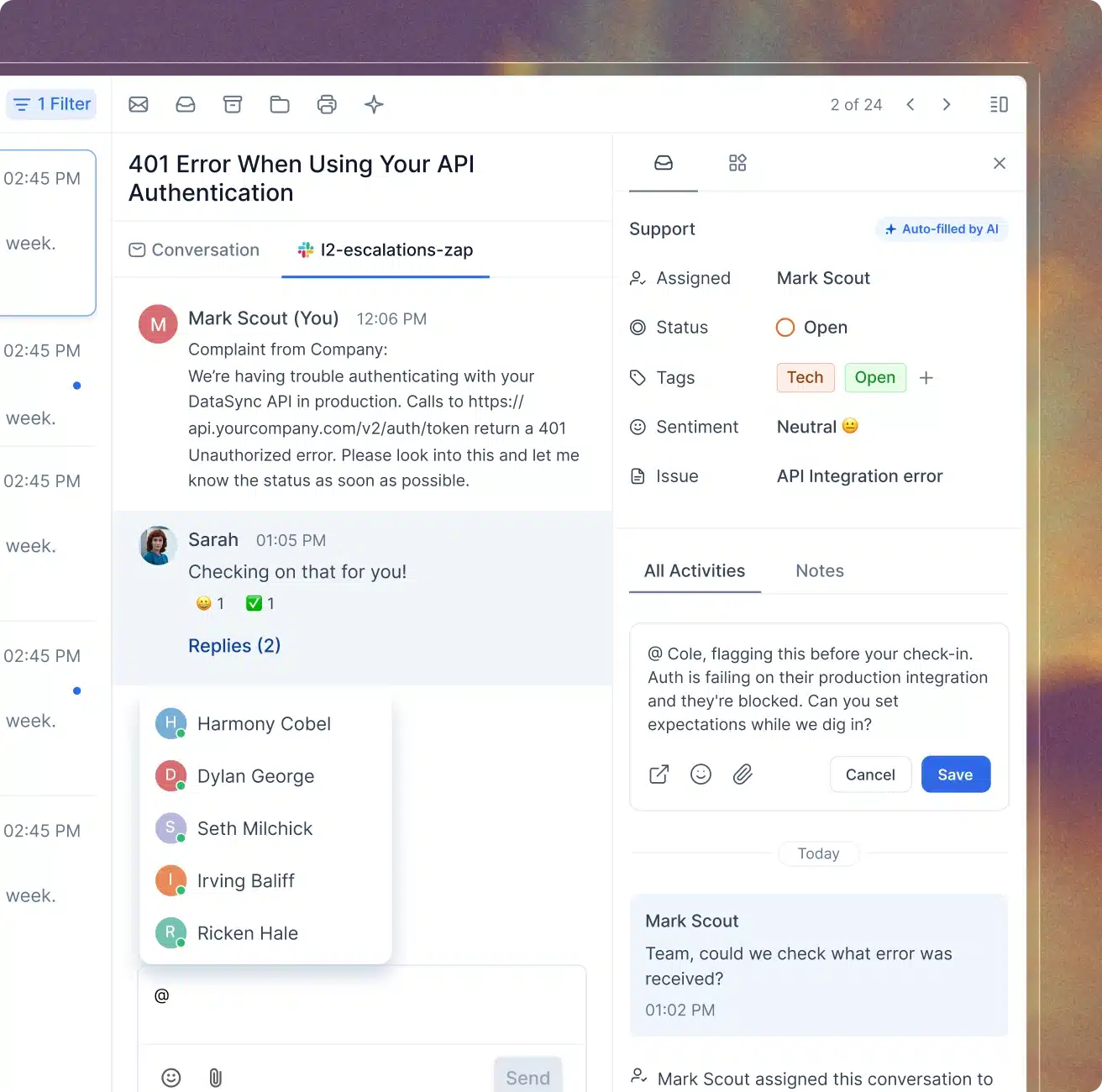
Manage escalations and handoffs with shared visibility across teams, tools, and channels. Private notes, conversation history, and Slack threads tied to the customer issue keep everyone working from the same context.
Build multi-step workflows using data from any connected tool
Connect your CRM, order systems, and business tools, then run workflows across them. Hiver can assign, tag, update records, and take action using live customer data before anyone has to do it manually.
Resolve requests, assist your team, and automate work with AI
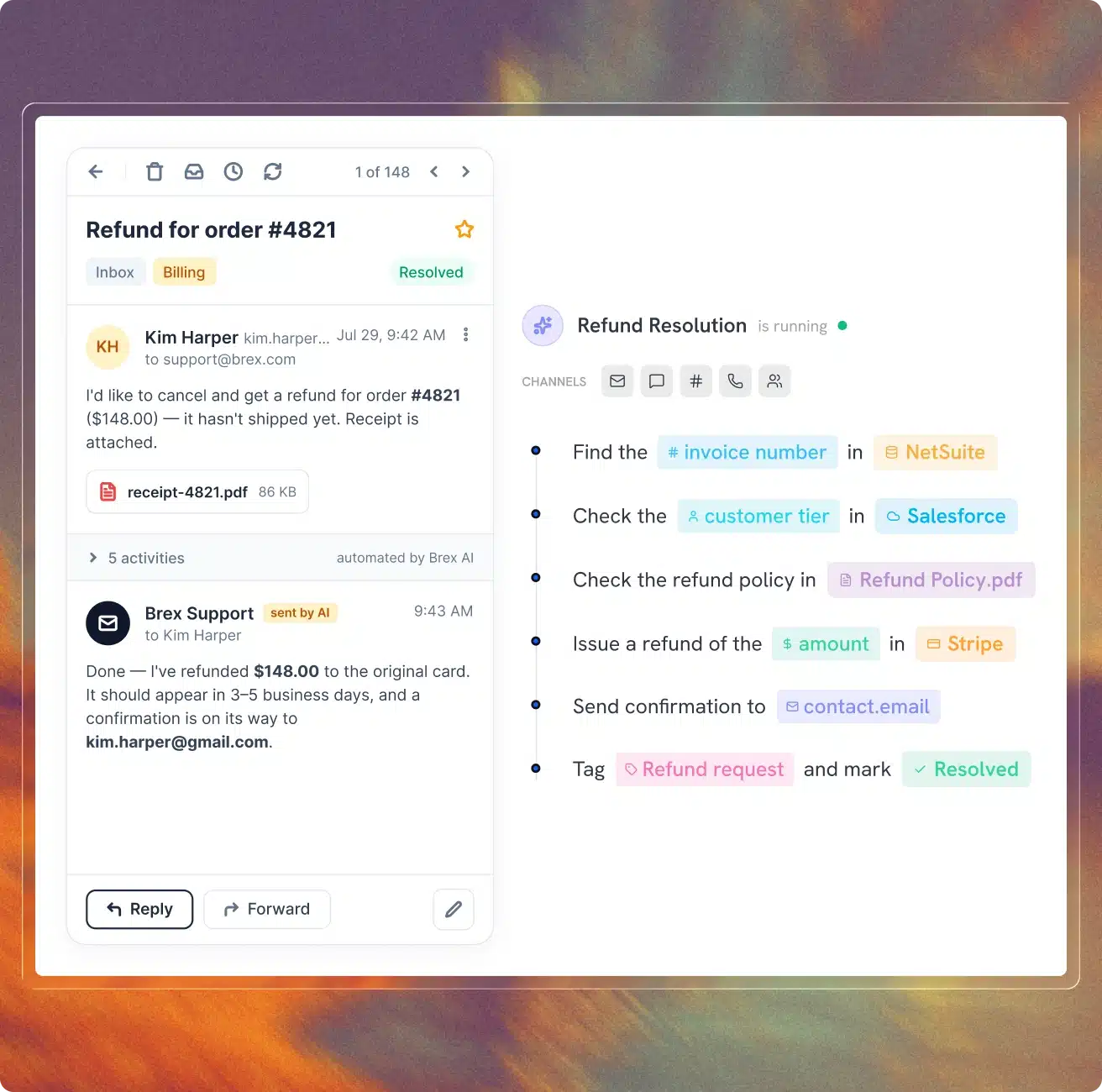
Hiver AI resolves requests using your support knowledge, conversation history, and connected customer data. Copilot assists your team on requests that need human judgment, while AI QA and Insights help improve quality across every interaction.
Surface customer context from every tool
Account health, CRM data, conversation history, sentiment, and other customer signals surface when your team opens a request, so they start with the context they need.
Move off Missive without a migration project
Import your data in a few clicks
Import your shared inboxes, contacts, and conversation history so your team starts with everything already in place.
We help set it up for you
A dedicated onboarding team helps connect your integrations, configure workflows and SLAs, and set up AI around the way your team works.
Get 24/7 support and enablement
We stay involved after you go live, with 24/7 support, best practices, and hands-on training whenever your team needs it.
Trusted by 10,000+ teams
“With Hiver, we have much better visibility across support conversations. Trying to achieve this level of collaboration without it would be impossible.”
Nathan Strang
Ocean Freight Operations Manager
50% faster resolution
“Hiver’s Asana integration turned collaboration into a connected process. It lets our teams track progress, share updates, and close the loop on complex projects — right from where communication starts.”
James Ribera
Director of Account Management
30% faster responses
“Zendesk never fit our team’s needs. We needed a system built for relationships, not requests. Every improvement we made with Hiver strengthened how our team operates.”
Wes Gibson
Revenue Operations Manager
198 hours saved
“When a product request comes in via email, we open it up, tag it to track the information, and fill in the details right inside Hiver. The Jira ticket gets created automatically — no need to log into Jira separately or start a new ticket from scratch. It just works.”
Taylor Garceau
Program Manager, Customer Success
97% CSAT score
“Hiver has completely transformed our workflow. The ability to collaborate and track progress across conversations in real-time has eliminated delays and made our team far more efficient.”
Jill Tarnoff
Sr. AP Specialist
65% faster resolution
“We looked at Zendesk — the problem was their lack of support. They weren’t responsive. We found Hiver’s support to be responsive and genuinely proactive.”
John Torres
Director of Customer Communication
100% SLA compliance
Frequently Asked
Questions
1. How long does setup take?
Hiver is designed to feel simple from day one. You can configure the workspace yourself, or work with a dedicated specialist to set up AI, automations, integrations, and workflows. We also run training sessions so your team knows how to work in Hiver from the start.
2. What makes your support different from other vendors?
Every customer gets hands-on onboarding, 24/7 support, and ongoing guidance. Premium support is not treated as a separate add-on, and our team stays involved as your workflows and support operation evolve.
3. Does Hiver meet our compliance requirements?
Yes. Hiver supports enterprise security and compliance requirements across ISO, GDPR, CCPA, and HIPAA, with controls designed to scale with your data, permissions, and security needs.
4. Is Hiver harder to learn than Missive?
No. Hiver is designed to feel intuitive from day one, with guided onboarding available to help teams configure their workflows, integrations, and AI.
5. How is Hiver's AI better than Missive's?
Hiver AI resolves. Missive AI edits tone. Hiver AI is built around resolution. AI Agents work through multi-step support procedures using your knowledge, customer history, and connected systems, while Copilot assists your team when human judgment is needed.
6. Does Hiver's AI actually resolve requests, or just draft replies?
It resolves. Hiver AI Agents can answer requests, follow procedures, retrieve context, and take actions in connected systems, with your team deciding where human approval is required.
7. Can Hiver do what Missive's rules and automations do?
Yes. Hiver supports rules and automations, while also letting teams build multi-step workflows that use data from connected systems, manage SLAs, and take actions across tools.
8. Does Hiver have a knowledge base?
Yes. Hiver includes a built-in help center, with AI-powered search and workflows that help surface missing knowledge and keep content current.
9. What reporting does Hiver offer that Missive doesn't?
Hiver brings SLA performance, workload, CSAT, team performance, account-level trends, and AI quality into one analytics layer, with pre-built and custom reporting.
10. How hard is it to switch from Missive?
Guided onboarding and a dedicated support team help you import your data and configure workflows, integrations, and AI around the way your team works.