Quick summary
Any AI customer service software will help you resolve simple, repetitive tickets. But advanced platforms such as Hiver add capabilities that go beyond that, like the ability to handle complex requests that span multiple teams, tools, and channels.
As you choose the right fit for your team, start with this shortlist of the top three options:
| Tool | Best For | Starting Price | G2 rating |
|---|---|---|---|
| Hiver | Complex, cross-team support operations | $25/user/mo | 4.6/5 |
| Zendesk | Large enterprises with layered workflows | $19/user/mo | 4.3/5 |
| Intercom/Fin | Product-led teams automating first-touch | $29/seat/mo | 4.5/5 |
Most AI customer service platforms can’t handle complex support well
If you’ve used a basic AI customer service platform, you might recognize this scenario.
A customer writes in about a billing discrepancy tied to an enterprise contract renewal. Your AI reads the message, matches it to the billing FAQ, and sends a generic troubleshooting link. The customer replies with the contract number and a screenshot. The AI has no idea what to do with either, so it routes the whole thread to a support rep, who has to pick up the conversation and start from scratch.
That’s the reality for many support teams today. Most AI customer service platforms are built for a narrow band of simple requests: password resets, order status checks, and refund FAQs. Anything that’s non-linear, crosses multiple teams, or requires a judgment call falls outside the AI’s strengths.
Hiver’s State of AI Customer Support in 2026 reinforces this. Only 9% of support leaders report that AI assists with most of their ticket volume. For most teams, AI handles the first touch and stops there. Complex, multi-step issues still require human involvement.
When AI merely deflects simple requests without helping support reps with complex ones, unresolved tickets are only part of the problem. It triggers unnecessary back-and-forth across teams, causing context loss during handoffs and forcing support reps to spend more time gathering background information than solving the issue.
That’s why the AI customer service platform you choose matters. This guide compares five AI customer support platforms on the capabilities that matter most when your tickets aren’t simple.
Why listen to us?
More than 10,000 customer service, finance, and HR teams use Hiver today. We’ve spent years helping teams migrate to Hiver from tools that looked right in a demo but didn’t hold up in operations. That experience shapes how we evaluate the platforms in this guide.

265 hours saved monthly
“We’ve gained time, accuracy, and complete visibility into our operations. Hiver doesn’t just streamline work—it gives us the clarity to perform at a higher level.”
James Ribera
Director of Account Management, Conservice

What is AI customer service software?
AI customer service software is a platform that uses artificial intelligence to assist with or improve customer support interactions.
Think of it as an always-on layer of your support workflow that reads incoming requests, figures out what the customer needs, and either resolves the issue or gives your support rep the information they need to resolve it faster.
The AI layer typically includes a few distinct capabilities: AI agents that resolve tickets end-to-end; AI copilots that sit alongside your support reps and suggest replies, surface relevant context, or draft responses; and automated routing that reads the intent behind a request and sends it to the right team or queue without a manual triage step.
What separates one AI customer service software from another is how deeply the AI is integrated into the support workflow. Some won’t go beyond the first touch. Others (like Hiver) can run multi-step workflows, pull data from your CRM, update connected systems, and close the loop without a human ever stepping in.
Benefits of AI customer service software
AI customer service software will help you:
1. Spend less time on repetitive support work
Your team probably writes the same responses repeatedly, searches multiple tools for info, and re-reads long ticket threads after every handoff. That costs you numerous hours every week. Customer service automation frees up that time for cases that genuinely need a person.
2. Respond to customers around the clock
AI agents can respond instantly at 2 a.m. on a Saturday or during a product launch when queries in your shared inbox triple overnight. In Hiver’s 2026 State of AI survey of 700+ support leaders, 55% of teams reported faster resolution times after adding AI. The biggest gains showed up in first-response times, where even a few minutes of delay can quickly compound into a backlog.
3. Handle more support without hiring at the same rate
Increasing headcount is neither cheap nor fast. AI lets you absorb volume spikes, seasonal surges, and ticket growth without matching every increase with a new hire.
4. Keep support quality consistent
Compared to support reps, AI can apply the same quality checks to every conversation, regardless of workload or time of day. AI QA platforms can review each conversation against the rubric you define, making it easier to catch quality issues and address them consistently.
5. Identify support problems before customers complain
AI-powered analytics can group incoming conversations by topic, track customer feedback sentiment across your queue, and flag emerging patterns. That way, you’ll see billing questions spike or a product update generate repeat contacts while there’s still time to investigate and act.
The 5 best AI customer service software: detailed reviews
| Tool | Best For | Starting Price | AI Agent Model | Channels | Rating |
|---|---|---|---|---|---|
| Hiver | Complex, cross-team support | $25/user/mo | Included in all plans | Email, chat, voice, Slack, SMS, WhatsApp social | 4.6/5 (1,283 reviews) |
| Zendesk | Large enterprise workflows | $19/user/mo | Charged per resolution as an add-on | Email, chat, voice, social, messaging | 4.3/5 (7,075 reviews) |
| Intercom/Fin | Product-led, first-touch automation | $29/seat/mo | Charged per resolution as an add-on | Chat, email, SMS, social, WhatsApp | 4.5/5 (3,912 reviews) |
| Freshdesk | Budget-conscious mid-market teams | $19/user/mo | 500 free sessions, then charged as an add-on | Email, chat, phone, social, messaging | 4.4/5 (3,771 reviews) |
| Help Scout | Small teams that want simplicity | $25/user/mo | Charged per resolution as an add-on | Email, chat, social | 4.4/5 (431 reviews) |
1. Hiver
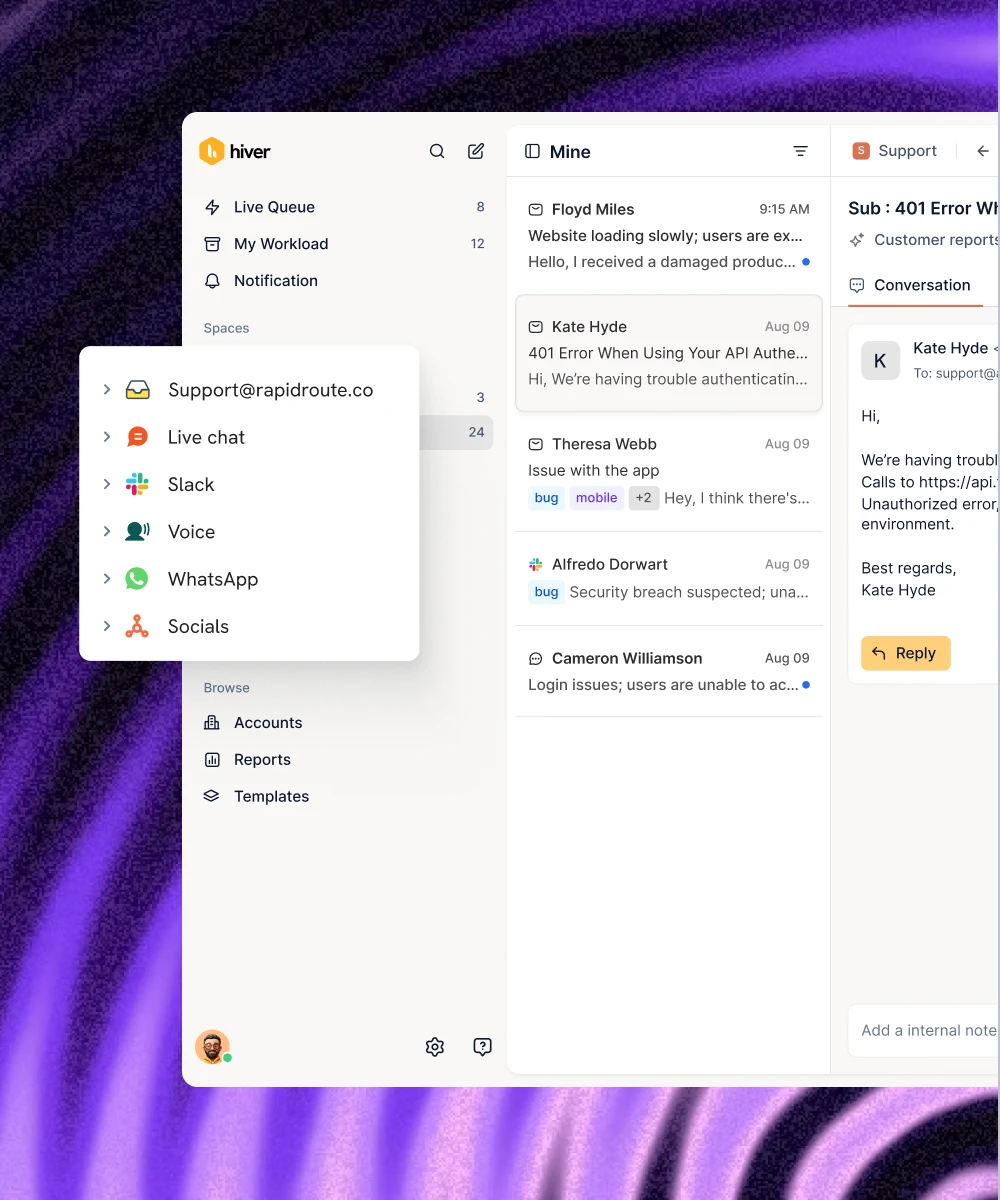
Hiver is the agentic customer service platform for complex support requests that span teams, tools, and channels, and require multiple steps. A request involving three departments and referencing a six-month history needs more than basic ticketing. It needs clear ownership, preserved context, and workflows that keep the request moving as it passes between teams. Hiver is built exactly for that.
Take the customer above who messaged about a billing discrepancy. Rather than sending a generic link and then handing the ticket off to a support rep like any other AI software, here’s how Hiver would work through it:
- AI Frontline Agents ask clarifying questions as soon as the ticket comes in.
- Once they have enough information, they investigate the issue, pulling up:
- The customer’s account and billing history
- Past conversations
- Relevant CRM records
- Internal documentation
- AI Frontline Agents can then take action in connected systems, whether that means updating the CRM, creating a Jira ticket, or triaging the issue.
- If the issue needs human judgment or another team, AI Frontline Agents bring in the right people, with the investigation and relevant context already attached.
- When a support rep needs to take over, AI Assist Agent does the groundwork. It finds similar tickets, pulls together relevant context, drafts a reply in the team’s tone, and recommends next steps.
- The support rep then reviews and approves the response before it goes to the customer.
So your rep responds to the customer with the full context behind them. Hours of follow-up, context hunting, and chasing teams turn into minutes.
Hiver also extends AI beyond individual tickets. Customer Intelligence builds a living picture of every account by pulling conversations, CRM data, product usage, and call transcripts into a single view. When a high-value account’s sentiment drops across three channels, your team sees it and acts before the issue escalates.
Once a conversation is resolved, AI QA reviews the response against the quality rubric you’ve set. AI Knowledge Builder then turns resolved conversations into help center articles, keeping your documentation up to date without manual upkeep.
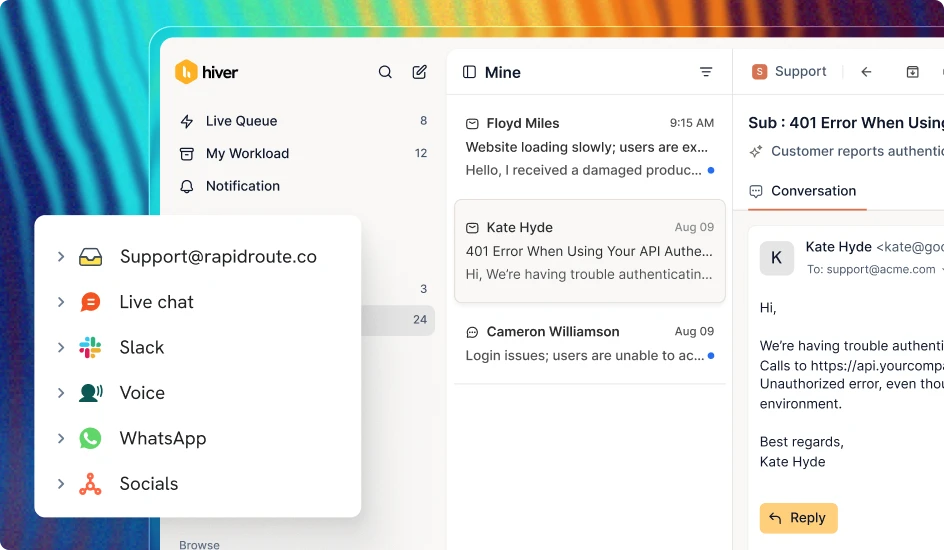
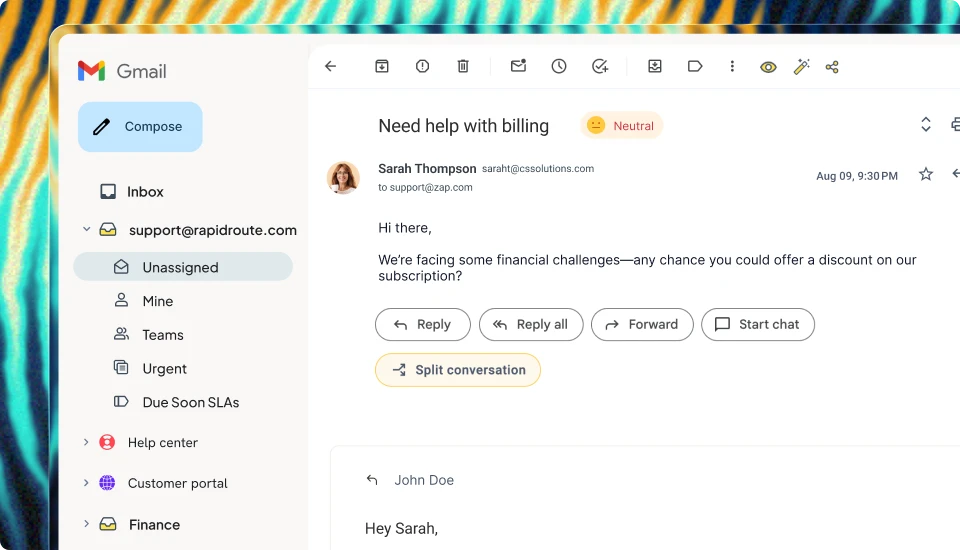
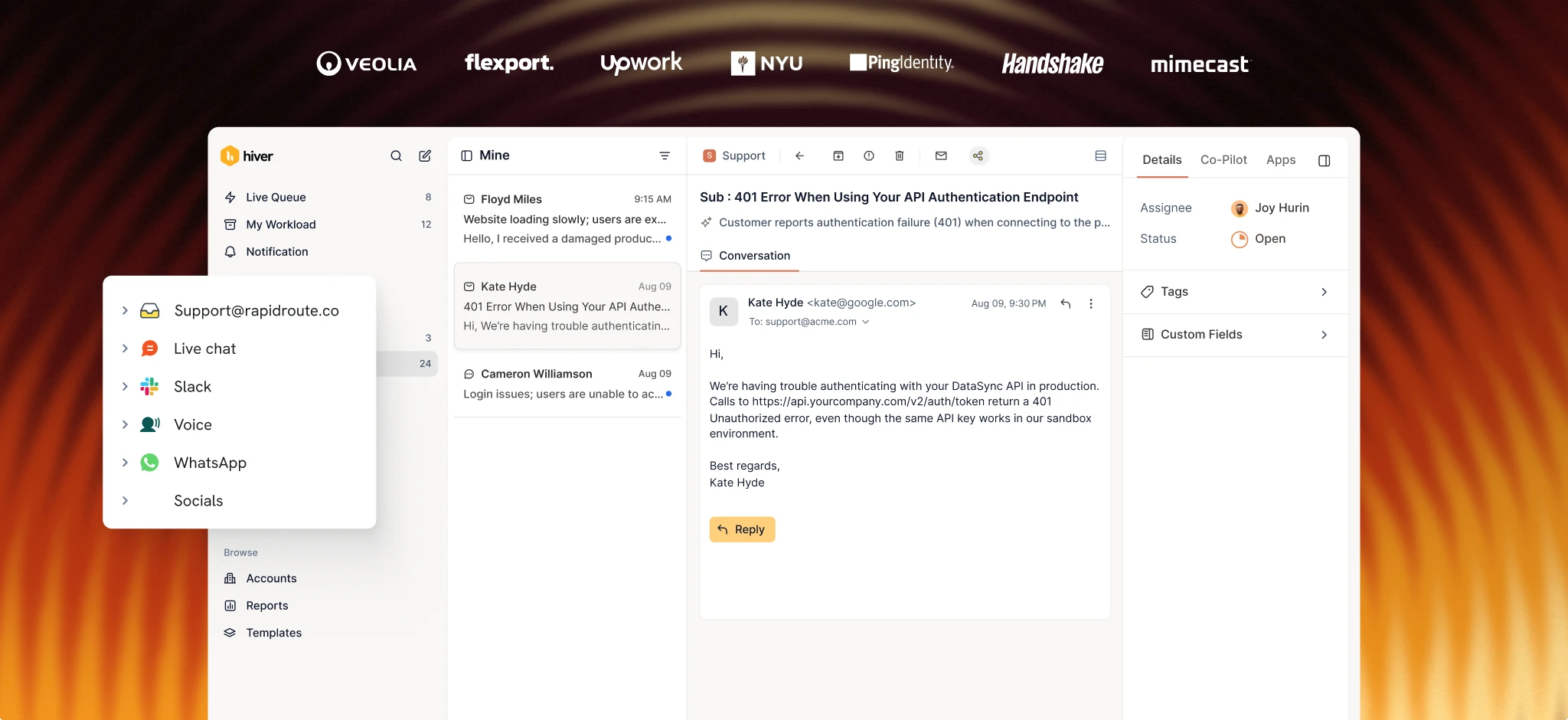
Beyond these AI features, Hiver’s ticketing system gives every request across email, chat, voice, Slack, SMS, WhatsApp, and more clear owner, status, priority, custom fields, SLAs, and a complete history of actions taken. Cross-team collaboration keeps that context intact across handoffs. Support reps can create Slack threads directly from a conversation and automatically sync replies back to the ticket, while private notes give the next team the context they need without making them reconstruct the issue from scratch.

Workflow automation handles routing, tagging, triage, and escalation rules, so the right team gets the right request without manual sorting. Integrations with Salesforce, Jira, Linear, Slack, and 100+ other tools also keep the systems your team relies on connected to the conversation.
Flexport’s ocean freight operations team cut resolution times by 50% after moving to Hiver. Nathan Strang, Flexport’s operations manager, attributed the improvement to connecting multi-team conversations so support reps no longer had to rebuild context every time a ticket moved between groups.

Key features
- AI Frontline Agents: Resolve requests autonomously from intent to resolution. They follow your team’s procedures, gather context from connected systems, and hand off only when judgment’s needed.
- AI Assist Agent: Pull the entire conversation, gather account data from Salesforce or Confluence, and generate a draft reply your support rep can review and send. It also suggests next steps based on how similar tickets were resolved.
- Customer Intelligence: Assess account health, sentiment, and churn risk continuously across conversations, CRM data, product usage, and calls.
- AI QA and Insights: Score every conversation against your quality rubric and surface topic-level trends, sentiment shifts, and coaching gaps.
- Omnichannel platform: Bring email, chat, voice, Slack, SMS, and WhatsApp into one platform, with every interaction connected to the same customer record.
- Ticketing: Give every request clear ownership with status, priority, custom fields, SLAs, and a complete audit trail of every action.
- Cross-Team Collaboration: Create Slack threads directly from conversations and sync replies back automatically. Private notes stay visible to teammates inside the thread, so context lives in one place.
- Workflow Automation: Route, tag, triage, and escalate requests using conditions and data from connected systems, so your team skips manual sorting entirely.
- Integrations: Connect Salesforce, Jira, Linear, Slack, and 100+ other tools so updates sync in real time with every conversation.
Pricing

- Growth: $25/user/mo
- Pro: $55/user/mo
- Elite: $85/user/mo
G2 rating
4.6/ out of 5 (1,283 reviews)
Pros
- Cross-team collaboration: Slack threads, private notes, and collision alerts keep context intact across handoffs, so support reps don’t have to rebuild the history when a ticket moves between teams.
- AI Frontline Agents for complex requests: AI Frontline Agents can handle multi-step, cross-system requests from intent through resolution.
- Fast setup: Most teams can go live the same day without a dedicated admin or implementation consultant.
Cons
- Voice is an add-on: Voice isn’t included in every plan by default.
- Smaller review footprint: Hiver has 1,283 G2 reviews, fewer than Zendesk or Intercom, although its current G2 rating is higher.
2. Zendesk
Zendesk is a legacy help desk platform, and it powers support operations for some of the world’s largest enterprises. Its product suite covers ticketing, messaging, voice, and a broad marketplace of integrations.
Zendesk’s AI layer includes AI Agents, which are priced per automated resolution, and Copilot, a $50/user/month add-on that suggests replies and surfaces relevant context.

Zendesk is well-suited to high-volume, transactional tickets where requests follow predictable patterns. But complex, multi-step issues that span teams and systems will require support reps to step in.
Zendesk also has a broad feature set, which can be an advantage for large, layered organizations, but it also makes setup and administration more involved. Configuration can take time, and smaller teams or those without dedicated admins may find themselves managing and paying for more complexity than they need.
If you are trying to switch from Zendesk, check out our Zendesk Alternatives guide to see your best options.
Key features
- AI Agents: Resolve routine customer queries autonomously.
- Agent Copilot: Suggest replies, auto-fill ticket fields, and summarize conversations.
- Marketplace: Access 1,500+ pre-built integrations with CRMs, ecommerce platforms, and internal tools.
- Omnichannel Routing: Route tickets across email, chat, voice, social, and messaging from a unified agent workspace.
Pricing

- Support Team: $19/user/mo
- Suite Team: $55/user/mo
- Suite Professional: $115/user/mo
- Suite Enterprise: Contact sales
- Agent Copilot add-on: $50/user/mo
AI Agents are billed per automated resolution on top of each plan’s price.
G2 rating
4.3 out of 5 (7,075 reviews)
Pros
- Large integration marketplace: Most tools your team already uses can connect to Zendesk without a workaround.
- Enterprise-grade configuration: Extensive permissioning and configuration options suit large, multi-department organizations.
- Large review footprint: More than 7,000 G2 reviews give you a wide base of peer feedback to evaluate.
Cons
- Costs can add up: AI agent fees, the Copilot add-on, and Suite-tier pricing can significantly increase the total cost beyond the base seat price.
- Setup can be involved: Zendesk’s configuration depth means smaller teams without dedicated admins may need outside help to get fully set up.
- AI has limits on complex requests: Its AI capabilities are strongest on routine queries, while complex, multi-step requests spanning several systems still require human handling.
3. Intercom/Fin
Intercom rebranded around Fin, its AI agent, in 2026, and the product has leaned harder into AI-first resolution since. Fin answers customer questions from your help center and conversation history, and charges $0.99 per resolution.
This AI-first approach works well for product-led companies handling a high volume of repetitive, front-of-funnel questions. Fin can handle first-touch interactions quickly and accurately when the answer is already in your help center. And the per-resolution pricing model means you only pay for what Fin resolves.

Where Intercom isn’t the best fit is complex, cross-team support. Fin resolves conversations that follow a linear path. So, when a request needs input from engineering or a billing check from finance, your team has to step in and handle it.
Key features
- Fin AI Agent: Resolve customer questions using your help center and conversation history.
- Copilot: Suggest replies and surface relevant articles for support reps.
- Product Tours: Guide users through onboarding and feature adoption with in-app walkthroughs.
- Multi-Channel Messaging: Reach customers across chat, email, SMS, social, and WhatsApp from one inbox.
Pricing

- Essential: $29/seat/mo
- Advanced: $85/seat/mo
- Expert: $132/seat/mo
- Fin AI Agent: $0.99/resolution
- Copilot add-on: $29/seat/mo
G2 rating
4.5 out of 5 (3,912 reviews)
Pros
- Strong product-led features: In-app messaging and product tours make Intercom a natural fit for SaaS companies investing in self-serve onboarding.
- Strong resolution quality for straightforward questions: Fin performs well when customer questions map directly to content in your knowledge base.
- Fast first-touch support: Fin can handle common customer questions instantly, giving customers an immediate response without waiting for a support rep.
Cons
- Unpredictable AI pricing: Fin’s per-resolution pricing means you pay based on the tickets it resolves, which can make AI costs difficult to forecast as resolution rates fluctuate.
- Limited on complex requests: Requests that require cross-team coordination or multi-system lookups still need a support rep to step in.
- Lighter cross-team collaboration: Shared notes, Slack sync, and internal handoffs aren’t as robust as on platforms built around cross-team support workflows.
4. Freshdesk
Freshdesk is Freshworks’ customer support product, built for mid-market teams that want a functional helpdesk without enterprise-level pricing. The platform covers email, chat, phone, and social, with Freddy AI as its built-in intelligence layer.
Freshdesk includes 500 free Freddy AI Agent sessions, so teams can test AI before committing to paid usage. Freddy handles straightforward queries, while Copilot ($29/user/mo add-on) helps support reps draft responses and auto-fill ticket fields.

The platform’s automation capabilities are primarily rule-based, which works well for standard routing and assignment. For teams that need AI-driven, multi-step workflows that pull data from external systems, Freshdesk’s automation layer isn’t as deep. Knowledge management also requires manual upkeep, with no built-in system to flag stale articles or draft new ones from resolved tickets.
If you’re comparing Freshdesk with other customer service platforms, see our Freshdesk alternatives guide for a fuller breakdown.
Key features
- Freddy AI Agent: Resolve routine queries autonomously.
- Freddy Copilot: Draft replies, suggest next actions, and auto-fill ticket fields.
- Marketplace: Connect with 1,000+ apps, including CRMs, ecommerce platforms, and project management tools.
- Ticket Collaboration: Loop in teammates with private notes and shared ownership on complex tickets.
Pricing

- Free: $0 (Limited to 6 months, up to 2 users)
- Growth: $19/user/mo
- Pro: $55/user/mo
- Enterprise: $89/user/mo
- Freddy AI Copilot add-on: $29/user/mo
500 free Freddy AI Agent sessions are included in each plan. Additional sessions are billed separately.
G2 rating
4.4 out of 5 (3,771 reviews)
Pros
- Accessible AI testing: The free plan and 500 included AI sessions make Freshdesk accessible to smaller teams testing AI-assisted support.
- Competitive pricing: The Growth tier starts at $19/user/mo, making it one of the lower-priced options for a full-featured helpdesk.
- Large integration marketplace: More than 1,000 apps cover most of the standard business tools support teams use.
Cons
- Limited on complex requests: Freddy AI is strongest on routine, single-step queries. Multi-step requests that span systems still require human handling.
- Manual knowledge management: There’s no automated system to flag outdated articles or generate new ones from resolved tickets.
- Advanced AI costs extra: Copilot and expanded AI sessions are paid add-ons that can meaningfully increase the per-user cost.
5. Help Scout
Help Scout is built for small support teams that want a clean interface without the configuration overhead of larger platforms. The product covers email and chat, with a customer management sidebar that gives support reps basic context on who they’re talking to.
Help Scout’s AI layer is straightforward. AI Answers resolves common questions using your help center content at $0.75 per resolution. AI Drafts helps support reps compose replies faster, and AI Summarize condenses long conversation threads into a quick overview.

The feature set is deliberately simple, which works well for smaller teams handling straightforward support requests. If your team has 5 to 20 support reps and doesn’t need complex workflows or extensive configuration, Help Scout’s lean scope matches your tidy support setup.
But that limited scope can become a limitation as your support operation grows more complex since Help Scout’s cross-team collaboration is basic, its AI can’t handle multi-step workflows or pull data from connected systems, and it has no built-in voice channel.
If your team has outgrown Help Scout, our Help Scout alternatives guide covers platforms with deeper AI capabilities and stronger cross-team collaboration.
Key features
- AI Answers: Resolve common questions from your help center content, billed at $0.75 per resolution.
- AI Drafts and AI Summarize: Help support reps compose replies faster and catch up on long threads with AI-generated summaries.
- Beacon: Embed a help widget on your site that serves articles, collects messages, and triggers live chat.
- Customer Sidebar: View customer profile, conversation history, and custom fields alongside every ticket.
Pricing

- Free: $0 (up to 5 users)
- Standard: $25/user/mo
- Plus: $45/user/mo
- Pro: $75/user/mo
- AI Answers add-on: $0.75/resolution
G2 rating
4.4 out of 5 (4351reviews)
Pros
- Clean, easy-to-learn interface: The interface is quick to learn, so teams can get productive without dedicated admin support or extensive training.
- Low AI cost per resolution: At $0.75 per resolution, Help Scout has the lowest per-resolution AI price in this list.
- All-in-one self-service widget: The Beacon widget combines self-service articles, contact forms, and live chat in one embeddable tool.
Cons
- No built-in voice: Teams that handle phone support need a separate tool and integration.
- Limited cross-team collaboration: Collaboration is largely limited to basic internal notes, without Slack sync, shared thread creation, or real-time cross-department handoffs.
- Limited AI capabilities: AI is limited to help center content. Multi-step workflows, CRM data pulls, and connected-system updates aren’t supported.
How to choose the right AI customer service software
The right choice depends on the type of support your team handles and where you need AI to do more of the work:
- If your team handles complex, cross-team requests that span teams, tools and channels, Hiver’s built for that workflow. Ticketing gives every request clear ownership and SLAs. Cross-team collaboration keeps context intact across handoffs through Slack threads and private notes. Workflow Automation routes, tags, and escalates without manual triage. And AI Agents resolve the multi-step issues that other platforms hand off to your team, while Customer Intelligence gives support reps the full account picture.
- If you’re a large enterprise with deep configuration needs, Zendesk gives you granular control over routing, permissions, and workflows, and its marketplace connects to almost anything. However, budget for the add-ons and admin time the platform requires.
- If you’re a product-led SaaS team with high first-touch volume, Intercom/Fin resolves knowledge-base questions quickly and charges per resolution, so costs track directly with the AI’s performance.
- If you’re a mid-market team watching your budget, Freshdesk starts at $19/user/mo on the Growth plan. You’ll also get 500 free AI sessions, so you can test AI without a separate add-on.
- If you’re a small team that values simplicity, Help Scout keeps its interface clean and its learning curve flat. But if your support grows more complex, you’ll likely need to migrate.
Choose AI where it matters most
Every platform on this list can handle basic ticket resolution. The important thing is to choose the one with AI features that can take on the work your team spends the most time on.
For many teams, that’s resolving complex requests, and Hiver is built for that kind of support. Hiver gives you AI Frontline Agents that work through multi-step requests, along with ticketing, cross-team collaboration, and workflow automation that keep ownership, context, and actions connected from start to finish. Customer Intelligence gives support reps the account context they need when a request spans teams or systems.
Book a demo today, and we’ll walk you through a live setup so you can see how Hiver fits into your support workflow.
FAQs
1. Do I need AI customer service software if I already have a helpdesk?
Yes, if your helpdesk doesn’t include built-in AI. A traditional helpdesk manages tickets, but it doesn’t resolve them on its own. AI customer service software adds agents that close tickets autonomously and copilots that help your team draft faster. It’ll also route each request to the right queue without manual triage.
2. How much does AI customer service software cost?
Cost varies widely. Hiver starts at $25/user/mo on the Growth plan and includes AI across all paid tiers. Zendesk starts at $19/user/mo, but AI agents and the Copilot add-on ($50/agent/mo) are priced separately. Help Scout and Intercom/Fin charge per AI resolution ($0.75 and $0.99, respectively).
3. Can AI customer service software handle complex support requests?
Yes, platforms like Hiver can handle complex support requests. Hiver’s AI Frontline Agents can follow your team’s procedures, pull information from connected systems, and work through multi-step requests from start to finish. Ticketing, Cross-Team Collaboration, and Workflow Automation keep ownership and context intact as requests move between teams.
4. What is the difference between an AI agent and an AI copilot?
An AI agent resolves tickets autonomously, without a human touching them. It reads the request, gathers context, follows defined procedures, and sends the response. An AI copilot works alongside a support rep. It drafts replies, surfaces relevant past tickets or knowledge articles, and suggests next steps. But the human reviews and sends the final response.
5. How do I know if my team is ready for AI customer service software?
Look at where your support team spends the most time. If support reps spend hours handling repetitive tickets or cross-team handoffs are creating delays, AI customer service software can help. Identify the ticket types AI could handle, then choose a platform that matches your support complexity.