Why did CSAT drop even though response times improved?
Review low-rated conversations and recurring issues behind the change.

Connect Hiver to AI assistants like Claude or ChatGPT to analyze customer conversations, uncover what needs attention, draft replies, and take action in Hiver.
Trusted by 10,000+ teams




Turn support conversations into context your whole business can use. Your support conversations contain signals about customer frustration, recurring product issues, account risk, and what needs fixing. Hiver MCP makes that context available to your AI assistant, alongside data from the other systems you connect.
Ask questions across your customer data, investigate what is driving a problem, and put what you learn back into action.
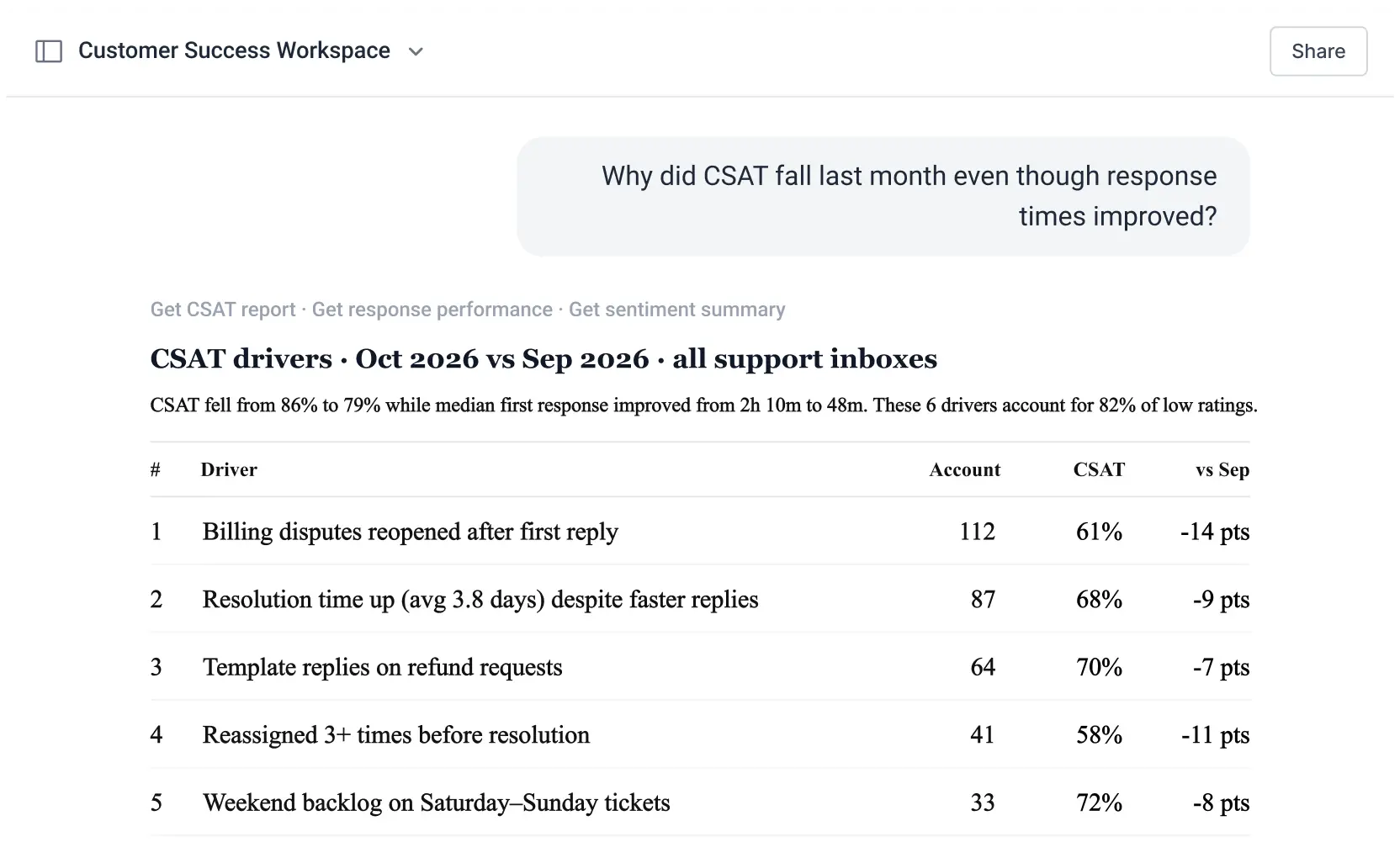
Review low-rated conversations and recurring issues behind the change.
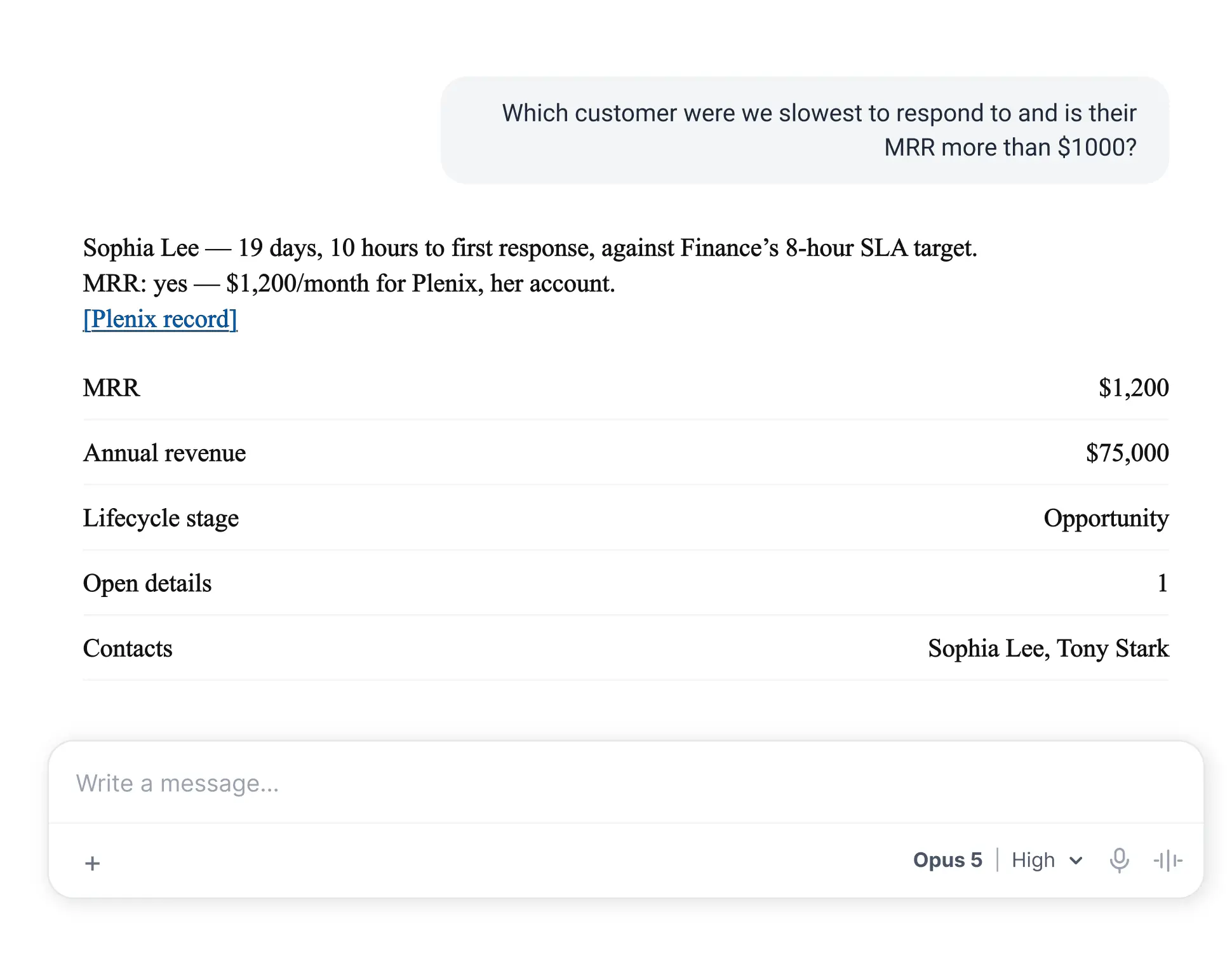
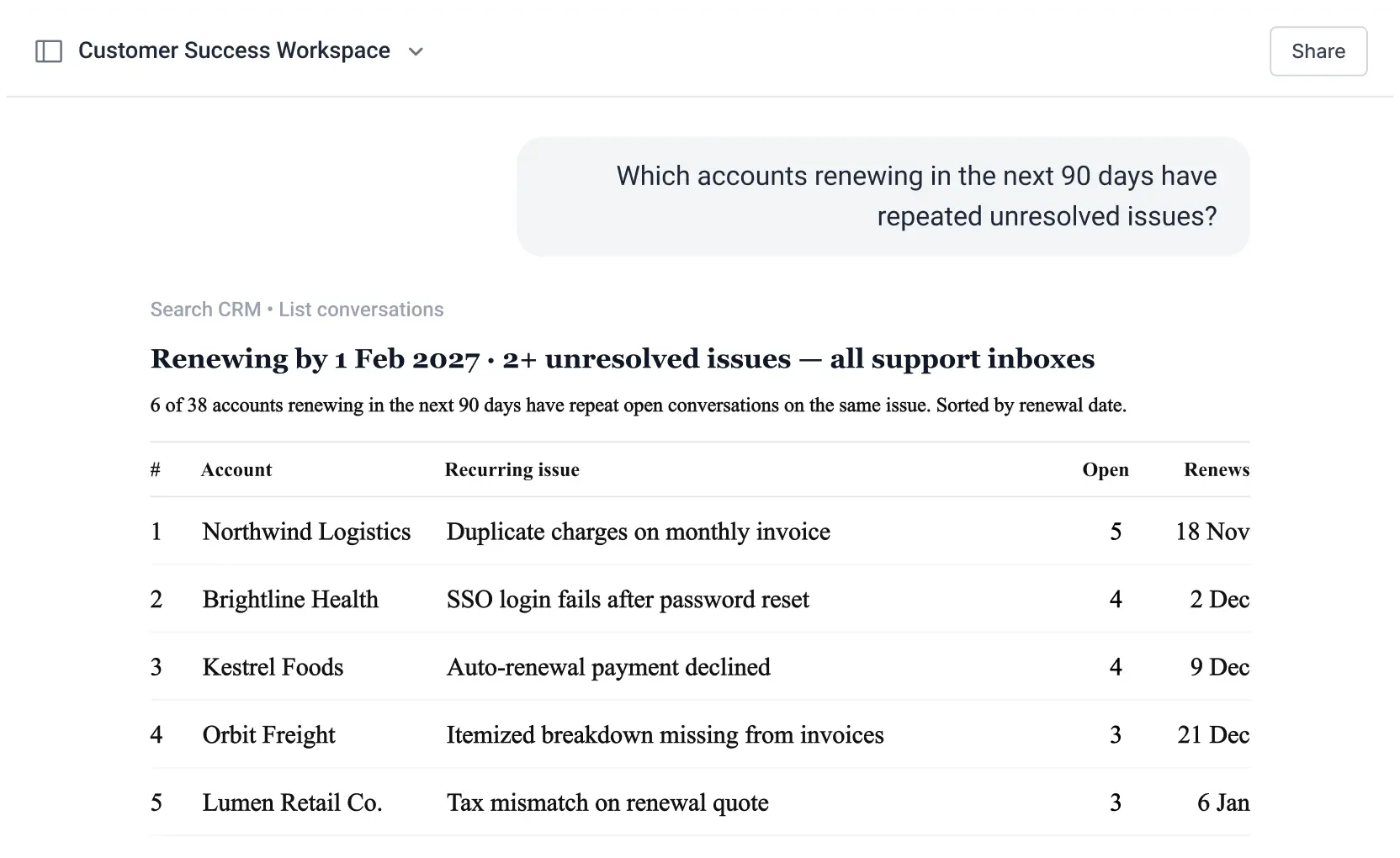
Combine renewal dates with recent support history.
Connect support, product, and CRM context.
Prioritize the customers that need attention first.
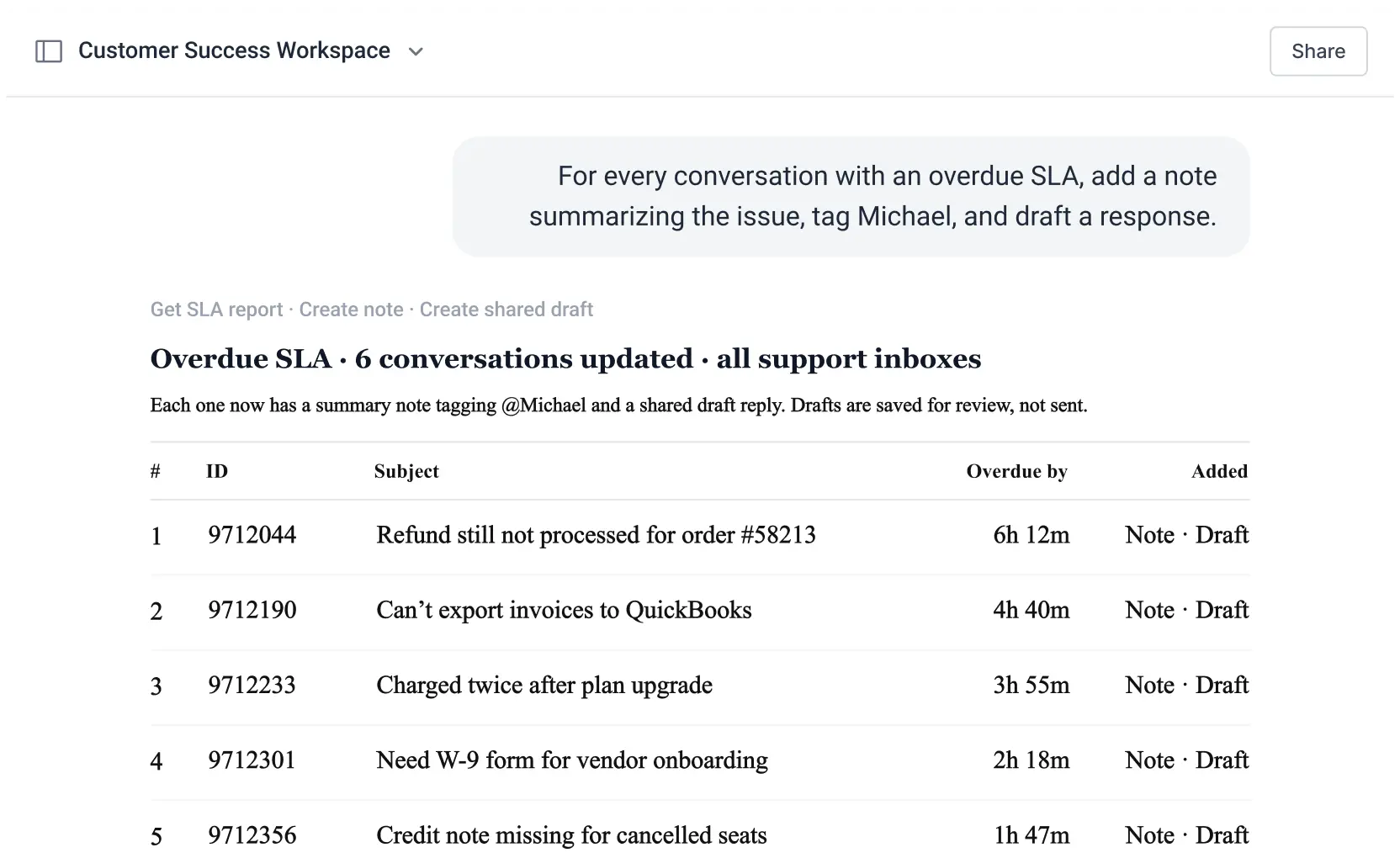
Add notes, prepare drafts, and move work forward.
Bring support context into upcoming sales conversations.
Model Context Protocol (MCP) is an open standard that allows AI assistants to connect with external tools and access their data and capabilities. Hiver uses MCP to let AI assistants work with support conversations, reports, and other information in your Hiver account.
Open your assistant’s connector directory, search for Hiver, and choose Hiver Omni or Hiver in Gmail. Sign in to your Hiver account, review the access request, and allow access. It takes a few clicks.
No. Hiver MCP saves replies as shared drafts in Hiver, and a teammate reviews and sends them. It cannot send a reply on its own.
It can read your conversations, including their content, status, assignee, and tags, along with your shared inboxes, tags, and teammates. Reports and metrics are available to administrators. It can assign conversations, change their status, update tags, add internal notes that only your team can see, and save reply drafts. The access request lists all of this, along with who you’re signed in as, your role, and each shared inbox it covers.
Yes. You can revoke access at any time from your Hiver settings.
Yes. When tools like HubSpot or Salesforce are also connected to your assistant, you can ask questions that combine support conversations with account data such as renewal dates and annual revenue. Hiver MCP brings the support side, and each connected tool adds its own.
No. Ask your question in plain language and your AI assistant pulls what it needs from Hiver. You can follow up on any answer, open the conversations behind it, or compare periods as you go.