

Most support quality issues are discovered after the customer has already experienced them. For instance, a teammate may miss part of a customer’s question, give an unclear explanation, or leave out an important detail, requiring the customer to follow up.
Based on our conversations with support and QA managers, we learned that most teams review only a small sample of customer conversations. Some review cases only when a customer escalates an issue. This makes recurring issues harder to spot. But even when gaps are caught, the feedback can’t undo a poor customer experience.
At Hiver, we saw an opportunity to move QA from simply finding quality issues to helping prevent them. We built Hiver AI QA to evaluate responses against the quality standards your team sets, helping teammates catch potential gaps before they reach the customer. AI QA also gives managers visibility into recurring patterns so they can focus coaching where it will have the greatest impact.
Set your own standard for quality
When we started building AI QA, one of the first questions we considered was: What makes a support reply good?
Is it the tone? Clarity? Whether it answers every part of the customer’s question?
We soon realized that there is no single definition of a high-quality support response.
For one team, completeness may matter most. Another may be focused on writing with greater clarity or empathy. In practice, a strong response usually depends on getting several things right at once.
We designed AI QA to let you decide what good looks like. You can which of the following parameters you want AI QA to evaluate and assign weights to define the relative importance of each parameter:
- Greeting
- Tone
- Personalization
- Completeness
- Spelling and grammar
- Clarity
AI QA uses the defined standards across reviews, so you can consistently assess quality across your team.

Improve replies before customers see them
We wanted feedback to arrive at the point where it could change the outcome.
While a response is still a draft, AI QA will check it against the standards your team has selected. It flags potential gaps so your team can review the feedback and strengthen the response before sending it.
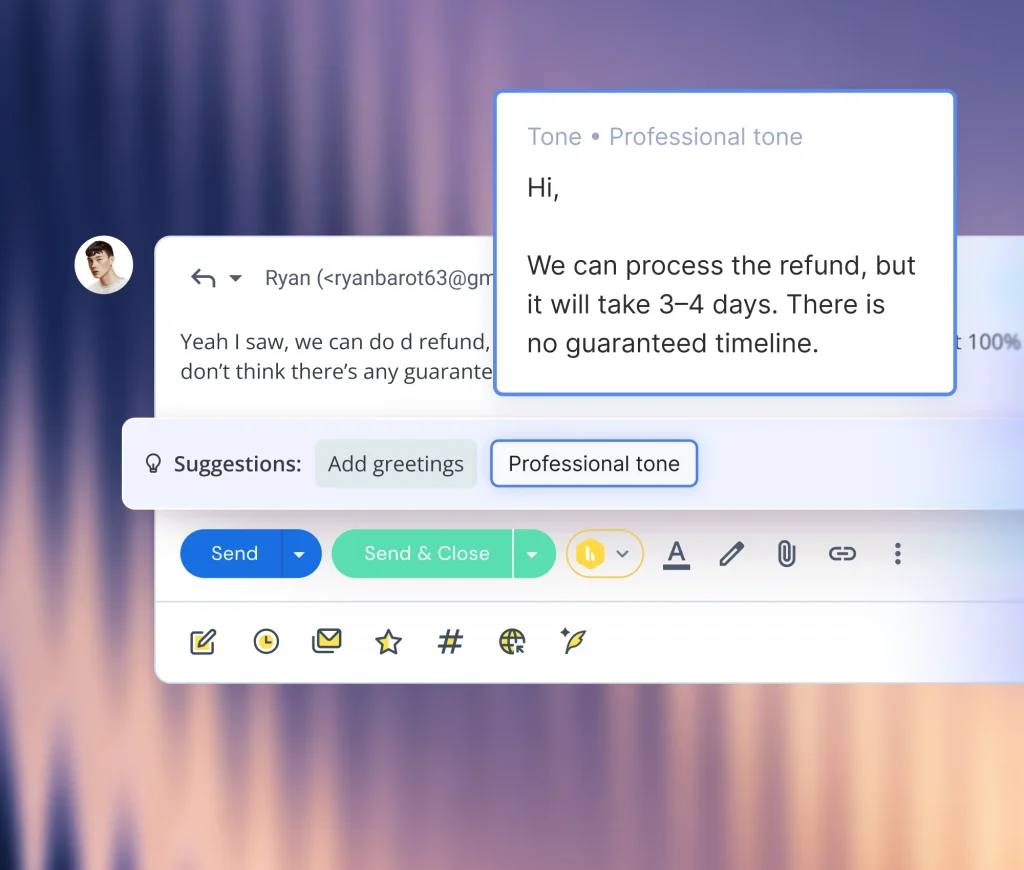
Your team remains in control. AI QA does not change or send the response automatically. It brings attention to what may have been missed and the person writing the reply makes the final call.
See the patterns behind individual replies
We built the AI QA report to give you a team-wide view of quality scores over time. You can see which standards your team is meeting and where scores are falling.
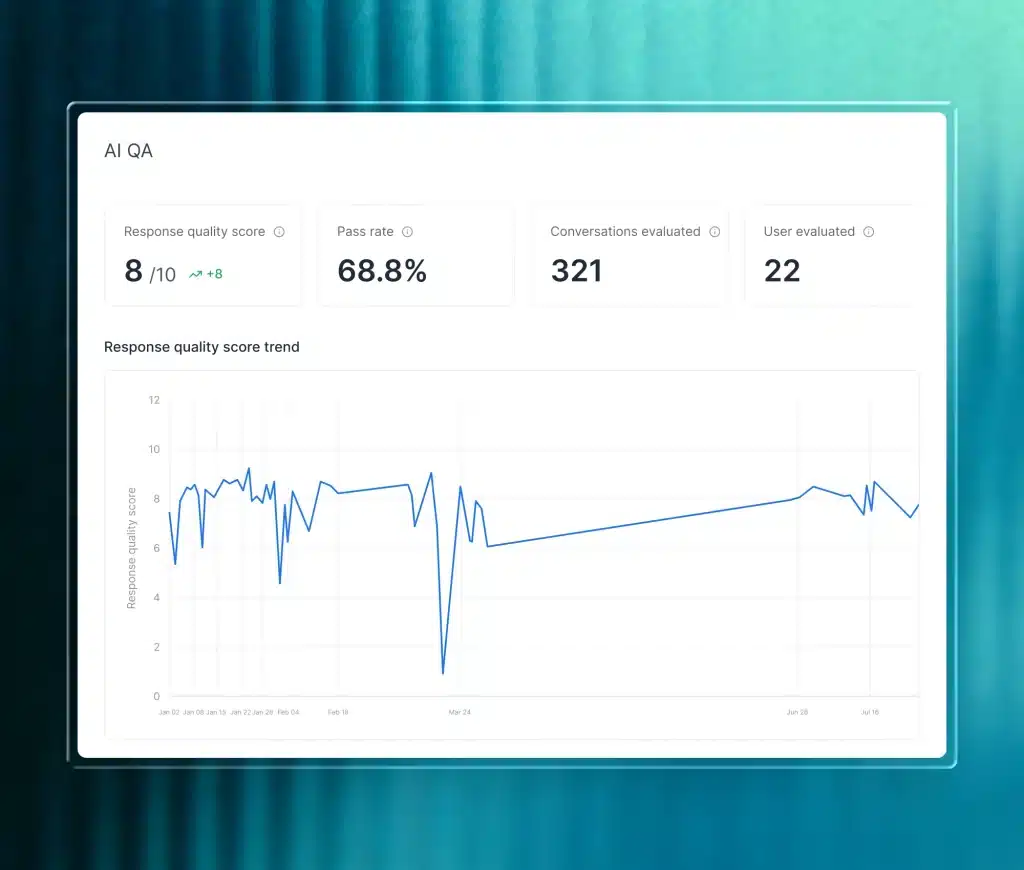
Individual scorecards show each teammate’s strengths and areas for improvement. You can look closer at a team-wide trend to understand who needs support and what to focus on.
For example, several teammates struggling with clarity may benefit from shared examples of how to explain a complex process. A teammate who regularly misses customer questions may need more focused coaching on completeness.
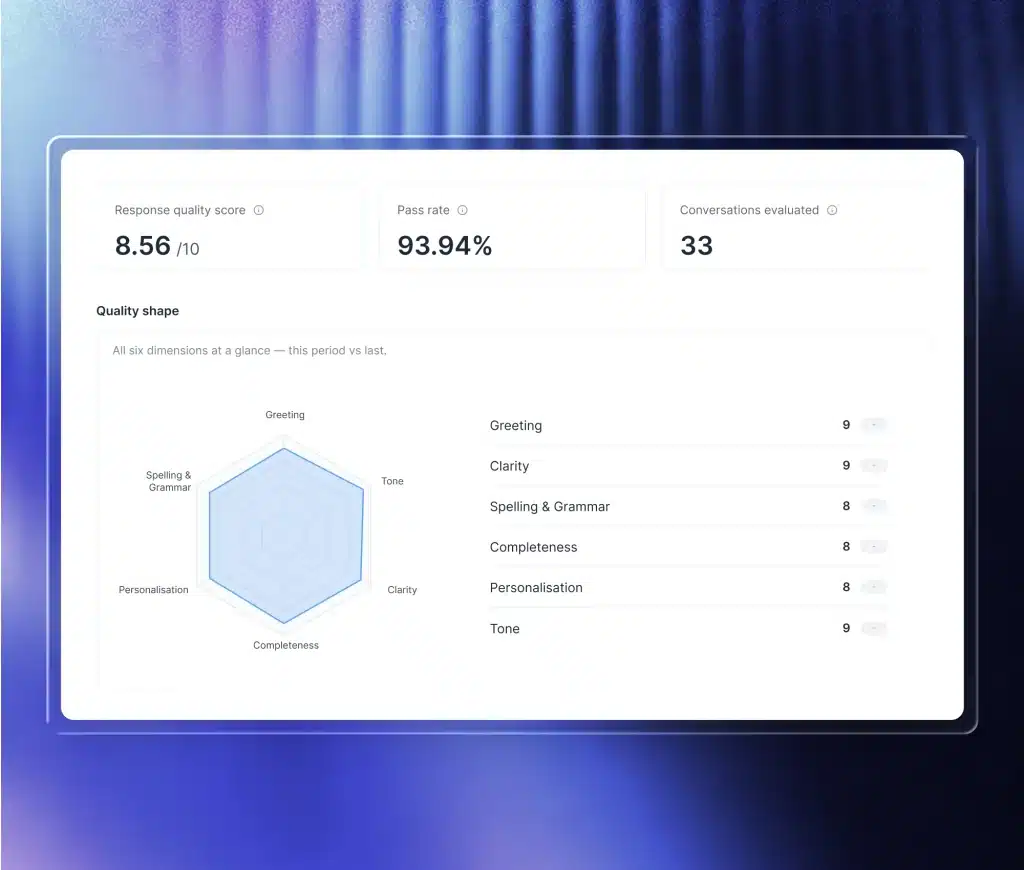
These views help you choose where to spend your coaching time and track how scores change afterward.
Help your team get the answer right the first time
Good support takes more than speed. Customers need to feel understood and get an answer they can use. Delivering that experience consistently requires clear quality standards, timely feedback, and visibility into where the team can improve.
AI QA brings those pieces together. It helps your teammates improve responses as they write, while giving you a clearer view of quality across conversations.
Quality assurance no longer has to begin after a response is sent or depend on sampling a handful of conversations. With AI QA, quality can become part of how every response is written.