Quick Summary
Adopt the right customer service automation software, and you’ll be able to route and triage tickets automatically, deflect repetitive requests, and have your support reps focus on queries that actually require human judgment.
If you’re trying to make a quick choice, here are the top three options:
| # | Tool | Best for |
|---|---|---|
| 1 | Hiver | Teams running complex support that need ticketing, collaboration, workflows, and AI that resolves requests end-to-end. |
| 2 | Zendesk | Large support orgs that need deep customization and a mature integration ecosystem. |
| 3 | Freshdesk | Mid-size teams that want strong AI and automation without enterprise-level pricing |
Looking for the Best Customer Service Automation Software?
If your business has outgrown manual support and you’re looking to bring in customer service automation to make things easier, you’re in the right place.
This guide reviews the eight best customer service automation software in 2026, comparing their automation capabilities and how they differ. We’ll cover platforms for a range of use cases, from platforms that work well for simple, linear requests to those like Hiver that can handle complex, multi-team support.
Let’s get into it.
Why Listen to Us?
At Hiver, we’ve seen firsthand how manual workflows can limit support teams (and how automation can remove those limitations) through our experience supporting 10,000+ customer service, finance, and HR teams globally.
After adopting Hiver, Optica automated 4,000+ conversations and now saves 11+ hrs monthly with AI. Egnyte also improved their response speed by 40% with a three-person team supporting nearly 13,000 customers.

This article is based on what we’ve learnt helping Hiver’s customers achieve great results like those with automation.
What Is Customer Service Automation Software?
Customer service automation software uses AI, workflows, and rules to handle support tasks that’d otherwise need a human. That can include everything from routing tickets to the right support rep to drafting replies, resolving common requests, and flagging SLA breaches before they happen.
Without it, your team has to manually sort, answer and track every request. But with it, you get a system that handles the predictable work so your support reps can focus on what needs judgment.
Depending on the platform you choose, the automation gains vary. For example, some platforms stop at routing and templates, while others have AI agents that can investigate requests, take actions across connected systems, and resolve tickets end to end.
What to Look for in Customer Service Automation Software
To choose a platform that can meaningfully reduce your team’s manual repetitive work, consider features like:
- Automated routing and triage: Does the platform offer skills-based assignment and priority-based triage? Can you set rules based on information from your CRM or ticket history?
- Workflow automation: Can you automate repetitive steps like tagging, escalating, and updating ticket status? Can you build multi-step workflows that trigger when specific conditions are met?
- AI agents and autonomous resolution: Can the AI resolve tickets on its own, or does it just provide reply suggestions?
We evaluated each platform on this list based on these 3 criteria. We also factored in pricing, G2 ratings, and integration breadth.
The 8 Best Customer Service Automation Software: Detailed Reviews
| # | Tool | G2 Rating | Starting Price | Best For |
|---|---|---|---|---|
| 1 | Hiver | 4.6/5 (1,283 reviews) | $25/user/mo | Complex support with ticketing, cross-team collaboration, workflows, and native AI that resolves requests end-to-end |
| 2 | Zendesk | 4.3/5 (7,075 reviews) | $19/user/mo | Large teams that need deep customization and a mature integration ecosystem |
| 3 | Freshdesk | 4.4/5 (3,771 reviews) | $19/user/mo | Mid-size teams that want solid AI and automation at mid-range pricing |
| 4 | Intercom | 4.5/5 (3,912 reviews) | $29/seat/mo + $0.99/AI resolution | Deflection-first support with a strong conversational AI agent |
| 5 | Front | 4.7/5 (2,511 reviews) | $25/seat/mo | Shared-inbox teams that want collaboration with layered automation |
| 6 | Help Scout | 4.4/5 (431 reviews) | $25/user/mo | Small to mid-size teams that want clean, straightforward automation |
| 7 | HubSpot Service Hub | 4.4/5 (2,967 reviews) | $7/seat/mo | Teams already in HubSpot who want CRM-integrated service automation |
| 8 | Zoho Desk | 4.4/5 (7,933 reviews) | $7/user/mo | Budget-conscious teams wanting AI and workflow automation at low per-seat cost |
1. Hiver
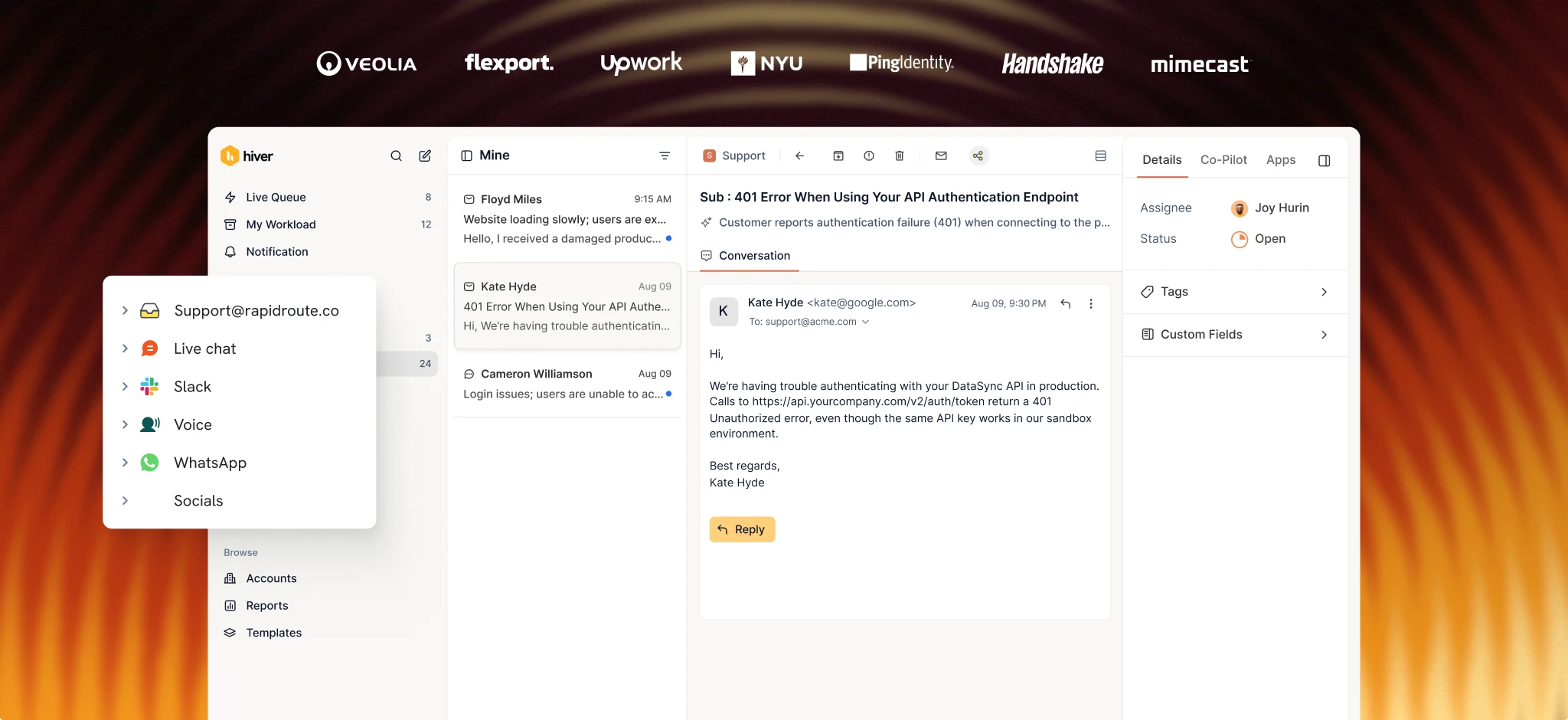
Hiver is an agentic customer service platform built for complex support that spans teams, tools, and channels and requires multiple steps.

Hiver’s ticketing gives every request a clear owner through statuses, priorities, custom fields, and SLAs. Workflow automation handles routing, tagging, escalation, and round-robin assignment based on rules your team sets. Internal notes, @mentions, shared drafts, and collision alerts help keep context intact when queries cross teams.
What sets Hiver apart is how its automation and AI handle complex requests. You can build workflows with multiple branching paths, while AI Frontline Agents understand customer intent and decide what happens next. APIs connect those workflows to other systems like your CRM, ERP, Jira, Salesforce, Slack, and 100+ other tools, so they can retrieve information and take action beyond the support platform. Analytics show where your team still handles requests manually, helping you find opportunities to automate more of the work.
Key features
- Ticketing: Statuses, priorities, custom fields, SLAs, and full activity histories give every request clear ownership
Omnichannel: Email, chat, Slack, voice, SMS, and WhatsApp in one queue, with the same automation on every channel. - Intent-based routing: Route requests by what the customer means, alongside rules like CRM ownership, round-robin assignment, or skills.
- Triaging: Automatically categorize, tag, and prioritize incoming requests before they reach your team
- Cross-team collaboration updates: Internal notes, @mentions, shared drafts, and collision alerts keep context across handoffs
AI Frontline Agents: Resolve requests end to end by investigating context from connected systems, bringing in a rep when judgment is needed. - AI Frontline Agents: Resolve requests autonomously by investigating context from connected systems and responding
Pricing

Hiver offers three plans:
- Growth: $25/user/mo
- Pro: $55/user/mo
- Elite: $85/user/mo
See Hiver’s full pricing breakdown.
G2 rating
4.6 out of 5 (1,283 reviews)
Pros
- Ticketing, collaboration, and workflows give your team a complete support platform even before you add its AI features
- AI Frontline Agents resolve complex, multi-step requests across connected systems
- Analytics helps you find more automation opportunities
Cons
- Smaller integration marketplace compared to Zendesk or Freshdesk
- Full AI agent capabilities are strongest on the Pro and Elite tiers
2. Zendesk
Zendesk is one of the biggest names in customer service, and its automation capabilities reflect that scale. You get triggers, automations, and a macro system refined over more than a decade, alongside AI agents, intelligent triage, and Copilot.

Customization is one of Zendesk’s biggest strengths. You can build routing rules around almost any ticket attribute and add skills-based assignment on top. Its Flow Builder also lets you create multi-step workflows visually. For large organizations with dedicated admins, that flexibility is very helpful.
But the tradeoff for all these capabilities is complexity. Fully configuring Zendesk can take weeks, and costs can climb once you add AI features. Copilot alone costs $50 per user per month.
Key features
- AI agents: Resolve requests using your knowledge base and connected data
- Intelligent Triage: Classify ticket intent, language, and sentiment automatically
- Omnichannel routing: Skills-based, round-robin, and capacity-based assignment
- Flow Builder: Visual workflow builder for multi-step automation
Pricing

- Support Team: $19/user/mo
- Suite Team: $55/user/mo
- Suite Professional: $115/user/mo
- Suite Enterprise + Copilot: custom pricing
- Copilot add-on: $50/user/mo
G2 rating
4.3 out of 5 (7,075 reviews)
Pros
- Deep customization for complex routing and automation rules
- Mature ecosystem with 1,500+ integrations
- Strong reporting and analytics across channels
Cons
- AI features add additional cost on top of premium seat pricing
- Configuration requires dedicated admin time and expertise
- Pricing complexity makes total costs hard to forecast
3. Freshdesk
Freshdesk sits between Zendesk’s depth and the lighter tools further down this list. Its Freddy AI handles ticket classification, suggested replies, and autonomous resolution through AI Agent Studio, which is available on every paid plan. Each plan includes 500 free Freddy AI sessions per month, so you can try AI-powered automation before paying for additional usage.

Freshdesk’s automation rules handle time-based triggers, event-based actions, and ticket assignment, including round-robin and load-balanced routing. The Enterprise plan adds skill-based routing and Freddy AI Insights for more advanced automation and reporting
Key features
- Freddy AI Agent Studio: Build AI agents for email, chat, and messaging across all paid plans
- Ticket dispatch: Automated assignment with round-robin, load-balanced, and skill-based routing
- Workflow automations: Time-triggered and event-triggered rules for escalation, tagging, and status changes
- SLA management: Multiple SLA policies with escalation on Pro and Enterprise
Pricing

- Free: $0 (Limited to 6 months, up to 2 users)
- Growth: $19/user/mo
- Pro: $55/user/mo
- Enterprise: $89/user/mo
- Freddy AI Copilot: $29/user/mo
G2 rating
4.4 out of 5 (3,771 reviews)
Pros
- 500 free AI agent sessions per month on every paid plan
- Solid automation at a lower price point than Zendesk
- Clean interface that’s quick to set up
Cons
- Advanced AI features like Copilot and Insights require paid add-ons or the Enterprise plan
- Reporting feels limited compared to Zendesk or HubSpot Service Hub
4. Intercom
Intercom has rebuilt its platform around Fin, its AI agent. Fin resolves requests across chat, email, and messaging by pulling info from your help center and connected data. It is priced per resolution, meaning you pay only when it successfully resolves a request.
The Workflow Builder on the Advanced plan lets you create multi-step sequences for routing and escalation. However, SLAs are available only on the Expert plan, which costs $132 per seat per month. This can put the full feature set out of reach for a small team on a limited budget.

Intercom is built for high-volume, deflection-focused support. If your team handles mostly direct transactional requests, it can work well. But if you run a B2B support team that gets complex queries that need multi-department insights and human judgment, your support reps will still have to handle those requests manually.
Key features
- Fin AI agent: Resolve requests across channels with pay-per-outcome pricing
- Workflows: Visual automation builder for routing, assignment, and multi-step sequences
- Messenger: Customizable chat widget with proactive messaging
- Fin AI Copilot: Suggest replies and surface context for support reps
Pricing

- Essential: $29/seat/mo
- Advanced: $85/seat/mo
- Expert: $132/seat/mo
- Fin AI: $0.99 per resolution (usage-based)
G2 rating
4.5 out of 5 (3,912 reviews)
Pros
- Fin is one of the strongest conversational AI agents for customer support
- Pay-per-resolution pricing means you only pay for resolved requests
Cons
- The full automation suite, including SLAs, requires the Expert plan at $132/seat/month
- Per-resolution costs can become less predictable as ticket volume and resolution rates increase
5. Front
Front combines a shared inbox with automation that feels more like team email than a traditional help desk. Its automation rules handle tagging, assignment, and escalation, with the number of rules increasing by plan: 10 on Starter, 20 on Professional, and unlimited on Enterprise.

AI features are available as add-ons. Autopilot resolves conversations for $0.05 each, while AI Copilot drafts replies and Smart QA evaluates agent responses. All three are included with the Enterprise plan, which costs $105 per seat per month.
Front is best for teams that work primarily from their inbox and want to add automation to that workflow. If you need deeper AI resolution or more complex multi-step workflows, other platforms have more advanced capabilities.
Key features
- Automation rules: Tag, assign, escalate, and route based on conditions you set
- Autopilot: AI-powered conversation resolution at $0.05/conversation
- AI Copilot: Draft replies and surface relevant context for support reps
- Smart QA: Score conversations on tone, resolution quality, and compliance
Pricing

- Starter: $25/seat/mo (up to 10 seats)
- Professional: $65/seat/mo (up to 50 seats)
- Enterprise: $105/seat/mo
Front AI features are priced separately for users not on the Enterprise plan.
G2 rating
4.7 out of 5 (2,511 reviews)
Pros
- Familiar, email-like interface with automation layered on top
- Smart QA and CSAT scoring included in the Enterprise plan
Cons
- Lower plans have seat caps (10 on Starter, 50 on Professional)
- AI features are add-ons unless you’re on Enterprise
6. Help Scout
Help Scout is built around simplicity. Its automation relies on workflows that assign, tag, and escalate conversations based on set conditions, with SLA policies available on Standard and more advanced options on Plus and Pro.

Its AI features include an inbox assistant for reply suggestions and AI Answers, an autonomous agent that costs $0.75 per resolution. AI Answers uses your help center content, and every new user gets a three-month free trial of it with unlimited resolutions, giving you a chance to test it before paying.
Help Scout best suits smaller teams with straightforward support queries. If you run complex multi-team support, the workflow and routing options may feel limiting.
Key features
- Workflows: Automate ticket assignment, tagging, and escalation based on conditions
- AI Answers: Autonomous AI agent that resolves requests at $0.75/resolution
- AI inbox assistant: Reply suggestions and drafts for support reps
- SLA management: Basic policies on Standard, advanced on Plus and Pro
Pricing

- Free: $0 (up to 5 users)
- Standard: $25/user/mo
- Plus: $45/user/mo
- Pro: $75/user/mo
- AI Answers: $0.75/resolution
G2 rating
4.4 out of 5 (431 reviews)
Pros
- Clean interface that requires minimal training
- Free plan and competitive pricing across tiers
- Three-month free trial of AI Answers lets you test autonomous resolution risk-free
Cons
- Workflow automation is basic
- Limited cross-team collaboration for complex escalations
7. HubSpot Service Hub
HubSpot Service Hub is HubSpot’s customer service platform that brings help desk, automation, and customer support tools into the broader HubSpot ecosystem.
Its biggest advantage is its connection to the rest of HubSpot’s platform. If your team already uses HubSpot for CRM, marketing, or sales, you get a unified customer record that carries context across these systems.

HubSpot Service Hub’s Customer Agent handles autonomous resolution, with a 70%+ auto-resolution rate (HubSpot data). Skill-based routing, conditional SLAs, and playbooks are available on the Professional plan, which starts at $90 per seat per month and requires a $1,500 onboarding fee.
The main demerit is that automation is limited on the Starter plan, and accessing the full feature set requires significant per-seat and upfront costs. Also, teams not already using HubSpot will miss out on the cross-system customer context that makes Service Hub stand out.
Key features
- Customer Agent (AI): Autonomous resolution using your knowledge base and CRM data
- Skill-based routing: Match tickets to support reps by expertise on Professional and Enterprise
- Conditional SLAs: Set service targets based on ticket priority, source, or customer segment
- Playbooks: Guided workflows for support reps handling specific ticket types
Pricing

- Free: $0 (up to 2 users)
- Starter: $7/seat/mo
- Professional: $90/seat/mo + $1,500 one-time onboarding fee
- Enterprise: From $150/seat/mo + $ 3,500 one-time onboarding fee
G2 rating
4.4 out of 5 (2,967 reviews)
Pros
- Unified customer record across marketing, sales, and service
- Generous free plan for budget-conscious teams
- Strong reporting when connected to HubSpot CRM
Cons
- Higher tier plans require expensive onboarding fees
- Automation capabilities are limited on lower tiers
- Best value comes when you’re already invested in HubSpot
8. Zoho Desk
Zoho Desk packs a surprising amount of automation into a relatively low per-seat price. Zia, Zoho’s AI assistant, handles sentiment analysis, ticket classification, response suggestions, and anomaly detection, starting at $23/user/month (Professional Plan).

Workflow automation covers time-based rules, assignment rules, and Blueprints (Zoho’s visual workflows for multi-step processes like escalation paths and approval chains). The Enterprise plan at $40/user/month adds skill-based assignment and multi-level escalations.
Zoho Desk is a solid option for budget-conscious teams that want AI and workflow automation without enterprise-level pricing. However, the interface can feel overwhelming at first, and some advanced capabilities require other Zoho products.
Key features
- Zia AI: Sentiment analysis, ticket classification, response suggestions, and anomaly detection
- Blueprints: Visual drag-and-drop workflow automation for multi-step processes
- Assignment rules: Round-robin, load-balanced, and skill-based ticket assignment
- Multi-level escalations: Automated escalation matrices based on SLA breaches and conditions
Pricing

- Free: $0 (up to 3 userss)
- Express: $7/user/mo (up to 5 users)
- Standard: $14/user/mo (unlimited users)
- Professional: $23/user/mo (unlimited users)
- Enterprise: $40/user/mo (unlimited users)
G2 rating
4.4 out of 5 (7,933 reviews)
Pros
- AI and workflow automation at a fraction of the price of Zendesk or Intercom
- Blueprint automation is unusually powerful for the price
- Native CRM, chat, and analytics through the broader Zoho ecosystem
Cons
- Interface can feel complex during initial setup
- Some advanced features need additional Zoho subscriptions
- Smaller community and fewer third-party integrations than Zendesk or Freshdesk
How to Choose the Right Customer Service Automation Software
Make your choice based on how your budget and team handles support today. For example, if:
- You run complex B2B support with multi-step resolutions and cross-team handoffs, look for a platform built to handle that complexity. Hiver and Zendesk both support these workflows, although Zendesk’s AI is bolted on and typically requires more admin time to configure.
- Your priority is high-volume deflection; Intercom’s Fin agent is built to resolve a large share of routine requests. Its per-resolution pricing also means you pay based on the requests it resolves. However, costs can quickly rise as ticket volume or resolution rates increase.
- You have a tight budget, Zoho Desk and Help Scout offer free plans and affordable paid tiers. Zoho Desk goes deeper on workflow automation, while Help Scout is simpler to get started with.
- Your team already uses HubSpot; Service Hub can connect your CRM, marketing, and support data through a unified customer record. Just keep in mind that its more advanced automation capabilities require higher-tier plans.
The right platform is the one that removes the manual, repetitive work your team still handles and fits your budget long term, not necessarily the most popular option or the one that’s been around the longest.
Automate Your Complex Support Queries With Hiver
You now have a list of all eight platforms. Compare what you need to automate with what each platform offers to find the best fit for your use case.
And if that use case is managing complex support queries that require input from multiple teams, Hiver is built for that. Hiver brings ticketing, cross-team collaboration, workflows, integrations, and native AI together in one platform, so your team can automate routine work while keeping complex requests moving with context across departments.
Sign up for a plan to see how Hiver can support your customer service team.
FAQs
1. Do AI Frontline Agents Actually Resolve Tickets, Or Do They Just Suggest Replies?
AI agents can actually resolve tickets; they’re not limited to suggesting replies. Unlike traditional chatbots that typically follow predefined scripts, AI agents can go further by understanding intent, pulling context from connected systems, and taking actions on their own.
2. What Is The Realistic Price Range For These Platforms?
Costs range from $7/user/month for HubSpot Starter or Zoho Express to $132/seat/month for Intercom Expert. Some platforms also charge extra for AI features. For example, Zendesk’s Copilot costs an additional $50/user/month, and Intercom charges $0.99 per AI resolution.
3. Can Automation Handle Complex B2B Support Tickets?
Yes. Some customer service automation software can handle B2B support tickets that require coordinating across multiple steps, systems, and teams.
For example, Hiver can not only route a ticket to the right team, but can also pull customer information from connected systems, trigger actions in other tools, and manage escalations and handoffs. Its AI Frontline Agents can also follow multi-step procedures and resolve requests without requiring a support rep to handle every step manually.
4. What Should I Automate First in My Support Workflow?
Start with tasks that take up significant agent time but follow a consistent process. Ticket routing and assignment are usually good starting points because they eliminate delays in figuring out who should handle each request. From there, you can automate FAQ responses, SLA alerts, and status updates.