Quick summary
Even small business support teams can’t afford missed replies or scattered conversations. The right support platform keeps support conversations across channels in one place, gives you tools to triage tickets automatically, and provides AI that resolves requests end-to-end so you can scale support without increasing headcount. Here are the 3 best options:
| Tool | Best for | Starting price | G2 rating |
|---|---|---|---|
| Hiver | Small teams that need omnichannel shared inboxes, automation, and AI as they scale | From $25/user/mo | 4.6/5 |
| Freshdesk | Budget-conscious teams that need a free tier | From $29/user/mo | 4.4/5 |
| Help Scout | Small teams that want a clean shared inbox | From $25/user/mo | 4.4/5 |
Your small business might have outgrown the cluttered inbox
If you’ve found it harder to retain customers lately, check your inbox. It could be that support queries have been sitting unanswered in one Gmail thread for too long, and customers have decided to move on.
Good customer support is closely tied to customer retention. You won’t be able to effectively keep customers if you can’t keep track of their requests and resolve their issues promptly. And email threads, spreadsheets, and Slack threads weren’t built to track customer service requests at volume. Once you hit 50 conversations a week, you’ll lose track of who said what and whether anyone followed up.
That’s where customer service software can help. This guide covers the 8 best options in 2026 that will help you stay on top of tickets, even with a small team and a limited budget.
Why listen to us?
Hiver has helped more than 10,000 teams set up customer service that stays organized as they grow, from five-person firms to companies like Flexport and Epic Games. We’ve seen firsthand what small teams need to manage customer service effectively, and this article reflects that experience.
For instance, DecksDirect’s small team cut response times by 60% and saved 92 hours per month with Hiver, while Fireco saves 114 hours per month by bringing email, live chat, and WhatsApp into one workspace.

114 hours saved monthly
“Right now, Hiver gives us exactly what we need. As we grow, we’ll expand into more channels and feedback tools — and we know Hiver will grow with us.”
William Ellick
IT & Support Manager, Fireco

What is customer service software?
Customer service software helps your team manage customer queries across email, chat, phone, and social media. It’s a shared workspace that replaces forwarded emails and sticky notes. With it, every conversation gets an owner, a status, and a history so your team always knows what needs attention and what’s already been handled.
What is a small business?
There’s no single global definition of a small business. Definitions vary by country, but businesses with fewer than 50 employees are commonly considered small, while those with fewer than 10 employees are generally classified as micro-businesses.
For this guide, we’re focusing on businesses with fewer than 50 employees and small support teams of fewer than 10 people. These teams are often still growing, with support handled by a small group of dedicated reps or shared across customer success, sales, operations, or other roles.
That matters because a small support team has less room for manual work. As your customer base grows, keeping track of conversations, assigning requests, and maintaining consistent response times becomes harder when everything still runs through one messy inbox or spreadsheet. Customer service software gives your team the structure to stay organized without adding unnecessary complexity.
Why is customer service software important for small businesses?
- Fewer missed messages. A shared inbox catches every request, so nothing falls through when someone’s out sick or swamped. Plus, you can track key metrics to spot problems early.
- Faster response times. Routing rules get the right ticket to the right person quickly. That’ll speed up your first response time.
- Better team visibility. Managers can see workloads, response times, and CSAT scores in one dashboard.
- Room to scale. Investing in a proper support system now prevents you from scrambling when volume jumps from five requests a day to fifty.
- Consistent quality. Templates, saved replies, and automation rules keep your service consistent even as more people join the team.
How we chose the tools on this list
To make this list, we reviewed each platform based on five criteria that matter most for small business support teams:
- Channel coverage: Which channels does it support: email, chat, phone, or social media?
- Cross-team support: How well does the platform handle requests that require input from multiple teams, like billing, engineering, or operations?
- Ease of setup: Can a non-technical team get the platform up and running without extensive configuration or outside help?
- Starting price: What does it cost to get started, and is there a free plan or low-cost option?
- Free and low-tier features: How much functionality do you get before moving to a higher-priced plan, and are the core support features included?
Each tool on this list meets these criteria to some degree. Let’s look at how they compare and what use cases each one fits best.
8 best customer service software for small businesses: detailed reviews
| Tool | Best for | Starting price | G2 rating |
|---|---|---|---|
| Hiver | Teams that need omnichannel shared inboxes, automation, and AI as they scale | From $25/user/mo | 4.6/5 (1,283 reviews) |
| Freshdesk | Free tier with multichannel support | From $29/user/mo | 4.4/5 (3,771 reviews) |
| Help Scout | Clean shared inbox for small teams | From $25/user/mo | 4.4/5 (431 reviews) |
| Zoho Desk | Affordable multichannel ticketing | From $7/user/mo | 4.4/5 (7,933 reviews) |
| Zendesk | Growing teams that need enterprise features | From $19/user/mo | 4.3/5 (7,075 reviews) |
| Front | Teams running support from shared email | From $25/seat/mo | 4.7/5 (2,511 reviews) |
| HubSpot Service Hub | Teams already using HubSpot CRM | From $7/seat/mo) | 4.4/5 (2,967 reviews) |
| Intercom | AI-first support with live chat focus | $29/seat/mo | 4.5/5 (3,912 reviews) |
1. Hiver
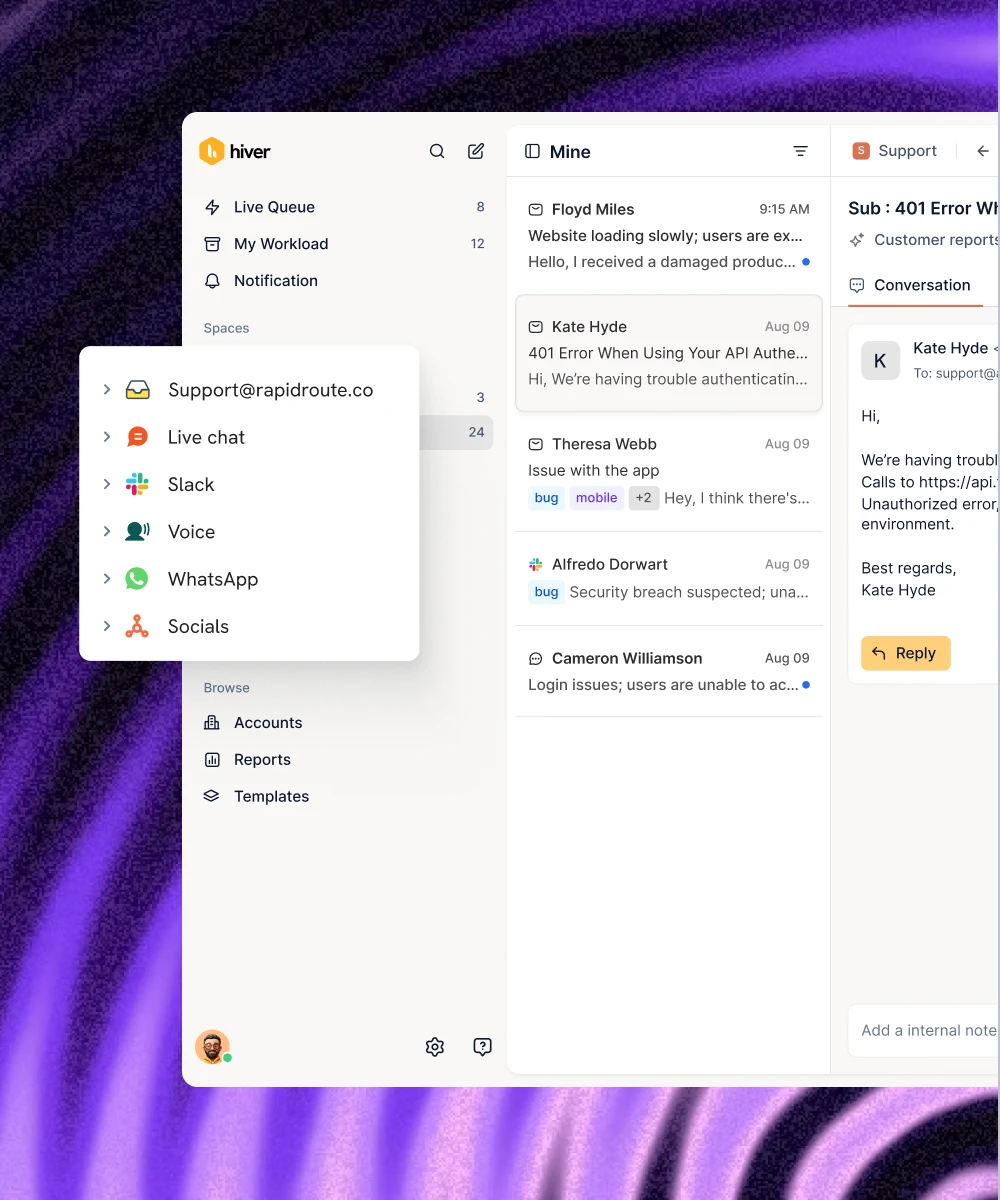
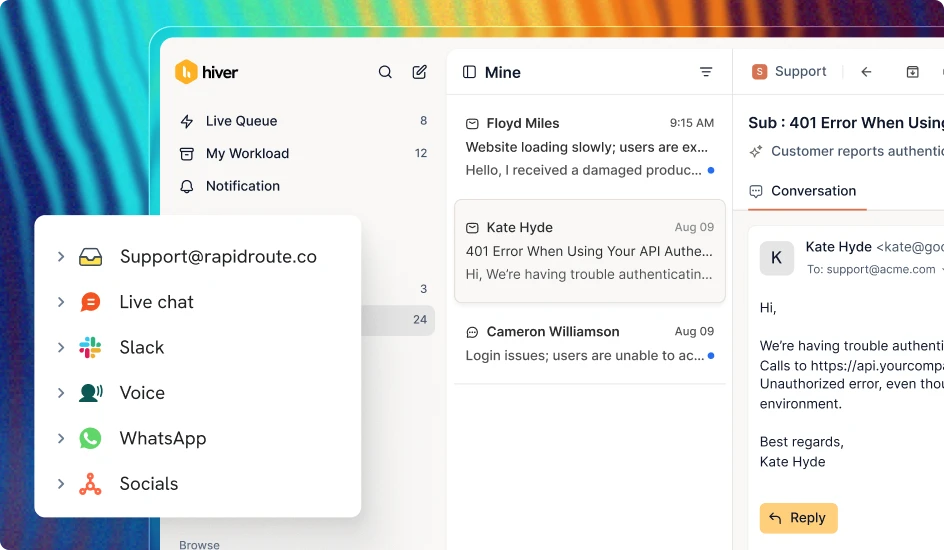
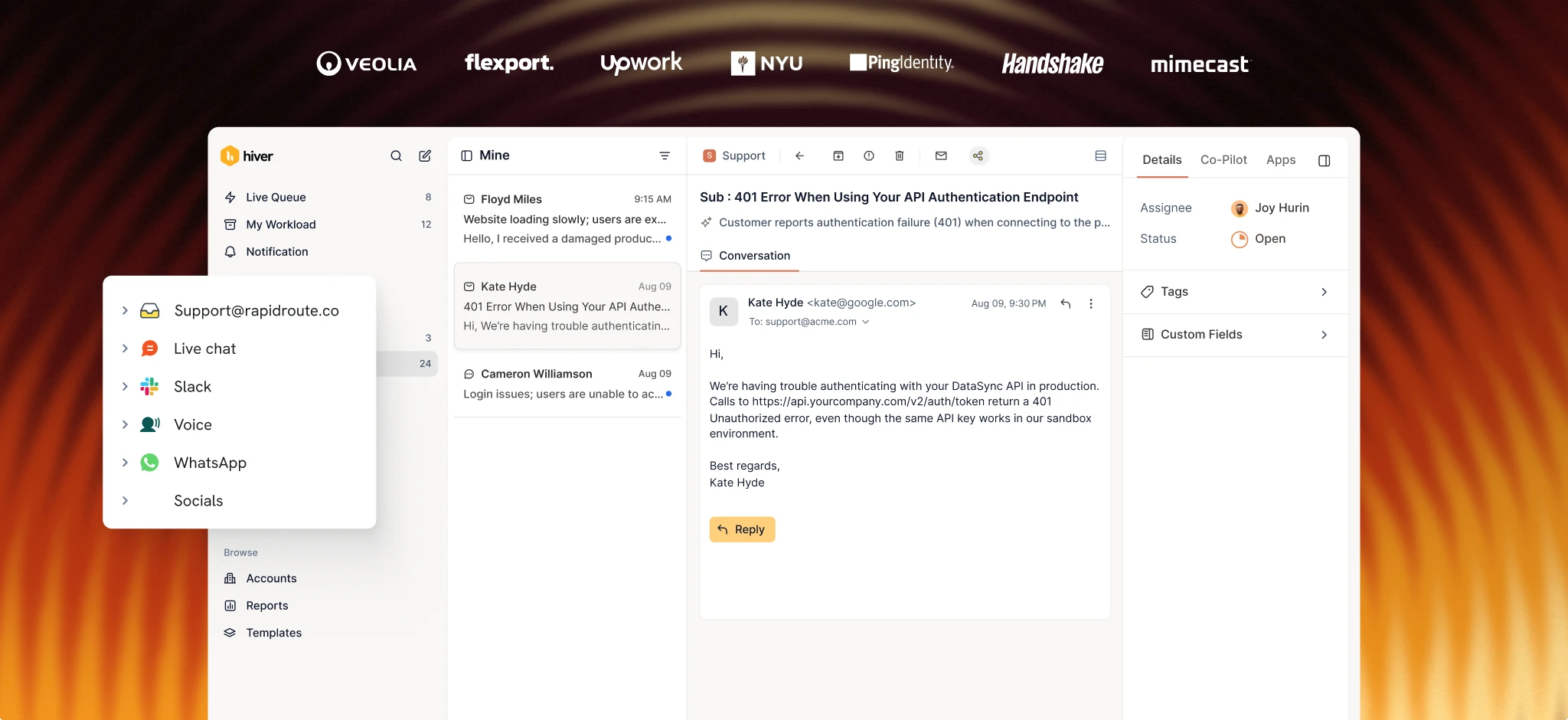
Hiver is an agentic omnichannel customer service platform built for teams that have outgrown a single inbox or spreadsheet. It brings email, chat, voice, Slack, WhatsApp, and more into one workspace, with ticketing, collaboration, automation, and AI built in.
Hiver gives every conversation clear ownership, status tracking, priority fields, and SLAs, so requests don’t get lost in a spreadsheet or email thread. Your team can add private notes, collaborate on replies, and hand off requests without losing the conversation history.
Hiver’s Workflow Automation then handles repetitive work. It routes, assigns, tags, and escalates tickets based on conditions you define in natural language, while integrations with tools like Jira, Linear, Salesforce, and Slack keep information connected across your systems.

As your support volume grows, Hiver’s AI can take even more work off your team’s plate. AI Frontline Agents can take customer requests from intent to resolution by reading what the customer needs, pulling context from past conversations and connected systems, following your team’s procedures, and taking the required actions. When a request needs a human decision, they bring in a team member with the relevant context.
For requests that need human judgment, AI Assist Agent does the groundwork. It finds similar issues, drafts replies in your team’s tone, and suggests next steps for your reps to review and send.
Once you sign up, your Hiver account will be up and running in minutes. You won’t have to spend weeks configuring it.
Countless is one example of how Hiver fits a small team. The accounting firm started with one person managing client interactions from a single Gmail inbox, then adopted Hiver as the team grew. Today, its five-person team uses four shared inboxes to assign conversations and collaborate on customer requests, saving 29 hours every month.

29 hours saved a month
“I can now know everything that’s happening without needing to be copied on everything and clogging up my own inbox. Hiver has revolutionized my whole business. I can’t imagine running Countless without Hiver, and I honestly don’t know how people don’t use it.”
Brittany Turner
Founder, Countless
Key features
- Omnichannel platform: Bring conversations from email, chat, voice, Slack, and WhatsApp into one workspace.
- Ticketing: Give every request clear ownership with status, priority, custom fields, queues, SLAs, and a full audit trail.
- Cross-team collaboration: Keep private notes, handoffs, and linked tickets (Jira, Linear) connected to the original thread so context carries across teams.
- Workflow automation: Route, assign, tag, and escalate tickets using conditions you define in natural language.
- AI Frontline Agents: Resolve customer requests end-to-end by reading intent, pulling context, and following your team’s procedures.
- AI Assist Agent: Draft replies from the full conversation history so reps edit instead of writing from scratch.
- Customer intelligence: Build a profile of each account by pulling data from your CRM, conversations, and product usage.
Pricing

Hiver offers three plans:
- Growth: $25/user/mo
- Pro: $55/user/mo
- Elite: $85/user/mo
G2 rating
4.6 out of 5 (1,283 reviews)
Pros
- Shared inbox and omnichannel support give small teams one place to manage customer conversations across channels.
- AI Frontline Agents and Workflow Automation reduce manual work in routing, triaging, and resolving requests.
- Workflows are configured in natural language, so small teams don’t need IT support or outside consultants.
Cons
- Some advanced capabilities, including Customer Intelligence, require higher-tier plans.
- Phone support is charged as an add-on
- Fewer integrations than established competitors
2. Freshdesk
Freshdesk is a customer service platform from Freshworks that brings email, chat, phone, and social media support into one place.

It has a free plan that supports two reps with basic ticketing, a knowledge base, and email support. That is enough features to help a two-person team stay organized at no cost. But this free plan has a 6-month limit, after which you must upgrade to a paid plan.
Key features
- Omnichannel ticketing: Manage email, chat, phone, social, and messaging app conversations from one dashboard.
- Automations: Route, prioritize, and assign tickets based on rules you define, with time-triggered follow-ups.
- Self-service portal: Build a branded knowledge base and community forum so customers find answers on their own.
- Freddy AI: Suggest replies, classify tickets, and surface relevant knowledge base articles for support reps..
Pricing

- Free: $0 (Limited to 6 months, up to 2 users)
- Growth: $19/user/mo
- Pro: $55/user/mo
- Enterprise: $89/user/mo
G2 rating
4.4 out of 5 (3,771 reviews)
Pros
- Free plan covers two users with basic ticketing and a knowledge base, offering a functional no-cost starting point.
- Competitively priced, with automation available even at the Growth tier.
- Large marketplace of integrations, including CRMs, e-commerce tools, and project management apps.
Cons
- The free plan’s limited to two users, so any team growth means an immediate upgrade.
- Advanced reporting and custom roles are locked behind Pro and Enterprise.
- The interface can feel cluttered once you’ve enabled multiple channels and automations.
3. Help Scout
Help Scout is a help desk built around a shared inbox. Rather than trying to be a full contact center or CRM, it focuses on helping teams manage customer conversations in one place, with features like private notes, assignments, and collision detection.

Its free plan supports five users and includes a shared inbox and basic knowledge base. Paid plans add AI-powered drafts, custom reporting, and integrations. AI Answers, which uses your knowledge base to respond to common customer questions, costs an additional $0.75 per resolution.
Key features
- Shared inbox: Manage emails, live chat, and social messages in one mailbox with collision detection.
- Beacon: Embed a chat and help widget on your site to surface help articles
- AI Drafts: Generate reply suggestions based on previous conversations and knowledge base content.
- Customer profiles: See a customer’s full conversation history and account details alongside every ticket.
Pricing

- Free: $0 (up to 5 users)
- Standard: $25/user/mo
- Plus: $45/user/mo
- Pro: $75/user/mo
- AI Answers: $0.75/resolution
G2 rating
4.4 out of 5 (431 reviews)
Pros
- Generous free plan supports five users with a shared inbox and knowledge base, letting you start without adding another expense
- It’s simple and easy to learn, so even new team members can start handling tickets on day one.
- Beacon’s help widget reduces inbound volume by surfacing answers on your site
Cons
- There’s no built-in phone or voice channel. You’ll need a third-party integration for calls.
- AI Answers is billed per resolution on top of your plan, so costs can climb as volume and resolution rates increase
- Reporting on Standard is basic. Custom reports require the Plus plan or higher.
4. Zoho Desk
Zoho Desk is a cloud-based helpdesk platform that fits small businesses on a tight budget. The Express plan starts at $7/user/month, one of the lowest starting prices on this list. It includes email ticketing, a basic knowledge base, and Zoho’s AI assistant, Zia.

If your business already uses Zoho CRM or Zoho Books, Zoho Desk integrates directly with them. That makes it a convenient option for teams already working within the Zoho ecosystem.
Key features
- Multichannel ticketing: Collect tickets from email, social media, live chat, phone, and web forms in one place.
- Zia AI: Suggest replies, classify ticket sentiment, and flag anomalies in support volume.
- Blueprint automation: Build guided workflows that walk agents through each step of resolving a specific request type.
- Zoho ecosystem integrations: Connect to Zoho CRM, Books, Projects, and 50+ other Zoho apps without middleware.
Pricing

- Free: $0 (up to 3 users)
- Express: $7/user/mo (up to 5 users)
- Standard: $14/user/mo (unlimited users)
- Professional: $23/user/mo (unlimited users)
- Enterprise: $40/user/mo (unlimited users)
G2 rating
4.4 out of 5 (7,933 reviews)
Pros
- The Express plan, which costs $7/user/mo, gives small teams a paid helpdesk with AI at a fraction of most competitors’ pricing.
- Deep integration with the Zoho product suite saves time if you’re already running on the Zoho ecosystem
- Blueprint automation is useful for teams with repeatable workflows that need consistent handling.
Cons
- The interface feels dated, and setup can take some time.
- Customer support can be slow to respond, which is an odd drawback for a help desk platform.
- Multi-department support and custom functions are only available on the Professional and Enterprise plans.
5. Zendesk
Zendesk is one of the most established customer service software platforms. For small businesses, the entry point is the Support Team plan that costs $19/user/month and includes email ticketing, basic reporting, and prebuilt analytics.

Zendesk’s strength lies in its feature depth and its ability to cover every customer service channel you are likely to need. But that depth also makes Zendesk more complex than the lighter tools on this list. Setup can take longer, and costs can rise quickly as you move beyond the basic plan.
Key features
- Omnichannel Suite: Manage email, chat, phone, social media, and messaging from a unified agentic workspace.
- Answer Bot: Resolve common questions by surfacing knowledge base articles and AI-generated responses.
- Marketplace: Access 1,500+ pre-built integrations and apps to extend the platform.
- Advanced reporting: Build custom dashboards with metrics on resolution time, CSAT, and agent performance.
Pricing

- Support Team: $19/user/mo
- Suite Team: $55/user/mo
- Suite Professional: $115/user/mo
- Suite Enterprise + Copilot: custom pricing
G2 rating
4.3 out of 5 (7075 reviews)
Pros
- One of the deepest feature sets in the category, so you’re unlikely to outgrow it even as your team scales.
- The marketplace has 1,500+ integrations covering almost any tool a small business uses.
- You’ll get strong reporting and analytics, even on the lower-tier plans.
Cons
- Price jumps across plans are huge. Moving from Support Team ($19) to Suite Team ($55) can be a significant jump for your small business.
- There’s a learning curve, and setup can take a week or more.
- Zendesk’s customer support receives mixed feedback from users on non-enterprise plans.
6. Front
Front is a customer operations platform that works like a shared team email client. If your team manages support from a shared email address, it keeps that familiar experience while adding collaboration tools. You get internal comments, assignments, and shared drafts alongside the email interface you’re already used to.

The Starter plan supports up to 10 seats and costs $25/seat/month.
Key features
- Shared inboxes: Manage team email addresses with assignments, tags, and collision detection in an email-like interface.
- Internal comments: Discuss a ticket with your team in the thread, without the customer seeing it.
- Rules and automation: Route, tag, and assign conversations based on sender, subject, keywords, or time of day.
- Omnichannel support: Connect email, SMS, WhatsApp, social media, and live chat to the same workspace.
Pricing

- Starter: $25/seat/mo (up to 10 seats)
- Professional: $65/seat/mo (up to 50 seats)
- Enterprise: $105/seat/mo
Front AI features are charged as add-ons.
G2 rating
4.7 out of 5 (2,511 reviews)
Pros
- The email-native interface means there’s almost no learning curve for teams already comfortable with email.
- Internal comments and shared drafts make collaboration on complex replies fast and natural.
- Strong integrations with Salesforce, HubSpot, Asana, and Jira.
Cons
- Starter is capped at 10 seats, so growing teams may need to move to the $65/seat Professional plan quickly.
- There’s no built-in knowledge base or self-service portal, so you’ll need a separate tool for those.
- Analytics are limited on the Starter plan, with custom reports available only on the Professional plan or higher.
7. HubSpot Service Hub
HubSpot Service Hub is the customer service module within the HubSpot ecosystem. If you already use HubSpot for marketing or sales, Service Hub connects your support team to the same CRM data and contact records, without requiring separate integration work.

The free tools support two users and include ticketing, a shared inbox, and a basic knowledge base. The Starter plan costs $15/seat/month. However, Professional jumps to $90/seat/month and includes a $1,500 onboarding fee, which can be a significant increase for small teams.
Key features
- Shared inbox: Manage email, chat, and form submissions from one mailbox connected to the HubSpot CRM.
- Ticketing pipeline: Track support requests through customizable stages with automation triggers at each step.
- Knowledge base: Build a searchable help center that indexes against your CRM data.
- Customer portal: Give customers a self-service view of their open and past tickets.
Pricing

- Free: $0 (up to 2 users)
- Starter: $7/seat/mo
- Professional: $90/seat/mo + $1,500 one-time onboarding fee
- Enterprise: From $150/seat/mo
G2 rating
4.4 out of 5 (2,967 reviews)
Pros
- If you’re already using HubSpot, your support team can access the same customer records and CRM data without extra integrations.
- The free tools are functional enough for a small team to test the workflow before paying.
- CRM data is natively connected to every ticket, so reps don’t need to switch tabs to access customer context.
Cons
- Professional at $90/seat/month plus a $1,500 onboarding fee is a significant jump for small businesses.
- Service Hub has a smaller feature set than dedicated help desk tools, and the automation on lower tiers is basic.
- Customer service is secondary to HubSpot’s core focus on marketing and sales.
8. Intercom
Intercom is an AI-first customer service platform built around live chat and its AI agent, Fin. If you want to automate a large share of customer interactions through chat, it’s one of the more capable options.

Fin resolves customer questions by searching your help center and past conversations. It costs $0.99 per resolution, so your AI costs scale with the number of conversations it resolves, not your headcount. Plans start at $29/seat/month for the base platform.
Key features
- Fin AI agent: Resolve customer questions automatically using help center content and conversation history.
- Live chat: Embed a messenger on your site with proactive messaging, custom bots, and targeted campaigns.
- Product tours: Guide new customers through your product with in-app walkthroughs and tooltips.
- Reporting: Track conversation volume, resolution rates, and customer satisfaction with built-in dashboards.
Pricing

- Essential: $29/seat/mo
- Advanced: $85/seat/mo
- Expert: $132/seat/mo
- Fin AI: $0.99 per resolution (usage-based)
G2 rating
4.5 out of 5 (3,912 reviews)
Pros
- Fin is one of the most capable AI agents in the category and can resolve a high percentage of common questions without human intervention.
- The $0.99/resolution model means you pay per resolution rather than per seat, which can be cost-effective at lower support volumes.
- The messenger and live chat experience is polished and highly customizable.
Cons
- Costs can be unpredictable. A spike in ticket volume or Fin resolutions creates a corresponding spike in your bill, with no cap.
- It’s built for high-volume, lower-complexity support, so it can’t handle Complex tickets that require cross-team coordination well.
- There is a steep learning curve for teams new to Intercom’s ecosystem
How to choose the right customer service software for your small business
To choose the right software for your small business, consider how your team works today and what you can realistically afford as you grow.
- If your support team has outgrown a single inbox or spreadsheet and also needs to manage support across multiple channels, consider Hiver. It combines ticketing, collaboration, workflows, and AI in one platform, so you can keep ownership clear, automate repetitive work, and bring in other teams when a request needs their input.
- If keeping costs low is your priority, look at Freshdesk’s free plan or Zoho Desk’s $7/user Express plan. If you’re already using HubSpot, Service Hub’s $15/seat/month Starter plan is also worth considering since it connects your support data directly to your CRM.
- If you want to automate customer support through chat and AI, Intercom is worth considering. Its Messenger and Fin AI agent are built to automate customer interactions, especially for teams handling a high volume of common questions.
The right customer service software should fit how your team works today while leaving room to handle more customers as your business grows.
Pick the right support platform for your team’s setup
Now that you know what each of these eight platforms offers, consider how your small team works today and choose the option that best fits that setup.
If your team has outgrown the single inbox or spreadsheet and needs more structure without adding more manual work, Hiver is worth considering. It brings ticketing, collaboration, workflows, omnichannel support, and AI together in one place, so your team can keep customer conversations organized, automate repetitive work, and scale support as your business grows.
Sign up for Hiver today to start managing your customer conversations more efficiently.
FAQs
1. What Is the best free customer service software for small business?
Freshdesk, Help Scout, Zoho Desk and HubSpot Service Hub all offer free plans. Freshdesk’s free tier supports two support reps, while Help Scout’s supports 5. The best starting point depends on your team size and the features you need
2. How much does customer service software cost for a small business?
Most platforms offer paid plans starting between $7 and $29 per user per month, billed annually. Zoho Desk is the most affordable at $7/user/mo. Hiver, Help Scout, and Front start at $25/user/month. Intercom’s Fin charges $0.99 per resolution on top of a $29/seat/mo base.
3. Do small businesses need customer service software?
Once you’re handling more than a handful of support conversations per day, Slack threads, spreadsheets, or email threads can become difficult to stay on top of. Customer service software helps prevent missed replies, track response times, and give you data to improve your support quality. Many platforms offer free or low-cost entry plans, so you can start with the features you need and add more as your support operation grows.
4. What features should a small business look for in customer service software?
Start with a shared inbox, ticket assignment, and basic reporting. From there, check for automation rules that route and tag tickets to save time as volume grows. Also consider a built-in knowledge base to reduce repeat questions. And if your support requires multiple teams to collaborate, check for internal notes and cross-team handoffs.
5. Can I switch customer service software later without losing data?
Most platforms offer data import and export tools, and some provide migration support. You won’t lose historical ticket data, but you’ll need to rebuild your automation rules, custom fields, and integrations. It’s better to choose a platform you can scale with from the start, so you don’t have to switch as your support needs grow.